.png?fit=max&auto=format&n=rExdh2xAS2_ywWU5&q=85&s=2336659947d2543be68f95bf2d539b85)

403, 404, 409, or 422) and nothing changes.
Organization roles
Owner
Everything an Org admin does, plus deleting the organization and making or removing owners.
Admin
Manages the organization, and the settings and members of every workspace, including new ones. Opens projects only in workspaces they belong to.
Member
Sees only the workspaces they’re added to, with the role given there.
Workspace roles
Admin
Manages members, projects, secrets, and API keys. Can rename or delete the workspace.
Member
Adds agents, runs attacks, and works on findings. Can create or rename projects and manage secrets.
Viewer
Sees agents, reports, and logs. Changes nothing.
admin, editor (shown as Member), and viewer.
What each role can do
An org member gets the column of their role in each workspace. The same person can be Workspace admin of one workspace and Workspace viewer of another.
(1) Only in workspaces they belong to. In another workspace, an org owner or admin still manages settings and members, but its projects, agents, and logs return
404.
Review roles in the console
Sign in to BotGauge to see your role and manage workspace access.
Which settings each role sees
A workspace member can create and rename projects and manage secrets, but can’t delete projects or see API keys. A workspace admin’s workspace pickers list only the workspaces they administer. A user with no workspace sees only their profile, plus a “No workspace yet” screen that tells them who to ask.
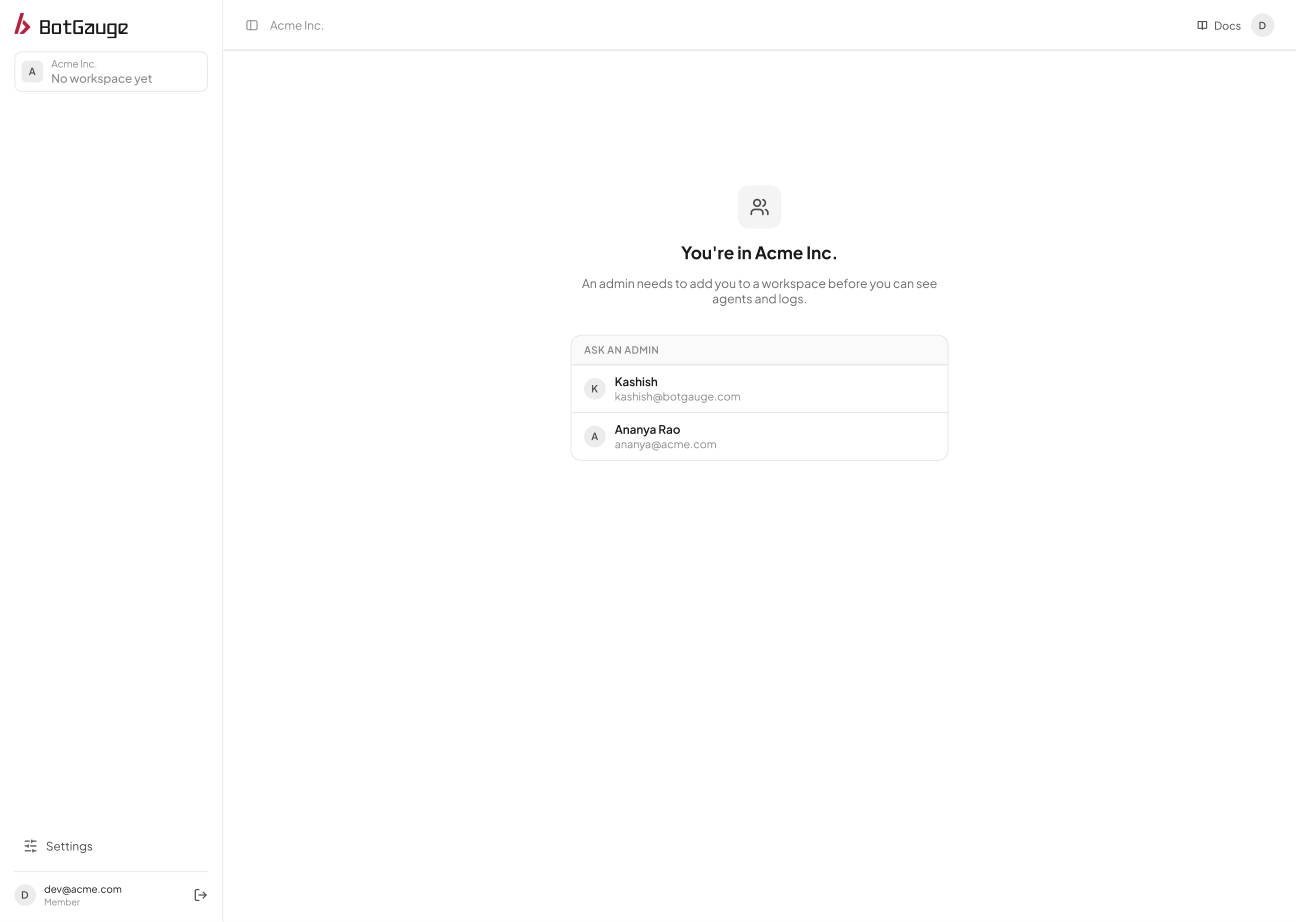
People with no workspace see who to ask for access.