.png?fit=max&auto=format&n=rExdh2xAS2_ywWU5&q=85&s=2336659947d2543be68f95bf2d539b85)

For example, an organization named Acme Inc. might have workspaces called Payments, Support, and Growth. The Payments workspace might hold projects named Refunds, Checkout, and Billing.

The switcher at the top of the sidebar moves you between organizations, workspaces, and projects.
Roles at each level
Roles exist at the organization and workspace levels. Projects have no roles of their own. Everyone in a workspace opens every project in it, with their workspace role.
Roles and permissions lists what each role can do.
Where traces go
Traces are sent with a project API key, so each project receives only the traces sent with its own keys. Secrets live at project level as well. If you run several agents or environments that should stay separate, create one project for each. Project creation is unlimited on every plan.Settings screens
Settings are grouped to match the three levels. Everyone sees Account and edits their own profile there. Organization settings are for owners and admins. Workspace and project settings appear according to your role in that workspace.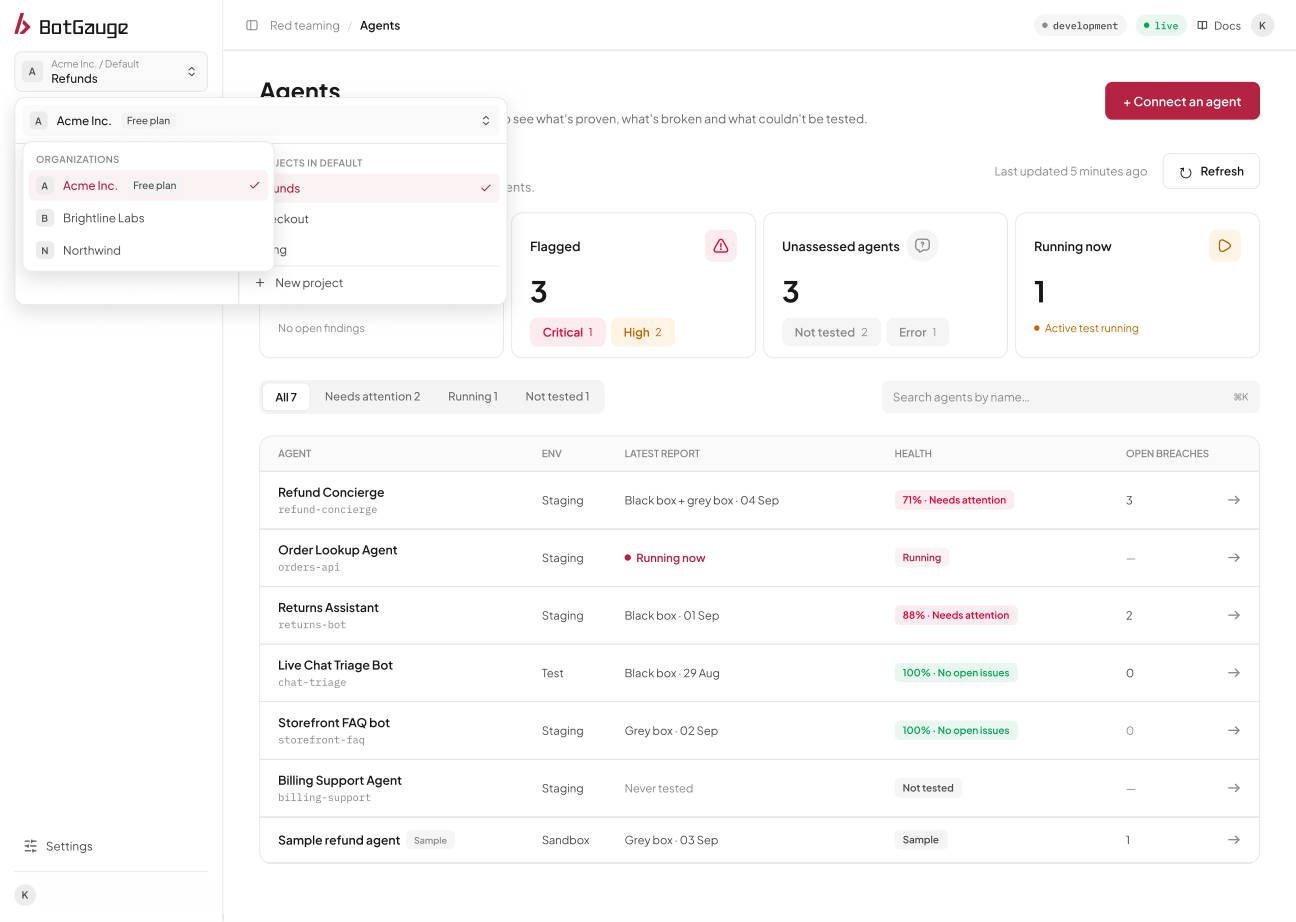
Use the switcher to change organization.
Set up your organization
Open BotGauge to create workspaces, projects, and invite your team.
Roles and permissions
Who can see and change what.
Members and invitations
Add people, send invitations, and change access.
Workspaces and projects
Create, rename, and delete.
API keys
Create the keys that send traces.