.png?fit=max&auto=format&n=rExdh2xAS2_ywWU5&q=85&s=2336659947d2543be68f95bf2d539b85)

Invite someone to the organization
An org owner or admin opens Organization, Members and chooses Invite member, then enters one or more email addresses, picks a role, and sends the invitations. Each person receives an email.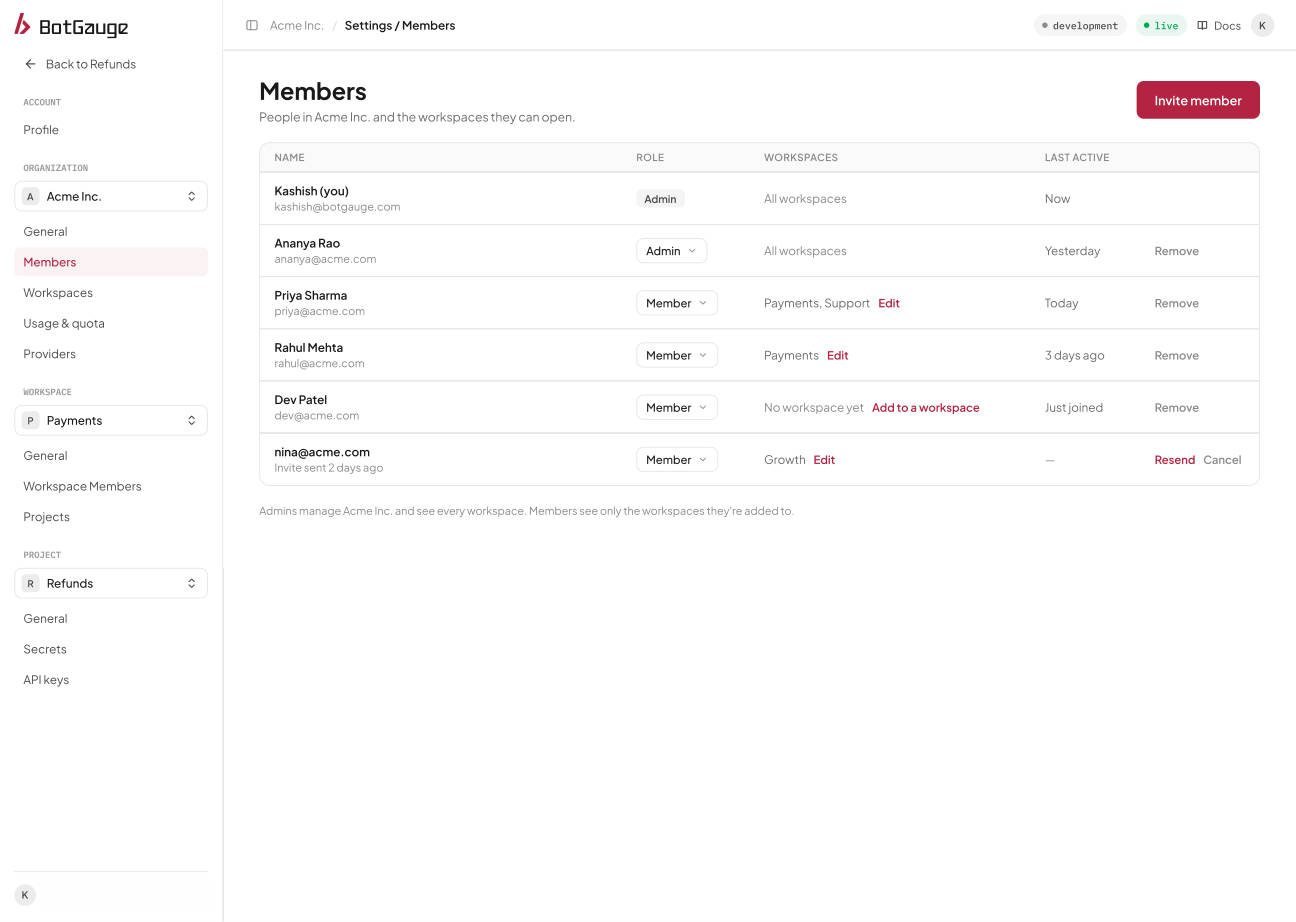
Organization, Members.
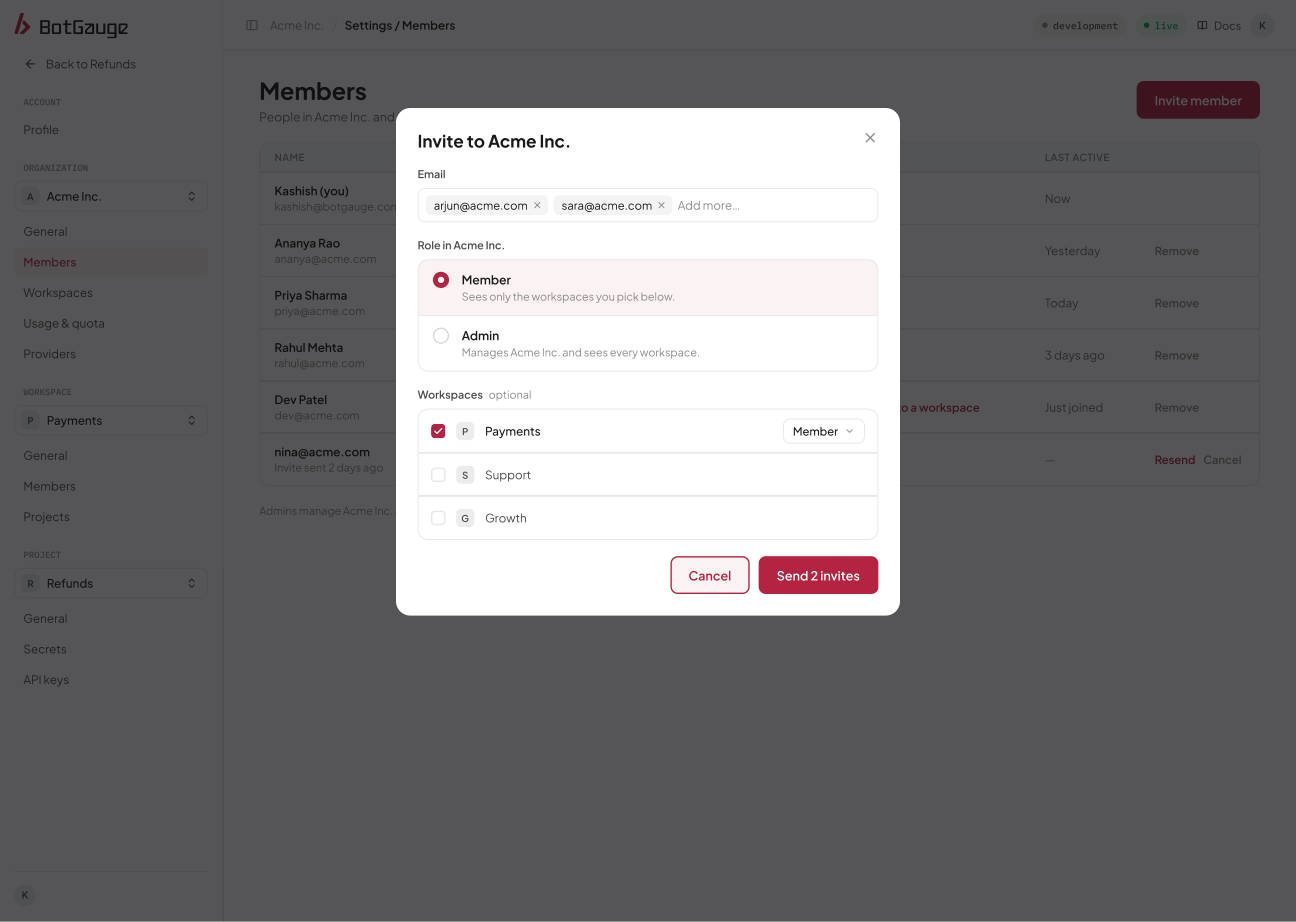
Invite members: choose a role and, for Members, at least one workspace.
Invitations are valid for 7 days. When the person accepts, they join the organization with the invited role and are added to the chosen workspaces.
Invite someone into one workspace
A workspace admin can add people who are already in the organization, or invite someone new into their workspace. Someone new always joins the organization as a Member, with the workspace role chosen in the invitation. Adding an existing org member sends no email, and access applies immediately.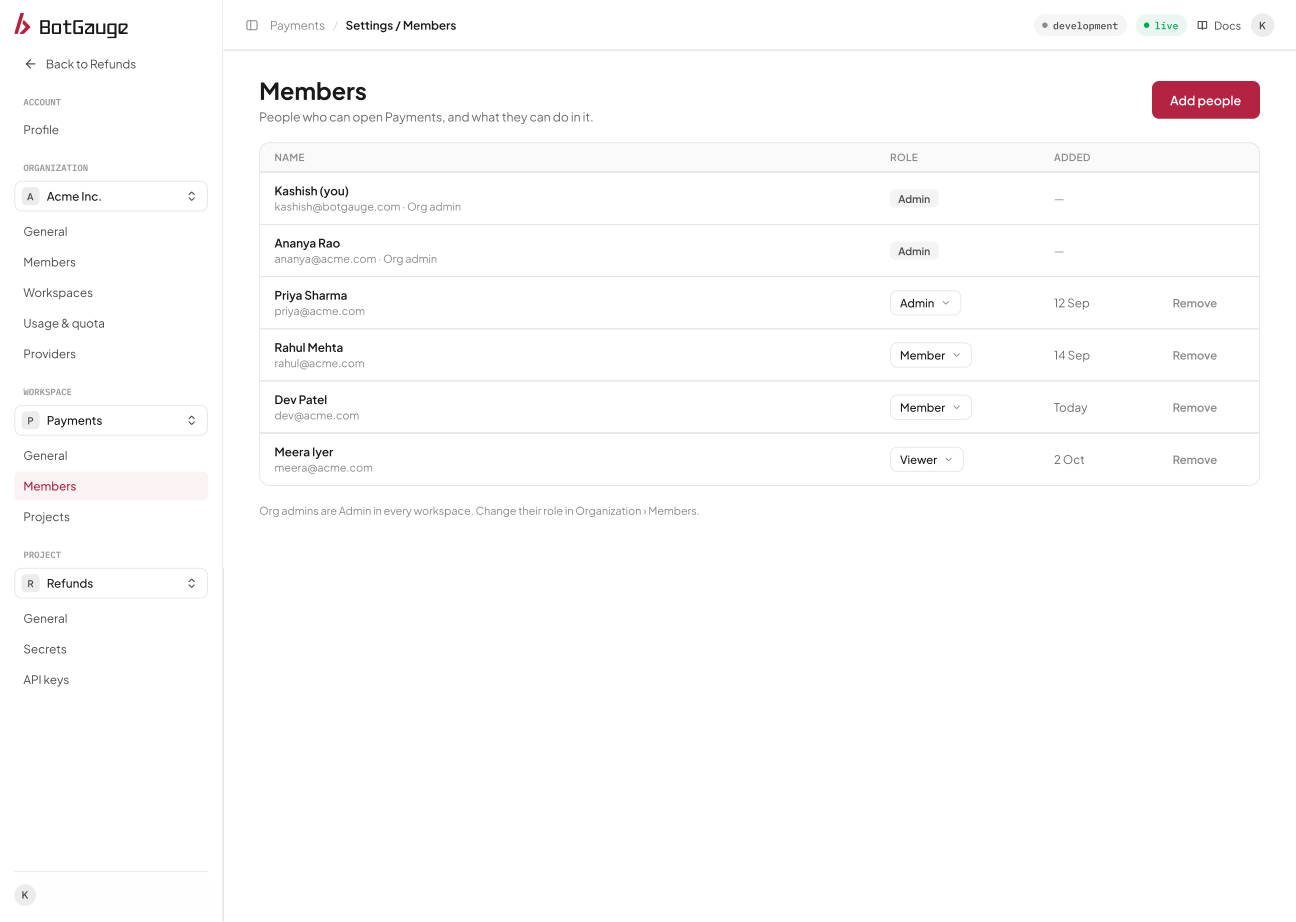
Workspace, Members.
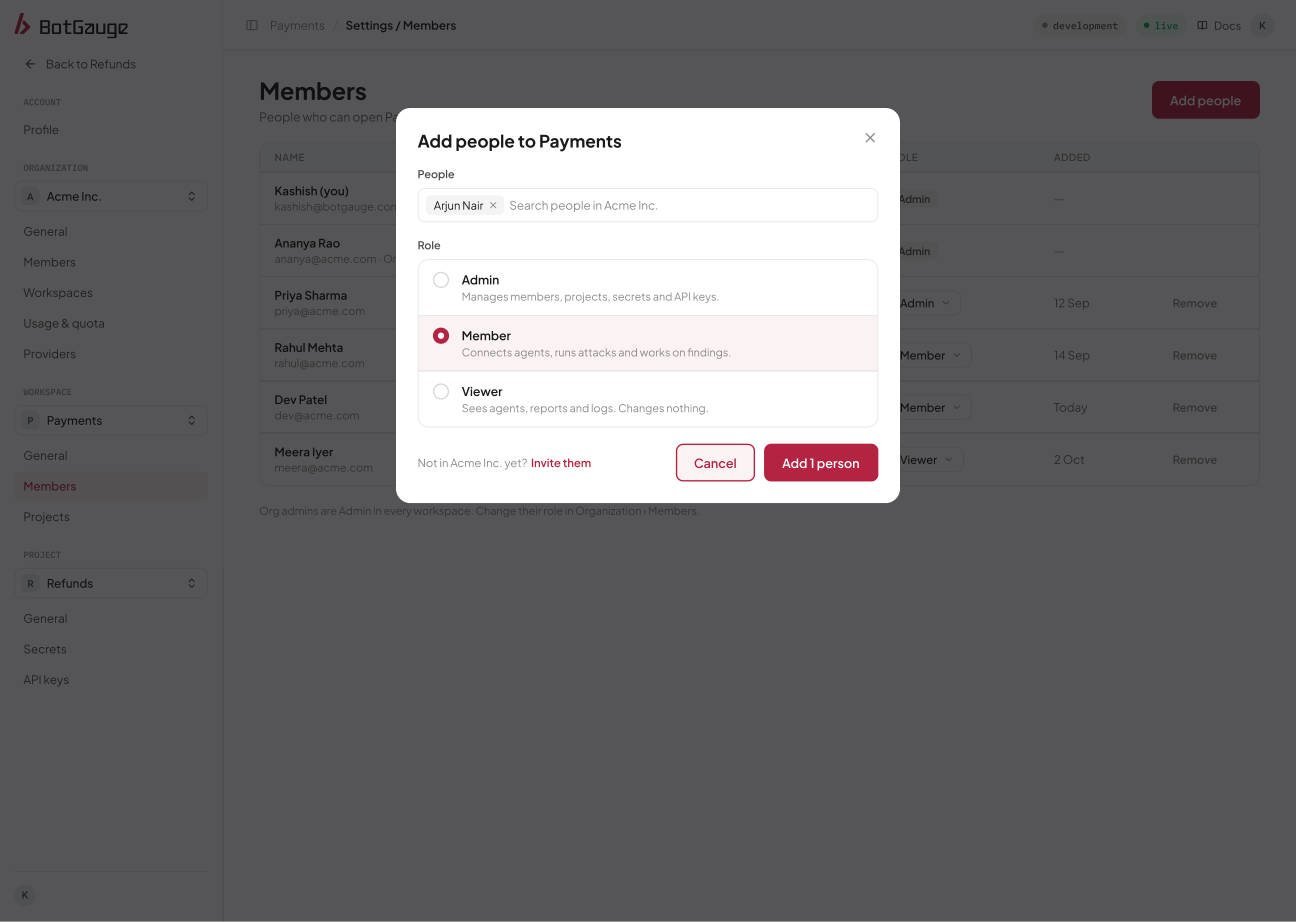
Add people from the organization and choose their workspace role.
What the invited person does
The email links to an invitation page. The invited person signs in with the same email address the invitation was sent to, with that email verified, and then accepts or declines.
People can also see and accept their pending invitations from inside the console after signing in, without using the email.
Manage pending invitations
Pending invitations appear as rows in the Members table. An admin can Resend or Cancel each one. Resending emails a new link, extends validity by another 7 days, and invalidates the previous link, so only the newest link works. It also works for expired invitations. Resending twice within a minute is refused. Canceling withdraws the invitation and the link stops working immediately.Change someone’s access
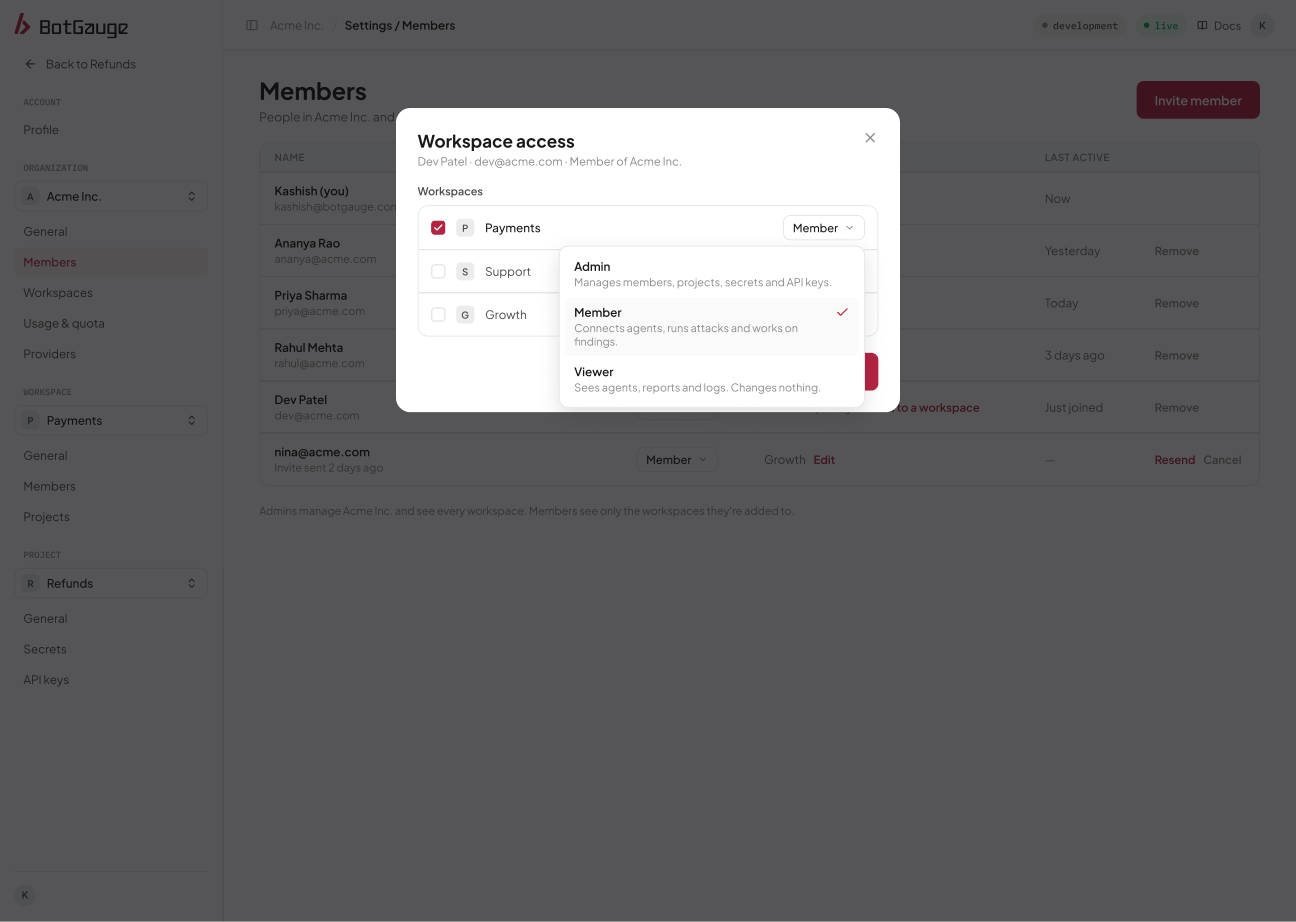
An org admin chooses a member's workspaces and a role in each.
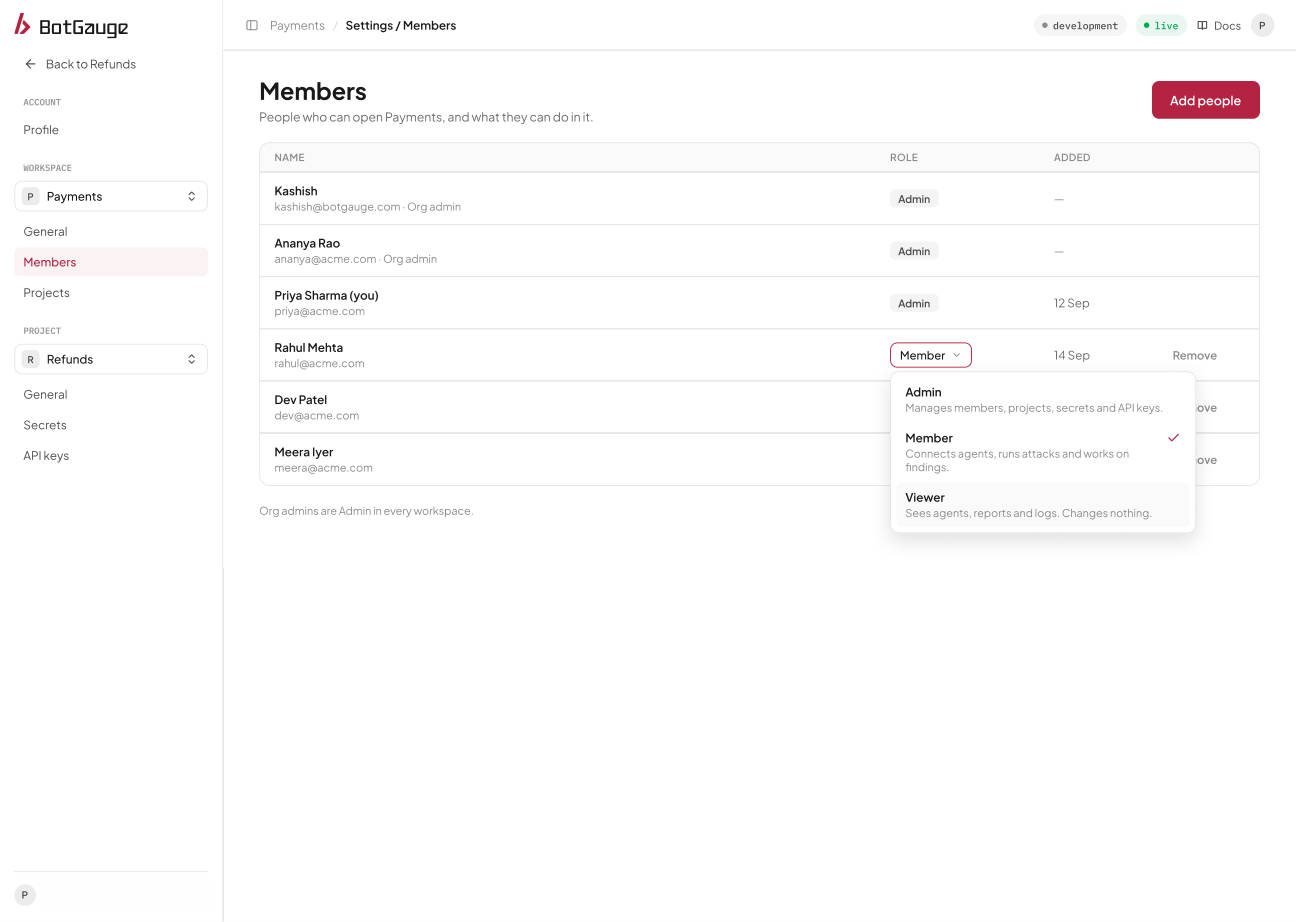
A workspace admin changes a role from the Members page.
Remove someone
Removing a person from the organization takes them out of every workspace in it, and their personal tokens stop working. If you invite them again within 90 days, their history is restored. An organization must always keep an owner, so the only owner can’t be demoted or removed. Only an owner can remove another owner. Removing a person from a workspace ends their access to that workspace and its projects and stops their personal tokens for it, but they stay in the organization.Plan limits
The Free plan limits how many members an organization can have. Inviting beyond the limit is refused. See Workspaces and projects.Send your first invitation
Open BotGauge to invite members and manage workspace access.