.png?fit=max&auto=format&n=rExdh2xAS2_ywWU5&q=85&s=2336659947d2543be68f95bf2d539b85)

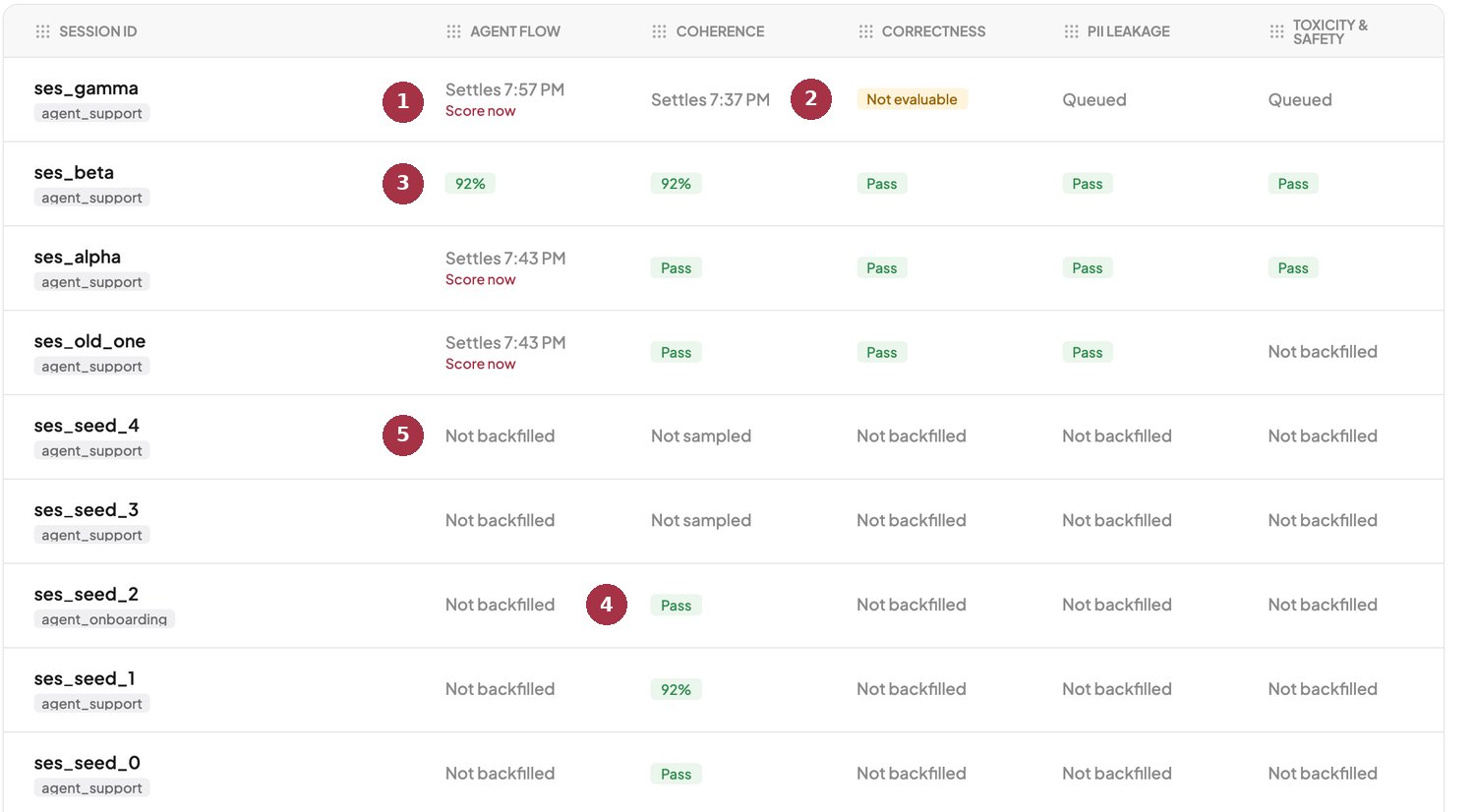
The Sessions tab. Session-level judges only appear here.
- Session waiting. Sessions wait longer (30 minutes by default) because a conversation can continue. Score now is available here too.
- Not evaluable. A roll-up: some traces in this session could not be scored.
- 92%. A session-level score.
- Past data. Coherence was run over older sessions.
- Not backfilled and Not sampled sit side by side for sessions from before a judge was on.
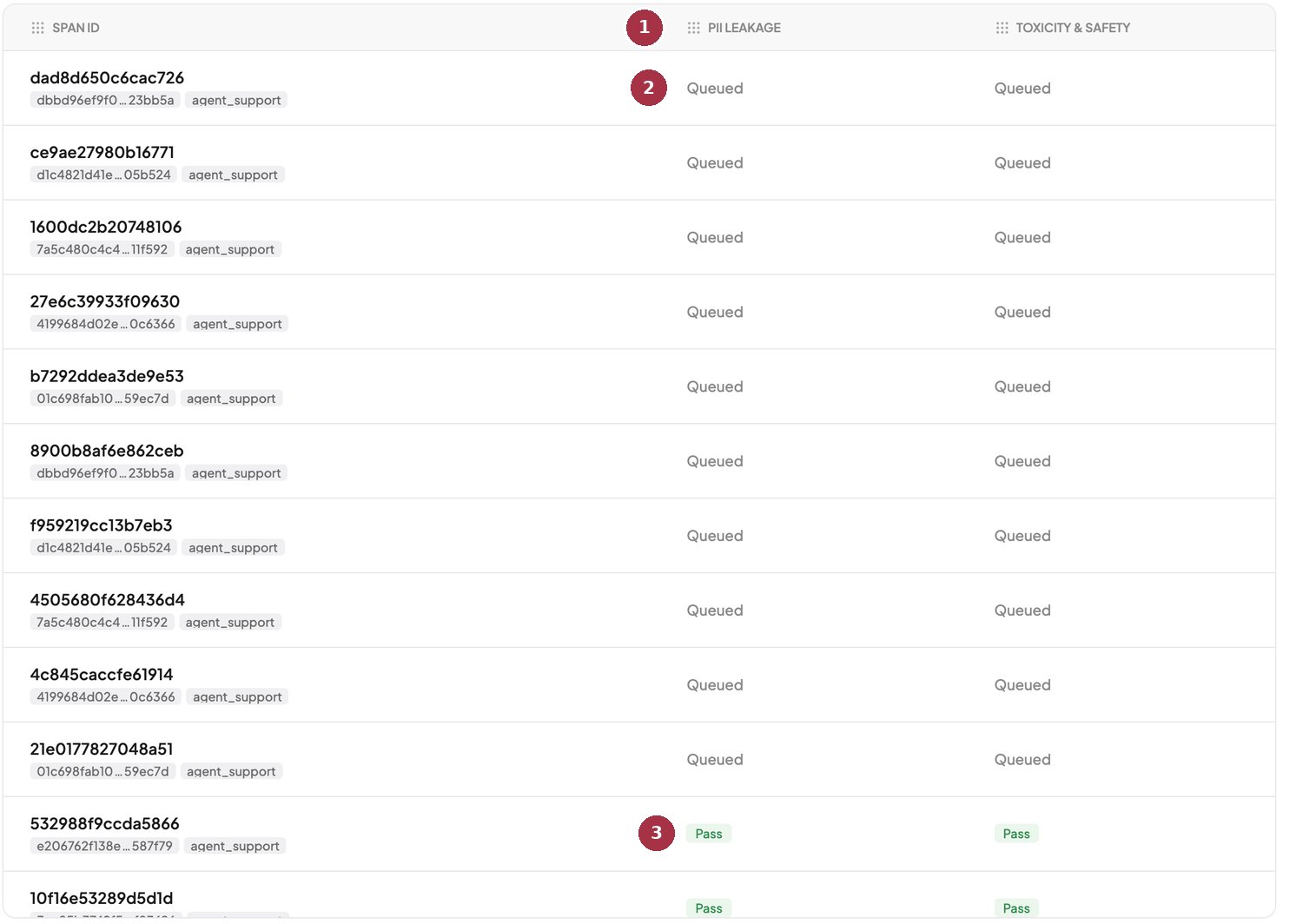
The Spans tab shows only span-level judges.
- PII Leakage and Toxicity. Only span-level judges appear on this tab.
- Queued. New spans wait for the judge worker, then fill in on their own.
- Pass. One verdict per span.
What each cell means
When one cell covers many items
A trace or session summarizes its spans. Scores are averaged. Booleans fail if any span failed. Categories show the most common label. A cell with a mix of results shows how many could not be evaluated.Read your evals in Logs
Open BotGauge and visit the Logs page to see pass, fail, and score cells for each judge.