.png?fit=max&auto=format&n=rExdh2xAS2_ywWU5&q=85&s=2336659947d2543be68f95bf2d539b85)

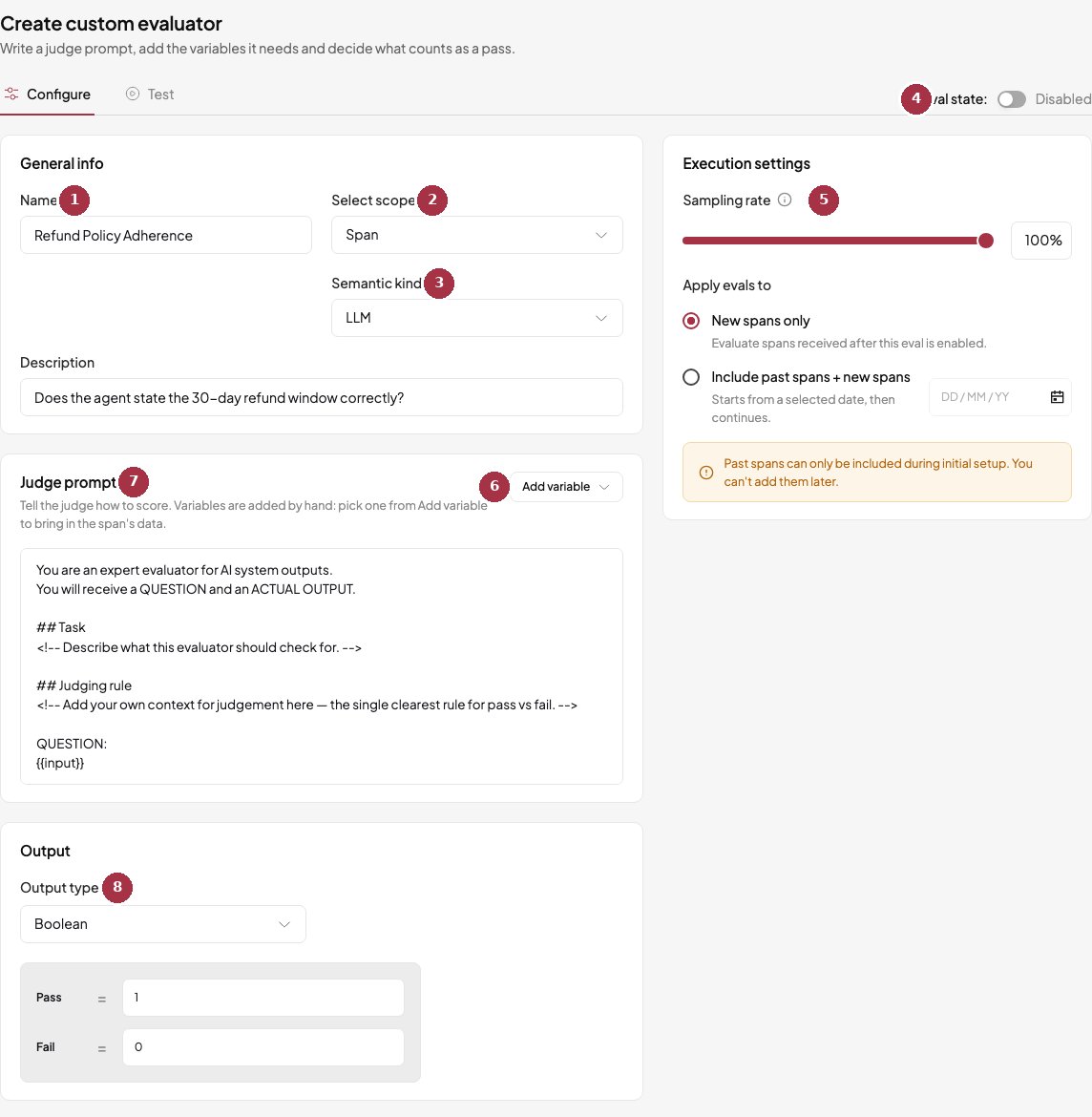
Creating a custom evaluator.
- Name. Becomes the column title in Logs. The key is generated from it.
- Select scope. Span, trace, or session. Decides which fields the prompt can use.
- Semantic kind. Required for span judges: pick at least one span type, such as LLM.
- Eval state. A new judge starts disabled.
- Sampling rate and Apply evals to work as on any judge.
- Add variable. Inserts a field such as
{{input}}or{{output}}into the prompt. - Judge prompt. Replace the placeholder comments with your own criteria. Create eval stays disabled until you do.
- Output type. Boolean, score, or category.
Fields in your prompt
Choose Add variable to insert fields. Only some fields exist at each level.Output types
- Boolean. Pass or fail.
- Score. A number from 0 to 1 with a pass threshold.
- Category. Labels you define. Each label carries a score and passes or fails.
Check a judge before and after you rely on it
- Test tab. Run the judge on real spans of your own and read the verdict and reasoning before you turn it on. See Rules and settings.
- Start from a built-in. Duplicate one and edit its prompt instead of writing from scratch.
- Read the explanation. Hover a Pass or Fail cell in Logs to see why the judge decided that.
- Compare with human labels. The API can score a judge against labels you supply and return agreement, precision, recall, and a suggested threshold with
POST /v1/eval-rules/{id}/calibrate. The labels are not stored.
Create a judge through the API
request
response
Build a custom evaluator
Go to the Judges page in BotGauge and choose Create custom evaluator to start designing your own rule.