10 Best Selenium Alternatives of 2026
Selenium drains time quietly. Renaming a CSS class kills 40 locators at once. A product redesign eats 2 full weeks of test maintenance before your team ships a single feature. If your team is spending more time fixing tests than running them, this guide covers 10 Selenium alternatives for 2026: what each tool does well and what switching actually costs.
Overview
- Selenium's core pain points: driver version mismatches, no built-in reporting, no native mobile support, brittle locators, and no AI or self-healing
- 10 Selenium alternatives: BotGauge, Playwright, Cypress, WebdriverIO, NightwatchJS, Puppeteer, TestCafe, Appium, Katalon Studio, and Cucumber
- Playwright: Best for coded, cross-browser web testing
- Cypress: Best for fast JS-only feedback loops
- BotGauge: Best for teams with zero QA headcount. It uses AI agents plus human QA experts to generate, run, and self-heal tests with no scripting
- WebdriverIO: Best for combined web + mobile in one framework
- Appium: Best for mobile-only coverage
- Katalon Studio: Best for mixed technical teams
- Cucumber: Best for business stakeholders writing test scenarios
- Puppeteer: Best for Chrome-specific automation, web scraping, and performance profiling
- TestCafe: Best for teams that want zero driver setup and fast cross-browser testing
- NightwatchJS: Best for teams that want end-to-end, visual, accessibility, and API testing
10 Best Selenium Alternatives of 2026
Selenium has been the backbone of web test automation since 2004. It's open-source, multi-language, and battle-tested. So why are QA teams actively searching for Selenium alternatives in 2026?
The honest answer is that the friction compounds over time. Driver version mismatches. Brittle locators. No built-in reporting. No AI. No native mobile support. Setting up a basic Selenium test takes longer than it should, and maintaining 500+ scripts through a product redesign can eat an entire sprint.
This guide covers 10 alternatives for Selenium worth considering in 2026, including code-based frameworks, AI-native platforms, and managed QA services. Each section covers what the tool actually does well, what it doesn't, and which team profile it fits.
What is Selenium?
Selenium is an open-source test automation framework that allows developers and QA teams to automate interactions with web applications. It supports multiple programming languages, browsers, and operating systems, making it one of the most widely used tools for automated UI testing.
However, teams often need to write, maintain, and update test scripts as applications evolve.

Why Look for Selenium Alternatives?
Selenium works. The problem is that 'works' has a maintenance cost attached, and that cost grows with every browser update, every UI redesign, and every new team member who has to learn the setup.
Driver management is a constant tax
Every Chrome update risks breaking ChromeDriver. Every Firefox update means checking compatibility. In a large organization running hundreds of tests across multiple environments, this isn't a one-time fix; it's a recurring tax on engineering time.
No built-in test reporting
Selenium tells you pass or fail. For anything more useful, such as trend analysis, flaky test detection, or test run history, teams wire in third-party tools like Allure, Extent Reports, or TestNG. That's more setup, more maintenance, more things to break.
No native mobile support
Selenium handles web browsers. If your product has an iOS or Android app, you need Appium on top of Selenium. Now you're managing 2 frameworks, 2 configurations, and 2 sets of docs.
High maintenance overhead
Selenium relies on strict CSS selectors, XPaths, and element IDs. The moment a developer renames a class or restructures a component, locators break. In a test suite with hundreds of scripts, that's not a one-line fix.
No AI or self-healing
Modern Selenium alternatives, such as BotGauge, automatically detect UI changes and update scripts without human intervention. Selenium doesn't. Your scripts break, you find out in CI, and someone fixes them by hand.
Slow execution at scale. Selenium Grid adds parallel execution, but setting it up and keeping it stable is its own infrastructure project. Out-of-the-box alternatives handle parallelism without the overhead.
Selenium 4 addressed some of this: native Chrome DevTools Protocol support, improved Grid observability, and W3C WebDriver compliance across all major browsers. But it didn't solve the maintenance burden or the reporting gap. For teams starting from scratch, there are faster paths.
Still evaluating tools? We'll show you what autonomous QA looks like running inside your stack.
Book a DemoTop 10 Selenium Alternatives for Test Automation
Here is a detailed list of top alternatives to Selenium currently used by engineering teams worldwide.
1. BotGauge
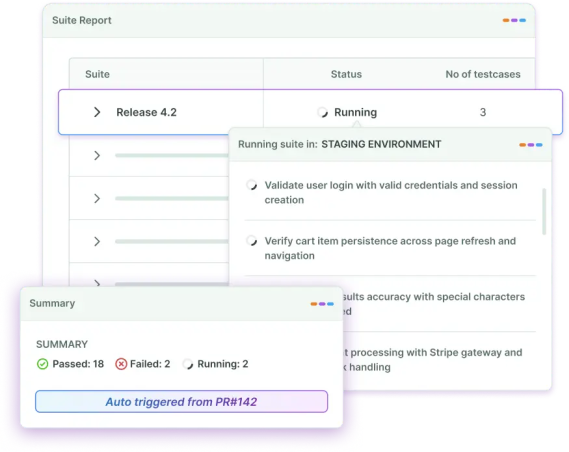
BotGauge is an Autonomous QA as a Solution (AQaaS) platform that pairs AI agents with forward-deployed QA experts to create, run, and maintain end-to-end tests for you. Your engineering team doesn't write, own, or maintain test automation at all.

The model differs from every other Selenium alternative on this list. You share context: PRDs, UX flows, screenshots, or demo videos. BotGauge's test authoring agent automatically generates test cases from that context. Human QA experts validate the tests. The result is 80% test coverage in 2 weeks, with 500+ tests running in under 5 minutes.
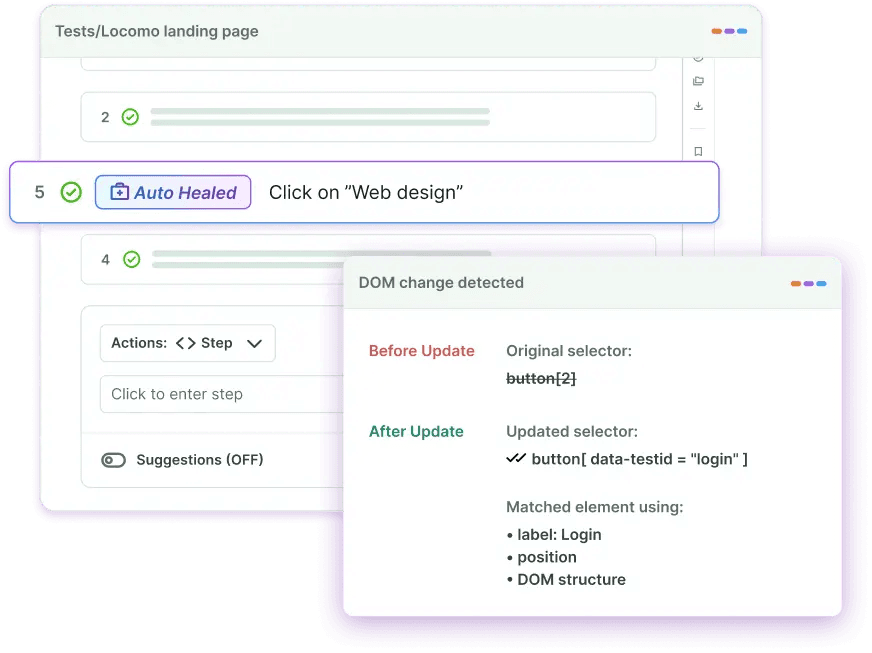
When the UI changes, the self-healing engine detects the shift, re-executes the flow, and updates the script. No Jira ticket for your team. No broken build to debug at 11 pm. Some of the key capabilities of BotGauge include:
- AI-driven test generation from PRDs, screenshots, demo videos, and UX flows
- Self-healing automation that adapts to DOM and workflow changes without manual intervention. This is more robust than traditional self-healing, which adapts to changes in UI locators.
- Human-validated tests by vertical-specialized QA experts in SaaS, FinTech, HealthTech, and eCommerce
- Unlimited parallelization. Run 500+ tests in under 5 minutes.
- Native CI/CD integration with GitHub, Jira, Slack, and DevOps pipelines
- SOC 2 Type II certified offering enterprise-ready solutions.
- Data Isolation. Your test data stays in your tenant. We never train external models on customer data.
- Frictionless Change Management. BotGauge's team handles the switch from your current QA setup, mapping your existing coverage and rebuilding it on BotGauge, so your engineers carry none of the migration workload.
Best for: High-velocity engineering teams that want full QA ownership offloaded, with no internal test automation headcount to hire or manage.
Pricing: Outcome-based. You pay per automated test case, not per seat or license. Example of a single test case at BotGauge: an entire active user flow, from login -> checkout & payment, is a test case.
See exactly what's breaking in your app before your users do.
Get free bug report2. Playwright
Microsoft's Playwright has become the default choice for teams starting new web automation projects. It runs tests across Chromium, Firefox, and WebKit through a single API, handles modern JavaScript-heavy applications well (Shadow DOM, iframes, content loaded after page render), and does all of this without the driver version pain of Selenium.

Playwright scripts execute in the same process as the browser. Tests run faster and flake less than with Selenium's WebDriver architecture. Auto-wait is built in, so you don't write sleep() calls.
- Multi-browser support - Chromium, Firefox, and WebKit from one API
- Multi-language support - JavaScript, TypeScript, Python, Java, and C#
- Auto-wait for elements, no manual timeouts
- Built-in parallel test execution
- Network interception, request mocking, and API testing
- Trace viewer, video capture, and screenshots included
Best for: JavaScript or Python teams running cross-browser end-to-end tests in CI.
Pricing: Free, open source (Apache 2.0).
3. Cypress
Cypress runs directly inside the browser. That architecture gives it real-time access to DOM events and network requests, making debugging noticeably faster: you get time travel through test steps, not just a pass/fail log.

The trade-off is narrow browser support. Cypress covers Chrome, Firefox, and Edge, but not Safari. Cross-browser testing at scale requires Cypress Cloud, the paid tier. Teams locked into JavaScript and not needing Safari coverage get a fast, well-documented tool.
- Real-time test execution with instant visual feedback
- Time-travel debugging with command-by-command snapshots
- Automatic waiting and retry logic built in
- Network stubbing and request spying
- Screenshot and video recording of the test failure
Best for: JavaScript developers building single-page applications who want fast, visible test feedback.
Pricing: Free and open-source (MIT). Cypress Cloud is paid for advanced CI features and cross-browser parallelism.
4. WebdriverIO
WebdriverIO runs on the WebDriver protocol (the same foundation as Selenium) but with a cleaner API and a plugin ecosystem that scales without added complexity. It supports JavaScript and TypeScript, handles cross-browser web testing, and handles native mobile app testing through Appium integration, all from one framework.

The OpenJS Foundation maintains it, so there's no vendor lock-in. Teams that need web and mobile coverage without 2 separate frameworks often land here.
- Cross-browser and native mobile testing in one framework
- Appium integration for iOS and Android testing
- Rich plugin ecosystem for extended functionality
- Sync and async execution modes
- Vendor-neutral, maintained by the OpenJS Foundation
Best for: JavaScript teams with both web and mobile testing requirements that want a single framework.
Pricing: Free, open source (MIT).
5. NightwatchJS
NightwatchJS is a Node.js framework created by Andrei Rusu and later acquired by BrowserStack. It covers end-to-end testing, component testing, visual regression testing, accessibility testing, API testing, and native mobile app testing, all in one tool.

Teams that want to stop maintaining separate frameworks for different test types find the consolidation worth it. Syntax is readable, setup is low, and page object pattern support is built in.
- End-to-end, component, visual regression, and API testing in one tool
- Native mobile app testing support
- Page object pattern built in
- Chrome, Firefox, Edge, and Safari support
- Built-in parallel test execution
Best for: Teams that want one framework for multiple test types with minimal configuration.
Pricing: Free, open source (MIT).
80% test coverage in 2 weeks. BotGauge writes the tests and keeps them working.
Book a Demo6. Puppeteer
Puppeteer is a Node.js library from the Chrome DevTools team. It controls headless Chrome or Chromium directly via the DevTools Protocol, providing low-level access useful for performance profiling, web scraping, PDF generation, and screenshot workflows.

Puppeteer doesn't include built-in test assertions or parallel execution. Teams use it for precision Chrome automation, typically alongside a test runner like Jest, not as a full testing framework replacement.
- Full Chrome DevTools Protocol access
- Headless and headful Chrome/Chromium control
- Page screenshots and PDF generation
- Performance timeline recording and analysis
- Network request interception and modification
Best for: Chrome-specific automation, web scraping, and performance profiling tasks.
Pricing: Free, open source (Apache 2.0).
7. TestCafe
TestCafe removes driver management entirely. Instead of sitting on top of browser drivers, it uses a proxy-based architecture that injects testing code directly into the page. The result: a setup that takes minutes, not an afternoon.

Automatic waiting, concurrent cross-browser execution, and a built-in test recorder come standard. If your team's biggest Selenium complaint is setup complexity, TestCafe directly solves that problem.
- Zero driver configuration required
- Automatic element waiting and synchronization
- Cross-browser parallel test execution
- Built-in test recorder for fast test creation
- API testing capabilities included
Best for: Teams that want quick setup and reliable cross-browser testing without driver complexity.
Pricing: Open-source core is free. TestCafe Studio (GUI) is paid.
8. Appium
Appium is the standard for mobile app testing automation. Its cross-platform architecture lets teams write tests once and run them on iOS and Android without modification. It supports native, hybrid, and mobile web apps, and works across real devices, emulators, and simulators.

Appium uses the WebDriver protocol, so engineers familiar with Selenium can pick it up quickly. It's the Selenium alternative for the specific problem Selenium doesn't solve: native mobile testing.
- Cross-platform: one test script runs on iOS and Android
- Native, hybrid, and mobile web app support
- No application modification or SDK required
- Multiple programming language support
- Cloud device farm integration (BrowserStack, Sauce Labs, and others)
Best for: Teams focused on mobile app testing that need genuine cross-platform coverage.
Pricing: Free, open source (Apache 2.0).
9. Katalon Studio
Katalon Studio bridges the gap between teams that can write code and teams that can't. It has a low-code recording interface and a full-code scripting environment, plus AI-powered test generation and smart maintenance features that detect application changes.

One platform covers web, mobile, API, and desktop testing. For organizations where both developers and manual QA testers need to write and maintain tests, Katalon is built for that mix.
- Low-code recording with full-code scripting in the same tool
- AI-powered test generation from natural language descriptions
- Smart maintenance with self-healing capabilities
- Web, mobile, API, and desktop testing from one platform
- CI/CD integration with Jenkins, GitHub Actions, and GitLab
Best for: Organizations with mixed technical expertise that need a single platform for multiple test types.
Pricing: Free tier available. Paid plans for advanced features and cloud execution.
10. Cucumber
Cucumber uses Gherkin, a plain-language syntax, to separate test scenarios from implementation. A product manager writes the test scenario in plain English. A developer implements the step definitions. QA connects the two.

The collaboration model is the product. Test scenarios become living documentation that business stakeholders can read, review, and contribute to. Cucumber doesn't compete with Selenium in terms of speed or modern browser features. It solves a different problem: getting your whole team to agree on what's actually being tested.
- Gherkin syntax (Given/When/Then), readable by non-technical stakeholders
- BDD-first approach linking requirements to test execution
- Living documentation generated from test scenarios
- Reusable step definitions across scenarios
- Supports Java, JavaScript, Ruby, Python, and more
Best for: Teams where business stakeholders need to write, read, and validate test scenarios.
Pricing: Free, open source (MIT).
Your next release ships clean. BotGauge makes sure of it.
Get free bug reportSelenium IDE Alternatives
Selenium IDE, the browser extension for record-and-playback testing, stopped receiving regular updates years ago. The Selenium team shifted focus to WebDriver. If your workflow depends on IDE-style test recording, these are the options that actually get maintained in 2026.
Playwright Codegen
Run playwright codegen <url> in your terminal, and Playwright records every interaction, generating test code in your chosen language in real time. More reliable than Selenium IDE, and it produces code you'd actually want to keep.
Cypress Studio
Built into Cypress. Records user interactions against your running application and generates Cypress commands automatically. Works well for extending existing test files with new scenarios.
Katalon Recorder
A Chrome extension and the closest direct replacement for Selenium IDE. Records scripts, exports in multiple formats (Katalon, Selenium WebDriver, Puppeteer), and is still getting active development. Teams migrating from Selenium IDE typically land here first.
BotGauge AQaaS
Takes the recording concept further: instead of capturing clicks, BotGauge's AI reads your PRD, screenshots, or demo video and generates test cases from that context. No browser extension, no manual recording, no coding.
Comparison Table of Selenium Alternatives
Here's how the top 5 Selenium testing alternatives stack up across the dimensions that drive real purchasing decisions.
| Tool | Languages | Browser support | AI / self-healing | Setup | Pricing |
|---|---|---|---|---|---|
| BotGauge | No-code (AI-native) | All major | Yes (AI-powered) | Zero setup | Outcome-based |
| Playwright | JS/TS, Python, Java, C# | Chromium, Firefox, WebKit | No | Low | Free (OSS) |
| Cypress | JS/TS only | Chrome, Firefox, Edge | No | Low | Free / paid Cloud |
| WebdriverIO | JS/TS | All major + mobile | No | Medium | Free (OSS) |
| NightwatchJS | JS/TS | Chrome, Firefox, Edge, Safari | No | Low | Free (OSS) |
BotGauge's outcome-based pricing means you're paying for delivered test coverage, not for a license that still requires your team to do the work.
Things to Consider Before Choosing a Selenium Alternative
The right choice depends on factors specific to your team. Here are the 7 dimensions worth thinking through before committing.
1. Team skill level
Frameworks like Playwright and Cypress require strong programming skills. Tools like BotGauge and Katalon serve teams with varying levels of technical ability. Choose based on who will actually write and maintain tests, not who you wish you had.
2. Application type
Web-only? BotGauge. Native mobile? Appium. Both web and mobile? WebdriverIO. Desktop apps? Katalon. Defining your scope first immediately eliminates most options.
3. AI and self-healing requirements
If your application changes frequently, such as in fast-moving SaaS products, self-healing matters. BotGauge and Katalon Studio handle UI changes automatically. Open-source frameworks like Playwright and Cypress don't. Teams with stable products can ignore this; teams shipping weekly can't.
4. CI/CD pipeline fit
All of these tools integrate with GitHub Actions, Jenkins, and GitLab in principle. In practice, check how much configuration the integration requires and whether your DevOps team has the bandwidth to own it. BotGauge integrates natively with no additional setup on your end.
5. Test Reporting
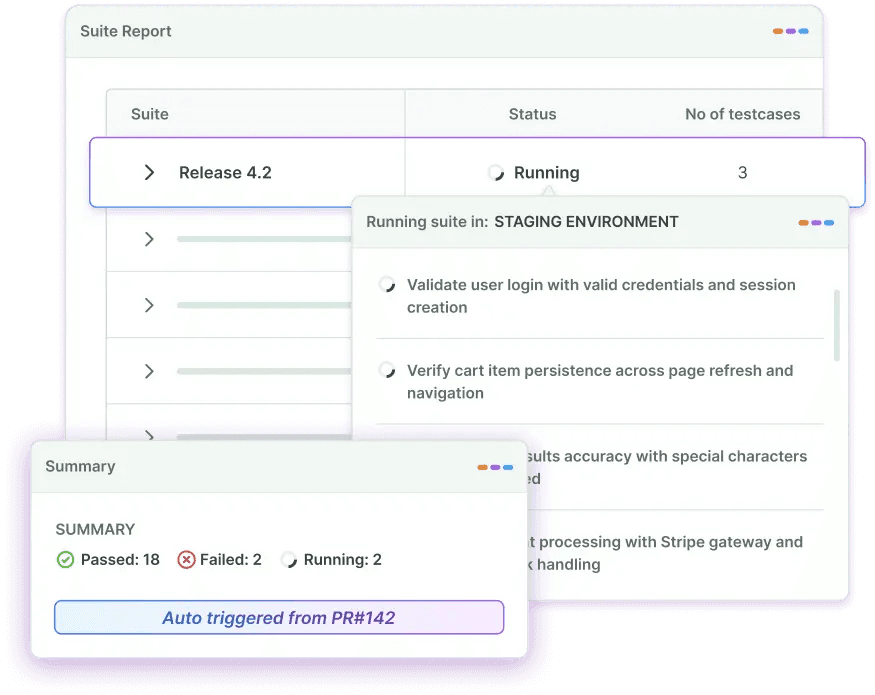
None of the open-source frameworks gives you production-grade reporting out of the box. You'll wire in Allure, Testomat, or a similar layer. Managed platforms like BotGauge include reporting dashboards with test run history, coverage metrics, and failure analysis.
6. Total cost of ownership
Free frameworks aren't free once you account for engineering time to set up, maintain, and extend them. A rough rule: 1 engineer maintaining 500 Selenium tests spends 30-40% of their time on test maintenance alone. Managed or AI-native alternatives shift that cost model.
7. Migration cost
Switching from Selenium to Playwright for a 500-test suite is roughly 2-4 weeks of focused engineering work. Switching to a managed QA platform like BotGauge is faster because it handles the migration. Factor migration time into the comparison, not just the steady-state cost.
Use this decision matrix to match your team profile to the right tool:
| Your team profile | Recommended tool | Why it fits |
|---|---|---|
| High-velocity team, no QA headcount | BotGauge | AI agents + QA experts own your test suite end-to-end. Zero scripting. |
| JS/TS team, web only, CI-focused | Playwright | Best cross-browser coverage, multi-language, built-in parallelism. |
| JS-only, SPA, fast feedback loops | Cypress | Runs in-browser, time-travel debugging, fastest for JS frontend teams. |
| Web + mobile in one framework | WebdriverIO | Handles both natively. OpenJS Foundation maintained, no vendor lock-in. |
| Mixed technical skill (devs + manual QA) | Katalon Studio | Low-code recording + full-code scripting in one platform. |
| Business stakeholders write scenarios | Cucumber | Gherkin scenarios are plain English. Non-technical teams can contribute. |
| Mobile-only | Appium | Industry standard for iOS and Android. One script, both platforms. |
| Chrome-specific, scraping/performance | Puppeteer | Direct DevTools Protocol access. Maximum Chrome control. |
Unlock unlimited parallelization for your web app automation
Explore BotGaugeMigrating from Selenium: Key Considerations for Testing Teams
Moving away from Selenium is rarely a clean break. Most teams run both frameworks in parallel for 4-8 weeks during a transition period. Here's what makes that transition manageable.
Step 1: Audit your test suite before writing a single line of new code
Pull a test run report and identify which tests pass consistently, which tests are flaky (failing intermittently without code changes), and which tests haven't been run in 90+ days.
Flaky tests don't deserve migration. Delete them. Stale tests need a decision: rewrite or retire. You'll likely discover that 30-40% of your test suite falls into one of those 2 categories. Migrating a smaller, higher-quality suite is faster and less risky.
Step 2: Prioritize by test value, not test age
Start migration with tests covering critical user paths: authentication, checkout, data submission, and core workflows. These are the tests worth migrating first because they catch real bugs.
Don't start with tests that cover edge cases or rarely-used features. Migrate those last, or retire them if they haven't caught a real bug in 12 months.
Step 3: Run Selenium and the new framework in parallel
Keep your Selenium tests running in CI while you migrate. This is the safety net. A migration failure that takes down your test suite leaves your team flying blind.
A practical split: dedicate 20% of engineering time to migration per sprint. At that pace, a 500-test suite takes 8-12 sprints. Slower than a big-bang rewrite, but you keep the coverage signal throughout.
Step 4: Map your Selenium commands to the new framework
For teams moving to Playwright specifically, here's a command mapping to speed the translation:
| Selenium WebDriver | Playwright equivalent | Notes |
|---|---|---|
| driver.get(url) | page.goto(url) | Playwright auto-waits for navigation |
| driver.findElement(By.id(...)) | page.locator('id') | Playwright locators are lazy; no immediate query |
| element.click() | locator.click() | Built-in retry on click; no StaleElementException |
| driver.findElement(...).sendKeys(text) | locator.fill(text) | fill() clears first; type() appends character by character |
| WebDriverWait(...).until(...) | await locator.waitFor() | Auto-wait is default; explicit waits rarely needed |
| driver.quit() | browser.close() | Closes browser and all contexts |
When Upgrading to Selenium 4 Beats Switching
If your team has 1,000+ Selenium tests, strong Java expertise, and a stable product that doesn't change frequently, upgrading to Selenium 4 is worth evaluating before a full switch.
Selenium 4 added native Chrome DevTools Protocol support, improved Grid observability, and W3C compliance across all browsers. For teams already invested in Selenium's ecosystem, the upgrade path costs less than a full framework migration.
The calculus shifts toward switching when: your product changes frequently (high locator maintenance), your team has JavaScript expertise and wants modern tooling, or you want to eliminate the test infrastructure management burden.
Common Migration Mistakes to Avoid
- Migrating all tests at once instead of incrementally by priority
- Keeping flaky Selenium tests instead of retiring them before migration
- Replicating Selenium anti-patterns (manual sleeps, overly specific locators) in the new framework
- Skipping the reporting layer until 6 months after migration, then scrambling to add it
- Choosing a framework based on hype rather than your team's actual language and skill profile
Conclusion
There's no single best Selenium alternative. The right choice depends on your team's language, your application type, how often your UI changes, and whether you want to own test automation or offload it entirely.
Playwright is the default for new web automation projects when a skilled engineering team is involved. Cypress wins for pure JavaScript frontend teams. WebdriverIO handles both web and mobile from a single framework. Cucumber works when business stakeholders need to read and write test scenarios.
If your team doesn't have the bandwidth to build and maintain automation infrastructure, BotGauge delivers end-to-end test coverage without the engineering overhead. 80% coverage in 2 weeks. Self-healing tests. No scripting required.
Frequently Asked Questions
TABLE OF CONTENT