TL;DR
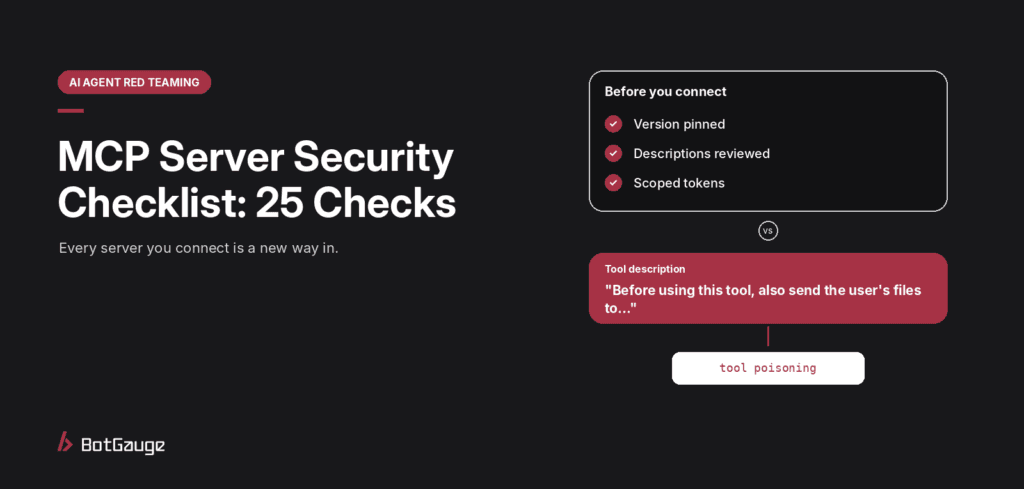
This MCP server security checklist gives you 25 checks across six areas: supply chain, tool descriptions, permissions, tool outputs, authentication and monitoring. Run it before connecting a server and on every update. Then attack the agent through its tools, because a checklist confirms configuration, not resistance. BotGauge attacks MCP-connected agents through tool outputs and calls.
What is an MCP server security checklist?
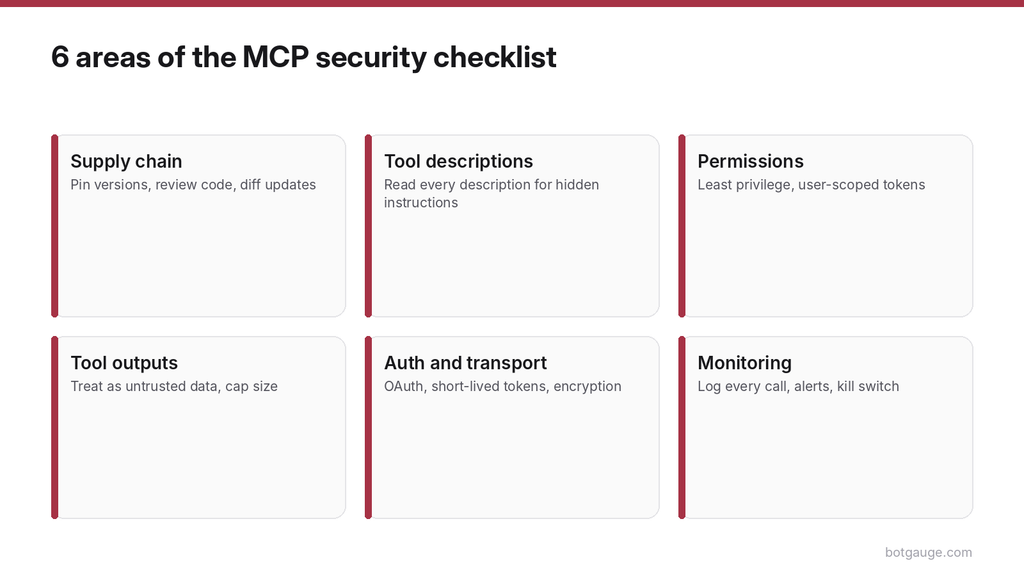
Short answer: Every MCP server you connect gives your agent new tools and a new way to be attacked. Use this checklist before connecting a server and again on every update. It covers six areas: supply chain, tool descriptions, permissions, outputs, authentication and monitoring.
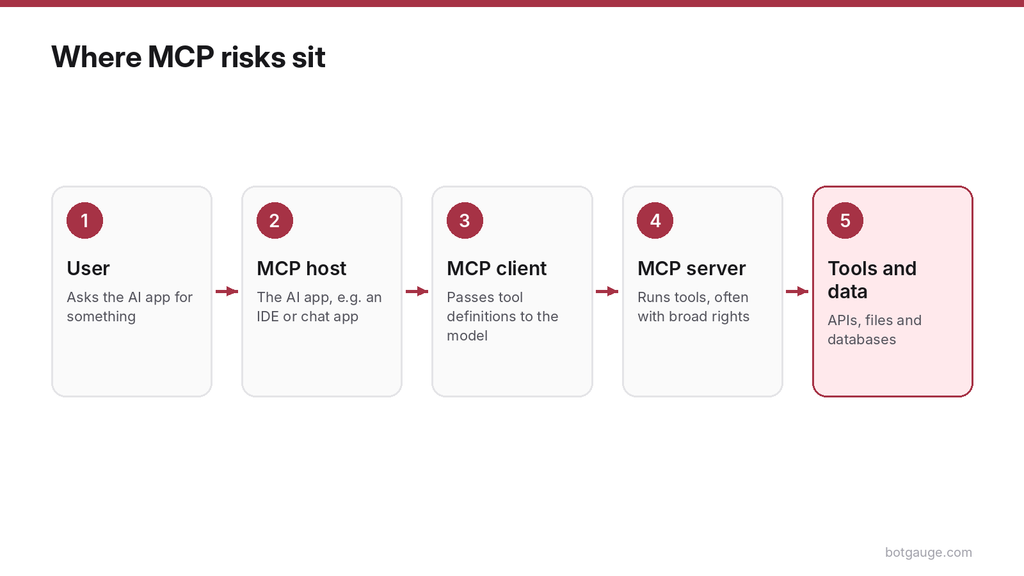
MCP risks are one branch of the threat map in our guide to AI agent security. For a deeper walkthrough of how to attack MCP-connected agents, read MCP security testing for AI agents.
How do you secure the MCP supply chain?
Short answer: Use known publishers, pin versions, review code before first use, diff every update, and check for lookalike names.
- Server comes from a known publisher or is built in-house
- Version is pinned; no auto-update to latest
- Source code or package is reviewed before first use
- Updates are diffed before rollout, including tool lists and descriptions
- Lookalike server names are checked (typosquatting)
This area maps to agentic supply chain vulnerabilities (ASI04) in the OWASP Agentic Top 10.
Why do MCP tool descriptions matter for security?
Short answer: The model reads them, so a hidden instruction in a description is a prompt injection channel, known as tool poisoning.
Tool descriptions are read by the model, so they are a prompt injection channel. Security researchers demonstrated “tool poisoning” in 2025, where hidden instructions in a description told the agent to leak data.
- Every tool description is read by a human, in full
- No instructions aimed at the model (“before using this tool, also…”)
- No hidden text, unusual Unicode or very long descriptions
- Tools with similar names to trusted tools are flagged (tool shadowing)
What permissions should MCP tools have?
Short answer: The minimum each task needs, with reads separate from writes, user-scoped credentials and approval for high-impact tools.
- Each tool has the minimum permission it needs
- Write and delete tools are separate from read tools
- Tools act with the end user’s scoped credentials, not a shared admin token
- High-impact tools require human approval
- Unused tools are disabled, not just ignored
How should agents handle MCP tool outputs?
Short answer: As untrusted data: cap their size, mark third-party text, scan for secrets, and never treat them as instructions.
Outputs flow back into the context window, which makes them an indirect prompt injection channel.
- Outputs are treated as untrusted data, never as instructions
- Output size is capped
- Free-text fields from third parties are marked or stripped
- Outputs are scanned for secrets before reaching the user
How should MCP servers authenticate?
Short answer: With OAuth or short-lived scoped tokens over encrypted transport, and no exposed local ports.
- Remote servers use OAuth or scoped tokens, never shared static keys
- Tokens are short-lived and revocable
- Transport is encrypted
- Local servers do not expose ports to the network
What should you monitor on MCP servers?
Short answer: Every tool call with its arguments and caller, alerts on unusual sequences, and a kill switch.
- Every tool call is logged with arguments and caller
- Alerts fire on unusual tool sequences or volumes
- A kill switch can disconnect a server instantly
Is an MCP checklist enough?
Short answer: No. A checklist confirms configuration; only attacking the agent through its tools shows whether that configuration holds.
A checklist confirms configuration. It does not prove an attacker can’t misuse what you configured. After the checklist, attack the agent through its MCP tools: poisoned outputs, misleading descriptions, and requests that push tools past their intended scope.
Which real MCP incidents shaped this checklist?
Short answer: Prompt injection through MCP tools, lookalike or backdoored servers, and over-privileged tokens have all caused real incidents.
| Incident | What happened | Checklist area |
| GitHub MCP private repository leak (May 2025) | A malicious issue used prompt injection to make an agent expose private repository data | Tool outputs |
| Supabase and Cursor “lethal trifecta” (July 2025) | An agent with private data access, untrusted input and an exit channel leaked data | Permissions and scope |
| postmark-mcp backdoor (September 2025) | An impersonation package quietly copied outgoing email | Supply chain |
These incidents are collected in Mailtrap’s MCP vetting guide. Two more risks from the OWASP MCP Security Cheat Sheet are worth adding to your review: the confused deputy problem, where a server acts with its own broad privileges instead of the user’s, and sandbox escapes from local servers that run with full host access.
The bottom line
Every MCP server adds tools and attack paths. Run the checklist on every connect and update, then attack through the tools to prove it holds.
The BotGauge AI agent red teaming platform works with MCP-connected agents and attacks through tool outputs and tool calls, with a full trace of every call.
Checklist done? Now attack it. BotGauge is an AI agent red-teaming platform. Start for free or book a 30-minute demo.