Every bug report starts with one question: did the feature break, or did the experience break?
That question is the crux of the split between functional and non-functional testing. Functional testing checks if a feature does what it’s supposed to do. Non-functional testing checks whether it does so well, quickly, safely, and for everyone.
Skip one, and you ship broken software. Skip the other, and you ship software that works fine in a demo and falls over the first time real traffic hits it.
This guide covers the difference between functional and non-functional testing, provides a side-by-side comparison table, and explains how AI is already changing the way teams handle both types of testing.
AI Summary
-
Functional testing checks if a feature works as specified. Pass or fail.
-
Non-functional testing checks how well it performs in terms of speed, security, usability, and scalability. Measured on a scale, not pass/fail.
-
Examples: a checkout button adding an item (functional) vs. checkout holding up at 50,000 concurrent shoppers (non-functional).
-
Types of functional testing: unit, integration, system, smoke, sanity, regression, UAT, API.
-
Types of non-functional testing: performance, load, stress, security, usability, compatibility, reliability, scalability.
-
Order: functional testing runs first. No point stress-testing a broken feature.
-
Common myth: non-functional testing isn’t optional or “later.” Slow or insecure features cost you and your users just as fast as broken ones.
-
AI’s role: AI QA solutions like BotGauge automatically generate and self-heal functional tests, freeing up time for the non-functional testing teams usually skip.
What Is Functional Testing?
Functional testing checks whether a feature works as specified in the requirements.
You give the system an input. You check the output. If the two match what the spec promised, the test passes. If not, it fails, and you file a bug.
Think of it as testing the “what.” What does this button do? What happens when a user types the wrong password? What does the form return when someone submits it empty?
QA teams usually run functional testing first. There’s no point measuring how fast a broken feature loads.
Functional testing is mostly black-box. Testers don’t need to read the code. They interact with the app as a real user would, then compare the results against the requirements document.
What Is Non-Functional Testing?
Non-functional testing checks how well the system performs, not what it does.
A login form can accept the right password and still fail here: maybe it takes 8 seconds to respond, maybe it leaks the password in the URL, maybe a screen reader can’t read the field labels at all.
Non-functional testing covers speed, security, usability, reliability, and scale. None of that shows up as a simple pass or fail. It shows up as numbers: response time in milliseconds, uptime as a percentage, and the number of concurrent users before the server chokes.
This is why non-functional testing usually runs after functional testing stabilizes. You need a working feature before you can load-test, stress-test, or audit it for security gaps.
Functional and Non-Functional Testing Examples
Take a checkout flow on an online store.
Functional Testing Example
- Does the “Add to Cart” button add the item to the cart?
- Does the discount code field apply the right percentage off?
- Does the order confirmation email fire after payment succeeds?
- Does the app reject an expired credit card with the correct error message?
Still writing functional test cases by hand every sprint? Switch to BotGauge and see how many hours you get back.
Start a 30-day pilotNon-Functional Testing Example
- Does checkout complete in under 2 seconds during a flash sale with 50,000 concurrent shoppers?
- Is the credit card number encrypted in transit and at rest?
- Can someone using a screen reader complete checkout without a mouse?
- Does the site stay up when traffic spikes 10x on Black Friday?
Same checkout page. Two completely different sets of questions. Functional testing proves the feature works. Non-functional testing proves it holds up.
The same pattern shows up in a banking app. A functional test confirms that transferring $500 from checking to savings updates both balances correctly. A non-functional test confirms that the transfer completes without lag on a weak connection, and that the session logs out automatically after 5 minutes of inactivity.
Types of Functional and Non Functional Testing
Here is a detailed breakdown of the types of functional and non functional testing used to validate both software functionality and quality attributes.
Types of Functional Testing
Functional testing isn’t one activity. It’s a stack of test types, each covering a different layer of the application.
- Unit Testing: Tests a single function or component in isolation, typically written and run by developers before code is merged.
- Integration Testing: Checks whether separate modules, such as a payment service and an inventory service, work correctly when connected.
- System Testing: Tests the complete, integrated application against the full set of requirements end-to-end.
- Smoke Testing: A quick pass over the most critical paths, run right after a new build, to confirm the app is stable enough to test further.
- Sanity Testing: A narrow, focused check that a specific bug fix or small change works, without re-testing the entire application.
- Regression Testing: Re-runs existing test cases after a code change to confirm nothing that used to work is now broken.
- User Acceptance Testing (UAT): Real users or stakeholders test the application against real-world scenarios, right before release.
- API Testing: Validates that API endpoints return the correct data, status codes, and error handling, independent of the UI.
Types of Non-Functional Testing
Non-functional testing splits by quality attribute. Here are the ones every serious QA strategy covers.
- Performance Testing: Measures response time, throughput, and resource usage under expected, normal conditions.
- Load Testing: Simulates expected user traffic to see how the system behaves under a realistic, sustained load.
- Stress Testing: Pushes traffic beyond normal limits on purpose to identify the point at which the system slows down or fails.
- Security Testing: Looks for vulnerabilities such as weak authentication, unencrypted data, injection risks, and broken access controls.
- Usability Testing: Checks whether real users can complete tasks easily, without confusion or unnecessary friction.
- Compatibility Testing: Confirms the application works correctly across browsers, devices, operating systems, and screen sizes.
- Reliability Testing: Verifies that the system continues to function correctly over long periods without crashing or degrading.
- Scalability Testing: Measures how the system handles growth: more users, more data, more concurrent transactions, over time.

Amazon found that even a 100-millisecond delay in page load time could cost an estimated $1.6 billion in annual revenue. It’s a reminder that non-functional issues, such as performance, can directly impact business outcomes, not just user experience.
What Is the Difference Between Functional and Non Functional Testing?
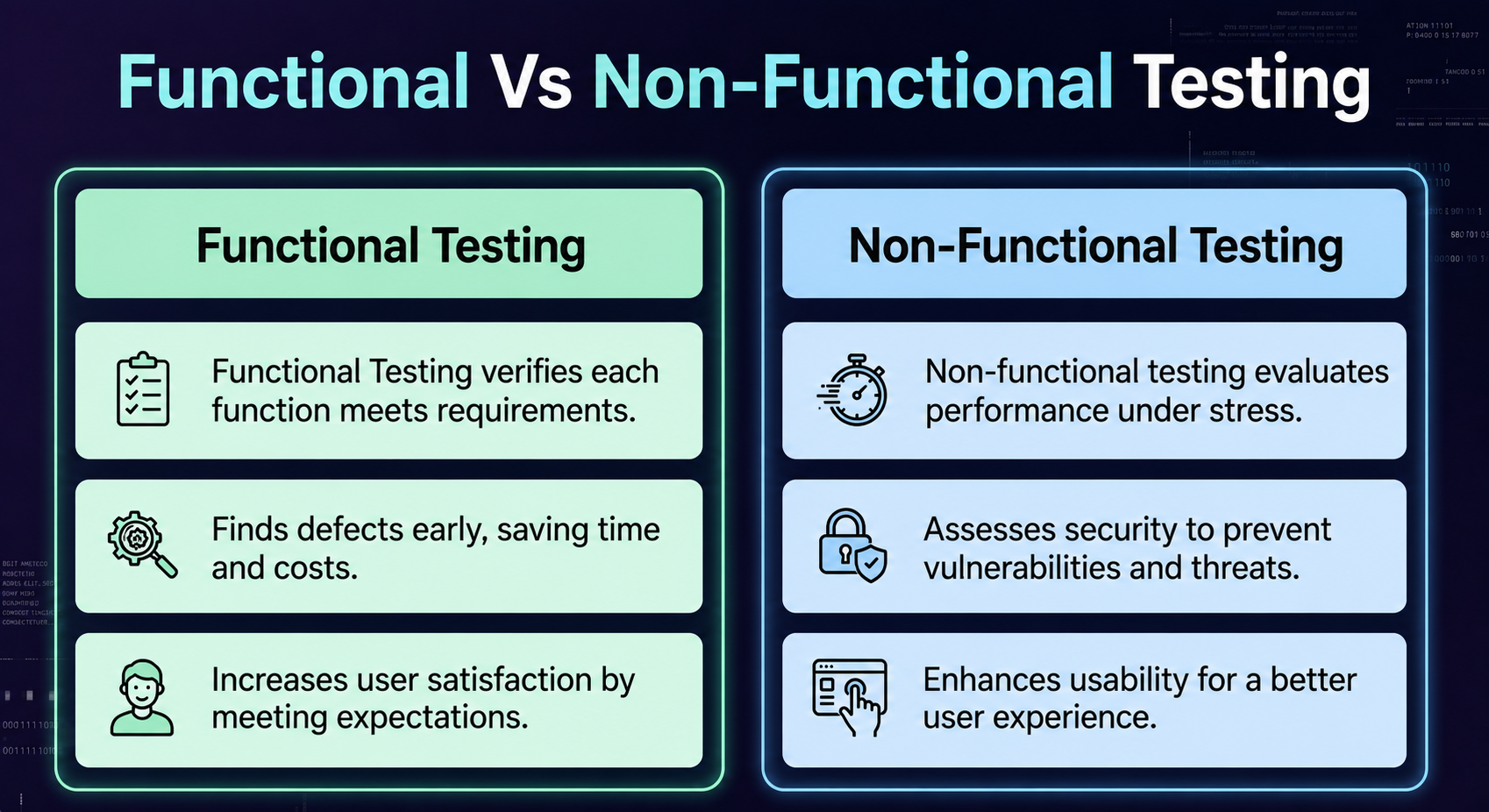
Here’s the difference in one line: functional testing proves the software works. Non-functional testing proves that the software works well under real conditions for real users.
The table below explains the functional and non functional testing difference across the factors that matter most when planning an effective test strategy.
| Functional Testing | Non-Functional Testing | |
|---|---|---|
| What it checks | What the system does | How well the system does it |
| Based on | Functional requirements (specs, user stories) | Non-functional requirements (SLAs, quality attributes) |
| Core question | Does the feature work as specified? | Does the feature perform, scale, and stay secure? |
| Result type | Pass or fail | Measured on a scale (ms, %, users per second) |
| Testing method | Mostly black-box | Mix of black-box and specialized tooling |
| Typical timing | Early and continuous, every sprint | After core features stabilize, before release |
| Who performs it | QA testers, developers, business analysts | Performance engineers, security specialists, SREs |
| Common types | Unit, integration, system, UAT, regression | Performance, load, stress, security, usability |
| Automation level | Mix of manual and automated | Almost always automated at scale |
| Environment | Isolated test environment with mock data | Production-like environment with real load |
| Cost driver | Test case volume and coverage | Specialized tools, infrastructure, and expertise |
| Example | Login accepts correct credentials | Login responds in under 1 second at 10,000 users |
Which Comes First: Functional or Non-Functional Testing?
Functional testing almost always comes first, and the reason is practical, not procedural.
There’s no value in load-testing a checkout flow that doesn’t process payments correctly yet. Fix the function first. Measure the performance second.
In agile teams running continuous integration, the line blurs. Functional regression tests run on every commit, while performance and security checks run on a schedule, maybe nightly or before each release. Both run constantly. Neither waits for a formal “phase.”
The rule that holds up in practice: functional correctness is the gate. Non-functional quality is the bar you clear once you’re through it.
Upload a PRD. Get test cases in minutes. See the difference in your next sprint.
Get Started for FreeCommon Myths About Functional and Non-Functional Testing
- Functional testing matters more because it catches real bugs. A slow checkout doesn’t get logged as a bug. It gets abandoned in the cart. Non-functional failures cost revenue just as often, they just don’t show up in a bug tracker.
- Non-functional testing can wait until the end. Security and performance issues found in production cost far more to fix than the same issues caught before launch, and by then users have already felt the impact.
- Automation only works for functional tests. Performance and load testing are already almost entirely automated. Manual non-functional testing barely exists at any real scale.
- QA owns non-functional testing alone. Security testing usually needs a security engineer’s input. Performance testing usually needs an SRE (Site Reliability Engineer). Both testing types benefit from more than one team in the room.
How to Choose the Right Testing Approach
Before you write a single test case, run through these 4 questions.
- What does the requirement describe: a behavior, or a quality? A behavior needs functional testing. A quality attribute (Example: speed, security, uptime) requires non-functional testing.
- What stage is the feature at? Brand-new features need functional coverage first. Stable features need non-functional validation before they scale.
- What’s the cost of failure? A broken button gets reported and fixed fast. A slow page or a data leak damages trust before anyone files a ticket.
- Who’s affected if this fails? One user hitting a functional bug is an inconvenience. Every user hitting a performance or security issue at once is an incident.
Most mature QA strategies run both in parallel: automated functional regression on every commit, with performance and security checks on a recurring schedule tied to release cycles.
How AI Is Changing Functional and Non-Functional Testing
Manual test case writing doesn’t scale with the speed at which product teams ship now. Every new feature means new functional test cases, and most teams never find time to write non-functional checks for it at all.
AI test automation tools are closing that gap. BotGauge, for example, reads a PRD, a Figma file, or a demo video, and generates functional test cases in plain English, with no scripting required.
The bigger shift shows up after the test runs. A hardcoded script breaks the moment the UI changes. A self-healing test adapts because the AI agent understands the workflow itself, not just a button’s CSS selector.
That doesn’t replace non-functional testing. It buys back the hours your team used to spend rewriting brittle functional scripts, so someone actually has time to run the load test before launch rather than investigating an outage afterward.
Conclusion
Functional and non functional testing in software testing aren’t competing priorities. They’re two different questions, asked about the same feature. Does it work? And does it hold up?
Skip either one and you’ll find out the hard way, either from a bug report or from a support ticket that starts with “the app is so slow.”
The teams that ship reliable software don’t treat this as a checklist to get through once. They automate the functional layer so it runs on every commit, and they carve out real time for performance and security testing before every release, not after an incident.
If your team is still writing and rewriting functional test scripts by hand every sprint, that’s the place to start. BotGauge’s AI agents generate, run, and self-heal functional and API tests from a PRD or a Figma file, no code needed, so your engineers get their time back for the testing that actually needs a human.
Frequently Asked Questions
What is an example of functional and non-functional?
What are the types of non-functional testing?
What is functional and non-functional testing?
Frequently Asked Questions