TL;DR
Model drift is the loss of a model’s accuracy in production as the world it operates in moves away from what it learned. Agent drift is the same problem in AI agents, with a twist: the most common causes aren’t slow changes in the world but sudden changes you or your provider made, such as a new model version, an edited prompt, a changed tool or new documents in the knowledge base. Catch it by tagging every run with versions, rerunning a fixed regression set on every change, and watching behavior signals, not just accuracy.
What is model drift?
In classic machine learning, model drift describes a deployed model whose accuracy slowly decays because reality no longer matches its training data (TrueFoundry). The model doesn’t change. Its environment does.
It usually has one of two causes:
• Data drift: the inputs change. A fraud model sees new kinds of transactions, or a recommendation model sees new user habits.
• Concept drift: the relationship between inputs and the right answer changes. Spammers adopt new tactics, so the old idea of what spam looks like no longer holds (Aerospike).
The classic fix is to monitor accuracy against ground truth and retrain the model on fresher data. For a side-by-side of the classic terms, see model drift vs. data drift; for how drift fits into the wider picture, see our complete guide to AI agent observability.
What is agent drift?
AI agents built on large language models drift too, but differently. Most teams never retrain the model; they call it through an API. So the model doesn’t decay slowly. Instead, behavior shifts suddenly when something in the stack changes:
• the provider updates or retires the model,
• someone edits the system prompt or a policy,
• a tool’s API returns new fields or errors,
• the knowledge base gets new or changed documents,
• or users, and attackers, start sending inputs the agent was never tested on.
The evidence that model updates alone can shift behavior is strong. Researchers at Stanford and UC Berkeley compared the March and June 2023 versions of GPT-4 on the same tasks and found its accuracy at identifying prime numbers fell from 84% to 51%, along with a drop in how well it followed instructions (Chen, Zaharia and Zou, arXiv). Their conclusion: the behavior of the “same” model service can change substantially in a short time, so it needs continuous monitoring (Harvard Data Science Review).
For an agent, small shifts in the model compound. A slightly different reading of a tool result can change which tool it calls next, which changes everything after. That’s why agent drift often shows up as a change in behavior (tool choice, step count, escalation rate) before it shows up as a change in accuracy.
The five causes of agent drift
| Cause | What changes | How it typically shows up | Who controls it |
| Model update | The provider ships a new version, changes a default or retires a model | Different tool choices, formatting, refusal rates or reasoning length across many tasks at once | Provider (and you, if you pin versions) |
| Prompt or policy edit | Someone rewords the system prompt, adds a rule or changes an example | One case gets fixed while others quietly break | Your team |
| Tool or API change | A tool returns new fields, new errors or different formats | Tool error spikes, invented arguments, the agent misreading results | Your team or a third party |
| Knowledge change | Documents are added, edited or removed from retrieval | Answers shift for one topic; groundedness drops | Your team or content owners |
| Input drift | Users ask new kinds of questions, or attackers start probing | Escalations rise for new request types; new injection patterns appear | Nobody, so you must watch for it |
The first four are changes you can see coming, if you track them. The fifth is classic data drift, and it includes adversarial drift: once an agent is public, people start testing its limits in ways no test set predicted.
How agent drift shows up
Drift rarely announces itself as “accuracy dropped 8%.” More often it looks like this:
• The tool mix changes. The agent starts calling a search tool on tasks where it used to answer directly, or stops calling a verification tool it used to rely on.
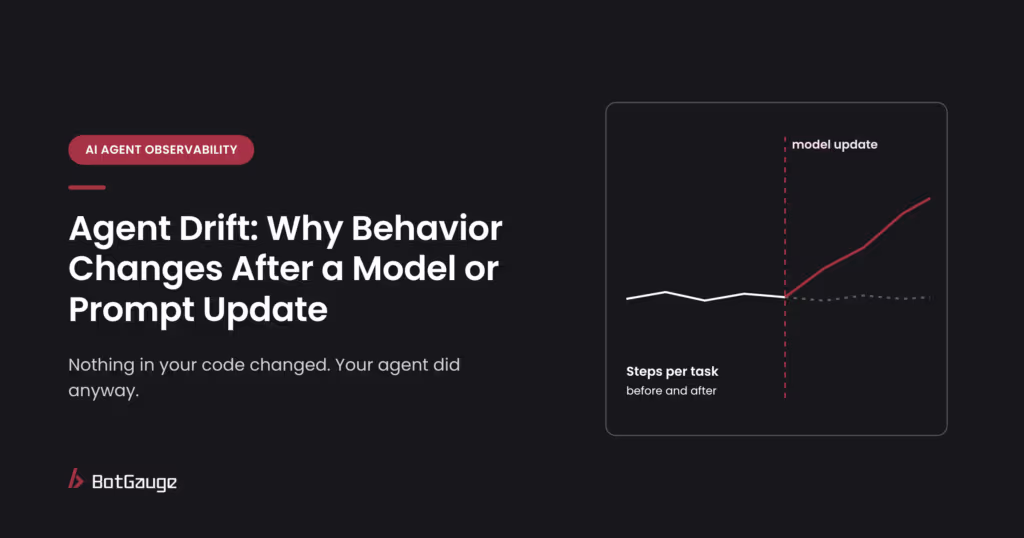
• Runs get longer. Median steps per task creep up, often because the model has become more cautious or more verbose.
• Escalations move. More tasks get handed to humans, or, more worryingly, fewer do, because the agent has become more willing to act on its own.
• Refusals shift. The agent declines legitimate requests it used to handle, or handles requests it used to decline.
• Formats break. Structured outputs that used to parse cleanly start failing validation.
• Policy edges move. A rule the agent used to follow reliably, such as a refund limit, starts slipping on rephrased requests.
That last one is the most dangerous, because it rarely shows up in averages. An agent can keep a 95% task success rate while becoming easier to talk past its limits.
How to detect agent drift
Tag every run with versions. Record the model version, prompt version, tool versions and knowledge-base snapshot on every trace. Without these tags, you can see that behavior changed but not why.
Mark changes on your charts. Put a marker on every time series for each model, prompt, tool and content change. Most “mysterious” shifts line up with one.
Watch behavior, not just accuracy. Track tool-call mix, steps per task, escalation rate, refusal rate and format failures, split by task type. These move earlier than accuracy does.
Compare before and after. For every change, compare a week of behavior before and after on the same task types. A shift with no matching change in your release log points to a provider update or input drift.
Sample and score. Run judge-model or human scoring on a steady sample of production runs so quality trends are visible even when users don’t complain.
A dashboard and tracing tool makes most of this routine. LLM monitoring covers the model-level metrics that usually move first when a provider updates a model.
How to prevent agent drift
1. Pin model versions. Use dated model versions rather than aliases that silently point to the newest model, and upgrade on purpose.
2. Keep a regression set. Maintain a fixed set of real tasks, including edge cases and past failures, with expected outcomes. Rerun it on every change. Include adversarial cases, not just everyday ones.
3. Gate releases on it. Block a model, prompt or tool change from shipping if it fails cases that used to pass.
4. Roll out gradually. Send a small share of traffic to the new version first and compare behavior signals before switching everyone over.
5. Re-test, not just re-monitor. A model or policy change can reopen weaknesses that were already fixed, so rerun your attacks too. Our guide on when to red team an AI agent lists the changes that should trigger it.
6. Turn every incident into a test. When drift causes a failure in production, add that case to the regression set so it can’t come back unnoticed.
Automating steps 2, 3 and 5 is what keeps this sustainable as the agent changes week to week, which is the idea behind automated red teaming for AI agents: findings are saved as regression evals and rerun on every release.
The bottom line
Classic model drift happens slowly, as the world moves away from your training data. Agent drift usually happens overnight, because something in the stack changed: a model version, a prompt, a tool or a document. The good news is that most of those changes are visible if you look. Tag versions, watch behavior, pin what you can, and rerun your tests and attacks every time something changes.
Find what’s broken in your agents before your users do. BotGauge re-tests your agents when they change and turns every finding into a regression check.Try Botgauge for Free or book a 30-minute demo.
What is model drift?
Model drift is the decline in a model’s accuracy in production as real-world data or relationships move away from what the model learned during training.
What causes model drift?
In classic ML, changes in inputs (data drift) or in the relationship between inputs and outcomes (concept drift). In AI agents, the most common causes are model updates, prompt or policy edits, tool changes, knowledge-base changes and new kinds of user input.
What is agent drift?
Agent drift is a change in how an AI agent behaves, such as the tools it calls, how many steps it takes or which requests it escalates, usually triggered by a change in the model, prompt, tools, data or inputs.
What is LLM drift?
LLM drift is a shift in a language model’s outputs over time, most often because the provider updated the model behind an API. Research comparing two 2023 versions of GPT-4 found large changes in accuracy and instruction-following within three months.
Can a model drift without being retrained?
Yes. A model you call through an API can change when the provider updates it, and an unchanged model can still perform worse as inputs shift. For agents, prompt, tool and data changes can shift behavior with no model change at all.
How do you detect agent drift?
Tag every run with model, prompt and tool versions, mark changes on your charts, watch behavior signals such as tool mix and steps per task, and rerun a fixed regression set after every change.