Non-functional testing evaluates how well a system performs, rather than what it does. While functional testing confirms that features work as intended, non-functional testing examines the qualities that determine whether software can truly succeed in the real world.
AI Summary
- What it is: Checks how a system performs, not just what it does.
- Why it matters: Catches performance, security, and usability problems before users do.
- Objectives and NFRs: What non-functional testing aims to verify, and how to write requirements that are actually measurable.
- 15 testing types: Performance, load, stress, security, usability, accessibility, and more, each with a real example.
- Techniques and methods: Benchmarking, synthetic monitoring, chaos engineering, penetration testing.
- Writing a test case: A concrete, numbers-based example you can copy.
- Limitations: Where non-functional testing still falls short.
This guide breaks down the key types of non-functional testing, why each matters, and how to approach them effectively. Whether you’re validating load capacity, hunting for vulnerabilities, or ensuring a smooth user experience, understanding non-functional testing is essential to delivering software that works well under real-world conditions.
What Is Non Functional Testing?
Non-functional testing evaluates how well a software application performs, rather than what it does. Instead of checking specific features or functions, it assesses qualities like performance, usability, reliability, security, and scalability.
For example, it might measure how fast an application loads, how many users it can handle simultaneously, or how easily people can navigate its interface. This type of testing ensures software isn’t just functionally correct but also efficient, secure, and user-friendly in real-world conditions.
Example of Non-Functional Testing
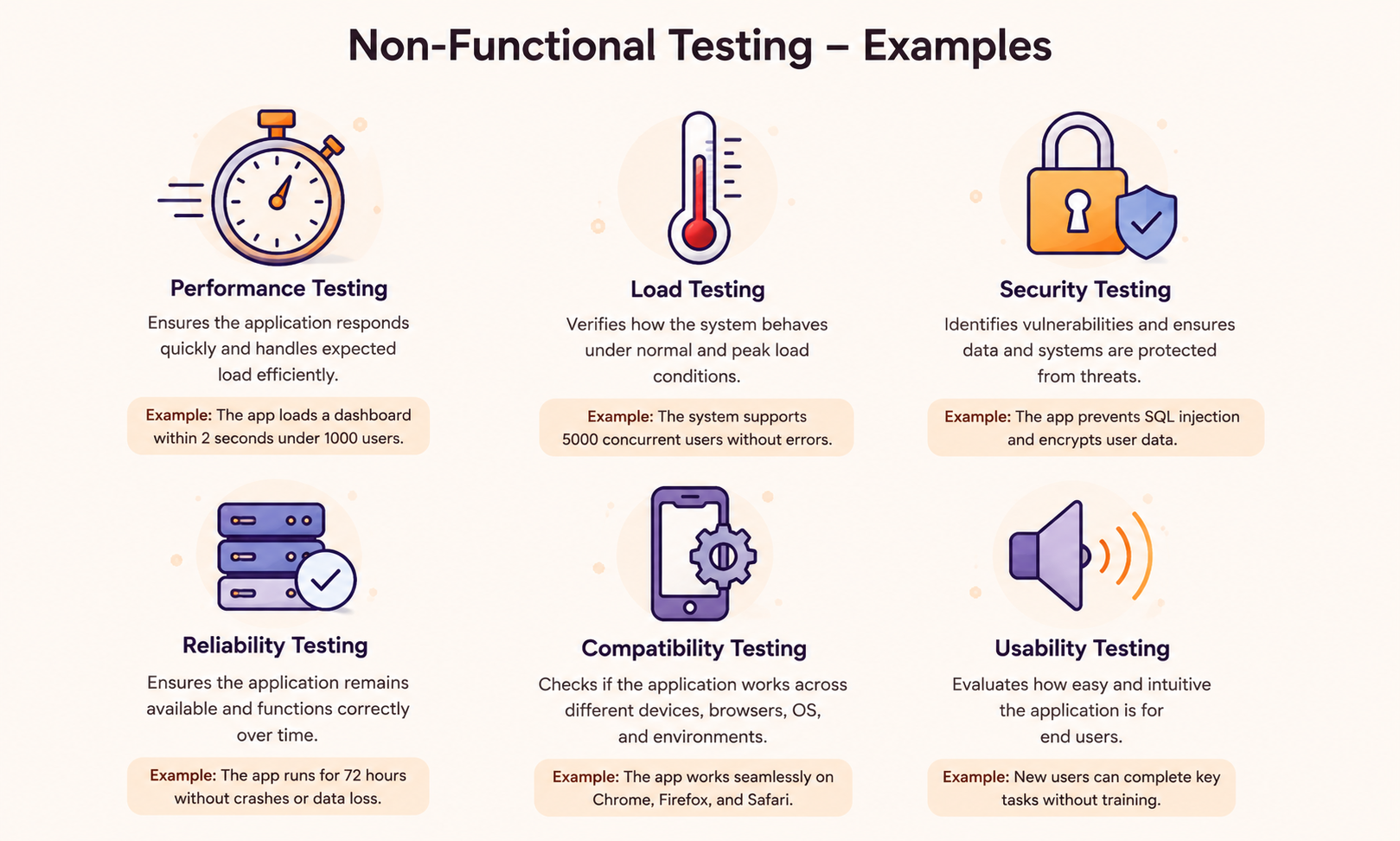
The examples below highlight the key aspects of non-functional testing that determine the quality and resilience of modern software.
Objectives of Non-Functional Testing
The main objectives of non-functional testing are to verify that a system meets quality standards beyond basic functionality and to ensure it performs reliably under real-world conditions. Here’s what it’s actually trying to accomplish:
- Catch performance bottlenecks before customers do. A slow checkout page costs sales long before anyone files a bug report.
- Confirm the system holds up under real traffic, not just the load your staging environment sees on a quiet day.
- Close security gaps before someone else finds them. Penetration testing and vulnerability scans fall under this objective.
- Make the product usable for people with disabilities, older devices, and slow connections, not just the QA team’s laptop and fiber connection.
- Set a measurable bar for reliability. “It feels kind of slow” becomes “p95 response time exceeds 2.1 seconds,” which you can actually fix.
- Confirm the software runs the same way across browsers, devices, and operating systems.
What Are Non-Functional Requirements?
A non-functional requirement (NFR) defines how a system should perform a task, not what task it should perform.
“The system shall let users reset their password” is a functional requirement. “Password reset shall complete in under 3 seconds for 95% of requests” is non-functional. Same feature, a different question.
Good NFRs share three traits. They’re measurable. They’re testable, meaning you can build an actual test case around them. And they’re prioritized, since no team can optimize every quality attribute at once without trading off others.
| Aspect | Functional Requirement | Non-Functional Requirement |
|---|---|---|
| Defines | What the system does | How well the system does it |
| Focus | Features and functions | Quality attributes |
| Example | User can reset their password | Password reset completes in under 3 seconds |
| Verified by | Functional testing | Non-functional testing |
| Pass/fail basis | Behavior matches the spec | Behavior meets a measurable threshold |
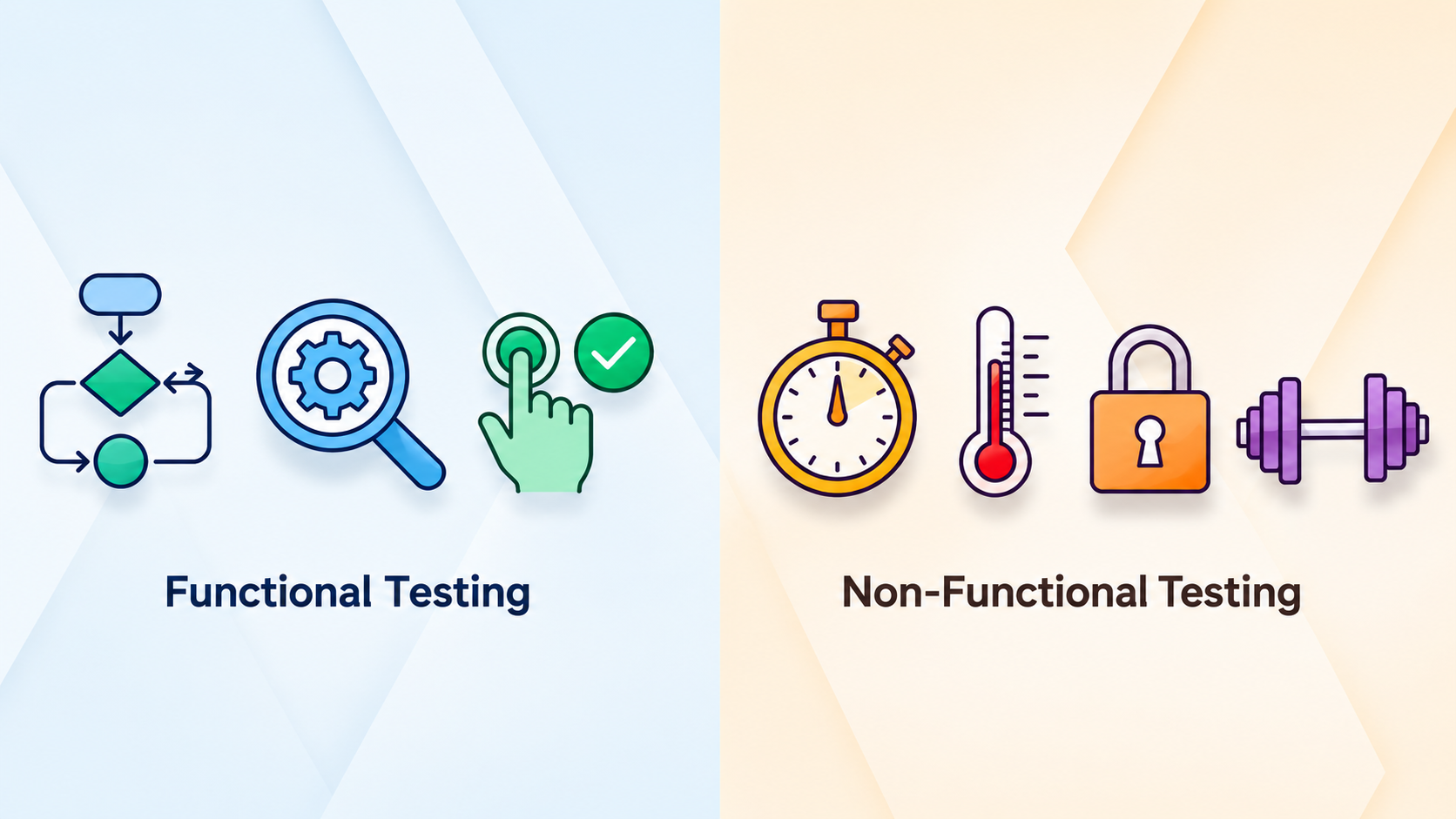
ISO/IEC 25010 is the standard most QA teams reference when defining NFRs. It breaks software quality into eight characteristics: functional suitability, performance efficiency, compatibility, usability, reliability, security, maintainability, and portability. If you’re writing NFRs from scratch, start there instead of guessing at categories. A few real-world examples:
- The homepage shall load in under 2 seconds on a 4G connection.
- The API shall handle 10,000 requests per minute with an error rate under 1%.
- The system shall recover from a server crash within 5 minutes with no data loss.
- The application shall meet WCAG 2.1 AA accessibility standards.
Importance of Non-Functional Testing in Software Engineering
Skip non-functional testing, and you find out about your app’s limits from your users, not your QA team. That’s the expensive way to learn.
A feature that works fine in a demo can still fail in production. Slow load times push visitors away before they ever convert. Security holes that never show up in a functional test case get exploited in the wild. An interface that works for an able-bodied tester on a fast connection can be unusable for someone on a screen reader with a weak signal.
Non-functional testing catches all of this before release, not after launch day. It’s also cheaper. Fixing a scalability problem at the design stage costs a fraction of rebuilding a system that’s already live and failing under load.
Non Functional Testing Types
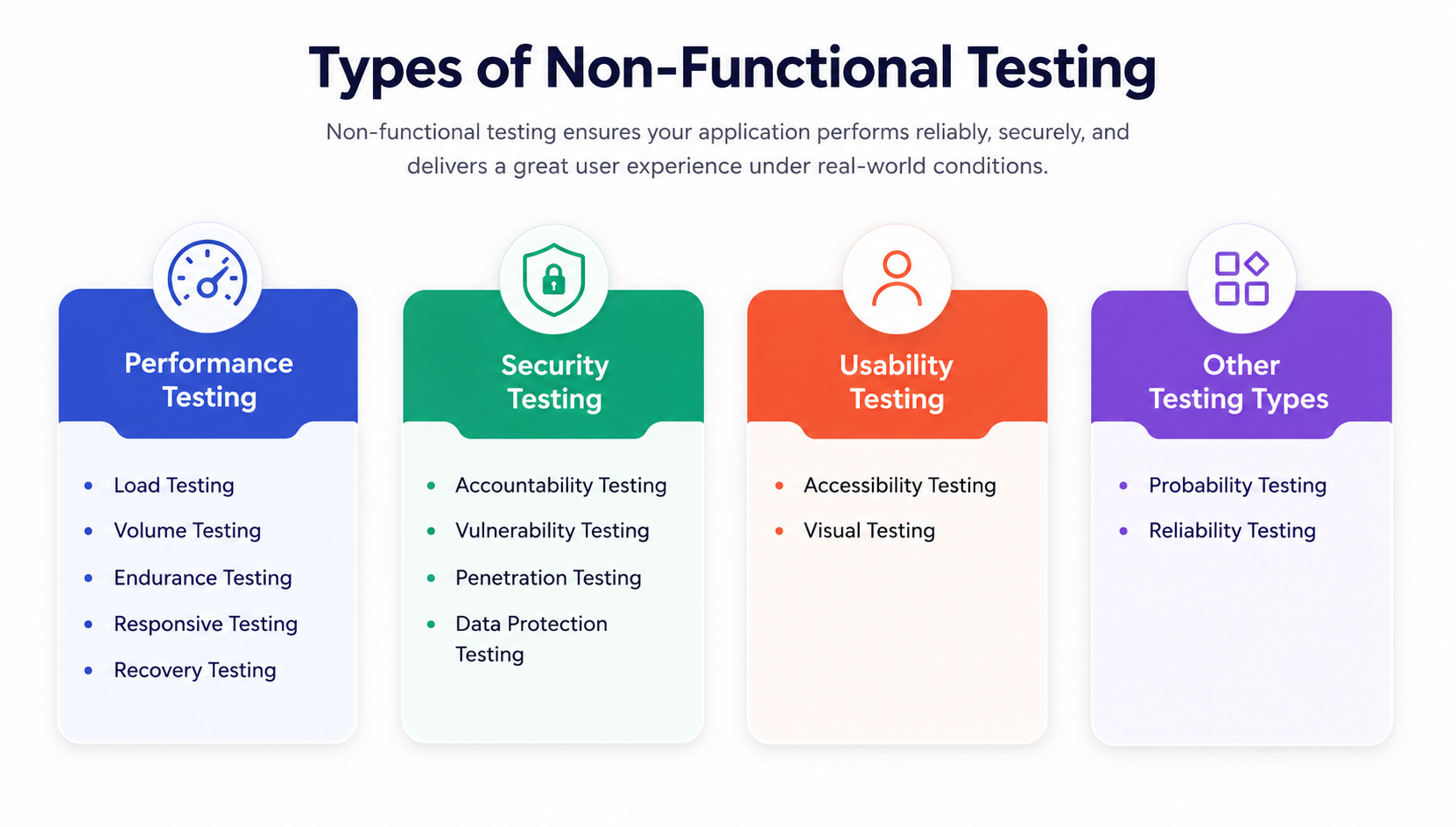
There are dozens of types of non-functional testing on paper. In practice, most teams focus on the 15 below. Each one includes a quick example so it’s clear what the test actually looks like in practice.
Performance Testing
Performance testing measures how fast and responsive a system is under a specific workload. It tracks response time, throughput, and resource use to catch slowdowns before users do.
Tools: JMeter, Gatling, LoadRunner.
Example: A checkout API is tested at 500 requests per second. The test passes if average response time stays under 300 milliseconds.
Load Testing
Load testing checks how the system behaves under expected, real-world user volume. It confirms the app holds up on a normal busy day, not just in a quiet staging environment.
Tools: JMeter, NeoLoad.
Example: An online store simulates 5,000 shoppers checking out at once during a product launch to confirm the server doesn’t slow down or crash.
Stress Testing
Stress testing pushes the system beyond its expected limits to identify the breaking point and determine whether it fails cleanly or takes other components down with it.
Tools: LoadRunner, Locust.
Example: A ticket-booking app built for 10,000 concurrent users gets tested at 50,000 to see if it degrades gracefully or crashes outright.
Scalability Testing
Scalability testing verifies the system can grow – more users, more data, more servers – without a matching drop in performance.
Tools: BlazeMeter, Gatling.
Example: A SaaS platform adds a second server behind a load balancer and confirms that response times remain flat as the user count doubles.
Volume Testing
Volume testing floods the system with data rather than users to see how it handles a large, real-world dataset.
Tools: HammerDB.
Example: A reporting tool runs against a database with 50 million rows instead of the usual 50,000 to confirm that queries still return within a few seconds.
Security Testing
Security testing looks for vulnerabilities that an attacker could exploit, such as broken authentication or exposed data. It usually follows a known framework such as the OWASP Top 10.
Tools: OWASP ZAP, Burp Suite.
Example: A login form is tested with SQL injection strings to confirm that the database rejects them rather than returning user records.
Usability Testing
Usability testing checks whether real users can complete tasks without confusion or friction. It’s often run manually, with actual participants instead of automated scripts.
Tools: UserTesting, Hotjar.
Example: Five new users try to complete checkout without help. If three struggle to find the payment button, the flow needs a redesign.
Accessibility Testing
Accessibility testing confirms the product works for people with disabilities: screen reader support, keyboard navigation, color contrast, and compliance with WCAG 2.1.
Tools: axe, WAVE, NVDA.
Example: A tester completes an entire signup flow using only a keyboard and a screen reader, with no mouse.
Reliability Testing
Reliability testing runs the system continuously over time to confirm it holds up without crashing or degrading.
Tools: JMeter endurance mode, custom monitoring scripts.
Example: A booking system runs under steady traffic for 72 straight hours to confirm memory use doesn’t creep up and cause a crash.
Availability Testing
Availability testing checks system uptime against a target and how the system behaves during planned or unplanned downtime.
Example: A banking app is tested to confirm it meets a 99.9% uptime target, and that a failed database node fails over to a backup with no outage.
Compatibility Testing
Compatibility testing confirms the app works the same way across browsers, devices, and operating systems.
Tools: BrowserStack, LambdaTest.
Example: A web app is tested in Chrome, Safari, and Firefox on both Windows and macOS to confirm that layout and functionality remain consistent.
Recovery Testing
Recovery testing simulates crashes, power failures, and network drops to measure how fast and cleanly the system bounces back.
Tools: Chaos Monkey, Gremlin.
Example: A server is forcibly killed mid-transaction to confirm the app restarts and recovers the transaction without losing data.
Compliance Testing
Compliance testing verifies that the system meets regulatory or industry standards such as GDPR, HIPAA, or PCI DSS, usually through a mix of manual audits and automated scans.
Example: A payment system is audited to confirm that card data remains encrypted and is never stored in plain text, as required by PCI-DSS.
Localization Testing
Localization testing checks that the product works correctly for a specific language or region, including currency formats, date formats, and right-to-left text.
Example: A shopping app is tested in Arabic to confirm that the layout mirrors correctly for right-to-left reading and that prices display in the local currency.
Maintainability Testing
Maintainability testing measures how easily developers can modify or extend the codebase without breaking something else, usually assessed through code metrics rather than a single test run.
Example: A new developer is timed adding a small feature to an unfamiliar module. A high complexity score flags that module as risky to change.
What Are the Advantages of Non-Functional Testing?
Non-functional testing offers several key benefits that help ensure software performs reliably under real-world conditions:
- Finds performance problems while they’re still cheap to fix in staging rather than production.
- Reduces churn. Users who have a slow or buggy experience once are unlikely to come back again.
- Cuts security risk before launch, not after a breach.
- Builds a product that works for people with disabilities, not just the average tester.
- Gives you real numbers, not guesses, when planning infrastructure for growth.
What Are the Challenges of Non-Functional Testing?
Non-functional testing evaluates how a system performs rather than what it does, but this shift from checking behavior to measuring quality attributes brings its own set of difficulties.
- Hard to quantify requirements: Non-functional requirements (performance, usability, security) are often vague or subjective, making it difficult to define clear pass/fail criteria.
- Environment dependency: Results vary significantly across hardware, network conditions, and infrastructure, making it difficult to replicate real-world production environments in testing.
- High resource and cost demands: Load testing, stress testing, and security testing often require specialized tools, large-scale infrastructure, and skilled personnel.
- Time-intensive: Tests such as performance and reliability testing (e.g., soak tests) may need to run for extended periods to yield meaningful results.
- Difficult to automate fully: Aspects like usability and accessibility often require human judgment, limiting the potential for automation.
- Interdependence of attributes: Improving one attribute (e.g., security) can negatively affect another (e.g., performance), requiring careful trade-off analysis.
- Lack of standardized metrics: Different tools and teams may measure the same non-functional attribute in different ways, leading to inconsistent results.
- Late-stage discovery: Non-functional issues are often found late in the development cycle, making fixes more expensive and complex.
- Skill gap: Testers need specialized knowledge beyond standard functional testing skills.
- Scalability simulation: Accurately simulating real-world user loads or data volumes for scalability testing is technically challenging.
Non-Functional Testing Techniques and Methods
Non-functional testing types tell you what to test. Non-functional testing techniques and methods tell you how.
Static techniques review the system without running it: architecture reviews, code audits, and requirement inspections that catch design-level performance or security risks before a single test executes.
Dynamic techniques run the system under real or simulated conditions. This covers most of what people mean by non-functional testing: scripted load generation, synthetic monitoring, and black-box behavioral testing, where testers interact with the system without seeing the code behind it.
A few non-functional testing methods worth knowing by name:
- Benchmarking: Run the system against a known baseline, a previous release, a competitor, an industry standard, and compare results directly.
- Synthetic monitoring: Scripts that mimic user behavior run continuously against production, catching regressions before real users do.
- Chaos engineering: Deliberately inject failures, kill a server, cut network access, to see how the system responds. Netflix’s Chaos Monkey popularized this method.
- Model-based simulation: Build a mathematical model of expected traffic patterns and simulate load against it instead of guessing at numbers.
- Penetration testing methodology: Structured, adversarial testing that follows a framework such as OWASP or PTES to systematically find security gaps rather than randomly.
Most teams don’t pick just one non-functional testing method. A mature non-functional testing process combines performance benchmarking, synthetic monitoring for reliability, and penetration testing for security, all run on a schedule rather than once before launch.
How to Write a Non-Functional Test Case
A non-functional test case looks much like a functional one, except that the expected result is a number rather than a behavior.
| Field | Details |
|---|---|
| Test Case ID | TC-NFT-014 |
| Requirement | Homepage shall load in under 2 seconds for 1,000 concurrent users |
| Test Type | Performance |
| Tool | Apache JMeter |
| Steps | Simulate 1,000 virtual users hitting the homepage over 5 minutes. Measure average and p95 response time. |
| Expected Result | Average load time under 2 seconds; p95 under 3 seconds |
| Actual Result | Average 1.8s; p95 2.6s |
| Status | Pass |
Keep the requirement specific enough that pass and fail aren’t up for debate. “The app should feel fast” isn’t testable. “Homepage loads in under 2 seconds for 95% of requests at 1,000 concurrent users” is.
Tools Used for Non-Functional Testing
No single tool covers every type of non-functional testing. Here’s how the common ones split by purpose:
| Tool | Testing Type | Best For |
|---|---|---|
| Apache JMeter | Performance, Load | Open-source scripting, budget-friendly teams |
| Gatling | Performance, Load | Developer-friendly, code-based load scripts |
| LoadRunner | Performance, Load, Stress | Enterprise-scale testing |
| OWASP ZAP | Security | Free, automated vulnerability scanning |
| Burp Suite | Security | Manual penetration testing |
| axe / WAVE | Accessibility | Automated WCAG checks |
| NVDA / JAWS | Accessibility | Screen reader testing |
| BrowserStack | Compatibility | Cross-browser, cross-device testing |
| Gremlin / Chaos Monkey | Reliability, Recovery | Fault injection and resilience testing |
| Grafana + Prometheus | Monitoring | Ongoing production observability |
Most QA teams run 3 to 5 of these across performance, security, and accessibility, tied together by a monitoring layer for visibility after launch, not just before.
Non-Functional Testing Services
Not every team has a dedicated performance engineer or a security specialist on staff, and building that bench from scratch takes months most release schedules don’t have.
That’s usually where non-functional testing services come in: a mix of specialists and tooling that run load tests, security scans, and accessibility audits without your team having to hire for every skill set. A solid non-functional testing service should:
- Set a measurable baseline before testing starts: current load capacity, current response times.
- Run realistic load profiles based on your actual traffic patterns, not generic templates.
- Cover security and accessibility alongside performance.
- Report results in numbers your engineering team can act on, not a vague health score.
This is where non-functional testing connects back to your day-to-day QA process. BotGauge handles the functional regression suite on every commit, with a domain FDE pod validating coverage before it ships. That frees up your QA specialists to spend their time where it matters most for non-functional testing: performance baselining, security review, and accessibility audits, instead of re-running the same functional checks every release.
Limitations of Non-Functional Testing
Even with the right tools and techniques in place, non-functional testing has inherent limitations that teams need to plan for.
- Some quality attributes resist clean measurement. Usability, especially, depends on who’s testing and what they’re used to.
- Test environments rarely mirror production traffic, hardware, and data volume exactly, so results carry some margin of error.
- Running realistic load and security tests needs dedicated infrastructure and tooling, which costs more than most teams budget for upfront.
- It requires specialized skill. A functional tester can’t always run a stress test or read a penetration test report without training.
- User expectations move. A load target that was fine last year might already be too slow today.
- Non-functional testing needs to be repeated with every release, not just once before the first launch.
Conclusion
Functional testing tells you the software works. Non-functional testing tells you it’ll survive real traffic, real attackers, and real users on bad connections. Skip it, and you find out the hard way, in production, with customers watching. Build it into every release cycle instead of treating it as a pre-launch checkbox. The payoff shows up in fewer outages, fewer security incidents, and a product people actually stick with.
Frequently Asked Questions
What are the key characteristics of non-functional testing?
What are the components of non-functional testing?
Is non-functional testing equally important as functional testing?
Who performs non-functional testing?
What is non-functional testing in manual testing?
Non-functional testing is done in which phase?
What is non-functional testing with an example?

For related testing types, see our guide to understanding types of software testing and performance testing metrics. Visit BotGauge to see this covered automatically.