# https://www.botgauge.com/ llms-full.txt
## Autonomous QA Solutions
# Autonomous QA for the AI Era
Your engineers ship faster with AI. Your QA process hasn't changed. BotGauge closes that gap. AI generates. Our domain FDE validates. Tests run on every commit. Your engineers ship. We own the tests.
4.6 Rating on G2
[Try for Free](https://www.botgauge.com/contact)
Featured in





>>> TRUSTED BY THE WORLD'S FI9OVNSE8B\_S 6BYN2Z8\_CM9 BB6Y6 <<<



[](https://www.botgauge.com/stories/ripple)





[](https://www.botgauge.com/stories/kitsa)




[](https://www.botgauge.com/stories/ripple)





[](https://www.botgauge.com/stories/kitsa)


>>> THE PNKEE24 <<<
## Engineering moved to AI speed. QA is still on the old clock.
Every other part of your delivery pipeline got faster. Build velocity doubled. And then the feature hits QA and sits there for a week.
Your team ships AI-generated code every day. Most of it goes to production untested.
Slow feedback loops kill velocity and leave you guessing what customers want.
Hours your engineers lost to QA are features your customers never got
>>> BUILT FOR AI-SUNQ4 HBCXGGII\_D\_ <<<
## One Loop. Zero Handoffs. Runs Forever.
From PRD to Production. Automatically.
READ
MAP
VALIDATE
RUN
#1PRDPRD-SaaS-Imp-Product-spec-v3-.prdScanning
#2FIGMobile-App-Ecom-flow.figQueued
#3MDUser-stories.mdQueued
Analysing
### Read Your Product
/// NUMBER 1
Share your UX flows, PRDs, screenshots, or demo videos. BotGauge's AI reads your app and understands how it works. No setup.
0test case generated
Generate Suite Edit Suite
### Map and Generate the suite
/// NUMBER 2
Our AI agent maps your app's functional, UI, and API workflows, then automatically generates context-aware test cases.
Signed
Bug Report

### Validate with human experts
/// NUMBER 3
Every test gets reviewed by a dedicated domain FDE pod before it runs. This human-in-the-loop approach eliminates false positives and brittle tests.

#PREcom-flow● Passed
#a91Main● Self Healed
#128PR-Branch● Passed
Live-Merge● Bug Reported
#262a91QNA● Self Healed
### Run, self-heal, report
/// NUMBER 4
Execute tests autonomously with one click. When code changes tests self-heal automatically. You get real-time, actionable bug reports and root cause analysis so your team can ship with confidence.
#### Unlimited parallelization
Every test runs in parallel. No sequential runs.
#### No vendor lock-in
Tests are yours to keep, export, or migrate.
#### Zero Engineering dependency
No test scripts to write. No suites to maintain.
[Try for Free](https://www.botgauge.com/contact)
>>> outcDYB1 <<<
## What autonomous testing gives back
Your pipeline on autopilot. Here's what that's worth.
## 0%
flake rate.
Reliability
## 6 hrs
saved per engineer, every week
Productivity
## 10x
ROI with autonomous testing
ROI
>>> SUCCESS \_86F\_XY <<<
## Engineering Teams That Stopped Waiting On QA
From QA bottleneck to shipping daily.



> “The pod model was the unlock. Auditors needed human sign-off on every test path. BotGauge ships that out of the box.”
Michael HoyCEO, Atlas
94%FEWER PROD INCIDENTS
3 WEEKKICKOFF TO COVERAGE
>>> Why choosK I\_N\_O9YP <<<
## Automated by AI. Validated by Domain Experts.
Frameworks scale linearly with headcount. AI-only tools generate tests that no one verified. Both leave the maintenance burden on your engineers. BotGauge takes it off entirely.
Traditional FrameworksAI-only Tools
| TRADITIONAL FRAMEWORKS | |
| --- | --- |
| WHO WRITES THE TESTS
Your engineers | AI + Domain FDE Pod |
| TIME TO 80% COVERAGE
6 months | 14 days |
| TEST MAINTENANCE
Yours, forever | Self-healing |
| PRICING MODEL
Headcount | Outcomes delivered |
| WHO OWNS THE OUTCOME
Your team | BotGauge |
| PARALLEL EXECUTION
Requires setup | Unlimited |
| SCALABILITY
Linear with headcount | High |
| | FRAMEWORKS | AI-ONLY TOOLS | |
| --- | --- | --- | --- |
| WHO WRITES THE TESTS | Your engineers | AI, unvalidated | AI + Domain FDE Pod |
| TIME TO 80% COVERAGE | 6 months | 4 months | 14 days |
| TEST MAINTENANCE | Yours, forever | Hidden in tuning | Self-healing |
| PRICING MODEL | Headcount | Licenses | Outcomes delivered |
| WHO OWNS THE OUTCOME | Your team | Your team | BotGauge |
| PARALLEL EXECUTION | Requires setup | Limited by licenses | Unlimited |
| SCALABILITY | Linear with headcount | Low | High |
[Try for Free](https://www.botgauge.com/contact)
>>> Connect Your AI AssYRGUPA V\_ Y\_E69\_S\_XO 2M <<<
## BotGauge MCP
BotGauge MCP connects BotGauge's autonomous QA engine directly to the AI tools your team already uses, so testing becomes something you simply ask for, not a separate dashboard you have to visit.
Generate test cases from a PRD, a user story, or a demo video
Run full test suites and get results back in the chat
Get a root cause when something fails, not just a red X
Works with Claude, Cursor, Windsurf, GitHub Copilot, and any MCP-compatible client.
[Explore BotGauge MCP\\
\\
BETA](https://www.botgauge.com/botgauge-mcp)
>>> INTEGN8IXV8W <<<
## Plugs Right Into Your Existing Stack
Native to your CI/CD pipeline. Zero setup. Zero engineering time for setup


Integrating
>>> SECURE AN2 89343SLMM <<<
## Built For Enterprises
Every enterprise requirement - SOC 2, data isolation, encryption, expert NDAs - ships as a standard feature.
### SOC 2 Type II
Independently audited. Continuously maintained. Documentation under NDA.
### Data Isolation
Your test data stays in your tenant. We never train external models on customer data.
### Your data stays yours - always
We never send your application data to external AI models for training.
### Dedicated FDE Pod
Your FDE pod is vertically specialized, embedded in your sprint cycle, and signs off every test before it ships.
[Try for Free](https://www.botgauge.com/contact)
## Frequently Asked Questions
What Is Autonomous QA?
Autonomous QA uses AI agents to automate the entire testing lifecycle, from creating and executing tests to maintaining them and analyzing results. Rather than relying on engineers to manually build and update scripts, AI can understand application behavior, adapt to UI changes through self-healing mechanisms, and automatically identify, investigate, and report defects.
How Autonomous Bug Reporting Works?
Autonomous bug reporting leverages AI-powered agents to continuously monitor applications, identify defects, capture diagnostic data, and automatically document reproducible steps. Instead of requiring engineers to investigate issues and create tickets manually, the agent generates comprehensive bug reports with the context needed for faster triage and resolution.
Is BotGauge a Platform or a Service?
BotGauge operates as a fully managed Autonomous QA partner, where AI agents identify, generate, maintain, and execute end-to-end test cases, validated by the domain FDE pod. This enables customers to focus on building features, while BotGauge owns the end-to-end testing lifecycle.
Do We Need to Set up Any Testing Infrastructure?
No. BotGauge handles the entire testing infrastructure, including setup, execution, and maintenance. Your team does not need to build frameworks, manage test environments, or maintain test scripts.
Can You Integrate Tests Into Our CI/CD and DevOps pipeline?
Yes. BotGauge integrates seamlessly with your CI/CD and DevOps pipelines. Automated tests run automatically on builds and releases, providing continuous feedback without slowing down development.
How Does BotGauge Communicate With Our Team?
BotGauge works directly within your existing workflows. Communication typically includes:
- Shared Slack, Teams, or Email
- Dashboards and comprehensive test reports
- Regular syncs with your engineering team
- Clear alerts for failures and release blockers
You get visibility and control without micromanaging QA.
>>> FREE 30-V\_0 X\_\_\_Q <<<
## QA that runs itself. So your engineers don't have to.
See BotGauge on your application.
Get a 30-day pilot where AI agents generate, execute, and maintain tests while a dedicated FDE pod validates every outcome.
[Try for Free](https://www.botgauge.com/contact) [Book a Demo](https://calendly.com/botgauge/30min)
## Privacy Policy Overview
# Your Privacy Matters: BotGauge’s Commitment to Data Protection
## Privacy Policy Overview
BotGauge AI Inc, a Delaware corporation ("BotGauge," "we," or "us"), has established this Privacy Policy to inform you of our policies and procedures regarding the collection, use, and disclosure of information, including personal information, from users of our services provided under the name Autify (the "Service"). This Privacy Policy applies solely to information that you provide to us in connection with the Service
## 1Information Collection and Use
### 1.1Personal Information for Account Registration:
To register for an account, we collect your name, email address, and password. You may also provide additional information such as your company name, phone number, and billing address.
### 1.2Data for Service Usage:
The Client agrees to use the BotGauge AI platform solely with test environment and non-production data for the purpose of evaluation, testing, and automation development. The Client shall be fully responsible for ensuring that no live, confidential, or personally identifiable information (PII) is uploaded, processed, or stored on the platform. BotGauge shall not be liable for any misuse, disclosure, or loss arising from the Client’s use of production or real user data within the platform environment.
### 1.3Data Automatically Collected During the Use of the Service:
When you use the Service, our servers may automatically collect and record information that your browser sends to us through “cookies” (small data files transferred to your computer’s hard disk for record-keeping purposes), heat maps, web beacons, and log files (“Log Data”). Log Data may include information such as your computer’s Internet Protocol (IP) address, your usage history of the Service, browser type, the webpage you visited before or during your use of the Service, time spent on those pages, and other information related to your computers or mobile devices.
### 1.4Payment Information:
We may also collect information necessary for processing payments for your use of the Service. For more details, please refer to our Terms of Service.
### 1.5Other Information:
In addition to the above, we may collect and record information that you voluntarily submit to us.
## 2Purpose of Use of the Information
### 2.1Provision of the Service and Customer Support:
We use your Customer Information to deliver the Service and for customer support purposes, such as responding to your inquiries. Additionally, we may use your Personal Information to contact you regarding your use of the Service.
### 2.2Announcements by BotGauge:
We use your Customer Information to communicate with you through newsletters, marketing, promotional materials, and other information that may interest you.
### 2.3Research and Development:
We may use your Customer Information to monitor and analyze the use of the Service, for technical administration, to enhance our Service’s functionality and user-friendliness, and to better tailor our Service to meet our customers’ needs.
### 2.4Use for Dispute Resolution, Compliance with Laws and Government Orders:
We may use Customer Information to investigate and address any claims or disputes related to the Service, as permitted by applicable laws or required by orders from government authorities.
### 2.5Payment Procedure:
We may use your Customer Information to process payments for Service fees.
### 2.6Machine Learning:
We may combine your Customer Information, including Personal Information, with other data collected during your use of the Service for deep learning processes. This is intended to enhance your experience, improve the quality and value of the Service, and analyze and understand how our Service is used. However, data used in deep learning will not be aggregated with information collected from other customers.
## 3Information Sharing with Third Parties
### 3.1Sharing Information:
We will not share your Customer Information with third parties without your consent unless permitted by applicable laws. An exception to this is the sharing of information between Autify, Inc., incorporated in the United States.
## 4Cookies
### 4.1Purpose of Cookies:
We use cookies to identify your account, understand how you interact with the Service, monitor aggregate usage, and manage advertisement campaigns. Third-party advertisers on our site may also place or read cookies on your browser.
### 4.2Cookie Management:
You can instruct your browser to stop accepting cookies or to prompt you before accepting a cookie. However, if you do not accept cookies, you may not be able to use all portions of our site or functionalities of the Service.
## 5Third-Party Service Providers
### 5.1Sharing Information with Third Parties:
We may share your information with third parties that perform services for us or on our behalf, including payment processing, data analysis, email delivery, hosting services, customer service, and marketing assistance.
## 6Deletion of Your Information
### 6.1Review and Deletion:
You have the right to review, update, correct, or delete your Personal Information by contacting us. If you wish to cancel your account and delete your Customer Information, please delete your account on the Service site. Once your account is deleted, your Customer Information will be removed immediately or after a retention period, provided that we do not have any legal obligations or legitimate business reasons to retain the information.
## 7Links to Other Websites
### 7.1Third-Party Links:
Our Site contains links to other websites. Clicking these links directs you to third-party websites, which may have their own privacy policies. We do not control or endorse these sites and encourage you to review their privacy policies.
## 8Policy Updates
### 8.1Updates to Privacy Policy:
This Privacy Policy may be updated periodically. Material changes will be communicated via email or notice on the site. By continuing to use the Service after changes, you agree to the updated Privacy Policy.
## 9Security
### 9.1General Security Measures:
We use SSL encryption and industry standards to protect your Personal Information. However, no method of transmission or storage is 100% secure. We strive to protect your information but cannot guarantee its absolute security.
### 9.2Phishing Awareness:
We prioritize protecting against identity theft and phishing. We never request sensitive information via non-secure or unsolicited communications.
## 10Our Policy Towards Children
### 10.1Children's Privacy:
Our Service is not intended for individuals under 18, and we do not knowingly collect information from children under 13. If such information is collected, we will promptly delete it upon request from a parent or guardian.
## Autonomous QA with AI
# BotGauge MCP: Connect Your AI Assistant to Autonomous QA
BotGauge MCP connects BotGauge's autonomous QA engine directly to the AI tools your team already uses, so testing becomes something you simply ask for rather than a separate dashboard you have to visit.
[Try BotGauge MCP](https://calendly.com/botgauge/30min)
>>> \_AL2 8E7G2G\_T <<<
## What is MCP?
The Model Context Protocol (MCP) is an open standard that enables AI assistants to securely connect to software, tools, and data through a standardized interface. Instead of building custom integrations for every application, AI agents can use MCP to discover and invoke the capabilities they need using natural language.
BotGauge MCP brings BotGauge's autonomous QA platform into your AI assistant. Once connected to an MCP-compatible client, your agent can generate test cases, execute end-to-end tests, investigate failures, and retrieve test insights using natural language, without writing automation scripts or switching between dashboards.
>>> CAPABILITIES <<<
## What You Can Do
With BotGauge MCP, testing becomes as simple as asking. Your AI assistant can autonomously generate test cases, execute end-to-end tests, analyze failures, and surface actionable insights, without requiring test scripts or manual intervention.
### Generate Test Cases
Generate comprehensive end-to-end test cases from product requirements, user stories, or demo videos.
### Browse Test Cases
Review all test cases across your test suites, filtered by feature, status, or execution history, directly from your AI assistant.
### Bulk Modify Test Cases
Bulk update or modify test cases, change priorities, tags, ownership, or test steps across multiple cases at once without opening the dashboard.
### Execute Test Runs
Execute autonomous test runs without writing automated scripts.
### Validate Features
Validate new features before release by having your AI assistant test the expected user journeys.
### Investigate Failures
Investigate failures faster with AI-generated root cause analysis, execution logs, screenshots, and recommendations.
### Review Coverage
Review test coverage and execution insights to understand what was tested, what failed, and where risks remain.
### On-Demand Testing
Run regression, smoke, or feature-specific tests on demand through simple conversational prompts.
### Custom Bug Reports
Generate custom bug reports from failed test runs with configurable fields so the reports match your team's existing bug-tracking format.
### Manage QA Workflow
Manage your QA workflow without switching between dashboards or interacting with APIs.
### Generate Test Cases
Generate comprehensive end-to-end test cases from product requirements, user stories, or demo videos.
### Browse Test Cases
Review all test cases across your test suites, filtered by feature, status, or execution history, directly from your AI assistant.
### Bulk Modify Test Cases
Bulk update or modify test cases, change priorities, tags, ownership, or test steps across multiple cases at once without opening the dashboard.
### Execute Test Runs
Execute autonomous test runs without writing automated scripts.
### Validate Features
Validate new features before release by having your AI assistant test the expected user journeys.
### Investigate Failures
Investigate failures faster with AI-generated root cause analysis, execution logs, screenshots, and recommendations.
### Review Coverage
Review test coverage and execution insights to understand what was tested, what failed, and where risks remain.
### On-Demand Testing
Run regression, smoke, or feature-specific tests on demand through simple conversational prompts.
### Custom Bug Reports
Generate custom bug reports from failed test runs with configurable fields so the reports match your team's existing bug-tracking format.
### Manage QA Workflow
Manage your QA workflow without switching between dashboards or interacting with APIs.
>>> BUILT FOR YOUR TEAM <<<
## Who It's For
BotGauge MCP is built for teams that want AI to own the entire testing lifecycle, from generating tests to validating releases.

## Developers
Validate features as you build them, catch regressions early, and investigate failures directly from your AI assistant without interrupting your development workflow.

## Engineering Leaders
Scale software quality without scaling QA effort. Give every engineer access to autonomous testing through the AI tools they already use.

## Product Managers
Verify product requirements, validate user flows, and confirm release readiness using natural language rather than manual test execution.

## AI-First Engineering Teams
Embed autonomous QA into AI-powered development workflows, enabling your AI assistants to validate applications throughout the software delivery lifecycle continuously.
>>> INTEGRATIONS <<<
## Works With Your AI Assistant
BotGauge MCP works with any AI assistant that supports the Model Context Protocol (MCP). Popular MCP-compatible clients include:
















>>> GET STARTED <<<
## Try BotGauge MCP
If your team already uses an AI assistant to help ship code, you're one connection away from getting it to help test that code too.
BotGauge MCP is currently in beta - reach out to the BotGauge team to get connected.
[Request Access](https://calendly.com/botgauge/30min)
## BotGauge Robots.txt
User-Agent: *
Allow: /
Disallow: /admin/
Disallow: /wp-admin/
Disallow: /dashboard/
Disallow: /search/
Disallow: /?s=
Disallow: /test/
Disallow: /private/
Disallow: /cgi-bin/
Disallow: /includes/
Disallow: /scripts/
Disallow: /config/
Disallow: /lp/
Host: https://www.botgauge.com
Sitemap: https://www.botgauge.com/sitemap.xml
## Test Cases in Software Testing
# Understanding Test Cases in Software Testing
Understand test cases in software testing with this guide. Learn definitions, examples, and best practices to improve QA efficiency and software quality
Sep 12, 20258 min read
Try for Free [Book a Demo](https://calendly.com/botgauge/30min)
TABLE OF CONTENT
[The Role of Test Cases in Software Testing](https://www.botgauge.com/blog/understanding-test-cases-in-software-testing#heading1) [Key Elements of a Test Case](https://www.botgauge.com/blog/understanding-test-cases-in-software-testing#heading2) [Types of Test Cases in Software Testing](https://www.botgauge.com/blog/understanding-test-cases-in-software-testing#heading3) [Functionality Test Cases:](https://www.botgauge.com/blog/understanding-test-cases-in-software-testing#heading4) [User Interface (UI) Test Cases:](https://www.botgauge.com/blog/understanding-test-cases-in-software-testing#heading5) [Performance Test Cases:](https://www.botgauge.com/blog/understanding-test-cases-in-software-testing#heading6) [Integration Test Cases:](https://www.botgauge.com/blog/understanding-test-cases-in-software-testing#heading7) [Security Test Cases:](https://www.botgauge.com/blog/understanding-test-cases-in-software-testing#heading8) [Usability Test Cases:](https://www.botgauge.com/blog/understanding-test-cases-in-software-testing#heading9) [Database Test Cases:](https://www.botgauge.com/blog/understanding-test-cases-in-software-testing#heading10) [User Acceptance Test Cases (UAT):](https://www.botgauge.com/blog/understanding-test-cases-in-software-testing#heading11) [The Importance of Test Case Design](https://www.botgauge.com/blog/understanding-test-cases-in-software-testing#heading12) [Ensures Comprehensive Coverage:](https://www.botgauge.com/blog/understanding-test-cases-in-software-testing#heading13) [Facilitates Efficient Testing:](https://www.botgauge.com/blog/understanding-test-cases-in-software-testing#heading14) [Enhances Communication:](https://www.botgauge.com/blog/understanding-test-cases-in-software-testing#heading15) [Supports Automation:](https://www.botgauge.com/blog/understanding-test-cases-in-software-testing#heading16) [Provides a Basis for Improvement](https://www.botgauge.com/blog/understanding-test-cases-in-software-testing#heading17) [Test Case Lifecycle: From Creation to Execution](https://www.botgauge.com/blog/understanding-test-cases-in-software-testing#heading18) [Test Case Development:](https://www.botgauge.com/blog/understanding-test-cases-in-software-testing#heading19) [Review and Validation:](https://www.botgauge.com/blog/understanding-test-cases-in-software-testing#heading20) [Test Environment Setup:](https://www.botgauge.com/blog/understanding-test-cases-in-software-testing#heading21) [Test Execution:](https://www.botgauge.com/blog/understanding-test-cases-in-software-testing#heading22) [Defect Logging and Tracking:](https://www.botgauge.com/blog/understanding-test-cases-in-software-testing#heading23) [Regression Testing:](https://www.botgauge.com/blog/understanding-test-cases-in-software-testing#heading24) [Test Closure:](https://www.botgauge.com/blog/understanding-test-cases-in-software-testing#heading25) [How To Leverage AI in Test case generation](https://www.botgauge.com/blog/understanding-test-cases-in-software-testing#heading26) [Common Challenges in Writing Test Cases in Software Testing](https://www.botgauge.com/blog/understanding-test-cases-in-software-testing#heading27) [The Impact of Effective Test Cases on Software Quality](https://www.botgauge.com/blog/understanding-test-cases-in-software-testing#heading28) [Best Practices for Maintaining Test Cases](https://www.botgauge.com/blog/understanding-test-cases-in-software-testing#heading29) [Conclusion](https://www.botgauge.com/blog/understanding-test-cases-in-software-testing#heading30) [FAQ's](https://www.botgauge.com/blog/understanding-test-cases-in-software-testing#heading31)
Start your AI testing pilotGenerate, run, and maintain tests across your CI/CD workflow with less manual effortTry for Free
SHARE THIS ARTICLE
[LinkedIn](https://www.linkedin.com/sharing/share-offsite/?url=https%3A%2F%2Fwww.botgauge.com%2Fblog%2Funderstanding-test-cases-in-software-testing)[Twitter](https://twitter.com/intent/tweet?url=https%3A%2F%2Fwww.botgauge.com%2Fblog%2Funderstanding-test-cases-in-software-testing)
[Home](https://www.botgauge.com/) [Blog](https://www.botgauge.com/blog) [understanding-test-cases-in-software-testing](https://www.botgauge.com/blog/understanding-test-cases-in-software-testing#)
#### At a Glance
A test case in software testing is a documented set of conditions, inputs, and expected results used to verify that a specific feature works as intended. Each test case typically includes a unique ID, preconditions, execution steps, test data, and the expected versus actual outcome, letting QA teams systematically validate functionality before release.
Test cases in software testing are essential to ensure the functionality, performance, and reliability of software applications. They act as detailed instructions for testing software under certain conditions to see if it meets set standards.
This blog will cover important parts of test cases in software testing, like their purpose, main components, types, best practices and tips. Knowing about test cases is key to creating good software that satisfies users and follows industry rules.
## The Role of Test Cases in Software Testing
Test cases in software testing play a crucial role in software testing as they help check and confirm if software works correctly. They offer a method for testing, allowing testers to see how software acts in different situations. By setting what should happen, test cases help find problems and make sure the software works right. They also help everyone involved in the project understand what the software should do.
One of the primary purposes of test cases is to identify bugs and defects early in the software development lifecycle. They provide a clear framework for testers to follow, which helps in systematically uncovering issues that might not be immediately apparent.
If test cases in software testing aren’t clear, testing can get messy, causing problems to be overlooked and software to fail.
## Key Elements of a Test Case
Test cases are essential components of software testing, providing a structured approach to verify that software applications function as intended. The key elements of a test case typically include the following:
#### Test Case ID:
A unique identifier given to each test case for easy tracking .
#### Test Case Name:
A short name that describes what the test case is about, making it easy to find.
#### Objective:
A simple statement that explains what the test case is trying to check, like a software feature or requirement.
#### Prerequisites:
What needs to be done or have in place before starting the test, like certain settings or data.
#### Test Setup:
How to get the test ready to run, including setting up the environment or what software needs.
#### Test Steps:
A step-by-step guide on how to carry out the test, including what to do and what data to use.
#### Test Data:
The specific data needed for the test, including both good and bad scenarios.
#### Expected Results:
What should happen if the software works as expected.
#### Actual Results:
What actually happened during the test, compared to what was expected.
#### Test Status:
Whether the test passed or failed, based on the comparison of expected and actual results.
#### References:
Documentation or requirements that the test case is based on, providing context and justification for the test.
#### Comments:
Additional notes or observations made during the testing process, which can include insights on issues encountered or suggestions for improvements.
## Types of Test Cases in Software Testing
There are several types of test cases in software testing, each serving a specific purpose to ensure that software applications function correctly and meet user requirements. Here are the key types:
### Functionality Test Cases:
These test cases in software testing verify that the software’s features operate according to specified requirements. They focus on the application’s user interface and ensure that all functionalities perform as expected without needing access to the source code. This type of testing is typically classified as black-box testing.
### User Interface (UI) Test Cases:
UI test cases assess the graphical user interface to ensure it is visually appealing and functions properly. They check for layout consistency, font sizes, color schemes, and the presence of any visual errors or broken links. This type of testing is crucial for providing a positive user experience.
### Performance Test Cases:
These cases evaluate the application’s responsiveness and stability under various conditions, including load and stress situations. They help identify performance bottlenecks and ensure that the software meets performance benchmarks set by the development team. Performance test cases are often automated due to the volume of tests needed.
### Integration Test Cases:
Integration test cases in software testing are designed to test the interactions between different software modules. They ensure that modules work together as intended and that data flows correctly between them. This type of testing is essential for identifying issues that may arise when combining different components of the software.
### Security Test Cases:
These test cases focus on identifying vulnerabilities within the software that could be exploited by malicious users. They assess the application’s resistance to attacks and ensure that sensitive data is adequately protected. Security test cases often include penetration testing and checks for proper authentication and authorization.
### Usability Test Cases:
Usability test cases evaluate how user-friendly and intuitive the application is. They focus on the overall user experience, ensuring that users can navigate the software easily and that it meets their needs effectively.
### Database Test Cases:
These test cases assess the integrity and consistency of the data stored in the database. They ensure that data is correctly stored, retrieved, updated, and deleted, and that the database performs efficiently under various conditions.
### User Acceptance Test Cases (UAT):
UAT test cases are executed by end-users to validate that the software meets their requirements and expectations. This type of testing occurs at the final stages of development and is crucial for confirming that the application is ready for release.
## The Importance of Test Case Design
Test case design is a critical aspect of software testing that significantly influences the quality and effectiveness of the testing process. The importance of test case design can be highlighted through several key points:
### Ensures Comprehensive Coverage:
Well-crafted test cases make sure that every aspect of the software, including both its features and its performance, is examined. By addressing a variety of situations, including extreme cases and failure scenarios, test case design reduces the chance of defects being overlooked, leading to a more dependable software product.
### Facilitates Efficient Testing:
Efficient test case design makes the testing process smoother by offering clear directions and expected results. This clarity aids in the efficient execution of tests, cutting down on the time spent on testing and enabling quicker feedback on the software’s quality. Organized test cases also make it easier to determine which tests to run during regression testing, thus improving the use of resources.
### Enhances Communication:
Test cases act as a means of communication among different parties involved, such as developers, testers, and clients. A properly documented test case can make it clear what is being tested and what the expected outcomes are, leading to a better understanding and teamwork among team members. This shared knowledge is especially beneficial when introducing new testers or when different teams work together.
### Supports Automation:
The design of test cases is vital for successful test automation. Clearly defined test cases can be easily converted into automated scripts, ensuring that the automated tests are strong and cover all necessary scenarios. This is particularly important in environments that rely on continuous integration and deployment (CI/CD) processes, where automated testing is key to maintaining the software’s quality.
### Provides a Basis for Improvement
Examining the results of test cases can reveal insights into the software’s quality and areas that need improvement. By looking at which test cases were successful or unsuccessful, teams can spot trends that might point to deeper issues in the software or missing areas in the testing approach. This feedback loop is essential for ongoing improvement in both the software and the approach to testing.
## Test Case Lifecycle: From Creation to Execution
The test case lifecycle is a crucial part of the Software Testing Life Cycle (STLC), encompassing the creation, execution, and management of test cases to ensure software quality. Here’s a detailed overview of the test case lifecycle from creation to execution:
### Test Case Development:
The life cycle begins with test case development, where the testing team creates detailed test cases based on the requirements and the testing plan. This step includes outlining scenarios for users, detailing the inputs, conditions for execution, and what should be expected as outcomes.
It’s crucial that these test cases are straightforward, brief, and cover all the necessary requirements to ensure thorough testing. Additionally, during this stage, the necessary test data is gathered, and the Requirement Traceability Matrix (RTM) is updated to connect the test cases with their related requirements.
### Review and Validation:
Once the test cases are ready, they go through a checking and verification phase. This process includes software testing reviews by fellow team members or quality assurance leaders to make sure the test cases are effective and align with the project’s testing goals.
The aim is to spot any missing or unclear parts in the test cases before they are put into action. This step is vital for keeping the quality of the test cases and ensuring they accurately represent the project’s requirements.
### Test Environment Setup:
Before running the test cases, setting up the testing environment is a must. It involves setting up the necessary hardware, software, and other tools for testing. The environment should be as close to the real-world production environment as possible to ensure the test results are reliable.
A common practice is to perform a smoke test to verify that the environment is ready for testing. This phase can be done simultaneously with the development of test cases but is crucial for a smooth testing phase.
### Test Execution:
The following step is the execution of the tests, where the prepared test cases are carried out in the established testing environment. During this phase, the testers execute the test cases and record the results.
Each test case is categorized as “passed,” “failed,” or “blocked” based on the outcomes. If a test case fails, it is reported to the development team for further investigation. This phase is key as it determines the software’s functionality and highlights any issues that need to be fixed.
### Defect Logging and Tracking:
Following test execution, any defects identified are logged and tracked. This involves documenting the nature of the defect, its severity, and any relevant details to aid developers in resolving the issues. Defect logging is essential for maintaining a clear record of software quality and for ensuring that all identified issues are addressed before the software is released.
### Regression Testing:
Once the issues are fixed, regression testing might be conducted to ensure that the fixes haven’t caused any new problems. This involves repeating the tests that were run before the changes to make sure the software continues to work as expected after the modifications.
### Test Closure:
The final stage of the test case lifecycle is test closure, where the testing team evaluates the overall testing process. This includes preparing a test closure report that summarizes the testing outcomes, including the number of defects found, severity levels, and the overall quality of the software.
The report may also include recommendations for future testing efforts and improvements to the testing process. This stage is crucial for assessing the effectiveness of the testing cycle and for planning future projects.
## How To Leverage AI in Test case generation
AI is revolutionizing test case generation by automating the process, improving efficiency, and ensuring comprehensive test coverage. Tools like [BotGauge AI Test Case Generator](https://www.botgauge.com/) use advanced algorithms to automatically generate detailed and relevant test cases, reducing manual effort and speeding up the testing cycle.
#### Key Benefits:
**Automated Test Creation:** Botgauge generates test cases based on user flows, covering scenarios that might be missed manually.
**Efficiency:** Saves time and resources by automating test case generation.
**Enhanced Coverage:** AI ensures thorough testing, including edge cases.
**Continuous Adaptation:** Learns from code changes and previous tests to improve future test cases.
### Common Challenges in Writing Test Cases in Software Testing
Creating test cases in software testing is vital for ensuring the quality of software, but it’s not without its challenges. Here are the main obstacles encountered when writing test cases:
#### Unclear Requirements:
One of the biggest hurdles is dealing with requirements that are unclear or ambiguous. Testers depend on precise and detailed requirements to craft accurate test cases. When the requirements are vague, it’s hard to pinpoint what needs to be tested, resulting in incomplete or ineffective test cases.
#### Inadequate Coverage:
Another frequent issue is the creation of test cases that fail to cover all possible scenarios. It’s crucial for testers to ensure that their test cases in software testing thoroughly cover potential issues to effectively detect them. Not having enough test coverage can lead to significant issues being missed, which could cause problems after the software is released.
#### Unrealistic Expectations:
Setting overly high testing goals can lead to frustration and inefficiency. When expectations don’t match the available resources and time, it can degrade the quality of the testing process. It’s important to manage expectations and focus on realistic objectives to keep the morale and productivity of the testing team high.
#### Poor Design:
Test cases in software testing that are poorly designed or written can produce inaccurate test results. This highlights the importance of testers paying attention to detail and following best practices in test case creation. A lack of structure or clarity in test case design can cause confusion during execution and lead to unreliable outcomes.
#### Communication Issues:
Effective communication is key in the test case creation process. Misunderstandings between the development team and the testing team regarding requirements or features can obstruct the creation of effective test cases. Clear communication within the testing team is also essential to make sure everyone is on the same page regarding the testing strategy and goals.
#### Resource Constraints:
Limited resources, whether they’re human or related to software, can create obstacles in writing and executing test cases in software testing A shortage of staff may result in insufficient testing coverage, while a lack of testing tools can impede the creation and management of test cases. Planning and allocating resources are crucial to overcome these challenges.
#### Handling Changes:
Software is frequently updated, which can complicate the test case creation process. Testers need to stay abreast of these updates to ensure their test cases remain relevant and cover all new features. Establishing a process for managing changes is vital for keeping the test cases current.
#### Time Constraints:
Time limitations can significantly affect the quality of test cases. When there’s not enough time to thoroughly develop and review test cases, important scenarios might be missed. Implementing strategies like automation can help alleviate time constraints and ensure that critical testing is still carried out.
By acknowledging and addressing these challenges, testers can enhance the quality and effectiveness of their test cases, leading to a more dependable testing process and better software outcomes.
#### Learn More:
Comprehensive Test Designing Strategies for Software Testing
## The Impact of Effective Test Cases on Software Quality
Effective test cases significantly influence the overall quality of software. Well-crafted test cases in software ensure thorough coverage, decrease the chance of defects, and instill confidence in the software’s performance. They facilitate the early identification of issues, thereby reducing the cost and effort needed for bug resolution later in the development cycle. Furthermore, effective test cases enhance the user experience by ensuring the software aligns with user expectations and operates reliably across various conditions. Ultimately, the quality of test cases is directly linked to the quality of the software delivered.
In addition to improving software quality, effective test cases are crucial for fostering better collaboration among development teams. Clear, detailed test cases offer developers precise feedback, simplifying the process of reproducing and fixing bugs. They also facilitate communication with non-technical stakeholders, providing insights into the testing process and the software’s overall health. As a result, test cases in software testing become an invaluable resource in aligning the development process with business objectives, making sure the final product meets technical standards but also satisfies customer expectations.
## Best Practices for Maintaining Test Cases
Maintaining test cases in software testing is crucial for ensuring their continued relevance and effectiveness. Here are some best practices to follow:
#### Regular Updates:
Continuously update test cases to reflect changes in requirements or software features.
#### Version Control:
Use version control systems to manage changes and track revisions.
#### Review and Optimization:
Periodically review and optimize test cases in software testing to eliminate redundancy and improve efficiency.
#### Documentation:
Keep thorough documentation of test case changes, including reasons for updates or deletions.
#### Collaboration:
Involve multiple stakeholders in the maintenance process to ensure comprehensive coverage and alignment with project goals.
By adhering to these best practices, organizations can maintain a robust and reliable test suite that continues to add value throughout the software’s lifecycle.
## Conclusion
In conclusion, test cases in software testing are indispensable tools for ensuring software quality and reliability. They offer a systematic method for testing, facilitating the detection of defects and verifying that software fulfills its intended requirements. By grasping the importance, key components, various types, lifecycle stages, and potential challenges of test cases, along with following best practices for their upkeep, organizations can greatly improve their software testing initiatives. Ultimately, meticulously designed test cases in software testing are instrumental in producing high-quality software that withstands real-world use.
Ready to see specific examples? Check out [functional test case examples](https://www.botgauge.com/blog/functional-test-case-examples), [manual test case examples](https://www.botgauge.com/blog/manual-test-case-examples), and our [test case writing techniques guide](https://www.botgauge.com/blog/test-case-writing-techniques-best-practices). Explore [autonomous QA](https://www.botgauge.com/autonomous-qa-as-a-solution) or visit [BotGauge](https://www.botgauge.com/) to see test cases generated automatically.
## FAQ's
What is a test case in software testing?
Test case in software testing is a set of conditions or variables under which a tester determines whether a system or software application is working correctly. It includes inputs, execution conditions, and expected outcomes.
What are basic types of test cases?
Basic types of test cases in software testing include functional test cases, non-functional test cases, positive test cases, negative test cases, regression test cases, and user acceptance test cases.
What are test cases in SDLC?
Software Development Life Cycle (SDLC) test cases are created during the testing phase. They are used to validate that software meets the specified requirements and functions properly.
What are test case tools?
Test case tools are software applications that help in the creation, management, execution, and reporting of test cases. Examples include TestRail, JIRA, and HP ALM.
Autonomous Testing for Modern Engineering Teams
[Book a Demo](https://calendly.com/botgauge/30min)
## Testing Methods Explained
automated testing
# Manual Testing vs Automation Testing: The Complete 2026 Comparison
Explore the differences in manual testing vs automation testing and learn when to use each approach for effective QA.
Feb 20, 20268 min read
Try for Free [Book a Demo](https://calendly.com/botgauge/30min)
TABLE OF CONTENT
[Quick Answer](https://www.botgauge.com/blog/manual-testing-vs-automation-testing#heading1) [Manual Testing vs Automated Testing at a Glance](https://www.botgauge.com/blog/manual-testing-vs-automation-testing#heading2) [What Is Manual Testing?](https://www.botgauge.com/blog/manual-testing-vs-automation-testing#heading3) [Key Benefits of Manual Testing](https://www.botgauge.com/blog/manual-testing-vs-automation-testing#heading4) [What Is Automated Testing?](https://www.botgauge.com/blog/manual-testing-vs-automation-testing#heading5) [Key Benefits of Automated Testing](https://www.botgauge.com/blog/manual-testing-vs-automation-testing#heading6) [Pros and Cons Compared](https://www.botgauge.com/blog/manual-testing-vs-automation-testing#heading7) [When Should You Use Each? A Scenario-Based Breakdown](https://www.botgauge.com/blog/manual-testing-vs-automation-testing#heading8) [What the Data Actually Shows](https://www.botgauge.com/blog/manual-testing-vs-automation-testing#heading9) [How to Decide: Five Questions to Ask](https://www.botgauge.com/blog/manual-testing-vs-automation-testing#heading10) [Integrating Both: The Hybrid Approach That Actually Works](https://www.botgauge.com/blog/manual-testing-vs-automation-testing#heading11) [Frequently Asked Questions](https://www.botgauge.com/blog/manual-testing-vs-automation-testing#heading12) [The Bottom Line](https://www.botgauge.com/blog/manual-testing-vs-automation-testing#heading13)
Start your AI testing pilotGenerate, run, and maintain tests across your CI/CD workflow with less manual effortTry for Free
SHARE THIS ARTICLE
[LinkedIn](https://www.linkedin.com/sharing/share-offsite/?url=https%3A%2F%2Fwww.botgauge.com%2Fblog%2Fmanual-testing-vs-automation-testing)[Twitter](https://twitter.com/intent/tweet?url=https%3A%2F%2Fwww.botgauge.com%2Fblog%2Fmanual-testing-vs-automation-testing)
[Home](https://www.botgauge.com/) [Blog](https://www.botgauge.com/blog) [manual-testing-vs-automation-testing](https://www.botgauge.com/blog/manual-testing-vs-automation-testing#)
Manual testing is the process of a human tester manually executing test cases without automation tools, checking software behavior step by step against expected outcomes. Automated testing uses scripts and specialized tools to execute predefined tests and compare actual results against expected ones without human intervention. Neither approach has replaced the other. According to Capgemini’s World Quality Report, test automation adoption has reached roughly 58% of teams surveyed, yet manual testing remains present in nearly every organization’s QA process, because the two solve different problems rather than compete for the same job.
This guide breaks down exactly when each approach wins, what the real data says about adoption and cost, and how the strongest QA teams combine both rather than picking a side.
## Quick Answer
Choose automated testing for repetitive, high-volume checks like regression, performance, and load testing, where consistency and speed matter most. Choose manual testing for exploratory testing, usability evaluation, and any scenario where human judgment catches issues a script would miss. Most mature QA teams run both: SmartBear’s State of Software Quality report found that 87% of QA teams have automated at least 21% of their testing, while 92% still perform manual testing in parallel.
## Manual Testing vs Automated Testing at a Glance
| Factor | Manual Testing | Automated Testing |
| --- | --- | --- |
| **Execution** | Human tester interacts with the application directly | Scripts and tools execute predefined test steps |
| **Speed** | Slower, limited by human execution time | Fast, can run thousands of checks in minutes |
| **Consistency** | Varies by tester, fatigue, and attention | Identical execution every time |
| **Best for** | Exploratory, usability, ad-hoc testing | Regression, load, performance, CI/CD pipelines |
| **Upfront cost** | Low, no tooling investment required | Higher, requires script development and maintenance |
| **Long-term cost** | Scales linearly with test volume and headcount | Drops per-test-run once scripts are built and stable |
| **Skill requirement** | Domain knowledge, critical thinking | Programming knowledge, tooling expertise |
| **Human judgment** | Central to the process | Absent unless paired with AI-driven analysis |
| **Maintenance** | None, tests are run fresh each time | Ongoing, scripts break when the UI or logic changes |
## What Is Manual Testing?
Manual testing means a person sits down and interacts with the software the way an actual user would, clicking through flows, entering data, and watching for anything that breaks, looks wrong, or feels confusing. No scripts, no automation framework, just direct human observation against a set of expected outcomes.
### Key Benefits of Manual Testing
**Flexibility and adaptability.** Manual testers can pivot immediately when they notice something unexpected. If a tester spots a confusing button placement while testing an unrelated feature, they can flag it on the spot. A script only checks what it was told to check.
**User experience focus.** Automated tests confirm that code behaves as written. They cannot tell you that a checkout flow feels clunky or that an error message is confusing. Human testers catch these judgment-based issues that no assertion statement can capture.
**Exploratory testing.** This is manual testing’s strongest use case. Testers actively hunt for edge cases and unexpected behavior without a predefined script, often finding the bugs that structured test cases never anticipated.
**Immediate feedback with zero setup.** There’s no framework to configure, no script to write and debug. For a one-off check or a hotfix verification, manual testing gets an answer faster than writing and running an automated test would.
## What Is Automated Testing?
Automated testing uses tools and scripts to execute test cases and verify outcomes without a human clicking through each step. This ranges from simple unit tests checking a single function to full end-to-end scripts simulating an entire user journey across a browser.
### Key Benefits of Automated Testing
**Speed and efficiency.** A regression suite that would take a human tester two full days to run manually can often execute in under an hour once automated, giving development teams fast feedback on every code change.
**Consistency.** A script performs the exact same steps in the exact same order every single time. It doesn’t get tired, distracted, or skip a step by accident, which eliminates a whole category of human error from the testing process.
**Scalability.** Automated testing handles large volumes of test cases and complex scenarios that would be impractical to repeat manually. This is exactly why regression suites, which need to run after every code change, are almost always automated first.
**CI/CD integration.** Automated tests plug directly into continuous integration pipelines, running on every commit or pull request without anyone needing to remember to trigger them manually.
## Pros and Cons Compared
| | Pros | Cons |
| --- | --- | --- |
| **Manual Testing** | Zero tooling cost, ideal for usability and exploratory testing, no programming skill required, adapts instantly to new scenarios | Slow at scale, inconsistent across testers and sessions, doesn’t suit CI/CD, limited coverage for large test suites |
| **Automated Testing** | Fast and repeatable, consistent results, strong for regression and performance testing, integrates with CI/CD | Higher upfront cost, requires programming skill, scripts need ongoing maintenance as the UI changes, blind to true user-experience issues |
## When Should You Use Each? A Scenario-Based Breakdown
| Testing Type | Recommended Approach | Why |
| --- | --- | --- |
| Regression testing | Automated | Same checks repeated after every release; ideal for scripting |
| Load and performance testing | Automated | Simulating thousands of concurrent users isn’t practical manually |
| Exploratory testing | Manual | Requires human curiosity and judgment, not a fixed script |
| Usability testing | Manual | Assessing “does this feel right” needs a human perspective |
| Smoke testing (pre-release sanity check) | Automated | Fast, repetitive, low-complexity checks suit scripts well |
| UI testing | Hybrid | Automated checks confirm elements render; manual review confirms it looks and feels right |
| Compatibility testing across devices | Manual (or hybrid with device farms) | Real-world rendering quirks often need a human eye |
| One-off hotfix verification | Manual | Writing a script for a single-use check rarely pays off |
## What the Data Actually Shows
The debate over manual versus automated testing tends to get argued from opinion rather than evidence, so here’s what’s actually documented, with sources:
- **Automation adoption has grown steadily but hasn’t eliminated manual testing.** Capgemini’s World Quality Report puts test automation adoption at roughly 58% of surveyed organizations, while separate research on mobile QA teams found 87% have automated at least 21% of their testing, yet 92% still perform manual testing in parallel. The two approaches coexist in the large majority of real teams.
- **The cost of skipping proper testing altogether is well documented.** Research from IBM’s Systems Sciences Institute has long shown that a defect caught in production costs 15 to 100 times more to fix than the same defect caught during testing, regardless of which method caught it. This is the real argument for testing rigor generally, not a point in favor of either method specifically.
- **Test maintenance is automation’s hidden cost.** Multiple editions of the World Quality Report document that test maintenance consistently consumes 25 to 50% of QA budgets in mature automated suites. This is the tradeoff that doesn’t show up in a simple speed comparison: automation is fast to run, but not free to keep working as an application evolves.
## How to Decide: Five Questions to Ask
**1\. How often will this test run?** If it’s once or twice, manual testing usually wins on total time invested. If it will run on every release, automation pays for itself quickly.
**2\. Does this require human judgment?** Usability, visual design, and “does this make sense” questions belong to manual testing. Automation cannot evaluate whether something feels intuitive.
**3\. What’s your team’s actual skill mix?** Automated testing requires someone comfortable with a scripting language or a low-code automation tool. If that skill set doesn’t exist on the team yet, manual testing (or an AI-driven platform that generates automation without deep coding) is the realistic starting point.
**4\. What’s the budget runway?** Automation has a real upfront cost in tooling and script development time. Teams with tight near-term budgets often start manual and automate incrementally as volume and repetition justify the investment.
**5\. Does this need to run in a CI/CD pipeline?** If a check needs to block or approve a deployment automatically, it has to be automated by definition. Manual testing cannot participate in an automated pipeline gate.
## Integrating Both: The Hybrid Approach That Actually Works
In practice, the strongest QA strategies never fully choose one side. The integration pattern that consistently works looks like this:
1. **Automate the repetitive core first**: regression, smoke tests, and performance checks that run on every release.
2. **Keep manual testing for judgment calls**: exploratory sessions, usability reviews, and new-feature testing where requirements are still shifting.
3. **Build a balanced test plan** that explicitly assigns each test type to the method suited for it, rather than defaulting everything to whichever approach the team is more comfortable with.
4. **Revisit the split regularly.** As a feature stabilizes, tests that started manual because requirements were still changing often become good automation candidates once the behavior is locked in.
Related reading: for a deeper look at where [ad-hoc testing complements automated regression](https://www.botgauge.com/blog/adhoc-testing-vs-automated-regression), and how [no-code QA tools compare to traditional automation frameworks](https://www.botgauge.com/blog/no-code-qa-vs-traditional-tools), both build directly on the hybrid model above.
Platforms built on agentic AI, including [autonomous QA](https://www.botgauge.com/autonomous-qa-as-a-solution) approaches like [BotGauge](https://www.botgauge.com/), are increasingly narrowing this tradeoff by generating test coverage directly from product context and keeping it updated automatically, reducing the traditional cost of building and maintaining automation without giving up the judgment layer a human QA expert provides.
## Frequently Asked Questions
**Is automated testing always better than manual testing?** No. Automated testing is faster and more consistent for repetitive checks like regression testing, but manual testing remains better for exploratory testing, usability evaluation, and situations where human judgment catches issues a script can’t.
**Can small teams do automated testing without a dedicated QA engineer?** Yes. Modern AI-driven testing platforms can generate and maintain automated tests without requiring deep scripting knowledge, making automation accessible to smaller teams that don’t have a dedicated automation engineer on staff.
**What percentage of tests should be automated?** There is no universal number. It depends on the application’s stability and release frequency. A practical starting point is automating stable, repetitive test cases first, such as regression and smoke tests, while keeping manual testing for new features and exploratory work until behavior stabilizes.
**Does automated testing eliminate the need for manual testers?** No. Even teams with mature automation still rely on manual testing for usability evaluation, exploratory sessions, and reviewing edge cases a script wasn’t written to check. The two roles typically shift rather than disappear: manual testers spend less time on repetitive regression checks and more time on judgment-based testing and automation strategy.
**How long does it take to build a reliable automated test suite?** This varies widely by application complexity, but most teams see automation cover their core regression paths within a few months of dedicated effort, provided the underlying application is stable enough that scripts aren’t constantly breaking against a changing UI.
## The Bottom Line
Manual testing and automated testing solve different problems, and the data backs that up: adoption of automation keeps climbing, yet the overwhelming majority of QA teams still run manual testing alongside it rather than instead of it. The real skill in modern QA isn’t picking a side, it’s knowing which method fits which situation, and building a test strategy that uses both deliberately instead of by default.
Autonomous Testing for Modern Engineering Teams
[Book a Demo](https://calendly.com/botgauge/30min)
## QA Testing Alternatives Guide
autonomous QAsoftware testingtest automation
# Top 10 QA Wolf Alternatives Compared (2026)
Choosing the right QA automation platform can significantly impact your release speed, testing costs, and engineering productivity. While QA Wolf is a popular managed end-to-end testing solution, it isn’t the best fit for every team. This guide compares the top QA Wolf alternatives, including AI-powered testing platforms, managed QA services, and open-source frameworks to help you find the solution that best matches your product, team size, and testing goals.
Aug 5, 20268 min read
Try for Free [Book a Demo](https://calendly.com/botgauge/30min)
TABLE OF CONTENT
[Quick Answer](https://www.botgauge.com/blog/top-10-qa-wolf-alternatives-compared-2026#heading1) [What Is QA Wolf?](https://www.botgauge.com/blog/top-10-qa-wolf-alternatives-compared-2026#heading2) [Why Teams Look for Alternatives to QA Wolf](https://www.botgauge.com/blog/top-10-qa-wolf-alternatives-compared-2026#heading3) [Cost](https://www.botgauge.com/blog/top-10-qa-wolf-alternatives-compared-2026#heading4) [Managed-service throughput](https://www.botgauge.com/blog/top-10-qa-wolf-alternatives-compared-2026#heading5) [Mobile testing](https://www.botgauge.com/blog/top-10-qa-wolf-alternatives-compared-2026#heading6) [In-house ownership](https://www.botgauge.com/blog/top-10-qa-wolf-alternatives-compared-2026#heading7) [Broader testing needs](https://www.botgauge.com/blog/top-10-qa-wolf-alternatives-compared-2026#heading8) [10 QA Wolf Alternatives, Compared](https://www.botgauge.com/blog/top-10-qa-wolf-alternatives-compared-2026#heading9) [1\. BotGauge](https://www.botgauge.com/blog/top-10-qa-wolf-alternatives-compared-2026#heading10) [2\. Testsigma](https://www.botgauge.com/blog/top-10-qa-wolf-alternatives-compared-2026#heading11) [3\. Mabl](https://www.botgauge.com/blog/top-10-qa-wolf-alternatives-compared-2026#heading12) [4\. Testim](https://www.botgauge.com/blog/top-10-qa-wolf-alternatives-compared-2026#heading13) [5\. Rainforest QA](https://www.botgauge.com/blog/top-10-qa-wolf-alternatives-compared-2026#heading14) [6\. Testlio](https://www.botgauge.com/blog/top-10-qa-wolf-alternatives-compared-2026#heading15) [7\. Playwright](https://www.botgauge.com/blog/top-10-qa-wolf-alternatives-compared-2026#heading16) [8\. Cypress](https://www.botgauge.com/blog/top-10-qa-wolf-alternatives-compared-2026#heading17) [9\. MuukTest](https://www.botgauge.com/blog/top-10-qa-wolf-alternatives-compared-2026#heading18) [10\. Momentic](https://www.botgauge.com/blog/top-10-qa-wolf-alternatives-compared-2026#heading19) [QA Wolf Alternatives Comparison](https://www.botgauge.com/blog/top-10-qa-wolf-alternatives-compared-2026#heading21) [How to Choose the Best Alternative to QA Wolf](https://www.botgauge.com/blog/top-10-qa-wolf-alternatives-compared-2026#heading22) [How to Choose the Right Alternative](https://www.botgauge.com/blog/top-10-qa-wolf-alternatives-compared-2026#heading23) [Where BotGauge Isn’t the Right Fit](https://www.botgauge.com/blog/top-10-qa-wolf-alternatives-compared-2026#heading24) [Conclusion](https://www.botgauge.com/blog/top-10-qa-wolf-alternatives-compared-2026#heading25) [FAQ's](https://www.botgauge.com/blog/top-10-qa-wolf-alternatives-compared-2026#heading26)
Start your AI testing pilotGenerate, run, and maintain tests across your CI/CD workflow with less manual effortTry for Free
SHARE THIS ARTICLE
[LinkedIn](https://www.linkedin.com/sharing/share-offsite/?url=https%3A%2F%2Fwww.botgauge.com%2Fblog%2Ftop-10-qa-wolf-alternatives-compared-2026)[Twitter](https://twitter.com/intent/tweet?url=https%3A%2F%2Fwww.botgauge.com%2Fblog%2Ftop-10-qa-wolf-alternatives-compared-2026)
[Home](https://www.botgauge.com/) [Blog](https://www.botgauge.com/blog) [top-10-qa-wolf-alternatives-compared-2026](https://www.botgauge.com/blog/top-10-qa-wolf-alternatives-compared-2026#)
Choosing the right QA automation platform affects your release speed, testing costs, and engineering productivity. QA Wolf is a popular managed end-to-end testing service, but it isn’t the best fit for every team. This guide compares the leading QA Wolf alternatives – AI-powered platforms, managed QA services, and open-source frameworks — so you can match the right one to your product, team size, and testing goals.
**Where we sit:** BotGauge is one of the options compared here. We’ve tried to be straight about where we’re a strong fit and where we’re not – see the “Where BotGauge isn’t the right fit” section below before you take our recommendation at face value.
## Quick Answer
QA Wolf works well for teams that want to fully outsource end-to-end testing and don’t mind vendor-managed pace and Appium-based mobile coverage. Teams that want more control, broader test types, in-house ownership, or more predictable pricing typically look at: **BotGauge** (AI + human QA experts, outcome-based pricing), **Testsigma** (low-code, self-serve, strong all-in-one coverage), **Playwright/Cypress** (free, code-first, full control), or **Testlio/Rainforest QA** (managed alternatives with a different service model). Which one fits depends on your specific complaint with QA Wolf — cost, mobile testing, throughput, or control. See “How to Choose” below.
## What Is QA Wolf?
QA Wolf is an AI-assisted, managed end-to-end testing service. Rather than just providing a tool, QA Wolf pairs its platform with QA engineers who build, maintain, and run automated test suites for customers. It primarily uses Playwright for web and Appium for mobile, and integrates into CI/CD pipelines. Customers own their test code; QA Wolf handles day-to-day maintenance and expansion.
**What you get:**
- A dedicated QA engineer or team assigned to your account
- Test creation, execution, and maintenance handled for you
- Tests written in Playwright (web) and Appium (mobile)
- Slack-based communication and bug reporting
**Where it tends to struggle, according to teams who’ve switched:**
- Cost climbs as test volume grows
- Appium-based mobile testing can be brittle on dynamic UI
- Your team doesn’t build in-house QA expertise this way
- Test throughput is bounded by QA Wolf’s staffing and queue, not your sprint schedule
**Sources:** [QA Wolf pricing](https://www.qawolf.com/pricing) · [QA Wolf docs](https://docs.qawolf.com/qawolf/Welcome-to-QA-Wolf) · third-party contract data via [Vendr](https://www.vendr.com/marketplace/qa-wolf) and G2
## Why Teams Look for Alternatives to QA Wolf
### Cost
QA Wolf doesn’t publish pricing. Vendr and G2 report contracts commonly starting around $90,000/year, with larger deployments costing more. For growing teams, this becomes a real budget line to justify against alternatives.
### Managed-service throughput
Test expansion and workflow changes route through QA Wolf’s team. Teams with very high release velocity sometimes want more self-service control over what gets tested and when.
### Mobile testing
QA Wolf’s mobile coverage runs on Appium. Teams with large or complex native mobile apps sometimes need broader mobile-specific tooling.
### In-house ownership
Because QA Wolf manages most of the test lifecycle, your engineers stay less involved day-to-day. Teams that want to build internal automation expertise sometimes prefer a more hands-on model.
### Broader testing needs
QA Wolf’s core focus is end-to-end functional testing. Teams that also need performance, security, accessibility, or AI-application testing often look at platforms with wider scope.
Stop paying for QA headcount. Start paying for quality outcomes
[Explore BotGauge](https://calendly.com/botgauge/30min)
## 10 QA Wolf Alternatives, Compared
_(Numbered by category fit, not a universal ranking — see the comparison table for a side-by-side view, and “How to Choose” for which one matches your actual constraint.)_
### 1\. BotGauge
BotGauge combines AI agents with QA specialists (Forward Deployed Engineers) to generate, execute, maintain, and validate end-to-end tests, aiming to reduce the manual scripting and maintenance burden of traditional automation.
**Pricing:** Outcome-based, unlimited parallelization — [current pricing](https://www.botgauge.com/pricing) **Best for:** Teams that want managed-style QA outcomes without QA Wolf’s fixed vendor-hour pricing, and that need mobile coverage alongside web. **Where it may not fit:** See our full breakdown in [BotGauge vs QA Wolf](https://www.botgauge.com/botgauge-vs-qawolf).
### 2\. Testsigma
Cloud-based, low-code test automation. Tests are written in natural language and run across web, mobile, desktop, and API from one interface. **Pricing:** Quote-based. **Best for:** Teams wanting a self-serve platform that lets non-engineers build and maintain tests across multiple platforms.
### 3\. Mabl
AI-native platform for web app testing, combining low-code authoring with auto-healing, visual testing, and performance insights. **Pricing:** Subscription, tiered by volume; free trial available. **Best for:** Enterprise teams wanting AI-assisted authoring without managing a full automation framework.
Read More: [mabl Alternatives](https://www.botgauge.com/blog/mabl-alternatives)
### 4\. Testim
AI-powered, low-code test automation with smart locators that reduce breakage from UI changes; supports custom JavaScript for edge cases. **Pricing:** Quote-based via Tricentis. **Best for:** Web teams wanting a low-code start with a code escape hatch.
Read More: [Testim Alternatives](https://www.botgauge.com/blog/testim-alternatives)
### 5\. Rainforest QA
No-code cloud testing combined with access to crowdsourced manual testers for edge-case and usability validation. **Pricing:** Custom quote. **Best for:** Teams wanting managed QA with human usability testing layered in.
Read More: [Rainforest QA Alternatives](https://www.botgauge.com/blog/rainforest-qa-alternatives)
### 6\. Testlio
Managed testing service with a global tester network plus an AI-enabled quality management platform; strong for localization and device-coverage-heavy testing. **Pricing:** Custom quote. **Best for:** Teams with heavy localization or device-matrix requirements.
### 7\. Playwright
The same framework QA Wolf runs under the hood. Free, open source, with native parallelization, auto-wait, and a built-in Trace Viewer across Chromium, Firefox, and WebKit. **Pricing:** Free. **Best for:** Engineering teams with the capacity to own their automation framework end-to-end.
Read More: [Playwright Alternatives](https://www.botgauge.com/blog/playwright-alternatives)
### 8\. Cypress
Open-source, JavaScript-first end-to-end testing framework with fast execution and strong developer experience. **Pricing:** Free (MIT); Cypress Cloud paid for advanced CI features. **Best for:** Frontend teams wanting fast in-browser feedback loops.
### 9\. MuukTest
AI-powered automation combined with managed testing services, aimed at accelerating test creation and coverage. **Pricing:** Reportedly starts near $5,000/month. **Best for:** Teams wanting a managed service with more AI in the authoring loop.
### 10\. Momentic
AI-native platform using natural language and AI agents to build, run, and self-heal browser tests. **Pricing:** Quote-based. **Best for:** Product teams wanting AI-native testing with minimal scripting.
Explore how BotGauge combines AI agents + FDE experts to generate, execute, and maintain tests
[Book a Demo](https://calendly.com/botgauge/30min)
## **QA Wolf Alternatives Comparison**
A side-by-side view of all 10 alternatives, plus QA Wolf itself as the baseline.
| **Tool** | **Model** | **Mobile Support** | **AI Test Generation** | **Starting Price** | **Best For** |
| --- | --- | --- | --- | --- | --- |
| QA Wolf | Managed, human team | Via Appium | No | ~$90K/year (median contract) | Teams that want zero QA involvement |
| BotGauge | AI + human QA experts (AQaaS) | Yes, cross-browser | Yes, from PRD, UX, docs | Outcome-based, talk to sales. | Fully managed QA at AI speed. Hands-off QA without the six-figure contract |
| Testsigma | Self-serve, NLP | Yes | Yes | Free trial available + Paid plans | All-in-one web, mobile, desktop, and API coverage |
| Mabl | Self-serve, AI-assisted | Limited | Yes | Custom quote | Web teams that want AI help with full ownership |
| Testim | Self-serve, AI + code | No | Yes | Custom quote | Web teams that want a code escape hatch |
| Rainforest QA | Managed + optional crowd-sourced | Yes | Partial | Custom quote | Managed QA with human usability testing |
| Testlio | Managed, crowd-sourced | Yes | No | Custom quote | Localization and device coverage at scale |
| Playwright | Open source, code-first | Experimental | No | Free | In-house automation with SDETs |
| Cypress | Open source, code-first | No | No | Free + Paid plans | Frontend teams that want fast feedback loops |
| MuukTest | Managed, AI + QA experts | Yes | Yes | Starts at $5,000/month | A managed service with more AI in the loop |
| Momentic | Self-serve, AI-native | Yes | Yes | Custom quote | AI-native testing across several test types |
BotGauge vs QA Wolf: Which Delivers More Value?
[Compare BotGauge vs QA Wolf](https://www.botgauge.com/botgauge-vs-qawolf)
## **How to Choose the Best Alternative to QA Wolf**
## How to Choose the Right Alternative
Start with your actual complaint, not a feature checklist. QA Wolf works fine for plenty of teams — the switch usually comes from one specific pain point:
- **Cost is the problem** → move to fixed-price or outcome-based pricing (BotGauge), or free if you have engineering capacity (Playwright).
- **Mobile is the problem** → pick a tool that treats mobile as core coverage, not a bolt-on: BotGauge, Testsigma, and MuukTest all do this.
- **Throughput is the problem** → self-serve AI tools scale with your team’s pace instead of a vendor’s headcount: Testsigma, Mabl, BotGauge.
- **Control is the problem** → open-source, code-first frameworks (Playwright, Cypress) hand you the whole stack.
- **You still want a managed team, just a different one** → Rainforest QA or Testlio keep the outsourced model with a different provider.
Whatever you pick, verify these mechanics — not marketing claims — before signing anything:
- Does it self-heal when the UI changes, or do you file a ticket every time?
- Can non-engineers write and review test cases?
- Does pricing scale with usage, or does it lock you into a flat annual contract?
- Is a human in the loop for judgment calls, or is it AI end-to-end?
- Does it hold SOC 2 or an equivalent security certification?
- Does it integrate with your existing CI/CD, Jira, and Slack without custom engineering?
- **Can you export your tests as standard code, and does the vendor say so explicitly?** (QA Wolf does — hold every alternative to that same bar.)
## Where BotGauge Isn’t the Right Fit
We think BotGauge is a strong option for teams that want managed-style QA outcomes without QA Wolf’s fixed vendor-hour pricing — but it’s not the right fit for every team, and we’d rather say so than oversell it. For the full breakdown of where BotGauge and QA Wolf genuinely differ — pricing model, control, mobile coverage, and team fit — see our dedicated comparison: [BotGauge vs QA Wolf](https://www.botgauge.com/botgauge-vs-qawolf).
## Conclusion
QA Wolf is a solid choice for teams that want to fully outsource end-to-end testing. Depending on your budget, mobile testing needs, and appetite for in-house ownership, one of the alternatives above may fit better. Match your pick to the specific reason you’re looking – not the longest feature list — and verify the mechanics (code ownership, execution location, pricing shape) before you commit.
* * *
**Sources referenced in this article:** [QA Wolf pricing](https://www.qawolf.com/pricing) · [QA Wolf documentation](https://docs.qawolf.com/qawolf/Welcome-to-QA-Wolf) · [Vendr QA Wolf listing](https://www.vendr.com/marketplace/qa-wolf) · G2 reviews

About the Author
##### Yamini Priya J
A content marketer who started out writing code and found my way into brand strategy. Seven years into marketing, I still think like a developer. I break the problem down, find the logic, then tell the story clearly. I write for tech companies whose audiences know their stuff, and so do I. Still powered by coffee ☕️
For a head-to-head look, see [BotGauge vs QA Wolf](https://www.botgauge.com/botgauge-vs-qawolf). Explore [pricing](https://www.botgauge.com/pricing) or visit [BotGauge](https://www.botgauge.com/) directly.
## FAQ's
How much does QA Wolf cost?
QA Wolf doesn't publicly disclose pricing. Third-party sources (Vendr, G2) estimate many contracts start around $90,000/year, with larger enterprise deployments costing more. Actual pricing depends on application size, testing requirements, and scope.
Is it worth switching from QA Wolf to BotGauge?
Depends on your priority. If you want AI-powered test generation, broader functional testing coverage, and outcome-based pricing, BotGauge is worth evaluating. If a traditional managed end-to-end service is genuinely what you need, QA Wolf remains a solid choice — see our full BotGauge vs QA Wolf comparison at https://www.botgauge.com/botgauge-vs-qawolf.
Is QA Wolf worth it in 2026?
For teams with the budget who want testing fully off their plate and are comfortable with vendor-paced throughput and Appium-based mobile testing, yes. For teams optimizing for cost, in-house ownership, or high release velocity, it's worth comparing against the alternatives first.
What's the best QA Wolf alternative for mobile testing?
BotGauge, Testsigma, and MuukTest all treat mobile as first-class coverage rather than an Appium bolt-on. See the comparison table for specifics on each.
Do QA Wolf alternatives let you keep your test code if you switch again later?
Varies by vendor. QA Wolf explicitly states you can export standard Playwright/Appium code at any time. Ask any alternative the same direct question — including BotGauge — before signing.
What's the future of AI in QA automation?
AI is making both self-serve and managed platforms faster at generating and self-healing tests. Expect the gap between 'managed service' and 'self-serve AI tool' to keep narrowing as more platforms combine both.
Autonomous Testing for Modern Engineering Teams
[Book a Demo](https://calendly.com/botgauge/30min)
## AI QA Testing Solutions
AGENTIC QA TESTING FOR EXPERT QUALITY
# Meet Your\#1 AI QA AgentSquad
AI agents write your tests automatically
Run on every change
Self-heals when code changes
Your code, always tested.
Trusted by Teams That Ship 5x Faster
4.6 Rating on G2

### Trevor McIntyre
CEO @ Ripple
"Zero maintenance. Their AI agents learn our product and adapt as we ship changes. No brittle scripts breaking at 2 AM. Same-day coverage. We see comprehensive test results within hours, not weeks"
## Meet the AI QA Agents Behind the Automation
Every phase your team manually handles, an agent can own. From generating test cases to diagnosing failures, BotGauge deploys a dedicated AI agent at each stage of your testing lifecycle, so your quality process runs continuously.
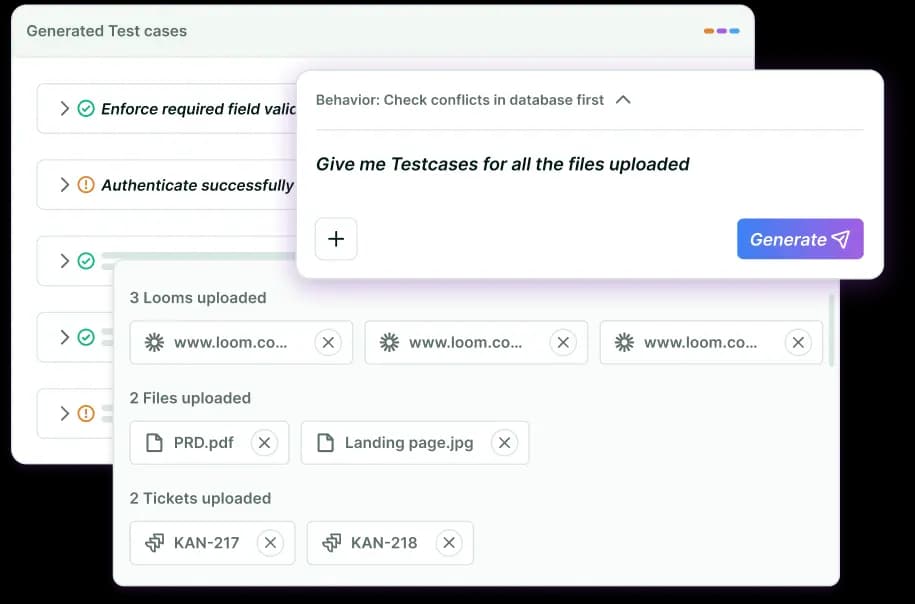
### Test Authoring Agent
Our authoring agent transforms prompts, PRDs, UX flows, or demo videos into structured, executable test cases across UI, API, and functional layers. Zero scripting.
Reviewed by our domain-specialized QA experts
Cuts test creation time from weeks to hours
Comprehensive coverage
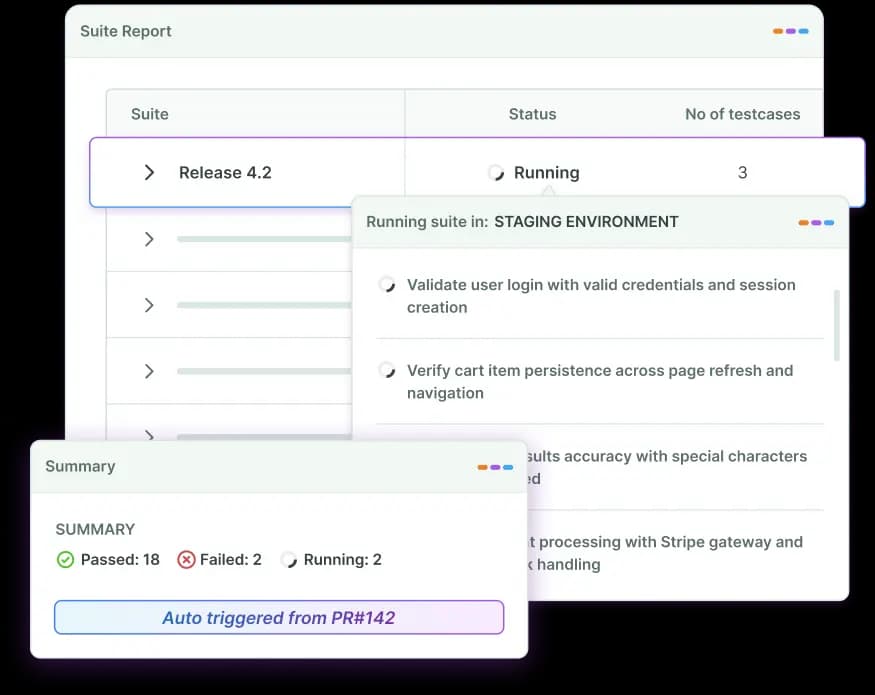
### Test Execution Agent
Our execution agent integrates directly into your CI/CD and DevOps pipeline and takes over end-to-end execution.
Automatically runs relevant, contextual test cases on every commit or PR
Manages test data and environment state
Runs tests in parallel
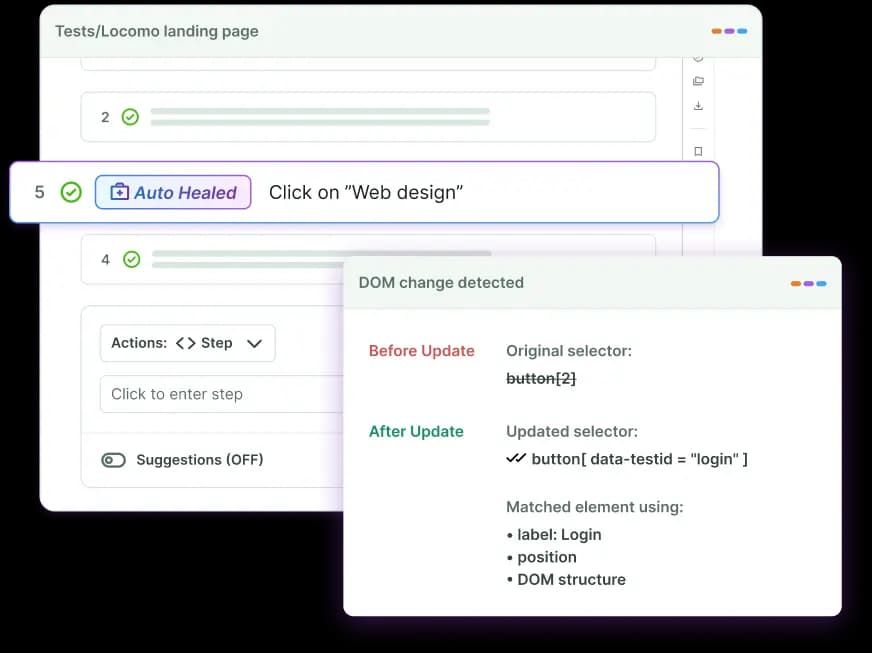
### Self-healing Agent
Instead of relying only on static locators, our self-healing agent interprets contextual signals from user steps. It detects DOM changes or workflow modifications and automatically updates tests to maintain stability.
Detects changes before they cause test failures
Significantly reduces test maintenance overhead
No manual intervention
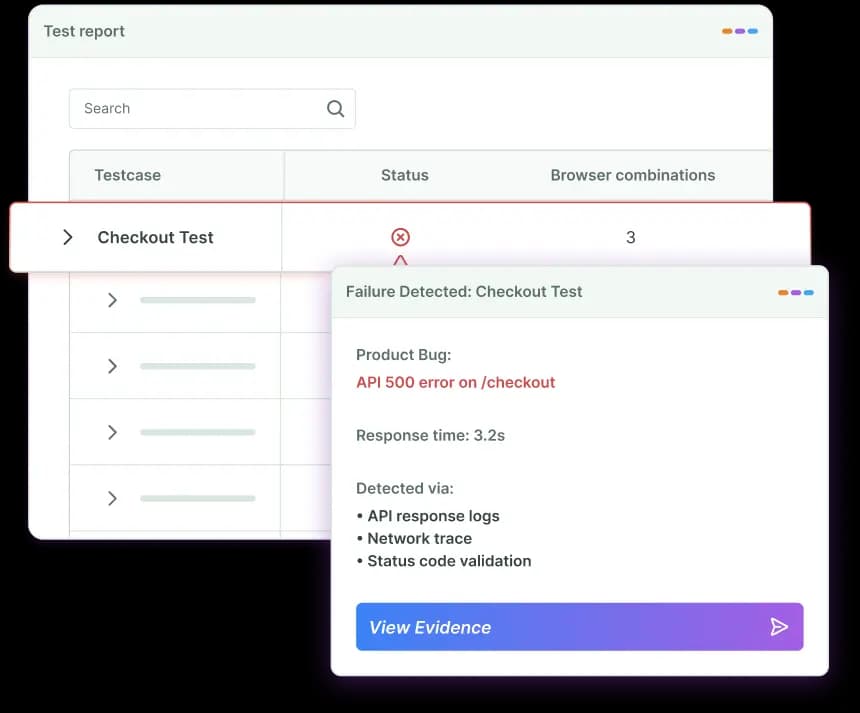
### Root Cause Analysis Agent
Our root cause analysis agent instantly identifies why a test failed, whether it’s a product defect, flaky test, or environment issue, so your team fixes the right problem, faster.
Shortens MTTR from days to minutes
Automated Investigation
Automated bug triaging
Designed For
Fast-Growing Teams
Built for teams that ship fast, deploy often, and refuse to let QA slow them down.
CTOs who need predictable release confidence
VP Engineering driving continuous delivery
QA leads managing large regression suites
Product teams shipping weekly

### Trevor McIntyre
CEO @ Ripple
"Zero maintenance. Their AI agents learn our product and adapt as we ship changes. No brittle scripts breaking at 2 AM. Same-day coverage. We see comprehensive test results within hours, not weeks"
## Autonomous QA in Action
BotGauge's QA agent operates across your entire testing lifecycle
### Intelligent Test Generation
- Converts prompts, PRDs, UI flows into executable test cases.
- Creates context-aware test cases.
### Continuous Execution
- Runs your entire test suite autonomously.
- Integrates into CI/CD pipelines.
### Self-Healing Tests
- Self-healing tests adjust to DOM and workflow changes automatically.
- Significantly reduces maintenance efforts.
### Smart Failure Diagnosis
- Identifies root causes of failures.
- Reduces time spent on manual debugging.
### Self-Optimizing Coverage
- Detects gaps in coverage.
- Get AI-powered test suggestions.
[Get Started](https://calendly.com/botgauge/30min)
## Wall of Love
Your Engineering Team Builds. We Make Sure It Works. Here’s the proof
"AQaaS turned QA into a strategic advantage: self-healing automation, instant coverage, and engineering focus back on shipping products, not fixing tests."

Michael HoyCEO, Atlas
"With BotGauge AQaaS, we ship faster without sacrificing quality. Autonomous testing, self-healing, and outcome-based pricing. A must-have for startups!"

Lachlan ScownCo-founder and CTO, Ripple
"Instead of scaling QA headcount, we scaled automation with BotGauge AQaaS. Higher coverage, lower cost, faster releases, unmatched ROI."

Rohit BangaCo-founder and CTO, Kitsa
"Their in-house algorithm for element detection can do wonders in saving maintenance time. Knowing the fact that they don't rely solely on CSS selectors, DOM elements, XPath, etc. and detect the correct element every time gives you peace of mind."

Mohammad Mutaib DSDET at REAL
"BotGauge AQaaS delivered instant automation, reliable results, and massive time savings. No scripts, no flakiness, no delays. This is the future of Quality Engineering."

Arzad AriffQA Automation Lead, CloudQ
"Cut automation time drastically, removed flakiness, and transformed our QA team. AQaaS is redefining software testing, don't get left behind."

Arun Kumar SSenior QA Manager, Nemetschek Group
## Agentic QA Testing That Scales With You
Our AI QA agents operate like a QA engineer, continuously running, monitoring, and optimizing tests round the cloud.
SOC 2 Type IICompliant
99.9%uptime SLA
24×7Priority support
No VendorLock-in
CI/CDReady
Your Agentic QA squad awaits
Try for Free
[Book a Demo](https://calendly.com/botgauge/30min)
## Got morequestions? We've got answers
### What is a QA Agent?
A QA agent is an intelligent, autonomous testing system that plans, executes, maintains, and improves tests without constant manual effort. Unlike traditional automation tools, an AI QA agent operates using agentic QA principles. That is, it makes decisions, adapts to changes, and continuously strengthens test coverage over time, on its own.
### How does the QA Agent automate the testing workflow?
A QA agent automates the entire testing lifecycle, from generating test cases to executing, diagnosing failures, and optimizing coverage. An AI agent for QA testing continuously learns from builds, adapts to UI changes, and reduces manual intervention. This approach, known as agentic QA testing, allows testing to run autonomously while keeping humans in the loop for oversight.
### What is AI Agent Testing?
AI agent testing is an advanced approach to software testing where autonomous AI agents plan, create, execute, maintain, and optimize tests without constant human intervention.
### What is the best AI testing agent?
The best AI testing agent is one that goes beyond script execution and truly operates autonomously. Some of the top QA automation platforms that offer AI testing agents include:
- BotGauge
- Kane Ai
- Testsigma
- UI Path
- BrowserStack, etc
## Contact BotGauge
# Every release without AI testing is a risk you're taking blind.
Here's what teams see after switching to BotGauge.
6 hrssaved per engineer, every week
PRODUCTIVITY
0%flake rate. Validated by FDE.
RELIABILITY
10xROI with autonomous testing
ROI
∞Unlimited parallel test runs
SCALE
0test maintenance required
MAINTENANCE
24-48 hrscritical flow coverage automated
ONBOARDING
Teams at 40+ companies have cut their QA cycles by half with BotGauge.
Loading contact form
## QA Wolf Pricing Guide
autonomous QAmanaged QA servicessoftware testing
# QA Wolf Pricing in 2026: What Each Tier Actually Costs
QA Wolf's self-serve platform has public rates. Its managed service does not. This guide covers both tiers, the third-party data on what managed contracts actually land at, and the five variables that move a quote.
Aug 17, 20268 min read
Try for Free [Book a Demo](https://calendly.com/botgauge/30min)

TABLE OF CONTENT
[Does QA Wolf Publish Pricing?](https://www.botgauge.com/blog/qa-wolf-pricing#heading1) [Platform: published, usage-based](https://www.botgauge.com/blog/qa-wolf-pricing#heading2) [Coverage as a Service: quote-based, per test](https://www.botgauge.com/blog/qa-wolf-pricing#heading3) [How the Two Models Differ From Everything Else](https://www.botgauge.com/blog/qa-wolf-pricing#heading4) [What Teams Actually Pay for Coverage as a Service](https://www.botgauge.com/blog/qa-wolf-pricing#heading5) [What Drives Your Number Up or Down](https://www.botgauge.com/blog/qa-wolf-pricing#heading6) [What the Price Does Not Include](https://www.botgauge.com/blog/qa-wolf-pricing#heading7) [The Part Most Buyers Miss: Per-Test Pricing Creates a Coverage Ceiling](https://www.botgauge.com/blog/qa-wolf-pricing#heading8) [Is QA Wolf Worth the Price?](https://www.botgauge.com/blog/qa-wolf-pricing#heading9) [How BotGauge Prices Differently](https://www.botgauge.com/blog/qa-wolf-pricing#heading10) [Conclusion](https://www.botgauge.com/blog/qa-wolf-pricing#heading11) [Frequently Asked Questions](https://www.botgauge.com/blog/qa-wolf-pricing#heading12)
Start your AI testing pilotGenerate, run, and maintain tests across your CI/CD workflow with less manual effortTry for Free
SHARE THIS ARTICLE
[LinkedIn](https://www.linkedin.com/sharing/share-offsite/?url=https%3A%2F%2Fwww.botgauge.com%2Fblog%2Fqa-wolf-pricing)[Twitter](https://twitter.com/intent/tweet?url=https%3A%2F%2Fwww.botgauge.com%2Fblog%2Fqa-wolf-pricing)
[Home](https://www.botgauge.com/) [Blog](https://www.botgauge.com/blog) [qa-wolf-pricing](https://www.botgauge.com/blog/qa-wolf-pricing#)
#### AI Summary
- QA Wolf sells two products with two pricing models. The self-serve platform publishes rates. The managed service does not.
- Platform pricing is usage-based: one cent per AI credit and fifteen cents per runner minute, with unlimited AI usage and unlimited parallel runs included.
- Coverage as a Service is quote-based and billed per test under management, confirmed on QA Wolf’s own pricing page.
- Third-party data puts the managed rate at roughly $40 to $70 per test per month, with a median annual contract near $90,000. Most of those sources are QA Wolf competitors.
- The managed tier covers web, iOS, Android, and Electron. The self-serve platform is web only.
- Because managed cost scales with test count, the budget rather than the risk profile often ends up deciding how much of the product gets tested.
- Both tiers export open-source Playwright, so leaving does not mean leaving the suite behind.
QA Wolf publishes pricing for half its business.
The self-serve platform has public rates: one cent per AI credit, fifteen cents per runner minute. Coverage as a Service, the managed tier most buyers are actually researching, says only that you pay for tests under management and to get in touch.
So if you want better tooling for your own engineers, the number is on their site. If you want someone else to own testing, it is not, and you are reading this instead.
Here is what each tier costs, what moves the number, and the consequence of per-test billing that most buyers find in year two.
## **Does QA Wolf Publish Pricing?**
Partly, and the distinction matters more than a yes or no.
[QA Wolf’s pricing page](https://www.qawolf.com/pricing) lists two products. The self-serve platform, where your team automates and maintains its own tests, carries published usage rates. Coverage as a Service, the fully managed offering with the coverage guarantee, does not. That one says to get in touch, and states only that you pay for tests under management.
If you are researching QA Wolf because you want someone else to own testing, the number you want is still not public. If you are researching because you want better tooling for your own QA engineers, it is.
### Platform: published, usage-based
| **Item** | **Rate** |
| --- | --- |
| AI credits | 1 cent each |
| Runner minutes | 15 cents each |
Included at those rates, per QA Wolf’s page: unlimited AI usage covering product exploration, workflow mapping, bulk test automation, and test maintenance when the interface changes. Unlimited parallel runs with individually containerized tests, triggered manually, on a schedule, or on deploy via webhook, including orchestration of multi-user and multi-device tests. Web apps only, across Chrome, Firefox, and WebKit. CI integration by API or webhook. And the ability to export the open-source Playwright code at any time.
Seats are not a billing dimension. QA Wolf’s own page positions this as adding users without adding cost, which makes the platform tier cheap to roll out across a team and expensive only in proportion to how much you actually run.
### **Coverage as a Service: quote-based, per test**
The managed tier is billed on tests under management, which QA Wolf now states directly rather than leaving to inference. What the tier carries, per their page: a guarantee that they will automate any workflow regardless of complexity, a coverage guarantee they describe as every team reaching 80%+ automated coverage, 24-hour investigation and repair of every failure, a zero-flake guarantee so only real bugs get flagged, human-verified bug reports with video, Playwright traces, and console logs, and coverage across web, iOS, Android, and Electron using Android emulators and real iPhones and iPads.
That mobile scope is the clearest functional difference between the two tiers, and between QA Wolf and most of the outcome-priced field.
Automate Test Creation, Execution, and Reporting with BotGauge
[Book a Demo](https://calendly.com/botgauge/30min?utm_medium=organic&utm_source=google&month=2026-08)
## **How the Two Models Differ From Everything Else**
The per-test model on the managed tier is genuinely different from the three models it competes against, and the comparison is where most confusion starts.
**Versus hourly billing.** A traditional QA outsourcing firm bills for time, so your cost tracks how many hours the vendor works rather than what you end up with. The managed tier ties cost to the artifact instead, which makes budgeting more predictable and removes the incentive to bill slowly.
**Versus per-seat licensing.** A SaaS testing tool charges for access and leaves your engineers to author and maintain everything. The license looks cheaper on the invoice and hides the real cost in engineering salaries. Neither QA Wolf tier bills per seat.
**Versus usage billing.** This one now cuts both ways, and it is worth being precise. The managed tier does not charge per run. The self-serve platform does, at fifteen cents per runner minute. So the common claim that QA Wolf avoids usage-based pricing is true of the service and not true of the platform. If you run a large suite on every commit, model the runner minutes before assuming the platform is the cheaper door.
## **What Teams Actually Pay for Coverage as a Service**
Six sources published figures between April and July 2026. They agree more than you might expect, and the consensus band is $40 to $70 per test per month with a median annual contract clustering around $90,000. Note how many are competitors before you weight them.
| **Source** | **Reported figure** | **Basis** | **Competitor?** |
| --- | --- | --- | --- |
| Vendr, 2026 | $60,000 to $250,000+ per year | Aggregated procurement contract benchmarks | No |
| Ry Walker research, June 2026 | Approximately $90,000 per year | Category research profile | No |
| Bug0, July 2026 | Median contract around $90,000; $40 to $44 per test per month | Compiled public deal data | Yes |
| Autonoma, June 2026 | $40 to $70 per flow per month | Modelled from deal reports and buyer discussion | Yes |
| MuukTest, May 2026 | $8,000 per month for 200 tests, scaling linearly | Published comparison | Yes |
| test-lab.ai, July 2026 | Managed options start around $5,000 per month | Published pricing survey | Yes |
The Vendr figure deserves the most weight, because procurement benchmarks come from signed contracts rather than a competitor’s marketing team. The rest are directionally consistent with it, which is the reason to report them at all.
## **What Drives Your Number Up or Down**
Five variables set the managed quote, and knowing them before the scoping call means you arrive with a realistic estimate rather than a reaction.
**Flow count.** The dominant variable by a wide margin. How many distinct user journeys need automating determines almost everything else.
**Application complexity.** Heavy integrations, multi-tenancy, role-based permissions, and workflows that span several systems all take longer to automate and to maintain.
**Environment count.** Testing against staging only is a different contract from testing staging, production, and customer-specific tenants. Clarify this early, because it is easy to under-scope.
**Web versus mobile.** Web runs on Playwright. Mobile adds Appium, emulators, and real devices, and it is only available on the managed tier.
**Onboarding timeline.** This one now needs checking directly, because the public claims conflict. QA Wolf’s pricing page says teams reach the 80% target in weeks. Their marketplace listings on G2 and GetApp still describe a four-month ramp. Ask which applies to an application your size and get the answer in the contract, because the difference between weeks and a quarter is most of a release cycle.
There is a shortcut worth knowing for the managed tier. In a 2023 post explaining their model, QA Wolf offered a sizing rule of roughly 30 tests per engineer on staff. Multiply your engineering headcount by 30, apply the per-test band, and you will land close enough to a real quote to know whether the conversation is worth having.
## **What the Price Does Not Include**
Two categories of cost sit outside the contract, and buyers miss both with some regularity.
The first is test types. Both tiers cover end-to-end functional testing. Load and performance testing, accessibility audits, security and penetration testing, and manual exploratory testing are out of scope unless explicitly added. If you assumed that buying testing meant buying all testing, that assumption needs checking at scoping rather than at renewal.
The second is your own engineering time. On the managed tier, the first weeks require your team to walk an external team through the application, provision environment access, and validate the proposed test plan. On the self-serve platform, that cost never ends, because authoring and maintenance stay with your engineers by design. Neither appears on the invoice.
## **The Part Most Buyers Miss: Per-Test Pricing Creates a Coverage Ceiling**
This is the consequence that does not show up in year one, and it applies to the managed tier specifically.
When cost scales linearly with test count, your testing budget becomes a hard limit on how much of your product can be covered. That is comfortable at 50 tests. At 300 it is a meaningful line item, and the conversation quietly changes. Instead of asking what needs testing, teams start asking what they can afford to test. Coverage decisions migrate from engineering to finance.
This is not hypothetical, and it shows up in the review data rather than in any single anecdote. G2’s summary of QA Wolf reviews notes that some users raise pricing as a concern as their testing needs grow, and recurring review tags across the profile include cost and pricing alongside the overwhelmingly positive ones. The service works. The pricing model sets the boundary.
The self-serve platform has a different ceiling rather than no ceiling. There, cost scales with runner minutes, so the pressure lands on how often you run rather than on how much you cover. Teams practicing continuous delivery should model that carefully, because running a large suite on every commit is exactly the behavior a per-minute meter discourages.
QA teams will recognize the pattern either way. It is the same failure mode as snapshot rationing in visual testing: you quietly test less to stay inside a plan, the gap never announces itself, and it shows up eventually as an incident in production. The risk is not that the tests you bought are bad. It is that the tests you did not buy were the ones that mattered.
Coverage Priced as an Outcome, Not Per Test
[Try for Free](https://www.botgauge.com/contact)
## **Is QA Wolf Worth the Price?**
For a lot of teams, yes, and it would be dishonest to write this article without saying so plainly.
The review record is strong on both major platforms. QA Wolf holds a 5.0 rating across 68 verified Capterra reviews as of March 2026, and 4.8 across roughly 190 reviews on G2. Reviewers repeatedly single out the responsiveness of the team, the quality of communication during onboarding, and the volume of real defects surfaced in the first months. As of its Series B in July 2024, the company had raised $57 million and reported more than 130 customers, so it is not a delivery risk.
The strongest structural argument in its favor is ownership of the artifact. Tests are written in open-source Playwright for web and Appium for mobile, the code is yours, and the export path is stated on the pricing page rather than buried in a contract. Any provider you compare against QA Wolf should be asked the same question, and one who cannot answer it cleanly deserves the scrutiny.
The documented trade-offs are these, and they are worth putting in front of your team before a decision.
**Time to coverage.** Unresolved in public. Weeks per their pricing page, four months per their marketplace listings. Get it in writing.
**Execution speed.** Slow performance and slow testing appear as recurring themes in G2 review tags, particularly around UI tests and coverage updates.
**Reporting depth.** Built-in analytics and reporting are commonly described as limited relative to the rest of the offering.
**The coverage ceiling.** Covered above. Structural to the pricing model rather than to the delivery.
If none of those four is a constraint for you, QA Wolf is a strong choice and this article should not talk you out of it. For the wider field, our roundup of [top QA outsourcing providers](https://www.botgauge.com/blog/qa-outsourcing) covers the managed QA market beyond these two.
## **How BotGauge Prices Differently**
BotGauge is an [Autonomous QA as a Solution](https://www.botgauge.com/autonomous-qa-as-a-solution) partner, and the pricing follows from that. Coverage is priced as an outcome rather than per test or per runner minute, which means the number does not climb every time your product grows a new flow or your team ships more often. You are not buying units of testing. You are buying a level of coverage and the ongoing responsibility for holding it.
Structurally the model works like this. AI agents generate context-aware tests across your functional, UI, and API workflows, a dedicated forward deployed engineer pod reviews every test before it runs, and self-healing keeps the suite current as the application changes. Everything executes inside your CI/CD pipeline on every commit, across more than 60 integrations spanning CI/CD and workflow tools, with SOC 2 Type II compliance. Teams reach roughly 80% critical flow coverage in about two weeks, and reported customer outcomes include 94% fewer production incidents.
Reach 80% Critical Flow Coverage in Two Weeks
[Start Now](https://calendly.com/botgauge/30min?utm_medium=organic&utm_source=google&month=2026-08)
## **Conclusion**
QA Wolf’s pricing is not expensive or cheap in the abstract. Each tier is metered on something, and the question is whether the thing it meters is the thing you plan to do more of.
The platform meters execution. If you run a large suite on every commit, model the runner minutes at your real frequency, not your current one. The service meters coverage. Take your flow count, multiply by 30 tests per engineer if you have no better number, apply the $40 to $70 band, and run the same calculation for the product you expect to have in eighteen months. If that second number would trigger a conversation with finance about which flows to drop, the conversation is a product of the pricing model rather than of your risk profile, and it is better to know that before you are inside it.
Ask every provider on your shortlist the same three questions: what happens to the bill when coverage doubles, who owns the code if we leave, and how long until coverage is real. The answers separate this category faster than any feature matrix.
## Frequently Asked Questions
How much does QA Wolf cost?
It depends on the tier. The self-serve platform publishes rates of one cent per AI credit and fifteen cents per runner minute. Coverage as a Service, the managed offering, is quote-based and billed per test under management. Third-party data puts the managed rate at roughly $40 to $70 per test per month, with a median annual contract near $90,000 and a wider reported range of $60,000 to $250,000 or more per year. Several sources reporting those figures are QA Wolf competitors, so treat the band as a planning range rather than a quote.
Does QA Wolf have a pricing page?
Yes, though it only covers half the business. The page publishes usage rates for the self-serve platform and lists the inclusions for Coverage as a Service without attaching a number to it. For the managed tier you still need a scoping conversation.
How does QA Wolf pricing work?
Two models. The platform charges for AI credits and runner minutes, so cost tracks how much you run. The managed service charges per test under management, so cost tracks how much you cover. Neither charges per seat.

About the Author
##### Aparna Jayan
An SEO and growth strategist with over four years of experience in SaaS content. With hands-on experience creating in-depth, user-focused content for QA testing, AI testing tools, and automation technologies, I'm passionate about simplifying complex technical topics and making them accessible to everyone.
For the full platform comparison, see [QA Wolf in 2026: What You Are Actually Buying](https://www.botgauge.com/blog/qa-wolf) and [BotGauge vs QA Wolf](https://www.botgauge.com/botgauge-vs-qawolf). Explore [BotGauge pricing](https://www.botgauge.com/pricing) as an alternative.
Autonomous Testing for Modern Engineering Teams
[Book a Demo](https://calendly.com/botgauge/30min)
## Automated Functional Testing
# Scale functional test automation without scaling your QA team
BotGauge's AI agents own your functional testing end-to-end so your team ships faster without breaking what already works. No scripts. No maintenance. No QA overhead.
[Try for Free](https://www.botgauge.com/contact) [Book a Demo](https://calendly.com/botgauge/30min)
Trusted by modern engineering teams
Case study
Case study
Testimonial
Case study
Case study
Testimonial

Trevor McIntyreCEO, Ripple
“It's like having a QA team that never sleeps, never complains, and actually gets smarter over time.”

Michael HoyCEO, Atlas
“AQaaS turned QA into a strategic advantage: self-healing automation, instant coverage, and engineering focus back on shipping products, not fixing tests.”

Lachlan ScownCo-founder and CTO, Ripple
“With BotGauge AQaaS, we ship faster without sacrificing quality. Autonomous testing, self-healing, and outcome-based pricing. A must-have for startups!”

Rohit BangaCo-founder and CTO, Kitsa
“Instead of scaling QA headcount, we scaled automation with BotGauge AQaaS. Higher coverage, lower cost, faster releases, unmatched ROI.”
THE PROBLEM
## Your Team Is Fixing Bugs in the Wrong Place
Catching a defect after deployment costs **30x to 100x more** than catching it during testing.
Yet most QA processes are too slow and too manual to catch issues early. The result: bugs reach production, engineers drop sprints to firefight, and releases slip.
BotGauge moves your bug detection left into testing, before deployment, before your users find it first.
COST OF DEFECTS
1x
3x
7x
15x
32x
The more time your team saves, the more time they have to find bugs earlier.
## Autonomous QA as a Solution for Functional Testing
With AQaaS, you get the speed of AI automation with the judgment of experienced QA professionals, without hiring a single additional tester.
### 24-48 Hours
Critical workflows automated in 24 - 48 hours
### 80% Coverage
Guaranteed 80% automation coverage in 2 weeks
### Zero Flakiness
Tests that fix themselves, automatically
## Functional Testing on Autopilot
Your engineers stay focused on building. Our AI agents run continuous functional tests across every feature and flow. Our QA experts validate and ensure nothing slips through.
### AI-Generated Test Cases
Our AI agents analyze your application, map your user flows, and automatically generate comprehensive functional test cases.
### Self-Healing Tests
Our self-healing engine detects changes and updates tests automatically. Zero manual intervention.
### Full Session Recording
Every test run includes complete video and screenshot capture. Debug faster. Reproduce issues without guesswork.
### Mark as Bug
When a failure is detected, reviewers flag issues instantly with timestamped annotations, contextualized and ready for engineering action.
### Automated Reporting
After every run, BotGauge generates a detailed report with screenshots, video recordings, pass/fail status, and failure context.
### Screen Resolution Testing
BotGauge validates your UI across multiple screen resolutions automatically, catching responsive design failures before they reach your users.
### Test Case Management
BotGauge manages your entire test case library, creating, categorizing, versioning, and updating test cases as your product grows.
### CI/CD Ready
Every code push triggers testing automatically, giving your team quality signals before anything reaches staging or production.
### Dedicated QA Experts
AI handles execution. Our QA experts handle judgment. Every test suite is reviewed, validated, and continuously optimized by our team.
EVERY FLOW IS AUTOMATED
## We Test Every Flow That Matters
Our AI agents don't just validate the happy path. Every functional test suite we build covers:
- Core user journeys and critical navigation flows
- Form validations, input logic, and error state handling
- Role-based access and permission enforcement
- Third-party integrations and API response validation
- Cross-browser behavior across major browsers
- Edge cases and boundary conditions your team hasn't mapped yet

[Book a Demo](https://calendly.com/botgauge/30min)
OUTCOMES
## What Engineering Teams Gain
### Ship 5x Faster
Functional tests run automatically before every deploy. No waiting on manual QA cycles.
### Cut QA Overhead
AI agents replace manual scripting entirely. Your engineers focus on building features, not maintaining test suites.
### Improve Coverage
Every release is tested more thoroughly than your team could manage manually.
### Release With Confidence
Bugs caught in testing cost 1x. Bugs caught in production cost up to 100x. BotGauge keeps them on the left side of that curve, every single release.
WHY CHOOSE BOTGAUGE
## Traditional Automation vs BotGauge
See what you're giving up with traditional testing
Test creation
Test maintenance
Bug detection
Test reporting
CI/CD integration
QA expertise required
Cost
Traditional Automation
Manual, weeks per suite
High - breaks on every UI change
Late, often in production
Manual
Custom setup required
Dedicated team or heavy engineering time
Hiring cost + Tool cost + Infrastructure cost
BotGauge
AI-generated tests in minutes. Along with the domain FDE pod validation.
Self-healing tests, zero manual effort
Early, before every release
Automated test reporting with screenshots & videos
Native integration
Dedicated domain-specialized QA experts
Pay for outcomes and coverage delivered
SUCCESS STORY
## How Ripple Cut Regression Time by 90% with BotGauge
Before BotGauge, their regression testing was entirely manual, testers working off spreadsheets, two to three weeks of QA before every release. Bugs still reached production. Engineers waited on QA instead of building. After onboarding BotGauge:
90%reduction in regression execution time
Weeklyrelease cadence achieved
Zeroengineering involvement in QA
80%regression automated in < a week
Saas
Dunedin, Otago
“Zero maintenance. Their AI agents learn our product and adapt as we ship changes. No brittle scripts breaking at 2 AM. Same-day coverage. We see comprehensive test results within hours, not weeks”

Trevor McIntyre
CEO
Ripple
0engineering hours
spent on QA
90%faster regression
execution
[Read the full case study](https://www.botgauge.com/stories/ripple)
RELATED RESOURCES
[\\
\\
**Top 11 AI Test Automation Tools to Use in 2026** \\
\\
Yamini Priya JMar 6, 2026](https://www.botgauge.com/blog/ai-test-automation-tools) [\\
\\
**Top 10 Playwright Alternatives in 2026 for Faster Testing** \\
\\
Yamini Priya JMar 30, 2026](https://www.botgauge.com/blog/playwright-alternatives) [\\
\\
**Outsourcing vs In-house Software Testing: Which Is Best For You** \\
\\
Yamini Priya JApr 24, 2026](https://www.botgauge.com/blog/outsourcing-vs-in-house-software-testing)
## Frequently Asked Questions
What is Automated Functional Testing?
Automated Functional Testing is the process of using software to validate that application features behave according to defined requirements. Instead of manual checks, functional test automation executes test cases across critical workflows, ensuring consistent behavior, faster feedback, and reliable regression coverage. Platforms like BotGauge combine functional automation testing with self-healing capabilities to maintain test stability as the product evolves.
Can functional testing be automated?
Yes, functional testing can be effectively automated using modern functional testing automation approaches. Repetitive, high-impact user flows, such as login, checkout, and integrations, are ideal for automation functional testing. With the right functional automation testing tools, teams can achieve scalable coverage, reduce manual effort, and continuously validate product behavior across releases.
Which tool is commonly used for automated functional testing?
Common functional test automation tools include frameworks like Playwright, Selenium, and Cypress. However, these require ongoing setup and maintenance. BotGauge offers a managed alternative that combines automated functional test execution with AI-driven maintenance, so teams get reliable functional automation without having to manage complex frameworks.
## Stop Letting Functional Testing Slow Your Releases
[Book a Demo](https://calendly.com/botgauge/30min)
## MCP Testing Guide
ai qa automationautonomous QA
# BotGauge MCP: The Complete Guide to MCP Testing for Autonomous QA
BotGauge MCP explained: what it is, how MCP testing works, real QA use cases, security considerations, and how to get started inside Claude, Cursor, or Copilot.
Jul 15, 20268 min read
Try for Free [Book a Demo](https://calendly.com/botgauge/30min)
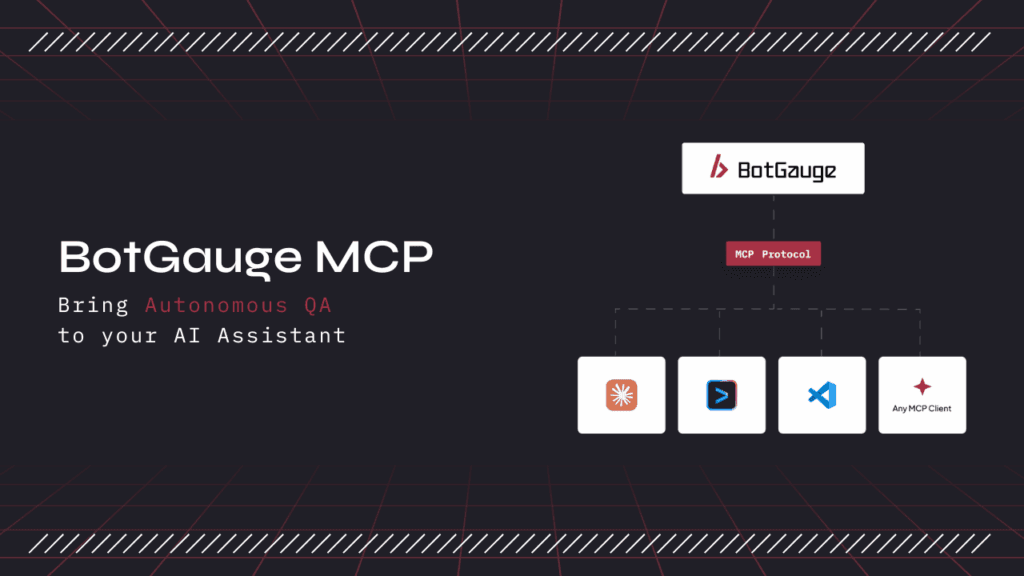
TABLE OF CONTENT
[What Is BotGauge MCP?](https://www.botgauge.com/blog/mcp-for-autonomous-testing#heading1) [What Is MCP (Model Context Protocol)?](https://www.botgauge.com/blog/mcp-for-autonomous-testing#heading2) [MCP Architecture: How MCP Works](https://www.botgauge.com/blog/mcp-for-autonomous-testing#heading3) [The Three Primitives Every MCP Server Exposes](https://www.botgauge.com/blog/mcp-for-autonomous-testing#heading4) [MCP vs APIs vs RAG vs Function Calling](https://www.botgauge.com/blog/mcp-for-autonomous-testing#heading5) [Why MCP Matters for AI Test Automation](https://www.botgauge.com/blog/mcp-for-autonomous-testing#heading6) [What BotGauge MCP Does](https://www.botgauge.com/blog/mcp-for-autonomous-testing#heading7) [MCP Security Testing: Risks to Address Before You Adopt It](https://www.botgauge.com/blog/mcp-for-autonomous-testing#heading8) [How to Get Started With BotGauge MCP](https://www.botgauge.com/blog/mcp-for-autonomous-testing#heading9) [BotGauge MCP vs Traditional Test Automation](https://www.botgauge.com/blog/mcp-for-autonomous-testing#heading10) [Conclusion](https://www.botgauge.com/blog/mcp-for-autonomous-testing#heading11) [FAQ's](https://www.botgauge.com/blog/mcp-for-autonomous-testing#heading12)
Start your AI testing pilotGenerate, run, and maintain tests across your CI/CD workflow with less manual effortTry for Free
SHARE THIS ARTICLE
[LinkedIn](https://www.linkedin.com/sharing/share-offsite/?url=https%3A%2F%2Fwww.botgauge.com%2Fblog%2Fmcp-for-autonomous-testing)[Twitter](https://twitter.com/intent/tweet?url=https%3A%2F%2Fwww.botgauge.com%2Fblog%2Fmcp-for-autonomous-testing)
[Home](https://www.botgauge.com/) [Blog](https://www.botgauge.com/blog) [mcp-for-autonomous-testing](https://www.botgauge.com/blog/mcp-for-autonomous-testing#)
An AI model with no context has to guess. It invents selectors that don’t exist on the page, flags bugs that aren’t real, and writes a test that passes once and breaks on the next deploy. BotGauge MCP was built to fix that. It hands the model your actual testing framework, your logs, and your app’s live state through the Model Context Protocol (MCP), so it’s reasoning from what’s really there instead of guessing from a prompt.
This guide walks through what BotGauge MCP is, what MCP itself is and how it works, the security tradeoffs worth weighing before you connect it to anything real, and how to get started inside Claude, Cursor, or GitHub Copilot.
#### Quick Answer
BotGauge MCP is BotGauge’s test generation and self-healing engine, exposed through the Model Context Protocol so AI assistants like Claude, Cursor, and GitHub Copilot can generate, run, and debug tests using natural language, directly inside the IDE. It connects the AI to your real application state, including the DOM, logs, and execution history, instead of letting it guess. That’s what MCP testing means in practice: fewer hallucinated selectors, faster failure triage, and less manual cleanup after every AI-generated test.
## What Is BotGauge MCP?
BotGauge MCP is an MCP server that brings [BotGauge’s](https://botgauge.com/) autonomous QA engine into any MCP-compatible AI client. Once it’s connected, your AI assistant can generate end-to-end test cases from a PRD or user story, execute test runs, investigate failures with full log and screenshot context, and manage your test suite from a chat prompt. You don’t write or maintain automation scripts, and you don’t switch to a separate dashboard to see what happened.
It’s currently in beta. The rest of this guide covers the protocol it’s built on, what it does in detail, and how to start using it.
## **What Is MCP (Model Context Protocol)?**
MCP is an open standard that Anthropic released in November 2024 to let AI applications connect to external tools and data through one shared interface, instead of a custom integration for every tool.
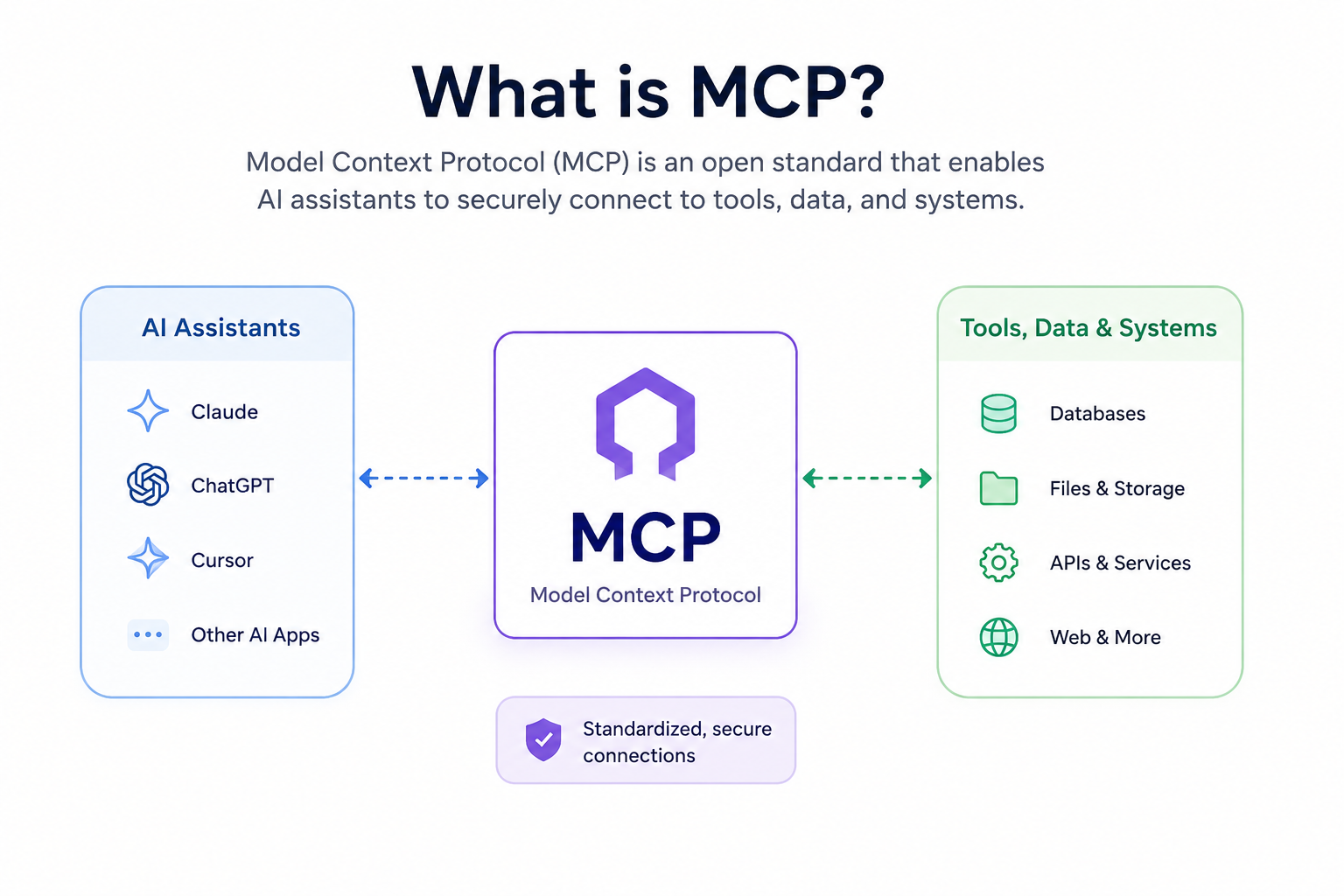
Before MCP existed, every AI model needed its own plugin for every tool it touched. A test runner needed a separate build for Claude, another for Copilot, another for Cursor. Connect _N_ tools to _M_ AI applications that way, and a team ends up maintaining N times M custom integrations. MCP collapses that math to N plus M: build the connection once, and every MCP-compatible client can use it. BotGauge MCP is that connection for QA.
Adoption has moved quickly since 2024. OpenAI adopted MCP for ChatGPT in March 2025, and Google DeepMind followed in April 2025. By the time Anthropic donated the protocol’s governance to the [Agentic AI Foundation](https://www.anthropic.com/news/donating-the-model-context-protocol-and-establishing-of-the-agentic-ai-foundation) under the Linux Foundation on December 9, 2025, MCP had crossed [97 million monthly SDK downloads and more than 10,000 active public servers](https://www.anthropic.com/news/donating-the-model-context-protocol-and-establishing-of-the-agentic-ai-foundation), according to Anthropic’s own announcement. The foundation was co-founded by Anthropic, Block, and OpenAI, with Google, Microsoft, AWS, Cloudflare, and Bloomberg backing it as supporting members. For enterprise buyers, that governance shift matters almost as much as the download numbers: it removes the single-vendor lock-in objection that used to slow adoption.
That’s the actual problem MCP solves, and it’s why people call it “the USB-C of AI.” One standard, many devices.
## **MCP Architecture: How MCP Works**
MCP connects an AI assistant to external tools through three components, laid out in [Anthropic’s original specification](https://modelcontextprotocol.io/):
**MCP Server.** The service that exposes tools, data, or actions, executes what’s requested, and returns results to the AI. BotGauge MCP is a server in this sense. It’s what exposes BotGauge’s testing engine to your AI client.
**MCP Host.** The application where the AI runs: Claude Desktop, Cursor, or VS Code.
**MCP Client.** The connector inside the host that sends requests and receives responses using the MCP standard.
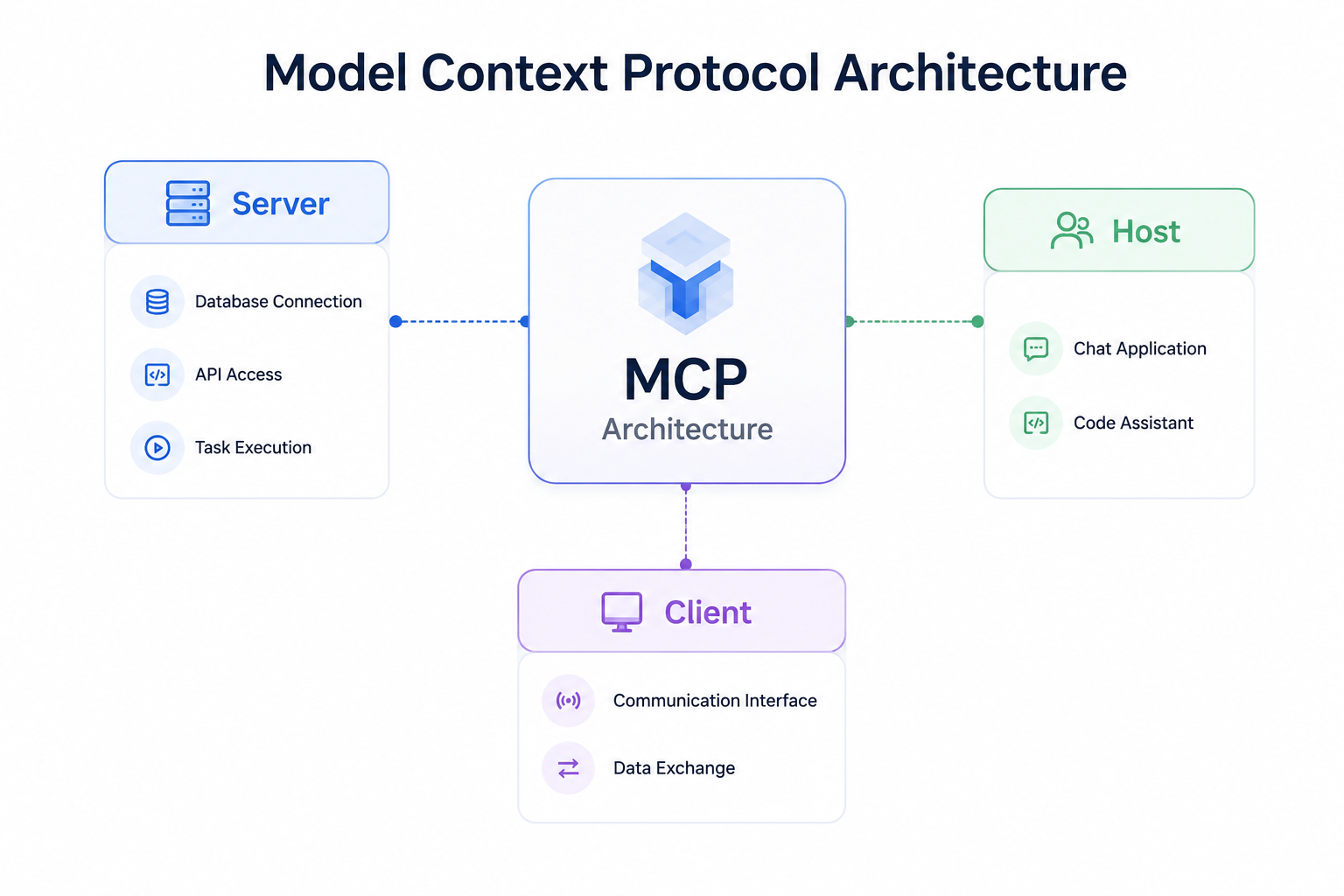
### The Three Primitives Every MCP Server Exposes
Every MCP server communicates through the same three building blocks. Tools are functions the AI can execute, like running a test suite or creating a test case. Resources are data the AI can read, like test reports, console logs, or screenshots. Prompts are predefined workflows that keep the AI’s output consistent for common tasks.
Communication runs over JSON-RPC 2.0, typically standard input and output for local tools, or streamable HTTP for remote ones. None of that is visible day to day, but it’s why MCP integrations feel instant compared to older API-key-and-webhook setups. The model asks the server what it can do the moment it needs to, rather than a developer hardcoding that connection months earlier.
## **MCP vs APIs vs RAG vs Function Calling**
These four terms get used almost interchangeably in AI conversations, but they solve different problems.
| | | |
| --- | --- | --- |
| **Technology** | **What it does** | **Best for** |
| **MCP (Model Context Protocol)** | A standard protocol that lets AI discover and call tools, data, and services through one interface. | Giving an AI assistant consistent, reusable access to external systems. |
| **APIs** | Individual endpoints that applications use to exchange data or trigger actions. | Connecting two specific, known systems. |
| **RAG (Retrieval-Augmented Generation)** | Retrieves relevant documents before the AI generates a response. | Answering questions with current, accurate information. |
| **Function Calling** | Lets an AI invoke one predefined function or API during a conversation. | Executing a single, specific action, such as sending an email or running a test. |
Think of APIs as the building blocks and function calling as what picks which one to use in the moment. RAG supplies the AI with the right information to reason over. MCP standardizes how the AI discovers and uses all three, which is why a single BotGauge MCP connection can replace what used to be a custom integration built separately for every AI client.
## Why MCP Matters for AI Test Automation
Large language models are only as good as the context they’re given, and testing is an unusually context-heavy job.
Ask a model to write a test for a checkout flow with nothing but a prompt, and it guesses at selectors. It invents API response shapes that don’t match reality. The test passes on the first run, then breaks the moment the app changes, which is the exact failure mode that gave early AI-generated tests a reputation for being flaky and disposable.
MCP fixes that at the input level. A testing tool exposed through MCP, like BotGauge MCP, hands the model the framework actually in use (Playwright, Selenium, Cypress), the files that changed in the most recent commit, the current DOM or accessibility tree, and the console and network logs from the last failed run. The model reasons from what’s actually on the page rather than what a prompt implies. That’s the mechanical reason MCP-native testing tools produce fewer hallucinated tests, find root causes faster, and need less manual cleanup after every AI-generated suite.
## What BotGauge MCP Does
BotGauge MCP lets you manage the entire testing lifecycle from your [AI assistant](https://www.botgauge.com/agentic-ai-testing/), in natural language, without switching between dashboards or hand-writing automation scripts.
It generates end-to-end test cases from product requirements, user stories, or demo videos. When a locator breaks or a layout shifts, its [self-healing engine](https://www.botgauge.com/blog/self-healing-test-automation) reads the current DOM through MCP and patches the test before anyone notices the failure. You can search and retrieve existing test cases across projects, features, or execution history, and bulk-update priorities, tags, ownership, or steps in a single request.
On the execution side, it runs autonomous test runs without you writing or maintaining automation scripts, validates new features against expected user journeys before a release ships, and investigates failures with AI-powered root cause analysis that pulls command logs, network traces, and console errors into one chat thread instead of five browser tabs. It also reviews visual regressions in plain language (so a reviewer catches a real bug instead of squinting at two screenshots), runs WCAG and ADA accessibility checks against a URL or local build with remediation guidance in the IDE, and generates bug reports with configurable fields for severity, module, reproduction steps, and environment.
The bigger picture: it surfaces coverage and execution insights so you know what’s tested, what’s failing, and what’s still a risk, and it runs regression, smoke, or feature-specific tests on demand from a conversational prompt. All of it lives inside your existing [QA process](https://www.botgauge.com/guide/qa-process), not a separate tool you have to remember to open.
Related reading: [Why Your Selenium and Playwright Scripts Keep Breaking, and How AI Can Fix That](https://www.botgauge.com/blog/why-selenium-playwright-scripts-keep-breaking)
Connect your AI assistant to autonomous QA. Generate, run, and analyze tests using natural language.
[Explore BotGauge MCP Beta](https://botgauge.com/contact)
## MCP Security Testing: Risks to Address Before You Adopt It
MCP’s openness is also its biggest risk, and MCP security testing deserves its own line item before you connect any server, BotGauge MCP included, to something real.
Security researchers at [Invariant Labs documented prompt injection and “tool poisoning” attacks](https://invariantlabs.ai/blog/mcp-security-notification-tool-poisoning-attacks) as early as April 2025: a compromised MCP server can describe a tool in a way that tricks the model into leaking data or taking an action nobody approved. That risk isn’t abstract for a QA team specifically. Test fixtures and staging environments routinely hold real customer data, screenshots, and API keys, so an over-permissioned MCP server is a genuine exposure, not a theoretical one. Industry surveys through mid-2026, including [Stacklok’s State of Model Context Protocol in Software report](https://stacklok.com/), have consistently flagged authentication and access scoping as the leading blocker to enterprise MCP adoption, and independent scans have found a meaningful share of internet-facing MCP servers running with no authentication at all.
Before connecting an MCP server to a production or staging environment, it’s worth working through a short checklist. Scope permissions narrowly, so a test-runner MCP server doesn’t also carry write access to production data. Require host-mediated consent for anything that modifies or deletes, rather than letting it fire silently. Use OAuth 2.1 and scoped, short-lived tokens instead of static API keys sitting in a config file. Isolate test data by encrypting test runs and segmenting environments, especially in fintech and healthcare. And vet the server itself, not just the vendor name, by checking exactly which tools and resources it exposes before connecting it to anything real.
## How to Get Started With BotGauge MCP
Getting started is mostly a matter of sequencing. Start by auditing your current stack to see which testing tools already ship an MCP server and which don’t. Pick your MCP client. Claude Code, Cursor, GitHub Copilot, and OpenAI’s Codex CLI are the common starting points.
From there, [request beta access to BotGauge MCP](https://calendly.com/botgauge/30min) and connect it as a server in your chosen client. It’s worth starting with something this well-scoped rather than connecting every tool you own at once. Before granting broader access, review exactly which tools and resources the server can touch, and begin with read-only workflows like test generation and failure triage, since those carry far less risk than anything that writes or deletes. Add write actions, CI/CD orchestration, and additional servers once your team has had a chance to build trust with the setup.
## **BotGauge MCP vs Traditional Test Automation**
| | **Traditional Automation** | **BotGauge MCP** |
| --- | --- | --- |
| Test creation | Hand-coded scripts or record-and-playback | Plain-English generation from PRDs, flows, or a chat prompt |
| Maintenance | Manual fixes when locators or UI change | Self-healing, callable on demand from your AI assistant |
| Debugging | Switch tools to read logs, network traces, screenshots | Logs and context pulled into one chat thread automatically |
| Where it runs | A separate dashboard or CLI | Directly inside Claude, Cursor, Copilot, and other MCP clients |
| Setup | Custom integration per tool and per model | One MCP connection, reusable across every MCP-compatible client |
Join BotGauge MCP and connect agentic testing to your IDE in minutes
[Explore BotGauge MCP Beta](https://botgauge.com/contact)
## Conclusion
MCP standardized how AI models connect to tools, and in doing so, it raised what those tools can reasonably be expected to do. BotGauge MCP puts that to work for QA specifically: an AI assistant that generates real tests against your actual application, triages failures using real logs, and stays useful as your app keeps changing underneath it, all inside the tools your team already uses every day.
[Talk to our team](https://calendly.com/botgauge/30min) to get beta access and connect your first MCP-native test in minutes.
* * *
**Sources referenced in this guide:** Anthropic’s [December 2025 announcement](https://www.anthropic.com/news/donating-the-model-context-protocol-and-establishing-of-the-agentic-ai-foundation) donating MCP to the Agentic AI Foundation; the official [Model Context Protocol specification](https://modelcontextprotocol.io/); [Invariant Labs’ research on MCP tool poisoning attacks](https://invariantlabs.ai/blog/mcp-security-notification-tool-poisoning-attacks); Stacklok’s State of Model Context Protocol in Software report.

About the Author
##### Yamini Priya J
A content marketer who started out writing code and found my way into brand strategy. Seven years into marketing, I still think like a developer. I break the problem down, find the logic, then tell the story clearly. I write for tech companies whose audiences know their stuff, and so do I. Still powered by coffee ☕️
## FAQ's
What is BotGauge MCP?
BotGauge MCP is an MCP server that connects BotGauge's test generation and self-healing engine to AI assistants like Claude, Cursor, and GitHub Copilot, so you can generate, run, and debug tests using natural language from inside your IDE. It's currently in beta.
What is MCP testing?
MCP testing is using the Model Context Protocol to connect an AI coding assistant to a testing tool, so the assistant can generate, execute, and debug tests using real application context, such as DOM state, logs, and code, rather than guessing from a prompt alone.
How do I get started with BotGauge MCP?
Request beta access, connect it as an MCP server in Claude, Cursor, or Copilot, and start with read-only workflows like test generation and failure triage before granting write access for test execution or CI/CD orchestration.
Who created the Model Context Protocol?
Anthropic created and open-sourced MCP in November 2024. OpenAI, Google DeepMind, Microsoft, and most major AI tool vendors adopted it within the following year, and governance moved to the Linux Foundation's Agentic AI Foundation on December 9, 2025.
Is MCP the same thing as an API?
No. An API is a fixed contract between two specific systems. MCP standardizes how an AI model discovers and invokes multiple tools at runtime, without a custom integration for each one.
What is an MCP server?
An MCP server exposes tools, resources, and prompts that an AI assistant can access through a standardized interface, letting AI clients interact with external systems, like a testing platform, without a custom integration for each application. BotGauge MCP is one example, purpose-built for QA.
How does MCP improve AI test automation?
It gives the model real context: the framework in use, recent code changes, logs, and screenshots. Generated tests and triage are based on the application's actual current state instead of a guess, which is why MCP-native tools produce noticeably fewer hallucinated tests than prompt-only AI testing tools.
What is MCP security testing, and why does it matter?
MCP security testing means vetting an MCP server's permission scope, authentication method, and exposure before connecting it to real environments. Because MCP servers can execute actions and read data on the AI's behalf, an over-permissioned or poorly authenticated server is a genuine attack surface, particularly where test environments hold real customer data or API keys.
Which AI clients support MCP servers?
Claude Desktop, Cursor, GitHub Copilot, Windsurf, VS Code (via compatible extensions), and OpenAI's Codex CLI all support MCP servers as of 2026, and the list is expanding as more AI tools adopt the protocol.
### More from our Blog
## Agentic AI vs Generative AI: The Core Differences
"Agentic" is the new buzzword every AI vendor slaps on their product page. Most of it is still generative AI, just with extra steps. The distinction is not marketing. It decides whether your AI hands you a draft to review, or finishes the job on its own, tests, emails, follow-ups included. Here's how agentic AI and generative AI actually differ, and why most teams end up needing both.
[Read article](https://www.botgauge.com/blog/agentic-ai-vs-generative-ai)
## What Are Autonomous Testing Agents? How Does It Work?
Your team ships code daily. Your test suite updates weekly, maybe. That gap is where bugs live. Autonomous testing agents close it. They read your requirements, explore your application, and generate tests without a human scripting every step. When your UI changes, they adapt. When something breaks, they tell you exactly why. This is what QA looks like when it runs at the same speed as your engineers.
[Read article](https://www.botgauge.com/blog/autonomous-testing-agents)
## Agentic AI Testing: The Future of Autonomous Software Testing
Traditional automation follows predefined instructions. Agentic AI testing enables intelligent agents to understand application behavior, adapt to changes, investigate failures, and continuously improve test execution. The result is faster releases, more reliable testing, and less manual QA effort.
[Read article](https://www.botgauge.com/blog/agentic-ai-testing)
Autonomous Testing for Modern Engineering Teams
[Book a Demo](https://calendly.com/botgauge/30min)
## Test Automation Services Overview
autonomous QABotGauge AI QAsoftware testing
# Top 10 Test Automation Services
Test automation services cover ten distinct categories, from Selenium and API automation to self-healing AI, and most teams only need four to six of them. Here's what each one actually solves, who absorbs the maintenance cost, and the nine questions to ask before you sign.
Aug 17, 20268 min read
Try for Free [Book a Demo](https://calendly.com/botgauge/30min)
TABLE OF CONTENT
[What Are Test Automation Services?](https://www.botgauge.com/blog/test-automation-services#heading1) [Why Test Automation Services Matter](https://www.botgauge.com/blog/test-automation-services#heading2) [The 10 Test Automation Services Explained](https://www.botgauge.com/blog/test-automation-services#heading3) [1\. Web application automation (Selenium)](https://www.botgauge.com/blog/test-automation-services#heading4) [2\. Modern web automation (Playwright and Cypress)](https://www.botgauge.com/blog/test-automation-services#heading5) [3\. Mobile application automation (Appium)](https://www.botgauge.com/blog/test-automation-services#heading6) [4\. API automation testing](https://www.botgauge.com/blog/test-automation-services#heading7) [5\. Automated regression testing](https://www.botgauge.com/blog/test-automation-services#heading8) [6\. Performance and load automation](https://www.botgauge.com/blog/test-automation-services#heading9) [7\. Security automation testing](https://www.botgauge.com/blog/test-automation-services#heading10) [8\. AI-augmented and self-healing automation](https://www.botgauge.com/blog/test-automation-services#heading11) [9\. CI/CD and continuous test automation](https://www.botgauge.com/blog/test-automation-services#heading12) [10\. Cross-browser and cross-platform automation](https://www.botgauge.com/blog/test-automation-services#heading13) [Traditional vs AI-Augmented Test Automation Services](https://www.botgauge.com/blog/test-automation-services#heading14) [How To Choose The Right Test Automation Services Partner](https://www.botgauge.com/blog/test-automation-services#heading15) [How To Start With Test Automation Services](https://www.botgauge.com/blog/test-automation-services#heading16) [Where BotGauge Fits](https://www.botgauge.com/blog/test-automation-services#heading17) [Conclusion](https://www.botgauge.com/blog/test-automation-services#heading18) [Frequently Asked Questions](https://www.botgauge.com/blog/test-automation-services#heading19)
Start your AI testing pilotGenerate, run, and maintain tests across your CI/CD workflow with less manual effortTry for Free
SHARE THIS ARTICLE
[LinkedIn](https://www.linkedin.com/sharing/share-offsite/?url=https%3A%2F%2Fwww.botgauge.com%2Fblog%2Ftest-automation-services)[Twitter](https://twitter.com/intent/tweet?url=https%3A%2F%2Fwww.botgauge.com%2Fblog%2Ftest-automation-services)
[Home](https://www.botgauge.com/) [Blog](https://www.botgauge.com/blog) [test-automation-services](https://www.botgauge.com/blog/test-automation-services#)
#### AI Summary
- Automation testing is not one product. It is ten distinct service categories, and most teams need four to six of them, not all ten.
- Writing a test is a one-time cost. Keeping it working is a permanent one, and the delivery model you choose decides who absorbs it.
- Self-healing only addresses locator drift. Async-wait issues cause roughly 45% of flaky test fixes and need test architecture changes no locator repair can touch.
- AI-augmented automation does not lower total effort. It moves effort from authoring to validation, and a test that runs green while verifying nothing is worse than one that breaks.
- BotGauge covers seven of the ten categories for web applications, with a forward deployed engineer pod validating every generated test. Not mobile, performance, or security.
Google’s engineering data on test flakiness is the number that should change how you think about automation: roughly [16%](https://testing.googleblog.com/2016/05/flaky-tests-at-google-and-how-we.html) of their tests show some kind of flakiness, and 84% of pass-to-fail transitions involve a flaky test rather than a real regression.
That is the honest starting point for this topic. Automation does not fail because teams cannot write scripts. It fails because the scripts become unreliable faster than anyone can maintain them, and a suite nobody trusts is a suite nobody acts on.
Test automation services exist to solve that. But “automation testing” is not one product. It is ten distinct service categories, each solving a different bottleneck, and buying the wrong three is how teams end up with an expensive suite that still lets bugs through. This guide covers what each one does, when you actually need it, and how to evaluate a partner.
## **What Are Test Automation Services?**
Test automation services are engagements where an external partner builds, runs, and maintains automated tests for your software, rather than your team doing it in-house.
The scope is broader than script writing. Software test automation services typically include framework architecture, test design, CI pipeline integration, execution infrastructure, failure triage, and the ongoing maintenance that keeps the suite alive as the application changes.
That last item is the one that separates a real service from a staffing arrangement. Writing a test is a one-time cost. Keeping it working is a permanent one, and it is where most in-house automation programs quietly die.
Three delivery models exist:
- **Consulting and setup.** The partner builds the framework and hands it over. You own it afterward.
- **Managed execution.** The partner runs the suite continuously and reports results.
- **Outcome-based.** You buy a defined coverage level, maintained. The partner absorbs the maintenance risk.
The models are not interchangeable. The first leaves maintenance with you, which is fine if you have the engineers and a plan for it, and a slow disaster if you do not.
## **Why Test Automation Services Matter**
The pressure is structural, not fashionable. Release cadences compressed from quarterly to weekly to per-commit, and manual regression cannot scale to match that.
The evidence on the pain is specific. Google’s data puts flakiness at 16% of tests. Meta’s own measurement of framework reliability found the inherent flakiness floor sits well below 1% for unit tests but reaches 10% for some end-to-end frameworks, which tells you the problem concentrates exactly where browser-based teams live. Atlassian’s engineering team published figures in December 2025 attributing more than 150,000 developer hours a year to reruns caused by flakiness in a single major repository, with flaky tests behind as much as 21% of master build failures in its Jira Frontend repo.
There is also a documented adoption gap. The World Quality Report 2025-26 from Capgemini, Sogeti and OpenText found that while nearly 90% of organizations are pursuing generative AI in quality engineering, only 15% have reached enterprise scale. Wanting better automation and running it reliably are different problems.
What a good partner actually buys you:
**Framework decisions made by people who have made them before.** Choosing between Selenium, Playwright, and Cypress for your stack is a decision with three years of consequences.
**Maintenance absorbed by someone else.** The recurring cost, moved off your engineers.
**Coverage that grows without a hiring cycle.** Capacity stops tracking headcount.
**Infrastructure you do not run.** Parallel execution grids, device labs, and CI runners come with the engagement.
Automate Test Creation, Execution, and Reporting with BotGauge
[Book a Demo](https://calendly.com/botgauge/30min)
## **The 10 Test Automation Services Explained**
Let us take a look at some of the best test automation services available, so you can choose the one that fits your specific needs.
### **1\. Web application automation (Selenium)**
Selenium remains the most widely deployed browser automation framework across languages, with bindings for Java, Python, C#, and JavaScript, and Selenium Grid for parallel execution at scale. Its main advantage is maturity: nearly every CI system, cloud grid, and reporting tool supports it.
Serious selenium test automation services do not just write scripts. They build a layered framework, usually Page Object Model or a screenplay pattern, so that test logic is decoupled from [element locators](https://www.botgauge.com/blog/xpath-vs-css-selector). That separation is what makes a suite maintainable when the interface changes, and its absence is why so many inherited Selenium suites are unsalvageable.
**Best for:** Large browser applications, teams with existing Selenium investment, and organizations needing broad language and tooling support. **Watch for:** Selenium requires explicit wait handling. Poorly written suites are the single largest source of flaky tests in the wild.
### **2\. Modern web automation (Playwright and Cypress)**
For applications built on React, Vue, and Angular, Playwright and Cypress have largely displaced Selenium in new JavaScript projects. Both offer auto-waiting, which removes an entire class of timing flakiness rather than asking engineers to handle it manually. Playwright adds native multi-browser support and parallel execution; Cypress offers time-travel debugging that makes failure diagnosis considerably faster.
**Best for:** Component-heavy single-page applications, and greenfield automation where framework choice is still open. **Watch for:** A partner who recommends the same framework to every client regardless of stack is following a template, not making a decision.
### **3\. Mobile application automation (Appium)**
Appium drives native, hybrid, and mobile web applications across iOS and Android using the same WebDriver protocol as Selenium. In practice, mobile automation services are as much about device access as scripting, which is why they usually come paired with a real-device cloud such as BrowserStack or Sauce Labs.
**Best for:** Consumer applications where device and OS fragmentation creates real coverage risk. **Watch for:** Emulator-only coverage misses hardware and OS-specific defects. Confirm real-device execution is included, not extra.
### **4\. API automation testing**
API tests validate the contracts between services: schema integrity, response structure, status handling, authentication, and error paths. They run in seconds rather than minutes, and they are dramatically less brittle than interface tests because there is no rendering layer to drift.
For microservices architectures this is usually the highest-return automation you can buy. A well-built suite catches most integration regressions before a single browser opens, and working through real [API test case examples](https://www.botgauge.com/blog/real-api-test-case-examples-templates) is the fastest way to see what separates a thorough one from a shallow one.
**Best for:** Microservices, platform products, and any application where the backend carries the business logic. **Watch for:** API coverage is not a substitute for end-to-end coverage. It verifies the pieces, not the journey.
### **5\. Automated regression testing**
The largest recurring workload in any QA function. Regression suites confirm that new changes did not break existing behavior, and they are what turns a release from an event into a routine.
Mature providers build these using risk-based prioritization, automating the highest-impact user flows first rather than working alphabetically through a test case inventory. That sequencing decision matters more than the tooling.
**Best for:** Every team shipping more than monthly. This is the default. **Watch for:** Ask how the suite gets pruned. Regression suites that only grow eventually take longer to run than the release cycle allows.
### **6\. Performance and load automation**
Functional correctness tells you nothing about behavior under concurrency. Performance automation uses tools such as JMeter, k6, Gatling, and LoadRunner to run load, stress, and soak tests, profiling latency percentiles and resource consumption against defined thresholds.
**Best for:** High-traffic commerce, fintech, and any platform with seasonal load spikes. **Watch for:** This is usually scoped and priced separately because it needs different infrastructure and different engineers. Treat a provider who bundles it casually with skepticism.
### **7\. Security automation testing**
Integrating vulnerability scanning into the pipeline so that security is checked continuously rather than annually. Automated scans map to the OWASP Top 10 using tools such as OWASP ZAP, Burp Suite, and Veracode, catching common injection, authentication, and configuration issues on every build.
**Best for:** Regulated products, and anything handling payment or health data. **Watch for:** Automated scanning finds known vulnerability classes. It does not replace manual penetration testing, and any provider implying otherwise is overselling.
### **8\. AI-augmented and self-healing automation**
The fastest-moving category. AI test automation services use models to generate test cases from requirements, author tests in natural language, and repair broken element locators automatically when the interface changes. The more advanced end of this category now runs as [agentic AI testing](https://www.botgauge.com/blog/agentic-ai-testing), where the system plans and adapts coverage rather than executing a fixed script.
Be precise about what self-healing solves, because the marketing in this category is loose. Self-healing addresses locator drift: a button gets renamed, the test finds it anyway. That is genuinely valuable, and locator drift causes a large share of false failures.
It does not solve async and concurrency flakiness. Luo et al.’s foundational analysis of 201 flaky test fixes across 51 open-source projects found async-wait issues to be the single largest cause, at roughly 45%. Those are architectural problems in how the test synchronizes with the application, and no amount of locator repair touches them. The most recent industrial evaluation of LLM-based flaky test repair, run against a large production monorepo, fixed 47.6% of reproducible flaky tests, with about half those fixes accepted by developers.
**Best for:** Teams whose maintenance burden is dominated by interface churn. **Watch for:** Ask a provider which category of flakiness their self-healing addresses. A specific answer means they have measured it. A general answer means they have not.
### **9\. CI/CD and continuous test automation**
Wiring suites into Jenkins, GitHub Actions, GitLab CI, or Azure DevOps so that commits trigger the relevant tests automatically, with results routed to the team that needs them.
This is the connective tissue that makes the other nine worth paying for. Agile test automation services live or die here, because coverage that runs outside the pipeline is a report rather than a quality gate, and reports get ignored within two sprints.
**Best for:** Every team practicing continuous delivery, which by now is most of them. **Watch for:** Confirm which CI systems are natively supported and how much integration work falls to your engineers.
### **10\. Cross-browser and cross-platform automation**
Running the same suite across browser, operating system, and viewport combinations in parallel on a cloud grid rather than a physical lab.
**Best for:** Products with a broad or unpredictable user base, and anything where a rendering bug in one browser costs real revenue. **Watch for:** Combinatorial coverage gets expensive quickly. A good partner narrows the matrix to configurations your analytics actually show, rather than testing everything.
## **Traditional vs AI-Augmented Test Automation Services**
The distinction that matters is what a test binds to, and who absorbs the maintenance.
| | **Traditional** | **AI-augmented** |
| --- | --- | --- |
| Test creation | Engineers write each script | Generated from requirements or plain-English descriptions |
| Element targeting | Hard-coded selectors and IDs | Intent resolved at runtime, re-identified when markup shifts |
| Response to UI change | Test breaks, waits for a human | Locator repaired automatically, or flagged for review |
| Who can author | Engineers fluent in the framework | Anyone who can describe expected behavior |
| Ramp to coverage | Months, bounded by engineering capacity | Weeks, bounded by validation capacity |
| Main ongoing cost | Script maintenance | Reviewing what the model generated |
| Typical failure | Brittle tests breaking on cosmetic change | Plausible tests that pass without verifying anything |
Two things worth saying plainly, because most content in this category skips both.
AI-augmented does not mean lower total effort. It relocates effort from authoring to validation. Generated tests are not automatically correct, and someone has to confirm that assertions check real behavior rather than passing trivially. A test that runs green while verifying nothing is worse than a broken one, because a broken test announces itself.
Traditional frameworks are not obsolete. Most AI-augmented platforms generate Playwright or Selenium underneath. The question is not which technology, it is who maintains the output.
Self-Healing Tests, Validated Before They Gate Your Release
[Book a Demo](https://calendly.com/botgauge/30min)
## **How To Choose The Right Test Automation Services Partner**
Nine questions. Ask them before the pilot.
**1\. Which of the ten services am I actually buying?** Get the scope enumerated. Providers who answer “all of them” are strong at three or four and adequate at the rest.
**2\. Who owns maintenance, and is it in this price?** The most common source of year-two budget surprise. Get it explicit in writing.
**3\. What is the flakiness commitment, and how is it measured?** Ask for a target false-failure rate and how they track it. Providers who have measured this will have a number. Providers who have not will talk about their process.
**4\. Which framework will you use for my stack, and why that one?** Test the reasoning. A partner who defaults every client to the same framework is applying a template.
**5\. What happens when a test fails?** Who investigates, how fast, and do you receive a diagnosed defect or a red build. This single answer predicts how much of your engineers’ time the engagement consumes.
**6\. Who owns the test code if we leave?** Some providers hand over portable Playwright or Selenium code. Some hand over nothing usable outside their platform. Decide which you can accept before signing.
**7\. How does this enter my pipeline?** Native CI integrations, and how much wiring falls to your team.
**8\. What is the ramp, and what does “coverage” mean in that number?** Timelines are not comparable across providers because the definitions differ. “80% test coverage” and “80% of critical flows” measure different things.
**9\. Can we pilot on our application?** Every provider demos well on their reference app. Insist on your staging environment, then change something cosmetic in the interface and re-run without touching the tests. That exercise tells you more than any feature matrix.
## **How To Start With Test Automation Services**
**Weeks 1 to 2: quantify what failure costs.** Not “improve quality.” A number: escaped defects in checkout, hours per week spent repairing tests, releases blocked by regression cycles. Every downstream decision gets measured against it.
**Weeks 2 to 3: map critical flows.** List the journeys where failure causes real damage. For most web applications this is 20 to 60 flows, far fewer than teams expect. This is your pilot scope, and the discipline behind it is the same one used when [defining testing scope](https://www.botgauge.com/blog/what-is-the-test-scope-and-how-to-define-testing-scope-objective) for any release. Do not start with the full regression suite.
**Weeks 3 to 6: pilot on that scope only.** Track three numbers: flows reaching working coverage, tests needing human correction, and false failures in the first two weeks. That third number predicts whether the team will still trust this in six months.
**Weeks 6 to 10: integrate into CI.** Suites triggered on merge, failures routed to the right channel, defects created automatically. Adoption is decided here, not in the pilot.
**Weeks 10 onward: set the review discipline.** Who reviews new tests, on what cadence, against what standard. Include a rule for retiring tests, or the suite accumulates unmaintained cases and the trust problem returns wearing a different hat.
Measure escaped defects, not coverage percentage. Coverage is an input metric and easy to inflate. Escaped defects, mean time to detection, and regression cycle length are the outputs that tell you whether it worked.
Reach 80% Critical Flow Coverage in Two Weeks
[Try for Free](https://www.botgauge.com/contact)
## **Where BotGauge Fits**
BotGauge is an Autonomous QA as a Solution (AQaaS) partner for web applications. AI agents generate the tests, run them, and repair them when the interface changes, while a domain specific forward deployed engineer pod validates every test before it gates anything. You are not buying scripts, and you are not buying seats. You are buying coverage that stays covered.
**Features:**
- **Model:** AI agents plus a domain FDE pod, outcome-owned
- **Scope:** Seven of the ten services above. Functional and regression automation, end-to-end and UI, API automation, cross-browser execution, CI/CD integration, and AI-augmented generation with self-healing maintenance
- **Coverage:** Critical flows in 24 to 48 hours, approximately 80% of critical flows in two weeks
- **Maintenance:** Owned by the pod, not your engineers
- **Test ownership:** Tests run inside BotGauge and export in your framework. No lock-in
- **CI/CD:** 60+ integrations, running inside your existing pipeline
- **Security:** SOC 2 Type II, report available under NDA
The FDE pod is what makes the difference on the flakiness question this article opened with. Self-healing repairs locator drift, and that is where most platforms stop. The pod owns the category self-healing cannot reach: fixed waits replaced with event-driven synchronization, test data isolated so parallel runs do not contend. That is the 45% of flakiness no locator repair touches.
### Conclusion
Most automation programs do not fail at the buying stage. They fail about eight months in, when the suite has grown faster than anyone’s capacity to maintain it and the team has quietly started rerunning red builds instead of investigating them.
That is why the two questions worth getting right before you sign are which of the ten services you are actually buying, and who absorbs maintenance when the interface changes. Everything else on the evaluation list is downstream of those.
Pick the four to six categories that map to where your product actually breaks. Pilot on 20 to 60 critical flows, not the full regression suite. Measure escaped defects rather than coverage percentage, because coverage is easy to inflate and escaped defects are not.
A suite your team trusts is worth more than a bigger suite they have learned to ignore.
## Frequently Asked Questions
What do test automation services include?
At minimum: framework architecture, test design and authoring, execution infrastructure, CI pipeline integration, failure triage, and ongoing maintenance. Broader engagements add test data management, environment provisioning, and quality reporting. The item to confirm explicitly is maintenance, because it is the largest recurring cost and the one most often left ambiguous in a statement of work.
How to start with test automation services?
Quantify what quality failures currently cost you, map the 20 to 60 user flows where failure causes real damage, and pilot against that scope only. Measure flows reaching working coverage, tests needing correction, and false failures in the first fortnight. If those hold, integrate into CI and expand. Starting with the full regression suite is the most common way these programs stall.
Which automation services return value fastest?
API and regression automation, usually. API tests are stable, fast, and catch integration defects before they surface anywhere visible. Regression automation removes the largest recurring manual workload. Both compound once wired into CI. Performance and security automation deliver real value but on a longer horizon and against a narrower risk.
Can test automation services eliminate flaky tests?
They can reduce flakiness substantially, not eliminate it. Self-healing handles locator drift, which is a meaningful share of false failures. It does not address async and concurrency issues, which foundational research identifies as the largest single cause at roughly 45% of flaky test fixes. Those need test architecture changes: event-driven waits instead of fixed sleeps, isolated test data, and no shared mutable state between tests. Ask a provider which category their approach addresses.

About the Author
##### Aparna Jayan
An SEO and growth strategist with over four years of experience in SaaS content. With hands-on experience creating in-depth, user-focused content for QA testing, AI testing tools, and automation technologies, I'm passionate about simplifying complex technical topics and making them accessible to everyone.
Autonomous Testing for Modern Engineering Teams
[Book a Demo](https://calendly.com/botgauge/30min)
## Software Testing Resources
https://www.botgauge.com/affiliate-program/community-referral-program2026-08-17T00:00:00.000Zmonthly0.7https://www.botgauge.com/affiliate-program/individual-referral-program2026-08-17T00:00:00.000Zmonthly0.7https://www.botgauge.com/affiliate-program2026-08-17T00:00:00.000Zmonthly0.7https://www.botgauge.com/ai-agents2026-08-17T00:00:00.000Zmonthly0.7https://www.botgauge.com/alternatives2026-08-17T00:00:00.000Zmonthly0.7https://www.botgauge.com/api-automation-testing2026-08-17T00:00:00.000Zmonthly0.7https://www.botgauge.com/automated-component-testing2026-08-17T00:00:00.000Zmonthly0.7https://www.botgauge.com/automated-end-to-end-testing2026-08-17T00:00:00.000Zmonthly0.7https://www.botgauge.com/automated-integration-testing2026-08-17T00:00:00.000Zmonthly0.7https://www.botgauge.com/autonomous-qa-as-a-solution2026-08-17T00:00:00.000Zmonthly0.7https://www.botgauge.com/botgauge-mcp2026-08-17T00:00:00.000Zmonthly0.7https://www.botgauge.com/botgauge-vs-qawolf2026-08-17T00:00:00.000Zmonthly0.7https://www.botgauge.com/botgauge-vs-rainforest-qa2026-08-17T00:00:00.000Zmonthly0.7https://www.botgauge.com/chatbot-testing2026-08-17T00:00:00.000Zmonthly0.7https://www.botgauge.com/contact2026-08-17T00:00:00.000Zmonthly0.7https://www.botgauge.com/content-removed2026-08-17T00:00:00.000Zmonthly0.7https://www.botgauge.com/customer-stories2026-08-17T00:00:00.000Zmonthly0.7https://www.botgauge.com/events/QA-leadership-bengaluru-meetup2026-08-17T00:00:00.000Zmonthly0.7https://www.botgauge.com2026-08-17T00:00:00.000Zdaily1https://www.botgauge.com/press2026-08-17T00:00:00.000Zmonthly0.7https://www.botgauge.com/pricing2026-08-17T00:00:00.000Zmonthly0.7https://www.botgauge.com/privacy2026-08-17T00:00:00.000Zyearly0.5https://www.botgauge.com/selenium-alternatives2026-08-17T00:00:00.000Zmonthly0.7https://www.botgauge.com/solutions/automated-functional-testing2026-08-17T00:00:00.000Zmonthly0.7https://www.botgauge.com/solutions/automated-regression-testing2026-08-17T00:00:00.000Zmonthly0.7https://www.botgauge.com/solutions/automated-ui-testing2026-08-17T00:00:00.000Zmonthly0.7https://www.botgauge.com/stories/kitsa2026-08-17T00:00:00.000Zmonthly0.7https://www.botgauge.com/stories2026-08-17T00:00:00.000Zmonthly0.7https://www.botgauge.com/stories/ripple2026-08-17T00:00:00.000Zmonthly0.7https://www.botgauge.com/terms2026-08-17T00:00:00.000Zyearly0.5https://www.botgauge.com/blog/50-critical-qa-test-cases-a-comprehensive-checklist-for-quality-assurance2026-08-27T10:05:20.000Zweekly0.7https://www.botgauge.com/blog/70-essential-test-cases-for-registration-page-a-detailed-guide2026-08-27T10:17:40.000Zweekly0.7https://www.botgauge.com/blog/accessibility-testing-modern-web-apps2026-08-27T13:12:39.000Zweekly0.7https://www.botgauge.com/blog/adhoc-testing-vs-automated-regression2026-08-27T11:04:25.000Zweekly0.7https://www.botgauge.com/blog/agentic-ai-testing2026-08-27T11:48:56.000Zweekly0.7https://www.botgauge.com/blog/agentic-ai-vs-generative-ai2026-08-27T13:42:56.000Zweekly0.7https://www.botgauge.com/blog/agile-testing-metrics-every-tester-must-know2026-02-07T14:00:09.000Zweekly0.7https://www.botgauge.com/blog/ai-agent-in-software-testing-guide2026-08-27T11:49:04.000Zweekly0.7https://www.botgauge.com/blog/ai-agentic-testing-vs-traditional-test-automation2026-06-03T06:10:56.000Zweekly0.7https://www.botgauge.com/blog/ai-future-of-software-testing2026-08-27T11:49:14.000Zweekly0.7https://www.botgauge.com/blog/ai-in-software-testing-15-trends-to-watch-in-20252026-08-27T11:49:26.000Zweekly0.7https://www.botgauge.com/blog/ai-in-testing2026-08-27T11:49:37.000Zweekly0.7https://www.botgauge.com/blog/ai-low-code-automation-game-changer2026-08-27T11:49:45.000Zweekly0.7https://www.botgauge.com/blog/ai-qa-as-a-service2026-07-08T09:52:28.000Zweekly0.7https://www.botgauge.com/blog/ai-test-automation-benefits-challenges2026-08-27T11:49:59.000Zweekly0.7https://www.botgauge.com/blog/ai-test-automation-tools2026-08-27T13:31:54.000Zweekly0.7https://www.botgauge.com/blog/ai-test-case-template2026-08-27T11:50:11.000Zweekly0.7https://www.botgauge.com/blog/ai-test-cases-improve2026-08-27T11:50:23.000Zweekly0.7https://www.botgauge.com/blog/ai-testing-services2026-08-06T05:40:30.000Zweekly0.7https://www.botgauge.com/blog/alpha-testing-vs-beta-testing2026-08-27T11:53:47.000Zweekly0.7https://www.botgauge.com/blog/amazon-website-test-cases2026-08-27T10:20:10.000Zweekly0.7https://www.botgauge.com/blog/application-testing-services2026-08-06T06:08:51.000Zweekly0.7https://www.botgauge.com/blog/aqaas-the-future-of-testing2026-08-27T11:50:37.000Zweekly0.7https://www.botgauge.com/blog/automated-qa-testing-tools-fastest2026-08-27T13:14:11.000Zweekly0.7https://www.botgauge.com/blog/automated-test-case-generation2026-08-27T10:42:18.000Zweekly0.7https://www.botgauge.com/blog/automatic-ai-test-case-generation-software-testing2026-08-27T11:50:49.000Zweekly0.7https://www.botgauge.com/blog/autonomous-testing-agents2026-07-17T10:30:10.000Zweekly0.7https://www.botgauge.com/blog/bdd-test-cases2026-08-27T10:21:45.000Zweekly0.7https://www.botgauge.com/blog/best-ai-testing-tools-20252026-08-28T06:08:20.000Zweekly0.7https://www.botgauge.com/blog/best-automated-qa-services-in-us2026-06-03T11:43:37.000Zweekly0.7https://www.botgauge.com/blog/best-budget-qa-testing-outsourcing-companies-startups2026-06-02T12:34:22.000Zweekly0.7https://www.botgauge.com/blog/best-functional-testing-services2026-08-21T12:39:08.000Zweekly0.7https://www.botgauge.com/blog/best-no-code-test-automation-tools2026-08-27T13:14:28.000Zweekly0.7https://www.botgauge.com/blog/best-open-source-ai-testing-tools2026-08-27T11:51:19.000Zweekly0.7https://www.botgauge.com/blog/best-practices-for-software-testing2026-06-03T11:54:04.000Zweekly0.7https://www.botgauge.com/blog/best-web-application-testing-tools2026-08-27T13:14:38.000Zweekly0.7https://www.botgauge.com/blog/best-website-testing-tools2026-08-27T13:33:06.000Zweekly0.7https://www.botgauge.com/blog/black-box-testing-guide2026-08-27T11:10:19.000Zweekly0.7https://www.botgauge.com/blog/botgauge-secures-2-million-funding2026-08-27T10:59:21.000Zweekly0.7https://www.botgauge.com/blog/build-verification-testing-best-practices2025-07-30T08:51:49.000Zweekly0.7https://www.botgauge.com/blog/can-a-manual-tester-become-an-automation-engineer2026-08-27T13:14:47.000Zweekly0.7https://www.botgauge.com/blog/chatbot-testing2026-06-02T12:28:33.000Zweekly0.7https://www.botgauge.com/blog/choosing-ai-testing-solution2026-08-27T11:51:27.000Zweekly0.7https://www.botgauge.com/blog/ci-cd-testing2026-08-27T13:32:06.000Zweekly0.7https://www.botgauge.com/blog/comprehensive-guide-to-jira-test-case-management2026-08-27T10:21:46.000Zweekly0.7https://www.botgauge.com/blog/comprehensive-guide-to-test-deliverables-in-software-testing2026-08-27T11:06:56.000Zweekly0.7https://www.botgauge.com/blog/comprehensive-guide-to-uat-test-cases2026-08-27T10:21:47.000Zweekly0.7https://www.botgauge.com/blog/confirmation-testing-in-software-testing2026-08-27T11:10:20.000Zweekly0.7https://www.botgauge.com/blog/continuous-integration-automated-testing2026-08-27T11:01:02.000Zweekly0.7https://www.botgauge.com/blog/cost-effective-qa-testing-outsourcing-a-practical-guide-for-small-businesses2026-06-02T12:36:23.000Zweekly0.7https://www.botgauge.com/blog/creating-software-test-plan2026-06-15T06:47:47.000Zweekly0.7https://www.botgauge.com/blog/cross-browser-testing-complete-guide2026-06-15T06:25:31.000Zweekly0.7https://www.botgauge.com/blog/cucumber-testing2026-08-27T10:21:48.000Zweekly0.7https://www.botgauge.com/blog/cypress-alternatives2026-07-04T19:55:05.000Zweekly0.7https://www.botgauge.com/blog/ecommerce-software-testing-guide2026-06-15T06:27:58.000Zweekly0.7https://www.botgauge.com/blog/edge-test-cases2026-08-27T10:21:50.000Zweekly0.7https://www.botgauge.com/blog/end-to-end-banking-app-test-cases2026-08-27T10:21:51.000Zweekly0.7https://www.botgauge.com/blog/enterprise-software-automated-testing-tools2026-08-27T13:14:57.000Zweekly0.7https://www.botgauge.com/blog/essential-ecommerce-test-cases2026-08-27T10:21:52.000Zweekly0.7https://www.botgauge.com/blog/essential-ui-test-cases-qa2026-08-27T10:21:53.000Zweekly0.7https://www.botgauge.com/blog/evidence-based-change-management2026-07-09T08:40:38.000Zweekly0.7https://www.botgauge.com/blog/excel-template-software-test-cases2026-08-27T10:22:23.000Zweekly0.7https://www.botgauge.com/blog/full-stack-test-automation-roadmap2026-08-27T11:45:55.000Zweekly0.7https://www.botgauge.com/blog/functional-and-non-functional-testing2026-07-14T06:51:33.000Zweekly0.7https://www.botgauge.com/blog/functional-test-case-examples2026-08-27T10:22:24.000Zweekly0.7https://www.botgauge.com/blog/functionality-testing-software2026-06-15T06:16:52.000Zweekly0.7https://www.botgauge.com/blog/functionize-alternatives2026-08-27T13:42:07.000Zweekly0.7https://www.botgauge.com/blog/generative-ai-in-software-testing2026-04-27T07:25:04.000Zweekly0.7https://www.botgauge.com/blog/generative-ai-in-software-testing-22026-08-18T16:27:55.000Zweekly0.7https://www.botgauge.com/blog/gherkin-test-cases2026-08-27T10:22:26.000Zweekly0.7https://www.botgauge.com/blog/gitlab-test-cases2026-04-20T06:18:13.000Zweekly0.7https://www.botgauge.com/blog/healthcare-domain-testing2026-08-05T11:42:30.000Zweekly0.7https://www.botgauge.com/blog/hire-qa-engineers-guide2026-08-27T11:03:10.000Zweekly0.7https://www.botgauge.com/blog/hiring-qa-engineer-vs-choosing-autonomous-qa2026-07-06T12:17:09.000Zweekly0.7https://www.botgauge.com/blog/how-to-choose-qa-partner-enterprise-guide-20252026-08-27T11:03:11.000Zweekly0.7https://www.botgauge.com/blog/how-to-create-and-manage-test-objects-in-software-testing2026-08-27T10:22:27.000Zweekly0.7https://www.botgauge.com/blog/how-to-test-ai-applications2026-08-27T13:34:10.000Zweekly0.7https://www.botgauge.com/blog/how-to-write-api-test-cases-examples-best-practices2026-08-27T10:22:28.000Zweekly0.7https://www.botgauge.com/blog/how-to-write-test-cases-for-testing-tables-updated-20252026-08-27T10:22:29.000Zweekly0.7https://www.botgauge.com/blog/independent-testing2026-08-27T13:12:52.000Zweekly0.7https://www.botgauge.com/blog/introduction-machine-learning-software-testing2026-08-27T11:51:42.000Zweekly0.7https://www.botgauge.com/blog/isolation-testing2026-06-02T12:30:38.000Zweekly0.7https://www.botgauge.com/blog/istqb-principles-software-testing2026-08-27T13:08:24.000Zweekly0.7https://www.botgauge.com/blog/lambdatest-vs-browserstack-vs-botgauge2026-08-27T13:07:20.000Zweekly0.7https://www.botgauge.com/blog/live-testing2026-08-27T13:13:02.000Zweekly0.7https://www.botgauge.com/blog/low-code-doesnt-mean-low-quality2026-08-27T13:15:07.000Zweekly0.7https://www.botgauge.com/blog/mabl-alternatives2026-07-06T05:42:57.000Zweekly0.7https://www.botgauge.com/blog/machine-learning-for-test-automation2026-08-27T11:51:51.000Zweekly0.7https://www.botgauge.com/blog/managed-qa-playbook2026-08-27T14:04:30.000Zweekly0.7https://www.botgauge.com/blog/manual-qa-in-an-automated-world2026-08-27T10:58:59.000Zweekly0.7https://www.botgauge.com/blog/manual-test-case-examples2026-08-27T10:22:30.000Zweekly0.7https://www.botgauge.com/blog/manual-testing-tools-agile-ci-cd-failures2026-08-27T11:01:06.000Zweekly0.7https://www.botgauge.com/blog/manual-testing-vs-automation-testing2026-08-28T12:02:57.000Zweekly0.7https://www.botgauge.com/blog/mastering-manual-testing-best-practices-to-follow2026-08-27T10:59:00.000Zweekly0.7https://www.botgauge.com/blog/maximising-roi-with-test-automation-key-considerations-and-best-practices2026-08-27T13:15:16.000Zweekly0.7https://www.botgauge.com/blog/maximising-success-with-predictive-test-planning2026-08-27T13:08:42.000Zweekly0.7https://www.botgauge.com/blog/mcp-for-autonomous-testing2026-08-26T10:34:56.000Zweekly0.7https://www.botgauge.com/blog/mobile-app-testing-scenarios-catch-bugs2026-06-03T11:36:39.000Zweekly0.7https://www.botgauge.com/blog/momentic-alternatives2026-07-22T06:29:00.000Zweekly0.7https://www.botgauge.com/blog/next-gen-embedded-testing-tools2026-08-27T11:46:22.000Zweekly0.7https://www.botgauge.com/blog/no-code-qa-vs-traditional-tools2026-08-27T13:07:30.000Zweekly0.7https://www.botgauge.com/blog/no-code-testing-qa-revolution2026-08-27T13:15:31.000Zweekly0.7https://www.botgauge.com/blog/omnichannel-testing-strategies2026-08-27T13:13:19.000Zweekly0.7https://www.botgauge.com/blog/outcome-based-testing2026-07-01T05:51:59.000Zweekly0.7https://www.botgauge.com/blog/outsourcing-vs-in-house-software-testing2026-08-27T13:42:36.000Zweekly0.7https://www.botgauge.com/blog/performance-testing-metrics2026-08-27T13:13:28.000Zweekly0.7https://www.botgauge.com/blog/playwright-alternatives2026-07-04T19:52:22.000Zweekly0.7https://www.botgauge.com/blog/playwright-test-agents-ai-qa-automation2026-08-27T11:52:07.000Zweekly0.7https://www.botgauge.com/blog/playwright-vs-botgauge2026-08-27T13:07:43.000Zweekly0.7https://www.botgauge.com/blog/proven-software-testing-strategies2026-08-27T13:08:52.000Zweekly0.7https://www.botgauge.com/blog/qa-best-practices2026-08-19T13:03:52.000Zweekly0.7https://www.botgauge.com/blog/qa-outsourcing2026-08-07T05:58:17.000Zweekly0.7https://www.botgauge.com/blog/qa-outsourcing-cost-explained2026-08-27T14:04:31.000Zweekly0.7https://www.botgauge.com/blog/qa-outsourcing-for-startups-guide-20252026-06-03T06:00:48.000Zweekly0.7https://www.botgauge.com/blog/qa-wolf2026-08-27T14:04:43.000Zweekly0.7https://www.botgauge.com/blog/qa-wolf-pricing2026-08-27T14:04:45.000Zweekly0.7https://www.botgauge.com/blog/qa-wolf-vs-muuktest2026-08-27T13:42:27.000Zweekly0.7https://www.botgauge.com/blog/qr-code-testing2026-08-27T11:01:41.000Zweekly0.7https://www.botgauge.com/blog/quality-assurance-services2026-08-17T12:00:39.000Zweekly0.7https://www.botgauge.com/blog/rainforest-qa-alternatives2026-08-27T13:42:20.000Zweekly0.7https://www.botgauge.com/blog/real-api-test-case-examples-templates2026-08-27T10:22:31.000Zweekly0.7https://www.botgauge.com/blog/real-regression-test-cases-for-beginners2026-08-27T10:22:32.000Zweekly0.7https://www.botgauge.com/blog/real-world-sanity-test-cases-examples2026-08-27T10:48:38.000Zweekly0.7https://www.botgauge.com/blog/regression-testing-services-stability2026-08-27T11:10:25.000Zweekly0.7https://www.botgauge.com/blog/roles-responsibilities-test-manager-software-testing2026-08-27T11:03:11.000Zweekly0.7https://www.botgauge.com/blog/sap-testing-complete-guide2026-08-27T11:01:42.000Zweekly0.7https://www.botgauge.com/blog/scaling-qa-without-scaling-headcount2026-08-27T11:03:12.000Zweekly0.7https://www.botgauge.com/blog/self-healing-test-automation2026-08-27T13:32:20.000Zweekly0.7https://www.botgauge.com/blog/session-based-testing-a-complete-guide-for-session-testers2026-08-27T13:13:38.000Zweekly0.7https://www.botgauge.com/blog/shifting-paradigms-in-software-testing-and-quality-assurance2026-08-27T13:09:04.000Zweekly0.7https://www.botgauge.com/blog/shopping-cart-testing-ultimate-guide-for-seamless-online-shopping2026-06-15T08:18:43.000Zweekly0.7https://www.botgauge.com/blog/smoke-testing-in-software-testing2026-06-15T06:18:22.000Zweekly0.7https://www.botgauge.com/blog/software-field-testing-definition-techniques-tools2026-07-15T15:33:35.000Zweekly0.7https://www.botgauge.com/blog/software-qa-services-benefits-costs-vendor-selection2026-06-15T07:03:01.000Zweekly0.7https://www.botgauge.com/blog/software-testing-companies2026-08-27T14:04:27.000Zweekly0.7https://www.botgauge.com/blog/software-testing-reviews2026-08-27T10:59:11.000Zweekly0.7https://www.botgauge.com/blog/software-testing-services2026-08-27T14:04:26.000Zweekly0.7https://www.botgauge.com/blog/software-testing-using-artificial-intelligence2026-08-27T10:59:12.000Zweekly0.7https://www.botgauge.com/blog/step-by-step-sdlc-testing-agile2026-08-27T11:07:02.000Zweekly0.7https://www.botgauge.com/blog/system-testing2026-08-28T11:09:20.000Zweekly0.7https://www.botgauge.com/blog/test-artifacts2026-08-27T10:45:14.000Zweekly0.7https://www.botgauge.com/blog/test-automation-services2026-08-17T11:33:22.000Zweekly0.7https://www.botgauge.com/blog/test-case-documentation2026-08-27T10:46:05.000Zweekly0.7https://www.botgauge.com/blog/test-case-examples2026-08-27T10:53:39.000Zweekly0.7https://www.botgauge.com/blog/test-case-specification-types2026-08-27T10:46:18.000Zweekly0.7https://www.botgauge.com/blog/test-case-vs-test-scenarios2026-08-27T13:07:52.000Zweekly0.7https://www.botgauge.com/blog/test-case-writing-techniques-best-practices2026-08-27T10:46:26.000Zweekly0.7https://www.botgauge.com/blog/test-case-writing-tips2026-08-27T10:46:35.000Zweekly0.7https://www.botgauge.com/blog/test-cases-automation-a-comprehensive-guide-for-effective-automation-testing2026-08-27T11:46:39.000Zweekly0.7https://www.botgauge.com/blog/test-cases-calculator-complete-guide2026-08-27T10:46:44.000Zweekly0.7https://www.botgauge.com/blog/test-coverage2026-07-08T06:33:40.000Zweekly0.7https://www.botgauge.com/blog/test-designing-in-software-testing2026-08-27T10:46:58.000Zweekly0.7https://www.botgauge.com/blog/test-plan-template-how-to-create-one-free-excel-word-templates2026-08-27T10:47:06.000Zweekly0.7https://www.botgauge.com/blog/test-plan-vs-test-strategy2026-08-27T13:42:47.000Zweekly0.7https://www.botgauge.com/blog/test-strategy-vs-test-plan2026-08-27T13:08:03.000Zweekly0.7https://www.botgauge.com/blog/testim-alternatives2026-08-27T13:41:57.000Zweekly0.7https://www.botgauge.com/blog/testing-documents-in-qa-guide2026-01-23T11:54:50.000Zweekly0.7https://www.botgauge.com/blog/testrigor-alternatives2026-08-28T09:41:15.000Zweekly0.7https://www.botgauge.com/blog/the-essential-guide-to-negative-test-cases-in-software-testing2026-08-27T10:47:15.000Zweekly0.7https://www.botgauge.com/blog/the-power-of-record-and-playback-and-its-future2026-08-27T13:15:42.000Zweekly0.7https://www.botgauge.com/blog/the-ultimate-guide-to-reviewing-test-cases2026-08-27T10:47:23.000Zweekly0.7https://www.botgauge.com/blog/the-ultimate-guide-to-software-test-cases-template-in-excel2026-08-27T10:47:31.000Zweekly0.7https://www.botgauge.com/blog/the-ultimate-guide-to-writing-effective-selenium-test-cases2026-08-27T10:47:43.000Zweekly0.7https://www.botgauge.com/blog/top-10-qa-wolf-alternatives-compared-20262026-08-27T13:33:50.000Zweekly0.7https://www.botgauge.com/blog/top-50-regression-test-cases-for-reliable-software2026-08-27T10:47:52.000Zweekly0.7https://www.botgauge.com/blog/top-50-unit-test-cases-every-tester-and-developer-should-know2026-08-27T10:48:02.000Zweekly0.7https://www.botgauge.com/blog/top-benefits-data-driven-testing-framework2026-08-27T11:07:04.000Zweekly0.7https://www.botgauge.com/blog/top-gui-testing-tools2026-08-27T13:15:53.000Zweekly0.7https://www.botgauge.com/blog/top-managed-qa-services-in-20262026-08-27T13:34:00.000Zweekly0.7https://www.botgauge.com/blog/top-qa-metrics-to-measure-software-quality2026-07-02T04:36:56.000Zweekly0.7https://www.botgauge.com/blog/top-software-testing-models-20252025-07-30T08:20:05.000Zweekly0.7https://www.botgauge.com/blog/top-testing-automation-companies2026-06-03T06:16:10.000Zweekly0.7https://www.botgauge.com/blog/types-of-bugs-in-software-testing2026-07-10T06:52:52.000Zweekly0.7https://www.botgauge.com/blog/ultimate-mobile-automation-toolkit2026-08-27T11:47:12.000Zweekly0.7https://www.botgauge.com/blog/ultimate-test-case-generator-guide2026-08-27T10:48:10.000Zweekly0.7https://www.botgauge.com/blog/understanding-kpis-in-software-testing-and-qa-metrics2026-08-27T13:09:14.000Zweekly0.7https://www.botgauge.com/blog/understanding-test-cases-in-software-testing2026-08-28T11:34:48.000Zweekly0.7https://www.botgauge.com/blog/understanding-test-plans-and-test-cases-key-differences-explained2026-08-27T13:33:16.000Zweekly0.7https://www.botgauge.com/blog/understanding-types-software-testing2026-08-27T11:10:42.000Zweekly0.7https://www.botgauge.com/blog/velocity-testing-guide-methods-best-practices2026-01-23T11:53:23.000Zweekly0.7https://www.botgauge.com/blog/video-streaming-testing2026-08-27T11:01:43.000Zweekly0.7https://www.botgauge.com/blog/virtuoso-qa-alternatives2026-07-22T05:47:03.000Zweekly0.7https://www.botgauge.com/blog/visual-testing-tools-22026-08-27T13:32:30.000Zweekly0.7https://www.botgauge.com/blog/website-test-cases2026-08-27T13:33:26.000Zweekly0.7https://www.botgauge.com/blog/website-testing-tools2026-07-04T19:53:52.000Zweekly0.7https://www.botgauge.com/blog/what-is-a-test-log-how-to-create-a-test-log-better-software-qa2026-08-27T13:12:11.000Zweekly0.7https://www.botgauge.com/blog/what-is-baseline-testing-definition-types-example2026-08-27T13:13:47.000Zweekly0.7https://www.botgauge.com/blog/what-is-capacity-testing-and-types2026-08-27T13:13:57.000Zweekly0.7https://www.botgauge.com/blog/what-is-test-monitoring-and-why-is-it-important-in-software-testing2026-08-27T13:12:20.000Zweekly0.7https://www.botgauge.com/blog/what-is-the-test-scope-and-how-to-define-testing-scope-objective2026-08-27T13:12:31.000Zweekly0.7https://www.botgauge.com/blog/what-is-user-experience-testing-guide2026-05-12T06:52:12.000Zweekly0.7https://www.botgauge.com/blog/white-box-testing-guide2026-08-27T11:10:30.000Zweekly0.7https://www.botgauge.com/blog/why-is-low-code-automation-testing-gaining-momentum-in-the-testing-landscape2026-08-27T13:16:04.000Zweekly0.7https://www.botgauge.com/blog/why-selenium-playwright-scripts-keep-breaking2026-07-13T14:33:26.000Zweekly0.7https://www.botgauge.com/blog/write-test-cases-like-a-pro2026-08-27T13:33:41.000Zweekly0.7https://www.botgauge.com/blog/xpath-vs-css-selector2026-08-27T13:08:11.000Zweekly0.7https://www.botgauge.com/blog/zephyr-test-cases2026-04-20T07:33:13.000Zweekly0.7https://www.botgauge.com/blog2026-08-17T00:00:00.000Zweekly0.8https://www.botgauge.com/guide/agentic-ai2026-07-14T14:44:43.000Zmonthly0.7https://www.botgauge.com/guide/ai-testing2026-07-30T10:13:54.000Zmonthly0.7https://www.botgauge.com/guide/automated-ui-testing2026-07-10T11:32:14.000Zmonthly0.7https://www.botgauge.com/guide/autonomous-testing2026-07-29T04:31:34.000Zmonthly0.7https://www.botgauge.com/guide/edge-case-automation-testing2026-07-17T04:09:44.000Zmonthly0.7https://www.botgauge.com/guide/functional-testing2026-07-06T05:36:45.000Zmonthly0.7https://www.botgauge.com/guide/non-functional-testing2026-08-27T13:32:57.000Zmonthly0.7https://www.botgauge.com/guide/qa-process2026-07-13T05:21:09.000Zmonthly0.7https://www.botgauge.com/guide/regression-testing2026-08-21T09:51:47.000Zmonthly0.7https://www.botgauge.com/guide/reliability-testing2026-07-27T13:31:24.000Zmonthly0.7https://www.botgauge.com/guide/test-plan2026-08-27T13:32:45.000Zmonthly0.7https://www.botgauge.com/guide2026-08-17T00:00:00.000Zmonthly0.8
## Efficient Autonomous QA
# QA That Runs Itself So Your Engineers Can Ship Faster.
Autonomous QA as a Solution delivers an always-on AI testing engine backed by domain experts to own your entire test lifecycle so your engineers can focus on shipping, not testing. No hiring. No onboarding. No overhead.
Work emailGet Started
Get Started
Trusted by Teams That Ship 5x Faster
## Achieve 80% test coverage in 2 weeks
Your AI QA Partner. Fully Autonomous. Always On
48 hours
Critical flows automated
2 weeks
Minimum 80% coverage
Zero setup
No installation and configuration
500+ test runs in 5 minutes
Unlimited parallels
100% human verified
Backed by domain QA experts
## Automated by AI. Validated by Humans.
No Flakes. No Misses. No Compromises.
1
### Context
Share your PRDs, UX flows, or demo videos.
2
### Generate
Presence AI generates context-aware tests for key flows, UI, and APIs.
3
### Validate
Our QA experts review and refine every test.
4
### Run
Plug into your CI/CD pipeline to run tests on every commit automatically.
5
### Report
Know why it broke, not just what. Reports your engineers can act on.
## The Math Is Simple
One burns your budget. One slows your releases. One needs babysitting. One runs itself.
Hiring an SDET
$120k - $150k+/yr base salary
+20% benefits, equity, bonuses
3 - 6 month hiring cycle
Manual Tester
~$70k - 100k+/yr base salary
Slow feedback loops
Human-error prone
AI-only Testing Tool
$10k - $50k+/yr for just licenses
License + setup + integration costs
Still need people to prompt, maintain, and triage
SMART CHOICE
BotGauge AQaaS
Fraction of a QA salary/yr
24-48 hours onboarding. No hiring, no setup
AI + human expertise included
## Beyond Automation.
## Beyond Managed.
## This Is AQAAS.
Most teams choose between speed and quality. AQAAS gives you both. An Agentic AI QA Engine that runs continuously, backed by human expertise, with zero management on your end.
"Zero maintenance. Their AI agents learn our product and adapt as we ship changes. No brittle scripts breaking at 2 AM. Same-day coverage. We see comprehensive test results within hours, not weeks. With AQaaS, our engineers at Ripple focus on shipping features, not maintaining test suites."

### Trevor McIntyre
CEO, Ripple
## Ship Features. Not Failures.
Consistent quality in every release. Our AI testing agents and QA experts work alongside your engineers to keep quality steady as your product evolves.
### Functional Testing
We validate core user journeys end-to-end against real-world behavior, ensuring every feature works the way your users expect.
### API Testing
We test the contracts, responses, and error paths of your APIs, making sure services talk to each other reliably under real-world conditions.
### UI Testing
We check layouts, interactions, and visual states across screens and devices so your interface looks sharp and works smoothly everywhere.
### Regression Testing
We rerun high-impact scenarios after changes to catch "we didn't touch that" breaks before they slip into a release.
### Smoke Testing
We run quick sanity checks on critical paths like login, homepage, and key dashboards right after deploys to confirm nothing fundamental is broken.
### Custom Flows
We design tests around your unique workflows, including multi-step approvals, role-based journeys, or complex integrations, making sure paths that are special to your product stay safe.
## We're Not What You've Tried Before.
Still skeptical? Good. Take a look at what you've been missing.
Factors
Tests written by
Tests maintained by
Validation
Flaky Tests
Setup
Onboarding time
AI-Native
Pricing model
DIY QA tool
Your team
Your team and tool
Manual review
High
Weeks of configuration
Weeks
Partially
Pay for hiring, tools, and infrastructure.
QA Services Company
Their testers
Their testers
Manual verification and ticket-driven.
Very high
Months of onboarding
Weeks
Never
Pay for QA headcount or project hours.
AQAAS
Our AI QA Agent
Our self-healing AI agent
AI + Human in the loop
Zero
Zero setup
< 24-48 hours to automate your critical flows
100%
Pay for end-to-end test coverage and outcomes.
## Wall of Love
Your Engineering Team Builds. We Make Sure It Works. Here’s the proof
"AQaaS turned QA into a strategic advantage: self-healing automation, instant coverage, and engineering focus back on shipping products, not fixing tests."

Michael HoyCEO, Atlas
"With BotGauge AQaaS, we ship faster without sacrificing quality. Autonomous testing, self-healing, and outcome-based pricing. A must-have for startups!"

Lachlan ScownCo-founder and CTO, Ripple
"Instead of scaling QA headcount, we scaled automation with BotGauge AQaaS. Higher coverage, lower cost, faster releases, unmatched ROI."

Rohit BangaCo-founder and CTO, Kitsa
"Their in-house algorithm for element detection can do wonders in saving maintenance time. Knowing the fact that they don't rely solely on CSS selectors, DOM elements, XPath, etc. and detect the correct element every time gives you peace of mind."

Mohammad Mutaib DSDET at REAL
"BotGauge AQaaS delivered instant automation, reliable results, and massive time savings. No scripts, no flakiness, no delays. This is the future of Quality Engineering."

Arzad AriffQA Automation Lead, CloudQ
"Cut automation time drastically, removed flakiness, and transformed our QA team. AQaaS is redefining software testing, don't get left behind."

Arun Kumar SSenior QA Manager, Nemetschek Group
Your AI-Powered QA Partner
Try for Free
[Book a Demo](https://calendly.com/botgauge/30min)
## Got morequestions? We've got answers
### What is QA as a service?
QA as a service is the practice of outsourcing your testing to a managed QA provider rather than building and running it in-house. Most QA testing as a service providers give you a team of manual testers or access to a third-party tool they operate on your behalf.
### Why should engineering teams choose BotGauge?
Your engineering team is shipping every two weeks. Your QA coverage isn’t keeping up. Hiring a QA team takes time and budget you don’t have right now. AQAAS gives you full-coverage, autonomous QA automation as a service from day one, without the headcount.
### How is AQaaS different from QAaaS (QA as a service)?
Most QA-as-a-service providers give you a team of testers or a seat on a platform. BotGauge is different. We use our native low-code test automation platform, powered by Agentic AI, along with human QA experts in the loop, to own your quality outcomes end-to-end, from test planning and generation to execution, maintenance, and release gating.
### What is the future of autonomous QA agents in large studios?
The fastest engineering teams have already made the shift, from reactive, phase-gate testing to continuous, AI-driven quality embedded directly into development. Autonomous agents handle scripting, maintenance, and execution. Humans focus on judgment. BotGauge's AQAAS model is what that future looks like in production today.
### Who can benefit from outsourced QA as a service?
Outsourced QA as a Service is ideal for teams that need high-quality testing without the overhead of building and managing an in-house QA team. It’s beneficial for:
- Startups and early-stage companies that want to ship fast without hiring a full QA team.
- Growing SaaS businesses that are scaling releases but lacking structured automation or test coverage.
- Enterprises modernizing legacy systems and needing specialized QA expertise.
- Companies with very frequent release cycles that need flexible, on-demand QA support.
In short, if you want faster releases, better test coverage, and predictable quality, without vendor lock-in or heavy internal overhead, outsourced QAaaS can be a strategic advantage.
## System Testing Guide
software testing
# How Does System Testing Work? Types, Process, and Examples
System testing helps teams verify that all components of an application work together as intended. By evaluating the complete system in a production-like environment, organizations can detect integration issues, reduce release risks, and deliver higher-quality software with confidence.
Mar 19, 20268 min read
Try for Free [Book a Demo](https://calendly.com/botgauge/30min)
TABLE OF CONTENT
[What is System Testing?](https://www.botgauge.com/blog/system-testing#heading1) [System Testing Examples](https://www.botgauge.com/blog/system-testing#heading2) [System Testing Diagram: Where It Fits in the SDLC](https://www.botgauge.com/blog/system-testing#heading3) [When Should You Perform System Testing?](https://www.botgauge.com/blog/system-testing#heading4) [System Testing vs. Integration Testing vs. Acceptance Testing](https://www.botgauge.com/blog/system-testing#heading5) [System Testing Process](https://www.botgauge.com/blog/system-testing#heading6) [Types of System Testing](https://www.botgauge.com/blog/system-testing#heading7) [Advantages of System Testing](https://www.botgauge.com/blog/system-testing#heading8) [Disadvantages of System Testing](https://www.botgauge.com/blog/system-testing#heading9) [Common System Testing Challenges](https://www.botgauge.com/blog/system-testing#heading10) [Best Practices for Reliable System Testing](https://www.botgauge.com/blog/system-testing#heading11) [Top System Testing Tools](https://www.botgauge.com/blog/system-testing#heading12) [Why BotGauge for Reliable System Testing](https://www.botgauge.com/blog/system-testing#heading13) [Conclusion](https://www.botgauge.com/blog/system-testing#heading14) [Frequently Asked Questions](https://www.botgauge.com/blog/system-testing#heading15)
Start your AI testing pilotGenerate, run, and maintain tests across your CI/CD workflow with less manual effortTry for Free
SHARE THIS ARTICLE
[LinkedIn](https://www.linkedin.com/sharing/share-offsite/?url=https%3A%2F%2Fwww.botgauge.com%2Fblog%2Fsystem-testing)[Twitter](https://twitter.com/intent/tweet?url=https%3A%2F%2Fwww.botgauge.com%2Fblog%2Fsystem-testing)
[Home](https://www.botgauge.com/) [Blog](https://www.botgauge.com/blog) [system-testing](https://www.botgauge.com/blog/system-testing#)
#### System Testing Definition
System testing is the level of software testing where a complete, fully integrated application is evaluated as a whole against its specified requirements. It runs after integration testing and before acceptance testing (UAT), and it’s a form of black-box testing — testers validate what the system does, not how the code is written. The goal is to confirm the entire application meets both functional requirements (does it do what it’s supposed to) and non-functional requirements (is it fast, secure, and stable enough).
System testing is a critical phase in the software testing lifecycle that validates the fully integrated application against its specified requirements. Before a product reaches end users, it must be rigorously evaluated as a whole, not just the individual components.
In this blog, we will talk about what system testing is, how it works, the various types, and how you can execute it effectively to ship reliable, high-quality software.
## **What is System Testing?**
System testing is a level of software testing in which the complete, integrated system is evaluated against its defined requirements. It is conducted after integration testing and before acceptance testing, serving as a black-box test that focuses on the behavior and capabilities of the entire software system rather than individual components or modules.
The goal of system testing in software testing is to verify that the application meets both functional and non-functional requirements. Testers validate that the system performs correctly in a simulated production-like environment, checking everything from business logic and data flows to performance, security, and usability.
### **System Testing Examples**
Understanding system testing is easier with concrete examples. Here are a few examples of system testing scenarios:
**A simple system testing example:** on an e-commerce site, a tester runs through the full purchase flow – browsing, adding to cart, applying a discount code, checking out, and receiving a confirmation email – as one continuous, end-to-end scenario rather than testing each step in isolation.
**E-commerce Application:** A tester validates the complete purchase flow, that is, browsing products, adding items to the cart, applying discount codes, making payment, and receiving a confirmation email. The entire journey is tested end-to-end.
**Banking System:** Verifying that a customer can log in securely, check account balances, transfer funds between accounts, and generate statements, all while ensuring data integrity and transaction accuracy.
### **System Testing Diagram: Where It Fits in the SDLC**
System test sits at level 3 in the V-Model (Verification and Validation model) of software testing. It is typically performed by an independent testing team, separate from the development team, to maintain objectivity.
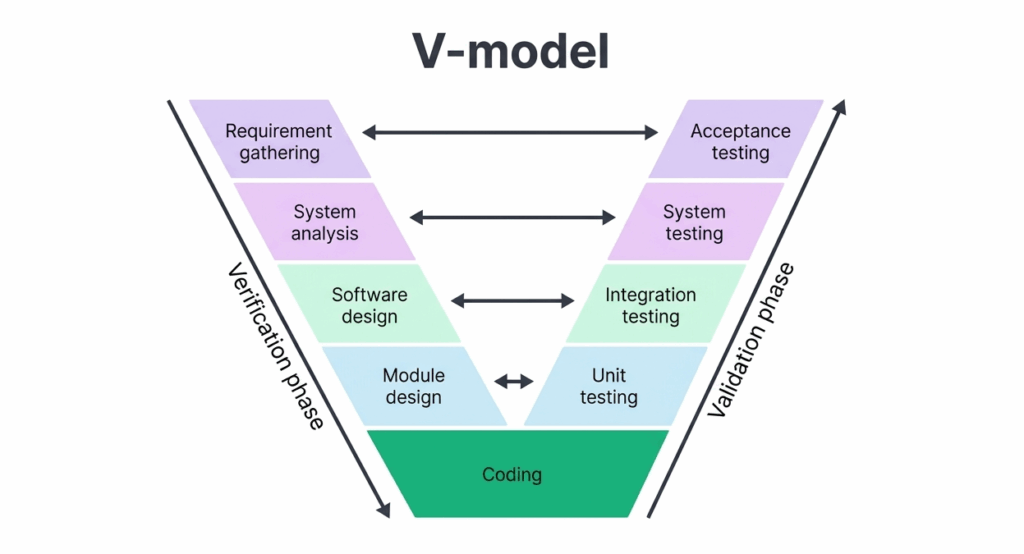
## **When Should You Perform System Testing?**
System testing should be performed after integration testing is complete and before user acceptance testing (UAT) begins. At this stage, all individual modules have been developed, unit tested, and integrated, making the system ready for end-to-end evaluation.
Key conditions to check before you begin system test include:
- All modules have been integrated into a working build
- Integration testing has been completed with no critical open defects
- A stable test environment that mirrors production has been set up
- System test cases have been reviewed and approved
- All necessary test data has been prepared
Also, it is typically carried out in a staging or pre-production environment that closely resembles the live production environment to ensure test results are representative.
### System Testing vs. Integration Testing vs. Acceptance Testing
These three levels are often confused because they all happen late in the testing lifecycle, but they answer different questions:
| | | | |
| --- | --- | --- | --- |
| Level | What it checks | Who runs it | When |
| [Integration Testing](https://www.botgauge.com/automated-integration-testing) | Do individual modules work correctly _together_? | Developers / QA | After unit testing |
| System Testing | Does the _entire_ integrated application meet its requirements? | Independent QA team | After integration testing |
| User Acceptance Testing (UAT) | Does the system meet real _business_ and user needs? | End users / stakeholders | After system testing |
In short: integration testing checks the seams, system testing checks the whole machine, and UAT checks whether the machine actually solves the user’s problem.
Automate system testing end-to-end with AI testing agents + Human QA
[Explore AQAAS](https://www.botgauge.com/contact)
## **System Testing Process**
A step-by-step breakdown on how to do system testing for reliable, end-to-end validation:
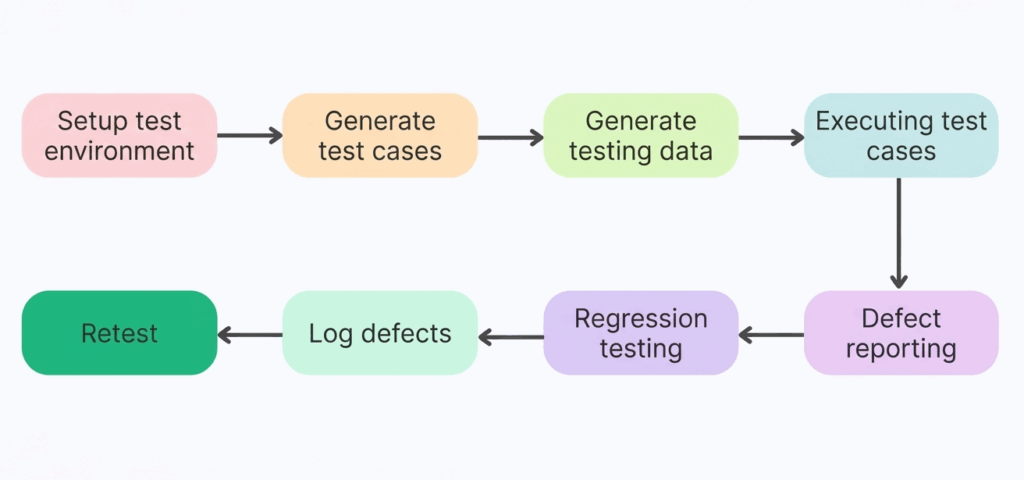
**1\. Set up the test environment**
Create a stable environment where testing can run reliably.
**2\. Define test scenarios**
Identify and structure the key workflows that need validation.
**3\. Prepare test data**
Generate realistic data to simulate real-world usage.
**4\. Run test cases**
Execute tests to validate system behavior across scenarios.
**5\. Capture defects**
Identify and report any issues that surface during execution.
**6\. Run regression tests**
Ensure new changes haven’t broken existing functionality.
**7\. Track and resolve issues**
Log defects and verify fixes as they are implemented.
**8\. Retest for validation**
Re-run tests to confirm everything works as expected.
## **Types of System Testing**
There are many types of system tests, each designed to evaluate a specific aspect of the application. The most common types of system tests include:
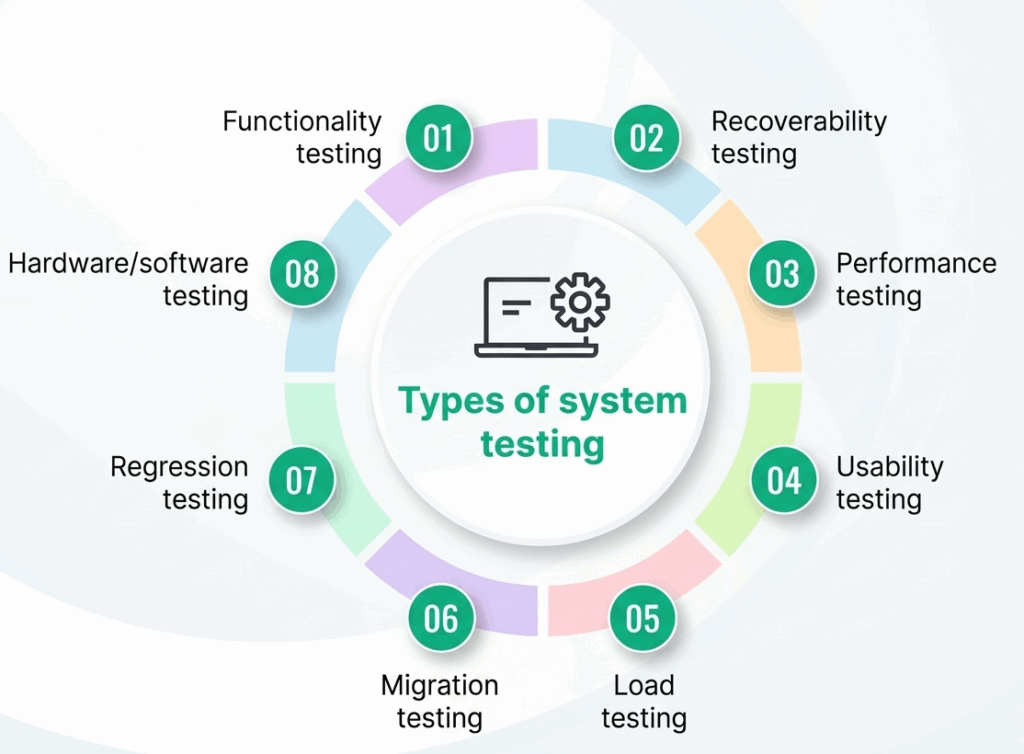
**Functional Testing:** Validates that the application behaves according to functional requirements.
**Performance Testing:** Evaluates speed, responsiveness, and stability under expected and peak load conditions.
**Load Testing:** Tests the application under heavy traffic to identify bottlenecks and capacity limits.
**Stress Testing:** Pushes the application beyond normal operating conditions to determine breaking points.
**Usability Testing:** Assesses how user-friendly and intuitive the application is for end users.
**Security Testing:** Identifies vulnerabilities and ensures the application is protected against unauthorized access, breaches, and data leaks.
**Regression Testing:** Re-runs existing test cases after code changes to ensure previously working functionality has not been broken.
**Compatibility Testing:** Checks that the application works correctly across different browsers, operating systems, devices, and environments.
**Recovery Testing:** Validates the application’s ability to recover gracefully from crashes, failures, or unexpected interruptions.
**Installation Testing:** Ensures the application installs, upgrades, and uninstalls correctly on target environments.
## **Advantages of System Testing**
How system tests improve software quality, reliability, and release confidence:
- **Validates End-to-End Functionality:** Ensures all integrated components work together as expected, providing confidence in the complete system behavior.
- **Detects Integration Issues:** Issues that may not surface during unit or integration testing, such as interface mismatches or data flow errors, are caught at the system level.
- **Reduces Production Defects:** Catching defects before production release significantly reduces post-deployment incidents and costly hotfixes.
- **Improves Software Quality:** Comprehensive system tests improve the overall reliability, stability, and quality of the final product.
- **Supports Multiple Testing Types:** A single system test cycle can cover functional, performance, security, and usability aspects, making it highly efficient.
- **Increases Stakeholder Confidence:** Successful system test results give product owners, clients, and stakeholders confidence that the system is ready for release.
## **Disadvantages of System Testing**
Some of the limitations and challenges teams may face when implementing system tests, include:
- **Time-Consuming:** Testing a fully integrated system is considerably more time-intensive than testing individual units or modules.
- **Resource-Intensive:** Requires dedicated environments, skilled testers, and often specialized tools, all of which increase cost.
- **Complex Debugging:** When a defect is found at the system level, tracing it back to its root cause across multiple components can be difficult and time-consuming.
- **Late in the SDLC:** Since system tests occurs late in the development cycle, defects discovered at this stage can be expensive to fix compared to those found earlier. [Reports](https://www.isixsigma.com/software/defect-prevention-reducing-costs-and-enhancing-quality/) suggest that fixing defects after release can cost up to 100× more than catching them early.
- **Environment Maintenance:** Keeping the test environment in sync with a constantly evolving production environment requires ongoing effort and attention.
## **Common System Testing Challenges**
Some of the common system test challenges that can slow down or compromise quality:
- **Incomplete Requirements:** Ambiguous or incomplete requirements lead to poorly designed test cases and gaps in coverage.
- **Unstable Test Environment:** Frequent environment changes or mismatches with production cause false failures and reduce testing efficiency.
- **Inadequate Test Data:** Tests that rely on incomplete or synthetic data may not expose real-world defects.
- **Tight Deadlines:** Time pressure often leads to incomplete test execution, cutting corners on coverage or skipping re-test cycles.
- **Communication Gaps:** Poor coordination between development and testing teams can result in missed defects, delayed fixes, or duplicated work.
## **Best Practices for R** eliable **System Testing**
Key strategies and proven approaches to ensure effective, reliable system tests:
**Start Test Planning Early:** Begin test planning as soon as requirements are defined, and don’t wait until development is complete.
**Maintain Requirement Traceability:** Map every test case to a specific requirement to ensure 100% functional coverage.
**Use Realistic Test Data:** Wherever possible, use production-like data to surface defects that synthetic data may miss.
**Automate Regression Testing:** Automate repetitive regression test suites to free testers for exploratory and complex test scenarios. [BotGauge](https://www.botgauge.com/) helps you automate regression testing 10x faster than traditional approaches.
**Prioritize Test Cases by Risk:** Focus testing effort on high-risk, high-impact areas first, especially business-critical workflows.
**Define Clear Entry and Exit Criteria:** Establish measurable conditions for when testing starts and when it is considered complete.
**Keep the Test Environment Stable:** Make sure test failures are caused by real software defects and not unstable environments.
**Detailed Documentation:** Maintain thorough records of test plans, test cases, execution logs, defects, and sign-offs to support audits and knowledge transfer.
## **Top System Testing Tools**
Here are some of the top system testing tools that cover end-to-end, functional, UI, API, and system-level testing:
- **Selenium:** An open-source test automation framework for automating browser-based functional testing for web applications.
- **JMeter:** An open-source performance and load testing tool from Apache, ideal for testing web services and APIs under stress.
- **TestRail:** A test case management platform that helps teams plan, track, and report on all phases of testing.
- **Postman:** A popular API testing tool that enables testing of RESTful services through automated collections and assertions.
- **Cypress:** A modern JavaScript-based end-to-end testing framework for web applications, offering fast and reliable test execution.
- **Katalon Studio:** An [AI test automation tool](https://www.botgauge.com/blog/ai-test-automation-tools) supporting web, mobile, API, and desktop application testing.
- [**BotGauge**](https://www.botgauge.com/) **:** It delivers Autonomous QA as a Solution (AQAAS), combining AI agents with human QA expertise to own the entire testing lifecycle.
- **JIRA with Zephyr or Xray:** Combines issue tracking with test management for seamless defect reporting and traceability.
See how Autonomous QA can transform your system testing in weeks, not months
[Book a demo](https://www.botgauge.com/contact)
## **Why BotGauge for Reliable System Testing**
BotGauge brings a new standard to system testing with its [Autonomous QA as a Solution](https://www.botgauge.com/autonomous-qa-as-a-solution) approach, combining Agentic AI-driven automation with human QA expertise to deliver consistent, end-to-end reliability. Instead of relying on brittle scripts and manual effort, BotGauge owns the entire testing lifecycle, helping teams achieve up to 80% test coverage in just 2 weeks, while ensuring faster releases, stable environments, and accurate defect detection.
**Why it stands out:**
- **End-to-end QA ownership:** Deploys various AI agents to own every phase of the testing lifecycle, from test creation to execution and maintenance.
- **AI-generated test cases:** Builds context-aware test cases from UX flows, PRDs, and demo videos.
- **Self-healing automation:** Tests automatically adapt to code changes, eliminating flaky tests.
- [**CI/CD testing**](https://www.botgauge.com/blog/ci-cd-testing) **:** Seamlessly integrates into your pipelines for continuous, reliable testing.
- **Human + AI advantage:** Backed by domain-specialized QA experts to ensure quality beyond automation.
Achieve up to 80% test coverage in just 2 weeks with AI-powered system testing
[See how it works](https://calendly.com/botgauge/30min)
## **Conclusion**
By validating the fully integrated application against its requirements, system testing acts as the last line of defense before the product reaches end users. Whether you are performing functional checks, load tests, or security assessments, a well-executed system testing process ensures your software is reliable, functional, and ready for production.
But in fast-moving engineering teams, traditional approaches often struggle to keep up with modern release cycles, leading to gaps in coverage, flaky tests, and delayed feedback.
With BotGauge’s Autonomous QA as a Solution, teams can move beyond these limitations. By combining agentic automation with human QA expertise, BotGauge takes full ownership of the testing lifecycle. The result is faster feedback loops, stable and reliable test environments, and the ability to achieve meaningful coverage in just weeks, without adding manual overhead.
It enables engineering teams to ship confidently, knowing their systems are thoroughly tested, resilient, and ready for scale.
Ready to eliminate flaky tests and scale system testing effortlessly?
[Explore AQAAS](https://calendly.com/botgauge/30min)
## Frequently Asked Questions
**When should the system testing phase begin?**
The system testing phase should begin after integration testing has been completed and a stable, fully integrated build is available. This means all modules have been developed, unit tested, and integrated successfully, and the test environment has been set up to mirror production.
**Is system testing a QA process?**
Yes, system testing is a core part of the Quality Assurance (QA) process. It is typically performed by a dedicated testing team to evaluate the complete system against its specified requirements, and it encompasses multiple QA activities including test planning, test case design, execution, defect reporting, and test closure.
**How does system testing fit with other QA methods?**
System testing is one level within a layered QA strategy. It builds on unit testing and integration testing, but takes a broader, black-box perspective, validating the system as a whole from the user’s point of view. After system testing is successfully completed, the product proceeds to User Acceptance Testing (UAT), where actual end users or business stakeholders verify that the system meets their expectations.
**Is system testing manual or automated?**
System testing can be done either way. Manual system testing is common for exploratory and usability checks where human judgment matters. Automated system testing, the more common approach for regression-heavy applications, uses tools to re-run the same end-to-end scenarios on every build. Most mature QA teams run a mix of both.
**What is the difference between system testing and end-to-end testing?**
They overlap heavily and are sometimes used interchangeably. Strictly speaking, system testing validates the application against its own specified requirements in isolation, while end-to-end testing validates the complete user journey across integrated systems, including third-party services, APIs, and infrastructure the application depends on.
**Who performs system testing?**
System testing is typically performed by an independent QA or testing team, separate from the developers who built the feature, to keep the evaluation objective. This is different from unit and integration testing, which are usually developer-driven.

About the Author
##### Yamini Priya J
A content marketer who started out writing code and found my way into brand strategy. Seven years into marketing, I still think like a developer. I break the problem down, find the logic, then tell the story clearly. I write for tech companies whose audiences know their stuff, and so do I. Still powered by coffee ☕️
### More from our Blog
## 10 Best Rainforest QA Alternatives For Testing In 2026
The best Rainforest QA alternatives do more than automate tests - they reduce maintenance, improve coverage, and help teams ship faster. Explore the leading options and learn how modern AI-powered testing platforms are redefining software quality assurance.
[Read article](https://www.botgauge.com/blog/rainforest-qa-alternatives)
## QA Wolf vs MuukTest: Which QaaS Model To Choose
Compare QA Wolf and MuukTest on pricing, coverage, and support, with corrected 2026 numbers and a look at outcome-based alternatives.
[Read article](https://www.botgauge.com/blog/qa-wolf-vs-muuktest)
## Top 11 AI Test Automation Tools to Use in 2026
Modern AI test automation tools do more than automate test execution - they use AI to generate tests, adapt to application changes, and identify defects faster. Discover the top AI-powered testing solutions and learn how to choose the right platform for your team's automation goals.
[Read article](https://www.botgauge.com/blog/ai-test-automation-tools)
Autonomous Testing for Modern Engineering Teams
[Book a Demo](https://calendly.com/botgauge/30min)
## Top QA Tools 2025
AI test automationAPI testing frameworksCI/CD testing integrationcloud-based QAcontinuous testing solutionscross-browser automationmobile test automationno-code testing toolsperformance test automationregression test automation
# Top Automated QA Testing Tools 2025 for Faster Delivery
Explore the top 7 automated QA testing tools of 2025. Boost release speed with AI-powered, no-code, self-healing platforms for seamless CI/CD integration.
Aug 26, 20258 min read
Try for Free [Book a Demo](https://calendly.com/botgauge/30min)
TABLE OF CONTENT
[Why Automated QA Testing Tools Matter in 2025](https://www.botgauge.com/blog/automated-qa-testing-tools-fastest#heading1) [A) From Manual Bottlenecks to Continuous Testing](https://www.botgauge.com/blog/automated-qa-testing-tools-fastest#heading2) [B) AI and Self-Healing: Reducing Maintenance Overhead](https://www.botgauge.com/blog/automated-qa-testing-tools-fastest#heading3) [C) Seamless CI/CD Integration for Rapid Releases](https://www.botgauge.com/blog/automated-qa-testing-tools-fastest#heading4) [1\. BotGauge – AI-Powered No-Code Test Automation](https://www.botgauge.com/blog/automated-qa-testing-tools-fastest#heading5) [2\. Katalon Studio – Versatile Hybrid Automation Platform](https://www.botgauge.com/blog/automated-qa-testing-tools-fastest#heading6) [3\. Testim – Self-Healing UI Automation](https://www.botgauge.com/blog/automated-qa-testing-tools-fastest#heading7) [4\. Tricentis Tosca – Enterprise-Grade Continuous Testing](https://www.botgauge.com/blog/automated-qa-testing-tools-fastest#heading8) [5\. Ranorex – Code or No-Code Desktop & Mobile Testing](https://www.botgauge.com/blog/automated-qa-testing-tools-fastest#heading9) [6\. Rainforest QA – On-Demand Crowd + Automation Hybrid](https://www.botgauge.com/blog/automated-qa-testing-tools-fastest#heading10) [7\. LambdaTest – Cloud-Based Cross-Browser Testing Platform](https://www.botgauge.com/blog/automated-qa-testing-tools-fastest#heading11) [How BotGauge Can Help Accelerate Your Delivery Pipeline](https://www.botgauge.com/blog/automated-qa-testing-tools-fastest#heading12) [Conclusion](https://www.botgauge.com/blog/automated-qa-testing-tools-fastest#heading13) [FAQ's](https://www.botgauge.com/blog/automated-qa-testing-tools-fastest#heading14)
Start your AI testing pilotGenerate, run, and maintain tests across your CI/CD workflow with less manual effortTry for Free
SHARE THIS ARTICLE
[LinkedIn](https://www.linkedin.com/sharing/share-offsite/?url=https%3A%2F%2Fwww.botgauge.com%2Fblog%2Fautomated-qa-testing-tools-fastest)[Twitter](https://twitter.com/intent/tweet?url=https%3A%2F%2Fwww.botgauge.com%2Fblog%2Fautomated-qa-testing-tools-fastest)
[Home](https://www.botgauge.com/) [Blog](https://www.botgauge.com/blog) [automated-qa-testing-tools-fastest](https://www.botgauge.com/blog/automated-qa-testing-tools-fastest#)
Software teams in 2025 depend heavily on automated QA testing tools to keep pace with release demands. Manual testing can’t match the speed and coverage required when apps must work seamlessly across devices, browsers, and APIs.
[**_Modern automated QA tools_**](https://www.botgauge.com/) combine AI-driven test generation, no-code testing tools, and self-healing tests that adapt automatically when UI changes occur. These platforms enable regression test automation, API testing frameworks, and UI test automation with far less maintenance effort.
Many now integrate directly with CI/CD pipelines, providing continuous testing solutions that run in parallel and deliver real-time reporting. By reducing testing cycles by nearly **_70%_**, testing automation platforms raise release confidence and lower delivery costs.
This guide introduces seven standout solutions for 2025 that help teams ship faster without losing reliability. Among them, [**BotGauge**](https://www.botgauge.com/) stands out with its AI-driven, no-code testing tools built to simplify QA and accelerate every release cycle.
## **Why Automated QA Testing Tools Matter in 2025**
Fast releases define software delivery in 2025. Manual testing alone can’t keep pace, which is why automated QA testing tools are now central to every workflow. These platforms combine regression test automation, UI test automation, and API testing frameworks to catch issues early.
With features like self-healing tests, continuous testing solutions, and cloud-based QA, they reduce costs and speed up cycles.
### **A) From Manual Bottlenecks to Continuous Testing**
Manual testing is repetitive and error-prone. By adopting automated QA tools, teams run parallel suites across devices and browsers. This approach expands coverage, shortens cycles, and keeps delivery predictable without relying heavily on human resources.
### **B) AI and Self-Healing: Reducing Maintenance Overhead**
Frequent UI changes often break scripts. AI-powered no-code testing tools repair locators automatically through self-healing tests. This minimizes flaky failures, lowers maintenance by **_up to 80%_**, and frees teams to expand regression depth instead of constantly fixing scripts.
### **C) Seamless CI/CD Integration for Rapid Releases**
Modern testing automation platforms support [_CI/CD testing integration_](https://www.geeksforgeeks.org/devops/what-is-ci-cd/) with _Jenkins, GitHub Actions,_ and [_GitLab CI_](https://docs.gitlab.com/ci/). They run suites on every commit, provide real-time analytics, and align with test orchestration strategies that keep release pipelines flowing.
| | | | |
| --- | --- | --- | --- |
| **No.** | **Tool** | **Strengths & Notable Features** | **Best Suited For** |
| **1** | **BotGauge** | No-code, AI-powered test creation; self-healing UI, API, full-stack coverage | Fast-growing teams, low maintenance needs |
| **2** | **Katalon Studio** | Scriptless + scripted automation; CI/CD integration; enterprise analytics | Hybrid skill teams seeking flexibility |
| **3** | **Testim** | AI-driven smart locators; visual validation; modular test components | UI-heavy apps requiring reliability |
| **4** | **Tricentis Tosca** | Model-based design, risk-based test prioritization, broad technology support | Large enterprises & regulated environments |
| **5** | **Ranorex** | Powerful object recognition, desktop & mobile coverage, CI/CD plug-ins | Legacy apps, desktop/mobile-heavy portfolios |
| **6** | **Rainforest QA** | Hybrid crowd + AI bots, plain-English test creation, fast exploratory feedback | Teams needing flexibility with human oversight |
| **7** | **LambdaTest** | Cloud grid for Selenium/Cypress; visual regression and geolocation testing | Cross-browser, scalable testing for global apps |
These shifts show why automation is now non-negotiable, making BotGauge the first tool worth examining for teams aiming to scale QA with speed.
### **1\. BotGauge – AI-Powered No-Code Test Automation**
**Overview:**
Among modern automated QA testing tools, [**BotGauge**](https://www.botgauge.com/) stands out as an AI-powered platform designed to cut test creation time and reduce upkeep. Unlike many traditional automated QA tools, it uses **_no-code testing tools_** and **_self-healing tests_** to simplify regression test automation, UI test automation, and API testing frameworks for faster delivery.
**Key Features:**
- Natural language test creation with a no-code editor
- Self-healing tests to reduce maintenance and flaky failures
- Parallel execution for regression, mobile, and cross-browser automation
- Built-in reporting, analytics, and test orchestration for scalability
**Unique AI Capabilities:** Transforms plain-English requirements into executable test cases instantly.
**Industry Catered:** Software, FinTech, Healthcare, E-commerce, SaaS, Retail
### **2\. Katalon Studio – Versatile Hybrid Automation Platform**
**Overview:**
**Katalon Studio** is one of the most popular automated QA testing tools, offering flexibility for both technical and non-technical users. It combines scriptless testing with coded scripting, making it a reliable choice among testing automation platforms. Teams use it for regression test automation, UI test automation, and API testing frameworks.
**Key Features:**
- Scriptless recording plus advanced scripting for complex cases
- Built-in plugins for CI/CD pipelines and continuous testing solutions
- Centralized analytics with dashboards for execution trends
- Support for mobile test automation, desktop, and web testing
**Unique AI Capabilities:** AI-powered self-healing repairs broken locators automatically.
**Industry Catered:** Banking, Insurance, Telecom, Healthcare, E-commerce, SaaS
### **3\. Testim – Self-Healing UI Automation**
**Overview:**
**Testim** is a cloud-based platform among leading automated QA testing tools built for speed and stability in UI test automation. It uses AI-driven locators to reduce flaky tests and supports collaborative authoring, making it one of the most adaptive automated QA tools for scaling regression test automation across teams.
**Key Features:**
- AI-powered smart locators for stable cross-browser automation
- Visual validation to detect unexpected UI changes
- Modular tests with reusable components for faster authoring
- Integration with pipelines for CI/CD testing integration and reporting
**Unique AI Capabilities:** AI locators automatically adapt to UI changes, reducing flakiness.
**Industry Catered:** SaaS, Retail, Finance, Healthcare, Telecom, E-commerce
### **4\. Tricentis Tosca – Enterprise-Grade Continuous Testing**
**Overview:**
**Tricentis Tosca** is positioned as one of the top automated QA testing tools for large enterprises. It replaces script-based approaches with model-driven automation, making it easier to scale regression test automation and UI test automation. As a full-suite testing automation platform, it integrates with DevOps pipelines for continuous testing solutions.
**Key Features:**
- Model-based automation for faster test design
- Risk-based optimization to prioritize high-value tests
- Broad support for enterprise apps including SAP and mainframes
- End-to-end reporting with dashboards for compliance and **test orchestration**
**Unique AI Capabilities:** AI identifies risk patterns to optimize test coverage.
**Industry Catered:** Banking, Insurance, Manufacturing, Healthcare, Government, Telecom
### **5\. Ranorex – Code or No-Code Desktop & Mobile Testing**
**Overview:**
[Ranorex Studio](https://www.ranorex.com/) is a flexible option among automated QA testing tools, supporting both no-code modules and full scripting. Known for its strong object recognition engine, it simplifies UI test automation, mobile test automation, and cross-browser automation, making it a dependable testing automation platform for hybrid development teams.
**Key Features:**
- Advanced object recognition with RanoreXPath and Spy
- No-code recording plus full-code scripting options
- Seamless integration with Jenkins, Azure DevOps, and CI/CD tools
- Supports desktop, web, and mobile apps with cloud-based QA
**Unique AI Capabilities:** AI-driven object recognition ensures stable locators across UI updates.
**Industry Catered:** Healthcare, Automotive, Banking, Retail, Telecom, Software
### **6\. Rainforest QA – On-Demand Crowd + Automation Hybrid**
**Overview:**
**Rainforest QA** blends crowd testing with automation, making it unique among automated QA testing tools. It uses AI bots for stable flows and human testers for exploratory scenarios. As a flexible testing automation platform, it supports regression test automation, UI test automation, and fast feedback through continuous testing solutions.
**Key Features:**
- Plain-English test creation with no-code approach
- Access to on-demand vetted crowd testers
- AI bots for stable, repeatable flows
- Real-time dashboards and test orchestration for faster insights
**Unique AI Capabilities:** AI bots complement human testers for scalable coverage.
**Industry Catered:** E-commerce, SaaS, Gaming, Finance, Healthcare, Retail
### **7\. LambdaTest – Cloud-Based Cross-Browser Testing Platform**
**Overview:**
**LambdaTest** is one of the most widely adopted automated QA testing tools for cross-browser automation and scalability. Positioned as a robust testing automation platform, it offers a cloud grid for Selenium, Cypress, and Playwright. Teams use it for UI test automation, visual regression, and CI/CD testing integration across environments.
**Key Features:**
- Cloud-based Selenium and Cypress grid with parallel execution
- Visual regression testing to detect UI changes
- Geolocation testing for localized experiences
- Seamless integration with Jenkins, GitHub Actions, and GitLab CI
**Unique AI Capabilities:** AI-powered SmartUI highlights unexpected visual differences automatically.
**Industry Catered:** E-commerce, SaaS, Banking, Media, Travel, Telecom
## **How BotGauge Can Help Accelerate Your Delivery Pipeline**
[**BotGauge**](https://www.botgauge.com/) is one of the few AI testing agents with unique features that set it apart from other automated QA testing tools. It combines flexibility, automation, and real-time adaptability for teams aiming to simplify QA.
Our autonomous agent has built over a million test cases for clients across multiple industries. The founders of BotGauge bring **_10+ years of experience_** in the software testing industry and have used that expertise to create one of the most advanced automated QA tools available today.
**Special Features:**
- **Natural Language Test Creation**: Write plain-English inputs; BotGauge converts them into automated test scripts.
- **Self-Healing Capabilities**: Automatically updates test cases when your app’s UI or logic changes.
- **Full-Stack Test Coverage**: From UI test automation to API testing frameworks and databases, BotGauge handles complex integrations with ease.
These features not only strengthen testing automation platforms but also enable high-speed, low-cost software testing with minimal setup or team size.
_Explore more of BotGauge’s AI-driven testing features →_ [**_BotGauge_**](https://www.botgauge.com/) **_._**
## **Conclusion**
Finding the right automated QA testing tools is often overwhelming. Teams face challenges like steep learning curves, fragile scripts that break with every update, and testing automation platforms that don’t scale well across regression, API, and UI testing.
Choosing the wrong automated QA tools can lead to constant maintenance headaches, unstable pipelines, and delayed releases. The cost goes beyond money, leading to missed deadlines, frustrated customers, and a weaker market position.
[**BotGauge**](https://www.botgauge.com/) changes this outcome. With its no-code testing tools, self-healing tests, and AI-driven automation, it eliminates common QA roadblocks. By accelerating test creation, reducing maintenance, and integrating smoothly into CI/CD workflows.
[**_Start testing smarter and faster with BotGauge today_**](https://www.botgauge.com/contact).
For a broader look at the tooling landscape, see our guide to [AI test automation tools](https://www.botgauge.com/blog/ai-test-automation-tools). Related reading includes [best web application testing tools](https://www.botgauge.com/blog/best-web-application-testing-tools) and [enterprise automated testing tools](https://www.botgauge.com/blog/enterprise-software-automated-testing-tools). Platforms built on [AI agents](https://www.botgauge.com/ai-agents) automate much of this end to end.
Learn more at [BotGauge](https://www.botgauge.com/).
## FAQ's
What makes no-code testing platforms like BotGauge unique?
No-code testing platforms such as BotGauge convert plain-English inputs into automated tests instantly. These tools remove scripting complexity, support UI test automation, and integrate with CI/CD pipelines, making it easy for teams to adopt automation without requiring specialized coding expertise.
How do self-healing tests improve automation ROI?
Self-healing tests automatically adapt to UI or logic changes, reducing script failures and maintenance needs. This leads to lower costs, faster regression cycles, and higher coverage. Teams using self-healing features achieve more consistent and reliable test execution, which improves overall automation ROI.
Can automated QA testing tools integrate with my CI/CD pipeline?
Yes. Leading automated QA testing tools integrate with CI/CD systems such as Jenkins, GitHub Actions, and GitLab CI. This allows automated tests to run on every commit, execute in parallel, and provide real-time results, keeping development and QA aligned for faster releases.
Which types of tests can these tools automate?
Modern automation platforms support UI, API, regression, and mobile test automation. Many offer visual testing, performance checks, and cross-browser automation through cloud grids. This allows teams to validate functionality, performance, and user experience across multiple devices and environments.
How do I choose between open-source and commercial automation tools?
Open-source tools offer flexibility but require coding skills and high maintenance. Commercial tools like BotGauge and Tricentis Tosca provide no-code capabilities, AI-powered self-healing, and strong vendor support. Businesses choose commercial solutions when speed, reliability, and ease of adoption are priorities.
What cost savings can I expect from automation?
Automation can reduce manual testing efforts by 50–70%. AI-driven features such as self-healing and orchestration lower maintenance costs, accelerate regression cycles, and improve release speed, leading to measurable QA cost reduction and productivity gains across teams.
Autonomous Testing for Modern Engineering Teams
[Book a Demo](https://calendly.com/botgauge/30min)
## BotGauge AI Funding
botgaugeBotGauge AI QA
# BotGauge AI Secures $2 Million to Redefine QA with Autonomous QA-as-a-Solution
BotGauge AI raises $2 million to redefine quality assurance. Learn how their Autonomous QA-as-a-Solution is changing the landscape of QA practices.
Feb 10, 20268 min read
Try for Free [Book a Demo](https://calendly.com/botgauge/30min)
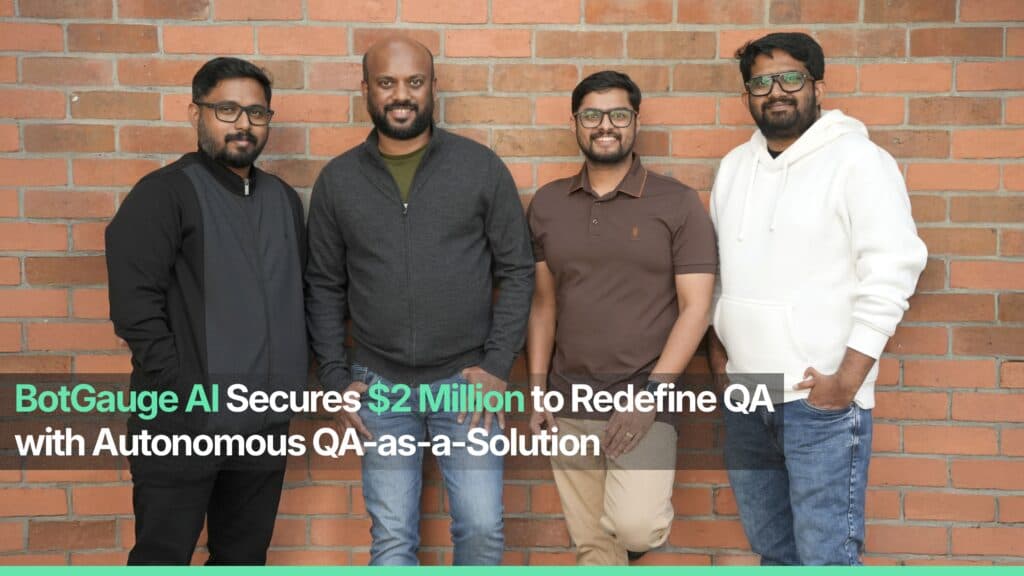
TABLE OF CONTENT
[State of Today’s Engineering Teams](https://www.botgauge.com/blog/botgauge-secures-2-million-funding#heading1) [What BotGauge AI Does](https://www.botgauge.com/blog/botgauge-secures-2-million-funding#heading2) [How BotGauge AI works](https://www.botgauge.com/blog/botgauge-secures-2-million-funding#heading3) [From Vision to Early Impact](https://www.botgauge.com/blog/botgauge-secures-2-million-funding#heading4) [Why Our Investors Believe](https://www.botgauge.com/blog/botgauge-secures-2-million-funding#heading5) [Our Founding DNA](https://www.botgauge.com/blog/botgauge-secures-2-million-funding#heading6) [What This Funding Enables](https://www.botgauge.com/blog/botgauge-secures-2-million-funding#heading7) [The Bigger Vision](https://www.botgauge.com/blog/botgauge-secures-2-million-funding#heading8)
Start your AI testing pilotGenerate, run, and maintain tests across your CI/CD workflow with less manual effortTry for Free
SHARE THIS ARTICLE
[LinkedIn](https://www.linkedin.com/sharing/share-offsite/?url=https%3A%2F%2Fwww.botgauge.com%2Fblog%2Fbotgauge-secures-2-million-funding)[Twitter](https://twitter.com/intent/tweet?url=https%3A%2F%2Fwww.botgauge.com%2Fblog%2Fbotgauge-secures-2-million-funding)
[Home](https://www.botgauge.com/) [Blog](https://www.botgauge.com/blog) [botgauge-secures-2-million-funding](https://www.botgauge.com/blog/botgauge-secures-2-million-funding#)
**10th February 2026, Bengaluru / Delaware:** We are happy to share that [BotGauge AI](https://www.botgauge.com/) has raised $2 million in funding, led by Surface Ventures (New York), with participation from IA Seed Ventures (Berkeley) and Saka Ventures (New York).
This funding marks a key step forward in our mission to transform how engineering teams deliver quality software. BotGauge AI was created to solve one of the biggest challenges in modern development: quality assurance that can keep pace with rapid code creation and deployment.
## **State of Today’s Engineering Teams**
AI-native software development has dramatically accelerated how software gets built. Code is generated, iterated, and deployed at unprecedented speed.
But QA has not kept up with that pace. Traditional testing processes struggle to cover the scope and scale of modern development cycles. That gap leads to bugs in production, higher costs after release, and slower iteration cycles.
BotGauge AI was built for this moment to bring autonomous, scalable QA into everyday engineering workflows and make quality a predictable outcome instead of a manual bottleneck.
## **What BotGauge AI Does**
BotGauge AI is a **fully-managed Autonomous QA partner** that delivers measurable quality outcomes. Instead of giving teams another testing tool to configure and maintain, it owns software quality outcomes from end to end.
### **How BotGauge AI works**
**1\. Identifies What Needs to Be Tested:** Our AI testing agents analyze your application, user flows, APIs, and release changes to determine testing requirements automatically.
**2\. Generates and Maintains Test Coverage:** It creates comprehensive end-to-end tests and continuously updates them as your product evolves. There are no brittle scripts or manual rewrites with every release.
**3\. Executes Tests at Scale:** Tests run across the QA lifecycle and are integrated into CI/CD workflows.
**4\. Validates with QA Experts:** It combines AI agents with in-house QA domain experts to ensure coverage quality, edge-case handling, and production readiness.
With BotGauge AI, engineering teams spend less time managing tests and more time building products their customers love.
**_We own end-to-end execution, coverage, and release reliability._**
## **From Vision to Early Impact**
We have already seen strong early validation with customers including **Sully.AI, OroLabs, Kitsa, and Ripple**. The impact:
- 80% faster testing coverage
- 75% reduction in production bugs
- Up to 50% shorter release cycles
- No expansion of QA headcount required
These results show what autonomous testing can deliver in real-world development environments.
## **Why Our Investors Believe**
As **Gyan Kapur**, Co-Managing Partner at [Surface Ventures](https://surface.vc/), shared:
_“Building autonomous QA for a diverse customer base requires solving complex organizational and technical problems. The BotGauge AI team has the background, intellect, and discipline to solve these problems over time. As a result, we are excited to partner with BotGauge AI as they redefine QA.”_
Their conviction reflects what we have known from day one: this is a deep technical problem, and we are uniquely positioned to solve it.
## **Our Founding DNA**
BotGauge AI was founded by **Pramin Pradeep, Naresh Kumar Rajendran, Vivek Nair,** and **Sreepad Krishnan Mavila**, who bring over a decade of experience in AI-driven test automation and enterprise QA transformation.
Our collective expertise spans:
- AI-powered automation systems
- Enterprise-scale QA modernization
- Deep engineering architecture
- Product-led execution
We are not incrementally improving QA. We are rebuilding it as core infrastructure for modern software development.
## **What This Funding Enables**
Over the next 12–24 months, this capital will allow us to:
- Expand R&D and strengthen our autonomous agents
- Hire across engineering, product, and AI
- Scale across the U.S. and key global markets
- Evolve from early adoption to enterprise-grade production scale
This is the stage where we turn early traction into category leadership.
## **The Bigger Vision**
We believe the future of software development looks like this:
- Engineers move fast
- AI accelerates creation
- Quality operates autonomously
- Releases ship with built-in reliability
Autonomous QA won’t be optional, but it will be foundational.
This funding accelerates our mission to make BotGauge AI the unbreakable quality layer for ambitious software organizations.
We would like to thank our customers, team, and partners for their continued support and commitment as we build and grow. The journey ahead is even more exciting!
Learn more about the [BotGauge platform](https://www.botgauge.com/) and how our [autonomous QA](https://www.botgauge.com/autonomous-qa-as-a-solution) approach is putting this funding to work.
Autonomous Testing for Modern Engineering Teams
[Book a Demo](https://calendly.com/botgauge/30min)
## Affiliate Program
>>> BRGVQ\_U1J4 LC4MMCMI 37YUG9Z <<<
# Know a team where QA is the bottleneck?
Make the intro. BotGauge handles the rest: discovery call, free POV, contract, and onboarding.
- Paid as the customer pays us.
- 25% of first-year ARR per deal-your commission.
- 12-month attribution from the day you register the lead.
Loading form
## BotGauge Alternatives Overview
BOTGAUGE VS ALTERNATIVES
# We Own QA Coverage. You Own Releases.
Most automation tools promise AI and still need your engineers to write scripts, fix broken tests, and manage the pipeline. BotGauge is built differently.
- AI agents generate tests from PRDs, UX flows, and videos
- Self-healing tests that keep up with every code change
- Human QA experts continuously validate results in the loop
Try for Free
[Get Started](https://calendly.com/botgauge/30min)

### Trevor McIntyre
CEO @ Ripple
"Zero maintenance. Their AI agents learn our product and adapt as we ship changes. No brittle scripts breaking at 2 AM. Same-day coverage. We see comprehensive test results within hours, not weeks"
## Feature Comparison
We Don't Sell Software. We Sell Outcomes.
[**BotGauge vs QA Wolf** \\
Fully managed Playwright testing with human engineers. Flat fixed fee. 4 months to 80% coverage. They own the process. You still own the outcome.\\
Compare →](https://www.botgauge.com/botgauge-vs-qawolf) [**BotGauge vs Rainforest QA** \\
Crowdsourced human testers combined with a self-serve test management platform. Speed is limited by tester availability.\\
Compare →](https://www.botgauge.com/botgauge-vs-rainforest-qa)
## Why Teams Switch to BotGauge
The platforms above give you tools or teams. BotGauge delivers the outcome. You build it. We test it. You ship it. Simple.
### Adaptive Agentic QA Framework
Our AI agents continuously learn from product changes and evolving workflows, ensuring tests automatically adapt as the application grows.
### Human Validation
Human reviewers validate complex scenarios and edge cases, ensuring results align with real-world user expectations.
### End-to-End Ownership
From planning and test creation to execution, maintenance, and release readiness, we handle every phase of testing.
### Zero QA Overhead
Run QA without the cost or complexity of building it in-house. No hiring, no tools to manage, no test maintenance.
### Outcome-based Pricing
Whether you're testing 50 flows or 5000, BotGauge scales effortlessly with outcome-based pricing that grows with you.
### CI/CD Ready
Seamless integration into your existing DevOps and CI/CD workflow. No complex setup.
### Secure and Compliant
BotGauge is SOC 2 Type II compliant. Your data remains encrypted, isolated, and never used to train external models.
### 24/7 Technical Support
Get round-the-clock support with a 10-minute response SLA, whenever you need help.
## Wall of Love
Your Engineering Team Builds. We Make Sure It Works. Here's the proof.
"AQaaS turned QA into a strategic advantage: self-healing automation, instant coverage, and engineering focus back on shipping products, not fixing tests."

Michael HoyCEO, Atlas
"With BotGauge AQaaS, we ship faster without sacrificing quality. Autonomous testing, self-healing, and outcome-based pricing. A must-have for startups!"

Lachlan ScownCo-founder and CTO, Ripple
"Instead of scaling QA headcount, we scaled automation with BotGauge AQaaS. Higher coverage, lower cost, faster releases, unmatched ROI."

Rohit BangaCo-founder and CTO, Kitsa
"Their in-house algorithm for element detection can do wonders in saving maintenance time. Knowing the fact that they don't rely solely on CSS selectors, DOM elements, XPath, etc. and detect the correct element every time gives you peace of mind."

Mohammad Mutaib DSDET at REAL
"BotGauge AQaaS delivered instant automation, reliable results, and massive time savings. No scripts, no flakiness, no delays. This is the future of Quality Engineering."

Arzad AriffQA Automation Lead, CloudQ
"Cut automation time drastically, removed flakiness, and transformed our QA team. AQaaS is redefining software testing, don't get left behind."

Arun Kumar SSenior QA Manager, Nemetschek Group
## Still Comparing? Start Here
Three quick questions will help you understand where BotGauge fits. No need to sift through every comparison page.
### Who owns the outcome?
When evaluating a tool or managed team, the outcome still depends on you. If a sprint ships without coverage, it's yours to address. With BotGauge, we take end-to-end ownership of your test coverage and quality outcomes.
### How fast do you need coverage?
If it's weeks, not months, then BotGauge is the only platform on this page that makes 80% coverage in 2 weeks the standard, not the stretch goal.
### Is compliance non-negotiable?
SOC 2 Type II certified. If vendor security and compliance review is a procurement gate, BotGauge clears it before the conversation starts.
### What does 80% coverage mean?
BotGauge runs tests as complete user flows, login → checkout is one meaningful test, not dozens of fragmented steps. So 80% coverage actually means 80%.
Zero flakiness guarantee
Reliable tests you can trust
80% test coverage in 2 weeks
Fast coverage of critical workflows
Zero maintenance overhead
No test upkeep, ever needed
Critical workflows covered in 48 hours
Get your critical journeys identified, tested, and validated in 24-48 hours.
[Get Started](https://calendly.com/botgauge/30min)
## Generative AI in Testing
autonomous QABotGauge AI QAsoftware testing
# Generative AI in Software Testing: A Practical Guide for QA Teams
Most guides on this topic stay at the level of what generative AI could do. This one covers the eight applications teams actually run in production, what the published data says about how often generated tests are wrong, and the twelve-week sequence for deploying it.
Aug 17, 20268 min read
Try for Free [Book a Demo](https://calendly.com/botgauge/30min)
TABLE OF CONTENT
[What is Generative AI?](https://www.botgauge.com/blog/generative-ai-in-software-testing-2#heading1) [What Is Generative AI In Software Testing?](https://www.botgauge.com/blog/generative-ai-in-software-testing-2#heading2) [Generative AI vs traditional test automation](https://www.botgauge.com/blog/generative-ai-in-software-testing-2#heading3) [How Is Generative AI Used In Software Testing?](https://www.botgauge.com/blog/generative-ai-in-software-testing-2#heading4) [Test case generation from requirements](https://www.botgauge.com/blog/generative-ai-in-software-testing-2#heading5) [Natural language test authoring](https://www.botgauge.com/blog/generative-ai-in-software-testing-2#heading6) [Test data generation](https://www.botgauge.com/blog/generative-ai-in-software-testing-2#heading7) [Self-healing test maintenance](https://www.botgauge.com/blog/generative-ai-in-software-testing-2#heading8) [Assertion and edge case expansion](https://www.botgauge.com/blog/generative-ai-in-software-testing-2#heading9) [Risk-based test selection](https://www.botgauge.com/blog/generative-ai-in-software-testing-2#heading10) [Failure analysis and defect reporting](https://www.botgauge.com/blog/generative-ai-in-software-testing-2#heading11) [Conversational and dynamic interface testing](https://www.botgauge.com/blog/generative-ai-in-software-testing-2#heading12) [How Has Generative AI Changed Software Testing?](https://www.botgauge.com/blog/generative-ai-in-software-testing-2#heading13) [What Are The Benefits Of GenAI In Software Testing?](https://www.botgauge.com/blog/generative-ai-in-software-testing-2#heading14) [What Are The Challenges Of Using GenAI For Software Testing?](https://www.botgauge.com/blog/generative-ai-in-software-testing-2#heading15) [Generated tests are frequently wrong](https://www.botgauge.com/blog/generative-ai-in-software-testing-2#heading16) [Tests that pass without testing anything](https://www.botgauge.com/blog/generative-ai-in-software-testing-2#heading17) [Integration and privacy are the top reported barriers](https://www.botgauge.com/blog/generative-ai-in-software-testing-2#heading18) [Non-determinism complicates debugging](https://www.botgauge.com/blog/generative-ai-in-software-testing-2#heading19) [The skill shift is real and underplanned](https://www.botgauge.com/blog/generative-ai-in-software-testing-2#heading20) [What Are The Different Types Of Generative AI Models?](https://www.botgauge.com/blog/generative-ai-in-software-testing-2#heading21) [How To Choose A Generative AI Testing Platform](https://www.botgauge.com/blog/generative-ai-in-software-testing-2#heading22) [How To Build A QA Strategy With Generative AI](https://www.botgauge.com/blog/generative-ai-in-software-testing-2#heading23) [How BotGauge Applies Generative AI To Autonomous Test Automation](https://www.botgauge.com/blog/generative-ai-in-software-testing-2#heading24) [Conclusion](https://www.botgauge.com/blog/generative-ai-in-software-testing-2#heading25) [Frequently Asked Questions](https://www.botgauge.com/blog/generative-ai-in-software-testing-2#heading26)
Start your AI testing pilotGenerate, run, and maintain tests across your CI/CD workflow with less manual effortTry for Free
SHARE THIS ARTICLE
[LinkedIn](https://www.linkedin.com/sharing/share-offsite/?url=https%3A%2F%2Fwww.botgauge.com%2Fblog%2Fgenerative-ai-in-software-testing-2)[Twitter](https://twitter.com/intent/tweet?url=https%3A%2F%2Fwww.botgauge.com%2Fblog%2Fgenerative-ai-in-software-testing-2)
[Home](https://www.botgauge.com/) [Blog](https://www.botgauge.com/blog) [generative-ai-in-software-testing-2](https://www.botgauge.com/blog/generative-ai-in-software-testing-2#)
#### AI Summary
- Nearly 90% of organizations are pursuing generative AI in quality engineering, but only 15% have reached enterprise scale, per the World Quality Report 2025-26.
- The top barriers are deployment problems rather than model capability problems: data privacy at 67%, integration complexity at 64%, and hallucination and reliability at 60%.
- Meta’s production data on LLM-generated tests found 75% built correctly, 57% passed reliably, and 25% increased coverage. Raw generation is not a deliverable.
- The subtler failure is a generated test that passes while verifying nothing. It inflates a coverage dashboard and provides no protection.
- Self-healing maintenance is worth more than generation for most teams, because maintenance load rather than authoring effort is what kills automation suites.
- Measure escaped defects rather than coverage percentage, because coverage is an input metric and easy to inflate.
Nearly 90% of organizations are actively pursuing generative AI in their quality engineering practice. Only 15% have it running at enterprise scale.
That gap, reported in the World Quality Report 2025-26 from Capgemini, Sogeti and OpenText, is the real story of generative AI in software testing right now. The technology works. Getting it to work reliably, inside an existing delivery pipeline, with results a release manager will sign off on, is where most teams stall.
This guide covers what generative AI actually does in a QA workflow, the published evidence on how often it gets things wrong, and how to deploy it so the failure modes are contained rather than shipped.
## **What is Generative AI?**
Generative AI is a class of artificial intelligence that produces new content rather than classifying existing content. Traditional machine learning sorts inputs into categories. Generative models output something that did not exist before: text, code, images, structured data.
Almost all generative AI relevant to software engineering runs on transformer architecture. The mechanics matter because they explain both the capability and the failure modes.
**Training.** The model consumes very large volumes of text and code, learning to predict what token comes next. Over billions of iterations it internalizes patterns in syntax, structure, naming conventions, and the relationships between a requirement and the code that satisfies it.
**Attention.** Transformers process an entire input at once rather than word by word. This is why a model can hold an API schema, a user story, and an existing test file in view simultaneously and produce output consistent with all three.
**Fine-tuning and alignment.** After general training, models are tuned on narrower data and adjusted using human feedback so their output matches what people actually want.
**Prompting.** At inference, the model receives an instruction and generates a response. It does not look anything up. It produces the most statistically plausible continuation given everything it learned.
That last point is the one to hold onto. A generative model produces plausible output, not verified output. Everything useful and everything dangerous about applying it to QA follows from that single property.
## **What Is Generative AI In Software Testing?**
Generative AI in software testing is the use of generative models to create and maintain testing artifacts: test cases, test scripts, test data, assertions, and defect reports. Instead of an engineer writing each test by hand, the model reads the application, the requirements, or the existing suite, and produces the tests.
The distinction that matters is what the model is doing versus what conventional automation does. Conventional automation executes instructions a human already wrote. Generative AI writes the instructions.
A few clarifications, because this term gets used loosely:
**It is not the same as AI-assisted autocomplete.** A code assistant suggesting the next line of a Playwright script is a productivity feature. Generative testing means the system produces a complete, executable test from a description of intent.
**It is not the same as testing generative AI applications.** Those are two different problems that share a name. One uses GenAI to test your software. The other tests software that has GenAI inside it, which requires evaluating non-deterministic output for accuracy, safety, and consistency. This guide covers the first. If you need the second, that is a separate discipline with separate tooling.
**It is not autonomous by default.** Generation is one capability. A platform that generates tests but cannot execute them, maintain them when the interface changes, or tell you which failures are real is automating the easiest part of the job.
### **Generative AI vs traditional test automation**
The practical difference is what a test binds to.
| | **Traditional test automation** | **Generative AI testing** |
| --- | --- | --- |
| How tests get created | An engineer writes each script by hand | The model generates tests from requirements, the live application, or existing manual cases |
| What the test binds to | Specific selectors, IDs, and DOM paths | The intent of the step, resolved at runtime |
| When the UI changes | The test breaks and waits for a human | The system re-resolves the target and continues, or flags it for review |
| Time to first coverage | Weeks to months of scripting | Days, because generation is not the bottleneck |
| Who can author a test | Engineers who know the framework | Anyone who can describe the expected behavior |
| Primary cost over time | Maintenance, which grows with suite size | Validation, which grows with generation volume |
| Characteristic failure | Brittle tests that break on cosmetic change | Plausible tests that pass without verifying anything real |
| Where engineers spend time | Writing and repairing scripts | Reviewing coverage and judging what matters |
Automate Test Creation, Execution, and Reporting with BotGauge
[Try for Free](https://www.botgauge.com/contact)
## **How Is Generative AI Used In Software Testing?**
Eight applications, ordered roughly by how much production value teams report from each.
### Test case generation from requirements
The model reads a user story, acceptance criteria, an API schema, or a Figma file, and produces a set of test cases covering the happy path plus the negative and boundary conditions implied by the spec. This is the most mature application and the one with the clearest time saving, because writing the first draft of a test suite is largely mechanical work.
The quality depends almost entirely on input quality. A vague ticket produces vague tests. A well-specified acceptance criterion produces tests you can review in seconds.
### Natural language test authoring
Instead of writing code, someone describes the behavior: “log in as a returning customer, add the second item in the recommendations carousel to the cart, and confirm the cart total updates.” The platform converts that into an executable test.
This is what removes the framework skill requirement from test authoring. A product manager who knows what the feature should do can contribute a test without learning a selector syntax. It is also what makes coverage growth non-linear, since the constraint stops being engineering capacity.
### Test data generation
Generative models produce synthetic datasets that mimic the shape and distribution of production data without containing real customer records. This solves a compliance problem and a coverage problem at once: you get realistic data for boundary and negative testing without moving personal data into a test environment.
Adoption here is moving fast. The World Quality Report found synthetic data use in testing rose from 14% in 2024 to an average of 25% in 2025, and it ranked as the top generative AI use case overall.
### Self-healing test maintenance
When a developer renames a button or restructures a component, a conventional test fails on a missing selector even though the feature works perfectly. A generative system re-identifies the element by what it does rather than what it is called, updates the reference, and continues.
For most teams this is worth more than generation. Maintenance, not authoring, is what makes automation suites get abandoned, and it is why [automated regression testing](https://www.botgauge.com/guide/regression-testing) is where the maintenance burden concentrates. A suite nobody trusts because a third of the failures are false gets ignored, and an ignored suite provides zero protection.
### Assertion and edge case expansion
Given an existing test, the model proposes the checks the original author did not write: the empty state, the concurrent edit, the expired session mid-transaction, the unicode name in a field validated for ASCII. This is the closest thing to a genuinely additive capability, because it surfaces scenarios a human did not think of rather than executing scenarios a human specified.
### Risk-based test selection
Rather than running the full suite on every commit, the system analyzes what changed, which areas historically break, and which flows carry the most business value, then selects the subset worth running. Pipeline time drops without a proportional drop in confidence.
This one requires historical data to work. A platform proposing risk-based selection on week one of deployment is guessing.
### Failure analysis and defect reporting
When a test fails, the model reads the execution trace, the logs, the network activity, and the DOM state, and writes a defect report explaining what happened rather than dumping a stack trace. It groups related failures under a common root cause, which stops one broken component from generating forty separate tickets.
The measurable win is triage time. Reading a summary that says which change likely caused the failure is faster than reconstructing it from logs.
### Conversational and dynamic interface testing
Interfaces that respond in natural language cannot be tested with fixed assertions, because the correct answer is a range of acceptable responses rather than one string. Generative models evaluate whether a response means the right thing, which is the only workable approach for chatbot testing and similar flows.
## **How Has Generative AI Changed Software Testing?**
Four eras, each solving the previous one’s constraint and creating a new one.
**Manual testing.** A person executes each case and records the result. Full contextual judgment, no scale. Regression coverage is limited by how many hours a team has.
**Scripted automation.** Selenium, and later Cypress and Playwright, made execution repeatable. The constraint moved from execution time to authoring and maintenance time. Every test is an asset that has to be kept alive, and suites routinely collapse under their own maintenance weight.
**Data-driven testing.** Separating test logic from test data let one script cover many scenarios. Coverage per script improved. The scripts themselves were still hand-written and still brittle.
**Generative and** [**agentic testing**](https://www.botgauge.com/blog/agentic-ai-testing) **.** The system now produces the tests and repairs them. The constraint moves again, to validation: how do you know the generated tests are testing the right thing?
Each transition removed the previous bottleneck without removing the need for judgment. What changed is where the judgment gets applied. The World Quality Report now ranks generative AI as the top skill for quality engineers at 63%, narrowly ahead of core quality engineering skills at 60%, which tells you the role is being redefined rather than eliminated.
## **What Are The Benefits Of GenAI In Software Testing?**
**Coverage that grows without headcount.** When authoring stops requiring an automation engineer, the number of flows under test stops tracking the size of the QA team. This is the structural benefit and the one that changes the economics.
**Faster feedback in the pipeline.** Risk-based selection plus parallel execution means the useful subset of the suite runs in minutes rather than the whole suite running overnight. Developers get results while the change is still in their head.
**Lower maintenance drag.** Self-healing absorbs the cosmetic changes that generate most false failures. Engineers stop spending Monday morning repairing selectors.
**Edge cases a human would not have written.** Models trained on large volumes of code and test data propose scenarios outside a given tester’s experience. This is genuinely additive rather than an efficiency gain.
**Test data without compliance exposure.** Synthetic data removes the need to move production records into lower environments, which closes a real privacy risk while improving the variety of data under test.
**Consistency.** The system does not skip a step at 6pm on a Friday. Every run executes identically, which makes results comparable across releases.
**Faster triage.** Grouped, explained failures cut the time between a red build and a diagnosed cause.
What generative AI does not do is remove the need for someone to decide what quality means for your product. It compresses the work of getting there.
## **What Are The Challenges Of Using GenAI For Software Testing?**
This is where most guides get vague. Here are the numbers.
### **Generated tests are frequently wrong**
Meta published production results in 2024 from TestGen-LLM, a system that used large language models to improve existing human-written unit tests. In their evaluation on Instagram’s Reels and Stories products, 75% of generated test cases built correctly, 57% passed reliably, and 25% increased coverage. Across Instagram and Facebook test-a-thons, it improved 11.5% of all classes it was applied to, and 73% of its recommendations were accepted by Meta engineers for production.
Read those numbers carefully, because they are the good case. This is a well-resourced team with a purpose-built filtering pipeline that discarded anything failing to demonstrate measurable improvement. Even then, a quarter of the output did not build, and only one in four generated cases added coverage.
Two caveats on applying this to your situation. The study covers unit test improvement on existing tests rather than end-to-end test generation from scratch, and it was run on Android code. The direction of the finding travels. The exact percentages should not be treated as a benchmark for browser-based end-to-end generation.
The implication is still direct: raw generation is not a deliverable. A platform that generates tests and hands them to you without an execution and validation layer has given you a review queue, not coverage.
### **Tests that pass without testing anything**
The more subtle failure. A generated test compiles, runs, and reports green, but its assertions are trivially satisfied or check something incidental. It looks like coverage in a dashboard and provides no protection in production.
This is worse than a broken test, because a broken test announces itself. A hollow test quietly inflates your coverage metric while the bug ships.
### **Integration and privacy are the top reported barriers**
The World Quality Report identified the leading obstacles as data privacy risks at 67%, integration complexity at 64%, and hallucination and reliability concerns at 60%. A separate 50% report that their organization lacks AI and ML expertise, unchanged from the previous year.
None of those are model capability problems. They are deployment problems. This is why the gap between 90% pursuing and 15% at scale exists, and why evaluating platforms on generation quality alone predicts almost nothing about whether the deployment succeeds.
### **Non-determinism complicates debugging**
Ask the same model the same question twice and you may get two different valid tests. That is fine for authoring and awkward for reproduction. When a test behaves differently across runs, engineers need to know whether the application changed or the test did. Platforms that version generated tests and pin them after approval handle this. Platforms that regenerate on every run do not.
### **The skill shift is real and underplanned**
Reviewing generated tests requires different judgment than writing them. An engineer reading forty proposed test cases has to assess relevance, redundancy, and assertion strength quickly, which is a reviewing skill rather than an authoring skill. Teams that deploy generative testing without allocating time for this discover the review queue becomes the new bottleneck within a month.
## **What Are The Different Types Of Generative AI Models?**
Four families exist. Only one does meaningful work in QA.
| **Model family** | **How it works** | **Relevance to software testing** |
| --- | --- | --- |
| Transformer-based LLMs | Attention across an entire input sequence to predict the next token | Effectively all of it. Test generation, natural language authoring, assertion writing, failure summarization, and self-healing all run on transformers |
| Generative Adversarial Networks (GANs) | A generator produces data and a discriminator judges it, iterating until output resembles real data | Narrow but real. Used in synthetic test data generation where statistical fidelity to production data matters |
| Variational Autoencoders (VAEs) | Compress data to a latent representation, then sample from it to generate variations | Narrow. Occasionally used for structured synthetic data. Largely superseded by LLM-based generation for testing work |
| Diffusion models | Start from noise and iteratively denoise toward a target | Essentially none in practice. Diffusion is primarily an image and video technology |
If a platform is described as using generative AI for testing, it is using a transformer-based language model, possibly with a computer vision component for visual assertions. Detailed talk about GANs and diffusion in a testing context is usually a sign the marketing was written at a distance from the product.
Reach 80% Critical Flow Coverage in Two Weeks
[Book a Demo](https://calendly.com/botgauge/30min?utm_medium=organic&utm_source=google)
## **How To Choose A Generative AI Testing Platform**
Before comparing anything, resolve the ambiguity in the term. “Generative AI testing tools” describes two different product categories:
- Platforms that use generative AI to test your application. This is what most teams searching the term actually want.
- Platforms that test generative AI features inside your application, evaluating LLM output for accuracy, safety, bias, and consistency.
Buying from the wrong category is the most expensive mistake available here, and no feature comparison table will catch it because both categories describe themselves in nearly identical language. If you are still surveying the field, our roundup of [open-source AI testing tools](https://www.botgauge.com/blog/best-open-source-ai-testing-tools) is a reasonable starting point.
Assuming you want the first, here is what to evaluate.
**Does it execute, or only generate?** Generation is the commoditized part. Ask to see the full loop: generate, execute against a real environment, evaluate the result, repair when the interface changes. A platform that stops at generation has moved work to your team rather than removing it.
**What happens to a test that fails validation?** This is the question that separates products. Ask directly: when the system generates a test that does not work, what happens next? Silent discard, a human review queue, or automated repair with a re-run? The answer tells you who absorbs the share that Meta’s filters caught.
**Who validates coverage, and are they accountable for it?** Some platforms hand you a dashboard. Some assign engineers who own the outcome. The difference shows up in month three, when nobody internally has time to audit whether the suite still reflects the product.
**Can you evaluate it on your application?** Every platform demos beautifully on its own reference app. Insist on a pilot against your staging environment, then change something cosmetic in the interface and re-run without touching the tests. That single exercise tells you more than any feature matrix.
**How does it enter your pipeline?** Integration complexity is the second most reported barrier for a reason. Confirm native integration with your CI system, your issue tracker, and your notification channels before the pilot, not after.
**What does the data handling look like?** Privacy is the top reported concern. Establish where your application data goes, whether it trains anything, and what compliance attestations exist. Ask for the SOC 2 report, not the badge.
**How is it priced against your growth?** Per-test and per-execution pricing punishes exactly the behavior the platform is supposed to enable. If broader coverage costs proportionally more, the economics work against the reason you bought it.
## **How To Build A QA Strategy With Generative AI**
A sequence that survives contact with a real delivery team.
**Weeks 1 to 2: define what failure costs you.** Not “improve quality.” Identify the specific outcome: escaped defects in checkout, regression cycles that block Friday releases, engineers spending a day a week repairing tests. Attach a number. Everything downstream is measured against it.
**Weeks 2 to 3: map your critical flows.** List the user journeys where a failure causes real damage. For most web applications this is between 20 and 60 flows, and it is a much smaller list than teams expect. This becomes the pilot scope. Do not start with the full regression suite.
**Weeks 3 to 4: run the pilot against those flows only.** Generate, execute, and measure. Track three things: how many flows reached working coverage, how many generated tests needed human correction, and how many false failures appeared in the first two weeks. That third number predicts whether the team will still be using this in six months.
**Weeks 5 to 8: wire it into the pipeline.** Coverage that lives outside CI is a report, not a quality gate. Get the suite running on merge, get failures routed to the right channel, get defect creation automatic. Adoption is decided here.
**Weeks 8 to 12: define the review discipline.** Decide who reviews generated tests, on what cadence, against what standard. Set a rule for retiring tests, not just adding them, or the suite accumulates unmaintained cases and the trust problem returns in a different shape.
**Ongoing: measure escaped defects, not coverage percentage.** Coverage is an input metric and it is easy to inflate with hollow tests. Escaped defects, mean time to detection, and regression cycle length are the outputs that tell you whether any of this worked.
The team composition matters as much as the sequence. Every deployment that reaches scale has someone accountable for whether the generated suite reflects reality. If that role is unassigned, it defaults to nobody.
## **How BotGauge Applies Generative AI To Autonomous Test Automation**
BotGauge is an [Autonomous QA as a Solution](https://www.botgauge.com/autonomous-qa-as-a-solution) (AQaaS) for web applications. The distinction from a generative testing product is the part of the problem we take responsibility for.
**Generation is table stakes.** Tests are authored in plain English, converted into executable cases, and run against your environment without anyone writing framework code. What determines whether that produces real coverage is everything after generation.
**Execution and repair, not handoff.** Generated tests run against your application, and when the interface changes, the platform re-resolves the target and continues rather than reporting a false failure. You receive tests that work, not a queue of candidates to audit.
**A forward deployed engineer pod as the human validation layer.** This is the part most platforms leave to you. An FDE pod validates that the generated suite covers the flows that matter, that assertions verify real behavior rather than passing trivially, and that the suite keeps pace with the product. Meta’s published results show why this layer exists: even with sophisticated automated filtering, a meaningful share of generated tests do not hold up. Someone has to own that, and we do not think it should be your team.
**Speed to working coverage.** Teams typically reach approximately 80% coverage of critical flows within two weeks of onboarding. That number comes from generation removing the authoring bottleneck and the FDE pod removing the validation bottleneck at the same time.
**Pipeline integration on day one.** More than 60 integrations across CI/CD and workflow tools, so the suite runs where your delivery process already runs.
**Compliance handled.** SOC 2 Type II, with the report available under NDA. Your tests remain yours to keep, export, or migrate.
Stop Maintaining Tests Nobody Trusts
[Explore AQaaS](https://www.botgauge.com/autonomous-qa-as-a-solution)
## **Conclusion**
The 90% versus 15% gap is not a technology problem, and treating it as one is why most pilots stall.
Generation is the part that already works. What separates the teams running this at scale from the teams still piloting is everything wrapped around generation: execution against a real environment, repair when the interface moves, and a named person accountable for whether the suite tests what it claims to test.
So start narrow, on the 20 to 60 flows where failure costs you something you can name. Measure false failures in the first fortnight, because that number predicts trust, and trust predicts whether anyone still uses this in six months. And when you evaluate platforms, ask what happens to a generated test that does not work. The answer tells you whether you are buying coverage or a review queue.
## Frequently Asked Questions
What is generative AI for QA?
Generative AI for QA is the application of generative models to quality assurance work: producing test cases, test scripts, synthetic test data, assertions, and defect reports rather than having engineers write each one manually. It differs from conventional automation in that the AI authors the tests, where conventional automation only executes tests a human already wrote.
How to use generative AI in software testing?
Start narrow. Pick the 20 to 60 user flows where a failure causes real business damage, and use a generative platform to produce and execute coverage for those flows only. Measure three things during the pilot: flows that reached working coverage, generated tests that needed correction, and false failures in the first two weeks. If those numbers hold, wire the suite into CI and expand. If they do not, the problem is usually input quality or platform fit, and expanding will make both worse.
How to use GenAI in test automation?
The five applications that deliver most of the value are test case generation from requirements, natural language test authoring, synthetic test data generation, self-healing maintenance when the interface changes, and automated failure analysis. Self-healing is the one teams underestimate, because maintenance load rather than authoring effort is what usually kills an automation suite.
Can AI do software testing?
AI can generate, execute, and maintain tests, which covers most of the mechanical work. It cannot decide what quality means for your product, judge whether a behavior is a bug or an intended tradeoff, or determine which risks are acceptable to ship. Published production data confirms the limits: in Meta’s 2024 deployment, 75% of AI-generated test cases built correctly and 25% increased coverage, which is useful and clearly not autonomous.

About the Author
##### Aparna Jayan
An SEO and growth strategist with over four years of experience in SaaS content. With hands-on experience creating in-depth, user-focused content for QA testing, AI testing tools, and automation technologies, I'm passionate about simplifying complex technical topics and making them accessible to everyone.
Autonomous Testing for Modern Engineering Teams
[Book a Demo](https://calendly.com/botgauge/30min)
## No-Code Test Automation Tools
best no code test automation tools
# Top 10 No-Code Test Automation Tools for 2025 (Ranked & Compared)
Explore the top 10 no‑code test automation tools for 2025. Compare features, use cases, and real‑world value for automation testing without coding.
Jun 30, 20258 min read
Try for Free [Book a Demo](https://calendly.com/botgauge/30min)

TABLE OF CONTENT
[Top 10 No Code Test Automation Tools for 2025](https://www.botgauge.com/blog/best-no-code-test-automation-tools#heading1) [1\. BotGauge](https://www.botgauge.com/blog/best-no-code-test-automation-tools#heading2) [2\. TestRigor](https://www.botgauge.com/blog/best-no-code-test-automation-tools#heading3) [Features](https://www.botgauge.com/blog/best-no-code-test-automation-tools#heading4) [Ideal users](https://www.botgauge.com/blog/best-no-code-test-automation-tools#heading5) [3\. Katalon Studio](https://www.botgauge.com/blog/best-no-code-test-automation-tools#heading6) [4\. Reflect](https://www.botgauge.com/blog/best-no-code-test-automation-tools#heading7) [5\. Endtest](https://www.botgauge.com/blog/best-no-code-test-automation-tools#heading8) [6\. AccelQ](https://www.botgauge.com/blog/best-no-code-test-automation-tools#heading9) [7\. Virtuoso QA](https://www.botgauge.com/blog/best-no-code-test-automation-tools#heading10) [8\. BugBug](https://www.botgauge.com/blog/best-no-code-test-automation-tools#heading11) [9\. DogQ](https://www.botgauge.com/blog/best-no-code-test-automation-tools#heading12) [10\. Rainforest QA](https://www.botgauge.com/blog/best-no-code-test-automation-tools#heading13) [How These Tools Compare for Automation Testing Without Coding](https://www.botgauge.com/blog/best-no-code-test-automation-tools#heading14) [Interface & Ease of Use](https://www.botgauge.com/blog/best-no-code-test-automation-tools#heading15) [Test Types Supported](https://www.botgauge.com/blog/best-no-code-test-automation-tools#heading16) [Integrations & CI/CD](https://www.botgauge.com/blog/best-no-code-test-automation-tools#heading17) [Team Collaboration & Scaling](https://www.botgauge.com/blog/best-no-code-test-automation-tools#heading18) [Choosing the Right Tool for Your Needs](https://www.botgauge.com/blog/best-no-code-test-automation-tools#heading19) [Conclusion](https://www.botgauge.com/blog/best-no-code-test-automation-tools#heading20) [FAQs](https://www.botgauge.com/blog/best-no-code-test-automation-tools#heading21) [1\. What is a no‑code test automation tool?](https://www.botgauge.com/blog/best-no-code-test-automation-tools#heading22) [2\. Can non-developers automate web tests without coding?](https://www.botgauge.com/blog/best-no-code-test-automation-tools#heading23) [3\. Are no‑code tools reliable for regression suites?](https://www.botgauge.com/blog/best-no-code-test-automation-tools#heading24) [4\. Do these tools support CI/CD pipelines?](https://www.botgauge.com/blog/best-no-code-test-automation-tools#heading25) [5\. Which tool is best for mobile app automation without code?](https://www.botgauge.com/blog/best-no-code-test-automation-tools#heading26) [6\. How much do these tools cost in 2025?](https://www.botgauge.com/blog/best-no-code-test-automation-tools#heading27) [FAQ's](https://www.botgauge.com/blog/best-no-code-test-automation-tools#heading28)
Start your AI testing pilotGenerate, run, and maintain tests across your CI/CD workflow with less manual effortTry for Free
SHARE THIS ARTICLE
[LinkedIn](https://www.linkedin.com/sharing/share-offsite/?url=https%3A%2F%2Fwww.botgauge.com%2Fblog%2Fbest-no-code-test-automation-tools)[Twitter](https://twitter.com/intent/tweet?url=https%3A%2F%2Fwww.botgauge.com%2Fblog%2Fbest-no-code-test-automation-tools)
[Home](https://www.botgauge.com/) [Blog](https://www.botgauge.com/blog) [best-no-code-test-automation-tools](https://www.botgauge.com/blog/best-no-code-test-automation-tools#)
AI-first testing tools have reshaped how teams approach automation testing without coding. In 2025, the demand isn’t just for faster releases—it’s for tools that remove friction between product, design, and QA. The shift to no-code QA tools means you don’t need engineers to build or maintain test cases. You can now generate test flows from Figma files, write test steps in plain English, and automate everything—UI, APIs, even accessibility—without touching a script.
What’s driving this? Tools like BotGauge and TestRigor now let teams visually build test cases, self-heal broken ones, and integrate directly with CI/CD. Even product owners and designers are running functional tests on live builds—codeless test automation has become that accessible.
This blog ranks the best no code test automation tools for 2025. We’re comparing real features, not marketing fluff: visual test creation, drag-and-drop testing, AI scripting, and usability across web and mobile apps. If you’re building modern QA flows without a dev-heavy setup, this guide is for you.
## **Top 10 No Code Test Automation Tools for 2025**
| | | | |
| --- | --- | --- | --- |
| **Tool** | **Test Types** | **AI Capabilities** | **Best For** |
| **[BotGauge](https://www.botgauge.com/)** | UI, API, DB, Access | Yes | GenAI-first QA teams, Even Startups |
| **TestRigor** | Web, Mobile, Desktop | Yes | QA without tech skills |
| **Katalon** | Web, API, Mobile, Desktop | Partial | Mixed-skill enterprise teams |
| **Reflect** | Web, Mobile | Yes | Frontend teams |
| **Endtest** | Web, Mobile, API | Yes | Functional & regression testing |
| **AccelQ** | Web, API, DB, Mobile | Yes | Enterprises |
| **Virtuoso** | UI, API, Mobile | Yes | Cross-functional QA teams |
| **BugBug** | Web | Partial | Early-stage startups |
| **DogQ** | Web | No | Business/product teams |
| **Rainforest QA** | Web + Manual | Partial | Startups needing hybrid QA |
### **1\. BotGauge**
BotGauge brings [AI-driven test automation](https://www.botgauge.com/) to non-technical users with a clean UI and plain English test commands. You feed it PRDs, Figma mocks, or UIs, and it generates full test flows covering UI, API, DB, and accessibility—then self-heals tests against UI changes.
Early adopters report up to 85% cost reduction and 20× faster test creation. It integrates easily with Jenkins, GitHub, Jira, and Slack. Startups, SMBs, and enterprise teams find its free trial and scalable plans ideal for automation testing without coding.
#### **Features**
- NLP-based test authoring in plain English
- Autonomous generation from PRDs and design files
- Self-healing scripts save maintenance time
- Full-stack coverage: UI, API, DB, accessibility
- CI/CD integrations and real-time dashboards
#### **Ideal users**
Perfect for non-technical teams (product, QA, designers) in startups or enterprise wanting codeless test automation fast.
### **2\. TestRigor**
TestRigor uses natural language to write UI, mobile, desktop, and API tests—no XPath or coding needed. It parses plain-English commands and even handles image comparisons, audio checks, and multi-user flows.
Agile teams report 15× faster test creation, 90% coverage in under a year, and 95% lower maintenance time. Integrates with CI/CD pipelines and scales across teams. Some Reddit users note it can create low-value tests, but overall it speeds regression significantly.
### **Features**
- Plain English test authoring, no coding
- Supports web, mobile, desktop, API
- Vision AI for images, audio, multi-user flows
- High CI/CD compatibility
- 15× faster setup and low maintenance
### **Ideal users**
Great choice for QA or staging teams seeking automation testing without coding using plain-English flows.
### **3\. Katalon Studio**
Katalon Studio mixes no-code QA tools with low-code flexibility, letting users create tests through drag-and-drop or optional scripting. It supports web, desktop, mobile, and API testing via record‑playback plus a visual editor.
The platform includes StudioAssist for plain‑English test creation, parallel execution, and centralized reporting across CI/CD pipelines like Jenkins and GitHub Actions.
Thousands of users appreciate its comprehensive ecosystem—from TestCloud to community add-ons. Teams with mixed skill levels benefit the most, making QA accessible to both testers and devs. A free tier helps startups trial automation testing without coding before scaling up.
#### **Features**
- Hybrid record-playback plus script support
- Drag-and-drop UI test flows
- StudioAssist/chat for plain‑English commands
- Parallel runs with TestCloud
- Integration with CI/CD and reporting tools
#### **Ideal users**
Best for teams combining technical and non-technical testers aiming for full-stack test coverage without heavy code.
### **4\. Reflect**
Reflect offers no-code QA tools built around an interactive cloud browser. It records complex user flows (like drag-and-drop, file uploads, Shadow DOM), then lets you edit tests in plain English—all without writing selectors or locators .
A recent launch of Reflect Mobile adds GenAI support for native iOS and Android, allowing full cross-platform testing. Users report creating tests 10× faster and reducing flaky test maintenance significantly.
It integrates with Zephyr, TestRail, and Slack, and offers visual regression snapshots, ideal for frontend-heavy teams.
#### **Features**
- Cloud browser recorder—no-code test creation
- AI adapts to UI changes (self-healing)
- GenAI + plain-English step editing
- Visual regression snapshot testing
- Integration with test-management and CI tools
#### **Ideal users**
Front-end teams, product designers, or QA engineers looking for fast, visual-heavy codeless test automation that handles both web and mobile.
### **5\. Endtest**
Endtest is a no-code test automation platform for web and mobile that emphasizes fast onboarding and full-stack coverage. Users build tests through a browser recorder and a drag‑and‑drop editor, then run them in parallel on the cloud, with screenshots, video logs, and detailed console output.
It supports APIs, emails, SMS, PDF, and file uploads, going beyond [UI-only tools](https://endtest.io/vs/reflect). Integrations include Jenkins, Jira, Slack, and a CLI/API for CI/CD pipelines. Ideal for teams needing automation testing without coding but wanting full end-to-end test flows.
#### **Features**
- Web/mobile recorder with drag‑drop editing
- Self‑healing via computer vision
- Parallel cloud execution with video/screenshot logs
- API, file, SMS, PDF testing support
- CI/CD with Jenkins, Slack, Jira
#### **H3: Ideal users**
Small to mid-size teams who want comprehensive codeless test automation without coding or scripting complexity.
### **6\. AccelQ**
AccelQ takes AI-driven test automation seriously. It combines a no-code interface with embedded ML that auto-generates and maintains test flows across web, mobile, API, desktop, even mainframe environments.
Users report up to 70% reduction in testing time and high ROI thanks to self‑healing and predictive maintenance. It integrates tightly with Jira, Jenkins, Git, and Salesforce, making it fit for regulated or enterprise workflows.
Despite some reports of UI performance issues, teams value its ability to unify test design, execution, and reporting.
#### **Features**
- AI-generated codeless test flows across any app layer
- Self-healing, predictive maintenance
- Embedded test planning and management
- CI/CD integrations (Jira, Git, Jenkins)
- Supports enterprise systems (Salesforce, mainframes, APIs)
#### **Ideal users**
Enterprises and mid-size teams needing unified automation testing without coding across complex tech stacks.
### **7\. Virtuoso QA**
Virtuoso QA uses NLP to enable plain‑English test commands and visual flow design. Tests adapt as UI elements change, reducing flaky test maintenance. It covers UI, API, and mobile layers in one unified canvas, making it truly codeless test automation.
Built-in collaboration features—team roles, version tracking, shared libraries—support multi-user environments. Ideal for enterprise teams that want easily writable tests without scripting, plus self-healing and visual clarity.
#### **Features**
- NLP-driven script creation
- Visual flow builder & reusable components
- Self-healing test maintenance
- UI, API, mobile support
- Collaboration & versioning tools
#### **Ideal users**
Enterprises aiming for scalable automation testing without coding, with strong collaboration needs.
### **8\. BugBug**
BugBug offers a lightweight, browser-based recorder for web codeless test automation. Its Chrome extension captures actions, then lets you edit, rewind, or add variables—all without writing code.
You can run tests locally for free or on the cloud with paid plans. It supports smart waits, parallel execution, team collaboration, and integrates with GitHub Actions, Jenkins, Slack, and Zapier.
Startups and early-stage teams like its free tier and ease of use, making UI automation accessible without any setup.
#### **Features**
- Browser extension recorder/editor
- Local free runs + cloud execution
- Variables, conditional logic, parallel runs
- Team sharing and collaboration
- CI/CD integrations (GitHub, Jenkins, Slack)
#### **Ideal users**
Startups or solo-testers seeking lightweight automation testing without coding and fast onboarding.
### **9\. DogQ**
DogQ delivers a clean no-code QA tools experience aimed at non-technical teams. It provides a visual test builder for browser apps, simple setup, parallel execution, and CI/CD integration via Jenkins or GitHub Actions.
Its interface focuses on ease and minimal steps. An entry-level pricing tier makes it accessible for teams without deep QA budgets. DogQ suits small product teams and business-users who need to validate flows quickly without writing code.
#### **H3: Features**
- Visual, code-free browser test creation
- Parallel cloud execution
- CI/CD support
- No-code interface, simple UX
- Affordable entry pricing
#### **Ideal users**
Non-technical product teams and SMEs aiming for automation testing without coding, with budget in mind.
### **10\. Rainforest QA**
Rainforest QA blends automated test steps with crowd-sourced review, creating scalable codeless test automation. It includes a visual step editor and supports web UI automation alongside crowd reviews.
It scales well for startups and fast-moving teams, with CI/CD integrations through REST API, CLI, and Slack. Its hybrid model handles edge-case detection and time-zone independent execution. It’s great for small teams wanting fast coverage with manual oversight.
#### **Features**
- Visual test step editor
- Automated workflows + crowd validation
- CI/CD via API, CLI, Slack
- Scalable for global teams
- Fast-to-scale test coverage
#### **Ideal users**
Startups and SMBs seeking codeless test automation with hybrid automated/manual assurance.
## **How These Tools Compare for Automation Testing Without Coding**
When evaluating tools for automation testing without coding, focus on four key areas: interface, test coverage, integrations, and team collaboration.
### **Interface & Ease of Use**
Tools like BotGauge, TestRigor, and Virtuoso QA rely on plain-English test commands and NLP-driven interfaces—no scripting needed. Katalon, Endtest, and BugBug deliver drag-and-drop editors and recorders, perfect for users who prefer visual creation. If your team wants a visual recorder that outputs editable test steps, Reflect and BugBug offer strong, intuitive experiences with minimal setup.
### **Test Types Supported**
BotGauge and AccelQ cover full-stack testing—UI, API, DB, accessibility, even mainframes . TestRigor and Virtuoso support web, mobile, desktop, and API layers. Meanwhile, Reflect, Endtest, BugBug, and DogQ focus on web and mobile, ideal for visual regression and UI-centric cases.
### **Integrations & CI/CD**
Every tool supports CI/CD via [Jenkins](https://www.jenkins.io/), GitHub Actions, and Slack integrations—essential for automated pipelines. AccelQ and BotGauge offer enhanced reporting, versioning, and traceability, with advanced governance features for enterprise.
### **Team Collaboration & Scaling**
Enterprise-grade platforms like AccelQ, Virtuoso, and BotGauge deliver role-based access, version control, modular test libraries, and shared dashboards—built for cross-functional teams . In contrast, BugBug and DogQ are lighter options ideal for startups or solo testers, offering fast onboarding and entry-level CI/CD links.
## **Choosing the Right Tool for Your Needs**
Selecting the best no code test automation tools comes down to team size, skillset, and testing needs. Here’s a guide to match tool to situation:
- **Total non-technical teams** → Go for TestRigor or BugBug. Both let you build tests using plain-English test commands or simple recorders, without scripting at all. They’re great for UI-heavy, quick setups and fast handoffs.
- **Mixed-skill environments** → Try Katalon Studio or AccelQ. Katalon combines drag-and-drop editors with optional code, while AccelQ adds AI-powered test generation across UI, API, database, and mobile layers. These offer flexibility as your team scales.
- **Enterprise-grade needs** → Use Virtuoso QA or BotGauge. They offer advanced AI-driven test automation, self-healing, governance controls, role-based permissions, and tight pipelines integration—designed for global teams and compliance-heavy industries.
- **Visual regression focus** → Choose Reflect or Endtest. Both excel at snapshot comparisons and offer intuitive UI flows ideal for frontend-heavy teams.
Pick a trial version, test on real web or mobile flows, and focus on how each tool supports automation testing without coding across your preferred platforms and workflows.
## **Conclusion**
Today’s best no code test automation tools let teams skip scripting and focus on quality. Choosing the right tool means balancing ease-of-use, test coverage, integrations, and pricing. Want simplicity and plain‑English scripting? TestRigor or BugBug are solid picks.
Need full-stack support or enterprise governance? Try BotGauge, AccelQ, or Virtuoso QA. Visual-driven teams will appreciate Reflect and Endtest for snapshot-based flows. Most platforms offer free trials and seamless CI/CD integrations, making it easy to pilot ahead of buying.
With 2025 innovations—like AI scripting, self-healing, and drag-and-drop design—automation testing without coding is more accessible and robust than ever. Give one a run on your workflows and see how much faster you can ship quality software with the best no code test automation tools
## **FAQs**
### **1\. What is a no‑code test automation tool?**
A no‑code test automation tool lets users create and run test cases without writing code. It uses visual editors, AI-driven scripting, or plain‑English commands to automate UI, API, mobile, or regression tests.
### **2\. Can non-developers automate web tests without coding?**
Yes—with automation testing without coding, non-technical users rely on recorders (like Reflect, BugBug) or plain‑English tools (like TestRigor) to generate and maintain test scripts easily. Ideal for QA and product teams.
### **3\. Are no‑code tools reliable for regression suites?**
Absolutely. Many no‑code QA tools offer visual UI checks, versioning, and self‑healing. Tools like Reflect and AccelQ use AI to reduce flaky tests, while TestRigor scales regression confidently across browsers.
### **4\. Do these tools support CI/CD pipelines?**
Yes. The top best no code test automation tools integrate seamlessly with Jenkins, GitHub Actions, Slack, and Jira. Enterprise platforms like BotGauge, AccelQ, and Virtuoso also support pipelines, reporting, and traceable automation .
### **5\. Which tool is best for mobile app automation without code?**
Tools such as Endtest, Reflect Mobile (beta), and AccelQ support mobile automation without scripting. They enable drag‑drop flows, visual steps, and parallel execution on real devices—perfect for mobile‑first QA teams.
### **6\. How much do these tools cost in 2025?**
Pricing varies: freemium tiers exist (BugBug, TestRigor), entry-level from $10–$30/user/month (Katalon, DogQ), while enterprise AI platforms (BotGauge, AccelQ) require contacting for custom plans based on usage.
For a broader look at the tooling landscape, see our guide to [AI test automation tools](https://www.botgauge.com/blog/ai-test-automation-tools). Related reading includes [no-code QA revolution](https://www.botgauge.com/blog/no-code-testing-qa-revolution) and [low-code testing quality](https://www.botgauge.com/blog/low-code-doesnt-mean-low-quality). Platforms built on [AI agents](https://www.botgauge.com/ai-agents) automate much of this end to end.
Learn more at [BotGauge](https://www.botgauge.com/).
## FAQ's
What is a no‑code test automation tool?
A no‑code test automation tool lets users create and run test cases without writing code. It uses visual editors, AI-driven scripting, or plain‑English commands to automate UI, API, mobile, or regression tests.
Can non-developers automate web tests without coding?
Yes—with automation testing without coding, non-technical users rely on recorders (like Reflect, BugBug) or plain‑English tools (like TestRigor) to generate and maintain test scripts easily. Ideal for QA and product teams.
Are no‑code tools reliable for regression suites?
Absolutely. Many no‑code QA tools offer visual UI checks, versioning, and self‑healing. Tools like Reflect and AccelQ use AI to reduce flaky tests, while TestRigor scales regression confidently across browsers.
Do these tools support CI/CD pipelines?
Yes. The top best no code test automation tools integrate seamlessly with Jenkins, GitHub Actions, Slack, and Jira. Enterprise platforms like BotGauge, AccelQ, and Virtuoso also support pipelines, reporting, and traceable automation.
Which tool is best for mobile app automation without code?
Tools such as Endtest, Reflect Mobile (beta), and AccelQ support mobile automation without scripting. They enable drag‑drop flows, visual steps, and parallel execution on real devices—perfect for mobile‑first QA teams.
How much do these tools cost in 2025?
Pricing varies: freemium tiers exist (BugBug, TestRigor), entry-level from $10–$30/user/month (Katalon, DogQ), while enterprise AI platforms (BotGauge, AccelQ) require contacting for custom plans based on usage.
Autonomous Testing for Modern Engineering Teams
[Book a Demo](https://calendly.com/botgauge/30min)
## Autonomous QA Solutions
autonomous QABotGauge AQAAS
# AQaaS: The Future of Testing is Autonomous and Outcome-Driven
AQaaS represents the next evolution of software testing. By using AI agents to automate test creation, execution, maintenance, and bug analysis, AQaaS helps teams accelerate releases, expand test coverage, and reduce the operational burden of traditional QA.
Feb 20, 20268 min read
Try for Free [Book a Demo](https://calendly.com/botgauge/30min)
TABLE OF CONTENT
[What Is Autonomous QA as a Solution (AQaaS)?](https://www.botgauge.com/blog/aqaas-the-future-of-testing#heading1) [Why Should You Choose AQaaS?](https://www.botgauge.com/blog/aqaas-the-future-of-testing#heading2) [Faster Onboarding, Faster Results](https://www.botgauge.com/blog/aqaas-the-future-of-testing#heading3) [Full QA Ownership](https://www.botgauge.com/blog/aqaas-the-future-of-testing#heading4) [AI + Human Intelligence](https://www.botgauge.com/blog/aqaas-the-future-of-testing#heading5) [Scalable by Design](https://www.botgauge.com/blog/aqaas-the-future-of-testing#heading6) [No license costs](https://www.botgauge.com/blog/aqaas-the-future-of-testing#heading7) [How AQaaS Works](https://www.botgauge.com/blog/aqaas-the-future-of-testing#heading8) [1\. Share Your Application Context](https://www.botgauge.com/blog/aqaas-the-future-of-testing#heading9) [2\. AI-Driven Test Generation](https://www.botgauge.com/blog/aqaas-the-future-of-testing#heading10) [3\. Human-Validated Test Quality](https://www.botgauge.com/blog/aqaas-the-future-of-testing#heading11) [4\. Autonomous Test Execution](https://www.botgauge.com/blog/aqaas-the-future-of-testing#heading12) [5\. Actionable QA Insights](https://www.botgauge.com/blog/aqaas-the-future-of-testing#heading13) [Conclusion](https://www.botgauge.com/blog/aqaas-the-future-of-testing#heading14) [FAQ's](https://www.botgauge.com/blog/aqaas-the-future-of-testing#heading15)
Start your AI testing pilotGenerate, run, and maintain tests across your CI/CD workflow with less manual effortTry for Free
SHARE THIS ARTICLE
[LinkedIn](https://www.linkedin.com/sharing/share-offsite/?url=https%3A%2F%2Fwww.botgauge.com%2Fblog%2Faqaas-the-future-of-testing)[Twitter](https://twitter.com/intent/tweet?url=https%3A%2F%2Fwww.botgauge.com%2Fblog%2Faqaas-the-future-of-testing)
[Home](https://www.botgauge.com/) [Blog](https://www.botgauge.com/blog) [aqaas-the-future-of-testing](https://www.botgauge.com/blog/aqaas-the-future-of-testing#)
Modern software teams ship faster, where release cycles are measured in days, and not months. But quality assurance often hasn’t kept up.
Traditional QA frameworks take months to set up. AI-powered testing tools generate scripts but leave teams managing stability, maintenance, and coverage gaps. AQaaS is built on the same foundation as [agentic AI testing](https://www.botgauge.com/blog/agentic-ai-testing) — autonomous agents that own the full lifecycle instead of just assisting with individual tasks. The result is familiar, flaky tests, delayed releases, and QA becoming a bottleneck instead of an enabler.
_BotGauge was built to change this. How are we solving it differently?_
Let’s dive in.
## **What Is Autonomous QA as a Solution (AQaaS)?**
AQaaS stands for [Autonomous QA as a Solution](https://www.botgauge.com/autonomous-qa-as-a-solution), which is a fully managed QA model where testing is delivered end-to-end as a service, not as a testing tool your team has to configure and maintain.
By combining agentic AI, human QA expertise, and full ownership of testing, BotGauge’s AQaaS delivers up to 80% critical test coverage in just 2 weeks, without the complexity of traditional QA frameworks or AI-only tools.
## **Why Should You Choose AQaaS?**
With [BotGauge](https://www.botgauge.com/), AQaaS is not just a new label for test automation. It’s a modern QA solutioning approach curated for delivering quality, focused on outcomes, ownership, and speed, not just tools and scripts.
It has been implemented by 200+ Engineering teams in over 50+ countries. The results?
### **Faster Onboarding, Faster Results**
Traditional automation frameworks require extensive setup, scripting, and environment tuning. Even AI-powered tools often take weeks or months before meaningful coverage is achieved.
BotGauge understands your application context, using:
- UX flows and designs
- PRDs and documentation
- Demo videos
Next, the AI starts generating context-aware and relevant end-to-end test cases. No coding. No scripting. No learning curve.
### **Full QA Ownership**
Most QA tools generate tests and stop there. The responsibility for stability, updates, and maintenance remains with internal teams. BotGauge takes a different approach.
With AQaaS, BotGauge fully owns test coverage across:
- Functional workflows
- UI interactions
- API validations
As your product changes, tests evolve automatically.
### **AI + Human Intelligence**
AI excels at speed and scale. Humans excel at context and judgment. AQaaS brings both together. BotGauge combines Agentic AI with vertical-specialized QA experts, ensuring tests reflect real-world usage.
### **Scalable by Design**
As products grow, QA complexity increases. AQaaS scales effortlessly from startups to enterprises across various industries, be it 50 or 5000 test cases.
### **No license costs**
Pay only for what’s tested. Outcome-based pricing ensures QA costs are tied to coverage, not headcount or licenses.
BotGauge is backed by a decade of QA innovation. It is built by founders with 10+ years in test automation and CI/CD, combining deep QA expertise with modern AI.
Explore how AQAAS turns QA into a fully managed AI-powered quality engine
[Start 30-day Pilot](https://calendly.com/botgauge/30min)
## **How AQaaS Works**
AQaaS delivers production-ready test automation from day one. No tool setup, maintenance, or adoption overhead. Here’s how you can implement it in 5 simple steps:
### **1\. Share Your Application Context**
Provide UX flows, PRDs, or demo videos as inputs for our AI agent to understand your application’s context, thus eliminating long onboarding.
### **2\. AI-Driven Test Generation**
Our agentic AI framework automatically generates end-to-end test cases across functional workflows, UI interactions, and API validations. Generated tests are context-aware and aligned to real user behavior.
### **3\. Human-Validated Test Quality**
Every AI-generated test is reviewed by domain QA experts to ensure accuracy, relevance, and edge-case coverage, thus reducing false positives and flaky automation.
### **4\. Autonomous Test Execution**
Run tests with one click. BotGauge executes tests reliably with real-time results and zero flakiness.
### **5\. Actionable QA Insights**
Get detailed test reports with root-cause analysis, enabling engineering teams to resolve issues faster, before they reach production.
AQaaS functions as a reliable AI QA partner that delivers speed, stability, and quality as a managed outcome.
See how AQAAS would fit into your pipeline
[Get a Live Demo](https://www.botgauge.com/contact)
## **Conclusion**
BotGauge’s AQaaS approach redefines quality assurance for modern engineering teams. By owning QA end-to-end, leveraging agentic AI, and validating every test with domain experts, BotGauge delivers **fast, stable, and scalable QA outcomes**. It removes the complexity of traditional frameworks or the limitations of standalone AI tools.
AQaaS is the future of testing for teams that want reliable quality without long timelines or heavy overhead.

About the Author
##### Yamini Priya J
A content marketer who started out writing code and found my way into brand strategy. Seven years into marketing, I still think like a developer. I break the problem down, find the logic, then tell the story clearly. I write for tech companies whose audiences know their stuff, and so do I. Still powered by coffee ☕️
Platforms built on [AI agents](https://www.botgauge.com/ai-agents) bring this to life in practice. Explore [BotGauge](https://www.botgauge.com/) to see agentic AI testing in action.
Explore the full [BotGauge platform](https://www.botgauge.com/) to see agentic AI testing in action.
## FAQ's
What is AQaaS (Autonomous QA as a Solution)?
AQaaS stands for Autonomous QA as a Solution — a fully managed QA model where testing is delivered end-to-end as a service, rather than a tool your team has to configure and maintain. BotGauge's AQaaS combines agentic AI, human QA expertise, and full test ownership to deliver up to 80% critical test coverage in just 2 weeks.
How is AQaaS different from traditional test automation tools?
Most QA tools generate tests and stop there, leaving your team responsible for stability, updates, and maintenance. AQaaS takes full ownership of test coverage across functional workflows, UI interactions, and API validations — tests evolve automatically as your product changes, with no scripting or setup required from your team.
How does AQaaS combine AI and human QA expertise?
AQaaS pairs agentic AI, which generates context-aware end-to-end tests from your UX flows, PRDs, or demo videos, with vertical-specialized QA experts who review every AI-generated test for accuracy, relevance, and edge-case coverage before it runs — reducing false positives and flaky automation.
How do I get started with AQaaS?
Getting started takes 5 steps: share your application context (UX flows, PRDs, or demo videos), the AI generates end-to-end test cases automatically, domain QA experts validate every test for accuracy, tests run with one click and zero flakiness, and you receive detailed reports with root-cause analysis. There's no tool setup or long onboarding required.
Autonomous Testing for Modern Engineering Teams
[Book a Demo](https://calendly.com/botgauge/30min)
## Ripple's QA Transformation

CUSTOMER STORY
## How Ripple Cut Regression Time by 90% with BotGauge
BotGauge's AQaaS transformed QA for Ripple by eliminating manual regression cycles entirely and giving their engineering team back weeks of lost velocity.
90%less regression time
Weeklyreleases maintained
80%regression automated in under a week
Zerotest maintenance burden

Rippleis an AI-powered meeting intelligence platform that helps teams align faster and turn every meeting outcome into action.
CompanyRipple
IndustrySaaS / Productivity & Collaboration
Application TypeWeb
Company Size11 - 50
HeadquartersDunedin, Otago
## At a Glance
What Ripple achieved with BotGauge
90% reduction in regression execution time
Weekly release cadence, achieved and maintained
Broader test coverage without growing headcount
Zero engineering involvement in QA
Fewer production bugs
Lower QA cost
## About Ripple
Ripple is a modern meeting intelligence platform built for teams who want to stop wasting time in meetings and start accelerating execution. By combining the best of async and synchronous collaboration, powered by AI, Ripple helps teams align faster, focus on what matters, and turn every meeting outcome into action.
With a lean team, Ripple moves fast and ships often. That velocity is core to their product promise, and BotGauge helps them deliver it reliably.
## The Challenge: Manual QA Slowing a Fast-Moving Team
As Ripple's product grew in complexity, its QA process failed to keep pace.
Regression testing was manual and spreadsheet-driven, requiring every flow to be revalidated before each release.
Each release was locked into a 2 - 3 week regression cycle.
Engineers shipped code but waited weeks for QA to catch up.
Despite the effort, bugs still slipped into production, impacting user trust and triggering firefighting.
QA costs scaled with the test suite, with no clear limit in sight.
The core tension was familiar: Ripple needed QA that scaled with their product. But every option they evaluated, from hiring QA engineers to building an internal automation framework, and adopting traditional automation tools, shifted the burden back onto the engineering team. More scripts to write. More tests to maintain. A different kind of manual work.
"We're seeing comprehensive test results within hours, not weeks. Same-day coverage changes how you think about releasing."
## How BotGauge Works Within Ripple's Workflow
BotGauge runs automated regression across Ripple's most critical flows and sits directly inside their weekly release process:
Regression suites run before every weekly release, covering the core meeting-intelligence workflows, collaboration flows, and user-facing features where regressions have the greatest impact.
Failures surface with clear context, so engineers can identify and act on issues immediately, without having to triage noisy or flaky test output.
AI agents continuously maintain and update the suite as Ripple's product evolves, keeping tests current without any manual intervention from the engineering team.
BotGauge's QA experts worked alongside Ripple from day one, mapping critical regression paths, building a suite tailored to Ripple's release cadence, and integrating it into their existing workflow without disruption.
With BotGauge in place, Ripple's engineers stay focused on building, knowing everything already shipped continues to work as expected.
## Result
A detailed breakdown of how Autonomous QA accelerated Ripple's engineering velocity and improved delivery outcomes
Metrics
Regression cycle time
Release cadence
Engineering involvement in QA
Bugs in production
QA headcount required
Before BotGauge
2 - 3 weeks per release
Delayed, unpredictable
High - pulled into test cycles
Recurring
Growing with product
After BotGauge
Runs automatically every week
Consistent weekly releases
Zero - fully freed
Significantly reduced
No additional hires needed
90% reduction in regression execution time
What used to consume two to three weeks of manual effort before every release now runs automatically, every week, in a fraction of the time. Ripple's engineers no longer wait on QA.
Weekly release cadence, achieved and maintained
Shipping frequently is Ripple's competitive advantage. BotGauge made it a reality. Consistent weekly releases replaced unpredictable, delayed launch cycles.
Zero engineering involvement in QA
Ripple's engineers are fully freed from manual QA. They build. BotGauge tests. No overlap, no context switching, no firefighting.
Fewer production bugs
Critical regressions that previously slipped into production are now caught before they ship. The cost of fixing bugs in production, estimated at 4-5x the cost of catching them in testing, has dropped significantly.
Zero test maintenance burden
As Ripple's platform grows, the test suite stays up to date automatically. The engineering team has not spent time on test maintenance since onboarding.
## In Their Own Words
"Zero maintenance. Their AI agents learn our product and adapt as we ship changes. No brittle scripts breaking at 2 AM. Same-day coverage. We see comprehensive test results within hours, not weeks. With AQaaS, our engineers at Ripple focus on shipping features, not maintaining test suites."

Trevor McIntyreCEO, Ripple

Rippleis an AI-powered meeting intelligence platform that helps teams align faster and turn every meeting outcome into action.
CompanyRipple
IndustrySaaS / Productivity & Collaboration
Application TypeWeb
Company Size11 - 50
HeadquartersDunedin, Otago
Scale QA without slowing engineering
[Get Started](https://calendly.com/botgauge/30min)
## BotGauge Affiliate Program
# BotGauge's Affiliate Partner Program
Know a B2B engineering team drowning in flaky tests and broken automation? Refer them to BotGauge and earn 25% of their first-year contract.
[Join as an Individual Partner](https://www.botgauge.com/affiliate-program/individual-referral-program) [Refer From Your Community](https://www.botgauge.com/affiliate-program/community-referral-program)
>>> #1 AUTONOMOUS QA SOLUTIO3 <<<
## What Is BotGauge?
BotGauge is a fully managed autonomous QA partner for engineering teams that ship fast. AI QA agents, paired with domain FDE pods, generate, execute, and maintain tests across the entire product. No headcount added. No tooling to manage. BotGauge owns end-to-end quality execution, coverage, release reliability, and change management.
>>> THE HIDDEN COST 2F 07S9NG\_VFPP 1R <<<
## What BotGauge Saves Your Referral
Most SaaS teams are already spending on QA. The cost just isn't visible. It's sitting in SDET salaries and the engineering hours lost to test maintenance every sprint. BotGauge takes over both.
### $150-180K/yr
saved per SDET hire
### $20-50K/yr
saved on tool licenses and infrastructure
### Zero
engineering dependency on QA
>>> WHY PARTNY\_ \_\_L3 1X <<<
## Earn 25% For Every Team You Help Ship Faster
Most referral programs pay you for the intro and let you forget about it. This one is built differently.
### High commission. Zero overhead
- 25% of first-year ARR per deal
- You make the intro, we close the deal
### Free POV for your prospect
- 4-5 E2E flows built on their actual app
- Real bug report delivered
### 12-month attribution
- Locked from the day you register the lead
- Full commission. No expiry risk on warm intros
### Paid as the customer pays
- Commission mirrors their payment schedule
- No waiting on annual invoices to settle
>>> OUR PARTNE1 4ZS0QV2XU <<<
## Two Ways To Partner With BotGauge
Both programs carry the same commission rate and attribution terms. The difference is who you are and how you come across the right leads.
FOR INDIVIDUALS
### Individual Referral Program
- For individuals with strong B2B SaaS networks
- 25% of first-year ARR per deal – your commission
- 12-month attribution window from lead registration
- Zero upfront fees, zero commitments
- Paid as the customer pays BotGauge
- Sponsor new referral partners after 5 deals and earn +5% override on every deal they close
- Anyone can join – no prerequisites
[Join as an Individual Partner](https://www.botgauge.com/affiliate-program/individual-referral-program)
FOR COMMUNITY
### Community Referral Program
- For members of GLO and Supermomos communities – people at founder dinners, CTO meetups, and engineering leadership events
- 25% of first-year ARR per deal – your commission
- 12-month attribution window from lead registration
- Zero upfront fees, zero commitments
- Paid as the customer pays BotGauge
[Refer From Your Community](https://www.botgauge.com/affiliate-program/community-referral-program)
>>> JOIN THE 2W4HCJY <<<
## Sign Up Takes 2 Minutes
Most referral programs pay you for the intro and let you forget about it. This one is built differently.
1
### Register as a partner
Fill out the form with your details. No fees, no commitments.
2
### Get the playbook
We'll email you the full partner deck.
3
### Start referring
Submit your first lead.
The intro is yours. Everything after is ours. BotGauge runs the full process: discovery call, free POV, contract, and onboarding. When it closes, you collect 25% of their first-year ARR. We do all the heavy lifting on your behalf.
>>> HOW IB FA4\_A <<<
## Start Earning In Four Steps
01
### Spot the right company
Find a B2B SaaS team with QA bottlenecks.
02
### Register the lead
Submit the lead before any BotGauge outreach. This locks your attribution.
03
### Make the intro
A warm email connecting them with us. We run the sales process from there.
04
### Collect your commission
25% of first-year ARR, paid as the customer pays BotGauge.
01
### Spot the right company
Find a B2B SaaS team with QA bottlenecks.
### Register the lead
Submit the lead before any BotGauge outreach. This locks your attribution.
02
03
### Make the intro
A warm email connecting them with us. We run the sales process from there.
### Collect your commission
25% of first-year ARR, paid as the customer pays BotGauge.
04
>>> GET STARTED WIT6 IN0J LGJHA\_645 <<<
## Know the right engineering team? That's all you need.
[Join as an Individual Partner](https://www.botgauge.com/affiliate-program/individual-referral-program) [Refer From Your Community](https://www.botgauge.com/affiliate-program/community-referral-program)
## AI-Driven Testing Revolution
ai qa automationAI Testing ToolsAI-driven testingbotgaugeMCP ProtocolPlaywright automationPlaywright Test Agentstest automation
# 10X QA Efficiency: How Playwright Test Agents Transform Software Testing
Learn how Playwright Test Agents use AI to automate test planning, code generation, and healing. Discover their benefits, limitations, and how BotGauge extends them into full autonomous QA.
Dec 2, 20258 min read
Try for Free [Book a Demo](https://calendly.com/botgauge/30min)
TABLE OF CONTENT
[What Are Playwright Test Agents?](https://www.botgauge.com/blog/playwright-test-agents-ai-qa-automation#heading1) [Planner Agent](https://www.botgauge.com/blog/playwright-test-agents-ai-qa-automation#heading2) [Generator Agent](https://www.botgauge.com/blog/playwright-test-agents-ai-qa-automation#heading3) [Healer Agent](https://www.botgauge.com/blog/playwright-test-agents-ai-qa-automation#heading4) [How Playwright Test Agents Work Behind the Scenes](https://www.botgauge.com/blog/playwright-test-agents-ai-qa-automation#heading5) [Automation Layer, The Playwright Engine](https://www.botgauge.com/blog/playwright-test-agents-ai-qa-automation#heading6) [Reasoning Layer, The LLM](https://www.botgauge.com/blog/playwright-test-agents-ai-qa-automation#heading7) [Execution Layer, The Orchestration Loop](https://www.botgauge.com/blog/playwright-test-agents-ai-qa-automation#heading8) [MCP: The Model Context Protocol Behind Playwright Test Agents](https://www.botgauge.com/blog/playwright-test-agents-ai-qa-automation#heading9) [What MCP Does](https://www.botgauge.com/blog/playwright-test-agents-ai-qa-automation#heading10) [Why MCP Is Important](https://www.botgauge.com/blog/playwright-test-agents-ai-qa-automation#heading11) [Benefits of Using Playwright Test Agents](https://www.botgauge.com/blog/playwright-test-agents-ai-qa-automation#heading12) [Faster Test Creation](https://www.botgauge.com/blog/playwright-test-agents-ai-qa-automation#heading13) [Reduced Maintenance](https://www.botgauge.com/blog/playwright-test-agents-ai-qa-automation#heading14) [Higher Test Coverage](https://www.botgauge.com/blog/playwright-test-agents-ai-qa-automation#heading15) [Seamless Playwright Integration](https://www.botgauge.com/blog/playwright-test-agents-ai-qa-automation#heading16) [Limitations of Playwright Test Agents](https://www.botgauge.com/blog/playwright-test-agents-ai-qa-automation#heading17) [Dependency on Stable Locators](https://www.botgauge.com/blog/playwright-test-agents-ai-qa-automation#heading18) [Reactive Healing](https://www.botgauge.com/blog/playwright-test-agents-ai-qa-automation#heading19) [Variation in Model Output](https://www.botgauge.com/blog/playwright-test-agents-ai-qa-automation#heading20) [No True Business Logic Understanding](https://www.botgauge.com/blog/playwright-test-agents-ai-qa-automation#heading21) [External Systems Still Require Manual Handling](https://www.botgauge.com/blog/playwright-test-agents-ai-qa-automation#heading22) [The Future of AI-Powered Testing](https://www.botgauge.com/blog/playwright-test-agents-ai-qa-automation#heading23) [How BotGauge Extends Beyond Playwright Test Agents](https://www.botgauge.com/blog/playwright-test-agents-ai-qa-automation#heading24) [AI-Driven Continuous Testing](https://www.botgauge.com/blog/playwright-test-agents-ai-qa-automation#heading25) [No-Code, No-Locator Philosophy](https://www.botgauge.com/blog/playwright-test-agents-ai-qa-automation#heading26) [Human + AI Collaboration](https://www.botgauge.com/blog/playwright-test-agents-ai-qa-automation#heading27) [Core Philosophy Behind BotGauge](https://www.botgauge.com/blog/playwright-test-agents-ai-qa-automation#heading28) [Ending Locator Fragility](https://www.botgauge.com/blog/playwright-test-agents-ai-qa-automation#heading29) [Continuous Alignment with Product Changes](https://www.botgauge.com/blog/playwright-test-agents-ai-qa-automation#heading30) [BotGauge as Your AI QA Engineer](https://www.botgauge.com/blog/playwright-test-agents-ai-qa-automation#heading31) [Intelligent Test Coverage](https://www.botgauge.com/blog/playwright-test-agents-ai-qa-automation#heading32) [Semantic Healing](https://www.botgauge.com/blog/playwright-test-agents-ai-qa-automation#heading33) [BotGauge for Engineering Leaders](https://www.botgauge.com/blog/playwright-test-agents-ai-qa-automation#heading34) [Predictable QA Velocity](https://www.botgauge.com/blog/playwright-test-agents-ai-qa-automation#heading35) [Enterprise Security](https://www.botgauge.com/blog/playwright-test-agents-ai-qa-automation#heading36) [Zero Engineering Overhead](https://www.botgauge.com/blog/playwright-test-agents-ai-qa-automation#heading37) [Why Organizations Choose BotGauge Over Code-Gen Tools](https://www.botgauge.com/blog/playwright-test-agents-ai-qa-automation#heading38) [No Locators Needed](https://www.botgauge.com/blog/playwright-test-agents-ai-qa-automation#heading39) [Full Observability](https://www.botgauge.com/blog/playwright-test-agents-ai-qa-automation#heading40) [Built for Modern Frameworks](https://www.botgauge.com/blog/playwright-test-agents-ai-qa-automation#heading41) [Comparison of Approaches](https://www.botgauge.com/blog/playwright-test-agents-ai-qa-automation#heading42) [Other AI Testing Tools to Explore](https://www.botgauge.com/blog/playwright-test-agents-ai-qa-automation#heading43) [Conclusion](https://www.botgauge.com/blog/playwright-test-agents-ai-qa-automation#heading44) [FAQ's](https://www.botgauge.com/blog/playwright-test-agents-ai-qa-automation#heading45)
Start your AI testing pilotGenerate, run, and maintain tests across your CI/CD workflow with less manual effortTry for Free
SHARE THIS ARTICLE
[LinkedIn](https://www.linkedin.com/sharing/share-offsite/?url=https%3A%2F%2Fwww.botgauge.com%2Fblog%2Fplaywright-test-agents-ai-qa-automation)[Twitter](https://twitter.com/intent/tweet?url=https%3A%2F%2Fwww.botgauge.com%2Fblog%2Fplaywright-test-agents-ai-qa-automation)
[Home](https://www.botgauge.com/) [Blog](https://www.botgauge.com/blog) [playwright-test-agents-ai-qa-automation](https://www.botgauge.com/blog/playwright-test-agents-ai-qa-automation#)
Testing software has always been a slow, repetitive grind. Developers write endless scripts, QA teams struggle to maintain them, and flaky tests constantly break as UIs change. This cycle slows down delivery and drains engineering resources.
**Playwright Test Agents** were built to break that cycle. They plan tests, write automation code, and heal failing scripts using AI, reducing manual workload and improving stability. But these capabilities are only the beginning of what AI will bring to software testing.
This fully rewritten guide explains how Playwright Test Agents work, why they matter, and how **BotGauge** takes AI-driven testing to the next level. That ‘next level’ is [agentic AI testing](https://www.botgauge.com/blog/agentic-ai-testing) — where agents plan, execute, and adapt Playwright-based tests autonomously instead of following fixed scripts.
## What Are Playwright Test Agents?
Playwright Test Agents are AI-powered helpers in the Playwright ecosystem. They automate three major steps of the testing lifecycle, planning, generating, and repairing tests.
### Planner Agent
The Planner Agent explores your application and generates a clear Markdown test plan. It analyzes flows, UI elements, and common user paths to determine the most meaningful scenarios.
### Generator Agent
The Generator Agent turns the Planner’s output into functional Playwright code. It chooses selectors, writes assertions, and ensures the test is runnable without human intervention.
### Healer Agent
The Healer Agent detects failures, examines the DOM, and automatically patches outdated selectors or steps. Instead of breaking the pipeline, it fixes issues on the spot.
Together, these agents work like a mini “AI QA engineer” embedded inside your testing workflow.
[](https://www.botgauge.com/contact)
## How Playwright Test Agents Work Behind the Scenes
Playwright Test Agents operate across three intelligent layers that work in harmony.
### Automation Layer, The Playwright Engine
This layer controls the browser using the Chrome DevTools Protocol. It performs actions like clicking, typing, navigating, and extracting DOM data.
### Reasoning Layer, The LLM
A large language model (like GPT or Claude) analyzes webpage structure, routing, and user flows. It understands context and converts user instructions into actionable test steps.
### Execution Layer, The Orchestration Loop
This layer coordinates input between the LLM and the Playwright engine. It sends structured JSON instructions, receives output, and keeps the agent loop running.
Developers initialize agents using:
```
npx playwright init-agents --loop=vscode
```
Different loop options (VS Code, OpenCode, Claude) offer flexibility based on your environment.
## MCP: The Model Context Protocol Behind Playwright Test Agents
### What MCP Does
MCP enables safe communication between the AI model and Playwright. It passes structured commands, such as `getElements`, `click`, and `navigate`—without giving the model direct execution privileges.
### Why MCP Is Important
- Ensures predictable behavior
- Improves security
- Maintains a clear audit trail
- Works with any MCP-compatible LLM
This architecture prevents unsafe or uncontrolled browser actions, making AI-driven testing trustworthy and scalable.
You can view the protocol here: [https://github.com/modelcontextprotocol](https://github.com/modelcontextprotocol)
## Benefits of Using Playwright Test Agents
### Faster Test Creation
Instead of writing scripts manually, engineers can simply describe a flow in natural language. The agents plan and generate the entire test automatically.
### Reduced Maintenance
When the UI changes, the Healer Agent fixes broken selectors and updates the code.
### Higher Test Coverage
Agents explore more flows than manual testers, helping teams achieve broader, deeper coverage with less effort.
### Seamless Playwright Integration
Test Agents work inside the Playwright CLI, meaning no new infrastructure is required.
## Limitations of Playwright Test Agents
As powerful as they are, Test Agents have real limitations.
### Dependency on Stable Locators
If the DOM changes frequently, tests may still fail until healed.
### Reactive Healing
Agents fix failures _after_ they occur, not before.
### Variation in Model Output
Different LLM runs may produce slightly different code or approaches.
## No True Business Logic Understanding
Agents understand structure, not meaning. Complex flows may require human oversight.
### External Systems Still Require Manual Handling
Flows involving email, multi-factor auth, or backend validation often need adjustments.
## The Future of AI-Powered Testing
Testing is shifting from “write tests in code” to “describe intent in plain English.” Future systems will execute goals directly:
> “A new user signs up, verifies their email, and lands on the dashboard.”
No selectors. No brittle scripts. No constant maintenance.
This future will combine:
- Real-time DOM understanding
- Visual context
- Memory of previous states
- Adaptive healing
MCP acts as the bridge that makes this evolution possible.
## How BotGauge Extends Beyond Playwright Test Agents
While Playwright Test Agents optimize planning, generation, and healing, **BotGauge** reimagines the entire QA lifecycle—not just scripts.
### AI-Driven Continuous Testing
BotGauge runs tests automatically in real browsers and updates them as your application evolves.
### No-Code, No-Locator Philosophy
Playwright Agents generate code. BotGauge eliminates the fragility of code by removing locators entirely.
### Human + AI Collaboration
An expert review layer ensures accuracy and removes false positives.
BotGauge works like an always-on QA engineer built into your product lifecycle.
[](https://www.botgauge.com/contact)
## Core Philosophy Behind BotGauge
### Ending Locator Fragility
BotGauge uses semantic understanding, not CSS/XPath selectors, so UI changes don’t break tests.
### Continuous Alignment with Product Changes
Tests evolve with your product, no maintenance required.
## BotGauge as Your AI QA Engineer
### Intelligent Test Coverage
BotGauge generates test flows automatically from:
- User stories
- Pull requests
- Production analytics
### Semantic Healing
Instead of fixing one selector, BotGauge understands the goal of the flow and adapts the entire [test](https://www.botgauge.com/blog/system-testing) intelligently.
## BotGauge for Engineering Leaders
### Predictable QA Velocity
- 100% critical flow coverage in 7 days
- 80% total coverage in 4 weeks
### Enterprise Security
BotGauge is SOC2 and ISO 27001-ready.
### Zero Engineering Overhead
No code generation, no debugging, no flaky scripts ever.
## Why Organizations Choose BotGauge Over Code-Gen Tools
### No Locators Needed
ML-driven understanding adapts effortlessly to UI changes.
### Full Observability
Every test run includes analytics, insights, and system logs.
### Built for Modern Frameworks
BotGauge supports:
- React
- Vue
- Next.js
- Angular
- Custom frontends
## Comparison of Approaches
| | | | | |
| --- | --- | --- | --- | --- |
| Feature | Manual Testing | Standard Playwright | Playwright Test Agents | BotGauge |
| Creation Speed | Slow | Medium | Fast | Instant |
| Maintenance | None | High | Medium | Zero |
| Healing | N/A | Manual | Reactive | Proactive |
| Language | Human Steps | Code (TS/JS) | Natural Language | User Stories |
| Execution | Human | CI Runner | Agent Loop | Cloud Grid |
## Other AI Testing Tools to Explore
- Stagehand
- Reflect
- Testim
- Applitools
- Mabl
- TestRigor
- BrowserUse
- Cypress / Selenium / Puppeteer
- Steel.dev
- Functionize
Each addresses different angles of AI-powered testing.
## Conclusion
Playwright Test Agents mark a major shift toward intelligent, automated test creation and maintenance. They reduce manual effort, increase stability, and provide a glimpse into the future of software testing.
**BotGauge** pushes even further by eliminating test scripts entirely and delivering continuous, autonomous QA across modern applications.
If you’re ready to see the future of testing, [book a demo with BotGauge](https://www.botgauge.com/contact) and experience autonomous QA that scales with your team.
Platforms built on [AI agents](https://www.botgauge.com/ai-agents) bring this to life in practice. Explore [BotGauge](https://www.botgauge.com/) to see agentic AI testing in action.
Explore the full [BotGauge platform](https://www.botgauge.com/) to see agentic AI testing in action.
## FAQ's
What are the three main Playwright Test Agents?
The three Playwright Test Agents are the Planner Agent, Generator Agent, and Healer Agent. The Planner creates test plans, the Generator produces runnable test code, and the Healer automatically fixes broken tests.
Does Playwright use the Model Context Protocol (MCP)?
Yes, Playwright uses the Model Context Protocol to connect large language models with browser automation safely. MCP enables secure, structured communication between AI and Playwright without exposing the system to direct code execution risks.
Can I use Playwright Test Agents with existing test suites?
Yes, you can integrate Playwright Test Agents into your existing test suites. The Generator Agent can create new test files that sit alongside your current Playwright structure without conflicts.
Do Playwright Test Agents support visual testing?
Playwright Test Agents focus on functional testing through the DOM. While they can interact with visual elements, dedicated visual testing tools provide better accuracy for pixel-based validation.
How does the Healer Agent fix broken tests?
The Healer Agent analyzes failure logs, inspects the current DOM, identifies what changed, and updates failing selectors or steps. It then reruns the test to verify that the fix works.
Do Playwright Test Agents replace QA engineers?
No, Playwright Test Agents do not replace QA engineers. They automate repetitive tasks like script generation and healing so QA teams can focus on higher-level strategy, quality oversight, and complex test scenarios.
Autonomous Testing for Modern Engineering Teams
[Book a Demo](https://calendly.com/botgauge/30min)
## Calculator Test Cases Guide
test cases for calculator
# Test Cases for Calculator: Complete Guide with 50+ Examples
Test Cases for Calculator applications provide a simple yet powerful way to learn software testing fundamentals. From basic operations and boundary conditions to invalid inputs and usability checks, this guide covers the key test scenarios needed to verify calculator functionality and reliability.
May 8, 20268 min read
Try for Free [Book a Demo](https://calendly.com/botgauge/30min)
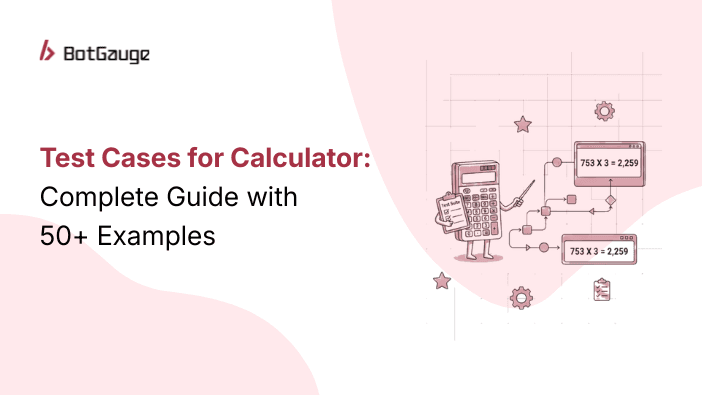
TABLE OF CONTENT
[What Are Test Cases for a Calculator?](https://www.botgauge.com/blog/test-cases-calculator-complete-guide#heading1) [Why Calculator Testing Matters More Than You Think](https://www.botgauge.com/blog/test-cases-calculator-complete-guide#heading2) [How to Design Test Cases for a Calculator](https://www.botgauge.com/blog/test-cases-calculator-complete-guide#heading3) [Step 1: Map All Features](https://www.botgauge.com/blog/test-cases-calculator-complete-guide#heading4) [Step 2: Apply Equivalence Partitioning (EP)](https://www.botgauge.com/blog/test-cases-calculator-complete-guide#heading5) [Step 3: Apply Boundary Value Analysis (BVA)](https://www.botgauge.com/blog/test-cases-calculator-complete-guide#heading6) [Step 4: Apply Error Guessing](https://www.botgauge.com/blog/test-cases-calculator-complete-guide#heading7) [Step 5: Write the Test Cases](https://www.botgauge.com/blog/test-cases-calculator-complete-guide#heading8) [50+ Test Cases for Calculator Application](https://www.botgauge.com/blog/test-cases-calculator-complete-guide#heading9) [Functional Test Cases – Addition](https://www.botgauge.com/blog/test-cases-calculator-complete-guide#heading10) [Functional Test Cases – Subtraction](https://www.botgauge.com/blog/test-cases-calculator-complete-guide#heading11) [Functional Test Cases – Multiplication](https://www.botgauge.com/blog/test-cases-calculator-complete-guide#heading12) [Functional Test Cases – Division](https://www.botgauge.com/blog/test-cases-calculator-complete-guide#heading13) [Functional Test Cases – Percentage and Square Root](https://www.botgauge.com/blog/test-cases-calculator-complete-guide#heading14) [Memory Function Test Cases](https://www.botgauge.com/blog/test-cases-calculator-complete-guide#heading15) [Clear, CE, and Backspace Test Cases](https://www.botgauge.com/blog/test-cases-calculator-complete-guide#heading16) [Negative Test Cases for Calculator](https://www.botgauge.com/blog/test-cases-calculator-complete-guide#heading17) [UI Test Cases for Calculator](https://www.botgauge.com/blog/test-cases-calculator-complete-guide#heading18) [Performance Test Cases for Calculator](https://www.botgauge.com/blog/test-cases-calculator-complete-guide#heading19) [How to Test a Calculator: A Step-by-Step Guide](https://www.botgauge.com/blog/test-cases-calculator-complete-guide#heading20) [Manual vs Automated Test Cases for Calculator](https://www.botgauge.com/blog/test-cases-calculator-complete-guide#heading21) [Design Test Cases for Calculator: Common Mistakes to Avoid](https://www.botgauge.com/blog/test-cases-calculator-complete-guide#heading22) [How BotGauge Automates Calculator Test Cases](https://www.botgauge.com/blog/test-cases-calculator-complete-guide#heading23) [Test Cases for Calculator: Priority Framework](https://www.botgauge.com/blog/test-cases-calculator-complete-guide#heading24) [Critical (Run on Every Build)](https://www.botgauge.com/blog/test-cases-calculator-complete-guide#heading25) [High (Run on Every Release)](https://www.botgauge.com/blog/test-cases-calculator-complete-guide#heading26) [Medium (Run on Major Releases)](https://www.botgauge.com/blog/test-cases-calculator-complete-guide#heading27) [Low (Run on Quarterly or Full Regression)](https://www.botgauge.com/blog/test-cases-calculator-complete-guide#heading28) [Conclusion](https://www.botgauge.com/blog/test-cases-calculator-complete-guide#heading29) [Frequently Asked Questions](https://www.botgauge.com/blog/test-cases-calculator-complete-guide#heading30)
Start your AI testing pilotGenerate, run, and maintain tests across your CI/CD workflow with less manual effortTry for Free
SHARE THIS ARTICLE
[LinkedIn](https://www.linkedin.com/sharing/share-offsite/?url=https%3A%2F%2Fwww.botgauge.com%2Fblog%2Ftest-cases-calculator-complete-guide)[Twitter](https://twitter.com/intent/tweet?url=https%3A%2F%2Fwww.botgauge.com%2Fblog%2Ftest-cases-calculator-complete-guide)
[Home](https://www.botgauge.com/) [Blog](https://www.botgauge.com/blog) [test-cases-calculator-complete-guide](https://www.botgauge.com/blog/test-cases-calculator-complete-guide#)
You need to write test cases for a calculator. It might sound like the easiest QA task in the world. But here’s what most testers miss: a calculator that adds 2 + 2 correctly can still crash on division by zero, silently round decimal results wrong, or freeze on rapid inputs. These are the bugs that slip into production. These are the bugs that cost you.
This guide provides 50+ structured test cases for a calculator, covering functional, negative, UI, and performance testing. We also cover how to design test cases from scratch, test a calculator application step by step, and automate the entire process so your team never has to run them manually again.
## **What Are Test Cases for a Calculator?**
A test case is a documented set of inputs, execution steps, and expected outputs. It tells a tester or an automation tool exactly what to do and what result to expect.
For a calculator, a test case answers three questions:
- What input am I giving?
- What should happen?
- What actually happened?
A well-structured test case includes:
| | |
| --- | --- |
| **Field** | **Example** |
| Test Case ID | TC\_DIV\_02 |
| Description | Division by zero |
| Precondition | App is open, display shows 0 |
| Input | 10 ÷ 0, press = |
| Expected Result | The display shows “Error” or “Cannot divide by zero.” |
| Status | Pass / Fail |
## **Why Calculator Testing Matters More Than You Think**
Calculators exist inside multiple products including:
- **e-commerce platforms:** tax, shipping, and discount logic
- **Banking and fintech apps:** loan EMI, interest, currency conversion
- **Healthcare tools:** dosage calculators, BMI, caloric tracking
- **ERP and billing systems:** invoice totals, GST computation
- **Scientific and engineering software:** simulation and precision math
A rounding error of 0.01 in a loan calculator compounds across thousands of transactions. A division-by-zero crash in a tax tool causes a user to fail midway through checkout.
Calculator bugs are high-impact, and they just don’t look like it during code review.
We will run your calculator tests and show you what your current process is missing
[Get a Free Bug Report](https://www.botgauge.com/contact)
## **How to Design Test Cases for a Calculator**
Before writing a single test case, design your strategy. This is what separates senior QA engineers from junior ones.
### **Step 1: Map All Features**
List every function the calculator offers:
- **Arithmetic**: +, -, ×, ÷
- **Advanced**: %, √, sign toggle (±), exponents
- **Memory**: M+, M-, MR, MS, MC
- **Controls**: C (clear all), CE (clear entry), Backspace (⌫), =
- **Display**: decimal precision, overflow, scientific notation
- **Input** **methods**: mouse/touch, keyboard, copy-paste
### **Step 2: Apply Equivalence Partitioning (EP)**
Group all possible inputs into classes. Test one value from each class.
| | | |
| --- | --- | --- |
| **Input Class** | **Valid Examples** | **Invalid Examples** |
| Positive integers | 5, 100, 9999 | – |
| Negative integers | -5, -100 | – |
| Zero | 0 | – |
| Decimals | 0.5, 3.14, 0.001 | – |
| Max value | 999999999 | 1000000000+ |
| Non-numeric | – | “abc”, “!@#”, blank |
| Multiple operators | – | “\+ ×”, “÷ ÷” |
### **Step 3: Apply Boundary Value Analysis (BVA)**
Test values at the edges of valid ranges where most bugs hide. For a 9-digit calculator, the test data might look like the following:
| | |
| --- | --- |
| **Boundary** | **Value to Test** |
| Just below max | 999,999,998 |
| At max | 999,999,999 |
| Just above max | 1,000,000,000 |
| Just above min | -999,999,998 |
| At min | -999,999,999 |
| Just below min | -1,000,000,000 |
### **Step 4: Apply Error Guessing**
Use experience to identify likely failure points:
- What happens on ÷ 0?
- What happens on √(-9)?
- What happens when the user presses = without any input?
- What happens with 0.1 + 0.2? (Floating point precision trap)
### **Step 5: Write the Test Cases**
Use the steps above to cover positive, negative, and boundary scenarios for every feature. The sections below give you the complete set.
## **50+ Test Cases for Calculator Application**
Here are is a comprehensive list of test cases for calculator testing including functional and non-functional requirements.
### **Functional Test Cases – Addition**
| | | | |
| --- | --- | --- | --- |
| **TC ID** | **Description** | **Input** | **Expected Output** |
| TC\_ADD\_01 | Add two positive integers | 5 + 3 = | 8 |
| TC\_ADD\_02 | Add two negative integers | -5 + (-3) = | -8 |
| TC\_ADD\_03 | Add positive and negative | 10 + (-4) = | 6 |
| TC\_ADD\_04 | Add a number and zero | 7 + 0 = | 7 |
| TC\_ADD\_05 | Add two zeros | 0 + 0 = | 0 |
| TC\_ADD\_06 | Add decimal numbers | 1.5 + 2.3 = | 3.8 |
| TC\_ADD\_07 | Floating point precision | 0.1 + 0.2 = | 0.3 (correctly rounded) |
| TC\_ADD\_08 | Add at max boundary | 999999999 + 0 = | 999999999 |
| TC\_ADD\_09 | Add beyond max limit | 999999999 + 1 = | Error or overflow notation |
| TC\_ADD\_10 | Add high-precision decimals | 0.000001 + 0.000002 = | 0.000003 |
### **Functional Test Cases – Subtraction**
| | | | |
| --- | --- | --- | --- |
| **TC ID** | **Description** | **Input** | **Expected Output** |
| TC\_SUB\_01 | Subtract smaller from larger | 10 – 3 = | 7 |
| TC\_SUB\_02 | Subtract larger from smaller | 3 – 10 = | -7 |
| TC\_SUB\_03 | Subtract zero | 5 – 0 = | 5 |
| TC\_SUB\_04 | Subtract number from itself | 9 – 9 = | 0 |
| TC\_SUB\_05 | Subtract negative (double negative) | 5 – (-3) = | 8 |
| TC\_SUB\_06 | Subtract decimal values | 3.5 – 1.2 = | 2.3 |
| TC\_SUB\_07 | Result exceeds negative boundary | -999999999 – 1 = | Error or overflow |
### **Functional Test Cases – Multiplication**
| | | | |
| --- | --- | --- | --- |
| **TC ID** | **Description** | **Input** | **Expected Output** |
| TC\_MUL\_01 | Multiply two positive integers | 6 × 7 = | 42 |
| TC\_MUL\_02 | Multiply by zero | 100 × 0 = | 0 |
| TC\_MUL\_03 | Multiply by one | 55 × 1 = | 55 |
| TC\_MUL\_04 | Multiply two negatives | -4 × (-5) = | 20 |
| TC\_MUL\_05 | Multiply positive and negative | 6 × (-3) = | -18 |
| TC\_MUL\_06 | Multiply decimals | 1.5 × 2.0 = | 3.0 |
| TC\_MUL\_07 | Multiply large numbers (overflow test) | 999999 × 999999 = | Overflow or scientific notation |
| TC\_MUL\_08 | BODMAS validation | 2 + 3 × 4 = | 14 (not 20) |
### **Functional Test Cases – Division**
| | | | |
| --- | --- | --- | --- |
| **TC ID** | **Description** | **Input** | **Expected Output** |
| TC\_DIV\_01 | Divide two positive integers | 10 ÷ 2 = | 5 |
| TC\_DIV\_02 | Divide by zero | 10 ÷ 0 = | “Error” – app must not crash |
| TC\_DIV\_03 | Divide zero by a number | 0 ÷ 5 = | 0 |
| TC\_DIV\_04 | Division with decimal result | 10 ÷ 3 = | 3.3333… (truncated or rounded) |
| TC\_DIV\_05 | Divide a negative by a positive | -10 ÷ 2 = | -5 |
| TC\_DIV\_06 | Divide by one | 99 ÷ 1 = | 99 |
| TC\_DIV\_07 | Divide a decimal by a decimal | 1.5 ÷ 0.5 = | 3 |
| TC\_DIV\_08 | Divide very small numbers | 0.0001 ÷ 0.001 = | 0.1 |
**TC\_DIV\_02** is your highest-priority test. Division by zero is undefined. The calculator must show an error message, without crashing, freezing, or silently returning infinity.
### **Functional Test Cases – Percentage and Square Root**
| | | | |
| --- | --- | --- | --- |
| **TC ID** | **Description** | **Input** | **Expected Output** |
| TC\_PCT\_01 | Basic percentage | 200 × 50% = | 100 |
| TC\_PCT\_02 | Percentage addition | 200 + 10% = | 220 |
| TC\_PCT\_03 | Percentage of zero | 0% of 100 = | 0 |
| TC\_PCT\_04 | Percentage greater than 100 | 150% of 200 = | 300 |
| TC\_SQRT\_01 | Square root of a perfect square | √25 = | 5 |
| TC\_SQRT\_02 | Square root of a non-perfect square | √2 = | 1.4142… |
| TC\_SQRT\_03 | Square root of zero | √0 = | 0 |
| TC\_SQRT\_04 | Square root of a negative number | √(-9) = | “Error” or “Invalid input” |
| TC\_SQRT\_05 | Square root of one | √1 = | 1 |
### **Memory Function Test Cases**
| | | | |
| --- | --- | --- | --- |
| **TC ID** | **Description** | **Steps** | **Expected Output** |
| TC\_MEM\_01 | Store and recall a value | Enter 50 → MS → C → MR | Displays 50 |
| TC\_MEM\_02 | Memory clear | Enter 50 → MS → MC → MR | Displays 0 or blank |
| TC\_MEM\_03 | Memory add | Enter 10 → MS → Enter 5 → M+ → MR | Displays 15 |
| TC\_MEM\_04 | Memory subtract | Enter 10 → MS → Enter 3 → M- → MR | Displays 7 |
| TC\_MEM\_05 | Recall with no stored value | MR (no prior MS) | 0 or blank – no crash |
### **Clear, CE, and Backspace Test Cases**
| | | | |
| --- | --- | --- | --- |
| **TC ID** | **Description** | **Input** | **Expected Output** |
| TC\_CLR\_01 | Clear all (C/AC button) | Enter 123 → C | Display resets to 0 |
| TC\_CLR\_02 | Clear entry (CE) mid-operation | Enter 50 + 30 → CE | Clears 30 only; “50 +” remains |
| TC\_CLR\_03 | Backspace removes last digit | Enter 456 → ⌫ | Displays 45 |
| TC\_CLR\_04 | Backspace on single digit | Enter 7 → ⌫ | Displays 0 |
| TC\_CLR\_05 | Clear after = result | 5 + 5 = → C | Displays 0, memory cleared |
| TC\_CLR\_06 | Multiple CE presses | 5 + 30 → CE → CE | Clears to 5 then to 0 |
## **Negative Test Cases for Calculator**
These test cases deliberately send invalid inputs. Every case below must be handled gracefully without crashing, freezing, or silently returning infinity.
| | | | |
| --- | --- | --- | --- |
| **TC ID** | **Description** | **Input** | **Expected Output** |
| TC\_NEG\_01 | Alphabetic keyboard input | Type “abc” | Input rejected, display unchanged |
| TC\_NEG\_02 | Special character input | Type “!@#$%” | Input rejected |
| TC\_NEG\_03 | Multiple decimal points | “1..5” or “1.5.6” | Second decimal point rejected |
| TC\_NEG\_04 | Consecutive operator keys | “5 + × 3” | Last operator used, OR graceful error |
| TC\_NEG\_05 | Operator pressed first | Press “+” before any number | Treated as 0 + n, OR shows error |
| TC\_NEG\_06 | Press = with incomplete input | “5 +” → = | Handles gracefully – no crash |
| TC\_NEG\_07 | Divide by zero | 9 ÷ 0 = | “Error” – does not crash or return ∞ |
| TC\_NEG\_08 | Input exceeds digit limit | Enter 15+ consecutive digits | Truncates or shows input limit error |
| TC\_NEG\_09 | Copy-paste invalid characters | Paste “3a.5” from clipboard | Strips invalid chars or rejects paste |
| TC\_NEG\_10 | Rapid repeated button press | Press “5” 50 times within 2 seconds | No UI freeze or input duplication |
| TC\_NEG\_11 | Square root of negative | √(-4) = | Shows “Error” or “Invalid input” |
| TC\_NEG\_12 | Long press on operator key | Hold “+” for 3 seconds | No unintended operation repeat |
### **UI Test Cases for Calculator**
| | | |
| --- | --- | --- |
| **TC ID** | **Description** | **Expected Behavior** |
| TC\_UI\_01 | Button labels are visible | All buttons clearly labeled, no cut-off text |
| TC\_UI\_02 | Display is readable | Numbers are large, clearly visible |
| TC\_UI\_03 | Long result display | Scrolls or switches to scientific notation |
| TC\_UI\_04 | Button responsiveness | No lag or delay on click/tap |
| TC\_UI\_05 | Mobile portrait layout | All buttons are visible without scrolling |
| TC\_UI\_06 | Mobile landscape layout | Layout adjusts correctly, no overlap |
| TC\_UI\_07 | Keyboard input (desktop) | Physical keyboard triggers correct buttons |
| TC\_UI\_08 | Screen reader accessibility | ARIA labels present; screen reader announces button names |
| TC\_UI\_09 | Dark mode compatibility | All elements visible. No invisible text |
| TC\_UI\_10 | Error message display | Error messages appear on screen – not silently logged |
| TC\_UI\_11 | Decimal separator locale | Displays “.” or “,” based on user locale |
| TC\_UI\_12 | App minimize and restore | Restores to the same state with no data loss |
## **Performance Test Cases for Calculator**
| | | |
| --- | --- | --- |
| **TC ID** | **Description** | **Pass Criteria** |
| TC\_PERF\_01 | Single operation response time | Result appears within 100ms |
| TC\_PERF\_02 | App launch time | Fully loaded within 2 seconds |
| TC\_PERF\_03 | 100 sequential operations | No slowdown or dropped inputs |
| TC\_PERF\_04 | Extended session (30 min) | No memory leak or UI degradation |
| TC\_PERF\_05 | Concurrent operations (multi-tab) | Each instance works independently |
## **How to Test a Calculator: A Step-by-Step Guide**
Here’s how a QA engineer should approach calculator testing from scratch:
1\. Get the requirements. Understand which operations the calculator supports. Basic? Scientific? Financial? Each type has different test scope.
2\. Define your test environment. Are you testing a web app, mobile app, or desktop tool? Test on each target platform.
3\. Start with the happy path. Run all basic operations: +, -, ×, ÷. Confirm correct results.
4\. Apply boundary value analysis. Test at zero, at max value, at min value, and one beyond each boundary.
5\. Run negative tests. Feed the calculator invalid inputs. It must not crash.
6\. Check operator precedence (BODMAS). Enter “2 + 3 × 4” and confirm the result is 14, not 20.
7\. Test memory functions. Store, recall, add to, subtract from, and clear memory.
8\. Validate the UI. Check display clarity, button spacing, responsiveness, and accessibility.
9\. Test on all target devices. Run the full suite on every supported browser and screen size.
10\. Automate repeatable tests. Everything in this guide, except exploratory testing, should run automatically on every build.
## **Manual vs Automated Test Cases for Calculator**
Manual testing works once. Automation works every time.
| | | |
| --- | --- | --- |
| **Criteria** | **Manual Testing** | **Automated Testing with** [**BotGauge**](https://www.botgauge.com/) |
| Full test cycle time | 3 – 5 hours | Under 15 minutes |
| Human error risk | High – testers skip steps under pressure | Zero – deterministic execution |
| Regression coverage | Partial – testers prioritize known paths | 100% – every test, every build |
| Boundary test coverage | Tedious to repeat for every input class | Fully parameterized |
| Negative test coverage | Frequently missed on time-constrained cycles | Built into the suite |
| Maintenance on UI change | Hours of manual rework | AI-powered self-healing tests. BotGauge updates test cases automatically whenever code changes. |
| Cost at scale | Grows linearly with every release | Fixed after initial setup |
| CI/CD integration | Not possible | Native – runs on every commit |
| Reporting | Manual documentation | Provides actional test insights using automated test reports with screenshots, videos, logs of every test run. |
The real math is if you have 50 test cases and ship weekly, that’s 200+ manual test executions per month. Automate once, and your team redirects that time to higher-value testing work.
## **Design Test Cases for Calculator: Common Mistakes to Avoid**
Some of the common mistakes to avoid while designing test cases for calculator app include:
- Testing only the happy path. Most teams verify 2 + 2 = 4 and call it done. Boundary and negative cases get skipped.
- Ignoring BODMAS, “2 + 3 × 4” should return 14. Many custom-built calculators return 20, and nobody catches it.
- Not testing decimals, for example, 0.1 + 0.2. Floating-point arithmetic is a known trap. Many calculators display 0.30000000000000004. Test this explicitly.
- Skipping the divide-by-zero test. This is the most commonly forgotten critical test. It’s a P1 bug when it crashes an app.
- Not testing negative inputs for square root √(-1) must return an error. Returning “i” (imaginary) or crashing is wrong in a basic calculator.
- No UI tests on mobile. The same calculator can work perfectly on a desktop and overlap buttons on a 360px-wide screen.
[85%](https://swreflections.blogspot.com/2011/08/bugs-and-numbers-how-many-bugs-do-you.html) of software defects are introduced during development, but most are caught too late. Using [AI-powered testing tools](https://www.botgauge.com/blog/ai-test-automation-tools) can cut time-to-market by up to [50%](https://assets.ctfassets.net/5965pury2lcm/65QHMnfLGaRJzJ0sX5982o/520b5f0a9745aecc8730c645994e3a3b/Forrester_Study_-_AI_And_The_Next_Generation_of_Software_Testing.pdf), helping your team deliver finished products in half the usual time.
## **How BotGauge Automates Calculator Test Cases**
Writing 50 test cases once is doable. Writing them again after every UI update, every product refactor, and every new feature sprint, that’s where manual QA breaks.
BotGauge is an AI-native [Autonomous QA as a Solution](https://www.botgauge.com/autonomous-qa-as-a-solution) (AQaaS) platform that fundamentally reimagines how testing is done. Rather than asking engineers to write and maintain test scripts, BotGauge uses agentic AI combined with forward-deployed QA domain experts to autonomously generate, execute, maintain, and report on test coverage, with minimal human scripting required at any stage.
Here’s how it works:
- **AI-generated test cases:** BotGauge’s [AI agents](https://www.botgauge.com/ai-agents) analyze your calculator app and automatically generate test cases. No manual test authoring.
- **Autonomous execution**: Tests run on every commit or release. No human trigger required.
- **Self-healing tests**: When your UI changes, BotGauge automatically updates test cases. No broken tests sitting in your backlog.
- **Dedicated QA experts**: Dedicated FDE pod to review edge cases and validate scenarios. You get AI speed with human judgment.
- **Full coverage reports**: Every run shows pass/fail status, coverage metrics, and flagged regressions.
See autonomous QA in action in under 30 minutes
[Book a free demo](https://calendly.com/botgauge/30min)
With AQaaS,your team ships calculator features faster, with fewer bugs slipping into production. What this means for your team:
- No QA bottleneck before release
- No manual regression cycles on every sprint
- Faster releases with full test coverage
- Zero test debt on the calculator and every other module
## **Test Cases for Calculator: Priority Framework**
Not all test cases carry the same weight. Use this to prioritize your coverage.
### **Critical (Run on Every Build)**
- All four arithmetic operations
- Division by zero
- Clear and reset functions
- BODMAS / operator precedence
### **High (Run on Every Release)**
- Boundary value inputs (max, min, zero, negative)
- Decimal precision
- Memory functions
- Square root and percentage
### **Medium (Run on Major Releases)**
- Chained operations without clearing
- Negative test cases (invalid inputs, consecutive operators)
- UI responsiveness
- Mobile layout testing
### **Low (Run on Quarterly or Full Regression)**
- Performance tests under extended load
- Accessibility (screen reader, keyboard nav)
- Locale and regional format
- Cross-browser edge cases
## **Conclusion**
Calculator testing is deceptively complex. A single missed edge case, such as, division by zero, a floating-point error, or an overflow can break trust in products that users depend on daily.
The teams that catch these bugs before users do aren’t running more tests manually. They’ve automated the repetitive work and focused human judgment where it actually matters. This is what we do at BotGauge. Autonomous QA to ship faster, without cutting corners on coverage.
## Frequently Asked Questions
How do you test a calculator?
Start with the four arithmetic operations (+, -, ×, ÷). Then test boundary inputs: zero, max value, negative numbers, and decimals. Follow with negative tests, such as, invalid inputs, division by zero, consecutive operators. Finally, test the UI for display clarity, responsiveness, and mobile layout.
What are the most important test cases for a calculator?
The five highest-priority test cases are:
-Division by zero,
-BODMAS / operator precedence,
-Floating point precision (0.1 + 0.2)
-Overflow on max boundary input, and
-Square root of a negative number.
-These catch the most common production bugs.
How many test cases does a calculator need?
A basic calculator requires at least 40-60 test cases for full coverage. A scientific calculator with memory, trigonometric functions, and advanced features may cost 100-150+. For applications that embed calculators (financial platforms, ERP, healthcare tools), add domain-specific edge cases on top.
Should calculator test cases be automated?
Yes. Calculator test cases are deterministic and repetitive, exactly the type of tests automation handles best. Manual execution on every build is slow and error-prone. Tools like BotGauge automate generation, execution, and maintenance, and self-heal when the UI changes.
What is the difference between functional and non-functional test cases for a calculator?
Functional test cases verify that each operation returns the correct result (Example: 6 × 7 = 42). Non-functional test cases verify performance (response within 100ms), usability (buttons are readable), and accessibility (screen reader support). A complete test suite covers both.

About the Author
##### Yamini Priya J
A content marketer who started out writing code and found my way into brand strategy. Seven years into marketing, I still think like a developer. I break the problem down, find the logic, then tell the story clearly. I write for tech companies whose audiences know their stuff, and so do I. Still powered by coffee ☕️
A strong foundation starts with [understanding test cases in software testing](https://www.botgauge.com/blog/understanding-test-cases-in-software-testing). This kind of coverage fits naturally into [automated functional testing](https://www.botgauge.com/solutions/automated-functional-testing), alongside related patterns like [registration page test cases](https://www.botgauge.com/blog/70-essential-test-cases-for-registration-page-a-detailed-guide) and [ecommerce test case examples](https://www.botgauge.com/blog/amazon-website-test-cases).
Autonomous Testing for Modern Engineering Teams
[Book a Demo](https://calendly.com/botgauge/30min)
## Revolutionizing QA Solutions
AUTONOMOUS QA AS A SOLUTION
## You've tried tools. You've tried hiring. QA still slows you down.
The problem isn't which tool your team picks. It's the model. Here's why engineering leaders are switching to Autonomous QA as a Solution
[Scroll to see what's different](https://www.botgauge.com/why-different#team-stops-doing)

### Still shipping bugs?
6 tools. Multiple SDETs. Months of setup.
Your coverage dashboard says one thing. Your customers say another.
THE REAL PROBLEM
## Why more tools and more headcount don't fix this.
## Repeats Every Quarter
Buy a tool, your team writes tests, your team maintains them, your team debugs flakes, repeat. **The problem isn't your team's effort. It's the model.**
1Buy a new tool
2Your team writes the tests
3Your team maintains the scripts
5Approve more SDET headcount
4Your team debugs the flakes
## What if your team didn'twrite, maintain, or debug any of it ?
THE DIFFERENCE
## What your team experiences before and after.
Before Autonomous QA
Months to reach meaningful coverage
Your team writes the tests
Your team maintains the scripts
Your team debugs the flakes
You approve more SDET headcount
Repeat every quarter
After Autonomous QA
AI builds every test autonomously
Self-healing tests across releases
Human QA experts verify every run
No codebase access needed
Your team doesn't touch a script
Coverage delivered as an outcome
CUSTOMER STORIES
## Engineering leaders who made the switch.
Real words from engineering leaders and verified G2 reviewers who made the switch.
### 67%
Lower costs vs traditional QA
### 3x
Savings vs AI testing tools
### 2 weeks
To full coverage (vs 4 months)
One engineering team ran 125 critical regression tests through BotGauge's Autonomous QA. The result: 67% lower costs compared to their traditional QA setup and 3x savings versus other AI testing tools. Coverage timeline dropped from 4 months to 2 weeks.
SOURCE: BotGauge ROI analysis, Maropost case study
AQaaS turned QA into a strategic advantage: self-healing automation, instant coverage, and engineering focus back on shipping products, not fixing tests.

### Michael Hoy
CEO, Atlas
Instead of scaling QA headcount, we scaled automation with BotGauge AQaaS. Higher coverage, lower cost, faster releases, unmatched ROI.

### Rohit Banga
Co-founder and CTO, Kitsa
BotGauge AQaaS delivered instant automation, reliable results, and massive time savings. No scripts, no flakiness, no delays.

### Arzad Ariff
Co-founder and CTO, rppl.app
CUSTOMER STORIES
## Engineering leaders who made the switch.
Real words from engineering leaders and verified G2 reviewers who made the switch.
AQaaS turned QA into a strategic advantage: self-healing automation, instant coverage, and engineering focus back on shipping products, not fixing tests.

### Michael Hoy
CEO, Atlas
Instead of scaling QA headcount, we scaled automation with BotGauge AQaaS. Higher coverage, lower cost, faster releases, unmatched ROI.

### Rohit Banga
Co-founder and CTO, Kitsa
BotGauge AQaaS delivered instant automation, reliable results, and massive time savings. No scripts, no flakiness, no delays.

### Arzad Ariff
Co-founder and CTO, rppl.app
### 67%
Lower costs vs traditional QA
### 3x
Savings vs AI testing tools
### 2 weeks
To full coverage (vs 4 months)
One engineering team ran 125 critical regression tests through BotGauge's Autonomous QA. The result: 67% lower costs compared to their traditional QA setup and 3x savings versus other AI testing tools. Coverage timeline dropped from 4 months to 2 weeks.
SOURCE: BotGauge ROI analysis, Maropost case study
WHAT CHANGES
## What your team stops doing. What your team starts doing.
### Your team stops
Writing test scripts
Maintaining a test suite
Debugging flaky tests
Justifying SDET headcount
Managing another QA tool
### Your team starts
Shipping features every sprint
Trusting CI with real coverage
Releasing same-day without QA queues
Reallocating QA budget to product
Focusing on what engineering does best
“Your engineering org ships product.
Autonomous QA handles the rest”

### Lachlan Scown
Co-founder and CTO, Ripple

### Lachlan Scown
Co-founder and CTO, Ripple
""Zero maintenance. Their AI agents learn our product and adapt as we ship changes. No brittle scripts breaking at 2 AM. Our engineers now focus on shipping features, not maintaining test suites.""
5x
Faster releases at Ripple
SEE IT ON YOUR PRODUCT
Start a free proof
of concept.
We'll run Autonomous QA on 2-3 of your critical flows. Results in 48 hours. Your team evaluates the outcome, not a sales deck
Start a free POC
Talk to us about pricing
No codebase access needed
Results in 48 hours
SOC 2
No commitment required
## QA Wolf vs MuukTest
managed QA servicesQA as a Service
# QA Wolf vs MuukTest: Which QaaS Model To Choose
Compare QA Wolf and MuukTest on pricing, coverage, and support, with corrected 2026 numbers and a look at outcome-based alternatives.
Feb 27, 20268 min read
Try for Free [Book a Demo](https://calendly.com/botgauge/30min)

TABLE OF CONTENT
[What is QA Wolf?](https://www.botgauge.com/blog/qa-wolf-vs-muuktest#heading1) [What is MuukTest?](https://www.botgauge.com/blog/qa-wolf-vs-muuktest#heading2) [Key Differences: MuukTest vs QA Wolf](https://www.botgauge.com/blog/qa-wolf-vs-muuktest#heading3) [QA Wolf vs MuukTest: Which is Better?](https://www.botgauge.com/blog/qa-wolf-vs-muuktest#heading4) [Why BotGauge Is Worth Comparing Against Both](https://www.botgauge.com/blog/qa-wolf-vs-muuktest#heading5) [Conclusion](https://www.botgauge.com/blog/qa-wolf-vs-muuktest#heading6) [Frequently Asked Questions](https://www.botgauge.com/blog/qa-wolf-vs-muuktest#heading7) [Who are the QA Wolf competitors?](https://www.botgauge.com/blog/qa-wolf-vs-muuktest#heading8) [Is QA Wolf free?](https://www.botgauge.com/blog/qa-wolf-vs-muuktest#heading9)
Start your AI testing pilotGenerate, run, and maintain tests across your CI/CD workflow with less manual effortTry for Free
SHARE THIS ARTICLE
[LinkedIn](https://www.linkedin.com/sharing/share-offsite/?url=https%3A%2F%2Fwww.botgauge.com%2Fblog%2Fqa-wolf-vs-muuktest)[Twitter](https://twitter.com/intent/tweet?url=https%3A%2F%2Fwww.botgauge.com%2Fblog%2Fqa-wolf-vs-muuktest)
[Home](https://www.botgauge.com/) [Blog](https://www.botgauge.com/blog) [qa-wolf-vs-muuktest](https://www.botgauge.com/blog/qa-wolf-vs-muuktest#)
QA Wolf is a managed, AI-assisted end-to-end test automation platform that builds, runs, and maintains Playwright-based tests for your web applications. Instead of selling just a tool, QA Wolf combines automation with human QA engineers who write, maintain, and run those tests on your behalf.
## What is QA Wolf?

**Pros of QA Wolf**
- Uses Playwright for web app automation and Appium for mobile
- Coverage as a Service now targets 80%+ automated coverage within weeks, a significant improvement from the four-month timeline it used previously
- Dedicated QA engineers manage test creation and maintenance
- Uses the AAA (Arrange, Act, Assert) framework, so every test maps to a meaningful user flow
- Human review catches flakiness and bugs before they reach you
- Unlimited parallelization on their hosted infrastructure
- G2 rating: 4.8/5
**Cons of QA Wolf**
- Pricing can limit flexibility and scalability for growing teams
- Slower execution for large test suites, full regression runs, and complex UI-based tests
- An initial integration fee is required for setup
- Can be a difficult fit for smaller teams with tight budgets
**QA Wolf Pricing**
QA Wolf now runs two pricing tracks. The self-serve Platform is usage-based, billed per AI credit and per runner minute. The managed Coverage as a Service tier is priced by tests under management, with public data across six sources putting the range at roughly $40 to $70 per test per month and a median annual contract value around $90,000, according to Vendr. For the full breakdown of both tiers and where the pricing actually lands depending on your usage, see our [detailed QA Wolf pricing guide](https://www.botgauge.com/blog/qa-wolf-pricing).
## What is MuukTest?

MuukTest is another QA automation service provider focused on helping teams reach comprehensive end-to-end test coverage quickly. They support web, API, and mobile application testing.
**Pros of MuukTest**
- Supports multiple frameworks for exporting tests, including Selenium, Cypress, Playwright, Appium, or Postman
- Guarantees 95% end-to-end coverage within three months
- Low/no-code test automation platform
- AI-powered test generation and maintenance
- Supports CI/CD integration
- G2 rating: 4.5/5
**Cons of MuukTest**
- User interface isn’t especially intuitive
- The reporting dashboard lacks granular insight into coverage and results
- Execution can be slow: user reviews note that running 100+ tests may take hours
- The base package is limited to three parallel runs
- Maintenance support is capped at 6 hours per month, which shifts extra workload onto your in-house team
**MuukTest Pricing**
MuukTest’s published starting price is $7,000 per month for up to 500 managed tests, scaling from there as coverage needs grow.
Ready to see QA that scales without scaling cost?
[Request a demo](https://www.botgauge.com/contact)
## Key Differences: MuukTest vs QA Wolf
| | | |
| --- | --- | --- |
| **Feature** | **QA Wolf** | **MuukTest** |
| Test Definition | Unlimited test length and complexity | Up to 15 lines of code |
| Test Creation | Playwright | Built-in low-code test automation platform |
| Pricing Model | Usage-based (Platform) or per-test managed pricing (Coverage as a Service) | Base pricing starts at $7,000/month |
| Price per Test | Roughly $40 to $70 per test per month, per public sources | $7,000/month for up to 500 tests |
| Parallel Execution | Unlimited parallel support | 3 parallel tests, more available at additional cost |
| Test Maintenance | 24-hour turnaround | 6 hours of support per month |
| Test Coverage Guaranteed | 80%+ within weeks (Coverage as a Service) | 95% within 3 months |
| Best For | Complex applications, rapid releases | Small to mid-sized, stable applications with infrequent updates |
| Portability | Exports in Playwright only | Exports in Selenium, Playwright, Cypress, Appium, Postman |
## QA Wolf vs MuukTest: Which is Better?
The honest answer is that it depends on where your team is and what you’re building.
QA Wolf tends to be the better choice if your team ships frequently, your application is complex, and you want an all-inclusive, fully managed structure. MuukTest can be the better fit if your application is relatively stable, changes are infrequent, and your QA work is mostly maintenance mode rather than active expansion. Both come with real trade-offs. QA Wolf can get expensive as coverage scales, and MuukTest’s usage limits can catch you off guard once testing needs grow past the base tier.
If you’re weighing both, it’s worth knowing there’s a third model worth comparing before you commit.
## Why BotGauge Is Worth Comparing Against Both
BotGauge is a fully managed autonomous QA partner, combining AI agents with domain-specialized human QA experts who own your testing end to end. It targets up to 80% automated end-to-end coverage within two weeks, and 100% of critical test flows automated within a week depending on application complexity, backed by over a decade of QA engineering experience on the founding team.
A few things separate this model from QA Wolf and MuukTest specifically:
**Built for outcomes, not just automation.** QA Wolf and MuukTest both sell managed automation. BotGauge sells release outcomes, coverage, stability, and speed, powered by AI agents paired with a QA pod, rather than tools plus billable hours.
**Agentic AI instead of script-heavy maintenance.** QA Wolf centers on Playwright and Appium tests maintained by their team. MuukTest accelerates traditional frameworks with AI but still leans on exported scripts. BotGauge’s agentic platform handles generation, execution, and maintenance as one continuous process rather than three separate handoffs.
**Lower ongoing maintenance burden.** Script-heavy stacks at both QA Wolf and MuukTest still carry real maintenance overhead as applications evolve. BotGauge’s self-healing agents are built to cut that maintenance load significantly and keep tests stable through UI changes.
**Cost tied to outcomes.** QA Wolf’s per-test pricing and MuukTest’s tiered structure can both get expensive as coverage grows. BotGauge ties cost to outcomes like coverage achieved, engineering hours saved, and faster release cycles.
If you’re a fast-scaling engineering team dealing with flaky tests, slow regressions, and a growing QA workload, this outcome-driven model is built specifically for that pace, where QA Wolf and MuukTest function more like efficient outsourcing partners.
## Conclusion
Choosing between QA Wolf and MuukTest comes down to the kind of QA organization you want to run: a heavily managed, vendor-driven model with strong service layers, or a more flexible automation partnership you can eventually bring in-house. Both can reduce immediate QA pain, but the real differentiator is how each option affects your cost, coverage, and release confidence over the next 12 to 24 months, not just the next sprint.
For teams evaluating alternatives more broadly, we’ve also compared [Rainforest QA alternatives](https://www.botgauge.com/blog/rainforest-qa-alternatives), [Playwright alternatives](https://www.botgauge.com/blog/playwright-alternatives), [Cypress alternatives](https://www.botgauge.com/blog/cypress-alternatives), [Functionize alternatives](https://www.botgauge.com/blog/functionize-alternatives), [mabl alternatives](https://www.botgauge.com/blog/mabl-alternatives), [Testim alternatives](https://www.botgauge.com/blog/testim-alternatives), and [testRigor alternatives](https://www.botgauge.com/blog/testrigor-alternatives), along with our full [roundup of QA Wolf alternatives](https://www.botgauge.com/blog/top-10-qa-wolf-alternatives-compared-2026) and thoughts on [maximising ROI with test automation](https://www.botgauge.com/blog/maximising-roi-with-test-automation-key-considerations-and-best-practices).
## Frequently Asked Questions
### Who are the QA Wolf competitors?
QA Wolf competes with several QaaS and test automation platforms, including MuukTest, BotGauge, Rainforest QA, Testlio, Global App Testing, and Applause. BotGauge stands out among these as a fully autonomous QA partner with outcome-based pricing, which can be a meaningful advantage for complex applications with a large number of user flows.
### Is QA Wolf free?
No, QA Wolf is not free. It operates on a paid model with two tiers: a usage-based self-serve Platform, and a managed Coverage as a Service tier priced by tests under management. Public data across several sources puts per-test pricing on the managed tier in the range of $40 to $70 per month, with a median annual contract value around $90,000.
For related comparisons, see [QA Wolf alternatives](https://www.botgauge.com/blog/top-10-qa-wolf-alternatives-compared-2026) and [Rainforest QA alternatives](https://www.botgauge.com/blog/rainforest-qa-alternatives).

About the Author
##### Yamini Priya J
A content marketer who started out writing code and found my way into brand strategy. Seven years into marketing, I still think like a developer. I break the problem down, find the logic, then tell the story clearly. I write for tech companies whose audiences know their stuff, and so do I. Still powered by coffee ☕️
Autonomous Testing for Modern Engineering Teams
[Book a Demo](https://calendly.com/botgauge/30min)
## Top Quality Assurance Providers 2026
ai qa automationmanaged QA services
# Quality Assurance Services: 11 Best QA Providers in 2026
Most quality assurance services lists still name companies that no longer exist under that name. This guide covers the four engagement models, the ten questions that separate proposals, and 11 providers.
Aug 17, 20268 min read
Try for Free [Book a Demo](https://calendly.com/botgauge/30min)
TABLE OF CONTENT
[What Is Quality Assurance Service?](https://www.botgauge.com/blog/quality-assurance-services#heading1) [How Quality Assurance Services Work](https://www.botgauge.com/blog/quality-assurance-services#heading2) [Components Of Quality Assurance Services](https://www.botgauge.com/blog/quality-assurance-services#heading3) [Benefits Of Quality Assurance Services](https://www.botgauge.com/blog/quality-assurance-services#heading4) [Buyer’s Checklist For Quality Assurance Services](https://www.botgauge.com/blog/quality-assurance-services#heading5) [11 Best Quality Assurance Services Providers In 2026](https://www.botgauge.com/blog/quality-assurance-services#heading6) [1\. BotGauge](https://www.botgauge.com/blog/quality-assurance-services#heading7) [2\. QA Wolf](https://www.botgauge.com/blog/quality-assurance-services#heading8) [3\. Bug0](https://www.botgauge.com/blog/quality-assurance-services#heading9) [4\. QualityAI (formerly Qualitest)](https://www.botgauge.com/blog/quality-assurance-services#heading10) [5\. Coforge (formerly Cigniti)](https://www.botgauge.com/blog/quality-assurance-services#heading11) [6\. Applause](https://www.botgauge.com/blog/quality-assurance-services#heading12) [7\. Testlio](https://www.botgauge.com/blog/quality-assurance-services#heading13) [8\. QASource](https://www.botgauge.com/blog/quality-assurance-services#heading14) [9\. ScienceSoft](https://www.botgauge.com/blog/quality-assurance-services#heading15) [10\. TestingXperts](https://www.botgauge.com/blog/quality-assurance-services#heading16) [11\. DeviQA](https://www.botgauge.com/blog/quality-assurance-services#heading17) [How To Narrow This List Quickly](https://www.botgauge.com/blog/quality-assurance-services#heading18) [Conclusion](https://www.botgauge.com/blog/quality-assurance-services#heading19) [Frequently Asked Questions](https://www.botgauge.com/blog/quality-assurance-services#heading20)
Start your AI testing pilotGenerate, run, and maintain tests across your CI/CD workflow with less manual effortTry for Free
SHARE THIS ARTICLE
[LinkedIn](https://www.linkedin.com/sharing/share-offsite/?url=https%3A%2F%2Fwww.botgauge.com%2Fblog%2Fquality-assurance-services)[Twitter](https://twitter.com/intent/tweet?url=https%3A%2F%2Fwww.botgauge.com%2Fblog%2Fquality-assurance-services)
[Home](https://www.botgauge.com/) [Blog](https://www.botgauge.com/blog) [quality-assurance-services](https://www.botgauge.com/blog/quality-assurance-services#)
#### AI Summary
- Most provider lists are out of date. Qualitest rebranded to QualityAI in June 2026, and Cigniti was dissolved into Coforge in May 2026.
- Four engagement models exist: staff augmentation, managed QA, outcome-based, and crowdtesting. Deciding the model first narrows a shortlist faster than any feature comparison.
- Quality assurance is broader than testing. Testing finds defects in a build. QA covers the process that prevents them from entering it.
- Ramp to meaningful coverage varies from about two weeks to a quarter or more, and “80% test coverage” and “80% of critical flows” are not the same claim.
- BotGauge delivers approximately 80% coverage of critical flows in two weeks for web applications, with a forward deployed engineer pod validating what the automation produces.
Most lists of quality assurance services providers you will find today are wrong in at least two places.
They still list Qualitest, which [rebranded to QualityAI](https://www.quality-ai.com/) in June 2026 and repositioned around AI assurance rather than software testing. They still list Cigniti, which was dissolved into Coforge in May 2026 and no longer exists as a company.
That is not a trivia problem. If you are shortlisting partners and half your list is out of date, you waste weeks on outreach to entities that have changed shape or vanished. This guide covers what quality assurance services actually are, how the engagement models differ, what to check before signing, and 11 providers with their status verified as of August 2026.
## **What Is Quality Assurance Service?**
A quality assurance service is an external engagement where a specialist provider takes responsibility for some or all of your software testing function. Instead of hiring, training, and retaining QA engineers internally, you contract a partner who supplies the people, the process, the infrastructure, or the outcome.
The scope varies widely, which is where most confusion comes from. Software quality assurance services can mean any of the following:
- A team of testers who work under your QA lead and follow your process
- A fully managed testing function where the provider owns strategy, execution, and reporting
- An outcome contract where you buy a defined level of test coverage rather than hours
- A specialist engagement for one testing type, such as accessibility, security, or localization
These are genuinely different products sold under one label. A staff augmentation contract and a coverage guarantee are not comparable on price, because you are buying different things. The first buys capacity. The second buys a result.
One more distinction worth making early: quality assurance is broader than testing. Testing finds defects in a build. Quality assurance covers the process that prevents defects from being introduced, including requirement review, test strategy, environment standards, and release criteria. Most providers sell both under one banner, but the depth of the QA half varies a lot.
## **How Quality Assurance Services Work**
Most engagements follow the same five stages regardless of the model. The differences show up in who owns each one.
**1\. Discovery and assessment.** The provider reviews your application, your current test coverage, your release cadence, and your delivery pipeline. Good providers also ask what has broken in production recently, because escaped defects tell you more about coverage gaps than a coverage percentage does.
**2\. Strategy and scoping.** Together you define what is in scope, which flows matter, what the acceptance criteria are, and what gets measured. This is the stage that determines whether the engagement succeeds, and the discipline behind it is the same one used when [defining testing scope](https://www.botgauge.com/blog/what-is-the-test-scope-and-how-to-define-testing-scope-objective) for any release. Vague scope produces disputes in month three.
**3\. Test design and build.** The provider writes the test cases and automation. Timelines here range enormously. Traditional quality assurance and testing services often take a quarter or more to build a meaningful regression suite. Outcome-based providers compress this considerably, though what counts as “coverage” differs between them.
**4\. Execution and integration.** Tests run against your environments, ideally inside your CI pipeline rather than beside it. Coverage that lives outside CI is a report rather than a quality gate, and it gets ignored within two sprints.
**5\. Maintenance and reporting.** The part everyone underestimates. Applications change, tests break, and someone has to keep the suite alive. Ask specifically who does this and whether it is included in the price, because maintenance is where most engagements quietly degrade.
The engagement models divide into four types, and knowing which one you want narrows the shortlist faster than any feature comparison:
| **Model** | **You buy** | **Best when** |
| --- | --- | --- |
| Staff augmentation | Engineer hours under your management | You have a QA lead and need more hands |
| Managed QA | A run function the provider owns | You want to hand off the whole thing |
| Outcome-based | A defined coverage level, maintained | You want a guaranteed result and a fixed cost |
| Crowdtesting | Access to real testers on real devices | You need real-world device, market, or language coverage |
Automate Test Creation, Execution, and Reporting with BotGauge
[Book a Demo](https://calendly.com/botgauge/30min)
## **Components Of Quality Assurance Services**
What is actually included varies by provider, so use this as a checklist against any proposal. Comprehensive software quality assurance testing services generally cover:
**Test strategy and planning.** Risk assessment, scope definition, entry and exit criteria, and the test plan itself. Providers that skip straight to execution without this tend to produce coverage that misses what matters.
**Functional testing.** Verifying that features do what the specification says, including the negative and boundary cases the specification implies but does not state.
**Regression testing.** Confirming that new changes did not break existing behavior. This is the largest ongoing workload in most engagements and the one most worth [automating](https://www.botgauge.com/guide/regression-testing).
**Test automation engineering.** Building and maintaining the automated suite, including framework selection, CI integration, and the repair work when the interface changes.
**API and integration testing.** Validating the contracts between services, which catches a category of defect that interface tests often miss. [API automation](https://www.botgauge.com/guide/api-automation-testing) usually returns value faster than any other automation you buy, because the tests are stable and run in seconds.
**Accessibility testing.** WCAG conformance and assistive technology compatibility. Increasingly a compliance requirement rather than a nice to have.
**Security testing.** Vulnerability assessment and penetration testing, usually delivered by a separate specialist team even within the same provider.
**Performance and load testing.** Behavior under concurrency and stress. Often scoped separately because it needs different infrastructure.
**Localization testing.** Correctness across languages, currencies, date formats, and regional payment methods.
**Defect management and reporting.** Triage, reproduction, routing into your tracker, and the dashboards that tell you whether quality is improving.
## **Benefits Of Quality Assurance Services**
**Access to skills you cannot justify hiring.** A performance engineer, an accessibility specialist, and an automation architect are three separate hires. Most teams cannot fill all three, and a provider gives you access to each when you need them.
**Coverage that scales without headcount.** This is the structural benefit. When testing capacity stops tracking the size of your QA team, you can expand coverage without a hiring cycle.
**Speed to a working suite.** Building automation in-house means selecting a framework, hiring for it, and absorbing six months of ramp. Quality assurance testing services arrive with the framework and the people already in place.
**Reduced maintenance drag on your engineers.** In most teams the real cost of automation is not writing it. It is the hours engineers spend repairing tests that broke for cosmetic reasons. Moving that work to a partner returns those hours to product development.
**Independent judgment.** A team that did not write the code brings different assumptions to testing it. This catches a class of defect that arises from a developer testing their own mental model.
**Predictable cost.** Particularly with outcome-based models, testing becomes a line item you can forecast rather than a headcount plan that shifts every quarter.
The honest counterweight: none of this works if scope is loose or if nobody internally owns the relationship. The engagements that fail almost always fail on those two things rather than on provider capability.
## **Buyer’s Checklist For Quality Assurance Services**
Ten questions that separate proposals faster than any feature matrix. Ask all of them before the pilot, not after.
**1\. What exactly am I buying, hours or an outcome?** If the answer is hours, coverage is your risk. If it is an outcome, get the definition of the outcome in writing, including how coverage is measured.
**2\. Who owns maintenance, and is it in this price?** The most common source of year-two cost surprise. Get it explicit.
**3\. What is the ramp to meaningful coverage?** Compare stated timelines carefully, and check that the providers are measuring the same thing. “80% test coverage” and “80% of critical flows” are different claims. Agreeing the [QA metrics](https://www.botgauge.com/blog/top-qa-metrics-to-measure-software-quality) up front prevents the argument later.
**4\. Does this run inside my CI pipeline?** Ask which CI systems are natively supported and what integration work falls to your team.
**5\. What happens when a test fails?** Specifically: who investigates, how fast, and do you receive a diagnosed defect or a red build. This single question predicts how much of your engineers’ time the engagement will actually consume.
**6\. Who owns the test assets if we leave?** Some providers hand over portable code. Some hand over nothing usable outside their platform. Decide which you can live with before signing.
**7\. What is the named team, and does it stay?** Turnover destroys the product knowledge that makes testing valuable. Ask about the retention rate for the pod assigned to you.
**8\. What compliance evidence exists?** Ask for the SOC 2 report or ISO certificate, not the badge on the website. If your data touches regulated categories, ask where it is processed.
**9\. What is out of scope?** The most useful question on this list. A provider who answers it crisply is one who has thought about delivery. A provider who says “nothing” is one you will argue with later.
**10\. Can we pilot on our application, not their demo?** Every provider looks excellent on their own reference app. Insist on your staging environment, then change something in the interface and see what happens without anyone touching the tests.
## **11 Best Quality Assurance Services Providers In 2026**
Grouped by engagement model, because comparing an outcome-based provider to a staff augmentation firm on price is comparing two different purchases. Status for every entry verified as of August 2026. Pricing, where stated, is publicly reported and changes often.
### **1\. BotGauge**
**Model:** Autonomous QA as a Solution (AQaaS)
BotGauge is anAutonomous QA as a Solution partner for web applications. You buy coverage of your critical flows rather than engineer hours. Agentic test generation and execution run inside your pipeline, and a forward deployed engineer pod validates what the automation produces before it gates anything.
The FDE pod is the part that matters most in this category. Generated tests are not automatically good tests, and someone has to confirm the suite covers what it claims and that assertions verify real behavior rather than passing trivially. BotGauge assigns that accountability to named engineers rather than leaving it to the customer.
Teams typically reach approximately 80% coverage of critical flows within two weeks, with critical flows live in 24 to 48 hours. More than 60 integrations across CI/CD and workflow tools, and SOC 2 Type II. Reported customer outcomes include 94% fewer production incidents. Tests remain yours to keep, export, or migrate.
**Best for:** Engineering teams on web applications that want a guaranteed coverage outcome quickly, with humans accountable for validating it.
### **2\. QA Wolf**
**Model:** Agentic platform plus a separate managed coverage service
QA Wolf now sells two distinct products, which matters when you compare quotes. The self-serve platform gives your team an agentic test authoring environment with Playwright and Appium, a product map showing coverage gaps, and parallel execution. Coverage as a Service is the managed offering: 80%+ automated end-to-end coverage within about four months, backed by a zero-flake guarantee, 24-hour failure investigation, and included maintenance.
Test suites are built on open-source Playwright and Appium, and customers own the resulting code, which is a meaningful advantage on exit terms.
Pricing is quote-based and scales with suite size. Third-party trackers report median contracts around $90,000 a year, with cost rising roughly linearly as test count grows.
**Best for:** Teams with no QA function that want a guaranteed outcome and can wait a quarter for full ramp.
### **3\. Bug0**
**Model:** Dedicated AI QA engineer with forward-deployed review
Bug0 assigns an AI testing agent that runs against every pull request, paired with a forward-deployed engineer who reviews failures and files defects with video and repro steps. Publicly stated pricing is $2,500 per month flat, month to month rather than annual, with a discounted 60-day pilot. Most teams see critical flows covered in about seven days, larger applications in one to two weeks, and full application coverage in roughly four weeks. The underlying Playwright engine, Passmark, is open source, so the test code stays portable.
**Best for:** Smaller engineering teams that want per-PR testing without an annual commitment.
Cover Every Critical Flow Without Adding Headcount
[Try for Free](https://www.botgauge.com/contact)
### **4\. QualityAI (formerly Qualitest)**
**Model:** Managed quality engineering
**Status note:** Qualitest rebranded to QualityAI on 17 June 2026. The domain is now quality-ai.com.
The rebrand came with a repositioning from software testing specialist to AI-first quality engineering, with focus on financial services, healthcare, energy, utilities, and the public sector. The company reports having deployed proprietary AI solutions since 2019 and cites acceleration of software testing by up to six times.
**Best for:** Large enterprises in regulated sectors, particularly those putting AI systems into production and needing assurance evidence for them.
### **5\. Coforge (formerly Cigniti)**
**Model:** Digital assurance within a full IT services portfolio
**Status note:** Cigniti Technologies was amalgamated into Coforge and dissolved without winding up, effective 5 May 2026. Cigniti no longer exists as a separate company. Its digital assurance practice now sits inside Coforge.
Cigniti was one of the largest independent testing specialists before the merger, and that capability is intact. What changed is that you are now buying from a broad IT services firm rather than a testing pure-play.
**Best for:** Enterprises that want testing bundled with broader engineering, data, and cloud services under one contract.
### **6\. Applause**
**Model:** Fully managed crowdtesting
Applause created the crowdtesting category in 2007 and operates a community of over one million independent testers and end users, which can be matched to specific demographics, device configurations, and market conditions. It is a managed service rather than a platform you operate.
**Best for:** Consumer-facing products where you need validation across real devices, real markets, and real user demographics.
### **7\. Testlio**
**Model:** Managed crowdtesting plus test automation
Testlio offers coverage across more than 600,000 real devices, 100-plus languages, 150-plus countries, and 800-plus payment methods, spanning over 20 testing areas including functional, regression, localization, payments, and generative AI testing. Its LeoCore platform orchestrates tester matching and reporting across a vetted community rather than an open crowd. It is ISO/IEC 27001:2022 certified.
**Best for:** Products shipping into many markets, particularly where payment methods and localization need verification at scale.
### **8\. QASource**
**Model:** Dedicated QA teams with onshore management
QASource pairs US-based management with delivery teams across India, Mexico, and the Philippines, covering manual QA, automation, performance, security, API, and Salesforce testing. It also runs MyCrowd QA for crowdtesting and QAOnDemand for flexible resource scaling.
**Best for:** Teams that want a dedicated pod integrated into their Agile process with US-hours account management.
### **9\. ScienceSoft**
**Model:** QA services within a broader IT consultancy
In software testing since 1989, ScienceSoft runs a full-time team of 75-plus testing engineers backed by ISO 9001, ISO 27001, and ISO 13485 certification, with ISTQB-certified consultants and documented depth in healthcare and financial services. The ISO 13485 certification is the differentiator here, since it covers medical device and SaMD testing that most generalist providers cannot evidence.
**Best for:** Regulated products where compliance-aware testing and audit-ready documentation matter as much as defect detection.
### **10\. TestingXperts**
**Model:** Offshore QA at scale with proprietary accelerators
Headquartered in London with delivery centers in India and a team of over 2,000, TestingXperts has built Tx-Automate for codeless automation and Tx-Discover for AI-assisted test case generation, alongside published QA frameworks for banking, healthcare, and retail.
**Best for:** Enterprises needing large offshore capacity with industry-specific testing frameworks already built.
### **11\. DeviQA**
**Model:** Full-cycle QA and test automation
A pure-play testing company founded in 2010, headquartered in Warsaw with Ukrainian roots, DeviQA covers automation, manual, performance, security, API, mobile, web, accessibility, and CI/CD-integrated QA.
**Best for:** Mid-market product teams that want automation depth without enterprise contract overhead.
## **How To Narrow This List Quickly**
| **If you want** | **Look at** |
| --- | --- |
| A guaranteed coverage outcome on a web app | BotGauge, QA Wolf, Bug0 |
| Testing bundled with enterprise IT services | Coforge, QualityAI |
| Real devices, real markets, real users | Applause, Testlio |
| More hands under your own QA lead | QASource, DeviQA, TestingXperts |
| Compliance-aware testing for regulated products | ScienceSoft, QualityAI |
Reach 80% Critical Flow Coverage in Two Weeks
[Start Now](https://calendly.com/botgauge/30min?utm_medium=organic&utm_source=google&month=2026-08)
## **Conclusion**
The pattern across successful engagements is not which provider was chosen. It is that the buyer defined what failure costs them before they started shopping.
Teams that begin with “we need QA help” get proposals they cannot compare. Teams that begin with “escaped defects in checkout cost us four incidents last quarter and roughly two engineer-weeks each” get proposals they can evaluate against a number. That framing also tells you which model fits, because a cost attached to a specific outcome points naturally toward outcome-based contracts, while a general capacity shortage points toward dedicated teams.
The second pattern: someone internally has to own the relationship. Not manage it as a vendor, own it as a partnership, with enough context to tell the provider what matters and enough authority to change scope when it stops working. Engagements without that owner drift, regardless of who you signed with.
Decide the model first. The shortlist narrows to three, and the ten questions above will tell you which of the three is telling you the truth about delivery.
## Frequently Asked Questions
How quality assurance services work?
An engagement runs through five stages: discovery of your current coverage and risk areas, strategy and scoping to define what is in and out, test design and automation build, execution integrated into your CI pipeline, and ongoing maintenance and reporting. What differs between providers is who owns each stage. Staff augmentation leaves strategy and ownership with you. Managed and outcome-based models move both to the provider.
Which is the best quality assurance service provider?
There is no single best one, because the four engagement models solve different problems. For a guaranteed coverage outcome on a web application, BotGauge, QA Wolf, and Bug0 are the strongest options. For enterprise programs bundled with broader IT services, Coforge and QualityAI. For real-device and multi-market validation, Applause and Testlio. For additional capacity under your own QA lead, QASource, DeviQA, and TestingXperts. Decide the model first and the shortlist narrows to three.
What is the difference between QA services and software testing services?
Testing finds defects in a build. Quality assurance covers the process that prevents defects from entering it, including requirement review, test strategy, environment standards, and release criteria. Most providers sell both under one label, but the depth of the process half varies considerably. If a proposal is all execution and no strategy, you are buying testing rather than assurance.

About the Author
##### Aparna Jayan
An SEO and growth strategist with over four years of experience in SaaS content. With hands-on experience creating in-depth, user-focused content for QA testing, AI testing tools, and automation technologies, I'm passionate about simplifying complex technical topics and making them accessible to everyone.
Autonomous Testing for Modern Engineering Teams
[Book a Demo](https://calendly.com/botgauge/30min)
## BotGauge Press Releases
PRESS & MEDIA
## BotGauge Press & Media
Stay up to date on BotGauge news, funding, and the future of Autonomous QA as a Solution (AQaaS).
PRESS
PODCASTS
TECH ANNOUNCER
## The Hidden Risk of AI Coding Assistants: The Rise of “Shadow Code”
[Read Article →](https://techannouncer.com/the-hidden-risk-of-ai-coding-assistants-the-rise-of-shadow-code/)
[Read Article →](https://techannouncer.com/the-hidden-risk-of-ai-coding-assistants-the-rise-of-shadow-code/)
HACKERNOON
## Team Hacking: What Happens When Your AI Agents Start Lying to Each Other
[Read Article →](https://hackernoon.com/team-hacking-what-happens-when-your-ai-agents-start-lying-to-each-other)
AUTHORITY MAGAZINE
## Pramin Pradeep of BotGauge On Pushing the Boundaries of AI
[Read Article →](https://medium.com/authority-magazine/pramin-pradeep-of-botgauge-on-pushing-the-boundaries-of-ai-c520cc2df661)
THE AI JOURNAL
## As Copilot Use Surges, Security Teams Confront “Shadow Code”
[Read Article →](https://aijourn.com/as-copilot-use-surges-security-teams-confront-shadow-code)
THE AI INNOVATOR
## Shadow Code: The Hidden Risk in AI-Assisted Software Development
[Read Article →](https://theaiinnovator.com/shadow-code-the-hidden-risk-in-ai-assisted-software-development)
AUTHORITY MAGAZINE
## Pramin Pradeep Of BotGauge AI On How the Personal Example of Exceptional Leaders Shapes Companies That Thrive
[Read Article →](https://medium.com/authority-magazine/building-company-culture-from-the-top-down-pramin-pradeep-of-botgauge-ai-on-how-the-personal-c5f8f3ac8a9c)
TECH BULLION
## From SaaS to “Service as a Software”: Why Access Is No Longer Enough
[Read Article →](https://techbullion.com/from-saas-to-service-as-a-software-why-access-is-no-longer-enough)
STICKY MINDS
## AI Wrote the Code. Now It Broke. Who’s Responsible?
[Read Article →](https://www.stickyminds.com/article/ai-wrote-code-now-it-broke-whos-responsible)
NEXT TECH TODAY
## The AI Code No One Read Is Already in Production
[Read Article →](https://nexttechtoday.com/tech/ai/the-shadow-code-crisis-inside-enterprise-ai)
B2B ECONOMIC TIMES
## Software testing firm Botgauge AI raises $2 million, led by Surface Ventures
[Read Article →](https://b2b.economictimes.indiatimes.com/news/entrepreneur/software-testing-firm-botgauge-ai-raises-2-million-led-by-surface-ventures/128165770)
TECH ANNOUNCER
## The Hidden Risk of AI Coding Assistants: The Rise of “Shadow Code”
[Read Article →](https://techannouncer.com/the-hidden-risk-of-ai-coding-assistants-the-rise-of-shadow-code/)
## Automated UI Testing Solutions
# Find every typo, overflow, and broken layouts before your users do
Our AI agents automate your entire UI testing layer, from element detection to cross-browser validation without brittle locators or manual upkeep.
[Try for Free](https://www.botgauge.com/contact) [Book a Demo](https://calendly.com/botgauge/30min)

Trusted by modern engineering teams
Case study
Case study
Testimonial
Case study
Case study
Testimonial

Trevor McIntyreCEO, Ripple
“It's like having a QA team that never sleeps, never complains, and actually gets smarter over time.”

Michael HoyCEO, Atlas
“AQaaS turned QA into a strategic advantage: self-healing automation, instant coverage, and engineering focus back on shipping products, not fixing tests.”

Lachlan ScownCo-founder and CTO, Ripple
“With BotGauge AQaaS, we ship faster without sacrificing quality. Autonomous testing, self-healing, and outcome-based pricing. A must-have for startups!”

Rohit BangaCo-founder and CTO, Kitsa
“Instead of scaling QA headcount, we scaled automation with BotGauge AQaaS. Higher coverage, lower cost, faster releases, unmatched ROI.”
THE PROBLEM
## Your UI changes faster than your tests can keep up
Catching a UI bug after deployment costs **30-100x more** than catching it in testing. Yet most UI test suites can't keep up with how often the interface changes.
- A renamed class or restructured div breaks your tests, with zero real bugs behind it.
- Standard tests check the page's code, never the rendered screen. A broken layout can pass every test.
- So teams burn hours fixing false alarms while real UI bugs ship to users.
BotGauge auto-heals tests when the UI shifts and runs visual regression on every pull request, so UI/UX issues get caught in the pipeline.
COST OF DEFECTS
1x
3x
7x
15x
32x
The earlier UI bugs are caught, the less they cost to fix.
[Book a Demo](https://calendly.com/botgauge/30min)
## We Run Your UI Tests. You Ship with Confidence.
With AQaaS, you get comprehensive UI test coverage that survives every design change and code refactor, with zero script maintenance and no additional QA headcount.
### 48 Hours
UI test suites live and running
### Zero
engineering dependency
### Zero Test Flakiness
guaranteed
## Ship Faster with Autonomous UI Testing
Your engineers build. Our AI agents test. Our domain FDE pod validates. That's autonomous UI testing done right.
### AI-Generated UI Test Cases
Our AI agents crawl your application, map every interactive element, and automatically generate UI test cases without a single line of manual scripting.
### Self-Healing Tests
When your UI changes, our self-healing engine detects revised DOM structures and workflow changes and automatically repairs tests.
### Visual Regression Detection
BotGauge captures pixel-level screenshots on every test run and flags visual differences automatically.
### Full Session Recording
Every UI test run is recorded end-to-end with video and timestamped screenshots. Reproduce any failure exactly as it happened.
### Cross-Browser Testing
BotGauge validates your UI across multiple browsers and screen resolutions. Catch browser-specific bugs and responsive design failures before they ship.
### Mark as Bug
When a UI failure is detected, reviewers flag it instantly with timestamped annotations, contextualized and ready for engineering action.
### Automated Reporting
After every run, BotGauge generates a detailed report with screenshots, video recordings, pass/fail status, and failure context.
### CI/CD Ready
Every code push automatically triggers UI test execution, giving your team quality signals before anything reaches production. Works with GitHub Actions, GitLab CI, Jenkins, and more.
### Domain FDE Pod
AI handles execution. Our FDE pod handles judgment. Every UI test suite is reviewed, validated, and continuously optimized by our team.
WE TEST EVERY UI FLOW
## We Test Every UI Flow That Matters
Our AI agents don't just click through the happy path. Every UI test suite we build covers:
- Buttons, CTAs, and interactive element states (hover, focus, disabled, loading)
- Form fields, input validations, and error message rendering
- Modals, dropdowns, tooltips, and dynamic component behavior
- Responsive layout across different screen resolutions
- Cross-browser rendering consistency across latest browsers
- Empty states, loading skeletons, and async content rendering
- Visual regressions across design changes and dependency updates

OUTCOMES
## What Engineering Teams Gain
### Ship Design Updates With Confidence
Every UI change is tested automatically before it reaches users. No more manual smoke tests after every frontend deploy.
### Zero Test Maintenance
AI agents detect and automatically repair broken tests. Your engineers focus on shipping features, not babysitting test suites.
### Catch Visual Regression Bugs
Screenshot comparison and visual regression detection runs on every build.
### Expand UI Coverage Without Expanding QA
Every new component, every new page, every new user flow gets tested automatically.
WHY CHOOSE BOTGAUGE
## Traditional UI Automation vs BotGauge
See what you're giving up with traditional testing
Test creation
Test maintenance
Testing cycle time
Bug detection
Visual regression
Test reporting
CI/CD integration
Engineering team required
Cost model
Traditional UI Testing
Manual - rewritten after every sprint
High - breaks on every UI change
Days to weeks per release
Late, often in production
Separate tool required
Manual summaries
Custom setup required
Pulls engineers off product work to build and maintain test suites.
Hiring + Tool + Infrastructure
BotGauge AQaaS
AI-generated automatically, every release
Self-healing tests, zero manual effort
Hours - runs before every deploy
Early, caught before every release
Built in, pixel-level comparison
Automated with screenshots and videos
Native integration
Zero engineering time spent on QA. Our domain FDE pod owns your testing end-to-end.
Pay for outcomes and coverage delivered
SUCCESS STORY
## How Kitsa Automated 80% of Regression in One Week
BotGauge transformed QA for Kitsa by automating regression in under a week and freeing the engineering team from test maintenance entirely.
After onboarding BotGauge:
80%regression automated in < 1 week
10xfaster testing
40%reduction in release cycle delays
Zerotest maintenance burden

SaaS
India
“Instead of scaling QA headcount, we scaled automation with BotGauge AQaaS. Higher coverage, lower cost, faster releases, unmatched ROI.”

Rohit Banga
Co-founder and CTO
Kitsa
80%regression automated
in < 1 week
10xfaster
testing
[Read the full case study](https://www.botgauge.com/stories/kitsa)
WHO IT'S FOR
## Built for Fast-Growing Engineering Teams
### CTOs and VP Engineering
You need regression coverage that scales with shipping velocity, not headcount. BotGauge automates your entire UI testing layer, no QA team expansion required.
### Founders and CEOs
You need to ship fast without breaking what your users depend on. BotGauge gives you automated UI regression testing without hiring a single tester.
### Engineering Managers
You need developers shipping features, not babysitting flaky test suites. BotGauge takes UI test creation and maintenance completely off your team's plate.
### QA Leaders
You need broad UI coverage without your team having to write and rewrite tests every sprint. BotGauge handles execution.
RELATED RESOURCES
[\\
\\
**Top 11 AI Test Automation Tools to Use in 2026** \\
\\
Yamini Priya JMar 6, 2026](https://www.botgauge.com/blog/ai-test-automation-tools) [\\
\\
**Top 10 Playwright Alternatives in 2026 for Faster Testing** \\
\\
Yamini Priya JMar 30, 2026](https://www.botgauge.com/blog/playwright-alternatives) [\\
\\
**Outsourcing vs In-house Software Testing: Which Is Best For You** \\
\\
Yamini Priya JApr 24, 2026](https://www.botgauge.com/blog/outsourcing-vs-in-house-software-testing)
## Frequently Asked Questions
What is Automated UI Testing?
Automated UI testing validates how users interact with your application's interface by automatically checking elements, workflows, and user journeys. It helps teams catch visual and functional issues early while accelerating release cycles.
How does UI test automation handle design changes without breaking tests?
Modern AI-powered UI test automation tools like BotGauge use self-healing capabilities to adapt to minor UI changes, such as updated element positions, labels, or layouts. This reduces test maintenance and keeps test suites reliable as applications evolve.
Which tools are commonly used for UI test automation?
Popular UI test automation solutions include Selenium, Playwright, Cypress, and Agentic AI-powered platforms like BotGauge. While traditional frameworks require coding expertise and ongoing script maintenance, BotGauge delivers UI testing through Autonomous QA as a Service (AQaaS), enabling teams to automatically generate, execute, and maintain UI tests using AI-powered workflows. This helps organizations achieve comprehensive UI test coverage without managing test infrastructure, writing automation scripts, or spending time fixing flaky tests.
## Stop Letting UI Test Flakiness Slow Your Releases
[Book a Demo](https://calendly.com/botgauge/30min)
## AI Testing Insights
## Blog
The latest news, best practices, and deep dives into AI-powered QA, continuous integration, and modern software delivery.
All BlogsAgentic AI TestingAI Software TestingAlternatives
[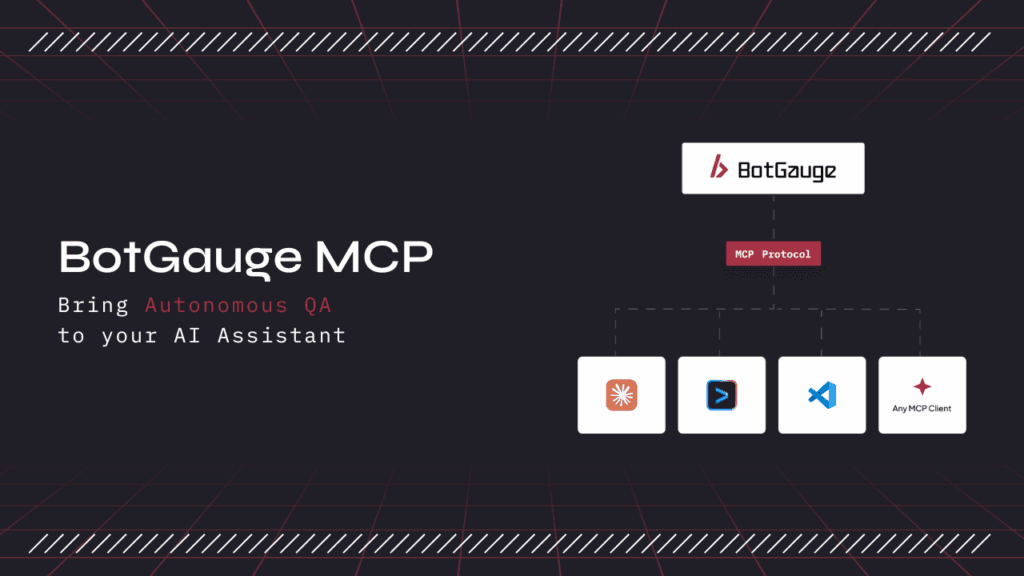\\
\\
Featured\\
\\
**BotGauge MCP: The Complete Guide to MCP Testing for Autonomous QA** \\
\\
BotGauge MCP explained: what it is, how MCP testing works, real QA use cases, security considerations, and how to get started inside Claude, Cursor, or Copilot.\\
\\
\\
\\
Yamini Priya J\\
\\
Jul 15, 2026·8 min read\\
\\
By\\
\\
Yamini Priya J\\
\\
\\
\\
Published on: Jul 15, 2026\\
\\
\\
\\
8 min read](https://www.botgauge.com/blog/mcp-for-autonomous-testing)
[\\
\\
Agentic AI Testing\\
\\
**Best AI Testing Tools in 2026: 12 Platforms Compared and Ranked** \\
\\
12 AI testing tools for 2026, tested and compared honestly, from self-healing depth to real pricing.\\
\\
anay chauhan ·Aug 25, 2026 ·8 min read](https://www.botgauge.com/blog/best-ai-testing-tools-2025) [\\
\\
Agentic AI Testing\\
\\
**Generative AI in Software Testing: A Practical Guide for QA Teams** \\
\\
Most guides on this topic stay at the level of what generative AI could do. This one covers the eight applications teams actually run in production, what the published data says about how often generated tests are wrong, and the twelve-week sequence for deploying it.\\
\\
Aparna Jayan ·Aug 17, 2026 ·8 min read](https://www.botgauge.com/blog/generative-ai-in-software-testing-2) [\\
\\
Managed QA\\
\\
**QA Wolf in 2026: What You Are Actually Buying** \\
\\
QA Wolf sells two products under one name: a self-serve platform with published usage rates, and Coverage as a Service, a fully managed engagement priced on tests under management. They have different scopes, different pricing, and different buyers. Here is what each one is, what QA Wolf can and cannot test, and how long coverage actually takes.\\
\\
Aparna Jayan ·Aug 17, 2026 ·8 min read](https://www.botgauge.com/blog/qa-wolf) [\\
\\
QA Outsourcing\\
\\
**QA Wolf Pricing in 2026: What Each Tier Actually Costs** \\
\\
QA Wolf's self-serve platform has public rates. Its managed service does not. This guide covers both tiers, the third-party data on what managed contracts actually land at, and the five variables that move a quote.\\
\\
Aparna Jayan ·Aug 17, 2026 ·8 min read](https://www.botgauge.com/blog/qa-wolf-pricing) [\\
\\
Managed QA\\
\\
**Quality Assurance Services: 11 Best QA Providers in 2026** \\
\\
Most quality assurance services lists still name companies that no longer exist under that name. This guide covers the four engagement models, the ten questions that separate proposals, and 11 providers.\\
\\
Aparna Jayan ·Aug 17, 2026 ·8 min read](https://www.botgauge.com/blog/quality-assurance-services) [\\
\\
Agentic AI Testing\\
\\
**Top 10 Test Automation Services** \\
\\
Test automation services cover ten distinct categories, from Selenium and API automation to self-healing AI, and most teams only need four to six of them. Here's what each one actually solves, who absorbs the maintenance cost, and the nine questions to ask before you sign.\\
\\
Aparna Jayan ·Aug 17, 2026 ·8 min read](https://www.botgauge.com/blog/test-automation-services) [\\
\\
Software Testing\\
\\
**Top 10 Visual Testing Tools Compared** \\
\\
A single CSS change can shift a button, break a layout, or hide a checkout form, and every functional test still passes because the code technically works. Visual regression testing is the layer that catches it. This guide compares the ten visual testing tools worth evaluating in 2026 on capture, diffing, review workflow, and pricing, with every figure checked against the vendor’s own page rather than copied from last year’s listicles.\\
\\
Aparna Jayan ·Aug 7, 2026 ·8 min read](https://www.botgauge.com/blog/visual-testing-tools-2) [\\
\\
Software Testing\\
\\
**Top 10 Software Testing Services in 2026** \\
\\
Software testing services covers a lot of ground, from a firm that runs manual test cycles for one release to an autonomous system that owns your entire QA function. This guide separates the two things people actually search for: what the services are, meaning the types of testing work you can buy, and who delivers them, meaning the ten providers worth knowing in 2026. It closes with how these services are priced and how to choose, so the list turns into a decision.\\
\\
Aparna Jayan ·Aug 7, 2026 ·8 min read](https://www.botgauge.com/blog/software-testing-services) [\\
\\
AI Software Testing\\
\\
**Top 10 Software Testing Companies in USA** \\
\\
Compare the top 10 software testing companies in the USA for 2026: models, specialties, and how to pick the right QA partner for your team.\\
\\
Aparna Jayan ·Aug 6, 2026 ·8 min read](https://www.botgauge.com/blog/software-testing-companies)
Autonomous Testing for Modern Engineering Teams
[Book a Demo](https://calendly.com/botgauge/30min)
## Top TestRigor Alternatives
# 10 Best TestRigor Alternatives in 2026
Compare the 10 best TestRigor alternatives in 2026, from managed AI QA services to codeless platforms, with real pricing, features, and use cases.
Jul 2, 20268 min read
Try for Free [Book a Demo](https://calendly.com/botgauge/30min)
TABLE OF CONTENT
[What Is TestRigor?](https://www.botgauge.com/blog/testrigor-alternatives#heading1) [Why Do Teams Look for an Alternative?](https://www.botgauge.com/blog/testrigor-alternatives#heading2) [Top 10 TestRigor Alternatives](https://www.botgauge.com/blog/testrigor-alternatives#heading3) [1\. BotGauge](https://www.botgauge.com/blog/testrigor-alternatives#heading4) [2\. Testsigma](https://www.botgauge.com/blog/testrigor-alternatives#heading5) [3\. ACCELQ](https://www.botgauge.com/blog/testrigor-alternatives#heading6) [4\. Katalon](https://www.botgauge.com/blog/testrigor-alternatives#heading7) [5\. mabl](https://www.botgauge.com/blog/testrigor-alternatives#heading8) [6\. Functionize](https://www.botgauge.com/blog/testrigor-alternatives#heading9) [7\. Testim](https://www.botgauge.com/blog/testrigor-alternatives#heading10) [8\. Leapwork](https://www.botgauge.com/blog/testrigor-alternatives#heading11) [9\. Reflect](https://www.botgauge.com/blog/testrigor-alternatives#heading12) [10\. BugBug](https://www.botgauge.com/blog/testrigor-alternatives#heading13) [Comparing the Top 5 TestRigor Alternatives](https://www.botgauge.com/blog/testrigor-alternatives#heading14) [Checklist Before Switching From TestRigor](https://www.botgauge.com/blog/testrigor-alternatives#heading15) [Choosing the Right TestRigor Alternative](https://www.botgauge.com/blog/testrigor-alternatives#heading16) [Why We Think BotGauge Stands Out](https://www.botgauge.com/blog/testrigor-alternatives#heading17) [Conclusion](https://www.botgauge.com/blog/testrigor-alternatives#heading18) [Frequently Asked Questions](https://www.botgauge.com/blog/testrigor-alternatives#heading19)
Start your AI testing pilotGenerate, run, and maintain tests across your CI/CD workflow with less manual effortTry for Free
SHARE THIS ARTICLE
[LinkedIn](https://www.linkedin.com/sharing/share-offsite/?url=https%3A%2F%2Fwww.botgauge.com%2Fblog%2Ftestrigor-alternatives)[Twitter](https://twitter.com/intent/tweet?url=https%3A%2F%2Fwww.botgauge.com%2Fblog%2Ftestrigor-alternatives)
[Home](https://www.botgauge.com/) [Blog](https://www.botgauge.com/blog) [testrigor-alternatives](https://www.botgauge.com/blog/testrigor-alternatives#)
TestRigor made a name for itself by letting teams write tests in plain English instead of code. That approach works well for a specific kind of team, but it isn’t the right fit for everyone. As more organizations bring generative AI into their QA process, the list of credible TestRigor alternatives has grown considerably. Below are the ten best, evaluated on what they actually do rather than what their marketing pages claim.
## What Is TestRigor?
[TestRigor](https://testrigor.com/) is a generative AI test automation platform that lets teams create tests by writing plain-English instructions instead of code. You describe what a user should do, for example “click Add to Cart, then complete checkout with a test card,” and TestRigor interprets that instruction and runs it against your application.
TestRigor supports web, mobile (native and hybrid iOS and Android), desktop, API, mainframe, and database testing. Its defining feature is that it doesn’t rely on element locators like XPath or CSS. Instead, you refer to elements the way a user sees them on screen, which keeps tests stable when the underlying HTML changes. It also offers self-healing, parallel execution across browser and OS combinations, and integrations with tools like Jira, Jenkins, GitHub Actions, Azure DevOps, and BrowserStack.
In short, TestRigor is a capable, AI-first tool built for letting non-technical testers automate complex flows quickly.
## Why Do Teams Look for an Alternative?
TestRigor does plain-English automation well, but teams searching for alternatives tend to hit the same few walls.
**Natural-language ambiguity.** Plain English is interpreted, not executed literally. If a page has two “Submit” buttons, “click Submit” can mean one thing to you and another to the parser. That interpretation gap is where unexpected behavior creeps in.
**Harder debugging.** When a plain-English test fails, you’re tracing why an instruction was interpreted a certain way, not inspecting a recorded action. That takes longer than debugging an explicit, recorded step.
**Limited evaluation options before buying.** TestRigor is a paid platform without a public free plan for private projects, which makes it harder to test fit before committing budget. Several reviews note pricing gets steep for smaller teams.
**Smaller ecosystem.** Fewer integrations and less community documentation than more established frameworks, and no local execution option for some development workflows.
## Top 10 TestRigor Alternatives
These are ordered to start with the most hands-off, fully managed model and move through codeless platforms to developer-friendly options.
### 1\. [BotGauge](https://www.botgauge.com/)
BotGauge is a managed autonomous QA service built for engineering teams that ship fast. Instead of handing you another tool to operate yourself, BotGauge pairs AI agents with a dedicated team of QA specialists who generate, run, and maintain test coverage across your product.
Where TestRigor still requires your team to write and own every plain-English test, BotGauge’s agents study your application, map your user flows, and build the tests for you, then keep them updated as the product changes.
**Key features:**
- Test generation from PRDs, UX flows, screenshots, and demo videos
- Natural-language test authoring with no coding required
- Self-healing tests that adapt to layout and workflow changes
- Coverage across UI, functional, API, integration, and end-to-end testing
- Human QA specialists who review and validate generated tests
- SOC 2 Type II compliance and native CI/CD integration
**Pricing:** Outcome-based. You pay per automated test case delivered rather than per seat or license, with a 30-day pilot available to validate fit before committing.
**Best for:** Teams that want to treat QA as a managed, outcome-driven function rather than another tool to configure and maintain.
BotGauge’s leadership has also written on this exact problem for industry outlets. In a piece for [StickyMinds](https://www.stickyminds.com/article/ai-wrote-code-now-it-broke-whos-responsible), co-founder [Pramin Pradeep](https://www.linkedin.com/in/pramin-pradeep-02b294215/) argues that AI-generated “shadow code” breaks traditional review processes and that QA needs to shift toward continuous, behavior-level validation rather than one-time test gates, a big part of the thinking behind how BotGauge is built. The company has also been covered in outlets including HackerNoon, Authority Magazine, and The AI Journal, and closed a [$2 million funding round led by Surface Ventures](https://b2b.economictimes.indiatimes.com/news/entrepreneur/software-testing-firm-botgauge-ai-raises-2-million-led-by-surface-ventures/128165770).
### 2\. [Testsigma](https://testsigma.com/)
Testsigma is a codeless, generative AI platform that lets teams write tests in plain English using a natural language approach, across web, mobile, desktop, API, and Salesforce.
It pairs that with AI features that generate tests from user stories, Figma files, or screenshots, plus self-healing, built-in visual testing, and a device lab covering a wide range of browsers and real devices. It’s used by a number of large enterprise teams and has earned recognition from industry analysts.
**Limitations:** Pricing is quote-based and not published, which makes quick comparison harder. Some users report that large-suite execution speed and error debugging could be more intuitive.
**Pricing:** Pro and Enterprise tiers are quote-based.
**Best for:** Teams that want codeless, plain-English authoring across web, mobile, and API in a single platform.
### 3\. [ACCELQ](https://www.accelq.com/)
ACCELQ is an AI-native, fully codeless platform that covers all five application layers, web, API, mobile, desktop, and mainframe, in one connected flow without scripting at any layer. It has been recognized in independent analyst evaluations of the autonomous testing category and carries strong user ratings on review platforms like G2.
Its AI layer, branded Autopilot, analyzes your application and generates end-to-end test scenarios without manual test design, while self-healing adapts tests automatically when controls change. Built-in test management, version control, and Jira traceability mean you aren’t stitching together separate tools.
**Limitations:** Its enterprise depth exceeds what small or web-only teams need, the visual modeling approach takes adjustment for script-first teams, and there’s no self-serve public pricing tier for individual evaluation.
**Pricing:** Custom and quote-based, provided on request.
**Best for:** Enterprise QA teams that need full-stack, codeless coverage including packaged and legacy applications.
### 4\. [Katalon](https://katalon.com/)
Katalon takes a different angle from most tools on this list: it offers both a low-code recorder and a full-code IDE (Groovy, Java, JavaScript), so teams of mixed skill can work in one tool. It covers web, mobile, API, and desktop, and adds AI features, self-healing, test management, and analytics dashboards.
That flexibility is its strength. Non-technical testers can record flows while engineers extend them in code, which makes it a common first step into automation for growing teams.
**Limitations:** The free tier is limited, and advanced features require a paid license. Teams with simple needs may find the full platform heavier than necessary.
**Pricing:** A free Katalon Studio tier is available. Paid Premium and Ultimate tiers are licensed per user and quote-based for larger teams.
**Best for:** Mixed-skill teams that want both codeless and scripted workflows in one platform.
### 5\. [mabl](https://www.mabl.com/)
mabl is an AI-powered, DevOps-native platform that embeds testing directly into CI/CD pipelines. It features auto-healing tests, failure analysis, and low-code creation, alongside built-in visual testing and performance monitoring.
It’s a strong fit for teams that want testing to run automatically on every deploy with minimal manual upkeep.
**Limitations:** mabl is primarily suited to web applications, complex suites can hit scalability limits, and costs can rise substantially at enterprise scale.
**Pricing:** Quote-based. Confirm current tiers directly with mabl, since pricing has shifted over time.
**Best for:** DevOps-focused teams that want AI-powered, auto-healing end-to-end testing built into the pipeline. If you’re weighing this option specifically, see our dedicated guide to the [best mabl alternatives](https://www.botgauge.com/blog/mabl-alternatives).
### 6\. [Functionize](https://www.functionize.com/)
Functionize is an enterprise-grade platform built around machine-learning-based element recognition. It generates tests from user behavior, supports natural-language authoring, and adds self-healing and root-cause analysis, with a clear focus on cutting the maintenance cost of large suites.
For organizations where test maintenance is the single biggest cost of automation, its approach can deliver meaningful savings over time.
**Limitations:** Pricing puts it out of reach for many smaller teams, and onboarding is more involved than lighter-weight platforms.
**Pricing:** Enterprise and quote-based, positioned at the higher end of the market.
**Best for:** Enterprises where reducing maintenance overhead at scale is the primary goal.
### 7\. [Testim](https://www.testim.io/)
Testim, now part of Tricentis, is an AI-driven platform that supports both codeless and code-based authoring. Its AI-assisted locators are designed to keep tests stable as the UI changes, and it allows custom JavaScript for complex steps, which has made it popular for fast test creation through its Chrome extension.
**Limitations:** It works primarily in Chrome, its abstraction can limit teams with heavy customization needs, and it’s a paid SaaS platform.
**Pricing:** Custom, available on request, with a free trial.
**Best for:** Teams that want AI-assisted test stability and rapid Chrome-based test creation. If Testim itself is your current tool, we cover replacements in detail in our guide to the [top Testim alternatives](https://www.botgauge.com/blog/testim-alternatives).
### 8\. [Leapwork](https://www.leapwork.com/)
Leapwork is a no-code, visual platform built for large enterprises. Instead of plain English, testers build automation as drag-and-drop flowcharts using reusable building blocks, which suits business analysts and QA teams with limited coding experience. It covers web, desktop, mainframe, and mobile, and is particularly strong for enterprise applications like Dynamics 365 and SAP.
It adds AI-assisted test data generation and visual validation, reusable subflows, video-based reporting, and both cloud and on-premises deployment.
**Limitations:** It’s a premium, enterprise-priced platform that reviewers frequently note is out of budget for smaller teams. Mobile testing is considered less mature than its web automation, and advanced setup often needs professional services.
**Pricing:** Quote-based, available on request.
**Best for:** Large, often regulated enterprises automating business-critical workflows with non-technical contributors.
### 9\. [Reflect](https://reflect.run/)
Reflect is a cloud-based, no-code platform that records complex interactions, including drag-and-drop, file uploads, and Shadow DOM, then lets you edit steps in plain English. It offers visual regression snapshots and native mobile support through Reflect Mobile.
Users report creating tests faster and spending less time on flaky-test maintenance, which makes it appealing for frontend-heavy teams.
**Limitations:** It’s focused on web and mobile rather than the full enterprise stack, and its ecosystem is smaller than long-established tools.
**Pricing:** Paid plans, with a free trial available.
**Best for:** Frontend-focused teams that want fast, no-code end-to-end testing with built-in visual regression.
### 10\. [BugBug](https://bugbug.io/)
BugBug is a codeless, record-based tool focused on simplicity and deterministic execution for web testing. Anyone who can use a browser can record a test, and every step is explicit, which is the practical opposite of interpreting plain English. Its “Edit & Rewind” feature lets you jump to a failing step and fix it directly.
Its biggest draw against TestRigor is evaluation cost. BugBug offers a genuinely usable free plan with unlimited local runs, so small teams can build real regression coverage before paying anything.
**Limitations:** It’s web-focused and intentionally simpler, so it doesn’t cover the full enterprise application stack.
**Pricing:** Generous free plan, with affordable paid tiers for cloud features.
**Best for:** Small teams that want free, simple, deterministic codeless web testing.
## **Comparing the Top 5 TestRigor Alternatives**
Here is a side-by-side TestRigor alternatives comparison of pricing and core capabilities to evaluate the leading options at a glance.
| | | | | | |
| --- | --- | --- | --- | --- | --- |
| **Tool** | **Authoring approach** | **Coverage** | **Self-healing** | **Free option** | **Pricing model** |
| **BotGauge** | Managed AI agents + human review, NLP | UI, functional, API, integration, E2E | Yes | 30-day pilot | Outcome-based (per test case) |
| **Testsigma** | Codeless, plain English (NLP) | Web, mobile, desktop, API, Salesforce | Yes | No | Quote-based |
| **ACCELQ** | Codeless, AI-driven (Autopilot) | Web, API, mobile, desktop, mainframe | Yes | No (trial via sales) | Custom, quote-based |
| **Katalon** | Low-code + full code | Web, mobile, API, desktop | Yes | Free Studio tier | Free + per-user paid |
| **mabl** | Low-code, DevOps-native | Web (plus API, mobile web) | Yes | Trial | Quote-based |
Pricing and capabilities reflect publicly available information as of mid-2026 and should be confirmed with each vendor before purchase, since terms change frequently.
Want to see how an autonomous model compares on your own workflows?
[Book a demo](https://calendly.com/botgauge/30min)
## Checklist Before Switching From TestRigor
Switching tools has a real cost, so weigh the move against these questions before you commit.
**Does it remove maintenance, or just shift it?** The goal is fewer broken tests after every release, through genuine self-healing or a managed model, not a different syntax to fix by hand.
**Can it cover your whole stack?** Map your actual needs across web, mobile, API, desktop, and any packaged apps, and confirm the tool covers them without bolting on extra tools.
**Who owns tests day to day?** If only engineers can author or maintain tests, coverage will always lag your release velocity. Decide whether you need a tool, a codeless platform, or a managed service.
**Can you evaluate it before paying?** Confirm there’s a free tier, trial, or pilot so you can validate fit on your real application first.
**How does it debug failures?** Look for explicit, traceable failure analysis with logs, screenshots, or video, so a failed run is reproducible in minutes.
**What’s the true cost of ownership?** Account for execution infrastructure, parallelization, and the engineering hours spent maintaining tests, not just the sticker price.
## Choosing the Right TestRigor Alternative
There’s no single best tool, only the best fit for your team’s stack, skills, and operating model. Use these profiles as a shortcut.
- **Want QA off your plate entirely:** a managed, outcome-driven model like BotGauge, where AI agents and human specialists own creation, execution, and maintenance.
- **Want codeless plain-English authoring in-house:** Testsigma is the closest match to TestRigor’s approach across web, mobile, and API.
- **Enterprise needing full-stack and packaged-app coverage:** ACCELQ or Leapwork.
- **Mixed-skill team wanting codeless plus scripted:** Katalon.
- **Want AI testing built into CI/CD:** mabl.
- **Small team validating fit on a budget:** BugBug or Reflect.
The deeper decision here is about operating model, not features. Tools and codeless platforms still leave creation and maintenance with your team. A managed model removes more of that work, which is increasingly why teams move on from script-based and plain-English tools alike. If you’re evaluating other parts of the market in parallel, our guides to [Playwright alternatives](https://www.botgauge.com/blog/playwright-alternatives) and the [best website testing tools](https://www.botgauge.com/blog/website-testing-tools) apply the same lens to code frameworks and broader tooling.
## Why We Think BotGauge Stands Out
Most TestRigor alternatives swap one authoring method for another and still leave your team to build, run, and maintain everything. BotGauge takes a different approach: it hands off more of the day-to-day testing lifecycle to a combination of AI agents and human QA specialists.
- **Managed QA workflow.** AI agents generate, execute, and help maintain tests on an ongoing basis, reducing the tooling your team has to run directly.
- **Self-healing as a default.** Tests are built to adapt to layout and workflow changes, so routine UI updates don’t automatically mean broken tests.
- **AI plus human review.** Generated tests are checked by QA specialists against your actual requirements, rather than relying on AI output alone.
- **SOC 2 Type II compliance** for teams in regulated or security-conscious environments.
- **Outcome-based pricing**, so cost is tied to test cases delivered rather than seats or compute.
Where TestRigor asks your team to write and maintain plain-English tests, BotGauge is built to take on more of that ongoing work, with a 30-day pilot available if you want to see it against your own application first.
Ready to stop managing tests and start owning outcomes?
[Book a live demo](https://calendly.com/botgauge/30min)
## **Conclusion**
The best TestRigor alternative isn’t the one with the longest feature list. It’s the one that matches how much of the testing work your team actually wants to keep doing.
That’s the real divide running through all ten tools here. Frameworks and codeless platforms change how tests get written, but the building, debugging, and ongoing maintenance largely stay with your team. A managed model like BotGauge takes on more of that work directly. TestRigor sits somewhere in between: easier authoring than code, but still a tool your team owns and operates day to day.
So the question worth answering before you switch isn’t “which tool is best,” but “how much of QA do we want to own?” Once you’re honest about that, the right choice on this list gets a lot clearer.
## Frequently Asked Questions
Why should QA leaders switch from TestRigor to BotGauge?
Because it changes the operating model, not just the tool. TestRigor still requires your team to author and maintain every plain-English test. BotGauge is a managed, autonomous solution: AI agents and QA experts generate, run, and self-heal tests for you, targeting 80% coverage in two weeks with no scripting and no maintenance backlog. For leaders measured on release speed and QA cost, that shifts QA from a bottleneck to a delivered outcome.
Is TestRigor better than Selenium?
They solve different problems. TestRigor is a codeless, AI platform for creating tests in plain English with low maintenance, accessible to non-technical testers. Selenium is a free, open-source code framework that offers maximum flexibility and the widest language and browser support, but requires engineering skill and ongoing maintenance. TestRigor is usually faster for non-developers; Selenium gives technical teams more control. “Better” depends on your team’s skills and whether you want to write code.
What is the difference between Testim and TestRigor?
Both are AI-driven, but they author tests differently. TestRigor uses plain-English, generative-AI commands across web, mobile, desktop, and API. Testim, now owned by Tricentis, centres on AI “smart locators” with a record-and-edit approach and optional JavaScript, and works primarily in Chrome. TestRigor leans more toward fully non-technical authoring; Testim sits closer to a developer-friendly, recorder-based workflow.
What are the limitations of TestRigor?
The most cited limitations are natural-language ambiguity (instructions are interpreted, not executed literally), harder step-level debugging since you are diagnosing an interpretation rather than a recorded action, no public free tier for private use, no local execution, a smaller ecosystem and fewer integrations than tools like Cypress or Playwright, and limited built-in test management.
Is TestRigor a free tool?
Not for private or commercial use. TestRigor is a paid platform; while a free public option and a trial exist, private and enterprise use is custom-priced and requires contacting sales. Teams that want to evaluate a tool free before paying often start with options like BugBug, which offers a usable free plan.

About the Author
##### Aparna Jayan
An SEO and growth strategist with over four years of experience in SaaS content. With hands-on experience creating in-depth, user-focused content for QA testing, AI testing tools, and automation technologies, I'm passionate about simplifying complex technical topics and making them accessible to everyone
Autonomous Testing for Modern Engineering Teams
[Book a Demo](https://calendly.com/botgauge/30min)
## Best AI Testing Tools
AI in software testingAI Software Testing ToolsAI test automationAI testing for web appsautonomous QAhow to choose AI testing tools
# Best AI Testing Tools in 2026: 12 Platforms Compared and Ranked
12 AI testing tools for 2026, tested and compared honestly, from self-healing depth to real pricing.
Aug 25, 20268 min read
Try for Free [Book a Demo](https://calendly.com/botgauge/30min)
TABLE OF CONTENT
[Why AI Testing Tools Matter More in 2026 Than They Did a Year Ago](https://www.botgauge.com/blog/best-ai-testing-tools-2025#heading1) [How We Got Here: A Short History of Test Automation](https://www.botgauge.com/blog/best-ai-testing-tools-2025#heading2) [How We Evaluated These Tools](https://www.botgauge.com/blog/best-ai-testing-tools-2025#heading3) [The 12 Best AI Testing Tools in 2026](https://www.botgauge.com/blog/best-ai-testing-tools-2025#heading4) [1\. Katalon](https://www.botgauge.com/blog/best-ai-testing-tools-2025#heading5) [2\. Applitools](https://www.botgauge.com/blog/best-ai-testing-tools-2025#heading6) [3\. mabl](https://www.botgauge.com/blog/best-ai-testing-tools-2025#heading7) [4\. ACCELQ](https://www.botgauge.com/blog/best-ai-testing-tools-2025#heading8) [5\. testRigor](https://www.botgauge.com/blog/best-ai-testing-tools-2025#heading9) [6\. QA Wolf](https://www.botgauge.com/blog/best-ai-testing-tools-2025#heading10) [7\. LambdaTest (TestMu AI / KaneAI)](https://www.botgauge.com/blog/best-ai-testing-tools-2025#heading11) [8\. Functionize](https://www.botgauge.com/blog/best-ai-testing-tools-2025#heading12) [9\. BrowserStack (Automate and Percy)](https://www.botgauge.com/blog/best-ai-testing-tools-2025#heading13) [10\. Playwright and Selenium with AI Copilots](https://www.botgauge.com/blog/best-ai-testing-tools-2025#heading14) [11\. Tricentis Tosca (with Testim)](https://www.botgauge.com/blog/best-ai-testing-tools-2025#heading15) [12\. BotGauge](https://www.botgauge.com/blog/best-ai-testing-tools-2025#heading16) [AI Testing Tools Comparison Table](https://www.botgauge.com/blog/best-ai-testing-tools-2025#heading17) [How to Actually Choose Between Them](https://www.botgauge.com/blog/best-ai-testing-tools-2025#heading18) [Is AI Testing Actually Worth the Hype in 2026?](https://www.botgauge.com/blog/best-ai-testing-tools-2025#heading19) [The Bottom Line](https://www.botgauge.com/blog/best-ai-testing-tools-2025#heading20) [FAQ's](https://www.botgauge.com/blog/best-ai-testing-tools-2025#heading21)
Start your AI testing pilotGenerate, run, and maintain tests across your CI/CD workflow with less manual effortTry for Free
SHARE THIS ARTICLE
[LinkedIn](https://www.linkedin.com/sharing/share-offsite/?url=https%3A%2F%2Fwww.botgauge.com%2Fblog%2Fbest-ai-testing-tools-2025)[Twitter](https://twitter.com/intent/tweet?url=https%3A%2F%2Fwww.botgauge.com%2Fblog%2Fbest-ai-testing-tools-2025)
[Home](https://www.botgauge.com/) [Blog](https://www.botgauge.com/blog) [best-ai-testing-tools-2025](https://www.botgauge.com/blog/best-ai-testing-tools-2025#)
Best AI testing tools in 2026 fall into a few clear categories: agentic test agents that plan and execute on their own, self-healing automation platforms that repair broken scripts, visual AI tools that catch pixel-level regressions, and managed QA services that own testing outcomes end to end. This guide compares 12 of them side by side, based on what each one actually does well, where it struggles, and who should pick it.
If you’ve spent any time in a QA Slack channel this year, you’ve seen the same debate on repeat: is AI testing finally good enough to trust, or is it still mostly marketing wrapped around Selenium? The honest answer is both, depending on which tool you’re looking at. Some platforms genuinely changed how their teams ship software. Others are the same record-and-playback tools from five years ago with an AI label stapled on top.
This guide is built from public documentation, vendor comparisons, industry reports, and hands-on usage patterns reported across the QA community. We’re not going to pretend every tool here is equally good. We’re going to tell you what each one is actually for, so you stop wasting a quarter on a proof of concept that was never going to fit your stack.
## Why AI Testing Tools Matter More in 2026 Than They Did a Year Ago
Something shifted in the last eighteen months, and it isn’t subtle. According to the World Quality Report 2025-26, published by Capgemini, Sogeti, and OpenText, 43% of organizations are now experimenting with generative AI in quality engineering, though only 15% have scaled it enterprise-wide. That gap between experimentation and real deployment is the story of the entire AI testing tools market right now: everyone is trying something, and most teams haven’t figured out what actually sticks.
Part of the pressure comes from the other side of the pipeline. Engineering teams are shipping AI-assisted and AI-generated code faster than most QA processes were ever built to handle. Test maintenance already consumed a large share of QA time before this shift. Across several editions of the World Quality Report, test maintenance and updates have consistently ranked among the top three operational burdens QA teams report, often eating between a quarter and half of the total testing budget in teams running mature automation suites. When code changes faster, that maintenance tax gets worse, not better, unless the testing layer can adapt on its own.
That’s the actual promise behind “AI testing tools” as a category, not flashy demos, but fewer 2 a.m. Slack pings about a broken locator. The tools that deliver on that promise in 2026 tend to share three traits: they generate tests from something other than a rigid script (a user story, a PRD, a recorded session, or plain English), they detect and repair breakage without a human rewriting selectors, and they give you evidence, not just a pass or fail, when something goes wrong.
Katalon’s 2025 State of Software Quality Report found that 72% of QA teams are now actively using AI for test generation or script optimization in some form. That’s a real adoption curve, not hype. But adoption and satisfaction aren’t the same thing, which is exactly why picking the right tool for your specific pain point matters more than picking the most talked-about one.
## How We Got Here: A Short History of Test Automation
Understanding why 2026’s tools look the way they do requires a quick look at where test automation started, because the AI testing tools market didn’t appear out of nowhere. It’s the third real shift in how teams have approached automated testing over the last two decades, and each shift solved the previous era’s biggest complaint while introducing a new one.
**The scripted era (roughly 2000 to 2015).** Selenium became the default choice for browser automation, and for a long time that was genuinely a huge improvement over manual regression testing. Teams could write a script once and run it thousands of times. The problem, which anyone who lived through this era remembers vividly, was fragility. A single ID change on a button could break dozens of tests, and someone had to manually track down every broken locator and fix it by hand. Test suites grew large, then grew brittle, then quietly stopped being trusted because half the failures were locator issues, not real bugs.
**The record-and-playback and low-code era (roughly 2012 to 2020).** Tools like the early versions of Testim, TestComplete, and Katalon tried to solve the fragility problem by letting non-engineers record a test by clicking through the application, then replaying that recording later. This lowered the barrier to entry significantly and let manual testers contribute automated coverage without learning to code. It didn’t solve the underlying fragility problem though. Recorded tests were still tied to specific element locators, and a UI redesign still meant re-recording large chunks of a suite.
**The AI-assisted era (roughly 2018 to 2023).** This is when [self-healing test automation](https://www.botgauge.com/blog/self-healing-test-automation) started appearing in commercial platforms. Instead of a test failing outright when a button’s ID changed, the platform’s AI would recognize the button by its visual position, its text, or its relationship to nearby elements, and update the locator automatically. This was the first genuine reduction in the maintenance tax that had plagued automation for two decades. [Visual AI testing tools](https://www.botgauge.com/blog/visual-testing-tools-2) like Applitools also matured in this window, catching an entirely different category of bug that functional assertions were never designed to catch.
**The agentic era (2023 to present).** Large language models changed what was possible in a way that’s easy to undersell if you weren’t paying attention. Instead of a tool that assists a human who is still directing every step, [agentic AI testing](https://www.botgauge.com/blog/agentic-ai-testing) platforms can read a requirements document, a user story, or a plain description of a workflow, and independently plan out a sequence of actions to validate it, execute those actions, observe what happened, and decide what to do next, closer to how an actual human tester explores an unfamiliar application than to a fixed script. QA Wolf, Katalon’s True Platform, and BotGauge’s approach all represent different implementations of this same underlying shift, though it’s worth understanding [how agentic AI testing actually differs from generative AI](https://www.botgauge.com/blog/agentic-ai-vs-generative-ai) before assuming every “AI-powered” platform works the same way under the hood.
Each era didn’t fully replace the previous one, and that’s an important nuance most listicles skip. Plenty of successful teams in 2026 are still running Selenium scripts for their most stable, rarely-changing flows, layering self-healing tools on top of their higher-churn areas, and experimenting with agentic generation for brand-new features where no test coverage exists yet. The tools on this list mostly aren’t mutually exclusive. They’re building blocks that solve different parts of the same underlying problem.
## How We Evaluated These Tools
Before the list, a quick note on method, because “best AI testing tools” lists are usually just vendor marketing pages with a different logo on top. We looked at five things for each platform:
**Test generation approach.** Does it generate tests from plain English, from a recorded session, from a spec document, or does it require you to write code first and layer AI on top afterward?
**Maintenance model.** When the UI changes, does the tool detect and fix it automatically, flag it for a human, or just fail silently until someone notices in production?
**Coverage layers.** Web only, or does it also handle mobile, API, and visual regression without bolting on a second tool?
**Integration depth.** Does it slot into an existing CI/CD pipeline and existing frameworks like Playwright or Selenium, or does it want you to rip out what you already have?
**Who it’s actually built for.** A tool built for enterprise QA teams with dedicated automation engineers solves a different problem than one built for a five-person startup with no QA hire at all.
None of these tools score a perfect 10 across all five. That’s fine. The right tool is the one that matches your actual constraints, not the one with the most features on a comparison page.
## The 12 Best AI Testing Tools in 2026
### 1\. Katalon
Katalon has spent the last few years quietly turning itself into a full platform rather than a single tool, and 2026 is the year that bet paid off. In April, Katalon launched True Platform, which wraps its AI agents in audit trails, traceability, and human approval gates, essentially building a trust layer on top of agentic testing rather than just shipping an autonomous agent and hoping enterprises trust it blindly.
That governance layer is the real differentiator here. A lot of AI testing platforms ask you to trust an agent’s judgment. Katalon’s newer offering is built for QA leads who need to show an auditor exactly what the AI decided and why, which matters enormously in regulated industries like finance and healthcare.
Katalon covers [web, mobile, API, and desktop testing](https://www.botgauge.com/blog/understanding-types-software-testing) from one platform, and its no-code recorder still works for teams that aren’t ready to hand full autonomy to an AI agent. The tradeoff is pricing. True Platform pricing sits well above what a small team would pay for a point solution, and there’s no meaningful free tier beyond a 30-day trial of the desktop IDE.
**Best for:** Enterprise QA teams in regulated industries that need AI-driven testing with an audit trail, not just AI-driven testing.
**In practice:** picture a QA lead at a mid-size fintech company who needs to show a compliance auditor exactly why a specific test passed a payment flow, including what the AI agent decided to check and why it decided the result was acceptable. Most agentic platforms give you a pass or fail and a screenshot. True Platform gives you the decision trail behind that pass or fail, which is the difference between a tool an auditor tolerates and a tool an auditor actually trusts. That said, teams outside regulated industries sometimes find the governance layer adds process overhead they don’t need, which is worth weighing honestly before committing budget to the top tier.
Katalon’s pricing structure also deserves a closer look before you commit. True Platform sits at roughly $70 per seat per month on the standard tier, with True Automation running around $200 per seat per month for teams that need deeper automation capability layered in. Katalon Studio Enterprise starts near $229 per seat per month, with volume pricing kicking in past the first few seats. None of this includes a meaningful free tier beyond the 30-day trial window on the desktop IDE, so teams evaluating Katalon should budget for a real trial period with actual test suites, not just a sales demo.
### 2\. Applitools
Applitools solved a problem that most functional testing tools still can’t touch: catching the bugs that aren’t logic errors, they’re visual ones. A button that technically works but renders three pixels off, a layout that breaks on one specific viewport, a font that silently reverted to a fallback. Functional tests pass right through all of that. Applitools’ Eyes technology doesn’t.
The visual AI comparison engine looks at your application the way a person would, tolerant of anti-aliasing differences and minor rendering noise across browsers, but precise enough to flag a genuine layout shift. Teams running design-heavy applications report catching a meaningfully higher share of bugs with visual AI layered on top of functional testing than with functional tests alone.
Applitools isn’t a full test automation replacement. It’s a specialist tool that plugs into your existing framework, whether that’s Selenium, Playwright, Cypress, or one of the platforms further down this list. If you already have solid functional coverage and keep shipping visual regressions anyway, this is the tool that closes that specific gap.
**Best for:** Design-heavy applications where visual regressions slip through functional test suites.
**In practice:** the classic scenario here is a design system update that technically works everywhere but breaks spacing on one specific card component at one specific breakpoint. A functional suite checks that the card renders and the button click fires the right event. It has no concept of “this looks eight pixels off from where it should be.” Applitools catches exactly that category of bug, and teams running e-commerce or content-heavy applications, where a subtle layout break can directly cost conversions, tend to see the fastest payback from adding it.
Worth noting: Applitools isn’t the only visual AI tool on the market in 2026, and BrowserStack’s Percy (covered further down this list) competes directly in the same space with a different underlying comparison technology, and both need to be validated across a real [cross-browser testing](https://www.botgauge.com/blog/cross-browser-testing-complete-guide) matrix rather than a single browser to be trustworthy. The two aren’t identical. Percy tends to be favored by teams already standardized on BrowserStack’s execution infrastructure, while Applitools is often chosen as a standalone specialist layered on top of whatever execution and functional testing stack a team already runs. Neither is objectively better across the board; the right choice depends on what you’re already using.
### 3\. mabl
mabl built its reputation on low-code authoring that doesn’t feel like a compromise, and its auto-healing has matured into one of the more reliable implementations on the market. Where mabl earns its spot on this list in 2026 specifically is its Agentic Tester capability, which moved the platform from “AI-assisted” toward genuinely autonomous test creation and maintenance for web applications.
The authoring experience is where mabl still wins over more code-heavy alternatives. Teams without dedicated automation engineers can get a functioning, resilient test suite running without writing scripts, and the platform’s CI/CD integrations are mature enough that most teams don’t hit friction connecting it to an existing pipeline.
The limitation is scope. mabl is strongest on web, and while it has expanded API testing capability, it isn’t the tool you reach for if mobile and desktop coverage matter as much as web.
**Best for:** Web-focused teams that want mature auto-healing without a steep learning curve.
**In practice:** a common mabl adoption story looks like a mid-market SaaS company with two or three QA generalists and no dedicated automation engineer. They need reliable regression coverage on their core web app, but nobody on the team has the bandwidth to learn Playwright or maintain a custom framework. mabl’s low-code authoring gets them from zero to a working, self-healing suite in days rather than months, and the Agentic Tester capability means new coverage can be added by describing a workflow rather than recording every click manually. The honest limitation shows up when that same team’s product expands into a native mobile app; at that point they’re usually looking at a second tool alongside mabl rather than expecting one platform to cover both surfaces equally well.
### 4\. ACCELQ
ACCELQ takes a different angle than most tools on this list: instead of generating tests from a recorded session or plain English description, its Autopilot AI reads requirements directly and generates test flows from them. When a requirement changes, ACCELQ identifies exactly which tests are affected and updates them, which is a genuinely useful capability for large organizations where test documentation constantly drifts out of sync with what the product actually does.
The platform is codeless, with a visual, flowchart-style approach to test design that fits well for teams validating complex business processes rather than pure UI interactions. It covers web, mobile, API, and desktop, and its self-healing keeps suites stable as the underlying application evolves.
The honest tradeoff: running extensive suites in parallel gets infrastructure-heavy at scale, so the cost of running ACCELQ well can climb faster than expected for teams with large regression suites.
**Best for:** Enterprise QA teams that need governed, codeless automation tightly coupled to business-process validation.
### 5\. testRigor
testRigor’s whole premise is deceptively simple: write tests in plain English, the kind a product manager or manual tester could write without ever seeing a line of code, and let the platform translate that into an executable test. If you’re evaluating [testRigor against other AI testing platforms](https://www.botgauge.com/blog/testrigor-alternatives), the honest comparison point is how much of your team’s testing knowledge lives in people’s heads versus written specs, since that determines how much the plain-English approach actually saves you. For organizations trying to move from manual testing to automation without hiring a team of automation engineers, this closes a real gap.
The plain-English approach isn’t a gimmick here. It genuinely lowers the barrier for non-technical team members to contribute test coverage, and testRigor supports a wide range of application types beyond standard web UIs.
Where it’s weaker is on the deep technical end. Teams that already have strong automation engineering skills and want fine-grained programmatic control sometimes find the plain-English constraint limiting rather than liberating.
**Best for:** Organizations moving from manual testing to automation without an established automation engineering team.
### 6\. QA Wolf
QA Wolf takes a fundamentally different approach from every other tool on this list: it’s not a tool you configure, it’s a service that owns your end-to-end test coverage outcome. The platform’s AI autonomously maps, writes, and runs flake-free end-to-end tests for web and mobile applications, with full parallel execution designed to eliminate the flaky-test problem that quietly erodes trust in most automated suites.
What makes QA Wolf distinct from a typical managed service is how much of the actual test creation is AI-driven rather than a human contractor writing scripts behind the scenes. The AI explores the application, documents workflows, and fills gaps with input from your team, then production-grade code gets generated for complex scenarios across web and mobile.
The tradeoff is control. You’re trusting an external system (AI plus a human team behind it) to own your test suite, which works well for teams that want coverage without building an internal automation practice, and works less well for teams that want to own every line of their test code.
**Best for:** Engineering teams that want comprehensive, flake-free end-to-end coverage without building or maintaining an internal automation team.
**In practice:** QA Wolf tends to land best with engineering-led teams who never built out a dedicated QA function in the first place, often because they scaled fast on the strength of their engineering team alone and testing was always the thing that got deprioritized. It’s worth reading a direct [QA Wolf comparison against other managed alternatives](https://www.botgauge.com/blog/qa-wolf-vs-muuktest), or a broader look at [QA Wolf alternatives](https://www.botgauge.com/blog/top-10-qa-wolf-alternatives-compared-2026), before committing, since the managed-service category has grown crowded enough in 2026 that the differences between providers matter more than they did two years ago. Handing that entire responsibility to an external team, AI-driven or not, means giving up some day-to-day visibility into exactly how tests are written. For teams that are fine with that tradeoff in exchange for coverage they’d otherwise never build themselves, it’s a genuinely strong fit. For teams that want an internal automation practice with full code ownership, it’s worth weighing against the open-source-plus-AI-copilot approach further down this list instead.
### 7\. LambdaTest (TestMu AI / KaneAI)
LambdaTest built its name on cross-browser and cross-device execution at scale, and its KaneAI capability extended that into AI-assisted test generation on top of one of the larger real-device and browser grids available commercially. A direct [LambdaTest vs BrowserStack comparison](https://www.botgauge.com/blog/lambdatest-vs-browserstack-vs-botgauge) is worth reading if execution scale is your primary decision factor, since the two platforms solve overlapping problems with meaningfully different pricing models. For teams whose biggest pain point isn’t test creation but execution coverage across dozens of browser and OS combinations, this is a genuinely strong pairing.
TestMu AI (the platform’s broader AI branding) adds LLM-based test generation to that execution layer, and the combination of generation plus a large execution grid at a competitive price point is why it shows up on almost every credible comparison list in 2026.
The generation capability, while solid, tends to be viewed as a strong complement to LambdaTest’s execution strength rather than the single best-in-class generation engine on the market outright.
**Best for:** Teams whose primary bottleneck is cross-browser and cross-device execution coverage, not test creation alone.
### 8\. Functionize
Functionize covers the UI and visual testing layers thoroughly, with AI-driven test creation and self-healing baked into its core workflow. Teams comparing it against other options in this space often start from a [Functionize alternatives](https://www.botgauge.com/blog/functionize-alternatives) breakdown rather than the vendor’s own page, precisely because self-healing maturity is hard to evaluate from a demo alone. It’s a strong pick for teams whose testing needs sit primarily in interface validation and don’t require heavy custom API or database-level test generation without additional tooling layered in.
The platform’s strength is consistency. Its self-healing has been in the market long enough to be genuinely mature, and teams running large UI-heavy regression suites tend to report fewer unexpected breakages than with less-established self-healing implementations.
**Best for:** UI and visual-layer testing where mature, proven self-healing matters more than expanding into API or database validation.
**In practice:** Functionize tends to appeal to teams that tried an earlier generation of self-healing tools, got burned by false fixes or inconsistent behavior, and are specifically looking for a platform with a longer track record rather than the newest agentic entrant. That maturity is a genuine asset for risk-averse teams, though it also means Functionize isn’t usually the first name that comes up when a team wants the most cutting-edge agentic capability available in 2026. It’s a dependable choice rather than an exciting one, which for a lot of production QA teams is exactly the point.
### 9\. BrowserStack (Automate and Percy)
BrowserStack occupies a similar niche to LambdaTest: an execution powerhouse rather than a pure AI test generation platform. Automate gives you one of the largest real-device farms available, and Percy handles visual regression with DOM-snapshot comparisons that hold up well even against timing quirks in modern frameworks like React.
For teams that already have functional test generation solved (through Playwright, Selenium, or one of the AI-native platforms above) and need reliable, at-scale execution across real devices and browsers, BrowserStack remains one of the safest choices on the market. It’s infrastructure you build on top of, not a replacement for your test generation strategy.
**Best for:** Teams that need real-device execution at scale and native visual regression, layered on top of an existing test generation approach.
**In practice:** a team already running Playwright for functional coverage, with a self-healing layer solving script maintenance, often still has one gap left: confirming the application actually renders correctly on a real Samsung device running a specific Android version, not just a browser emulation of one. That’s the exact gap BrowserStack fills, and it’s a reason many of the AI-native platforms further up this list are frequently used alongside BrowserStack rather than instead of it.
### 10\. Playwright and Selenium with AI Copilots
It’s easy to forget, in a list full of AI-native platforms, that open-source frameworks paired with AI coding assistants remain one of the most common and cost-effective paths teams take in 2026. [Playwright](https://www.botgauge.com/blog/playwright-alternatives) in particular has become the default choice for teams with in-house engineering capacity, though it’s worth weighing it against [Cypress](https://www.botgauge.com/blog/cypress-alternatives) if your team is already invested in that ecosystem, and pairing whichever framework you land on with an AI coding agent (Claude Code, Cursor, GitHub Copilot, or similar) for initial test generation and maintenance suggestions delivers a surprising amount of the value that dedicated AI testing platforms charge for.
The honest tradeoff is that self-healing here isn’t automatic in the way it is on a dedicated platform. An AI coding assistant can suggest a fix when a test breaks, but a human still reviews and merges that fix, which is slower than a platform that heals in real time during a test run, but gives you full ownership and zero vendor lock-in.
**Best for:** Engineering-heavy teams with the in-house capacity to maintain their own framework, who want AI assistance without a dedicated AI testing platform subscription.
### 11\. Tricentis Tosca (with Testim)
Tricentis absorbed Testim, and the combined offering targets exactly the kind of large enterprise estate that smaller AI-native platforms often struggle to serve: legacy systems, Salesforce-heavy environments, and complex enterprise applications where a codeless, model-based approach matters more than raw execution speed. Comparing it against [mabl’s approach to auto-healing](https://www.botgauge.com/blog/mabl-alternatives) or [Testim as a standalone product](https://www.botgauge.com/blog/testim-alternatives) is useful context before assuming the combined Tricentis offering automatically wins on every dimension for every use case.
Tosca’s model-based test design predates most of the AI hype cycle and has had years to mature for exactly this use case. Testim’s AI-powered UI element locking, now under the same roof, adds stability improvements that pure legacy automation historically struggled with.
**Best for:** Large enterprises with legacy systems and complex Salesforce or packaged-application estates that need governed, model-based automation at scale.
### 12\. BotGauge
We’re not going to pretend we’re a neutral party evaluating our own platform, so take this entry with that context. BotGauge takes the [managed QA](https://www.botgauge.com/blog/managed-qa-playbook) service model that QA Wolf pioneered and pairs it with a domain-specialized human QA expert working alongside the AI agents, rather than AI alone or a human team alone. If you’re weighing [managed QA services broadly for 2026](https://www.botgauge.com/blog/top-managed-qa-services-in-2026) or comparing the [cost of outsourcing QA](https://www.botgauge.com/blog/qa-outsourcing-cost-explained) against building an internal team, that context is worth reading alongside this entry rather than taking our word for it alone.
The workflow starts from your actual product context: UX flows, PRDs, screenshots, or demo videos, rather than requiring you to write a single test case first. From there, [agentic AI generates](https://www.botgauge.com/blog/ai-test-automation-tools) context-aware test cases across functional, UI, and API layers, and a human QA expert validates every AI-generated test before it runs, which is meant to reduce the false-positive problem that pure AI test generation sometimes introduces.
Where BotGauge differs most from a pure agentic platform is the outcome-based pricing model: you pay for test coverage delivered, not for seats or licenses, which changes the incentive structure compared to most tools on this list. It’s a newer entrant than most of the platforms above, so it doesn’t yet have the multi-year track record that Katalon or Tricentis can point to, and that’s a fair thing to weigh if long-term vendor stability matters more to you than a newer approach to the human-plus-AI split.
**Best for:** Teams that want full ownership of test coverage outcomes, with human QA validation built into the AI generation process rather than bolted on afterward.
## AI Testing Tools Comparison Table
| | | | | |
| --- | --- | --- | --- | --- |
| **Tool** | **Test Generation** | **Self-Healing** | **Coverage** | **Best Fit** |
| Katalon | Recorder + AI agents | Yes, with audit trail | Web, mobile, API, desktop | Regulated enterprise QA |
| Applitools | N/A (visual layer only) | N/A | Visual regression | Design-heavy applications |
| mabl | Low-code + Agentic Tester | Yes, mature | Web, expanding API | Web teams without deep automation staff |
| ACCELQ | Requirements-driven | Yes | Web, mobile, API, desktop | Business-process validation |
| testRigor | Plain English | Yes | Web, mobile, desktop | Manual-to-automation transition |
| QA Wolf | AI-driven, managed service | Yes, fully managed | Web, mobile | Teams outsourcing full E2E ownership |
| LambdaTest (KaneAI) | LLM-based | Partial | Cross-browser, cross-device | Execution-heavy teams |
| Functionize | AI-driven | Yes, mature | UI, visual | UI-focused regression suites |
| BrowserStack | N/A (execution layer) | N/A | Real device, visual | Execution infrastructure |
| Playwright/Selenium + AI copilot | AI-assisted, human-reviewed | Manual with AI suggestions | Fully customizable | Engineering-heavy teams |
| Tricentis Tosca + Testim | Model-based + AI locking | Yes | Enterprise, Salesforce | Legacy enterprise estates |
| BotGauge | AI-generated, human-validated | Yes | Web, UI, API | Outcome-based coverage ownership |
## How to Actually Choose Between Them
Skip the feature checklist for a second and ask yourself one question first: what’s actually breaking right now? The answer changes which half of this list matters.
**If your problem is maintenance overhead**, meaning your team spends more time fixing broken locators than writing new coverage, prioritize self-healing depth over generation flexibility. Katalon, mabl, Functionize, and ACCELQ all have mature self-healing implementations built for exactly this pain point.
**If your problem is coverage gaps**, meaning things ship broken because nobody had time to test them, look at how fast a platform gets you to meaningful coverage from zero. testRigor’s plain-English approach and QA Wolf’s or BotGauge’s managed models are built for closing coverage gaps fast without requiring a hiring cycle first.
**If your problem is visual regressions slipping through**, a functional testing platform alone won’t fix that no matter how good its AI is. Applitools exists specifically for this gap and is worth layering on top of whatever functional tool you already run.
**If your problem is execution scale**, meaning you have solid test logic but can’t run it across enough browser and device combinations fast enough, LambdaTest and BrowserStack solve that specific bottleneck better than a generation-focused platform will.
**If you’re a large enterprise with legacy systems**, Tricentis Tosca and Katalon’s True Platform are built with the governance and audit requirements that regulated industries actually need, in a way that leaner AI-native startups often haven’t built out yet.
## Is AI Testing Actually Worth the Hype in 2026?
Mostly yes, with one honest caveat. The World Quality Report 2025-26 found that organizations using generative AI in quality engineering report an average productivity improvement of around 19%, though roughly a third of teams see very little improvement, in the 1% to 9% range. That spread matters. AI testing tools aren’t a guaranteed win just because you adopt one. The teams seeing real gains are the ones who matched the tool to their actual bottleneck instead of buying whatever had the flashiest agentic demo.
The maintenance math backs this up from a different angle. Self-healing test automation has been shown to cut maintenance costs by roughly 40% to 65% on large suites with frequent UI changes, according to comparative analysis across several 2026 platform reviews. If test maintenance is quietly eating a third or more of your QA budget, a tool with strong self-healing pays for itself faster than almost any other QA investment you could make this year.
Where the hype outruns reality is full autonomy. Very few teams in 2026 are running fully unattended AI test agents with zero human review, and the platforms that pretend otherwise tend to be the ones QA engineers complain about privately. The tools earning genuine trust, including several on this list, keep a human in the loop for validation, not because the AI can’t generate a test, but because someone still needs to confirm the test is actually testing the right thing.
## The Bottom Line
There isn’t one best AI testing tool in 2026, there’s a best tool for whatever is actually broken on your team right now. If maintenance is the pain, prioritize self-healing depth. If coverage gaps are the pain, prioritize fast time-to-coverage. If visual bugs keep slipping through, add a specialist rather than expecting a functional tool to catch them.
The market has matured enough in the last year that most of the platforms on this list will do what they claim. The failure mode in 2026 isn’t picking a bad tool anymore, it’s picking a good tool that solves a problem you don’t actually have. Start with the bottleneck, not the feature list, and the right platform on this list becomes obvious fairly quickly.
## FAQ's
What are AI testing tools?
AI testing tools are software platforms that use machine learning, natural language processing, and pattern recognition to automate parts of the software testing lifecycle, including generating test cases, executing them, detecting and repairing broken tests when the application changes, and analyzing results without requiring a human to write and maintain every script manually.
Which AI testing tool is best for small teams without a dedicated QA engineer?
testRigor and QA Wolf both work well for teams without in-house automation expertise. testRigor's plain-English test authoring lets non-technical team members write coverage directly, while QA Wolf's managed model hands the entire creation and maintenance burden to an external AI-plus-human team.
Do AI testing tools replace manual QA testers?
No. Every credible platform, including the ones marketed as fully autonomous, still relies on human review at some stage, whether that's validating AI-generated tests before they run or reviewing self-healing fixes before they merge. AI shifts QA time away from repetitive script maintenance and toward strategy, exploratory testing, and judgment calls that AI still can't reliably make on its own.
How much do AI testing tools typically cost?
Pricing varies widely by category. Open-source frameworks paired with AI copilots have no licensing cost beyond the coding assistant subscription. Codeless platforms like Katalon and ACCELQ typically price per seat, often in the range of $70 to $230 per seat per month depending on tier. Managed services like QA Wolf and BotGauge use outcome-based or coverage-based pricing instead of per-seat licensing, so cost scales with the amount of testing delivered rather than headcount.
What's the difference between self-healing and AI test generation?
AI test generation creates new test cases, from a recorded session, a plain-English description, a requirements document, or an existing codebase. Self-healing is a separate capability that automatically detects when an existing test breaks, usually because a UI element or selector changed, and repairs it without a human rewriting the test manually. A platform can be strong at one without being strong at the other, which is why it's worth evaluating each capability separately.
Are agentic AI testing tools the same as traditional AI-assisted testing tools?
No. Traditional AI-assisted tools use AI to help with a specific task, generating a test script, suggesting a fix, or detecting a visual difference, but a human still directs the overall process. Agentic AI testing tools go further: the AI agent plans multi-step actions, executes them, observes the outcome, and adapts its next step autonomously, closer to how a human tester would explore an application than to a fixed script running top to bottom.
Can AI testing tools handle mobile app testing as well as web?
It depends heavily on the platform. Katalon and ACCELQ both cover mobile natively alongside web, and QA Wolf's managed model extends to mobile as well. Tools built primarily around browser automation, including most Playwright and Selenium-based setups, need additional frameworks like Appium layered in to reach the same level of mobile coverage they offer for web.
Should a startup with no dedicated QA team invest in an AI testing platform, or wait until they hire QA staff?
Waiting until you hire QA staff to start testing is a common and costly mistake, because defects that reach production get exponentially more expensive to fix than ones caught earlier in development. testRigor, QA Wolf, and BotGauge are all specifically built for exactly this scenario, providing meaningful test coverage before a company has the headcount or budget for a dedicated QA hire.
How long does it typically take to see value from an AI testing tool after adopting it?
Most teams report a meaningful reduction in manual maintenance work within four to eight weeks of a properly scoped rollout, assuming realistic initial goals rather than expecting full autonomous coverage from week one. Platforms with a managed-service component, like QA Wolf or BotGauge, tend to show measurable coverage faster, often within two to four weeks, because the initial test creation burden sits with the vendor's team rather than requiring internal engineering time to configure.
What happens to existing test suites when switching to a new AI testing platform?
This varies significantly by platform and is worth clarifying directly with any vendor before committing. Some platforms, particularly those built on top of open standards like Playwright or Selenium, can ingest and augment existing test scripts rather than requiring a full rewrite. Fully proprietary platforms more often require rebuilding test coverage from scratch, which is a real migration cost that should factor into any total cost of ownership comparison.
### More from our Blog

## 10 Test Case Writing Tips from QA Experts for 2025
Discover 10 expert tips on how to write test cases for maximum clarity and coverage. Enhance QA with writing strategies and top test case writer tools in 2025.
[Read article](https://www.botgauge.com/blog/test-case-writing-tips)
## 12 Best Practices for Software Testing Teams in 2025
Master the 12 essential best practices for software testing teams in 2025. Boost quality, efficiency & collaboration with proven QA strategies.
[Read article](https://www.botgauge.com/blog/best-practices-for-software-testing)
Autonomous Testing for Modern Engineering Teams
[Book a Demo](https://calendly.com/botgauge/30min)
## Customer Success Stories

## Customer Stories
Explore how companies are improving test coverage, reducing critical bugs, and shipping faster with BotGauge turning testing from a bottleneck into a competitive advantage.
[Get Started](https://calendly.com/botgauge/30min)
Try for Free
4.6 Rating on G2
90%less regression time
Weeklyreleases maintained
80%regression automated in under a week
Zerotest maintenance burden

Featured Story
## How Ripple Cut Regression Time by 90% with BotGauge
Discover how Ripple achieved a 90% reduction in regression time using BotGauge, revolutionizing their testing process and enhancing efficiency.
- 90% less regression time
- Weekly releases
- Zero engineering QA effort
SaaS / Productivity & Collaboration·Web App·11-50 employees·Dunedin, Otago
[Read Story](https://www.botgauge.com/stories/ripple)

### How Kitsa Automated 80% of Regression in One Week
Learn how Kitsa transformed its regression testing by automating 80% of the process in a single week, boosting productivity and reducing manual effort.
- 10x faster testing
- 80% regression automated in < 1 week
- 40% reduction in release cycle delays
HealthTech·Web App·11-50 employees·Summit, New Jersey
[Read Story](https://www.botgauge.com/stories/kitsa)

### How Ripple Cut Regression Time by 90% with BotGauge
Discover how Ripple achieved a 90% reduction in regression time using BotGauge, revolutionizing their testing process and enhancing efficiency.
- 90% less regression time
- Weekly releases
- Zero engineering QA effort
SaaS / Productivity & Collaboration·Web App·11-50 employees·Dunedin, Otago
[Read Story](https://www.botgauge.com/stories/ripple)
Scale QA without slowing engineering
[Get Started](https://calendly.com/botgauge/30min)
## AI Test Automation Tools
ai qa automationautonomous QAtest automation
# Top 11 AI Test Automation Tools to Use in 2026
Modern AI test automation tools do more than automate test execution - they use AI to generate tests, adapt to application changes, and identify defects faster. Discover the top AI-powered testing solutions and learn how to choose the right platform for your team's automation goals.
Mar 6, 20268 min read
Try for Free [Book a Demo](https://calendly.com/botgauge/30min)

TABLE OF CONTENT
[What is an AI QA Automation Tool?](https://www.botgauge.com/blog/ai-test-automation-tools#heading1) [Core Features to Look for in AI Testing Tools](https://www.botgauge.com/blog/ai-test-automation-tools#heading2) [11 Best AI Test Automation Tools In 2026](https://www.botgauge.com/blog/ai-test-automation-tools#heading3) [1\. BotGauge](https://www.botgauge.com/blog/ai-test-automation-tools#heading4) [2\. Mabl](https://www.botgauge.com/blog/ai-test-automation-tools#heading5) [3.TestDino](https://www.botgauge.com/blog/ai-test-automation-tools#heading6) [4\. Applitools](https://www.botgauge.com/blog/ai-test-automation-tools#heading7) [5\. Functionize](https://www.botgauge.com/blog/ai-test-automation-tools#heading8) [6\. testRigor](https://www.botgauge.com/blog/ai-test-automation-tools#heading9) [7\. Katalon](https://www.botgauge.com/blog/ai-test-automation-tools#heading10) [8\. Tricentis Tosca](https://www.botgauge.com/blog/ai-test-automation-tools#heading11) [9\. Kane AI](https://www.botgauge.com/blog/ai-test-automation-tools#heading12) [10\. ACCELQ](https://www.botgauge.com/blog/ai-test-automation-tools#heading13) [11\. Virtuoso QA](https://www.botgauge.com/blog/ai-test-automation-tools#heading14) [Comparison of the Top 5 AI QA Automation Testing Tools](https://www.botgauge.com/blog/ai-test-automation-tools#heading15) [Why Traditional QA Teams Are Switching to AI Testing Tools](https://www.botgauge.com/blog/ai-test-automation-tools#heading16) [Benefits of Using AI Automation Testing Tools](https://www.botgauge.com/blog/ai-test-automation-tools#heading17) [Accelerated Test Automation](https://www.botgauge.com/blog/ai-test-automation-tools#heading18) [Self-Healing Test Maintenance](https://www.botgauge.com/blog/ai-test-automation-tools#heading19) [Improved Software Quality](https://www.botgauge.com/blog/ai-test-automation-tools#heading20) [Enhanced Test Coverage](https://www.botgauge.com/blog/ai-test-automation-tools#heading21) [Actionable Test Insights](https://www.botgauge.com/blog/ai-test-automation-tools#heading22) [Fosters Collaboration](https://www.botgauge.com/blog/ai-test-automation-tools#heading23) [Conclusion](https://www.botgauge.com/blog/ai-test-automation-tools#heading24) [Frequently Asked Questions](https://www.botgauge.com/blog/ai-test-automation-tools#heading25) [Frequently Asked Questions](https://www.botgauge.com/blog/ai-test-automation-tools#heading27)
Start your AI testing pilotGenerate, run, and maintain tests across your CI/CD workflow with less manual effortTry for Free
SHARE THIS ARTICLE
[LinkedIn](https://www.linkedin.com/sharing/share-offsite/?url=https%3A%2F%2Fwww.botgauge.com%2Fblog%2Fai-test-automation-tools)[Twitter](https://twitter.com/intent/tweet?url=https%3A%2F%2Fwww.botgauge.com%2Fblog%2Fai-test-automation-tools)
[Home](https://www.botgauge.com/) [Blog](https://www.botgauge.com/blog) [ai-test-automation-tools](https://www.botgauge.com/blog/ai-test-automation-tools#)
For most of software’s history, QA meant one of two things: a team of manual testers clicking through your app before every release, or a team of automation engineers writing scripts that clicked through your app instead. Both approaches worked. Both also required people to write the tests, maintain them when the UI changed, and interpret the results when something broke. AI test automation tools change what automated actually means.
In this guide, we break down the leading AI test automation tools that are widely used by modern engineering teams for faster test automation and releases.
## **What is an AI QA Automation Tool?**
An AI QA automation tool uses artificial intelligence to generate, execute, and maintain test cases without manual scripting. Instead of a QA engineer writing tests line by line, the tool reads your application, understands user flows, and builds the test suite for you. When your UI changes, it adapts. When a test breaks, it fixes itself.
## **Core Features to Look for in AI Testing Tools**
When evaluating AI tools for test automation, you should focus on the following capabilities:
**1\. Autonomous Test Generation**
The tool should generate test cases automatically from requirements, screenshots, PRDs, videos, or UI flows.
**2\. Natural Language Processing**
Plain English scripting is a must if you’re looking for a tool that is accessible to both technical and non-technical users.
**3\. Self-Healing Tests**
AI should automatically update tests when code changes to reduce test maintenance.
**4\. CI/CD Integration**
Integration with pipelines like GitHub, Bamboo, Jenkins, Azure DevOps, GitLab, CircleCI, etc ensures continuous testing and deployment.
**5\. Failure Analysis**
AI should help teams quickly identify why a test failed.
**6\. Parallel Testing**
Modern tools must support cloud execution and parallel testing to speed up execution.
## **11 Best AI Test Automation Tools In 2026**
Here are the top 11 AI QA automation testing tools that are widely popular among engineering teams:
### **1\. [BotGauge](https://www.botgauge.com/)**
BotGauge is an Agentic AI-powered Managed QA platform that takes complete ownership of your end-to-end testing. Through its [Autonomous QA as a Solution](https://www.botgauge.com/autonomous-qa-as-a-solution) (AQAAS) model, BotGauge delivers high test coverage, zero maintenance, and predictable quality, so engineering teams can release 5x faster with confidence.

Instead of spending time managing testing tools and automation scripts, teams rely on BotGauge’s AI agents and domain QA experts to handle the entire testing lifecycle, from planning and execution to maintenance and reporting. This allows teams to achieve 80% test coverage in just 2 weeks and run QA at true engineering speed.
BotGauge is backed by a decade of QA innovation. It is built by founders with 10+ years in test automation and CI/CD, combining deep QA expertise with modern AI.
#### **Key Features**
- **Agentic AI-powered:** AI agents to handle every phase of testing, from test generation to maintenance.
- **100% test coverage:** Ensure all critical features, edge cases, and workflows are thoroughly validated.
- **Automated test generation:** Create automated test cases from prompts, screenshots, UX flows, PRDs, or demo videos. This significantly reduces the overall test authoring time.
- **Zero maintenance overhead:** Self-healing agent automatically updates the test whenever the DOM or workflow changes. No manual maintenance effort.
- **Enterprise-grade security:** SOC 2 Type II compliant
- **Unlimited parallelization:** Run multiple tests in parallel for faster test execution.
- **Zero setup:** Cloud-based, low-code AI-powered test automation platform, so no setup or scripting required.
#### **Pricing**
- Custom pricing that is outcome-based. You pay for end-to-end test coverage and outcomes delivered.
- No license, headcount, or setup cost.
**Best for:** Best for autonomous testing and end-to-end managed testing
Achieve 80% test coverage in 2 weeks with AI-powered Autonomous QA
[Start 30-day Pilot](https://www.botgauge.com/contact)
### **2\. Mabl**
Mabl is an AI-powered test automation platform designed for DevOps teams that want to integrate testing directly into CI/CD pipelines. It focuses on end-to-end testing for web and mobile applications with features like auto-healing tests, intelligent failure analysis, and low-code test creation.

#### **Pros**
- AI-driven auto-healing tests reduce maintenance effort
- Low-code interface makes test creation easier
- Integrates with CI/CD tools
- Supports functional testing for web, API, and mobile applications
#### **Cons**
- Pricing is not publicly transparent
- Performance and reliability issues with self-healing capabilities
- Not highly scalable for complex test suites.
#### **Pricing**
- Pricing available on request.
**Best For:** Continuous testing in DevOps pipelines
### 3.TestDino
[TestDino](https://testdino.com/) is an AI-powered test reporting and analytics platform built specifically for teams using Playwright. It streamlines the testing process by centralizing test runs into role-specific dashboards, using AI to automatically categorize failures as actual bugs, flaky tests, or UI changes to save hours of manual debugging.
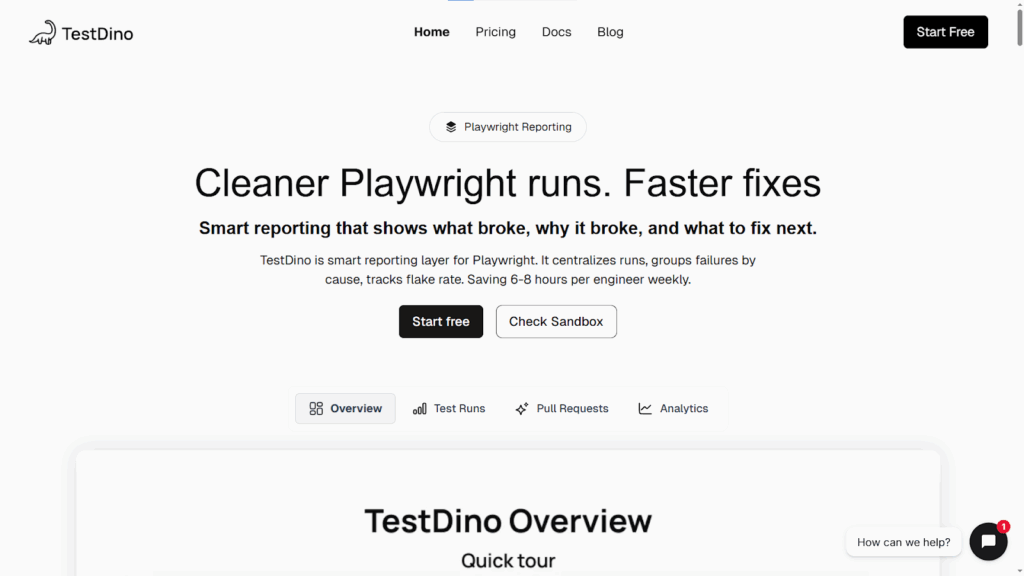
**Pros**
- AI-driven failure classification quickly identifies root causes and flaky tests
- Clean, intuitive interface with role-specific dashboards for QA and developers
- Integrates seamlessly into existing CI/CD pipelines with minimal setup
- Free tier available for small teams to easily adopt and evaluate
**Cons**
- Currently focused primarily on the Playwright testing framework
- Smaller ecosystem and community compared to legacy market leaders
- Delivers the most value only for teams already running tests in CI environments
**Pricing**
- Free Starter plan available. Paid plans start at $49 per month.
**Best For:** Smart test reporting and AI-driven analytics for Playwright
### **4\. Applitools**
Applitools is a leading AI visual testing platform that uses Visual AI to detect UI differences across browsers, devices, and screen sizes. It integrates with automation frameworks like Selenium, Cypress, and Playwright to validate visual layouts and detect regressions in applications.

#### **Pros**
- Industry-leading visual AI testing tool
- Works with major automation frameworks
- Reduces false positives in visual regression tests
- Supports functional, visual, and cross-browser testing for web and mobile apps.
#### **Cons**
- Pricing can be expensive for smaller teams
- Intensive baseline management. That is, when the UI changes frequently, maintaining and updating baseline images gets resource-heavy.
- Mainly focused on visual validation rather than full test automation
- Requires initial configuration and integration
#### **Pricing**
- Free trial available. Pricing is custom and available upon request.
**Best For:** AI-powered visual regression testing
### **5\. Functionize**
Functionize is an enterprise-grade AI testing platform that enables teams to create and execute tests using natural language and machine learning. It focuses on end-to-end automation with self-healing test scripts and intelligent failure analysis.

#### **Pros**
- Natural language test creation
- AI self-healing test automation
- Scalable for enterprise applications
- Supports complex end-to-end workflows
#### **Cons**
- Enterprise-level pricing can be expensive
- Learning curve for advanced AI features
#### **Pricing**
- Free trial available. Pricing is custom and available upon request.
**Best For:** Enterprise AI test automation
Read More: [Functionize Alternatives](https://www.botgauge.com/blog/functionize-alternatives)
### **6\. testRigor**
testRigor is one of the popular Generative AI testing tools that allows users to create automated tests using plain English commands. It focuses on simplifying test creation and maintenance by eliminating complex coding and making automation accessible to non-technical testers.

#### **Pros**
- NLP-based test case creation
- Built-in accessibility testing support
- Integrates seamlessly with CI/CD tools
- Supports self-healing test automation
#### **Cons**
- Limited API testing capabilities
- Vendor lock-in
- Custom pricing can be expensive for large test suites
#### **Pricing**
- Provides an open-source edition that is free for use.
- It offers a 2-week free trial for its Private Complete plan and custom pricing for enterprise requirements.
**Best For:** NLP-based test automation
### **7\. Katalon**
Katalon is an all-in-one test automation platform supporting web, mobile, API, and desktop testing. It includes AI-assisted test creation, smart object recognition, and integrated test management tools, making it popular among QA teams transitioning from manual to automated testing.

#### **Pros**
- Supports multiple application types in one platform
- Low-code platform makes test automation accessible to non-technical members.
- Built on top of Selenium and Appium
- Strong community support
#### **Cons**
- Supports only Groovy for custom scripting
- Reportedly has object identification issues
- Users frequently reported slow performance issues
#### **Pricing**
- The Basic plan starts at $167/user/month, billed annually.
**Best For:** All-in-one test automation platform
### **8\. Tricentis Tosca**
Tricentis Tosca is an enterprise-grade AI test automation tool known for model-based testing and AI-driven test optimization. It enables scriptless automation and supports complex enterprise environments such as SAP, Salesforce, and microservices architectures.

#### **Pros**
- Supports a drag-and-drop interface to create tests
- Built-in test data management
- Model-based testing reduces maintenance
- Risk-based test prioritization
#### **Cons**
- Very expensive compared to other tools
- Primarily suited for large enterprises
#### **Pricing**
- Free trial available. Pricing is custom and available upon request.
**Best For:** Large enterprise testing environments
### **9\. Kane AI**
Kane AI is an AI testing assistant developed by Testmu (previously LambdaTest) that generates test cases, automation scripts, and debugging insights using natural language prompts. It aims to simplify test automation by allowing teams to create tests using conversational AI.

#### **Pros**
- Natural language test generation
- Integrates with the LambdaTest ecosystem
- Supports two-way editing. That is, users can switch between code and natural language.
- Helps generate test cases from Jira tickets or PRDs.
- Intelligent debugging and RCA capabilities to identify test failures.
#### **Cons**
- Users reported performance and reliability issues
- Works best within the LambdaTest platform
- Still evolving compared to other mature AI test automation tools
#### **Pricing**
- Pricing varies with the number of agents.
- Kane AI Web costs you $199 /month annually for 1 agent. Kane AI Web + Mobile costs you $299 /month annually for 1 agent.
**Best For:** AI-generated test cases and scripts
### **10\. ACCELQ**
ACCELQ is a cloud-based continuous testing platform that uses AI to automate API, UI, and backend testing. It uses model-based automation and a no-code interface to simplify test design and maintenance for enterprise QA teams.

#### **Pros**
- No-code automation platform
- Supports web, mobile, desktop, API, and Salesforce testing
- AI-based test maintenance
- Dynamic test data generation and management
- Enterprise-ready scalability
#### **Cons**
- Steep learning curve
- Pricing can be expensive for small businesses
#### **Pricing**
- Free trial available.
- Pricing is custom and available upon request.
**Best For:** No-code enterprise automation testing
Run QA at engineering speed with Autonomous QA as a Solution
[Book a live demo](https://calendly.com/botgauge/30min)
### **11\. Virtuoso QA**
Virtuoso QA is a cloud-based, codeless, AI-driven test automation tool that enables teams to create automated tests using natural language. It focuses on reducing test maintenance and accelerating automation using machine learning.
#### **Pros**
- Natural language test automation makes it easy to use for non-technical users.
- Supports self-healing test scripts
- Easy to setup
- Supports cross-browser, mobile, and web application testing
#### **Cons**
- Performance issues while handling multiple tests.
- Complex test suites might require scripting in JavaScript
#### **Pricing**
- Pricing is custom and available upon request.
**Best For:** AI-driven natural language test automation
## **Comparison of the Top 5 AI QA Automation Testing Tools**
Head-to-head comparison of the top 5 AI based test automation tools in the market:
## **Why Traditional QA Teams Are Switching to AI Testing Tools**
| **Feature** | **BotGauge** | **Mabl** | **Applitools** | **Functionize** | **testRigor** |
| --- | --- | --- | --- | --- | --- |
| **AI Test Generation** | Yes. Generate tests from PRDs, videos, UX flows, etc. | Yes | Yes | Yes | Yes (Plain English) |
| **Self-Healing Tests** | Advanced AI self-healing | Yes | Yes | Yes | Yes |
| **Codeless Automation** | Fully codeless | Low-code | No-code | Low-code | No-code |
| **Agentic AI-driven** | Yes | Limited | Limited | Limited | Limited |
| **CI/CD Integration** | Yes | Yes | Yes | Yes | Yes |
| **Best For** | End-to-end managed testing + Autonomous testing | DevOps automation | Visual testing | Enterprise automation | Generative AI based test automation |
| **Pricing Model** | Outcome-based pricing that is directly tied to coverage delivered. | Subscription-based pricing | Subscription-based pricing | Subscription-based pricing | Subscription-based pricing |
With frequent releases, complex user journeys, and growing test coverage requirements, traditional QA approaches struggle to keep up. Some of the common reasons why engineering teams shift towards AI-powered testing platforms are:
- Test automation maintenance is too expensive
- Manual test creation slows down development
- The growing complexity of modern applications
- Pressure to release faster
- Shortage of skilled automation engineers
- Need for comprehensive test coverage
A [report](https://shftrs.com/articles/the-hidden-benefits-of-test-automation-uncovering-cost-savings-and-boosting-roi) by Capgemini states that test automation can cut testing time by as much as 40% and reduce testing effort by up to 60%, leading to substantial cost savings, especially for large and complex software projects.
## **Benefits of Using AI Automation Testing Tools**
AI based test automation tools not only improve testing efficiency but also address several challenges faced in traditional QA. Here are some of the benefits of using AI driven test automation tools in the software development lifecycle:
### **Accelerated Test Automation**
Generative AI testing tools dramatically reduce the time required to create and execute tests, allowing teams to automate large portions of their QA process quickly.
### **Self-Healing Test Maintenance**
Automated tests remain stable even when code changes because AI systems automatically update test scripts.
### **Improved Software Quality**
AI-driven testing identifies defects earlier in the development cycle, reducing the risk of bugs reaching production.
### **Enhanced Test Coverage**
AI can generate additional scenarios and explore application paths that manual testing may miss.
### **Actionable Test Insights**
Many AI driven test automation tools provide comprehensive test reports and failure analysis to help teams understand root causes and optimize test suites.
### **Fosters Collaboration**
Codeless automation allows QA engineers, developers, and product teams to collaborate more easily on testing workflows.
## **Conclusion**
By reducing manual effort, improving test stability, and enabling faster releases, these platforms help teams keep up with the speed of modern software development.
For teams looking to move beyond traditional automation and adopt a more AI-first testing approach, platforms like BotGauge are designed to deliver fully autonomous testing workflows that scale with modern development practices.
## Frequently Asked Questions
What are the Challenges Solved by AI Testing Tools?
AI test automation tools are designed to address some of the most common problems in traditional QA environments, such as:
– Flaky and unstable tests
– Time-consuming test maintenance
– Limited test coverage
– Slow regression testing
– Complex testing environments
– Code-heavy scripting
What is the best AI tool for QA testing?
The best AI tool for QA testing depends on your testing needs, team skillset, budget, and automation maturity. Tools like Mabl, Functionize, and testRigor help automate test creation and execution using AI, while platforms like Applitools specialize in visual testing. For teams looking for fully autonomous testing, BotGauge is the right choice.
What are the best AI automation tools?
Some of the best AI automation testing tools include BotGauge, Mabl, Applitools, Functionize, testRigor, ACCELQ, Virtuoso QA, Katalon, and Tricentis Tosca. These tools use artificial intelligence to improve test creation, execution, and maintenance, helping teams reduce manual testing effort and accelerate release cycles.
## Frequently Asked Questions

About the Author
##### Yamini
A content marketer who started out writing code and found my way into brand strategy. Seven years into marketing, I still think like a developer. I break the problem down, find the logic, then tell the story clearly. I write for tech companies whose audiences know their stuff, and so do I. Still powered by coffee ☕️
Explore specific tool categories: [no-code test automation tools](https://www.botgauge.com/blog/best-no-code-test-automation-tools), [top GUI testing tools](https://www.botgauge.com/blog/top-gui-testing-tools), and [mobile automation toolkit](https://www.botgauge.com/blog/ultimate-mobile-automation-toolkit). See [AI agents](https://www.botgauge.com/ai-agents) or visit [BotGauge](https://www.botgauge.com/) to see agentic automation firsthand.
### More from our Blog

## QA Wolf vs MuukTest: Which QaaS Model To Choose
Compare QA Wolf and MuukTest on pricing, coverage, and support, with corrected 2026 numbers and a look at outcome-based alternatives.
[Read article](https://www.botgauge.com/blog/qa-wolf-vs-muuktest)
## Top 10 Functionize Alternatives To Use In 2026
Choosing the right test automation platform can significantly impact release speed, test reliability, and QA efficiency. This comparison of the best Functionize alternatives examines the strengths, limitations, and ideal use cases of today's leading AI-powered testing solutions.
[Read article](https://www.botgauge.com/blog/functionize-alternatives)
## AQaaS: The Future of Testing is Autonomous and Outcome-Driven
AQaaS represents the next evolution of software testing. By using AI agents to automate test creation, execution, maintenance, and bug analysis, AQaaS helps teams accelerate releases, expand test coverage, and reduce the operational burden of traditional QA.
[Read article](https://www.botgauge.com/blog/aqaas-the-future-of-testing)
Autonomous Testing for Modern Engineering Teams
[Book a Demo](https://calendly.com/botgauge/30min)
## QA Wolf Product Overview
autonomous QAmanaged QA services
# QA Wolf in 2026: What You Are Actually Buying
QA Wolf sells two products under one name: a self-serve platform with published usage rates, and Coverage as a Service, a fully managed engagement priced on tests under management. They have different scopes, different pricing, and different buyers. Here is what each one is, what QA Wolf can and cannot test, and how long coverage actually takes.
Aug 17, 20268 min read
Try for Free [Book a Demo](https://calendly.com/botgauge/30min)

TABLE OF CONTENT
[The Two QA Wolfs](https://www.botgauge.com/blog/qa-wolf#heading1) [The Platform](https://www.botgauge.com/blog/qa-wolf#heading2) [Coverage as a Service](https://www.botgauge.com/blog/qa-wolf#heading3) [How the QA Wolf Platform Works](https://www.botgauge.com/blog/qa-wolf#heading4) [What QA Wolf Can Actually Test](https://www.botgauge.com/blog/qa-wolf#heading5) [Weeks, Four Months, or Three to Four? All Three, Depending on the Page](https://www.botgauge.com/blog/qa-wolf#heading6) [What the Economics Tell You](https://www.botgauge.com/blog/qa-wolf#heading7) [What Customers Say](https://www.botgauge.com/blog/qa-wolf#heading8) [Who QA Wolf Fits](https://www.botgauge.com/blog/qa-wolf#heading9) [How BotGauge Is Built Differently](https://www.botgauge.com/blog/qa-wolf#heading10) [Conclusion](https://www.botgauge.com/blog/qa-wolf#heading11) [Frequently Asked Questions](https://www.botgauge.com/blog/qa-wolf#heading12)
Start your AI testing pilotGenerate, run, and maintain tests across your CI/CD workflow with less manual effortTry for Free
SHARE THIS ARTICLE
[LinkedIn](https://www.linkedin.com/sharing/share-offsite/?url=https%3A%2F%2Fwww.botgauge.com%2Fblog%2Fqa-wolf)[Twitter](https://twitter.com/intent/tweet?url=https%3A%2F%2Fwww.botgauge.com%2Fblog%2Fqa-wolf)
[Home](https://www.botgauge.com/) [Blog](https://www.botgauge.com/blog) [qa-wolf](https://www.botgauge.com/blog/qa-wolf#)
#### AI Summary
- QA Wolf sells two distinct products: a self-serve Platform priced on usage, and Coverage as a Service, a fully managed engagement priced on tests under management.
- Platform pricing is published: 1 cent per AI credit and 15 cents per runner minute, with no seat charges. Coverage as a Service is quote-based.
- The self-serve Platform covers web apps on Chrome, Firefox, and WebKit. Native iOS, Android, and Electron come through the managed service.
- The platform has three parts: Mapping AI explores your app and builds a coverage map, Automation AI turns prompts into Playwright and Appium code, and Run Infra executes tests in parallel.
- Scope is wider than most comparisons claim, and now includes managed performance regression testing alongside functional end-to-end coverage.
- Coverage timelines are stated three different ways across QA Wolf’s own pages: weeks, under four months, and three to four months. Ask which applies to your contract.
Most write-ups of QA Wolf describe only half the company.
The version in circulation, repeated across alternatives listicles updated as recently as last month, goes like this: QA Wolf is a managed service, it does not publish pricing, it charges per test, and it takes four months to reach 80% coverage. That was accurate. It is now partially accurate.
QA Wolf today sells two things. There is a self-serve platform with published usage-based rates that you can sign up for without talking to anyone. And there is Coverage as a Service, the managed engagement the older descriptions were written about. They have different pricing models, different scopes, and different buyers.
This page covers what each product is, what QA Wolf can and cannot test, how long coverage actually takes, and which teams it fits.
## **The Two QA Wolfs**
The split is recent enough that most of the internet has not caught up, and it matters more than any feature difference.
### **The Platform**
This is the self-serve product. You sign up, point it at your application, and operate it yourself. Pricing is published and metered: 1 cent per AI credit and 15 cents per runner minute. Seats are not charged, so adding engineers does not raise the bill.
What you get is unlimited AI usage for exploration, mapping, bulk test generation, and maintenance when your UI changes, plus unlimited parallel runs with each test individually containerized. Runs trigger manually, on a schedule, or on deploy via webhook. CI integration happens through the API or a webhook. You can export the Playwright code whenever you want.
The constraint worth catching early: the Platform tier covers web applications only. If native mobile is on your requirements list, self-serve does not reach it.
### **Coverage as a Service**
This is the managed engagement, and it is what the older write-ups describe. QA Wolf’s own QA engineers embed with your team, develop domain knowledge of your product and priorities, then build and maintain the suite. Pricing is quote-based and tied to the number of tests under management.
The service carries four commitments the platform does not. Coverage is guaranteed. Every failure is investigated within 24 hours and the test repaired if needed. Flakes never reach you, because humans reproduce failures before anything is flagged. Bug reports arrive human-verified with video, Playwright traces, and console logs. Scope extends to web, iOS, Android, and Electron.
| | **Platform** | **Coverage as a Service** |
| --- | --- | --- |
| Who does the work | Your team | QA Wolf’s QA engineers |
| Pricing | 1c per AI credit, 15c per runner minute | Quote, based on tests under management |
| Published rates | Yes | No |
| Scope | Web only | Web, iOS, Android, Electron |
| Coverage guarantee | No | Yes |
| Failure investigation | You | QA Wolf, within 24 hours |
| Zero flake guarantee | No | Yes |
| Code ownership | Yours, exportable | Yours, exportable |
These are not tiers of the same product. They are two offerings that share infrastructure. The platform competes with AI-native testing tools. The service competes with managed QA providers. Comparing QA Wolf to anything without specifying which side you mean produces a comparison that does not hold up.
## **How the QA Wolf Platform Works**
Three components, in the order you would use them.
**Mapping AI** explores your application on its own and produces a structured list of test cases in plain English. It can switch user roles and toggle between web, iOS, and Android to find workflows spanning multiple users and platforms, and it accepts test plans, product requirements, and help docs as additional input. QA Wolf describes the current Mapping Agent as V3, reporting it as four times more effective at identifying critical workflows without human intervention than its predecessor, with run time cut in half. Their platform pages cite mapping of 200 or more test cases in minutes.
**Automation AI** takes a described flow and generates the corresponding Playwright or Appium code, including complex cases like canvas APIs, iBeacon, and barcode scanning. The output is standard code rather than a proprietary script format, which is the whole point.
**Run Infra** executes everything in parallel with pre-warmed browsers and devices to remove start-up lag. Run Rules handle test ordering, dependencies, and data passed between tests, which is what multi-user flows spanning two devices require.
The design principle running through all three is determinism. QA Wolf generates code and then runs the code, rather than having an agent interpret the application live on every execution. Code runs faster, costs nothing in tokens per run, and produces the same result twice. The trade-off is that the AI’s job ends at authoring, so anything it got wrong at authoring time persists until a human catches it. That is the reason the managed tier puts QA engineers in front of the output.
Not Sure Whether You Need a Platform or a Partner?
[Try BotGauge for Free](https://www.botgauge.com/)
## **What QA Wolf Can Actually Test**
This is where several competitor comparisons are out of date, including some published this year. The common claim is that QA Wolf does functional end-to-end testing and nothing else. The documented scope is wider.
- Web apps on Chrome, Firefox, and WebKit
- Native iOS and Android, including real iPhones and iPads plus Android emulators across device and OS combinations
- Electron desktop applications
- Performance regression testing, managed by QA Wolf’s engineers, covering load handling, traffic spikes, database stress, API limits, and system recovery, with benchmarks enforced on every run and releases blocked when performance degrades
- Complex device-level interactions including canvas APIs, iBeacon, and barcode scanning
QA Wolf’s documentation lists further capabilities including accessibility validation, visual diffing, non-deterministic AI output assertions, email and SMS delivery, OTP and QR authentication, camera and microphone injection, geolocation and sensor mocking, network condition simulation, localization, Salesforce workflows, and MCP server connections. Check the current docs for the specific items on your requirements list, because this list moves quickly.
Out of scope: manual and exploratory testing, which QA Wolf does not offer. Reviewers identify this consistently, and it is a scope boundary rather than a shortcoming. Security and penetration testing are not part of the offering either.
The practical implication: if you were planning to buy QA Wolf plus a separate accessibility or performance vendor, read the docs first. If exploratory testing is part of what you need, that is a second contract.
## **Weeks, Four Months, or Three to Four? All Three, Depending on the Page**
QA Wolf’s pricing page says teams reach 80%+ automated coverage in weeks. The service page says under four months. Their education pages say three to four months. Same guarantee, same wording, three timelines, one website.
Each is probably defensible internally. The four-month figure is the long-standing contractual guarantee. The shorter figures likely reflect what the AI tooling now does to the median case. But you are not signing a median. Get the number written into the agreement, along with what counts as 80% and who decides which flows are in the denominator.
Independent signal sits in between. G2’s buyer-reported data puts time to implement at around two months and return on investment at around eight months. Both are consistent with a ramp measured in months rather than weeks.
Reach 80% Critical Flow Coverage in Two Weeks
[Try for Free](https://www.botgauge.com/contact)
## **What the Economics Tell You**
QA Wolf’s own framing is the most useful thing published about the model. They claim teams using the platform manage 13 times more tests per engineer than teams maintaining suites by hand, and their earlier analysis of the category put a manual engineer’s realistic ceiling at 25 to 50 tests.
Take those together and the shape of the cost structure becomes clear. The service is priced on tests under management because tests under management is a proxy for engineer capacity consumed. You are buying engineer-hours, indexed to test count, with AI making each hour go further.
That also explains why the price does not fall much as you scale. Buyers on G2 report an average discount around 6%. Human capacity does not get cheaper by the unit, however good the tooling around it is.
And it explains why the ramp is measured in months rather than days even though authoring is fast. The slow parts are learning your domain, getting environment and test-data access provisioned, agreeing what to prioritize, and cycling test plans through review. That is true of every external QA team, including ours. The difference between providers is how much of that context acquisition can be compressed.
## **What Customers Say**
QA Wolf holds 4.8 across more than 180 reviews on G2 and 5.0 across 68 verified reviews on Capterra, with ease of use at 4.9 and customer service at 5.0. Capterra’s sentiment breakdown as of March 2026 showed no negative reviews. The consistent themes are response speed measured in minutes, engineers who develop real product knowledge, and defect discovery that surfaces bugs previous testing missed. As of its July 2024 Series B, the company had raised $57 million and reported more than 130 customers.
The criticisms are specific and worth weighing:
**Lead time on new coverage.** Reviewers describe a lag before new test cases get built, which suits stable regression suites better than features shipping this week.
**Execution speed in some configurations.** A Capterra reviewer reported being unable to run certain workflows in parallel, and slower execution on tests crossing between web and mobile.
**Cost as coverage grows.** G2’s review summary flags pricing as a concern for teams whose testing needs expand, and perceived cost on G2 sits at the highest band. This is the structural consequence of pricing coverage per test, and we cover the arithmetic in our [breakdown of QA Wolf pricing](https://www.botgauge.com/blog/qa-wolf-pricing).
**No manual testing.** Noted repeatedly. If exploratory testing is part of the requirement, plan for a second provider.
## **Who QA Wolf Fits**
**Buy it if:**
- You need native iOS, Android, or Electron coverage. This is the clearest reason to choose QA Wolf over web-only alternatives, and it should decide the question outright where it applies.
- Your test cases are genuinely hard: canvas apps where DOM selectors do not reach, barcode scanning, geofencing, biometrics, device-level media.
- You want QA fully off your team’s plate and have the budget to buy that outcome.
- You are in a regulated environment. QA Wolf is SOC 2 Type II certified, with security documentation available through their Trust Center.
- Portability matters to you. Playwright and Appium code that you own is a better exit than a proprietary suite, and it is worth paying for.
**Look elsewhere if:**
- You need coverage in weeks rather than months for features changing while you test them.
- Manual and exploratory testing is part of the requirement.
- You want the self-serve route but need mobile, since the Platform tier is web only.
- Security and penetration testing is in scope for this purchase.
For the wider field, our roundup of [top QA outsourcing providers](https://www.botgauge.com/blog/qa-outsourcing) covers the managed QA market beyond these two.
## **How BotGauge Is Built Differently**
BotGauge is an [Autonomous QA as a Solution](https://www.botgauge.com/autonomous-qa-as-a-solution) partner. The difference between the two approaches is not the presence of AI, since both use it. The difference is where the AI sits relative to the human work, and what that does to the ramp and the bill.
QA Wolf’s managed service scales with QA engineers, and AI makes those engineers faster. The economics follow: pricing tracks tests under management, because tests under management is a proxy for capacity consumed.
BotGauge inverts that. AI agents read your PRDs, UX flows, screenshots, or demo videos and generate context-aware tests across functional, UI, and API workflows. A domain-specialized forward deployed engineer pod reviews every test before it runs, which is where false positives and brittle tests get caught. Tests self-heal as the application changes. Everything executes inside your CI/CD pipeline on every commit, across more than 60 integrations spanning CI/CD and workflow tools. BotGauge MCP connects the testing engine to Claude, Cursor, Windsurf, and GitHub Copilot, so a developer can request coverage from the tool they are already in.
Coverage Priced as an Outcome, Not Per Test
[Book a Demo](https://calendly.com/botgauge/30min?utm_medium=organic&utm_source=google)
## **Conclusion**
QA Wolf is a strong offering that most of the internet is still describing incorrectly, and the correction is worth making before you evaluate it.
Decide which product you are buying first. If you want tooling your own engineers run, the Platform has published rates and you can model the cost yourself this afternoon. If you want testing off your plate entirely, Coverage as a Service is the older, larger business, and the number requires a conversation.
Then ask three questions of QA Wolf and of everyone else on your shortlist: what happens to the bill when coverage doubles, who owns the code if we leave, and how long until coverage is real, in writing. The answers separate this category faster than any feature matrix, and QA Wolf answers the second one better than most.
## Frequently Asked Questions
What is QA Wolf?
QA Wolf is a Seattle-based end-to-end testing company founded in 2019. It sells a self-serve AI testing platform that your team operates, and Coverage as a Service, a fully managed engagement where QA Wolf’s own engineers build and maintain your test suite. Tests are written in open-source Playwright for web and Appium for mobile.
Is QA Wolf a tool or a service?
Both, and they are sold separately. The Platform is software you run yourself with published usage-based pricing. Coverage as a Service is a managed engagement with a coverage guarantee, 24-hour failure investigation, and a dedicated QA team, priced by quote. Most third-party descriptions of QA Wolf describe only the service.
How much does QA Wolf cost?
Platform pricing is published at 1 cent per AI credit and 15 cents per runner minute, with no seat charges. Coverage as a Service is quote-based and priced on the number of tests under management. Third-party contract data has placed managed engagements near $90,000 a year, with a wider reported range depending on suite size and application complexity.
Does QA Wolf test mobile apps?
Yes, through Coverage as a Service. That covers real iPhones and iPads, Android emulators across device and OS combinations, and device-level interactions including biometrics and camera injection. The self-serve Platform tier is web only.

About the Author
##### Aparna Jayan
An SEO and growth strategist with over four years of experience in SaaS content. With hands-on experience creating in-depth, user-focused content for QA testing, AI testing tools, and automation technologies, I'm passionate about simplifying complex technical topics and making them accessible to everyone.
For a direct head-to-head, see [BotGauge vs QA Wolf](https://www.botgauge.com/botgauge-vs-qawolf) or explore [QA Wolf alternatives](https://www.botgauge.com/blog/top-10-qa-wolf-alternatives-compared-2026). For a full pricing breakdown, see [QA Wolf pricing in 2026](https://www.botgauge.com/blog/qa-wolf-pricing).
Autonomous Testing for Modern Engineering Teams
[Book a Demo](https://calendly.com/botgauge/30min)
## BotGauge Terms of Service
# BotGauge Terms of Service: Understand Our Agreement
You and Us will be individually referred to as a "Party" and
collectively as "Parties."
## 1Definitions:
When used in these Terms with initial capital letters, in addition to terms defined elsewhere in these Terms, the following definitions apply:
### 1.1Account:
Refers to any accounts or instances created by You or on Your behalf for access and use of the Service(s).
### 1.2API:
Refers to the application programming interfaces developed, enabled by, or licensed to us that allow access to certain functionalities provided by the Service(s).
### 1.3Confidential Information:
Refers to all information disclosed by one Party to the other Party that is in tangible form and labeled “confidential” (or with a similar legend) or which a reasonable person would understand to be confidential given the nature of the information and circumstances of disclosure. For the purposes of these Terms, Service Data is deemed Confidential Information. However, Confidential Information does not include any information which: (a) was publicly known and made generally available in the public domain before disclosure by the disclosing party; (b) becomes publicly known and made generally available after disclosure by the disclosing party to the receiving party through no action or inaction of the receiving party; (c) is already in the possession of the receiving party at the time of disclosure by the disclosing party as shown by the receiving party’s files and records before the time of disclosure; (d) is obtained by the receiving party from a third party without breaching the third party’s obligations of confidentiality; (e) is independently developed by the receiving party without using or referring to the disclosing party’s Confidential Information, as shown by documents and other competent evidence in the receiving party’s possession; or (f) is required by law to be disclosed by the receiving party, provided that the receiving party, to the extent legally permitted, gives the disclosing party written notice of such requirement before disclosing, so that the disclosing party may seek a protective order or other appropriate relief.
## 2Documentation:
Refers to any written or electronic materials, images, videos, text, or sounds that specify the functionalities of the Service(s) provided or made available by Us to You or Your Users through the Service(s) or by other means.
## 3Fees:
Refers to the payment required for a Subscription.
## 4Intellectual Property Rights:
Includes all intellectual property rights and analogous rights existing under the laws of any jurisdiction worldwide, including all extensions and renewals of such rights, whether registered or not, encompassing copyrights, trademarks, trade names, service marks, service names, patents, designs, and all other proprietary rights, regardless of protection status.
## 5Order Form:
Refers to any service order form or statement of work specifying the Service(s) subscribed to, including particular features and functionalities in the Service(s) that You wish to avail of and the Subscription Term.
## 6Personal Data:
Refers to data relating to a living individual who can be identified either from the data alone or from the data in conjunction with other information that is in, or is likely to come into, the possession of the data controller.
## 7Processing/To Process:
Refers to any operation or set of operations performed upon Personal Data, whether or not by automatic means, such as collection, recording, organization, storage, adaptation, alteration, retrieval, consultation, use, disclosure by transmission, dissemination, or otherwise making available, alignment, combination, blocking, erasure, or destruction.
## 8Sensitive Personal Information:
Refers to information relating to an individual’s racial or ethnic origin, political opinions, religious or philosophical beliefs, trade union membership, genetic data, biometric data for uniquely identifying a natural person, data concerning health, or data concerning a natural person's sex life or sexual orientation. It also includes information about an individual's criminal offenses or convictions, as well as any other information deemed sensitive under applicable data protection laws.
## 9Service(s):
Refers to all electronic data, text, messages, emails, personal data, or other materials, including Personal Data of Users and end users, submitted to the Service(s) by You through Your Account or through integration with Third-Party Service(s) in connection with Your use of the Service(s).
## 10Software:
Refers to software provided by Us accessed through the internet that allows You to use any functionality in connection with the Service(s).
## 11Subscription Term:
Refers to the period during which You have agreed to subscribe to the Service(s) as specified in the subscription plan or in a relevant Order Form.
## 12Third-Party Service(s):
Refers to third-party applications or services integrating with the Service(s) through APIs or otherwise enabled through the Service(s) which require You to have Your own accounts with such third-party applications or services to utilize them.
## 13User:
Refers to those who are designated users within the Service(s), including an Account administrator, agents, and other designated users.
## 14Website(s):
Refers to the websites owned and operated by Us, including \[https://www.botgauge.io/\].
## 15Your Rights
Subject to your compliance with these Terms and solely during the Subscription Term, you are granted a limited, non-exclusive, revocable right to access and use the Service(s) for your internal business purposes, as specified in the subscription plan outlined in the Order Form.
## 16Your Responsibilities
### 16.1Your Account:
Your access to and use of the Service(s) is limited to the number of individual Users specified in the relevant Order Form. Each User must use unique login information ("User Login") that is assigned to one individual. You are not allowed to transfer your Account to another person, nor use someone else's Account without the Account holder's permission.
### 16.2Acceptable Use:
You agree not to:
\- License, sublicense, sell, resell, rent, lease, transfer, assign, distribute, timeshare, disassemble, reverse engineer, decompile, or make the Service(s) available to any third party, except for Users within your organization as permitted by these Terms.
\- Modify, adapt, or hack the Service(s) or attempt unauthorized access to the Service(s) or related systems or networks.
\- Use the Service(s) to store or transmit Sensitive Personal Information.
\- Use the Service(s) to store or transmit Service Data in violation of applicable laws and regulations, including privacy rights and export control laws.
\- Access the Service(s) for the purpose of creating derivative works, or developing or operating products or services for third parties in competition with the Service(s).
\- Use the Service(s) to store or transmit any content that infringes on intellectual property rights or is unlawful, racist, hateful, abusive, libelous, obscene, or discriminatory.
\- Use the Service(s) to knowingly post, transmit, upload, link to, send, or store any viruses, malware, trojan horses, time bombs, or other harmful software.
\- "Crawl," "scrape," or "spider" any page, data, or portion of the Service(s) using manual or automated means.
If We notify you that a specific activity or purpose is prohibited with respect to the Service(s), you must immediately cease using the Service(s) for that activity or purpose.
You represent and warrant that you have obtained and maintained all necessary authorizations, approvals, and permissions from Users and individuals with whom Users interact when using Third-party Service(s), allowing Us to process such Service Data to provide the Service(s).
You represent and warrant that you are free to enter into these Terms and perform your obligations hereunder, and that doing so will not violate any other agreement to which you are a party, including any agreements with Third-party Service(s).
## 17Service(s)
You may request a demo or trial of Our Service(s) by creating accounts for trial use for a limited period ("Trial Period"). The Trial Period is subject to these Terms and any additional terms we specify. We reserve the right, at our sole discretion, to terminate the Service(s) and Your right to use the Service(s) at any time during the Trial Period without liability to You.
Any enhancements, new features, or updates ("Updates") to the Service(s) are also subject to these Terms, and We reserve the right to deploy Updates at any time.
The Service(s) may be temporarily unavailable due to scheduled downtime for upgrades and maintenance. In such cases, We will use commercially reasonable efforts to notify You in advance.
## 18User Content
We allow You to post content in the form of alphanumeric data. Any content You post, share, or otherwise make available through the Service(s), including all content related to software codes, is considered "User Generated Content." You retain all rights and are solely responsible for any and all User Generated Content You post, subject to these Terms. We do not play any role in User Generated Content.
You shall:
\- Be solely responsible for the accuracy, quality, integrity, legality, reliability, and appropriateness of all data and content You submit for Your use of the Service(s);
\- Use commercially reasonable efforts to prevent unauthorized access or tampering, and notify Us promptly of any unauthorized use or security breach;
\- Comply with all applicable local, state, central, and foreign laws (including laws regarding privacy and protection of personal or consumer information) when using the Service(s);
\- Comply with all applicable rules of credit card associations (including American Express, MasterCard, and Visa), if applicable; and
\- Obtain and maintain all computer hardware, software, and communications equipment needed to access the Service(s) and pay all access charges (e.g., ISP fees) incurred in connection with Your use of the Service(s).
You grant Us and Our affiliates a non-exclusive, royalty-free, transferable, sublicensable, worldwide license to store, display, reproduce, and distribute Your User Generated Content for the purposes of operating, developing, and providing the Service(s) and for Our internal purposes. We reserve the right to remove User Generated Content for any reason, including violations or apparent violations of these Terms, as determined by Us. However, We do not retain the right to modify any User Generated Content, and shall not access the User Generated Content if such access is not required for the purposes of the Services rendered.
Following the termination or deactivation of Your Account, or Your removal of any User Generated Content from Our Service(s), We may, but are not obligated to, retain such User Generated Content for a commercially reasonable period for backup, archival, or audit purposes. It is acknowledged and agreed that We have the right to delete all User Generated Content following the termination or deactivation of Your Account.
## 19Intellectual Property Rights
Except for the rights granted to You under clause 1, all rights, title, and interest in and to all Intellectual Property Rights and/or proprietary rights shall belong to and remain exclusively with Us.
You own the rights to the Service Data that You provide to Us. We do not claim ownership over such Service Data. You grant Us a royalty-free license and right to use Service Data solely to provide, support, maintain, and improve the Service(s).
Our Use of Anonymous Data: You agree that We may use data generated by and stored on Our servers anonymously for Our internal business purposes, including but not limited to the development of anonymous marketing and sales materials, statistical analysis, and publication in aggregated form in industry benchmark reports.
We shall have the right and license to incorporate into the Service(s) or otherwise use any suggestions, enhancement requests, recommendations, or other feedback We receive from You.
All rights not expressly provided to You herein are reserved.
## 20Third Party Services
The Service(s) enable integration with various Third-party Service(s). You acknowledge and agree that Your use of Third-party Service(s) will be subject to their terms, conditions, and privacy policies. We are not liable for Your enablement, access, or use of such Third-party Service(s), including Your data processed by such third parties. Our liability for Your data is limited to when it is being transmitted through the Service(s). For any issues with Third-party Service(s), You should contact the respective service provider.
When You authorize integration with Third-party Service(s), You permit Us to access, store, and process certain data provided by these services, as well as any other information they make available to Us, in accordance with these Terms.
You are responsible for authorizing the integration of Third-party Service(s) and ensuring the transmission of Service Data through the Service(s). We are not liable for the accuracy and sufficiency of Service Data submitted to and transmitted through the Service(s). You acknowledge and agree that We are not liable for claims arising from Your violation of this clause.
## 21Charges and Payment
### 21.1Fees:
All charges associated with Your Account are based on the subscribed plan and the prices listed in an Order Form (“Fees”). Details regarding such Fees are mentioned in an Order Form. Fees are due in full and payable in advance in accordance with clause 7.3 when You subscribe to the Service(s).
### 21.2Renewal:
Unless Your Account and subscription to the Service(s) are terminated, Your subscription will renew for a Subscription Term equivalent to the expiring Subscription Term at the prevailing Fees. To ensure continued quality service, pricing may be adjusted upon renewal. However, any increase will be limited to a maximum of 10% of the current rate.
### 21.3Payment:
You authorize Us or Our authorized agents to bill You upon subscription to the Service(s) (and any renewal). Unless stated otherwise in an Order Form, Your payment is due within thirty (30) days of Our invoice date.
### 21.4Refunds:
Unless specified otherwise in these Terms, all Subscription Charges are non-refundable. No refunds are issued for partial use or non-use of the Service(s).
### 21.5Late Payments/Non-payment of Fees:
We will notify You if We do not receive payment by the due date. Payments must be received within ten (10) days of Our notice. If not received, We may (i) charge late payment interest at 1.5% per month, (ii) suspend Your access to the Service(s) until payment is received, and/or (iii) terminate Your Account.
### 21.6Applicable Taxes:
Unless otherwise stated, Fees do not include taxes, levies, duties, or similar governmental assessments, including value-added, sales, use, or withholding taxes. If You must withhold any amounts under law or tax regime, You will gross up payments so We receive the quoted and invoiced amount.
## 22Term, Termination, and Suspension
### 22.1Subscription Term:
The Subscription Term is set forth on the Website or in a relevant Order Form.
### 22.2Termination by You:
You may terminate Your Account(s) if We materially breach these Terms, provided You give advance notice of the breach and at least sixty (60) days to cure it. If terminated for this reason, We will pro-rata refund the Subscription Charges for the remainder of the Subscription Term.
### 22.3Suspension and Termination by Us:
In addition to suspension for late or non-payment of Fees, We may suspend Your access to Your Account or the Service(s) if You violate these Terms. We will notify You of the violation and, at Our discretion, provide a fifteen (15) day period ("Cure Period") to cure or cease such activities. If You fail to do so, or if We believe the breaches cannot be cured, Your Account/Service(s) will be terminated. We may also terminate a Trial Period as per clause 3.1. We reserve the right to terminate Your Account/Service(s) at any time for business reasons, including discontinuation of the Service(s), with written notice.
### 22.4Termination for Insolvency:
Either Party may terminate these Terms without notice if the other Party becomes insolvent, makes an assignment for the benefit of creditors, is the subject of bankruptcy proceedings, or has a receiver or trustee appointed for its property.
### 22.5Effect of Termination:
Following termination of Your Account/Service(s) by You or Us, Your access to and use of the Service(s) will cease. We will retain all Service Data for sixty (60) days from the date of termination ("Data Retention Period"). After the Data Retention Period, We reserve the right to delete all Service Data.
## 23Confidentiality; Data Privacy and Security
The Client agrees to use the BotGauge AI platform solely with test environment and non-production data for the purpose of evaluation, testing, and automation development. The Client shall be fully responsible for ensuring that no live, confidential, or personally identifiable information (PII) is uploaded, processed, or stored on the platform. BotGauge shall not be liable for any misuse, disclosure, or loss arising from the Client’s use of production or real user data within the platform environment.
## 24Warranties
WE WARRANT THAT THE SERVICE(S) WILL PERFORM IN ALL MATERIAL ASPECTS IN ACCORDANCE WITH THE DOCUMENTATION.
THE SERVICE(S), INCLUDING ALL SERVER AND NETWORK COMPONENTS, ARE PROVIDED ON AN “AS IS” AND “AS AVAILABLE” BASIS. ALL EXPRESS OR IMPLIED REPRESENTATIONS AND WARRANTIES, INCLUDING ANY IMPLIED WARRANTY OF MERCHANTABILITY, FITNESS FOR A PARTICULAR PURPOSE, ACCURACY, OR NON-INFRINGEMENT, ARE HEREBY EXCLUDED.
YOU ACKNOWLEDGE THAT WE DO NOT WARRANT THAT ACCESS TO THE SERVICE(S), PROVIDED OVER THE INTERNET AND VARIOUS TELECOMMUNICATIONS NETWORKS, ALL OF WHICH ARE BEYOND OUR CONTROL, WILL BE UNINTERRUPTED, TIMELY, SECURE, ACCURATE, ERROR-FREE, OR FREE FROM VIRUSES OR OTHER MALICIOUS SOFTWARE, OR THAT IT WILL BE SUITABLE FOR OR MEET YOUR REQUIREMENTS.
## 25Limitation of Liability
TO THE FULLEST EXTENT PERMITTED BY APPLICABLE LAW, IN NO EVENT WILL EITHER PARTY BE LIABLE TO ANY PERSON FOR ANY INDIRECT, INCIDENTAL, SPECIAL, PUNITIVE, COVER, OR CONSEQUENTIAL DAMAGES (INCLUDING, WITHOUT LIMITATION, DAMAGES FOR LOST PROFITS, LOST REVENUE, LOST SALES, LOST GOODWILL, LOSS OF USE OR LOST CONTENT, IMPACT ON BUSINESS, BUSINESS INTERRUPTION, LOSS OF ANTICIPATED SAVINGS, LOSS OF BUSINESS OPPORTUNITY) HOWEVER CAUSED, UNDER ANY THEORY OF LIABILITY, INCLUDING, WITHOUT LIMITATION, CONTRACT, TORT, WARRANTY, BREACH OF STATUTORY DUTY, NEGLIGENCE, OR OTHERWISE, EVEN IF A PARTY HAS BEEN ADVISED OF THE POSSIBILITY OF SUCH DAMAGES OR COULD HAVE FORESEEN SUCH DAMAGES. TO THE MAXIMUM EXTENT PERMITTED BY APPLICABLE LAW, OUR AGGREGATE LIABILITY AND THAT OF OUR AFFILIATES, OFFICERS, EMPLOYEES, AGENTS, SUPPLIERS, AND LICENSORS, RELATING TO THE SERVICE(S), WILL BE LIMITED TO AN AMOUNT EQUAL TO TWELVE MONTHS OF THE SUBSCRIPTION CHARGES PAID BY YOU FOR THE SERVICE(S) PRIOR TO THE FIRST EVENT OR OCCURRENCE GIVING RISE TO SUCH LIABILITY.
IN JURISDICTIONS WHICH DO NOT PERMIT THE EXCLUSION OF IMPLIED WARRANTIES OR LIMITATION OF LIABILITY FOR INCIDENTAL OR CONSEQUENTIAL DAMAGES, OUR LIABILITY WILL BE LIMITED TO THE GREATEST EXTENT PERMITTED BY LAW.
NOTWITHSTANDING ANYTHING ELSE TO THE CONTRARY, WE DISCLAIM ALL LIABILITIES, TO THE MAXIMUM EXTENT PERMITTED BY LAW, WITH RESPECT TO THE SERVICES OFFERED DURING THE TRIAL PERIOD.
## 26Indemnification
### 26.1Indemnification by you:
You will indemnify and hold Us harmless against any claim brought by a third party against Us, Our respective employees, officers, directors, and agents arising from Your acts or omissions in connection with clause 2 of these Terms provided that (a) We promptly notify You of the threat or notice of such a claim, (b) You will have the sole and exclusive control and authority to select defense attorneys, defend and/or settle any such claim; and (c) We shall fully cooperate with You in connection therewith.
### 26.2Indemnification by us:
We will defend You from any third-party claim alleging that Your use of the Service(s) as contemplated hereunder infringes any third party’s patent, copyright, and/or trademark intellectual property rights (an 'IP Claim'), and will indemnify and hold You harmless from and against any damages and costs awarded against You, or agreed in settlement by Us (including reasonable attorneys’ fees) resulting from such IP Claim. We will have no liability or obligation with respect to any IP Claim if such claim is caused in whole or in part by (i) unauthorized use of the Service(s) by You or Your users; (ii) modification of the Service(s) by anyone other than Us; or (iii) the combination, operation, or use of the Service(s) with other data, hardware, or software not provided by Us. If Your use of the Service(s) results or in Our opinion is likely to result in an IP Claim, We may at Our own option and expense (a) procure for You the right to continue using the foregoing items as set forth hereunder; (b) replace or modify them to make them non-infringing; or (c) if options (a) or (b) are not commercially reasonably as determined by Us, then either You or We may terminate Your’s subscription to the Service(s), and We shall refund You, on a pro-rated basis, any subscription charges that You have previously paid for the corresponding unused portion. This section states Our entire liability and Your exclusive remedy with respect to an IP Claim.
## 27Miscellaneous
### 27.1Entire agreement and revisions
These terms, including all schedules and online policies incorporated herein by reference, contain the entire agreement and understanding of the parties and supersede all prior communications, discussions, negotiations, proposed agreements, and all other agreements between them, whether written or oral, concerning the subject matter herein. We may amend these terms from time to time, in which case the new terms will supersede prior versions. We will notify you not less than ten (10) days prior to the effective date of any amendments to these terms, and your continued use of the service(s) following the effective date of any such amendment may be relied upon by us as your acceptance of any such amendment.
### 27.2Relationship of the parties
The parties are independent contractors. These terms do not create a partnership, franchise, joint venture, agency, fiduciary, or employment relationship among the parties.
### 27.3Assignment
Except to your affiliates/within your group companies, you may not, directly or indirectly, assign all or any part of these terms or your respective rights under these terms or delegate performance of its respective duties under these terms without the prior consent, which consent shall not be unreasonably withheld, of us. In the event of assignment to an affiliate, the party assigning its performance shall promptly inform the other party of such assignment and shall not default in any of its payment obligations under these terms. Subject to the foregoing restrictions, these terms will be fully binding upon, inure to the benefit of, and be enforceable by the parties and their respective successors and assigns.
### 27.4Force majeure
Notwithstanding anything to the contrary contained elsewhere, we shall not be liable for unavailability of the service(s) caused by circumstances beyond our reasonable control, such as but not limited to, acts of god, acts of government, pandemic, epidemic acts of terror or civil unrest, technical failures beyond our reasonable control (including, without limitation, inability to access the internet, unauthorized loss, distribution or dissemination of service data), or acts undertaken by third parties, including without limitation, distributed denial of service attacks.
### 27.5Governing law and dispute resolution
These terms shall be governed by the laws of the state of Delaware. You hereby expressly agree to submit to the exclusive personal jurisdiction of the courts in Delaware. Any dispute, claim, or controversy arising out of or relating to these terms or the breach, termination, enforcement, interpretation, or validity thereof, including the determination of the scope or applicability of these terms to arbitrate, shall be first settled by arbitration administered by JAMS pursuant to its arbitration rules and procedures. Judgment on the award may be entered in any court having jurisdiction. This clause will not preclude the parties from seeking provisional remedies in aid of arbitration from a court of appropriate jurisdiction. The language of the arbitration shall be English, and the seat shall be the state of Delaware.
### 27.6Export compliance
The service(s) and documentation thereof may be subject to export laws and regulations of the U.S. and other applicable jurisdictions. You represent and warrant that you are not on any U.S. government prohibited list. You will not permit any user to access or use the services or documentation in a country or region that is embargoed by the U.S. or other applicable jurisdictions or in violation of any export law or regulation of the U.S. or other applicable jurisdictions.
### 27.7Publicity rights
You hereby grant us a royalty-free, worldwide, transferable license to use your trademark or logo to identify you as our customer on our websites and/or marketing collateral.
### 27.8Notices and consent to electronic communications
All notices to be provided by us to you under these terms may be delivered in writing (i) by nationally recognized overnight delivery service(s) (“courier”) or to the contact mailing address provided by you in the relevant order form; or (ii) electronic mail to the e-mail address provided by you. Our address for a notice to us: (i) in writing by courier is BotGauge AI Inc 1111B S Governors Ave # 98032
Dover, DE 19904 or (ii) by electronic mail is contact@botgauge.com. All notices shall be deemed to have been given immediately upon delivery by electronic mail, or if otherwise delivered upon receipt or, if earlier, two (2) business days after being deposited in the mail or with a courier as permitted above.
### 27.9Survival
All clauses which, by their nature, are intended to survive, including without limitation clauses 5 (intellectual property rights), 7 (charges and payment), 8 (term and termination), 9 (confidentiality; security and data privacy), 10 (disclaimer of warranties), 11 (limitation of liability), 12 (indemnification), and 13 (miscellaneous), shall survive any termination of these terms with respect to use of the service(s) by you. Termination shall not limit either party’s liability for obligations accrued as of or prior to such termination or for any breach of these terms.
If You do not agree to these Terms, You should immediately stop using Our Service(s).
## Contact Us
If you have any questions about these Terms of Service, please email us using our [contact form](https://www.botgauge.com/contact).
## Test Automation Pricing Plans
# Pay Based on Outcomes, Not Overhead
### Launch Plan
Ideal choice for startups
##### Includes
AI-Generated Test Cases
Verified by QA Experts
100% Critical Test Coverage Within a Week
Functional, UI, API & Integration Test Coverage
Unlimited Test Executions
Pay Per Test Case
Self-Healing Test Cases
Detailed Bug Reports
24×7 Support via Slack & Email
[Try for Free](https://www.botgauge.com/contact)
### Scale Plan
MOST POPULAR
Custom pricing based on your needs
##### Everything In Launch Plan, Plus
Cross-Browser and OS Execution
Seamless CI/CD Pipeline Integration
Code Review for PRs & Intelligent Execution
AI Debugger for Faster Fixes
SOC 2 Type II Compliant
24×7 Expert Support via Call
Dedicated Customer Success Manager
[Get Started](https://calendly.com/botgauge/30min)
Trusted by the world’s fast-moving engineering teams
4.6 Rating on G2
### SOC 2 Type II Compliant QA Security
BotGauge protects your test data with enterprise-grade security 100% safe, even during trials. Secure, scalable, and fully compliant.
### 24/7 Expert QA Support
Even on your free trial, get real-time help with your toughest test automation challenges from day one.
### Seamless Integrations with 60+ Tools
Connect BotGauge with your favorite tools like Jira, Xray, Jenkins, GitHub, and more to enable end-to-end QA automation across your CI/CD pipeline.
## What our customers say about us

Michael HoyCEO, Atlas
AQaaS turned QA into a strategic advantage: **self-healing automation**, instant coverage, and engineering focus back on shipping products, not fixing tests.
## BotGauge Pricing FAQs & Plan Details
### Can BotGauge integrate with our existing toolchain?
Yes. BotGauge integrates with 60+ tools including Jira, GitHub, Jenkins, CircleCI, Slack, and more for complete CI/CD coverage.
### Is BotGauge secure for enterprise use?
Yes. BotGauge is SOC 2 Type II compliant and built with enterprise-grade security, including encrypted test runs and data isolation.
### Can I Cancel My BotGauge Plan Anytime?
Yes, you can cancel your BotGauge subscription at any time with no cancellation fees. You’ll only be billed for the current billing cycle, no future charges will apply after cancellation.
### What Payment Methods Does BotGauge Accept?
BotGauge accepts major credit cards including Visa, Mastercard, American Express, and Discover, as well as bank wire transfers for larger transactions or enterprise plans. For any payment-related questions or custom invoicing, feel free to contact our sales team.
## Find the Best Test Automation Plan for Your Needs
Easy Setup
No Hiring
24/7 Support
[Contact Sales](https://calendly.com/botgauge/30min)
## Community Referral Program
>>> W\_R4RH4XY LZ9TYAN1 4JLCG82 <<<
# You already know the right people. Earn from it.
If you sat next to a SaaS founder at a dinner last month who complained about QA, that's a lead worth $thousands. Register them. We'll close the deal and cut you 25% of year one.
- Paid as the customer pays us.
- 25% of first-year ARR per deal - your commission.
- Zero fees. Zero selling. Register the lead and make a warm intro.
- IRL community-led.
- 12-month attribution from the day you register the lead.
Our Community Partners

Loading form
## Kitsa's Testing Automation

CUSTOMER STORY
## How Kitsa Automated 80% of Regression in One Week
BotGauge's AQaaS has transformed QA for Kitsa by automating regression in under a week and freeing the engineering team from test maintenance entirely.
10xfaster testing
80%regression automated in < 1 week
40%reduction in release cycle delays
Zerotest maintenance burden

Kitsais an AI-powered clinical research platform streamlining trials, patient recruitment, and operations.
CompanyKitsa
IndustryHealthTech
Application TypeWeb
Company Size11 - 50
HeadquartersSummit, New Jersey
## At a Glance
What Kitsa achieved with BotGauge
10x faster testing
80% regression automated in < 1 week
40% reduction in release cycle delays
80% cut in test execution time
Zero test maintenance burden on the engineering team
## About Kitsa
Kitsa is a clinical research network and marketplace of agentic AI solutions built for sponsors and clinical sites. Its platform streamlines complex clinical research operations, from patient pre-screening and protocol generation to campaign management, multi-role recruitment workflows, and clinical study reporting.
Kitsa operates as a fast-moving startup with a lean engineering team focused on building a powerful, AI-powered ecosystem for the clinical research industry. Every feature shipped touches critical workflows where accuracy, reliability, and compliance aren't optional.
## The Challenge: High-risk releases, no dedicated QA
As Kitsa scaled its product, testing quickly became a bottleneck.
Regression testing took hours to a full day per release.
Testing was inconsistent and often rushed due to deadlines.
Traditional automation was avoided due to the high setup and maintenance effort required.
As the product evolved, updating and maintaining tests became a headache.
Bugs slipped into production, risking critical research workflows.
The core tension: What Kitsa needed was QA that worked autonomously, without creating a new class of maintenance work to manage.
## How BotGauge Works Within Kitsa's Workflow
BotGauge runs automated regression across Kitsa's most critical flows and sits directly inside their release process:
Regression suites execute before every release, covering core workflows including patient pre-screening flows, multi-role recruitment journeys, and protocol generation — the exact areas where a bug has the highest consequence.
Failures surface with clear context, so engineers can identify and act on issues quickly rather than triaging noisy test output.
AI agents continuously maintain and update the suite as the product evolves, so the tests stay current without manual intervention.
This means Kitsa's engineers stay focused on building. BotGauge ensures what's already built keeps working.
## Results
The tangible impact of Autonomous QA on engineering velocity
80% regression coverage in under a week
The majority of Kitsa's critical flows were automated within days of onboarding, covering the end-to-end journeys that previously consumed hours of manual QA time each release.
10x faster test execution
What used to take hours now runs in a fraction of the time, giving the team quality signals without slowing down the release cycle.
40% reduction in release cycle delays
With reliable, automated regression in place, releases that previously got bottlenecked waiting on QA now move significantly faster.
Zero test maintenance burden
As Kitsa's platform grows, the test suite stays current automatically. The engineering team has not spent time on test maintenance since onboarding.
## In Their Own Words
"BotGauge gave us the equivalent of a dedicated QA team, but without the overhead. They automated our regression suite within a week and have been maintaining it seamlessly as the product evolves."

Rohit BangaCo-founder and CTO , Kitsa

Kitsais an AI-powered clinical research platform streamlining trials, patient recruitment, and operations.
CompanyKitsa
IndustryHealthTech
Application TypeWeb
Company Size11 - 50
HeadquartersSummit, New Jersey
Scale QA without slowing engineering
[Get Started](https://calendly.com/botgauge/30min)
## Automated API Testing Overview
# API Automation Testing: Implementation and Best Practices
API automation testing verifies every endpoint on every build: software sends the requests, validates the responses, and reports failures with no human in the loop. If your team still checks APIs by hand, bugs are reaching production quietly. We cover how it works, the tests worth running, the practices that keep a suite trustworthy, and the real question: who should own this work.
[Try for Free](https://www.botgauge.com/contact) [Book a Demo](https://calendly.com/botgauge/30min)

#### Key Takeaways
- API automation testing sends requests, validates responses, and reports failures automatically on every build, with no human in the loop.
- APIs fail quietly: a 200 with wrong or empty data looks like success to every dashboard, which is why untested endpoints reach production unnoticed.
- Maintenance, not test writing, is where most API automation programs die. Every contract change breaks tests, and the repair work compounds as the suite grows.
- Test the unhappy paths deliberately. Bad inputs, missing auth, and malformed payloads are where real production incidents come from, not the happy path.
- A strong program layers functional, contract, integration, and negative tests, weighted by how much damage each failure would cause.
- The real decision is ownership: build and staff the suite in-house, or buy coverage as an outcome from an autonomous system that generates, runs, and heals the tests for you.
Your APIs change every sprint. The tests, if they exist, rarely keep up, and that gap is exactly where production incidents come from. A renamed field, a shifted contract, an endpoint returning 200 with nothing in it: none of these fail loudly until a customer finds them. This blog covers how API automation testing works in practice, the types of tests worth layering, the habits that keep a suite trustworthy, and the decision underneath it all: whether your team should own this work or hand it to an autonomous system.
## What is API Automation Testing
API automation testing is the practice of using software to automatically send requests to an API, validate the responses against expected results, and report failures, without manual effort. Instead of a tester manually calling endpoints and checking outputs, automated scripts or agents run those checks continuously, on every code change.
The goal is simple: confirm that every endpoint returns the right data, in the right format, with the right status codes, under both normal and failure conditions. When teams talk about automation API testing in practice, they mean wiring these checks into the development pipeline so a broken API is caught minutes after the change that broke it, not days later in production.
If you are wondering what is API automation testing compared to plain API testing, the difference is just the "automation": the same validations, executed by machines on a schedule or trigger rather than by people on demand.
## What are APIs?
An API (Application Programming Interface) is the contract that lets two pieces of software talk to each other. When your food delivery app shows you a map, checks your payment, and sends a confirmation text, that is three different APIs working behind one screen.
APIs matter to testing because they are where systems connect, and connections are where software breaks. The industry numbers make the point: in Postman's 2025 State of the API report, 69% of developers spend [10](https://www.postman.com/state-of-api/2025/) or more hours per week on API-related tasks, which makes APIs some of the most touched, most changed, and therefore most breakable surfaces in your product.
There is also a new pressure. The same report found that 89% of developers now use generative AI in their daily work, yet only 24% design APIs with AI agents in mind. AI is writing and consuming more API code than ever, while the discipline of verifying that code lags behind. That gap is exactly where API failures are born.
## The Importance of Automated API Testing
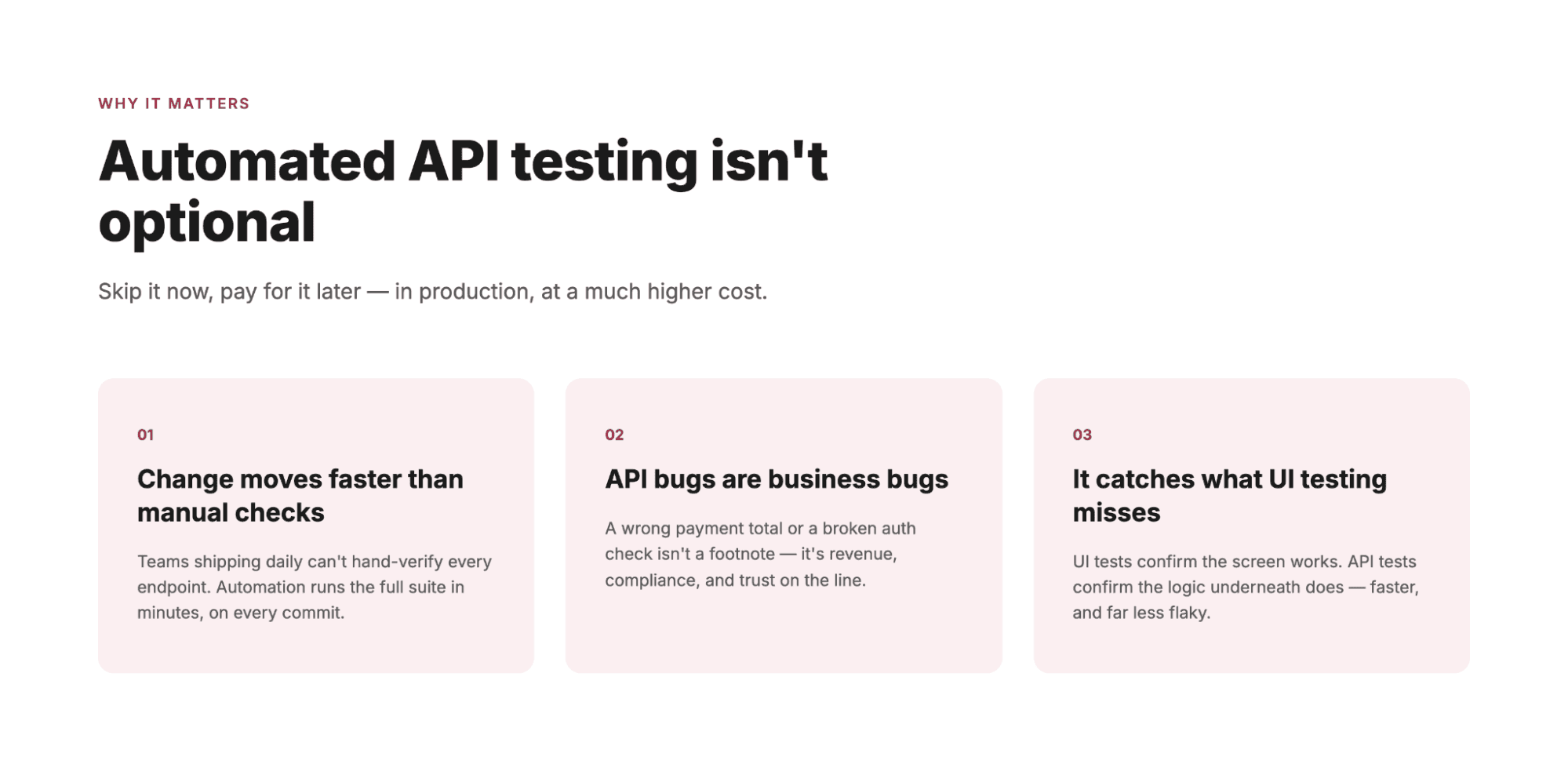
Automated API testing matters because APIs fail quietly and expensively. A broken button is visible; a broken endpoint returns a wrong number that nobody notices until a customer does. The classic version of this story: after a version migration, an endpoint starts returning 200 with an empty body instead of a 404. Every consumer treats the 200 as success, dashboards stay green, and the data quietly stops arriving. Nobody scripted a test for "success with nothing in it," so nothing failed until a customer asked where their records went.
Three reasons make automation non-negotiable for any team shipping regularly:
- **Speed of change has outrun manual checking.** Teams deploying weekly or daily cannot manually re-verify dozens of endpoints on every release. Automation runs the full battery in minutes, on every commit.
- **APIs are the backbone, so API bugs are business bugs.** A payment API returning the wrong total or an auth API letting the wrong user in is not a technical footnote. It is revenue, compliance, and trust on the line.
- **Rest API testing automation catches what UI testing misses.** UI tests confirm the screen works; API tests confirm the logic underneath works, including error paths, edge cases, and integrations a user never sees. Testing at the API layer is also faster and far less flaky than testing through a browser, which is why mature teams test heavily at this layer.
The teams that skip this do not avoid the cost. They just pay it later, in production, at a much higher price.
See which of your API endpoints are going untested today
[Get a Free Bug Report](https://www.botgauge.com/contact)
## Challenges of API Automation Testing
API automation testing is valuable, but teams consistently hit the same walls. Knowing them upfront is how you avoid a stalled program.
### Test maintenance eats the gains
APIs evolve: fields get renamed, contracts change, versions ship. Every change breaks tests that were written against the old shape, and fixing them again and again becomes the biggest hidden cost of automation. This, not writing the first tests, is where most API automation efforts quietly die.
### Test data is fragile
API tests need realistic data: valid users, tokens, records in the right state. Managing that data across environments, and resetting it between runs, is ongoing operational work that most teams underestimate.
### Coverage decisions are hard
Which endpoints, which error paths, which combinations of parameters? Testing everything is impossible, and testing only happy paths misses where the real bugs live.
### Skills and bandwidth
Writing good automation scripts requires engineering skill, and those engineers are usually needed for product work. The result is a chronic tug-of-war between building features and protecting them, which is the same math behind whether to [hire a QA engineer](https://www.botgauge.com/blog/hiring-qa-engineer-vs-choosing-autonomous-qa) or automate.
### Environments and dependencies
APIs rarely stand alone. They call databases, third-party services, and other internal APIs, so a test failure may reflect a dependency problem rather than a real defect, which erodes trust in the results.
Every one of these challenges is solvable. The question each team must answer is whether they solve it with internal headcount or hand the whole problem to a system built for it. Hold that thought for the strategy section below.
Move from hand-maintained API tests to autonomous coverage in 48 hours
[Explore AQaaS](https://www.botgauge.com/autonomous-qa-as-a-solution)
## Key Considerations for API Automation Testing
Before writing a single automated test, five considerations will shape whether your program succeeds:
- **Start from risk, not from endpoints.** Rank your APIs by business impact, the same risk-first logic that governs [test coverage](https://www.botgauge.com/blog/test-coverage) decisions everywhere else; low-stakes read endpoints get a lighter pass.
- **Test the contract, not just the response.** Validate schemas, data types, and required fields, so a silent contract change fails loudly in testing instead of silently in production.
- **Cover the unhappy paths deliberately.** Wrong inputs, missing auth, timeouts, malformed payloads. Most production incidents come from the paths nobody tested.
- **Decide your maintenance strategy on day one.** Who updates tests when the API changes? If the answer is "whoever has time," the suite will rot. This is where self-healing automation earns its place.
- **Plan for CI/CD from the start.** A suite that only runs before releases gives feedback too late. Design for tests that trigger on every commit.
## How API Automation Testing Works
At its core, every automated API test follows the same loop: send a request, receive the response, compare it against expectations, report the result. The implementation happens in four stages.
### 1\. Define what to verify
For each endpoint, specify the inputs, the expected outputs (status codes, response bodies, headers), and the failure behaviors that must be handled gracefully. Concretely: GET /orders/{id} with a valid ID must return 200 and an order object with the amount as a number. With a deleted ID it must return 404, not a 200 with an empty body. That second case is the kind of rule nobody writes down and everybody assumes, right up until it breaks.
### 2\. Create the tests
Traditionally, engineers script these checks in a framework or a tool like Postman. Increasingly, AI systems generate them instead: modern [autonomous testing agents](https://www.botgauge.com/blog/autonomous-testing-agents) can read your API specifications and PRDs and produce the test cases automatically, which removes the biggest upfront effort. Our guide to [automatic AI test case generation](https://www.botgauge.com/blog/automatic-ai-test-case-generation-software-testing) covers how that works.
### 3\. Execute continuously
The tests are wired into your CI/CD pipeline so they run on every commit or on a schedule, across environments, without anyone pressing a button.
### 4\. Report and act
Failures are surfaced with enough detail to reproduce the problem: the request sent, the response received, and the assertion that failed. A failed API test blocks the change from moving forward until it is resolved.
The loop is simple. The hard part is keeping it running as the API changes, which is why modern approaches focus as much on test maintenance as test creation.
Watch self-healing repair a broken API test on your own application
[Get a Walkthrough](https://calendly.com/botgauge/30min)
## Types of Automated API Tests
Different API tests answer different questions. The easiest way to see the difference is to take one endpoint and watch each test type interrogate it. Say you run a payments product with a POST /refunds endpoint.
- **Functional tests** ask the basic question: does a valid refund request return a 200 and actually create the refund? This is the foundation, and where every program starts.
- **Contract tests** check the shape rather than the behavior. If a developer renames "refund\_amount" to "amount" in the response, every consumer of this API breaks silently. A contract test catches the rename before any of them feel it.
- **Integration tests** verify the chain: create an order, pay for it, refund it, then fetch it and confirm the status reads refunded. Real usage is chains, not single calls, and this is where the bugs between endpoints live.
- **Negative tests** get hostile on purpose. A refund for more than the order total. A refund with an expired token. A refund for someone else's order. The correct answer to all three is a clear, safe error. The dangerous answer is a 200.
- **Performance and load tests** ask what happens when a thousand refunds land in the same minute after a botched product launch, because an endpoint that works but takes eight seconds is still broken for users.
- **Security tests** probe whether the wrong user can do the wrong thing: can a customer trigger a refund to a card that is not theirs?
- **Regression tests** are all of the above, re-run on every change, so next month's new feature never quietly breaks this month's refund logic.
One endpoint, seven different questions. A strong program layers most of them, weighted by how much damage each failure would do.
## The Benefits of API Test Automation
Done well, API test automation pays back in ways leaders can measure, and the returns compound.
The first return is speed. Full API verification runs in minutes instead of days, which removes testing as the release bottleneck, and bugs surface at commit time when they cost minutes rather than in production where they cost incidents, hotfixes, and trust. The second is scale: hundreds of endpoints, thousands of parameter combinations, and every error path, verified on every single build. No manual team matches that, and no manual team matches the consistency either. Machines run the same checks identically every time. No skipped steps at 6pm on release day.
Then there is the quieter return: capacity. Postman's research has consistently found developers spend a large share of their API time on debugging and manual testing. Automation hands that time back to building product.
But the benefit engineering leaders end up valuing most is not on any dashboard. It is a reliable release signal. A green API suite that the team actually trusts turns "are we safe to ship?" from a Friday afternoon debate into a data point.
## Best Practices for Automated Testing
Picture two teams a year after adopting API automation. One has a suite everyone trusts: a red build stops the release, no arguments. The other has 800 tests, 40 of them failing on any given day for reasons nobody has investigated, and engineers merging past the red anyway. Same tools. Different habits. These are the habits that separate them:
### Prioritize by business risk
Revenue-critical and security-critical endpoints get tested first, deepest, and on every run. Never let a time-boxed run skip them.
### Keep tests independent
Each test should set up and clean up its own data, so tests can run in parallel and one failure never cascades into false failures elsewhere.
### Validate structure and values
Assert on schemas and data types, not just status codes. A 200 response with wrong data is the most dangerous failure there is.
### Make every failure reproducible
Log the full request, response, and environment for each failure, so triage takes minutes instead of an afternoon of guessing.
### Run on every change, not before releases
Feedback within minutes of a commit is worth ten times the same feedback the night before launch.
### Treat maintenance as a first-class cost
Budget for it, measure it, and adopt self-healing approaches that update tests automatically when the API evolves. The teams that fail at API automation almost always failed at maintenance, not at test writing. That second team above did not choose to ignore red builds. Their suite decayed until ignoring it was rational.
See how [automated regression testing](https://www.botgauge.com/solutions/automated-regression-testing) keeps a suite alive as the product changes.
### Retire dead tests
A smaller, trustworthy suite beats a large, noisy one.
## Is API Test Automation Right for Your Team?
Some teams should automate their API testing immediately. Others should start smaller. Here is a quick read on where you stand.
### Automate now if you:
- Ship weekly or faster and still verify endpoints by hand
- Run the same API regression checks every sprint
- Have had a production incident an API test would have caught
- Maintain integrations or webhooks that other teams depend on
### Start smaller if:
- Your API is early-stage and its contract changes every week
- You have fewer than a dozen endpoints and a slow release cadence
- Nobody on the team can own the suite yet, even part-time
### Consider autonomous coverage if:
- You want API coverage in days without standing up a framework
- Test maintenance, not test writing, is your biggest drain
- Your engineers are stretched and QA is the release bottleneck
- You need the API layer and the UI layer tested as one system, because your worst bugs live at the seam between them
## How to Choose an API Testing Tool
Five questions will tell you most of what you need to know.
### 1\. What does your stack look like?
Postman fits collection-based workflows, REST Assured fits Java-heavy teams, and Karate suits mixed-skill teams that want readable syntax. Match the tool to the people who will live in it.
### 2\. Who will write and maintain the tests?
If the answer is "engineers who are already busy," be honest about how long the suite will stay healthy. A tool your team cannot staff is shelfware with a login.
### 3\. Does it test beyond the happy path easily?
Negative cases, auth failures, and malformed payloads are where API bugs live. If adding them is painful, they will not get added.
### 4\. How does it integrate with your pipeline?
Tests that do not run on every commit give feedback too late. Native CI/CD integration is a requirement, not a feature.
### 5\. What is the total cost of ownership?
License cost is the starting point. Add setup time, the engineering hours spent writing tests, and the permanent maintenance burden as your API evolves. A free framework that consumes half an engineer is not free, and this question, more than any feature comparison, usually decides the build-versus-buy answer.
Always run a pilot before committing: take ten of your highest-risk endpoints, build the tests in the tool you are evaluating, then change something in the API and watch what breaks.
## Your API Testing Strategy
Here is the honest strategic question underneath everything above: who should own this work?
Every challenge and best practice in this guide points at the same tradeoff. Building API automation in-house means hiring or reallocating engineers, choosing and learning frameworks, building the data and environment plumbing, and permanently staffing the maintenance burden as your API evolves. It is entirely doable, and for some teams it is the right call.
But look at the actual math for a moment. The engineers who would build and maintain this are the same engineers you need shipping product. Every hour spent fixing a broken test after a contract change is an hour not spent on features. And the maintenance never ends, because your API never stops changing. This is why so many API automation programs launch strong and quietly decay within two quarters.
The alternative model is to treat API test coverage as an outcome you buy rather than a system you operate, the approach behind [QA as a Service](https://www.botgauge.com/blog/ai-qa-as-a-service). An autonomous layer that generates the tests from your specs and flows, runs them on every commit, heals them when your API changes, and hands you the results, with human QA experts validating what the automation finds. Your team reviews a release signal instead of babysitting a framework.
Neither answer is universally right. If you have dedicated SDET capacity and a slowly-changing API, in-house works. If your API changes weekly, your engineers are stretched, and testing is currently the bottleneck between you and faster releases, operating your own test infrastructure is probably the wrong use of your team.
That second situation is exactly what BotGauge was built for.
## How BotGauge Helps with API Automation Testing
BotGauge delivers API test coverage as part of its Autonomous QA as a Solution model. One honest framing matters here: BotGauge is not a standalone API-only tool the way Postman is. It tests your APIs as one layer of full end-to-end coverage, alongside UI and functional testing, and for most product teams that is the stronger position, because the worst API bugs are the ones that surface at the seam between the API and the interface built on it. A pure API tool passes the endpoint; a pure UI tool passes the screen; the bug lives between them.
Here is what that looks like in practice:
### AI agents generate API tests from your product context
Share your API specifications, PRDs, or product flows, and BotGauge's agents map your functional, UI, and API workflows together, generating the functional, integration, and negative tests, including the error paths and edge cases teams rarely get to. No frameworks to stand up, no scripts to author.
### Self-healing keeps the suite alive
When your API contract or workflows change, the affected tests are detected and updated automatically, so the maintenance burden that kills most API automation programs is not yours.
### Everything runs in your pipeline, next to what you already use
Tests trigger on every commit through native CI/CD integration with unlimited parallel runs, and BotGauge integrates with the tools already in your workflow, including Postman, GitHub, GitLab, Jira, and TestRail. Your tests remain yours to keep, export, or migrate, with no vendor lock-in.
### Humans validate what matters
Every suite is reviewed by a dedicated domain FDE pod before it runs, so you get automation speed without losing human judgment on what counts as a real defect.
The results are concrete: critical flows automated in 24 to 48 hours, around 80% coverage in about two weeks, and outcome-based pricing where you pay for coverage delivered, not seats or licenses. It is SOC 2 Type II compliant, with full data isolation for teams in regulated environments.
Start your API testing pilot. Generate, run, and maintain API tests across your CI/CD workflow with less manual effort
[Try for Free](https://www.botgauge.com/contact)
30 days, on your real application, with no setup or infrastructure needed on your side.
[Book a Demo](https://calendly.com/botgauge/30min)
## Conclusion
API automation testing is not really a tooling decision. It is a decision about how much silent risk you are willing to ship. Every untested endpoint is a bet that nothing changed, and your API changes every sprint. The teams that get this right automate the checks, protect the unhappy paths, and answer the ownership question honestly: if your engineers cannot carry the maintenance, stop pretending they will. Test coverage that keeps pace with your API is no longer a luxury or a quarter-long project. It is 48 hours away, if you want it to be.
## Frequently Asked Questions
How do APIs work?
An API works as a structured request-and-response exchange between two systems. One application sends a request to an API endpoint, typically over HTTP, specifying what it wants and including any required data or authentication. The receiving system processes the request and returns a response containing the result and a status code indicating success or failure. This contract lets applications share data and functionality without knowing anything about each other's internal code.
Is Selenium required for API testing?
No. Selenium automates browsers and user interfaces, and API testing does not involve a browser at all. API tests send requests directly to endpoints using tools and libraries built for that purpose, such as Postman, REST Assured, or Karate, or through autonomous platforms that generate and run API tests for you. If anything, testing at the API layer is valued precisely because it avoids the slowness and flakiness of browser-based testing.
How to write automation scripts for API testing?
To write automation scripts for API testing, you define the request (endpoint, method, headers, payload), send it programmatically, and assert on the response: status code, schema, and data values. In practice that means choosing a tool or framework, scripting the happy path first, then adding negative cases with bad inputs and missing auth, and wiring the scripts into CI so they run on every change. Increasingly, teams skip hand-scripting entirely and use AI-based systems that generate these tests from API specifications, which removes both the writing and the ongoing maintenance.
Which framework is best for API automation testing?
There is no single best framework, only the best fit for your team. Postman suits teams that want an approachable, collection-based workflow. REST Assured fits Java-heavy engineering teams, and Karate combines API testing with readable syntax for mixed-skill teams. All of them, however, leave the writing and maintenance with your engineers. If the goal is coverage without operating a framework at all, a managed autonomous platform like BotGauge generates, runs, and maintains the API suite for you, which is the better fit when engineering bandwidth is the constraint.
TABLE OF CONTENT
[What is API Automation Testing](https://www.botgauge.com/api-automation-testing#heading1) [What are APIs?](https://www.botgauge.com/api-automation-testing#heading2) [The Importance of Automated API Testing](https://www.botgauge.com/api-automation-testing#heading3) [Challenges of API Automation Testing](https://www.botgauge.com/api-automation-testing#heading4) [Test maintenance eats the gains](https://www.botgauge.com/api-automation-testing#heading5) [Test data is fragile](https://www.botgauge.com/api-automation-testing#heading6) [Coverage decisions are hard](https://www.botgauge.com/api-automation-testing#heading7) [Skills and bandwidth](https://www.botgauge.com/api-automation-testing#heading8) [Environments and dependencies](https://www.botgauge.com/api-automation-testing#heading9) [Key Considerations for API Automation Testing](https://www.botgauge.com/api-automation-testing#heading10) [How API Automation Testing Works](https://www.botgauge.com/api-automation-testing#heading11) [1\. Define what to verify](https://www.botgauge.com/api-automation-testing#heading12) [2\. Create the tests](https://www.botgauge.com/api-automation-testing#heading13) [3\. Execute continuously](https://www.botgauge.com/api-automation-testing#heading14) [4\. Report and act](https://www.botgauge.com/api-automation-testing#heading15) [Types of Automated API Tests](https://www.botgauge.com/api-automation-testing#heading16) [The Benefits of API Test Automation](https://www.botgauge.com/api-automation-testing#heading17) [Best Practices for Automated Testing](https://www.botgauge.com/api-automation-testing#heading18) [Prioritize by business risk](https://www.botgauge.com/api-automation-testing#heading19) [Keep tests independent](https://www.botgauge.com/api-automation-testing#heading20) [Validate structure and values](https://www.botgauge.com/api-automation-testing#heading21) [Make every failure reproducible](https://www.botgauge.com/api-automation-testing#heading22) [Run on every change, not before releases](https://www.botgauge.com/api-automation-testing#heading23) [Treat maintenance as a first-class cost](https://www.botgauge.com/api-automation-testing#heading24) [Retire dead tests](https://www.botgauge.com/api-automation-testing#heading25) [Is API Test Automation Right for Your Team?](https://www.botgauge.com/api-automation-testing#heading26) [Automate now if you:](https://www.botgauge.com/api-automation-testing#heading27) [Start smaller if:](https://www.botgauge.com/api-automation-testing#heading28) [Consider autonomous coverage if:](https://www.botgauge.com/api-automation-testing#heading29) [How to Choose an API Testing Tool](https://www.botgauge.com/api-automation-testing#heading30) [1\. What does your stack look like?](https://www.botgauge.com/api-automation-testing#heading31) [2\. Who will write and maintain the tests?](https://www.botgauge.com/api-automation-testing#heading32) [3\. Does it test beyond the happy path easily?](https://www.botgauge.com/api-automation-testing#heading33) [4\. How does it integrate with your pipeline?](https://www.botgauge.com/api-automation-testing#heading34) [5\. What is the total cost of ownership?](https://www.botgauge.com/api-automation-testing#heading35) [Your API Testing Strategy](https://www.botgauge.com/api-automation-testing#heading36) [How BotGauge Helps with API Automation Testing](https://www.botgauge.com/api-automation-testing#heading37) [AI agents generate API tests from your product context](https://www.botgauge.com/api-automation-testing#heading38) [Self-healing keeps the suite alive](https://www.botgauge.com/api-automation-testing#heading39) [Everything runs in your pipeline, next to what you already use](https://www.botgauge.com/api-automation-testing#heading40) [Humans validate what matters](https://www.botgauge.com/api-automation-testing#heading41) [Conclusion](https://www.botgauge.com/api-automation-testing#heading42)
Start your AI testing pilotGenerate, run, and maintain tests across your CI/CD workflow with less manual effortTry for Free
Autonomous Testing for Modern Engineering Teams
[Book a Demo](https://calendly.com/botgauge/30min)
## Automated Component Testing
# Automated Component Testing: A Complete Guide with Examples
Component testing is a software testing technique that verifies each individual module of an application in isolation, before integration. It catches defects at the point where they are cheapest to fix, giving teams faster feedback and fewer failures downstream in integration and production. If your team still checks components by hand, this guide covers how it works, the techniques worth using, the habits that keep a suite trustworthy, and the real question underneath it all: who should own this work.
[Try for Free](https://www.botgauge.com/contact) [Book a Demo](https://calendly.com/botgauge/30min)

#### Key Takeaways
- Component testing verifies each module of an application in isolation before it is integrated with the rest of the system.
- Defects caught at the component level are significantly cheaper to fix than the same defects found in integration or production.
- Drivers and stubs let teams test components whose dependencies are incomplete or unavailable.
- Manual component testing does not scale, so most mature teams automate it within their CI pipeline.
- Test maintenance, not test creation, is the biggest long-term cost of component testing programs.
- AI-driven and autonomous approaches now generate, run, and heal component tests with minimal engineering effort.
Every production incident has an origin story, and most of them start small. A pricing module rounds a discount the wrong way. A validation function accepts an expired card. By the time the defect surfaces in an end-to-end test or, worse, in front of a customer, it has traveled through integration, staging, and release, gathering cost at every stop. Component testing exists to catch that defect at the moment it is cheapest to fix: inside the module where it was born.
## What is Component Testing?
Component testing is a software testing technique that verifies each individual module, or component, of an application in isolation, before those components are integrated with one another. Each component is tested against its own specification to confirm it behaves correctly on its own, independent of the rest of the system.
So what is component testing in software engineering, precisely? A component is the smallest independently deployable or testable unit of a system: a function, a class, a module, or a UI element such as a form or dropdown. Component testing, sometimes called module testing or component level testing, checks that unit against its design and requirements. It usually runs right after unit testing and before integration testing among the broader [types of software testing](https://www.botgauge.com/blog/understanding-types-software-testing).
One clarification worth making early: the term also exists in hardware, where component testing equipment is used to validate physical parts like circuit boards and semiconductors. This guide covers the software meaning of the term, which is where QA teams spend their time.
Component testing is one layer of a larger testing pyramid. For how it fits alongside unit, integration, system, and acceptance testing, see our guide to the [types of software testing](https://www.botgauge.com/blog/understanding-types-software-testing).
## Why is Component Testing Necessary?
Because defects get more expensive the longer they survive. A bug found inside a component takes one developer and one code change to fix. The same bug found during integration testing requires debugging across module boundaries. Found in production, it involves incident response, hotfixes, and customer impact. The Consortium for Information and Software Quality estimated that poor software quality cost the US economy at least [$2.41 trillion in 2022](https://www.it-cisq.org/the-cost-of-poor-quality-software-in-the-us-a-2022-report/), with accumulated technical debt making up $1.52 trillion of that figure.
Component testing is also necessary because integration and end-to-end tests are poor tools for localizing failures. When a 40-step checkout flow fails, the failure could live in any of a dozen modules. When a component test fails, you know exactly which module broke, and usually which input broke it. That precision is what makes component testing the fastest feedback loop a QA program has after unit tests.
Find out which of your components ship untested, on your own application
[Try for Free](https://www.botgauge.com/contact)
## Objective of Component Testing
The goals of component testing are narrow by design, and that narrowness is its strength:
- Verify that each component's inputs, outputs, and behavior match its specification.
- Catch defects at the module level, before integration multiplies the cost of finding them.
- Confirm that error handling, boundary conditions, and edge cases behave as designed.
- Reduce the number of defects that reach integration, system, and acceptance testing.
- Give developers fast, precise feedback on the code they just changed.
## Types of Software Component Testing
Component testing comes in two forms, distinguished by how much isolation they impose:
### Component testing in small (CTIS)
The component is tested in full isolation from the rest of the system. Any dependencies it has are replaced with stand-ins (stubs and drivers, covered below). This is the stricter and more common form, because isolation makes failures unambiguous.
### Component testing in large (CTIL)
The component is tested without isolating it from the components it depends on, usually because building the stand-ins would cost more than it saves, or because the dependent components are already stable. Failures are slightly harder to localize, but setup is cheaper.
Teams also vary in perspective: some treat component testing as a white box activity performed by developers who can see the code, while others run it black box, testing only against the component's interface and specification. In practice most programs blend both.
## Component Testing Process
If you are wondering how to do component testing in practice, the process follows six steps, whether the tests are manual or automated:
- **Requirement analysis:** Identify what the component is supposed to do, from user stories or design specs.
- **Test planning:** Decide scope, isolation level (CTIS or CTIL), tools, and who owns execution.
- **Test specification:** Design test cases covering valid inputs, invalid inputs, and boundaries.
- **Implementation:** Write the test scripts, and build any drivers or stubs the component needs.
- **Execution:** Run the tests, ideally inside the CI pipeline so every commit gets checked.
- **Recording and reporting:** Log defects, track pass rates, and feed results back to developers.
The step teams most often skip is the last one. Component test results that never reach a dashboard or a developer's pull request are effort spent without leverage.
## Component Testing Techniques
Component test cases are designed with the same core techniques used elsewhere in functional testing, applied at module scope. The difference is that at component level, you can be exhaustive in a way that is impossible at system level.
### Equivalence Partitioning
Group inputs into classes the component should treat identically, and test one value per class.
### Boundary Value Analysis
Test at the edges of valid ranges, where off-by-one defects live.
### Decision Table Testing
When behavior depends on combinations of conditions, enumerate the combinations in a table and test each row.
### Error Guessing
Use experience to probe likely failure points: nulls, empty strings, negative numbers, unexpected types.
Our guide to [test case writing techniques](https://www.botgauge.com/blog/test-case-writing-techniques-best-practices) covers each of these in depth. The next section applies all four to a single real component, because techniques are easier to hold onto with a concrete example than as a list.
## Component Testing Example
Take a discount calculation component in an e-commerce checkout. Its specification: it accepts a cart subtotal and a coupon code, and returns the discounted total. Coupons apply 10 to 50 percent off, discounts never apply to subtotals under $20, and expired coupons return the original subtotal with a warning flag.
Equivalence partitioning gives us three input classes to cover: a valid coupon on an eligible cart, a valid coupon on an ineligible cart (under $20), and an expired coupon. Boundary value analysis adds tests at exactly $20.00, at $19.99, and at coupons of exactly 10 and 50 percent. A decision table covers the combinations: valid coupon and eligible cart, valid coupon and ineligible cart, expired coupon and eligible cart, expired coupon and ineligible cart. Error guessing adds a null coupon code, an empty cart, and a negative subtotal, which should never happen and therefore eventually will.
That is roughly a dozen test cases, they run in milliseconds, and they pin down the exact behaviors that would otherwise surface as mispriced orders in production. Notice also what the component test did not need: no browser, no database, no payment gateway. That is the entire point of testing at this level.
## Strategies for Effective Component Testing
How much component testing your team should do, and how, depends on where you stand. Here is a quick read.
### Test manually for now if you:
- Are pre-product-market fit and the codebase changes shape weekly
- Have components whose contracts are rewritten faster than tests could track them
- Have nobody who can own a suite yet, even part-time
### Automate aggressively if you:
- Have stable core components and a growing regression burden
- Have developers waiting on QA cycles before merging
- Have shipped a production incident that a component test would have caught
### Consider autonomous coverage if you:
- Are already automating, but test maintenance consumes more engineering time than test creation
- Watch coverage lose to release pressure sprint after sprint
- Need component level testing and end-to-end flows verified as one system, because your worst bugs live at the seam between them
Whichever bucket you are in, three strategies hold. Prioritize components by risk, not by ease: the payment module deserves ten times the test depth of the footer. Keep component tests independent of one another, so a failure in one never cascades into false failures elsewhere. And treat test data as a first-class asset, because most flaky component tests trace back to shared or stale data, not to the component.
## Drivers and Stubs in Component Testing
Components rarely exist alone. They call other components, and they get called. When those neighbors are not built yet, or are too unstable to rely on, component testing uses two kinds of stand-ins:
| | Driver | Stub |
| --- | --- | --- |
| What it replaces | The component that calls the one under test | The component that the one under test calls |
| Direction | Simulates calls coming in | Simulates responses going out |
| Typical use | Testing a low-level module before the UI above it exists | Testing a high-level module before the services below it exist |
| Example | A script that invokes the discount calculator with test carts | A fake coupon service that returns fixed validity responses |
In the discount calculator example, the real coupon validation service might not be finished. A stub that returns a fixed response for each test coupon lets component testing proceed anyway. This is also why component testing can start much earlier in a project than integration testing: it never has to wait for the whole system to exist.
## How is Component Testing Performed?
In practice, teams perform component testing in one of three ways, usually in this order of maturity.
- **Manually, against a spec.** A tester exercises the component through whatever interface it exposes and compares behavior to the specification. This works early on but does not survive weekly release cadences.
- **With component testing software in the development stack.** Frameworks like JUnit, Jest, and NUnit handle logic-level components, while tools like Cypress and Playwright offer dedicated component testing modes that mount UI components in a real browser without loading the full application. Tests run on every commit in CI.
- **With autonomous test generation.** AI agents observe the application, generate component and flow-level tests themselves, and repair them when the code changes. This is the newest layer and the subject of the final sections of this guide.
Whatever the method, the discipline is the same: test the component against its contract, isolate what you can, and run the tests continuously rather than at the end of a cycle.
Watch self-healing repair a broken component test on your own application
[Get a demo](https://calendly.com/botgauge/30min)
## Advantages and Limitations of Component Testing
| Advantages | Limitations |
| --- | --- |
| Finds defects at the cheapest point in the lifecycle | Cannot catch defects that only appear when components interact |
| Failures point directly at the responsible module | Building and maintaining stubs and drivers takes real effort |
| Runs fast, enabling feedback on every commit | Coverage of components says nothing about coverage of user journeys |
| Can begin before the full system exists | Test suites decay as components change, creating a maintenance burden |
The right conclusion from the limitations column is not that component testing is optional. It is that component testing is necessary and insufficient: it must sit inside a strategy that also covers component integration testing and end-to-end flows.
## Challenges in Component Testing
If component testing is so valuable, why do so many teams have thin coverage at this level? Because the costs are structural, not motivational.
- **The maintenance treadmill.** Every component test encodes assumptions about the component's interface. Each refactor breaks some of those assumptions, and the tests that were supposed to protect the change now block it. Teams routinely find that maintaining component tests costs more engineer-hours than writing them did.
- **Stub decay.** Stubs are snapshots of a dependency's behavior at one point in time. When the real dependency evolves, the stub silently lies, and tests pass against behavior that no longer exists in production.
- **The coverage illusion.** Teams measure the components they test, not the components they miss. New modules ship faster than test suites grow, so real coverage quietly erodes even while pass rates look healthy.
- **The prioritization trap.** When QA capacity is fixed, component testing competes with release testing, and release testing always wins the week. Component coverage becomes the thing everyone agrees matters and nobody has time for.
Every one of these four problems is solvable. The question each team must answer is whether they solve it with internal headcount or hand the whole problem to a system built for it. Hold that thought for the ownership question below.
Move from hand-maintained scripts to autonomous component coverage in 48 hours
[Explore AQaaS](https://www.botgauge.com/autonomous-qa-as-a-solution)
## Best Practices for Component Testing
Picture two teams a year after adopting component testing. One has a suite everyone trusts: a red build stops the merge, no arguments. The other has 1,200 component tests, 60 of them failing on any given day for reasons nobody has investigated, and engineers merging past the red anyway. Same frameworks. Different habits. These are the habits that separate them:
- Define each component's contract in writing before testing it, because you cannot verify behavior nobody specified.
- Automate execution in CI so component tests run on every commit, not on a schedule someone maintains by hand.
- Keep tests deterministic: no shared state, no real network calls, no reliance on test order.
- Track defect escape rate, not just pass rate, because the point of component testing is what never reaches integration.
- Review stubs on the same cadence as the dependencies they imitate.
- Budget maintenance time explicitly, because a suite nobody maintains becomes a suite nobody trusts, and then a suite nobody runs.That second team above did not choose to ignore red builds. Their suite decayed until ignoring it was rational.
## Future Trends in Component Testing
Three shifts are changing how component testing gets done, and all three point in the same direction: less human effort per test.
- **AI-generated test cases.** Instead of engineers designing equivalence classes by hand, AI models read the component's code and specification and propose the test cases, including the edge cases humans forget.
- **Self-healing tests.** When a component's interface changes, self-healing frameworks update the affected tests automatically instead of failing and waiting for a human. This attacks the maintenance treadmill directly.
- **Autonomous testing agents.** The furthest point on this curve: agents that explore an application, decide what needs testing at component and flow level, generate the tests, run them, and maintain them, with humans reviewing outcomes rather than writing scripts. A new generation of [AI test automation tools](https://www.botgauge.com/blog/ai-test-automation-tools) is competing to deliver exactly this.
For a comparison of the platforms driving these shifts, see our breakdown of [AI test automation tools](https://www.botgauge.com/blog/ai-test-automation-tools).
## Role of Automated Testing in Component Testing
Manual component testing fails on arithmetic. A mid-sized application has hundreds of components, each needing a dozen or more test cases, re-run on every release. No QA team's headcount grows at that rate, which is why automated component testing stopped being an optimization and became the baseline.
But automation changes the cost structure rather than eliminating it. The total cost of ownership of an automated component testing program is not the license fee for the framework, which is often zero. It is the engineer-hours spent writing tests, the larger number of engineer-hours spent maintaining them as the product changes, the stub upkeep, the flake triage, and the opportunity cost of senior engineers doing test plumbing instead of product work. When teams say automation is expensive, this is what they mean.
Which raises the real question: who should own this work? If your product's architecture is stable, your team has SDET capacity, and test maintenance is a manageable fraction of the effort, owning it in-house is the right call, and no vendor should tell you otherwise. The case for handing it off begins where the arithmetic breaks: when maintenance outpaces creation, when coverage keeps losing to release pressure, and when the engineers maintaining tests are the same ones you need building the product. That second situation is exactly what BotGauge was built for.
## How BotGauge Helps with Automated Component Testing
First, what BotGauge is not: it is not a unit testing framework. If you need to test a pure function's logic in milliseconds inside your codebase, Jest or JUnit remains the right tool, and your developers should keep using it.
Where BotGauge takes over is everything above that line: the component, integration, and end-to-end coverage that consumes QA teams, delivered through its [Autonomous QA as a Solution (AQaaS)](https://www.botgauge.com/) model. For most product teams that combined position is the stronger one, because the worst component bugs are the ones that surface at the seam between the component and the flows built on it. A component test passes the module; an end-to-end test passes the journey; the bug lives between them. Here is what that looks like in practice:
### AI agents generate component tests from your product context
Share your specifications, PRDs, or product flows, and BotGauge's agents map your components and the workflows that connect them, generating the functional, boundary, and negative tests, including the error paths and edge cases teams rarely get to. No frameworks to stand up, no scripts to author.
### Self-healing keeps the suite alive
When a component's interface or the workflows around it change, the affected tests are detected and updated automatically, so the maintenance treadmill that kills most in-house programs is not yours to run.
### Everything runs in your pipeline, next to what you already use
Tests trigger on every commit through native CI/CD integration with unlimited parallel runs, and BotGauge integrates with the tools already in your workflow, including GitHub, GitLab, Jira, and TestRail. Your tests remain yours to keep, export, or migrate, with no vendor lock-in.
### Humans validate what matters
Every suite is reviewed by a dedicated Forward Deployed Engineer (FDE) pod before it runs, so you get automation speed without losing human judgment on what counts as a real defect.
The results are concrete: critical flows automated in 24 to 48 hours, around 80% coverage in about two weeks, 94% fewer production incidents, and roughly 6 hours per engineer per week returned to product work. Companies like Kitsa and Atlas run their QA this way, on outcome-based pricing where you pay for coverage delivered, not seats or licenses. BotGauge is SOC 2 Type II compliant, with full data isolation for teams in regulated environments.
Recall the four challenges from earlier: the maintenance treadmill, stub decay, the coverage illusion, and the prioritization trap. Self-healing addresses the first two, autonomous exploration addresses the third by finding the components you did not know were untested, and taking the work off your engineers' plates dissolves the fourth.
## Conclusion
Component testing is not really a tooling decision. It is a decision about how much silent risk you are willing to ship. Every untested component is a defect you have agreed to discover later, at a higher price, in front of more people, and your components change every sprint. The teams that get this right test each module deliberately, protect the boundaries and error paths, and answer the ownership question honestly: if your engineers cannot carry the maintenance, stop pretending they will. Component coverage that keeps pace with your product is no longer a quarter-long project. It is 48 hours away, if you want it to be. To see it running on your own application, [book a 30-minute walkthrough](https://calendly.com/botgauge/30min).
## Frequently Asked Questions
When is the component based testing recommended?
Component based testing is recommended as soon as an individual module is code-complete, before it is integrated with other modules. It is especially valuable when dependencies are unfinished (stubs and drivers fill the gap), when defect localization matters, and in any codebase where integration failures are expensive to debug.
Who does component testing?
Component testing is usually performed by developers, since it requires access to the code and runs in the development environment. In larger organizations, SDETs or dedicated QA engineers own it, and in teams using autonomous platforms, AI agents generate and run the tests while engineers review results.
What is component integration testing?
Component integration testing verifies the interactions between components after each has passed component testing individually. Component testing asks whether the discount calculator works; component integration testing asks whether the discount calculator and the coupon service work together, including the data passed across the interface between them.
What is component testing in Cypress?
Component testing in Cypress is a dedicated mode that mounts a single UI component, such as a React or Vue component, in a real browser without loading the full application. It renders the component in isolation so you can test its props, events, and appearance directly, which is faster and more stable than exercising the same component through full end-to-end tests. Cypress still leaves the writing and maintenance of those tests with your engineers, however; if the goal is component coverage without operating the framework, autonomous platforms like BotGauge generate and maintain the tests for you.
TABLE OF CONTENT
[What is Component Testing?](https://www.botgauge.com/automated-component-testing#heading1) [Why is Component Testing Necessary?](https://www.botgauge.com/automated-component-testing#heading2) [Objective of Component Testing](https://www.botgauge.com/automated-component-testing#heading3) [Types of Software Component Testing](https://www.botgauge.com/automated-component-testing#heading4) [Component testing in small (CTIS)](https://www.botgauge.com/automated-component-testing#heading5) [Component testing in large (CTIL)](https://www.botgauge.com/automated-component-testing#heading6) [Component Testing Process](https://www.botgauge.com/automated-component-testing#heading7) [Component Testing Techniques](https://www.botgauge.com/automated-component-testing#heading8) [Equivalence Partitioning](https://www.botgauge.com/automated-component-testing#heading9) [Boundary Value Analysis](https://www.botgauge.com/automated-component-testing#heading10) [Decision Table Testing](https://www.botgauge.com/automated-component-testing#heading11) [Error Guessing](https://www.botgauge.com/automated-component-testing#heading12) [Component Testing Example](https://www.botgauge.com/automated-component-testing#heading13) [Strategies for Effective Component Testing](https://www.botgauge.com/automated-component-testing#heading14) [Test manually for now if you:](https://www.botgauge.com/automated-component-testing#heading15) [Automate aggressively if you:](https://www.botgauge.com/automated-component-testing#heading16) [Consider autonomous coverage if you:](https://www.botgauge.com/automated-component-testing#heading17) [Drivers and Stubs in Component Testing](https://www.botgauge.com/automated-component-testing#heading18) [How is Component Testing Performed?](https://www.botgauge.com/automated-component-testing#heading19) [Advantages and Limitations of Component Testing](https://www.botgauge.com/automated-component-testing#heading20) [Challenges in Component Testing](https://www.botgauge.com/automated-component-testing#heading21) [Best Practices for Component Testing](https://www.botgauge.com/automated-component-testing#heading22) [Future Trends in Component Testing](https://www.botgauge.com/automated-component-testing#heading23) [Role of Automated Testing in Component Testing](https://www.botgauge.com/automated-component-testing#heading24) [How BotGauge Helps with Automated Component Testing](https://www.botgauge.com/automated-component-testing#heading25) [AI agents generate component tests from your product context](https://www.botgauge.com/automated-component-testing#heading26) [Self-healing keeps the suite alive](https://www.botgauge.com/automated-component-testing#heading27) [Everything runs in your pipeline, next to what you already use](https://www.botgauge.com/automated-component-testing#heading28) [Humans validate what matters](https://www.botgauge.com/automated-component-testing#heading29) [Conclusion](https://www.botgauge.com/automated-component-testing#heading30)
Start your AI testing pilotGenerate, run, and maintain tests across your CI/CD workflow with less manual effortTry for Free
Autonomous Testing for Modern Engineering Teams
[Book a Demo](https://calendly.com/botgauge/30min)
## Automated Testing Made Easy
# Automated End to End Testing: A Complete Guide for Modern QA Teams
Automated end-to-end testing validates a complete user journey, from first click to final result, the way a real customer would experience it. As releases speed up and AI writes more code, it has become the most reliable way to confirm software still works before it reaches production. Here's how it works, why it matters, and how to do it well.
[Try for Free](https://www.botgauge.com/contact) [Book a Demo](https://calendly.com/botgauge/30min)

#### Overview
- Automated end-to-end testing validates a complete user journey across the UI, APIs, database, and third-party services the way a real customer would experience it.
- Most serious failures happen where systems connect, which is exactly the boundary unit and integration tests never exercise.
- Automation is what makes E2E testing viable at modern release speed, running every critical journey on every build instead of once before a major release.
- A bug caught in testing costs a fraction of one found in production, where a single hour of downtime exceeds $300,000 for most mid-size and large enterprises.
- Flaky tests and endless maintenance are the two reasons most automation programs stall, not a lack of coverage.
- Tool choice comes down to ownership: frameworks leave building and upkeep with your team, low-code platforms ease authoring only, and managed autonomous solutions like BotGauge take on both.
- The future of E2E testing is autonomous, with AI agents generating and maintaining tests while human experts validate the results.
## Introduction
Automated end-to-end testing is a method of validating an entire software workflow from start to finish, the same way a real user would experience it. Instead of checking one function in isolation, it confirms that every connected part of an application works together, such as the user interface, the database, APIs, and third-party services.
Modern applications are made up of many components that depend on each other. A failure at any connection point can break the user experience, even when each individual part works correctly. This guide explains what end-to-end testing is, why it is important, how automation works, and the best practices teams follow to apply it well.
## What is End-to-End Testing?
End-to-end testing is a method that verifies whether a complete application functions correctly from the user's first action through to the final result. Rather than examining a single component in isolation, it follows an entire task across every system that task depends on.
Consider an online checkout. A test of this journey would open the website, add a product to the cart, enter payment details, and confirm the order. In doing so, it passes through the user interface, the product database, a payment API, and an email confirmation service. If the payment is processed but the confirmation email is never sent, the test reports a failure, because the journey has not been completed successfully.
This is what distinguishes end-to-end testing from other forms of testing. A unit test examines a single piece of code on its own, while an integration test confirms that a few connected components communicate correctly. End-to-end testing operates above both, validating the entire workflow exactly as a customer would experience it.
## What Is Automated End to End Testing and Why Does It Matter in Modern QA?
Automated end to end testing is the practice of running these full-journey checks through software rather than by hand. A tester would otherwise have to click through every workflow, verify each result, and repeat the entire process on every release. Automation captures those journeys once and replays them on demand, executing the same checks in minutes whenever the code changes.
This shift has become essential as release cycles have shortened. Many teams now deploy several times a day, and manual testing cannot realistically keep that pace. Each release would need a full round of human checking, and the next change is usually ready before the last one has been verified, so coverage steadily falls behind the product.
Automation removes that constraint. The full set of critical journeys runs on every build, unattended and consistently, which is what makes end-to-end testing automation a core part of modern QA. It is the most reliable way to confirm that fast-moving software still works for real users on every release, rather than discovering a broken flow once it has already reached production.
Shipping faster than your tests can keep up? See which critical journeys are currently going unchecked on every release
[Get My Coverage Snapshot](https://calendly.com/botgauge/30min)
## Why Is End-to-End Testing in Software Testing Important?
End-to-end testing matters because most serious software failures happen where systems connect, not inside any single component. Catching those failures before release protects revenue, user trust, and engineering time.
- **It catches failures other tests miss.** Unit and integration tests confirm that individual parts work, but they do not follow a complete journey. A defect can sit at the boundary between two working systems, and only end-to-end testing exercises that boundary the way a real user does.
- **Defects get far more expensive the later they are found.** Research attributed to the IBM Systems Sciences Institute found that a bug fixed after release can cost up to 100 times more than the same bug caught during design. End-to-end testing moves detection earlier, before a defect reaches production.
- **Undetected bugs carry a direct financial cost.** According to [ITIC's 2024 survey](https://itic-corp.com/itic-2024-hourly-cost-of-downtime-report/), a single hour of downtime now costs over $300,000 for more than 90% of mid-size and large enterprises. A broken checkout caught in testing is an outage that never happens.
- **It gives teams the confidence to release faster.** When critical journeys are verified automatically, teams can ship without manually re-checking the whole application each time. The test suite becomes the evidence that a release is safe.
## Why Use Automated End to End Testing?
The case for automation comes down to scale and repeatability. A manual end-to-end test can only be run as often as a person has time to run it, which means full coverage is checked rarely, usually just before a major release. Automated end-to-end testing removes that limit. The same journeys run on every build, overnight, and across dozens of browsers or devices at once, without anyone having to repeat the work by hand.
Automation also makes testing consistent. People skip steps when they are tired or rushed, and two testers rarely check a flow exactly the same way. Software runs the identical steps every time and reports the result the same way, so a failure means something genuinely changed in the application rather than something a tester happened to do differently. This reliability is what lets teams trust the results enough to release on them, and it frees skilled engineers to work on harder problems instead of clicking through the same journeys release after release.
## Benefits of Automated E2E Testing
The benefits of automated end-to-end testing are practical and measurable. They show up in faster releases, lower long-term cost, and a higher-quality product reaching customers.
- **Faster release cycles.** Automation shortens the slowest part of QA, regression testing, which compresses the gap between writing a feature and shipping it. McKinsey research on developer velocity found that organizations with mature automation reduce time to market for new features by [20 to 40 percent](https://www.mckinsey.com/industries/technology-media-and-telecommunications/our-insights/the-ai-centric-imperative-navigating-the-next-software-frontier).
- **Strong return on investment over time.** The upfront cost of building tests is recovered through the manual hours saved on every release that follows. One benchmark synthesis estimated that a typical automation program returns roughly 4.5 times its investment over three years, with about a 13-month payback period.
- **Wider, more consistent coverage.** Automated suites can run thousands of test cases across many browsers and devices at once, far more than a person could check by hand. This catches compatibility issues and edge cases that manual testing tends to miss under time pressure.
- **Fewer defects reaching production.** Because tests run automatically inside the CI/CD pipeline, bugs surface earlier in development, when they are cheapest to fix. Fewer escaped defects means lower support costs, fewer outages, and higher customer satisfaction.
- **More engineering capacity.** Removing repetitive manual testing frees QA and development teams to focus on harder, higher-value work such as exploratory testing and complex problem-solving, which also reduces the burnout that comes from running the same checks every release.
## How Automated E2E Testing Works
An automated end to end testing imitates a real user. The framework opens the application, performs each action in a journey, and checks that the system responds correctly at every step. For a sign-up flow, it would enter the details, click the button, and confirm that the right message appears, exactly as a person would. The process works in four stages.
- **Choose the journeys that matter.** Effective suites focus on the paths whose failure would hurt revenue or user trust, such as login and checkout.
- **Build the test.** Each journey becomes a test that defines the steps to perform and the result to expect. This can be scripted in a framework, or generated by a modern platform from a plain-English description.
- **Run on a production-like environment.** Tests run against a staging environment that mirrors production, with realistic data, so the suite exercises the real interface, database, APIs, and services without touching live customer records.
- **Run automatically and act on results.** The suite connects to the CI/CD pipeline. E2E tests typically run as a final check after changes merge and before deployment, and a failure blocks the release before the defect reaches users.
## Challenges in Automated E2E Testing
Automated end-to-end testing is powerful, but it is also the hardest type of testing to run well. The value is real, yet capturing it depends on solving a few problems that most teams underestimate.
- **Flaky tests.** A flaky test passes and fails on the same code, usually because of timing, async waits, or an unstable connection to an external service. Google found that around [16%](https://arxiv.org/pdf/2112.04919) of its tests show some flakiness, and 84% of pass-to-fail transitions involve a flaky test rather than a real bug. Once results stop being trusted, teams ignore failures that turn out to be genuine. Stabilizing a suite to this standard takes real engineering skill and constant attention.
- **The maintenance burden never ends.** End-to-end tests break whenever the interface changes, even when nothing is actually wrong. A renamed button or a moved element fails a test, so the suite needs upkeep on every release. Left unmanaged, teams spend more time repairing tests than writing new ones, which is the single biggest reason automation programs stall. Avoiding that fate requires either a dedicated maintenance effort or a system that absorbs these changes automatically.
- **Slow execution delays releases.** Because each test drives the full application, end-to-end suites run far slower than unit tests, and large suites can take hours. Keeping that off the critical path means running many tests in parallel, which in turn needs infrastructure to provision and manage.
- **Test data and environments are fragile.** Tests need realistic data and a staging environment that mirrors production. Keeping both consistent is difficult, and any mismatch produces failures that do not reflect real defects. This is ongoing operational work, not a one-time setup.
Most automation programs stall on maintenance, not coverage. What if the upkeep was never yours to do
[See How We Kill Maintenance](https://www.botgauge.com/autonomous-qa-as-a-solution)
## Best Practices for E2E Testing
Most end-to-end problems trace back to a handful of decisions made early. These practices are what separate a suite teams trust from one they quietly ignore.
- **Prioritize business-critical journeys.** End-to-end tests are slow and expensive, so they belong only on the paths that would hurt revenue or trust if they broke.
- **Anchor tests to stable selectors.** Tests that target elements by CSS class or styling break on every cosmetic change. Anchoring to stable identifiers such as test IDs keeps tests alive through redesigns. This matters more than it sounds, since research shows around 45% of flaky failures come from timing and wait issues, with selector fragility close behind.
- **Use condition-based waits, not fixed delays.** Hard-coded pauses either waste time or fail under load. Waiting for a specific condition, such as an element appearing or a request completing, makes tests both faster and more reliable.
- **Integrate testing into the pipeline.** A test that only runs at the release gate gives slow feedback, because the defect was introduced days earlier. Running on every change surfaces problems while the context is still fresh.
- **Quarantine flaky tests promptly.** When a test fails intermittently, isolate it immediately so it does not pollute results, then fix it or remove it. Tolerating flakiness is how a whole suite loses credibility.
## Future of Automated End-to-End Testing
End-to-end testing is moving away from hand-written scripts. Traditional automation hit a ceiling, with most organizations stalling at roughly 25% automation of their testing, held back by maintenance and flakiness. In 2025, [Forrester](https://www.forrester.com/blogs/the-autonomous-testing-platform-vendor-landscape-q2-2025-is-out/) renamed its category from continuous automation testing platforms to autonomous testing platforms, defining them as solutions that combine traditional automation with AI and generative AI agents to perform increasingly autonomous testing tasks. Instead of fragile selectors, these tools identify elements by how they look and adapt when the application changes.
The deeper driver is how software is now written. AI coding tools produce code faster than any team can verify by hand, moving the bottleneck from writing software to confirming it works. The testing that keeps pace will not be scripted manually. It will be generated, executed, and maintained by intelligent agents, with human experts setting direction and verifying the results.
The autonomous shift is already here. See it run on your own app
[Get a Walkthrough](https://calendly.com/botgauge/30min)
## End-to-End Testing Tools
Choosing an approach to end to end automated testing starts with one question: how much of the building and upkeep can your team realistically own? Modern automated end to end testing solutions range from open-source frameworks to fully managed services, and each handles end to end software testing differently. Some give you a raw framework to script against, while an automated end-to-end testing platform adds plain-English authoring and self-healing on top. The right fit depends on how much end to end testing automation you want to run in-house versus hand off, which is what the three categories below break down.
### Open-Source Frameworks
Free, powerful, and code-first. These are libraries your engineers use to build and maintain a suite by hand.
### Selenium
The original browser-automation framework, still common in large enterprises.
- **Key features:** multi-language support (Java, Python, C#, Ruby), cross-browser via WebDriver, scaling through Selenium Grid.
- **Pros:** free, mature, huge community, unmatched language flexibility.
- **Cons:** the heaviest to set up and maintain, no built-in waiting or reporting, and prone to flaky tests. Getting to meaningful coverage takes skilled engineers and months of work.
### Cypress
A developer-friendly framework for modern JavaScript front ends.
- **Key features:** in-browser execution, real-time debugging, time-travel view of each step.
- **Pros:** fast feedback, excellent debugging, easy for JavaScript teams.
- **Cons:** weaker cross-browser and multi-tab support, largely tied to JavaScript, and adoption is slowly declining. Every test is still written and maintained in code by your team.
### Playwright
The current default for new projects, backed by Microsoft.
- **Key features:** native Chromium, Firefox, and WebKit support, built-in auto-waiting, free parallel execution.
- **Pros:** strong cross-browser coverage, fast and reliable, growing fast at roughly 30 million weekly downloads versus Cypress's 6.5 million in early 2026.
- **Cons:** still requires engineers to script and maintain every test, with a steeper learning curve. The license is free, but the headcount and maintenance are not.
### AI Low-Code and No-Code Platforms
Commercial [ai test automation tools](https://www.botgauge.com/blog/ai-test-automation-tools) that lower the barrier to authoring. A real step up from raw frameworks, though most are a layer on the same open-source engines underneath.
### Testsigma
A unified platform with plain-English authoring.
- **Key features:** natural-language test creation, AI self-healing locators, web, mobile, and API in one place.
- **Pros:** easy onboarding, non-developers can contribute, and it is recognized in the Gartner Magic Quadrant for software test automation.
- **Cons:** it is still a platform you operate, not an outcome you receive. You hire and train the people to build and run the suite, and the maintenance stays with your team. The AI assists the work but does not remove your ownership of it.
### Mabl
A low-code cloud platform built around a recorder.
- **Key features:** recorder-based authoring, visual change detection, CI/CD integration.
- **Pros:** approachable interface, solid support, good for mid-market teams.
- **Cons:** execution is DOM-based and its self-healing is reactive, attempting a repair only after a test fails, which creates noise in the pipeline. You remain the owner and operator of the suite.
### Autify
A no-code platform aimed at smaller teams.
- **Key features:** record-and-playback authoring, AI-assisted maintenance, web and mobile support.
- **Pros:** quick to start, friendly for small teams, AI maintenance reduces some upkeep.
- **Cons:** less suited to complex enterprise scenarios, and like its peers it shifts the authoring effort but leaves the staffing, running, and per-seat cost with you.
### Autonomous and Managed Platforms
These combine AI agents with self-healing to generate, run, and maintain tests, and the most complete versions deliver the outcome as a managed service.
### BotGauge
An [autonomous QA solution](https://www.botgauge.com/autonomous-qa-as-a-solution) that pairs an AI testing agent with a human QA expert, so automated end to end testing is delivered as a managed outcome rather than a tool you operate.
- **Key features:** AI test generation from plain English, PRDs, or designs; self-healing that repairs tests automatically when the interface changes; unlimited parallel runs that scale on demand; and a dedicated FDE pod as your single point of contact.
- **Pros:** removes both the building and the maintenance burden, reaches around 80% coverage in roughly two weeks rather than months, requires no QA team to hire or train, and is priced on test cases rather than per seat. It is SOC 2 Type II compliant as well.
- **Cons:** it is a paid managed service rather than a free framework, so it fits teams that value speed and ownership over hands-on, in-house control.
## How to Implement Automated End-to-End Testing with BotGauge
Most tools hand you a way to write tests faster. [BotGauge](https://www.botgauge.com/) handles the testing itself. As a fully managed autonomous QA partner, its AI agents identify, generate, maintain, and execute end-to-end test cases, validated by in-house FDE pod. Implementation is built around removing the setup, scripting, and maintenance work, not adding another platform for your team to run. The process moves through five stages.
1. **Share your application context.** There is no framework to install or scripts to write. You provide existing inputs such as UX flows, PRDs, or demo videos, and BotGauge's AI understands your application without complex setup or a long learning curve. This is what makes onboarding fast: the AI works from the materials your team already has.
2. **The AI generates the test cases.** BotGauge's agent converts those inputs into executable end-to-end tests, mapping the critical journeys across your interface, APIs, and database. Because the agent reasons from product context rather than recorded clicks, it can generate broad coverage quickly, which is how the platform reaches around 80% coverage in roughly two weeks instead of months.
3. **A QA expert validates the tests.** This is the step pure-AI tools skip. Every generated test is reviewed by a dedicated QA expert from the BotGauge team, who serves as your single point of contact. You get the speed of AI generation with a layer of human judgment confirming the tests actually reflect how your product should behave.
4. **Tests run and self-heal automatically.** The suite executes across browsers with unlimited parallel runs that scale on demand. When the interface changes, BotGauge's self-healing repairs the affected tests automatically. Its [self-healing engine](https://www.botgauge.com/blog/self-healing-test-automation) does not rely solely on CSS selectors or XPath, which is what keeps maintenance close to zero as your product evolves. For low-confidence repairs, a QA expert verifies the change before it is accepted, so a genuinely removed feature still fails the test rather than being silently healed over.
5. **Integrate and maintain continuously.** BotGauge connects to your existing pipeline and tools, including CI/CD, Jira, GitHub, and Slack, so tests run on every change. When you ship new features, the agents generate new tests and retire ones that no longer apply, keeping coverage aligned with the product without your team managing the suite. The same approach extends to specialized needs such as [chatbot testing](https://www.botgauge.com/chatbot-testing).
What makes this different from the tools above is the pricing and ownership model. You pay for automated test cases, not licenses or headcount, and BotGauge owns the QA function rather than handing you one more thing to operate. It is SOC 2 Type II compliant.
Stop evaluating, start seeing results. We'll automate your most complex journeys and hand back real failures, on your own app
[Start My Free Pilot](https://www.botgauge.com/contact)
BotGauge automates a few of your most complex end-to-end journeys and returns real test results, failure analysis, and coverage, with no setup or infrastructure required on your side.
You see actual outcomes on your product before committing.
Book a [30-minute call](https://calendly.com/botgauge/30min) to scope it, [view pricing](https://www.botgauge.com/pricing), or [get in touch](https://www.botgauge.com/contact) to start.
## Conclusion
Automated end-to-end testing is no longer optional. As releases speed up and AI writes more of the code, validating complete user journeys on every build is what separates teams that ship with confidence from those that ship and hope. The mechanics are well understood: focus on critical journeys, keep tests stable, and run them continuously.
The harder question is who does the work. Frameworks give you control but demand skilled headcount and endless maintenance. Low-code platforms ease the authoring but leave the ownership with you. Autonomous, managed solutions like BotGauge take on both, delivering coverage in weeks instead of months without a QA team to build. The right choice comes down to how much of that work you want to own, and how fast you need to move.
## Frequently Asked Questions
When should we start automating E2E tests?
Once a workflow is stable and business-critical, like login or checkout. If you release often or use AI-generated code, automate early, since manual testing cannot keep pace.
What are the best end-to-end testing tools?
The best end-to-end testing tools depend on how much work you want to own. Playwright, Cypress, and Selenium give control but need coding and upkeep. AI platforms like Testsigma cut the authoring effort, and managed solutions like BotGauge remove both building and maintenance.
How to do end to end testing in microservices?
Test user journeys that span multiple services, not each service alone. Deploy all dependencies to a production-like staging environment, use realistic data, and add contract testing to catch breaking changes between services.
How long does it take to set up automated E2E testing?
Traditional frameworks take months of scripting. BotGauge reaches around 80% coverage in roughly two weeks, since the AI generates tests from your existing documents with no framework to install.
How does AI improve automated E2E testing?
AI removes the two hardest parts: authoring and maintenance. It generates tests from plain English or designs and self-heals them when the interface changes, with human validation keeping the results trustworthy.
TABLE OF CONTENT
[Introduction](https://www.botgauge.com/automated-end-to-end-testing#heading1) [What is End-to-End Testing?](https://www.botgauge.com/automated-end-to-end-testing#heading2) [What Is Automated End to End Testing and Why Does It Matter in Modern QA?](https://www.botgauge.com/automated-end-to-end-testing#heading3) [Why Is End-to-End Testing in Software Testing Important?](https://www.botgauge.com/automated-end-to-end-testing#heading4) [Why Use Automated End to End Testing?](https://www.botgauge.com/automated-end-to-end-testing#heading5) [Benefits of Automated E2E Testing](https://www.botgauge.com/automated-end-to-end-testing#heading6) [How Automated E2E Testing Works](https://www.botgauge.com/automated-end-to-end-testing#heading7) [Challenges in Automated E2E Testing](https://www.botgauge.com/automated-end-to-end-testing#heading8) [Best Practices for E2E Testing](https://www.botgauge.com/automated-end-to-end-testing#heading9) [Future of Automated End-to-End Testing](https://www.botgauge.com/automated-end-to-end-testing#heading10) [End-to-End Testing Tools](https://www.botgauge.com/automated-end-to-end-testing#heading11) [Open-Source Frameworks](https://www.botgauge.com/automated-end-to-end-testing#heading12) [Selenium](https://www.botgauge.com/automated-end-to-end-testing#heading13) [Cypress](https://www.botgauge.com/automated-end-to-end-testing#heading14) [Playwright](https://www.botgauge.com/automated-end-to-end-testing#heading15) [AI Low-Code and No-Code Platforms](https://www.botgauge.com/automated-end-to-end-testing#heading16) [Testsigma](https://www.botgauge.com/automated-end-to-end-testing#heading17) [Mabl](https://www.botgauge.com/automated-end-to-end-testing#heading18) [Autify](https://www.botgauge.com/automated-end-to-end-testing#heading19) [Autonomous and Managed Platforms](https://www.botgauge.com/automated-end-to-end-testing#heading20) [BotGauge](https://www.botgauge.com/automated-end-to-end-testing#heading21) [How to Implement Automated End-to-End Testing with BotGauge](https://www.botgauge.com/automated-end-to-end-testing#heading22) [Conclusion](https://www.botgauge.com/automated-end-to-end-testing#heading23)
Start your AI testing pilotGenerate, run, and maintain tests across your CI/CD workflow with less manual effortTry for Free
Autonomous Testing for Modern Engineering Teams
[Book a Demo](https://calendly.com/botgauge/30min)
## Automated Integration Testing
# What is Automated Integration Testing: How It Works in CI/CD & Best Practices
Integration bugs don't show up in your unit tests. They show up in production when two services that worked fine on their own suddenly stop working together. This guide breaks down what automated integration testing actually is, the 6 types worth knowing, the tools people use, and the best practices that keep your test suite trustworthy instead of ignored.
[Try for Free](https://www.botgauge.com/contact) [Book a Demo](https://calendly.com/botgauge/30min)

#### Overview
- Automated integration testing uses scripts and tools, not people, to check whether independently built modules, APIs, or microservices work correctly together.
- It sits between unit testing and system testing.
- 6 main types: Big Bang, Top-down, Bottom-up, Sandwich, API integration, and System/UI integration.
- Key benefits: earlier defect detection, faster releases, lower defect leakage, and better coverage without more headcount.
- Common tools: Postman, REST Assured, Testcontainers, JUnit/Pytest, and Agentic AI testing platforms like BotGauge.
- Best practices: isolate tests, use realistic data, run on every commit, and fix flaky tests instead of ignoring them.
- Biggest challenges: environment setup, flaky tests, and ongoing maintenance as your app changes.
- BotGauge closes the maintenance gap with AI-generated tests and self-healing, so your suite doesn't break every time the UI shifts.
## What is Automated Integration Testing: How It Works in CI/CD & Best Practices
Your application may pass unit tests, but failures often happen when services start interacting. A small change to a database schema, API contract, or shared service can break critical workflows without affecting the individual components themselves. This is exactly what automated integration testing is designed to catch.
This guide explains what are automated integration tests, why they matter, how to implement them effectively, the tools you can use, and the best practices for building reliable integration test suites.
## What Is Automated Integration Testing?
Automated integration testing is the process of using automation tools and test scripts to validate how different software components, services, or APIs work together after integration. It automatically verifies that data flows correctly between interconnected modules, detects communication issues early, and ensures the integrated system behaves as expected without requiring manual testing. It sits between unit testing and end-to-end testing.
### Example of Automated Integration Testing
Consider an eCommerce application where a customer places an order. This single action involves multiple integrated services, including the shopping cart, inventory, payment gateway, order management system, and email notification service.
An automated integration test verifies that these components work together correctly. For example, when a customer completes a purchase, the test automatically checks that:
- The payment gateway successfully processes the payment.
- The inventory service updates the product stock.
- The order management system creates a new order.
- The shipping service receives the order details.
- The customer receives an order confirmation email.
Say the payment is successful, but inventory doesn't update. The test catches that immediately, so your devs fix it before it ever hits production.
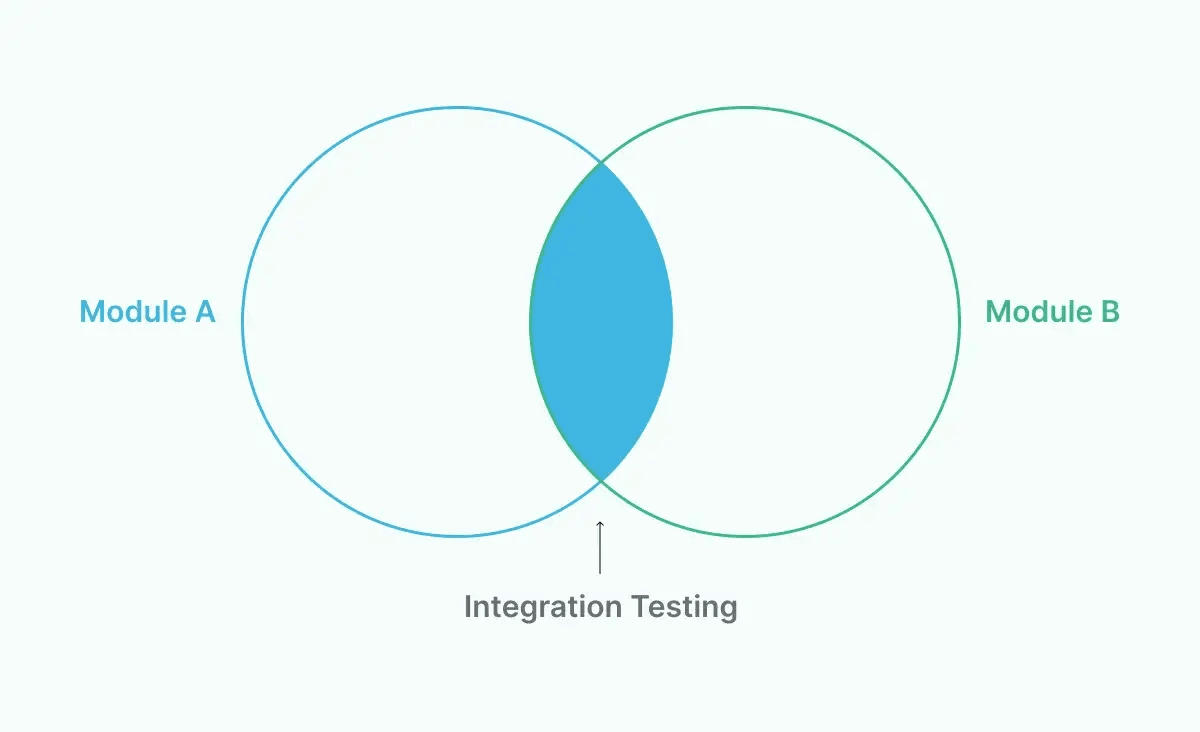
## Automated Integration Testing Vs Manual Integration Testing
Manual integration testing means a person runs through the same interaction paths by hand, every release. It works fine for a five-page app tested once a month. It falls apart the moment you ship multiple times a week.
Automated integration testing runs the same checks in minutes, on every code change, with the same steps every time. No fatigue, no skipped edge cases, no "I'm pretty sure it still works."
The tradeoff: automation takes upfront setup time. That cost pays for itself fast once your release frequency picks up.
## Where Integration Testing Fits in the Testing Pyramid
The modern testing pyramid stack looks like this:
- **Unit tests (bottom, most numerous):** test one function or class in isolation.
- **Integration tests:** test how components, services, or modules interact.
- **System tests:** test the entire application as a single unit.
- **End-to-end tests (top, fewest):** test complete user journeys across the live-like environment.
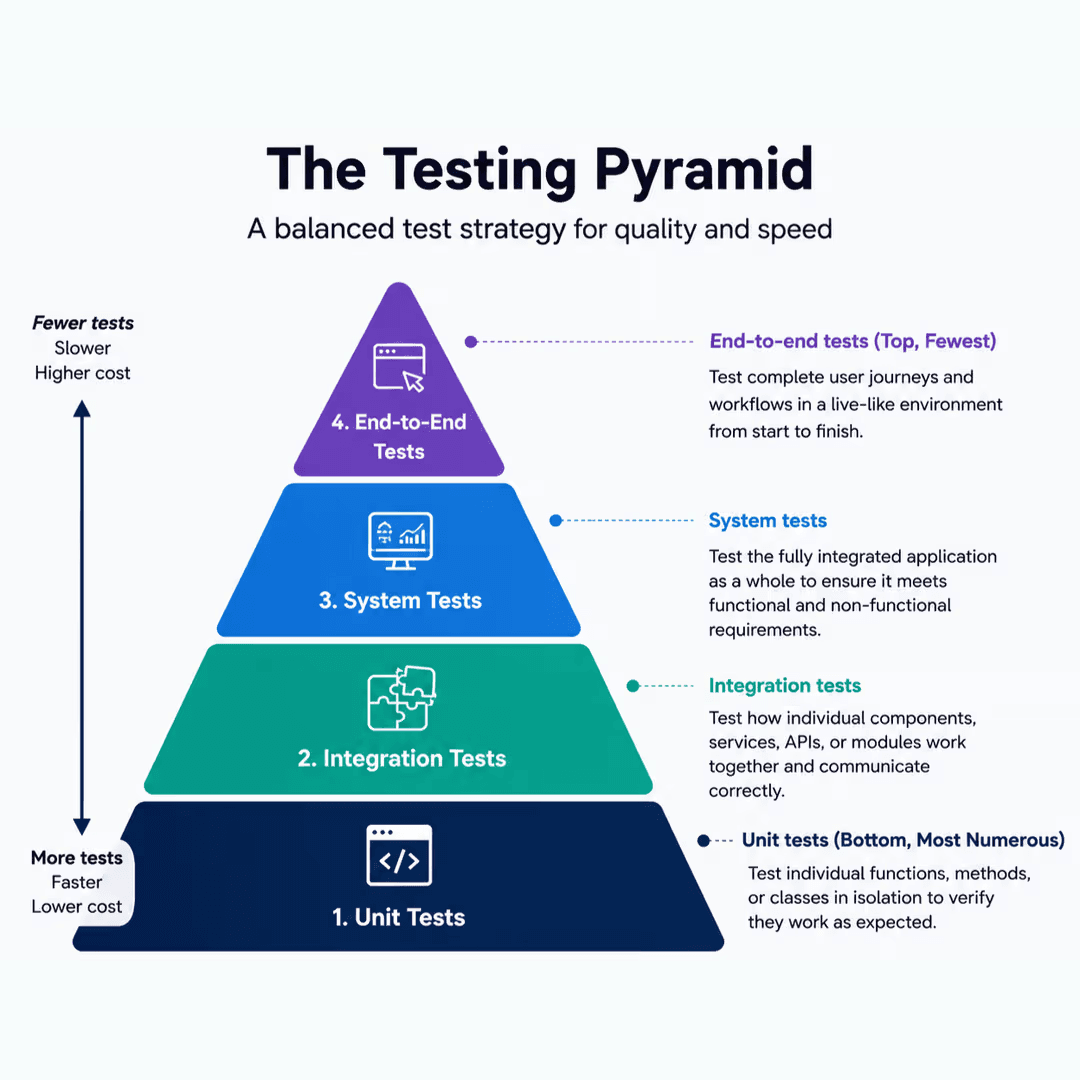
Integration tests should outnumber your end-to-end tests but stay well below your unit test count. If you find yourself writing more E2E tests than integration tests, you're probably testing things twice and paying for it in runtime.
Automate integration tests efficiently with BotGauge
[Try for Free](https://www.botgauge.com/contact)
## How Does Continuous Integration Test Automation Help QA?
Continuous integration (CI) means every code commit gets merged into a shared branch and automatically built and tested. Continuous integration test automation is when your integration tests run as part of the pipeline, not as a separate manual step someone remembers to do before a release.
### The feedback loop
Here's what changes for a QA team once integration tests run in CI: a developer pushes code. Within minutes, the pipeline builds it, spins up the required services, and runs the integration suite. If something breaks, the developer finds out immediately, not two weeks later during a manual regression pass.
That speed matters more than it sounds. A bug caught 10 minutes after it's written costs a few minutes to fix. The same bug caught during a release cycle costs hours of investigation, because nobody remembers what changed three sprints ago.
### QA's role shifts, it doesn't disappear
QAs stop spending their days manually clicking through the same login-to-checkout flow. They spend that time instead on:
- Designing which integration points actually need coverage (not everything does).
- Investigating failures the automation flags.
- Exploratory testing on the scenarios automation can't think of.
Developers also write a chunk of the integration tests, especially at the service-to-service level, since they know the code paths best.
Zero engineering dependency. BotGauge owns your testing end-to-end
[Explore AQaaS](https://www.botgauge.com/autonomous-qa-as-a-solution)
### A minimal CI example
You don't need a complex setup to get integration tests running on every commit. A basic GitHub Actions job looks like this:
```
name: integration-tests
on: [pull_request]
jobs:
test:
runs-on: ubuntu-latest
steps:
- uses: actions/checkout@v4
- name: Start test services
run: docker compose up -d db redis
- name: Run integration suite
run: npm run test:integration
```
That's it. Every pull request now spins up a database and a cache, runs the integration tests against them, and blocks the merge if anything fails. That is how automated integration testing in DevOps works.
## 6 Key Types of Automated Integration Testing
Not every integration testing strategy fits every project. Here's the breakdown, with when each one earns its keep.
### 1\. Big Bang testing
All components get integrated at once, then tested as a whole. It is best for small systems with few components.
You may avoid this when your system has more than a handful of moving parts. Isolating the source of a failure becomes a guessing game.
### 2\. Top-down testing
Higher-level modules are tested first, using stubs to simulate lower-level modules that aren't ready. It is best for projects where the UI or top-level logic is built before backend dependencies are implemented.
You may avoid this when your core logic actually lives in the lower-level modules you're stubbing out.
### 3\. Bottom-up testing
Lower-level modules are tested first, with drivers simulating the higher-level modules that call them. It is best for backend-heavy systems where core services need validation before UI exists. You may avoid this when you need early, fast feedback on user-facing flows.
### 4\. Sandwich (hybrid) testing
It combines top-down and bottom-up approaches, testing high and low-level modules simultaneously and meeting in the middle. It is best for large systems where waiting for a strict order would slow delivery. You may avoid this when your team is small. This approach needs more coordination to manage well.
### 5\. API integration testing
Verifies that APIs return correct data, status codes, and handle errors properly when systems talk to each other. It is best for any app relying on internal microservices or third-party APIs (which is most modern apps). You should never skip this testing. This is the one type almost every engineering team needs.
### 6\. System/UI integration testing
Confirms that integrated components behave correctly from the user's perspective, through the UI. It is best for catching issues that only arise when a real user flow touches multiple integrated systems simultaneously. You may avoid this when it is used as a replacement for lower-level integration tests. UI tests are slower and shouldn't carry that weight alone.
## Automated Integration Testing Benefits
Automated integration testing helps teams detect communication issues between connected components early in development. By continuously validating integrations, it improves software reliability, reduces manual effort, and accelerates release cycles. Some of the key benefits include:
- **Earlier defect detection:** Bugs caught at the integration layer, before a release, cost a fraction of what the same bug costs once it's in production and a customer reports it.
- **Faster release cycles:** Teams running automated integration suites in CI can ship multiple times a day. Manual regression cycles cap you at maybe once a week, if that.
- **Lower defect leakage rate:** This is the percentage of bugs that reach production despite testing. Teams with solid integration automation typically see this drop significantly, because the gaps between components get checked on every change.
- **Reduced mean time to detect (MTTD):** When tests run on every commit, you know within minutes which change broke something. Without automation, that same detection can take days.
- **Better test coverage without more headcount:** Automation scales test execution without scaling the number of people running tests by hand.
Read More: [Website testing tools](https://www.botgauge.com/blog/website-testing-tools) →
## Automated Integration Testing Tools
The right tool can simplify integration testing by automating test execution, validating interactions between services, and integrating with your CI/CD pipeline. Whether you're testing APIs, microservices, or complex distributed systems, choosing a tool that fits your technology stack and testing requirements is key to building reliable integration tests.
| Tool | Category | Best for | Limitation |
| --- | --- | --- | --- |
| Postman | API | Manual + automated API request testing, collections | Weak for UI or DB-layer integration |
| REST Assured | API (Java) | Automated REST API test scripts | Requires Java/coding skill |
| Testcontainers | Environment | Spinning up real DBs, queues, services in Docker for tests | Adds container overhead to test runs |
| JUnit / TestNG | Framework | Writing/running integration tests in Java, often with Spring Boot | Java-specific |
| Pytest | Framework | Python integration test suites with fixtures | Python-specific |
| WireMock | Mocking | Simulating third-party APIs during tests | Doesn't test the real dependency |
| Selenium | UI | Browser-based UI integration checks | Slower, prone to flakiness without care |
| BotGauge | Agentic AI-driven, no-code | Teams that want integration, API, UI, AI, and functional testing generated and maintained without scripting | Currently web-app focused |
The traditional tools above require someone who can write and maintain test code. That's great if you have the headcount. If your bottleneck is scripting time and test maintenance, not talent, that's where [AI test automation platforms](https://www.botgauge.com/blog/ai-test-automation-tools) change the math.
## Automated Integration Testing Best Practices
Following best practices for automation integration testing helps you build reliable, maintainable, and scalable integration tests. By testing real interactions between components and automating execution within your CI/CD pipeline, you can detect integration issues early and deliver stable releases with confidence.
- **Isolate your tests:** Each test should set up its own state and clean up after itself. Tests that depend on the order they run in will eventually break in ways nobody can reproduce.
- **Use realistic test data:** Dummy data hides bugs that only show up at production-like volume, with formatting, or in edge cases.
- **Mirror production in your test environment:** Use containers or infrastructure-as-code so your test environment closely matches production, ensuring a passing test actually means something.
- **Prioritize by risk:** You don't need to test every integration point equally. Test the ones that touch money, user data, or critical workflows first.
- **Run tests on every commit:** Waiting until end-of-sprint defeats the purpose. The value is in speed.
- **Track real [QA metrics](https://www.botgauge.com/blog/top-qa-metrics-to-measure-software-quality):** Coverage percentage alone tells you little. Watch pass/fail trends over time, defect density, and how often a "flaky" test turns out to be a real bug.
- **Deal with flaky tests:** Keep integration tests deterministic by using stable test environments, consistent test data, and proper synchronization between services. Avoid dependencies on unreliable external systems where possible, and ensure tests fail only when a genuine integration issue exists, not because of timing or environment inconsistencies.
Ready to implement automated integration testing? Get the complete checklist and CI/CD template
[Download Template](https://www.botgauge.com/contact)
## Challenges of Automated Integration Testing
While automation integration testing improves software quality and speeds up development, it also introduces challenges:
- **Environment and dependency management:** Getting a test environment that behaves like production, with the right services running, is genuinely hard. AI-assisted environment provisioning and containerization are closing this gap.
- **Flaky tests:** Network hiccups and timing issues cause false failures. Retry logic and self-healing frameworks significantly reduce this.
- **Maintenance overhead:** Every UI change and every API contract change can potentially break a test. Platforms with [self-healing automation](https://www.botgauge.com/blog/self-healing-test-automation) cut this maintenance load down hard.
- **Test data management at scale:** As your system grows, so does the complexity of generating and cleaning up realistic data. Tools that generate test data on the fly, instead of relying on static fixtures, solve most of this.
- **Version and compatibility mismatches:** Integrated systems evolve independently, and a version bump on one side can quietly break the other. Contract testing and frequent integration runs catch this early, rather than at release time.
- **Slow test runs at scale:** Large integration suites can take a long time to execute. Parallelization and smart test selection reduce this.
Unlock unlimited parallelization with BotGauge
[Try for Free](https://www.botgauge.com/contact)
## Steps to Automate Integration Tests
Automating integration testing involves validating interactions between connected components whenever code changes occur. By following a structured approach and integrating tests into your CI/CD pipeline, you can identify integration issues early and ensure every release remains stable.
**Step 1: Define your integration testing goals.** What are you actually trying to catch? Data consistency between services? API contract breaks? Be specific.
**Step 2: Identify integration points and prioritize by risk.** List every place your components talk to each other. Rank by business impact if that connection breaks.
**Step 3: Choose your tools and framework.** Match the tool to your stack and your team's skill set.
**Step 4: Set up an isolated, production-like test environment.** Containers make this repeatable across every test run.
**Step 5: Write or generate your test cases.** Cover the happy path, then the realistic failure paths such as timeouts, bad data, service unavailability.
**Step 6: Integrate it into your CI/CD pipeline.** Tests that don't run automatically on every change will eventually stop running at all.
**Step 7: Monitor, report, and refine.** Track failure trends, retire tests that no longer add value, and keep the suite lean enough that people actually trust it.
## How [BotGauge](https://www.botgauge.com/) Helps With Automated Integration Testing
Most of the challenges above come down to one thing: traditional automation demands constant scripting and maintenance from people who already have too much on their plate.
BotGauge takes a different approach. Instead of writing and maintaining test scripts by hand, you feed it PRDs, UX flows, or plain-English descriptions, and its [AI agents](https://www.botgauge.com/autonomous-qa-as-a-solution) generate the integration test cases across UI, API, and database layers.
When your DOM or workflow changes, BotGauge's self-healing agent detects the change and updates the affected tests automatically, instead of leaving your team to chase down why a test broke overnight.
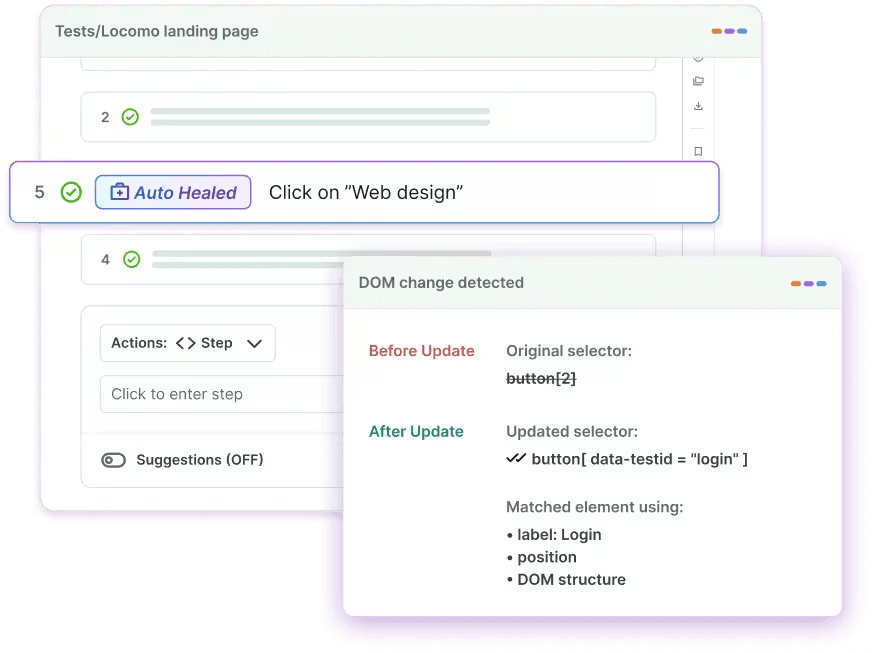
It runs directly inside your CI/CD pipeline, executing the relevant tests on every commit or pull request, and its root cause analysis flags whether a failure is a real defect, a flaky test, or an environment issue, so your team fixes the right thing first.
For teams stuck between "we don't have enough QA headcount to script everything" and "we can't afford to skip integration testing," [Autonomous QA as a Solution](https://www.botgauge.com/autonomous-qa-as-a-solution) model is built to close that gap without asking you to hire your way out of it.
## Summary
Automated integration testing catches the failures that unit tests can't see and manual testers catch too late: the handshake between your services, APIs, and modules.
Get the types right for your architecture, wire your tests into CI/CD from day one, watch for flaky tests before they erode trust in your suite, and prioritize by risk instead of trying to cover everything equally.
## Frequently Asked Questions
What's the difference between integration testing and automated integration testing?
Integration testing is the practice of verifying that multiple software components, services, or APIs work together correctly. Automated integration testing performs the same validation using automated test scripts and tools, allowing tests to run consistently and repeatedly as part of the development and [CI/CD testing](https://www.botgauge.com/blog/ci-cd-testing).
What tools are used for automated integration testing?
Common choices include Postman and REST Assured for APIs, Testcontainers for realistic environments, JUnit/TestNG or Pytest for writing test logic, and [agentic AI testing](https://www.botgauge.com/blog/agentic-ai-testing) platforms like BotGauge for teams that want tests generated and maintained without manual scripting.
When should automated integration tests run in a CI/CD pipeline?
Your test automation integration should run on every pull request or commit. Waiting until a scheduled nightly run or end-of-sprint check means bugs sit undetected far longer than they need to.
How is AI changing automated integration testing?
AI-driven platforms now generate test cases directly from requirements or UX docs, self-heal tests when the app changes, and flag whether a failure is a real bug or test flakiness, cutting down the scripting and maintenance work that used to eat most of a QA team's time.
What is the Future of Automated Integration Testing?
The future of automated integration testing lies in AI-driven automation, [autonomous testing agents](https://www.botgauge.com/blog/autonomous-testing-agents), and continuous validation within CI/CD pipelines. Modern testing platforms will increasingly identify integration risks, generate intelligent test coverage, and adapt to application changes with minimal manual effort, enabling faster and more reliable software releases.
What is Automated Integration Testing in DevOps?
In DevOps, automation integration testing validates interactions between integrated components every time new code is committed or deployed. Running these tests as part of the CI/CD pipeline helps teams detect integration issues early, maintain software stability, and deliver releases faster with greater confidence.
TABLE OF CONTENT
[What is Automated Integration Testing: How It Works in CI/CD & Best Practices](https://www.botgauge.com/automated-integration-testing#heading1) [What Is Automated Integration Testing?](https://www.botgauge.com/automated-integration-testing#heading2) [Example of Automated Integration Testing](https://www.botgauge.com/automated-integration-testing#heading3) [Automated Integration Testing Vs Manual Integration Testing](https://www.botgauge.com/automated-integration-testing#heading4) [Where Integration Testing Fits in the Testing Pyramid](https://www.botgauge.com/automated-integration-testing#heading5) [How Does Continuous Integration Test Automation Help QA?](https://www.botgauge.com/automated-integration-testing#heading6) [The feedback loop](https://www.botgauge.com/automated-integration-testing#heading7) [QA's role shifts, it doesn't disappear](https://www.botgauge.com/automated-integration-testing#heading8) [A minimal CI example](https://www.botgauge.com/automated-integration-testing#heading9) [6 Key Types of Automated Integration Testing](https://www.botgauge.com/automated-integration-testing#heading10) [1\. Big Bang testing](https://www.botgauge.com/automated-integration-testing#heading11) [2\. Top-down testing](https://www.botgauge.com/automated-integration-testing#heading12) [3\. Bottom-up testing](https://www.botgauge.com/automated-integration-testing#heading13) [4\. Sandwich (hybrid) testing](https://www.botgauge.com/automated-integration-testing#heading14) [5\. API integration testing](https://www.botgauge.com/automated-integration-testing#heading15) [6\. System/UI integration testing](https://www.botgauge.com/automated-integration-testing#heading16) [Automated Integration Testing Benefits](https://www.botgauge.com/automated-integration-testing#heading17) [Automated Integration Testing Tools](https://www.botgauge.com/automated-integration-testing#heading18) [Automated Integration Testing Best Practices](https://www.botgauge.com/automated-integration-testing#heading19) [Challenges of Automated Integration Testing](https://www.botgauge.com/automated-integration-testing#heading20) [Steps to Automate Integration Tests](https://www.botgauge.com/automated-integration-testing#heading21) [How BotGauge Helps With Automated Integration Testing](https://www.botgauge.com/automated-integration-testing#heading22) [Summary](https://www.botgauge.com/automated-integration-testing#heading23)
Start your AI testing pilotGenerate, run, and maintain tests across your CI/CD workflow with less manual effortTry for Free
Autonomous Testing for Modern Engineering Teams
[Book a Demo](https://calendly.com/botgauge/30min)
## BotGauge vs QA Wolf
BOTGAUGE VS QA WOLF
# The Best QA Wolf Alternative
When tests break at 2 AM, QA Wolf files a ticket. BotGauge's self-healing engine fixes it before your engineers wake up.
- QA that runs on autopilots
- Full-stack enterprise coverage
- 80% coverage in 2 weeks, not 4 months
[Get Started](https://calendly.com/botgauge/30min)
Try for Free

### Trevor McIntyre
CEO @ Ripple
"Zero maintenance. Their AI agents learn our product and adapt as we ship changes. No brittle scripts breaking at 2 AM. Same-day coverage. We see comprehensive test results within hours, not weeks"
## BotGauge vs QA Wolf: Feature Comparison
Compare managed QA services vs agentic, AI-driven testing built for zero maintenance.
Factors
Service model
Time to 80% coverage
Platform
Test maintenance
Supported applications
Framework support
QA operations model
Compliance
Parallel execution
Pricing
Setup fee
Who is it for?
QA Wolf
Fully managed only
4 months
Playwright
24-hour manual fix
Web, Mobile
Playwright-first
Human-heavy
Not publicly stated
Unlimited parallelization
Fixed $40 - $44 per test per month annually.
Yes, requires an initial setup fee
Ideal for Enterprises.
BotGauge
Fully managed + autonomous.
2 weeks
AI-Native Test Automation Platform with AI Agents and Natural Language Processing
Self-healing test automation powered by AI
Web, API
Export tests in any frameworks, including Selenium, Cypress, Playwright, Postman, etc.
AI QA Agent + Dedicated QA pod
SOC 2 Type 2
Unlimited parallelization
Outcome-based pricing. You pay only for coverage delivered and outcomes.
All inclusive pricing, no hidden costs.
Ideal for startups, medium-sized, and large-scale enterprises.
## What is QA Wolf?
QA Wolf is a fully managed QA-as-a-service vendor that writes, runs, and maintains Playwright-based end-to-end tests for your web and mobile applications.
### Pros of QA Wolf
Fully managed test automation. Their team creates, runs, and maintains tests end‑to‑end.
Human‑verified bug reports.
24‑hour fix SLAs help cut down on noisy, flaky tests.
Tests are written in Playwright for web and Appium for mobile.
### Cons of QA Wolf
Fixed per‑test pricing gets expensive as coverage grows.
Annual contracts reduce flexibility if the roadmap or budget shifts mid‑year.
4 months to 80% coverage becomes a bottleneck if you're shipping weekly.
You're fully dependent on them for QA. If they are slow, so are you.
## Where QA Wolf starts to hurt fast-moving teams
For high-velocity product teams, some of QA Wolf's strengths become constraints.
### Limited scalability
The fixed fees per test model limit flexibility and scalability for growing teams. It also requires an initial setup fee.
### Execution time
Many users have reported slow execution while running large test suites.
### Time to coverage
80% coverage in 4 months is a long runway if you are shipping every sprint.
### Pricing model
Annual contracts reduce flexibility if the roadmap, budget, or priorities change mid-year.
## Where BotGauge Wins
Founded by QA leaders with over a decade of hands-on experience, BotGauge was designed to solve the root causes of release friction, not just execute more tests. The difference is structural:
### Agentic AI QA agents
Autonomous agents create, execute, and maintain tests across the full lifecycle. Eliminates manual-heavy workflows.
### Zero maintenance overhead
Zero maintenance overhead as tests self-heal. No 24-hour waiting for manual fixes.
### Faster Coverage
80% automated end-to-end coverage delivered in 2 weeks.
### Dedicated QA pod with AI at the core
Strategic oversight without the operational drag.
### Zero flakiness guarantee
Zero flakiness guaranteed. No more false positives and brittle tests.
### Outcome-based pricing
You pay for coverage and outcomes.
### Built for modern CI/CD teams
Seamlessly integrates with CI/CD and DevOps.
### Priority Support
24/7 tech support with a 10-minute response SLA.
### Choose QA Wolf if
- You want to outsource E2E automation entirely.
- You are fine with 4 months of ramp-up before seeing full coverage.
- You are comfortable committing $90K+/year on an annual contract.
- You are fine with delayed release cycles.
### Choose BotGauge if
- Speed with quality is the essence.
- You want a fully managed Autonomous QA partner that acts like your AI QA engineer.
- Test ROI matters. Outcome-based pricing means you pay for coverage delivered.
- You want broader coverage and faster time-to-value than traditional QaaS.
- Compliance is non-negotiable for security.
Enterprise-Grade QA Without Enterprise Drag
[Book a 1:1 with founders](https://calendly.com/botgauge/30min)
## BotGauge vs Rainforest QA
BOTGAUGE VS RAINFOREST QA
# Why Teams Switch from Rainforest QA to BotGauge
Rainforest QA removes the need to write scripts. BotGauge removes the need to manage QA entirely. Both reduce engineering effort, but one still puts the outcome on your team. BotGauge doesn't.
- QA that runs on autopilot
- Enterprise-grade coverage
- 5x faster release cycles
Get Started
Try for Free

### Trevor McIntyre
CEO, Ripple
"Zero maintenance. Their AI agents learn our product and adapt as we ship changes. No brittle scripts breaking at 2 AM."
## BotGauge vs Rainforest QA: Feature Comparison
Compare the no-code testing platform vs the autonomous QA engine built for zero maintenance.
Factors
Test generation
Test execution
Time to 80% coverage
Self-healing
Human validation
Application supported
Flaky tests
Service model
Who owns the outcome
Coverage depth
Parallel executions
Pricing model
Contract flexibility
Compliance
Rainforest QA
No-code Visual Editor, AI-assisted
Cloud-based automated runs + optional human testers
Depends on the team and testing pace
Yes, AI suggest changes when UI is updated.
Optional crowd-based testing
Web
Requires ongoing maintenance
Self-serve platform your team operates
Your team
UI, functional, supports E2E, regression, smoke tests
Limited parallel runs on the standard plan
License-based
Monthly/annual. The average cost is over $94k annually.
Not publicly stated
BotGauge
AI-generated test cases from PRDs, UX flows, videos, etc
500+ tests in under 5 minutes on cloud infrastructure
2 weeks, standard
Real-time autonomous self-healing when DOM or workflow changes.
Domain-specialized QA experts
Web, API
Zero flakiness guaranteed.
Fully managed + Autonomous testing
BotGauge
UI, functional, API, regression, smoke, component, integration, edge-case, E2E, cross-browser, responsive testing, chatbot testing in a single platform.
Unlimited parallelization
Outcome-based. You pay for end-to-end coverage and outcomes delivered.
Provides a 30-day pilot. No vendor lock-in.
SOC 2 Type II
## What is Rainforest QA?
Rainforest QA is a no-code test automation platform that lets teams create, manage, and run automated tests without writing code. Teams create test cases through a visual interface and execute them on cloud infrastructure. It originally built its reputation on crowdsourced human testers executing tests on demand. Over time, it evolved into primarily an automation-first platform with AI-assisted test generation and maintenance. Human testers are still available but now serve as an optional layer for exploratory testing and edge cases that automation doesn't handle well. The core limitation hasn't changed through that evolution. Your team still operates the platform, manages the test library, and decides whether coverage is good enough to ship. Rainforest QA gives you the tools. The outcome is still yours.
### Pros
- No scripting required
- AI-assisted no-code visual editor for test generation
- Access to a network of Virtual Machines running various OS and browsers
- Optional human testers for exploratory and edge case scenarios
- Integrates with CI/CD pipelines
- Accessible for non-technical team members
### Cons
- Your team still owns the outcomes
- AI-assisted maintenance still needs manual intervention
- Coverage depth limited to UI and functional
- Your internal team decides if coverage is sufficient
- Compliance is not publicly stated
- Costs scale with test usage and test runs
- Human tester availability adds unpredictability for time-sensitive release cycles
## Where Rainforest QA starts to hurt fast-moving teams
Rainforest works for basic testing needs, but fast-scaling teams often hit limits in speed, ownership, and scalability.
### AI-assisted ≠ autonomous
Test creation, review, and coverage decisions still depend on your team's time and expertise.
### Limited coverage
Coverage stops at UI testing and functional testing
### High test maintenance
AI-assisted maintenance still requires human intervention when tests break
### Costs scale with usage
Usage-based pricing. Costs scale with usage and licenses
### Outcomes are your responsibility
Rainforest gives you the tooling. Your engineers are responsible for end-to-end testing quality and outcomes.
### Human tester availability varies
On-demand human testers are available as an optional layer, but availability can fluctuate.
## Where BotGauge Wins
Founded by QA leaders with over a decade of hands-on experience, BotGauge was designed to solve the root causes of release friction, not just execute more tests. The difference is structural:
### Agentic AI QA agents
Autonomous agents create, execute, and maintain tests across the full lifecycle. Eliminates manual-heavy workflows.
### Zero maintenance overhead
Zero maintenance overhead as tests self-heal. No 24-hour waiting for manual fixes.
### Faster Coverage
80% automated end-to-end coverage delivered in 2 weeks.
### Dedicated QA pod with AI at the core
Strategic oversight without the operational drag.
### Zero flakiness guarantee
Zero flakiness guaranteed. No more false positives and brittle tests.
### Outcome-based pricing
You pay for coverage and outcomes.
### Built for modern CI/CD teams
Seamlessly integrates with CI/CD and DevOps.
### Priority Support
24/7 tech support with a 10-minute response SLA.
### Choose Rainforest QA if
- Your team has bandwidth to manage the platform internally
- Your product is stable with a slow, predictable release cadence
- You are okay with variable human tester availability for on-demand scenarios
- UI and Functional coverage are sufficient for your scope
### Choose BotGauge if
- You want a fully managed Autonomous QA partner that acts like your AI QA engineer.
- You need 80% coverage in 2 weeks
- Test ROI matters. Outcome-based pricing means you pay for coverage delivered.
- You need broader coverage and faster time-to-value than traditional tools
- You ship every sprint and need QA that adapts automatically
- Compliance is non-negotiable for security.
Enterprise-Grade QA Without Enterprise Drag
[Book a 1:1 with founders](https://calendly.com/botgauge/30min)
## AI Chatbot Testing
#1 AI Chatbot Testing Solution
# Test the Conversation. Not Just the Code.
Most chatbots fail not because they were built wrong, but because they were never tested right. Our AI-powered chatbot testing services cover every conversation flow, every channel, and every edge case, before your users find them.
[Start Chatbot Testing](https://calendly.com/botgauge/30min)
Try for Free

### Trevor McIntyre
CEO @ RIPPLE
"Zero maintenance. Their AI agents learn our product and adapt as we ship changes. No brittle scripts breaking at 2 AM. Same-day coverage. We see comprehensive test results within hours, not weeks"
## What is Chatbot Testing?
Chatbot testing is the process of validating that your AI chatbot understands inputs, responds accurately, and works consistently across every flow, every channel, every edge case. With BotGauge, chatbot testing becomes faster and more scalable through AI-driven automation.
Simulating real user conversations across multiple scenarios
Functional, conversational, and NLP testing
Testing integrations, workflows, and fallback logic
Human QA experts for edge cases automation misses
Test Run: Flight booking test bot
I want to book a flight to Delhi
Sure! When are you planning to travel?
Next Friday morning between 2 AM to 10 AM
Found flights starting from ₹4,500. Would you like to proceed?
## Chatbot Types We Test
We test all types of chatbots, from simple FAQ bots to complex AI assistants, across every platform they operate on.
### Rule-Based Chatbots
We validate every path, every condition, and every response to ensure your bot delivers accurate, predictable answers every time, with zero deviation from the logic you built.
### AI-Powered Chatbots
We test natural language processing accuracy, intent recognition, entity extraction, and adaptive responses to ensure your AI bot understands users the way a human would and responds accordingly.
### Multi-Channel Bots
We test for consistency and functionality across every channel so your users get the same experience whether they're on WhatsApp, your website, or your app.
### Customer Support Bots
We validate response accuracy, resolution quality, escalation paths, and error handling to ensure your bot resolves queries fast and hands off to a human when it should.
## Scope of Chatbot Testing
Advanced chatbot testing services to ensure reliable and high-quality conversational experiences.
### Functional Testing
Ensures your chatbot understands user inputs, follows correct conversation flows, and responds accurately across every defined scenario. If there's a path through your bot, we test it.
### Conversational AI Testing
Validates NLP accuracy, tone, and context handling for natural, human-like interactions. We test how your bot handles ambiguous inputs, multi-turn conversations, and unexpected user behavior. Not just the happy path.
### Omnichannel Testing
Confirms seamless chatbot performance across web, mobile, social media, and messaging apps. We make sure your bot is consistent everywhere it shows up.
### Integration Testing
Checks smooth communication between your chatbot and backend systems, be it CRM, helpdesk, payment gateways, and third-party APIs.
### Conversation Design Testing
We validate that your bot's dialogue structure is intuitive, logical, and designed to keep users moving toward resolution.
### Fulfillment Testing
Verifies efficient task completion and AI response accuracy for seamless end-to-end interactions. When your bot promises to do something, we confirm it actually does it.
### End-to-End Testing
Assesses the entire chatbot system from front-end conversation flows, backend integrations, to system reliability, ensuring it's functional and consistent under real-world conditions.
## Why BotGauge for Chatbot Testing
BotGauge delivers intelligent chatbot testing services that help teams automate testing, detect issues early, and improve conversational AI quality.
### AI-Generated Test Cases
Reads your chatbot's intent structure, dialogue trees, and user flow documentation to generate test cases automatically. No scripting.
### Autonomous Testing
AI agents to plan, create, run, and maintain end-to-end chatbot tests.
### Real User Conversation Simulation
Simulate real customer interactions to ensure your chatbot responds accurately.
### Faster Test Coverage
Generate and run hundreds of test cases quickly to cover more chatbot scenarios.
### CI/CD Ready Automation
Integrate with your development pipeline to test chatbot updates continuously.
### Faster Time-to-Market
Automated chatbot testing ensures new chatbot features are deployed in hours and not days.
## When to Use BotGauge for Chatbot Testing
Launching a new chatbot and need strong test coverage before going live
Your bot runs across multiple channels, and manual testing doesn't scale
Your NLP model ships frequently, and your test suite falls behind every update
You need conversational testing that mirrors how real users actually talk
Your chatbot has broken in production, and you can't let it happen again
Your QA team spends too much time on manual chatbot testing
You want chatbot testing to run automatically on every deployment
## FAQ
### What types of chatbots does BotGauge test?
BotGauge chatbot testing services support testing for a wide range of chatbots, including AI-powered chatbots, rule-based bots, customer support bots, and enterprise conversational assistants across multiple platforms and channels.
### Does BotGauge test NLP accuracy?
Yes. BotGauge's conversational AI testing validates your bot's intent recognition, entity extraction, context retention across multi-turn conversations, and response accuracy, covering both structured and unstructured user inputs.
### What are the benefits of chatbot testing?
Some of the benefits of performing chatbot testing are:
- Ensuring functionality
- Improving response time and accuracy
- Enhancing user satisfaction
- Higher conversion rates
- Validating performance
### What are the types of chatbot testing?
The types of chatbot testing are:
- Unit testing
- Integration testing
- Natural Language Understanding (NLU) testing
- End-to-end testing
- Load testing
- Security testing
### What are the common challenges in chatbot testing?
Testing chatbots often involves challenges such as handling a wide range of user inputs, ensuring the chatbot correctly identifies user intent, integrating with backend systems, maintaining context throughout multi-turn conversations, and protecting sensitive user information.
### What are some common mistakes to avoid in chatbot testing?
A common mistake is failing to test the chatbot with a broad range of user inputs, including different wording, slang, and typographical errors. Another issue is overlooking unusual scenarios and edge cases. Additionally, neglecting regular testing and updates can lead to reduced chatbot performance over time.
## Page Not Found

### 410 Gone
This page is no longer available.
[Return Home](https://www.botgauge.com/)
If you still can't find something that you are looking for
[Contact support](https://www.botgauge.com/contact)
## Page Not Found

### 404 Error
Sorry, the page you are looking for could not be found or has been removed.
[Return Home](https://www.botgauge.com/)
If you still can't find something that you are looking for
[Contact support](https://www.botgauge.com/contact)
## Selenium Alternatives Guide
# 10 Best Selenium Alternatives of 2026
Selenium drains time quietly. Renaming a CSS class kills 40 locators at once. A product redesign eats 2 full weeks of test maintenance before your team ships a single feature. If your team is spending more time fixing tests than running them, this guide covers 10 Selenium alternatives for 2026: what each tool does well and what switching actually costs.
[Try for Free](https://www.botgauge.com/contact) [Book a Demo](https://calendly.com/botgauge/30min)

#### Overview
- Selenium's core pain points: driver version mismatches, no built-in reporting, no native mobile support, brittle locators, and no AI or self-healing
- 10 Selenium alternatives: BotGauge, Playwright, Cypress, WebdriverIO, NightwatchJS, Puppeteer, TestCafe, Appium, Katalon Studio, and Cucumber
- **Playwright:** Best for coded, cross-browser web testing
- **Cypress:** Best for fast JS-only feedback loops
- [BotGauge:](https://www.botgauge.com/) Best for teams with zero QA headcount. It uses AI agents plus human QA experts to generate, run, and self-heal tests with no scripting
- **WebdriverIO:** Best for combined web + mobile in one framework
- **Appium:** Best for mobile-only coverage
- **Katalon Studio:** Best for mixed technical teams
- **Cucumber:** Best for business stakeholders writing test scenarios
- **Puppeteer:** Best for Chrome-specific automation, web scraping, and performance profiling
- **TestCafe:** Best for teams that want zero driver setup and fast cross-browser testing
- **NightwatchJS:** Best for teams that want end-to-end, visual, accessibility, and API testing
## 10 Best Selenium Alternatives of 2026
Selenium has been the backbone of web test automation since 2004. It's open-source, multi-language, and battle-tested. So why are QA teams actively searching for Selenium alternatives in 2026?
The honest answer is that the friction compounds over time. Driver version mismatches. Brittle locators. No built-in reporting. No AI. No native mobile support. Setting up a basic Selenium test takes longer than it should, and maintaining 500+ scripts through a product redesign can eat an entire sprint.
This guide covers 10 alternatives for Selenium worth considering in 2026, including code-based frameworks, AI-native platforms, and managed QA services. Each section covers what the tool actually does well, what it doesn't, and which team profile it fits.
## What is Selenium?
Selenium is an open-source test automation framework that allows developers and QA teams to automate interactions with web applications. It supports multiple programming languages, browsers, and operating systems, making it one of the most widely used tools for automated UI testing.
However, teams often need to write, maintain, and update test scripts as applications evolve.

## Why Look for Selenium Alternatives?
Selenium works. The problem is that 'works' has a maintenance cost attached, and that cost grows with every browser update, every UI redesign, and every new team member who has to learn the setup.
### Driver management is a constant tax
Every Chrome update risks breaking ChromeDriver. Every Firefox update means checking compatibility. In a large organization running hundreds of tests across multiple environments, this isn't a one-time fix; it's a recurring tax on engineering time.
### No built-in test reporting
Selenium tells you pass or fail. For anything more useful, such as trend analysis, flaky test detection, or test run history, teams wire in third-party tools like Allure, Extent Reports, or TestNG. That's more setup, more maintenance, more things to break.
### No native mobile support
Selenium handles web browsers. If your product has an iOS or Android app, you need Appium on top of Selenium. Now you're managing 2 frameworks, 2 configurations, and 2 sets of docs.
### High maintenance overhead
Selenium relies on strict CSS selectors, XPaths, and element IDs. The moment a developer renames a class or restructures a component, locators break. In a test suite with hundreds of scripts, that's not a one-line fix.
### No AI or self-healing
Modern Selenium alternatives, such as BotGauge, automatically detect UI changes and update scripts without human intervention. Selenium doesn't. Your scripts break, you find out in CI, and someone fixes them by hand.
Slow execution at scale. Selenium Grid adds parallel execution, but setting it up and keeping it stable is its own infrastructure project. Out-of-the-box alternatives handle parallelism without the overhead.
Selenium 4 addressed some of this: native Chrome DevTools Protocol support, improved Grid observability, and W3C WebDriver compliance across all major browsers. But it didn't solve the maintenance burden or the reporting gap. For teams starting from scratch, there are faster paths.
Still evaluating tools? We'll show you what autonomous QA looks like running inside your stack.
[Book a Demo](https://calendly.com/botgauge/30min)
## Top 10 Selenium Alternatives for Test Automation
Here is a detailed list of top alternatives to Selenium currently used by engineering teams worldwide.
### 1\. BotGauge
BotGauge is an [Autonomous QA as a Solution (AQaaS)](https://www.botgauge.com/autonomous-qa-as-a-solution) platform that pairs AI agents with forward-deployed QA experts to create, run, and maintain end-to-end tests for you. Your engineering team doesn't write, own, or maintain test automation at all.

The model differs from every other Selenium alternative on this list. You share context: PRDs, UX flows, screenshots, or demo videos. BotGauge's test authoring agent automatically generates test cases from that context. Human QA experts validate the tests. The result is 80% test coverage in 2 weeks, with 500+ tests running in under 5 minutes.
When the UI changes, the self-healing engine detects the shift, re-executes the flow, and updates the script. No Jira ticket for your team. No broken build to debug at 11 pm. Some of the key capabilities of BotGauge include:
- **AI-driven test generation** from PRDs, screenshots, demo videos, and UX flows
- **Self-healing automation** that adapts to DOM and workflow changes without manual intervention. This is more robust than traditional self-healing, which adapts to changes in UI locators.
- **Human-validated tests** by vertical-specialized QA experts in SaaS, FinTech, HealthTech, and eCommerce
- **Unlimited parallelization.** Run 500+ tests in under 5 minutes.
- **Native CI/CD integration** with GitHub, Jira, Slack, and DevOps pipelines
- **SOC 2 Type II** certified offering enterprise-ready solutions.
- **Data Isolation.** Your test data stays in your tenant. We never train external models on customer data.
- **Frictionless Change Management.** BotGauge's team handles the switch from your current QA setup, mapping your existing coverage and rebuilding it on BotGauge, so your engineers carry none of the migration workload.
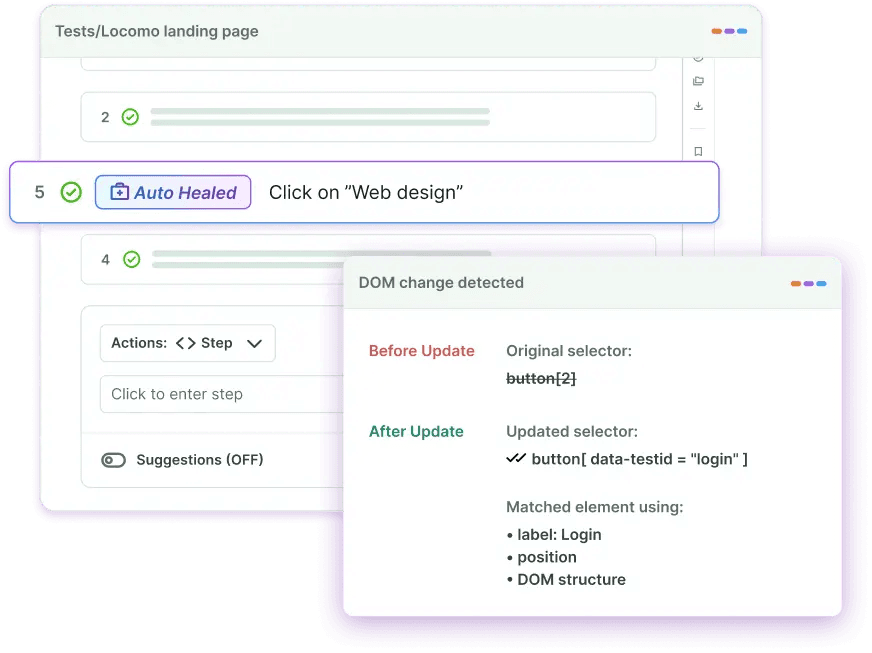
**Best for:** High-velocity engineering teams that want full QA ownership offloaded, with no internal test automation headcount to hire or manage.
**Pricing:** Outcome-based. You pay per automated test case, not per seat or license. Example of a single test case at BotGauge: an entire active user flow, from login -> checkout & payment, is a test case.
See exactly what's breaking in your app before your users do.
[Get free bug report](https://www.botgauge.com/contact)
### 2\. Playwright
Microsoft's Playwright has become the default choice for teams starting new web automation projects. It runs tests across Chromium, Firefox, and WebKit through a single API, handles modern JavaScript-heavy applications well (Shadow DOM, iframes, content loaded after page render), and does all of this without the driver version pain of Selenium.

Playwright scripts execute in the same process as the browser. Tests run faster and flake less than with Selenium's WebDriver architecture. Auto-wait is built in, so you don't write sleep() calls.
- Multi-browser support - Chromium, Firefox, and WebKit from one API
- Multi-language support - JavaScript, TypeScript, Python, Java, and C#
- Auto-wait for elements, no manual timeouts
- Built-in parallel test execution
- Network interception, request mocking, and API testing
- Trace viewer, video capture, and screenshots included
**Best for:** JavaScript or Python teams running cross-browser end-to-end tests in CI.
**Pricing:** Free, open source (Apache 2.0).
Read More: [Which is the best Playwright alternative?](https://www.botgauge.com/blog/playwright-alternatives) →
### 3\. Cypress
Cypress runs directly inside the browser. That architecture gives it real-time access to DOM events and network requests, making debugging noticeably faster: you get time travel through test steps, not just a pass/fail log.

The trade-off is narrow browser support. Cypress covers Chrome, Firefox, and Edge, but not Safari. Cross-browser testing at scale requires Cypress Cloud, the paid tier. Teams locked into JavaScript and not needing Safari coverage get a fast, well-documented tool.
- Real-time test execution with instant visual feedback
- Time-travel debugging with command-by-command snapshots
- Automatic waiting and retry logic built in
- Network stubbing and request spying
- Screenshot and video recording of the test failure
**Best for:** JavaScript developers building single-page applications who want fast, visible test feedback.
**Pricing:** Free and open-source (MIT). Cypress Cloud is paid for advanced CI features and cross-browser parallelism.
### 4\. WebdriverIO
WebdriverIO runs on the WebDriver protocol (the same foundation as Selenium) but with a cleaner API and a plugin ecosystem that scales without added complexity. It supports JavaScript and TypeScript, handles cross-browser web testing, and handles native mobile app testing through Appium integration, all from one framework.

The OpenJS Foundation maintains it, so there's no vendor lock-in. Teams that need web and mobile coverage without 2 separate frameworks often land here.
- Cross-browser and native mobile testing in one framework
- Appium integration for iOS and Android testing
- Rich plugin ecosystem for extended functionality
- Sync and async execution modes
- Vendor-neutral, maintained by the OpenJS Foundation
**Best for:** JavaScript teams with both web and mobile testing requirements that want a single framework.
**Pricing:** Free, open source (MIT).
### 5\. NightwatchJS
NightwatchJS is a Node.js framework created by Andrei Rusu and later acquired by BrowserStack. It covers end-to-end testing, component testing, visual regression testing, accessibility testing, API testing, and native mobile app testing, all in one tool.

Teams that want to stop maintaining separate frameworks for different test types find the consolidation worth it. Syntax is readable, setup is low, and page object pattern support is built in.
- End-to-end, component, visual regression, and API testing in one tool
- Native mobile app testing support
- Page object pattern built in
- Chrome, Firefox, Edge, and Safari support
- Built-in parallel test execution
**Best for:** Teams that want one framework for multiple test types with minimal configuration.
**Pricing:** Free, open source (MIT).
80% test coverage in 2 weeks. BotGauge writes the tests and keeps them working.
[Book a Demo](https://calendly.com/botgauge/30min)
### 6\. Puppeteer
Puppeteer is a Node.js library from the Chrome DevTools team. It controls headless Chrome or Chromium directly via the DevTools Protocol, providing low-level access useful for performance profiling, web scraping, PDF generation, and screenshot workflows.

Puppeteer doesn't include built-in test assertions or parallel execution. Teams use it for precision Chrome automation, typically alongside a test runner like Jest, not as a full testing framework replacement.
- Full Chrome DevTools Protocol access
- Headless and headful Chrome/Chromium control
- Page screenshots and PDF generation
- Performance timeline recording and analysis
- Network request interception and modification
**Best for:** Chrome-specific automation, web scraping, and performance profiling tasks.
**Pricing:** Free, open source (Apache 2.0).
Read More: [Which is the best website testing tool?](https://www.botgauge.com/blog/website-testing-tools) →
### 7\. TestCafe
TestCafe removes driver management entirely. Instead of sitting on top of browser drivers, it uses a proxy-based architecture that injects testing code directly into the page. The result: a setup that takes minutes, not an afternoon.

Automatic waiting, concurrent cross-browser execution, and a built-in test recorder come standard. If your team's biggest Selenium complaint is setup complexity, TestCafe directly solves that problem.
- Zero driver configuration required
- Automatic element waiting and synchronization
- Cross-browser parallel test execution
- Built-in test recorder for fast test creation
- API testing capabilities included
**Best for:** Teams that want quick setup and reliable cross-browser testing without driver complexity.
**Pricing:** Open-source core is free. TestCafe Studio (GUI) is paid.
### 8\. Appium
Appium is the standard for mobile app testing automation. Its cross-platform architecture lets teams write tests once and run them on iOS and Android without modification. It supports native, hybrid, and mobile web apps, and works across real devices, emulators, and simulators.

Appium uses the WebDriver protocol, so engineers familiar with Selenium can pick it up quickly. It's the Selenium alternative for the specific problem Selenium doesn't solve: native mobile testing.
- Cross-platform: one test script runs on iOS and Android
- Native, hybrid, and mobile web app support
- No application modification or SDK required
- Multiple programming language support
- Cloud device farm integration (BrowserStack, Sauce Labs, and others)
**Best for:** Teams focused on mobile app testing that need genuine cross-platform coverage.
**Pricing:** Free, open source (Apache 2.0).
### 9\. Katalon Studio
Katalon Studio bridges the gap between teams that can write code and teams that can't. It has a low-code recording interface and a full-code scripting environment, plus AI-powered test generation and smart maintenance features that detect application changes.

One platform covers web, mobile, API, and desktop testing. For organizations where both developers and manual QA testers need to write and maintain tests, Katalon is built for that mix.
- Low-code recording with full-code scripting in the same tool
- AI-powered test generation from natural language descriptions
- Smart maintenance with self-healing capabilities
- Web, mobile, API, and desktop testing from one platform
- CI/CD integration with Jenkins, GitHub Actions, and GitLab
**Best for:** Organizations with mixed technical expertise that need a single platform for multiple test types.
**Pricing:** Free tier available. Paid plans for advanced features and cloud execution.
### 10\. Cucumber
Cucumber uses Gherkin, a plain-language syntax, to separate test scenarios from implementation. A product manager writes the test scenario in plain English. A developer implements the step definitions. QA connects the two.

The collaboration model is the product. Test scenarios become living documentation that business stakeholders can read, review, and contribute to. Cucumber doesn't compete with Selenium in terms of speed or modern browser features. It solves a different problem: getting your whole team to agree on what's actually being tested.
- Gherkin syntax (Given/When/Then), readable by non-technical stakeholders
- BDD-first approach linking requirements to test execution
- Living documentation generated from test scenarios
- Reusable step definitions across scenarios
- Supports Java, JavaScript, Ruby, Python, and more
**Best for:** Teams where business stakeholders need to write, read, and validate test scenarios.
**Pricing:** Free, open source (MIT).
Your next release ships clean. BotGauge makes sure of it.
[Get free bug report](https://www.botgauge.com/contact)
## Selenium IDE Alternatives
Selenium IDE, the browser extension for record-and-playback testing, stopped receiving regular updates years ago. The Selenium team shifted focus to WebDriver. If your workflow depends on IDE-style test recording, these are the options that actually get maintained in 2026.
### Playwright Codegen
Run `playwright codegen ` in your terminal, and Playwright records every interaction, generating test code in your chosen language in real time. More reliable than Selenium IDE, and it produces code you'd actually want to keep.
### Cypress Studio
Built into Cypress. Records user interactions against your running application and generates Cypress commands automatically. Works well for extending existing test files with new scenarios.
### Katalon Recorder
A Chrome extension and the closest direct replacement for Selenium IDE. Records scripts, exports in multiple formats (Katalon, Selenium WebDriver, Puppeteer), and is still getting active development. Teams migrating from Selenium IDE typically land here first.
### BotGauge AQaaS
Takes the recording concept further: instead of capturing clicks, BotGauge's AI reads your PRD, screenshots, or demo video and generates test cases from that context. No browser extension, no manual recording, no coding.
## Comparison Table of Selenium Alternatives
Here's how the top 5 Selenium testing alternatives stack up across the dimensions that drive real purchasing decisions.
| Tool | Languages | Browser support | AI / self-healing | Setup | Pricing |
| --- | --- | --- | --- | --- | --- |
| BotGauge | No-code (AI-native) | All major | Yes (AI-powered) | Zero setup | Outcome-based |
| Playwright | JS/TS, Python, Java, C# | Chromium, Firefox, WebKit | No | Low | Free (OSS) |
| Cypress | JS/TS only | Chrome, Firefox, Edge | No | Low | Free / paid Cloud |
| WebdriverIO | JS/TS | All major + mobile | No | Medium | Free (OSS) |
| NightwatchJS | JS/TS | Chrome, Firefox, Edge, Safari | No | Low | Free (OSS) |
BotGauge's outcome-based pricing means you're paying for delivered test coverage, not for a license that still requires your team to do the work.
## Things to Consider Before Choosing a Selenium Alternative
The right choice depends on factors specific to your team. Here are the 7 dimensions worth thinking through before committing.
### 1\. Team skill level
Frameworks like Playwright and Cypress require strong programming skills. Tools like BotGauge and Katalon serve teams with varying levels of technical ability. Choose based on who will actually write and maintain tests, not who you wish you had.
### 2\. Application type
Web-only? BotGauge. Native mobile? Appium. Both web and mobile? WebdriverIO. Desktop apps? Katalon. Defining your scope first immediately eliminates most options.
### 3\. AI and self-healing requirements
If your application changes frequently, such as in fast-moving SaaS products, self-healing matters. [BotGauge](https://www.botgauge.com/) and Katalon Studio handle UI changes automatically. Open-source frameworks like Playwright and Cypress don't. Teams with stable products can ignore this; teams shipping weekly can't.
### 4\. CI/CD pipeline fit
All of these tools integrate with GitHub Actions, Jenkins, and GitLab in principle. In practice, check how much configuration the integration requires and whether your DevOps team has the bandwidth to own it. BotGauge integrates natively with no additional setup on your end.
### 5\. Test Reporting
None of the open-source frameworks gives you production-grade reporting out of the box. You'll wire in Allure, Testomat, or a similar layer. Managed platforms like BotGauge include reporting dashboards with test run history, coverage metrics, and failure analysis.
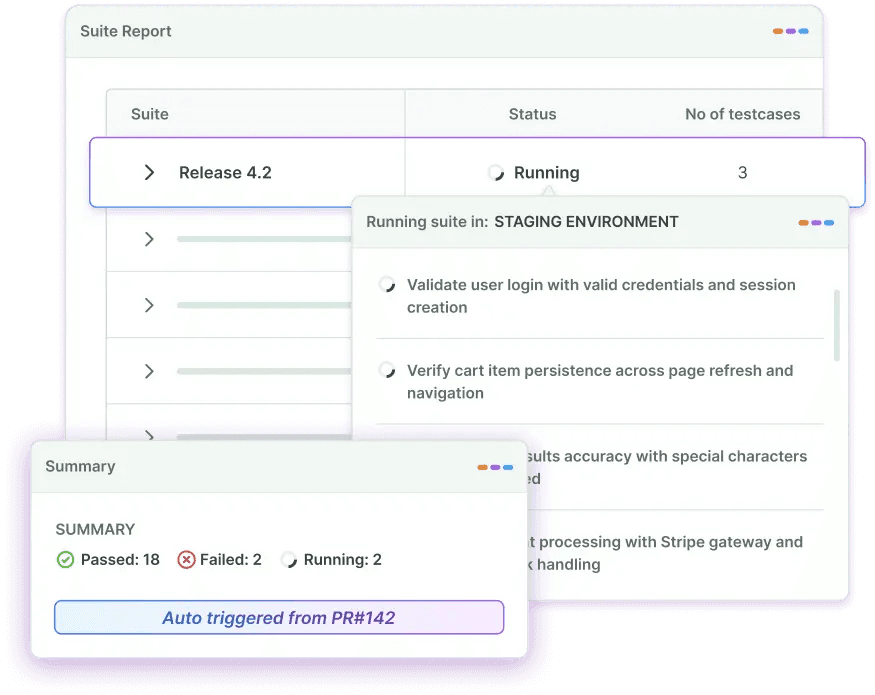
### 6\. Total cost of ownership
Free frameworks aren't free once you account for engineering time to set up, maintain, and extend them. A rough rule: 1 engineer maintaining 500 Selenium tests spends 30-40% of their time on test maintenance alone. Managed or AI-native alternatives shift that cost model.
### 7\. Migration cost
Switching from Selenium to Playwright for a 500-test suite is roughly 2-4 weeks of focused engineering work. Switching to a managed QA platform like BotGauge is faster because it handles the migration. Factor migration time into the comparison, not just the steady-state cost.
Use this decision matrix to match your team profile to the right tool:
| Your team profile | Recommended tool | Why it fits |
| --- | --- | --- |
| High-velocity team, no QA headcount | BotGauge | AI agents + QA experts own your test suite end-to-end. Zero scripting. |
| JS/TS team, web only, CI-focused | Playwright | Best cross-browser coverage, multi-language, built-in parallelism. |
| JS-only, SPA, fast feedback loops | Cypress | Runs in-browser, time-travel debugging, fastest for JS frontend teams. |
| Web + mobile in one framework | WebdriverIO | Handles both natively. OpenJS Foundation maintained, no vendor lock-in. |
| Mixed technical skill (devs + manual QA) | Katalon Studio | Low-code recording + full-code scripting in one platform. |
| Business stakeholders write scenarios | Cucumber | Gherkin scenarios are plain English. Non-technical teams can contribute. |
| Mobile-only | Appium | Industry standard for iOS and Android. One script, both platforms. |
| Chrome-specific, scraping/performance | Puppeteer | Direct DevTools Protocol access. Maximum Chrome control. |
Unlock unlimited parallelization for your web app automation
[Explore BotGauge](https://calendly.com/botgauge/30min)
## Migrating from Selenium: Key Considerations for Testing Teams
Moving away from Selenium is rarely a clean break. Most teams run both frameworks in parallel for 4-8 weeks during a transition period. Here's what makes that transition manageable.
### Step 1: Audit your test suite before writing a single line of new code
Pull a test run report and identify which tests pass consistently, which tests are flaky (failing intermittently without code changes), and which tests haven't been run in 90+ days.
Flaky tests don't deserve migration. Delete them. Stale tests need a decision: rewrite or retire. You'll likely discover that 30-40% of your test suite falls into one of those 2 categories. Migrating a smaller, higher-quality suite is faster and less risky.
### Step 2: Prioritize by test value, not test age
Start migration with tests covering critical user paths: authentication, checkout, data submission, and core workflows. These are the tests worth migrating first because they catch real bugs.
Don't start with tests that cover edge cases or rarely-used features. Migrate those last, or retire them if they haven't caught a real bug in 12 months.
### Step 3: Run Selenium and the new framework in parallel
Keep your Selenium tests running in CI while you migrate. This is the safety net. A migration failure that takes down your test suite leaves your team flying blind.
A practical split: dedicate 20% of engineering time to migration per sprint. At that pace, a 500-test suite takes 8-12 sprints. Slower than a big-bang rewrite, but you keep the coverage signal throughout.
### Step 4: Map your Selenium commands to the new framework
For teams moving to Playwright specifically, here's a command mapping to speed the translation:
| Selenium WebDriver | Playwright equivalent | Notes |
| --- | --- | --- |
| driver.get(url) | page.goto(url) | Playwright auto-waits for navigation |
| driver.findElement(By.id(...)) | page.locator('id') | Playwright locators are lazy; no immediate query |
| element.click() | locator.click() | Built-in retry on click; no StaleElementException |
| driver.findElement(...).sendKeys(text) | locator.fill(text) | fill() clears first; type() appends character by character |
| WebDriverWait(...).until(...) | await locator.waitFor() | Auto-wait is default; explicit waits rarely needed |
| driver.quit() | browser.close() | Closes browser and all contexts |
## When Upgrading to Selenium 4 Beats Switching
If your team has 1,000+ Selenium tests, strong Java expertise, and a stable product that doesn't change frequently, upgrading to Selenium 4 is worth evaluating before a full switch.
Selenium 4 added native Chrome DevTools Protocol support, improved Grid observability, and W3C compliance across all browsers. For teams already invested in Selenium's ecosystem, the upgrade path costs less than a full framework migration.
The calculus shifts toward switching when: your product changes frequently (high locator maintenance), your team has JavaScript expertise and wants modern tooling, or you want to eliminate the test infrastructure management burden.
## Common Migration Mistakes to Avoid
- Migrating all tests at once instead of incrementally by priority
- Keeping flaky Selenium tests instead of retiring them before migration
- Replicating Selenium anti-patterns (manual sleeps, overly specific locators) in the new framework
- Skipping the reporting layer until 6 months after migration, then scrambling to add it
- Choosing a framework based on hype rather than your team's actual language and skill profile
## Conclusion
There's no single best Selenium alternative. The right choice depends on your team's language, your application type, how often your UI changes, and whether you want to own test automation or offload it entirely.
Playwright is the default for new web automation projects when a skilled engineering team is involved. Cypress wins for pure JavaScript frontend teams. WebdriverIO handles both web and mobile from a single framework. Cucumber works when business stakeholders need to read and write test scenarios.
If your team doesn't have the bandwidth to build and maintain automation infrastructure, BotGauge delivers end-to-end test coverage without the engineering overhead. 80% coverage in 2 weeks. Self-healing tests. No scripting required.
## Frequently Asked Questions
What is the best alternative to Selenium for web testing?
Playwright is the strongest open-source alternative for most teams starting new web automation projects in 2026. It supports multiple languages, handles modern web apps well, and has better built-in tooling than Selenium. For teams that want to skip writing and maintaining tests entirely, BotGauge's AQaaS model delivers 80% test coverage in 2 weeks without any automation headcount.
Which Selenium alternative requires no coding?
BotGauge requires zero coding. Its AI agents generate test cases from PRDs, screenshots, and videos, and QA experts validate them. Katalon Studio and Testim also offer low-code and no-code options for teams with limited programming expertise.
Is Selenium still worth learning in 2026?
Yes, with caveats. Selenium knowledge is useful for maintaining existing test suites, for teams using Java or Ruby (where Playwright's ecosystem is weaker), and for understanding WebDriver concepts that underlie other tools.
What are good alternatives for Selenium?
Popular alternatives to Selenium include Playwright, Cypress, TestCafe, Puppeteer, Rainforest QA, and BotGauge. While Playwright and Cypress focus on developer-driven test automation, BotGauge uses AI agents to generate, execute, and maintain UI tests with significantly less manual effort.
What is the successor of Selenium?
There is no official successor to Selenium. However, many teams have adopted Playwright as a modern alternative because it offers built-in auto-waiting, faster execution, and better support for modern web applications. AI-powered testing tools like BotGauge are also emerging as the next evolution of [automated UI testing](https://www.botgauge.com/blog/automated-ui-testing), reducing the need for script creation and maintenance.
Which is better than Selenium?
The best alternative depends on your requirements. Playwright often provides better reliability and developer experience for coded automation, while AI-native platforms like BotGauge help teams accelerate testing without managing large automation codebases or maintaining fragile test scripts.
Will AI replace Selenium?
AI is unlikely to replace Selenium entirely in the near future, but it is changing how teams approach test automation. [AI-powered testing tools](https://www.botgauge.com/blog/ai-test-automation-tools) can automate test creation, maintenance, failure analysis, and bug reporting, reducing many of the challenges traditionally associated with Selenium-based frameworks.
Which Selenium alternatives are free and open source?
Several alternatives to Selenium are free and open source, including Playwright, Cypress (core framework), Puppeteer, and TestCafe. These tools allow teams to build and manage automated tests without licensing costs, though they still require implementation and maintenance effort. Autonomous testing partners like BotGauge eliminate the test maintenance burden forever by owning your web application testing lifecycle end-to-end.
What is the best Selenium alternative for teams without strong coding expertise?
For teams with limited automation expertise, AI-driven platforms such as BotGauge can be a strong alternative. Instead of writing and maintaining test scripts, teams can use natural language workflows while AI agents handle test generation, execution, maintenance, and failure analysis. Human QA experts validate critical flows and edge cases.
TABLE OF CONTENT
[10 Best Selenium Alternatives of 2026](https://www.botgauge.com/selenium-alternatives#heading1) [What is Selenium?](https://www.botgauge.com/selenium-alternatives#heading2) [Why Look for Selenium Alternatives?](https://www.botgauge.com/selenium-alternatives#heading3) [Driver management is a constant tax](https://www.botgauge.com/selenium-alternatives#heading4) [No built-in test reporting](https://www.botgauge.com/selenium-alternatives#heading5) [No native mobile support](https://www.botgauge.com/selenium-alternatives#heading6) [High maintenance overhead](https://www.botgauge.com/selenium-alternatives#heading7) [No AI or self-healing](https://www.botgauge.com/selenium-alternatives#heading8) [Top 10 Selenium Alternatives for Test Automation](https://www.botgauge.com/selenium-alternatives#heading9) [1\. BotGauge](https://www.botgauge.com/selenium-alternatives#heading10) [2\. Playwright](https://www.botgauge.com/selenium-alternatives#heading11) [3\. Cypress](https://www.botgauge.com/selenium-alternatives#heading12) [4\. WebdriverIO](https://www.botgauge.com/selenium-alternatives#heading13) [5\. NightwatchJS](https://www.botgauge.com/selenium-alternatives#heading14) [6\. Puppeteer](https://www.botgauge.com/selenium-alternatives#heading15) [7\. TestCafe](https://www.botgauge.com/selenium-alternatives#heading16) [8\. Appium](https://www.botgauge.com/selenium-alternatives#heading17) [9\. Katalon Studio](https://www.botgauge.com/selenium-alternatives#heading18) [10\. Cucumber](https://www.botgauge.com/selenium-alternatives#heading19) [Selenium IDE Alternatives](https://www.botgauge.com/selenium-alternatives#heading20) [Playwright Codegen](https://www.botgauge.com/selenium-alternatives#heading21) [Cypress Studio](https://www.botgauge.com/selenium-alternatives#heading22) [Katalon Recorder](https://www.botgauge.com/selenium-alternatives#heading23) [BotGauge AQaaS](https://www.botgauge.com/selenium-alternatives#heading24) [Comparison Table of Selenium Alternatives](https://www.botgauge.com/selenium-alternatives#heading25) [Things to Consider Before Choosing a Selenium Alternative](https://www.botgauge.com/selenium-alternatives#heading26) [1\. Team skill level](https://www.botgauge.com/selenium-alternatives#heading27) [2\. Application type](https://www.botgauge.com/selenium-alternatives#heading28) [3\. AI and self-healing requirements](https://www.botgauge.com/selenium-alternatives#heading29) [4\. CI/CD pipeline fit](https://www.botgauge.com/selenium-alternatives#heading30) [5\. Test Reporting](https://www.botgauge.com/selenium-alternatives#heading31) [6\. Total cost of ownership](https://www.botgauge.com/selenium-alternatives#heading32) [7\. Migration cost](https://www.botgauge.com/selenium-alternatives#heading33) [Migrating from Selenium: Key Considerations for Testing Teams](https://www.botgauge.com/selenium-alternatives#heading34) [Step 1: Audit your test suite before writing a single line of new code](https://www.botgauge.com/selenium-alternatives#heading35) [Step 2: Prioritize by test value, not test age](https://www.botgauge.com/selenium-alternatives#heading36) [Step 3: Run Selenium and the new framework in parallel](https://www.botgauge.com/selenium-alternatives#heading37) [Step 4: Map your Selenium commands to the new framework](https://www.botgauge.com/selenium-alternatives#heading38) [When Upgrading to Selenium 4 Beats Switching](https://www.botgauge.com/selenium-alternatives#heading39) [Common Migration Mistakes to Avoid](https://www.botgauge.com/selenium-alternatives#heading40) [Conclusion](https://www.botgauge.com/selenium-alternatives#heading41)
Start your AI testing pilotGenerate, run, and maintain tests across your CI/CD workflow with less manual effortTry for Free
Autonomous Testing for Modern Engineering Teams
[Book a Demo](https://calendly.com/botgauge/30min)
## Automated Regression Testing
# Automated Regression Testing That Catches Bugs Before Your Users Do
BotGauge's AI agents automatically write, run, and maintain your entire regression test suite. No scripts. No manual cycles. No QA bottlenecks. Just confident releases, every sprint.
[Try for Free](https://www.botgauge.com/contact) [Book a Demo](https://calendly.com/botgauge/30min)

Trusted by modern engineering teams
Case study
Case study
Testimonial
Case study
Case study
Testimonial

Trevor McIntyreCEO, Ripple
“It's like having a QA team that never sleeps, never complains, and actually gets smarter over time.”

Michael HoyCEO, Atlas
“AQaaS turned QA into a strategic advantage: self-healing automation, instant coverage, and engineering focus back on shipping products, not fixing tests.”

Lachlan ScownCo-founder and CTO, Ripple
“With BotGauge AQaaS, we ship faster without sacrificing quality. Autonomous testing, self-healing, and outcome-based pricing. A must-have for startups!”

Rohit BangaCo-founder and CTO, Kitsa
“Instead of scaling QA headcount, we scaled automation with BotGauge AQaaS. Higher coverage, lower cost, faster releases, unmatched ROI.”
THE PROBLEM
## Every Release Is a Regression Risk You Can't Afford
Catching a bug after deployment costs **30x to 100x more** than catching it during testing.Yet most regression testing is slow, manual, and inconsistent.
The result: regressions slip into production, engineers drop sprints to firefight incidents, and releases become something your team dreads rather than ships with confidence.
BotGauge runs automated regression testing before every release, catching what breaks before your users do.
COST OF DEFECTS
1x
3x
7x
15x
32x
The earlier regressions are caught, the less they cost to fix.
## Autonomous QA as a Solution for Regression Testing
With AQaaS, you get the speed of AI automation with the judgment of experienced QA professionals, without hiring a single additional tester.
### 24 - 48 Hours
Critical regression workflows automated
### 80%
Test coverage in under 2 weeks
### Zero
Flakiness. Guaranteed.
## Automated Regression Testing Run by AI Agents, Backed by Experts
No scripts. No maintenance. No QA overhead. Just AI agents running your regression tests with QA experts behind every step.
### AI-Generated Regression Tests
Our AI agents analyze your application after each sprint, identify what changed, and automatically generate regression test cases that cover all affected flows.
### Self-Healing Tests
Our self-healing engine automatically detects changes and updates every affected test. Your regression suite stays current as your product evolves. Zero manual intervention.
### Automated Visual Regression Testing
Catch UI shifts, layout breaks, and rendering regressions before they reach your users.
### Full Session Recording
Every regression test run includes complete video and screenshot capture across each test case. Your team replays exactly what failed, frame by frame.
### Mark as Bug
Issues go from detected to documented in seconds. No handoff delays. No context lost.
### Automated Regression Reports
After every run, BotGauge generates a detailed report that includes screenshots, video recordings, pass/fail status, and failure context.
### Test Case Management
BotGauge manages your entire regression test library, creating, categorizing, versioning, and updating test cases as your product grows.
### CI/CD Pipeline Integration
BotGauge plugs directly into your CI/CD pipeline. Every code push automatically triggers the full regression suite. No manual test kicks.
### Domain FDE Pod
AI handles execution at scale. Our FDE pod handles judgment. Every regression suite is reviewed, validated, and continuously optimized by our team.
WE CATCH EVERY REGRESSION
## We Catch Every Regression That Matters
Our AI agents don't just rerun old tests. Every regression suite we build covers:
- Core user journeys and critical navigation flows
- Previously passing functionality after new code changes
- Form validations, input logic, and error state handling
- Role-based access and permission enforcement
- Third-party integrations and API response validation
- Visual and layout regressions, pixel-level comparison
- Cross-browser behavior across major browsers
- Edge cases that broke in the past and could break again

[Book a Demo](https://calendly.com/botgauge/30min)
OUTCOMES
## What Engineering Teams Gain
### Ship Every Release On Time
Regression tests run automatically before every deploy.
### Cut QA Overhead
AI agents replace manual regression scripting entirely.
### Catch Regressions Earlier
Every release is tested more thoroughly than your team could manage manually.
### Release With Confidence
BotGauge lets nothing slip through.
WHY CHOOSE BOTGAUGE
## Traditional Regression Testing vs BotGauge
See what you're giving up with traditional testing
Test creation
Test maintenance
Regression cycle time
Bug detection
Visual regression
Test reporting
CI/CD integration
QA expertise required
Cost of defects
Cost model
Traditional Regression Testing
Manual - rewritten after every sprint
High - breaks on every UI change
Days to weeks per release
Late, often in production
Separate tool required
Manual summaries
Custom setup required
Dedicated team or heavy engineering time
30x - 100x when caught in production
Hiring + Tool + Infrastructure
BotGauge AQaaS
AI-generated automatically, every release
Self-healing tests, zero manual effort
Hours - runs before every deploy
Early, caught before every release
Built in, pixel-level comparison
Automated with screenshots and videos
Native integration
Dedicated domain-specialized QA experts
Relatively less as bugs are caught before the production stage
Pay for outcomes and coverage delivered
SUCCESS STORY
## How Ripple Cut Regression Time by 90% with BotGauge
Before BotGauge, their regression testing was entirely manual, testers working off spreadsheets, two to three weeks of QA before every release. Bugs still reached production. Engineers waited on QA instead of building. After onboarding BotGauge:
90%less regression time
Weeklyrelease achieved
80%regression automated in < a week
Zeroengineering involvement in QA
Saas
Dunedin, Otago
“Zero maintenance. Their AI agents learn our product and adapt as we ship changes. No brittle scripts breaking at 2 AM. Same-day coverage. We see comprehensive test results within hours, not weeks”

Trevor McIntyre
CEO
Ripple
0engineering hours
spent on QA
90%faster regression
execution
[Read the full case study](https://www.botgauge.com/stories/ripple)
WHO IT'S FOR
## Built for Fast-Growing Engineering Teams
### CTOs and VP Engineering
You need regression coverage that scales with engineering velocity, not headcount. BotGauge provides comprehensive automated regression testing without expanding your QA team.
### Founders and CEOs
You need to ship every sprint without breaking what your users depend on. BotGauge makes that possible without hiring a single additional tester.
### Engineering Managers
You need developers shipping features, not maintaining regression suites. BotGauge takes the entire regression testing burden off your team's plate.
### QA Leaders
You need comprehensive regression coverage that your team doesn't have to maintain manually. BotGauge handles execution.
RELATED RESOURCES
[\\
\\
**Top 11 AI Test Automation Tools to Use in 2026** \\
\\
Yamini Priya JMar 6, 2026](https://www.botgauge.com/blog/ai-test-automation-tools) [\\
\\
**Top 10 Playwright Alternatives in 2026 for Faster Testing** \\
\\
Yamini Priya JMar 30, 2026](https://www.botgauge.com/blog/playwright-alternatives) [\\
\\
**Outsourcing vs In-house Software Testing: Which Is Best For You** \\
\\
Yamini Priya JApr 24, 2026](https://www.botgauge.com/blog/outsourcing-vs-in-house-software-testing)
## Frequently Asked Questions
How to automate regression testing?
To automate regression testing, start by identifying critical user flows and converting them into stable automated regression tests. Prioritize high-impact scenarios, integrate them into CI/CD, and ensure ongoing maintenance. With BotGauge, regression testing automation is fully managed, autonomous agents create, execute, and self-heal tests continuously.
What is automated regression testing?
Automated regression testing is the use of software to run regression tests automatically after code changes to ensure existing functionality remains unaffected. It replaces manual re-testing with faster, scalable automation regression testing that improves release confidence.
How to do automated regression testing?
Automated regression testing involves selecting key test cases, building automation scripts, running them on every release, and maintaining them over time. BotGauge simplifies this by handling end-to-end regression test automation, ensuring reliable automated regression tests without engineering overhead.
What is an automated regression test?
An automated regression test is a scripted test that verifies existing features continue to work after updates. These automated regression tests are executed repeatedly as part of regression testing automation to catch unintended breaks early.
## Stop Letting Regressions Reach Production
[Book a Demo](https://calendly.com/botgauge/30min)
## Customer Success Stories

## Customer Stories
Explore how companies are improving test coverage, reducing critical bugs, and shipping faster with BotGauge turning testing from a bottleneck into a competitive advantage.
[Get Started](https://calendly.com/botgauge/30min)
Try for Free
4.6 Rating on G2
90%less regression time
Weeklyreleases maintained
80%regression automated in under a week
Zerotest maintenance burden

Featured Story
## How Ripple Cut Regression Time by 90% with BotGauge
Discover how Ripple achieved a 90% reduction in regression time using BotGauge, revolutionizing their testing process and enhancing efficiency.
- 90% less regression time
- Weekly releases
- Zero engineering QA effort
SaaS / Productivity & Collaboration·Web App·11-50 employees·Dunedin, Otago
[Read Story](https://www.botgauge.com/stories/ripple)

### How Kitsa Automated 80% of Regression in One Week
Learn how Kitsa transformed its regression testing by automating 80% of the process in a single week, boosting productivity and reducing manual effort.
- 10x faster testing
- 80% regression automated in < 1 week
- 40% reduction in release cycle delays
HealthTech·Web App·11-50 employees·Summit, New Jersey
[Read Story](https://www.botgauge.com/stories/kitsa)

### How Ripple Cut Regression Time by 90% with BotGauge
Discover how Ripple achieved a 90% reduction in regression time using BotGauge, revolutionizing their testing process and enhancing efficiency.
- 90% less regression time
- Weekly releases
- Zero engineering QA effort
SaaS / Productivity & Collaboration·Web App·11-50 employees·Dunedin, Otago
[Read Story](https://www.botgauge.com/stories/ripple)
Scale QA without slowing engineering
[Get Started](https://calendly.com/botgauge/30min)
## Critical QA Test Cases
# 50 Critical QA Test Cases: A Comprehensive Checklist for Quality Assurance
Access 50 critical QA test cases in this comprehensive checklist. Improve test coverage, catch defects early, and strengthen your software quality assurance.
Sep 2, 20258 min read
Try for Free [Book a Demo](https://calendly.com/botgauge/30min)
TABLE OF CONTENT
[What Are QA Test Cases?](https://www.botgauge.com/blog/50-critical-qa-test-cases-a-comprehensive-checklist-for-quality-assurance#heading1) [50 Most Important QA Test Cases](https://www.botgauge.com/blog/50-critical-qa-test-cases-a-comprehensive-checklist-for-quality-assurance#heading2) [Login Functionality Test Case](https://www.botgauge.com/blog/50-critical-qa-test-cases-a-comprehensive-checklist-for-quality-assurance#heading3) [Logout Functionality Test Case](https://www.botgauge.com/blog/50-critical-qa-test-cases-a-comprehensive-checklist-for-quality-assurance#heading4) [Password Recovery Test Case](https://www.botgauge.com/blog/50-critical-qa-test-cases-a-comprehensive-checklist-for-quality-assurance#heading5) [User Registration Test Case](https://www.botgauge.com/blog/50-critical-qa-test-cases-a-comprehensive-checklist-for-quality-assurance#heading6) [Form Validation Test Case](https://www.botgauge.com/blog/50-critical-qa-test-cases-a-comprehensive-checklist-for-quality-assurance#heading7) [Input Field Limits Test Case](https://www.botgauge.com/blog/50-critical-qa-test-cases-a-comprehensive-checklist-for-quality-assurance#heading8) [User Permissions Test Case](https://www.botgauge.com/blog/50-critical-qa-test-cases-a-comprehensive-checklist-for-quality-assurance#heading9) [Data Security Test Case](https://www.botgauge.com/blog/50-critical-qa-test-cases-a-comprehensive-checklist-for-quality-assurance#heading10) [Session Management Test Case](https://www.botgauge.com/blog/50-critical-qa-test-cases-a-comprehensive-checklist-for-quality-assurance#heading11) [Error Handling Test Case](https://www.botgauge.com/blog/50-critical-qa-test-cases-a-comprehensive-checklist-for-quality-assurance#heading12) [Database Integrity Test Case](https://www.botgauge.com/blog/50-critical-qa-test-cases-a-comprehensive-checklist-for-quality-assurance#heading13) [API Integration Test Case](https://www.botgauge.com/blog/50-critical-qa-test-cases-a-comprehensive-checklist-for-quality-assurance#heading14) [Cross-Browser Compatibility Test Case](https://www.botgauge.com/blog/50-critical-qa-test-cases-a-comprehensive-checklist-for-quality-assurance#heading15) [Cross-Device Compatibility Test Case](https://www.botgauge.com/blog/50-critical-qa-test-cases-a-comprehensive-checklist-for-quality-assurance#heading16) [Performance Test Case](https://www.botgauge.com/blog/50-critical-qa-test-cases-a-comprehensive-checklist-for-quality-assurance#heading17) [Stress Test Case](https://www.botgauge.com/blog/50-critical-qa-test-cases-a-comprehensive-checklist-for-quality-assurance#heading18) [Scalability Test Case](https://www.botgauge.com/blog/50-critical-qa-test-cases-a-comprehensive-checklist-for-quality-assurance#heading19) [Usability Test Case](https://www.botgauge.com/blog/50-critical-qa-test-cases-a-comprehensive-checklist-for-quality-assurance#heading20) [Accessibility Test Case](https://www.botgauge.com/blog/50-critical-qa-test-cases-a-comprehensive-checklist-for-quality-assurance#heading21) [Localization Test Case](https://www.botgauge.com/blog/50-critical-qa-test-cases-a-comprehensive-checklist-for-quality-assurance#heading22) [Compliance Test Case](https://www.botgauge.com/blog/50-critical-qa-test-cases-a-comprehensive-checklist-for-quality-assurance#heading23) [Backup and Recovery Test Case](https://www.botgauge.com/blog/50-critical-qa-test-cases-a-comprehensive-checklist-for-quality-assurance#heading24) [Failover Test Case](https://www.botgauge.com/blog/50-critical-qa-test-cases-a-comprehensive-checklist-for-quality-assurance#heading25) [Data Migration Test Case](https://www.botgauge.com/blog/50-critical-qa-test-cases-a-comprehensive-checklist-for-quality-assurance#heading26) [Data Import/Export Test Case](https://www.botgauge.com/blog/50-critical-qa-test-cases-a-comprehensive-checklist-for-quality-assurance#heading27) [Version Control Test Case](https://www.botgauge.com/blog/50-critical-qa-test-cases-a-comprehensive-checklist-for-quality-assurance#heading28) [Multi-Tenancy Test Case](https://www.botgauge.com/blog/50-critical-qa-test-cases-a-comprehensive-checklist-for-quality-assurance#heading29) [Notification and Alert Test Case](https://www.botgauge.com/blog/50-critical-qa-test-cases-a-comprehensive-checklist-for-quality-assurance#heading30) [Audit Trail Test Case](https://www.botgauge.com/blog/50-critical-qa-test-cases-a-comprehensive-checklist-for-quality-assurance#heading31) [Reporting Test Case](https://www.botgauge.com/blog/50-critical-qa-test-cases-a-comprehensive-checklist-for-quality-assurance#heading32) [Analytics Integration Test Case](https://www.botgauge.com/blog/50-critical-qa-test-cases-a-comprehensive-checklist-for-quality-assurance#heading33) [Third-Party Integration Test Case](https://www.botgauge.com/blog/50-critical-qa-test-cases-a-comprehensive-checklist-for-quality-assurance#heading34) [License Management Test Case](https://www.botgauge.com/blog/50-critical-qa-test-cases-a-comprehensive-checklist-for-quality-assurance#heading35) [Mobile Responsiveness Test Case](https://www.botgauge.com/blog/50-critical-qa-test-cases-a-comprehensive-checklist-for-quality-assurance#heading36) [Cross-Browser Test Case](https://www.botgauge.com/blog/50-critical-qa-test-cases-a-comprehensive-checklist-for-quality-assurance#heading37) [Cross-Platform Test Case](https://www.botgauge.com/blog/50-critical-qa-test-cases-a-comprehensive-checklist-for-quality-assurance#heading38) [Voice Command Test Case](https://www.botgauge.com/blog/50-critical-qa-test-cases-a-comprehensive-checklist-for-quality-assurance#heading39) [Wearable Device Test Case](https://www.botgauge.com/blog/50-critical-qa-test-cases-a-comprehensive-checklist-for-quality-assurance#heading40) [IoT Device Test Case](https://www.botgauge.com/blog/50-critical-qa-test-cases-a-comprehensive-checklist-for-quality-assurance#heading41) [Cloud Compatibility Test Case](https://www.botgauge.com/blog/50-critical-qa-test-cases-a-comprehensive-checklist-for-quality-assurance#heading42) [API Load Test Case](https://www.botgauge.com/blog/50-critical-qa-test-cases-a-comprehensive-checklist-for-quality-assurance#heading43) [API Security Test Case](https://www.botgauge.com/blog/50-critical-qa-test-cases-a-comprehensive-checklist-for-quality-assurance#heading44) [Database Performance Test Case](https://www.botgauge.com/blog/50-critical-qa-test-cases-a-comprehensive-checklist-for-quality-assurance#heading45) [Database Security Test Case](https://www.botgauge.com/blog/50-critical-qa-test-cases-a-comprehensive-checklist-for-quality-assurance#heading46) [Data Integrity Test Case](https://www.botgauge.com/blog/50-critical-qa-test-cases-a-comprehensive-checklist-for-quality-assurance#heading47) [Network Latency Test Case](https://www.botgauge.com/blog/50-critical-qa-test-cases-a-comprehensive-checklist-for-quality-assurance#heading48) [Multi-Device Synchronization Test Case](https://www.botgauge.com/blog/50-critical-qa-test-cases-a-comprehensive-checklist-for-quality-assurance#heading49) [Blockchain Test Case](https://www.botgauge.com/blog/50-critical-qa-test-cases-a-comprehensive-checklist-for-quality-assurance#heading50) [Conclusion](https://www.botgauge.com/blog/50-critical-qa-test-cases-a-comprehensive-checklist-for-quality-assurance#heading51) [FAQ's](https://www.botgauge.com/blog/50-critical-qa-test-cases-a-comprehensive-checklist-for-quality-assurance#heading52)
Start your AI testing pilotGenerate, run, and maintain tests across your CI/CD workflow with less manual effortTry for Free
SHARE THIS ARTICLE
[LinkedIn](https://www.linkedin.com/sharing/share-offsite/?url=https%3A%2F%2Fwww.botgauge.com%2Fblog%2F50-critical-qa-test-cases-a-comprehensive-checklist-for-quality-assurance)[Twitter](https://twitter.com/intent/tweet?url=https%3A%2F%2Fwww.botgauge.com%2Fblog%2F50-critical-qa-test-cases-a-comprehensive-checklist-for-quality-assurance)
[Home](https://www.botgauge.com/) [Blog](https://www.botgauge.com/blog) [50-critical-qa-test-cases-a-comprehensive-checklist-for-quality-assurance](https://www.botgauge.com/blog/50-critical-qa-test-cases-a-comprehensive-checklist-for-quality-assurance#)
In today’s competitive software market, the margin for error is slim. According to a 2023 report by the World Quality Report, the average cost of a critical software bug can range from $5,000 to $10,000 during production and even higher in live environments.
This underscores the importance of a rigorous Quality Assurance (QA) process, centered around well-designed QA test cases. These test cases form the backbone of your QA strategy, helping to ensure that software functions as intended, with minimal defects. A strong foundation starts with [understanding test cases in software testing](https://www.botgauge.com/blog/understanding-test-cases-in-software-testing) before writing your first one.
### What Are QA Test Cases?
QA test cases are predefined conditions and steps that guide testers in validating the functionality, performance, and security of a software application. Each test case targets a specific aspect of the application, ensuring that it behaves as expected under various scenarios. According to [ISTQB](https://istqb.org/), a leading global certifying body for software testers, “a well-crafted test case can uncover critical defects that might otherwise go unnoticed.”
### 50 Most Important QA Test Cases
Here’s a detailed checklist of 50 critical QA test cases, backed by research and best practices, to help you achieve higher quality standards in your software projects.
### Login Functionality Test Case
##### Objective:
Validate that users can log in with valid credentials.
##### QA Test Case:
Attempt to log in with the correct username and password. Verify successful login and correct redirection to the user dashboard.
##### Importance:
According to a [2022 user experience study by Baymard Institute](https://baymard.com/), login-related issues are among the top reasons users abandon a website or application. This QA test case ensures secure user access and verifies the core entry point of your application.
### Logout Functionality Test Case
##### Objective:
Ensure users can log out properly.
##### QA Test Case:
Perform a logout operation and check if the user is redirected to the login page. Confirm that the session ends and users cannot access secured areas.
##### Importance:
A study by Symantec highlighted that 32% of cyberattacks exploit session management vulnerabilities. Proper logout functionality is critical for maintaining user security and session management.
### Password Recovery Test Case
##### Objective:
Verify the password recovery process.
##### QA Test Case:
Use the “Forgot Password” link, follow the recovery steps, and reset the password. Ensure the new password works for login.
##### Importance:
The Ponemon Institute reported that compromised credentials account for 19% of data breaches. This QA test case helps ensure users can regain access to their accounts if they forget their passwords, without compromising security.
### User Registration Test Case
##### Objective:
Confirm successful user registration.
##### QA Test Case:
Test the registration form with valid and invalid details. Verify account creation for valid inputs and proper error messages for invalid inputs.
##### Importance:
User onboarding is a critical touchpoint; research by Gartner shows that poor registration processes can reduce user engagement by 40%. Effective user registration is crucial for user onboarding and system integrity.
### Form Validation Test Case
##### Objective:
Ensure proper form validation.
##### QA Test Case:
Test mandatory fields, data formats, and boundary conditions. Verify appropriate validation messages for incorrect inputs.
##### Importance:
Improper form validation is a common source of errors that can lead to data breaches. The OWASP Foundation lists form validation as a key control in preventing SQL injection and cross-site scripting (XSS) attacks.
### Input Field Limits Test Case
##### Objective:
Check input field restrictions.
##### QA Test Case:
Test input fields for maximum character limits and data types. Ensure that inputs conform to expected formats and constraints.
##### Importance:
A Verizon Data Breach Investigations Report found that 20% of breaches are due to improper input handling. Enforcing input limits prevents data overflow and potential security issues.
### User Permissions Test Case
##### Objective:
Validate user role permissions.
##### QA Test Case:
Test different user roles (e.g., admin, user) to ensure appropriate access levels. Confirm that permissions are enforced correctly.
##### Importance:
Research from CyberArk indicates that 80% of security breaches involve privileged access. Proper permissions management is essential for application security and user access control.
### Data Security Test Case
##### Objective:
Ensure data protection.
##### QA Test Case:
Test encryption methods, secure data storage, and access controls. Verify that sensitive information is protected against unauthorized access.
##### Importance:
According to IBM Security’s Cost of a Data Breach Report, the average cost of a data breach is $4.35 million. Data security is critical for protecting user information and maintaining trust.
### Session Management Test Case
##### Objective:
Validate session handling.
##### QA Test Case:
Test session timeouts, automatic logouts, and persistence across activities. Ensure sessions expire as expected.
##### Importance:
Poor session management can lead to unauthorized access. A study by OWASP stresses the importance of session management in mitigating risks such as session hijacking.
### Error Handling Test Case
##### Objective:
Ensure proper error handling.
##### QA Test Case:
Trigger various errors and verify that appropriate messages are displayed and logged. Confirm that the application handles errors gracefully.
##### Importance:
Proper error handling is a best practice recommended by the NIST to improve user experience and aid in troubleshooting.
### Database Integrity Test Case
##### Objective:
Validate database consistency and integrity.
##### QA Test Case:
Perform CRUD (Create, Read, Update, Delete) operations and verify that data is stored, retrieved, and processed correctly.
##### Importance:
Ensuring database integrity is critical for maintaining accurate and reliable data. A study by TechRepublic revealed that database failures can cost organizations an average of $100,000 per hour in downtime.
### API Integration Test Case
##### Objective:
Ensure proper API functionality and integration.
##### QA Test Case:
Test API calls, data exchanges, and error handling between systems. Verify that APIs work correctly and return expected results.
##### Importance:
API failures can disrupt entire systems. According to Postman’s 2023 State of the API Report, 63% of API professionals reported issues related to integration failures, highlighting the importance of robust API test cases.
### Cross-Browser Compatibility Test Case
##### Objective:
Ensure the application works across different browsers.
##### QA Test Case:
Test the application on various browsers (Chrome, Firefox, Safari, Edge) and different versions to ensure consistent behavior and appearance.
##### Importance:
A report by BrowserStack noted that 60% of users will abandon a site that doesn’t display correctly on their browser. Cross-browser testing is crucial for delivering a consistent user experience.
### Cross-Device Compatibility Test Case
##### Objective:
Ensure the application works across different devices.
##### QA Test Case:
Test the application on various devices (desktops, tablets, smartphones) and screen resolutions to ensure responsiveness and usability.
##### Importance:
With mobile devices accounting for 55% of global web traffic (Statista), cross-device compatibility is essential for reaching a broader audience.
### Performance Test Case
##### Objective:
Assess the application’s performance under load.
##### QA Test Case:
Simulate high traffic and measure the application’s response times, throughput, and resource usage.
##### Importance:
According to [Akamai](https://www.akamai.com/), a 100-millisecond delay in website load time can reduce conversion rates by 7%. Performance testing is critical for ensuring that your application can handle user demands without slowdowns.
#### Load Test Case
##### Objective:
Test the system’s behavior under expected load conditions.
##### QA Test Case:
Simulate typical user loads and monitor the application’s performance, stability, and resource usage.
##### Importance:
Load testing helps identify bottlenecks and ensure the application can handle expected traffic. Research by Neotys indicates that 45% of companies experience performance issues due to inadequate load testing.
### Stress Test Case
##### Objective:
Assess the application’s performance under extreme conditions.
##### QA Test Case:
Simulate high user loads, peak traffic, or resource exhaustion to evaluate the system’s stability and recovery.
##### Importance:
Stress testing helps ensure that the application can handle unexpected spikes in traffic or usage. The IEEE Computer Society emphasizes its importance in preventing system failures under extreme conditions.
### Scalability Test Case
##### Objective:
Evaluate the system’s ability to scale with increased load.
##### QA Test Case:
Gradually increase user load and monitor how the application scales in terms of performance, resources, and response times.
##### Importance:
Scalability testing ensures that your application can grow with your user base. A Gartner report found that 40% of cloud-based applications fail to scale effectively, leading to performance degradation.
#### Security Test Case
##### Objective:
Identify security vulnerabilities in the application.
##### QA Test Case:
Test for common security threats such as SQL injection, XSS, CSRF, and unauthorized access.
##### Importance:
Security breaches can have devastating consequences. According to Cisco’s 2023 Cybersecurity Almanac, the average cost of a cyberattack is projected to reach $10 trillion annually by 2025. Security testing is critical for safeguarding your application and user data.
### Usability Test Case
##### Objective:
Evaluate the application’s user-friendliness and accessibility.
##### QA Test Case:
Conduct user testing to assess navigation, content clarity, and overall user experience. Ensure compliance with accessibility standards (e.g., WCAG).
##### Importance:
Usability testing is key to user satisfaction. A Forrester Research study found that improving the user interface of an application can increase conversion rates by up to 200%.
### Accessibility Test Case
##### Objective:
Ensure the application is accessible to all users, including those with disabilities.
##### QA Test Case:
Test the application against accessibility standards (e.g., WCAG 2.1) using screen readers, keyboard navigation, and color contrast checks.
##### Importance:
Accessibility is not just a legal requirement; it’s also good business. A [study by the World Health Organization (WHO)](https://www.who.int/publications/i/item/9789241565397) estimates that over 1 billion people have some form of disability, making accessibility testing essential for reaching a wider audience.
### Localization Test Case
##### Objective:
Validate that the application is properly localized for different regions.
##### QA Test Case:
Test the application’s language settings, date formats, currencies, and cultural nuances. Ensure the content is appropriately translated and formatted.
##### Importance:
A [CSA Research](https://csa-research.com/) study found that 75% of consumers prefer to buy products in their native language. Localization testing helps ensure your application resonates with users in different regions.
### Compliance Test Case
##### Objective:
Ensure the application meets regulatory requirements.
##### QA Test Case:
Test the application against relevant industry standards and regulations (e.g., GDPR, HIPAA, PCI-DSS).
##### Importance:
Non-compliance can lead to hefty fines and legal consequences. According to Deloitte, companies face increasing scrutiny from regulators, making compliance testing a critical component of QA.
### Backup and Recovery Test Case
##### Objective:
Test the application’s backup and disaster recovery processes.
##### QA Test Case:
Simulate data loss scenarios and test the system’s ability to recover data from backups. Ensure that backup procedures are functioning correctly.
##### Importance:
A study by IBM found that companies with effective disaster recovery plans recover from outages 2.5 times faster than those without. Backup and recovery testing is vital for business continuity.
### Failover Test Case
##### Objective:
Ensure the application’s resilience to failures.
##### QA Test Case:
Simulate hardware or software failures and test the system’s ability to switch to backup servers or components without downtime.
##### Importance:
Failover testing ensures that your application remains operational during failures. The [Uptime Institute](https://uptimeinstitute.com/) reported that 80% of data center outages are due to human error, making failover testing essential for minimizing downtime.
### Data Migration Test Case
##### Objective:
Validate the accuracy of data migration processes.
##### QA Test Case:
Test the migration of data from one system to another, ensuring data integrity and consistency. Verify that all data is accurately transferred and accessible in the new system.
##### Importance:
Data migration errors can lead to significant data loss and operational disruptions. According to a Gartner report, 50% of data migration projects fail due to inadequate testing, highlighting the importance of thorough migration testing.
### Data Import/Export Test Case
##### Objective:
Test the application’s ability to import and export data.
##### QA Test Case:
Perform data import/export operations and verify the accuracy, format, and completeness of the data.
##### Importance:
Proper data import/export functionality is critical for system integration and user operations. A study by Forrester indicates that 60% of companies face challenges with data interoperability, making this test case essential.
### Version Control Test Case
##### Objective:
Validate version control mechanisms in the application.
##### QA Test Case:
Test the application’s ability to handle different versions of files, configurations, and code. Ensure that version control is properly implemented and conflicts are managed effectively.
##### Importance:
Version control is crucial for collaborative development and preventing data loss. A report by Atlassian emphasizes that version control systems reduce the risk of errors and improve code quality.
### Multi-Tenancy Test Case
##### Objective:
Ensure the application supports multiple tenants without data leaks or performance issues.
##### QA Test Case:
Test the application’s multi-tenancy features, including data isolation, performance, and tenant-specific configurations.
##### Importance:
Multi-tenancy is essential for SaaS applications. According to a study by McKinsey, 70% of SaaS providers experience multi-tenancy challenges, making testing critical for ensuring proper functionality.
### Notification and Alert Test Case
##### Objective:
Validate the application’s notification and alert mechanisms.
##### QA Test Case:
Test the generation, delivery, and content of notifications and alerts. Verify that they are triggered correctly and reach the intended recipients.
##### Importance:
Notifications are key to user engagement. A Braze report found that personalized notifications can increase engagement by 50%, making this test case vital for maintaining communication with users.
### Audit Trail Test Case
##### Objective:
Ensure that the application properly logs user activities and changes.
##### QA Test Case:
Test the audit trail functionality, verifying that all relevant actions are logged, timestamps are accurate, and logs are tamper-proof.
##### Importance:
Audit trails are essential for compliance and security. According to [ISACA](https://www.isaca.org/), audit trail deficiencies can lead to security breaches and compliance violations, making this test case critical for maintaining accountability.
### Reporting Test Case
##### Objective:
Validate the accuracy and completeness of reports generated by the application.
##### QA Test Case:
Test various reporting features, including data aggregation, filtering, and export options. Ensure that reports are generated correctly and reflect accurate data.
##### Importance:
Accurate reporting is essential for decision-making. A Deloitte report highlights that 65% of companies rely on software-generated reports for critical business decisions, making this test case vital.
### Analytics Integration Test Case
##### Objective:
Ensure proper integration with analytics tools.
##### QA Test Case:
Test the application’s integration with analytics platforms, verifying data accuracy, event tracking, and reporting.
##### Importance:
Analytics provide insights into user behavior and application performance. A Google Analytics report found that companies using analytics tools are 2.5 times more likely to achieve high ROI, making this test case crucial.
### Third-Party Integration Test Case
##### Objective:
Validate the application’s integration with third-party services.
##### QA Test Case:
Test the application’s integration with third-party APIs, services, or platforms, ensuring data accuracy, reliability, and performance.
##### Importance:
Third-party integrations are often critical to an application’s functionality. A Zapier study found that 62% of companies rely on third-party integrations for their operations, making this test case essential.
### License Management Test Case
##### Objective:
Ensure proper management of software licenses.
##### QA Test Case:
Test the application’s license management features, verifying that license usage is tracked accurately, renewals are handled correctly, and unauthorized usage is prevented.
##### Importance:
Proper license management is critical for legal compliance and cost control. A Gartner report found that 30% of companies overspend on software licenses due to inadequate management, making this test case vital.
### Mobile Responsiveness Test Case
##### Objective:
Evaluate the application’s responsiveness on mobile devices.
##### QA Test Case:
Test the application on various mobile devices and screen sizes, ensuring proper layout, functionality, and performance.
##### Importance:
Mobile responsiveness is crucial for user engagement. According to a Statista report, 55% of global web traffic comes from mobile devices, making this test case essential.
### Cross-Browser Test Case
##### Objective:
Ensure the application works consistently across different web browsers.
##### QA Test Case:
Test the application on various browsers (e.g., Chrome, Firefox, Safari, Edge) to verify layout, functionality, and performance.
##### Importance:
Cross-browser compatibility is key to reaching a wider audience. A W3Counter report found that users access websites from a variety of browsers, making this test case critical for maintaining compatibility.
### Cross-Platform Test Case
##### Objective:
Validate the application’s functionality across different platforms (e.g., Windows, macOS, Linux).
##### QA Test Case:
Test the application on various operating systems and platforms, ensuring consistent behavior and performance.
##### Importance:
Cross-platform compatibility is crucial for user accessibility. A Gartner report found that 75% of enterprises support multiple platforms, making this test case essential.
### Voice Command Test Case
##### Objective:
Test the application’s support for voice commands.
##### QA Test Case:
Test voice command features, ensuring accurate recognition, response times, and functionality.
##### Importance:
Voice commands are increasingly popular. A Voicebot.ai report found that 33% of the U.S. population uses voice commands, making this test case important for enhancing user interaction.
### Wearable Device Test Case
##### Objective:
Validate the application’s functionality on wearable devices (e.g., smartwatches, fitness trackers).
##### QA Test Case:
Test the application’s features on various wearable devices, ensuring proper display, functionality, and performance.
##### Importance:
Wearable devices are a growing market. A Statista report projects that wearable device sales will reach $118 billion by 2024, making this test case critical for capturing market share.
### IoT Device Test Case
##### Objective:
Test the application’s integration and functionality with IoT (Internet of Things) devices.
##### QA Test Case:
Evaluate how the application interacts with IoT devices, ensuring proper communication, data exchange, and responsiveness.
##### Importance:
IoT is a rapidly expanding field. According to a Gartner report, the number of connected IoT devices is expected to reach 25 billion by 2030, making this test case crucial for staying ahead in the tech landscape.
### Cloud Compatibility Test Case
##### Objective:
Ensure the application is compatible with cloud environments.
##### QA Test Case:
Test the application’s deployment and performance on various cloud platforms (e.g., AWS, Azure, Google Cloud).
##### Importance:
Cloud computing is essential for scalability and flexibility. A Flexera report found that 93% of enterprises use multi-cloud strategies, highlighting the importance of cloud compatibility testing.
### API Load Test Case
##### Objective:
Assess the performance of APIs under load conditions.
##### QA Test Case:
Simulate high volumes of API requests and monitor response times, error rates, and resource utilization.
##### Importance:
API performance is critical for application stability. A Postman report indicates that 54% of developers cite API performance issues as a major concern, making this test case essential.
### API Security Test Case
##### Objective:
Identify vulnerabilities in API security.
##### QA Test Case:
Test APIs for security threats such as unauthorized access, data breaches, and injection attacks.
##### Importance:
API security is vital for protecting data and maintaining trust. The OWASP API Security Top 10 lists common API vulnerabilities, emphasizing the need for robust security testing.
### Database Performance Test Case
##### Objective:
Evaluate the performance of the database under various loads.
##### QA Test Case:
Monitor query response times, transaction processing, and data retrieval under different load conditions.
##### Importance:
Database performance directly impacts application speed and reliability. A SolarWinds report found that 44% of database administrators consider performance issues their top challenge, making this test case critical.
### Database Security Test Case
##### Objective:
Ensure the database is secure from threats.
##### QA Test Case:
Test for common database vulnerabilities such as SQL injection, unauthorized access, and encryption weaknesses.
##### Importance:
Database security is essential for protecting sensitive data. According to IBM’s Cost of a Data Breach Report, the average cost of a data breach is $4.24 million, underscoring the importance of thorough security testing.
### Data Integrity Test Case
##### Objective:
Ensure data accuracy and consistency throughout the application.
##### QA Test Case:
Verify that data is accurately stored, retrieved, and manipulated without errors or inconsistencies.
##### Importance:
Data integrity is crucial for maintaining trust and reliability. A Deloitte report highlights that poor data integrity can lead to significant financial losses and reputational damage.
### Network Latency Test Case
##### Objective:
Evaluate the impact of network latency on application performance.
##### QA Test Case:
Simulate different network conditions and measure response times, data transfer speeds, and user experience.
##### Importance:
Network latency can significantly affect application performance, especially in distributed systems. A Cisco report emphasizes the importance of minimizing latency to ensure a smooth user experience.
### Multi-Device Synchronization Test Case
##### Objective:
Ensure seamless synchronization across multiple devices.
##### QA Test Case:
Test the application’s ability to synchronize data, settings, and user activities across various devices (e.g., phone, tablet, desktop).
##### Importance:
Multi-device synchronization enhances user convenience and satisfaction. A Forbes report indicates that seamless synchronization is a key factor in user retention, making this test case important.
### Blockchain Test Case
##### Objective:
Validate the integration and functionality of blockchain within the application.
##### QA Test Case:
Test the application’s ability to interact with blockchain networks, ensuring transaction accuracy, security, and transparency.
##### Importance:
Blockchain is increasingly being adopted for its security and transparency benefits. A PwC report estimates that blockchain technology could add $1.76 trillion to the global economy by 2030, making this test case crucial for future-proofing your application.
[BotGauge](https://www.botgauge.com/) is a next-generation AI agent for software testing designed to revolutionize the testing landscape with its groundbreaking capabilities. At the forefront of our innovation is autonomous test case generation and live debugging, making BotGauge an industry leader in this space. One of the core features of BotGauge is its ability to enable users to create test cases effortlessly using plain English.
### Conclusion
Implementing these test cases in your [QA process](https://www.botgauge.com/solutions/automated-functional-testing) will help identify potential issues early, improve user satisfaction, and ensure that your application meets industry standards. Investing in thorough QA testing is not just about finding bugs; it’s about delivering a high-quality product that stands out in a competitive market.
By systematically addressing each of these areas, you can significantly reduce the risk of failures, enhance the user experience, and maintain the integrity of your application in the ever-evolving tech landscape. Whether you’re developing a mobile app, a web application, or a complex enterprise system, these QA test cases will provide the foundation for a robust and reliable product.
## FAQ's
What is a QA Test Case?
A QA test case is a set of specific conditions or steps created to verify that an application functions as expected. Test cases include objectives, steps, and expected results to guide testers in checking different functionalities, such as login, data handling, or error management.
Why Are QA Test Cases Important?
QA test cases ensure that all critical features and scenarios are thoroughly tested, reducing the risk of defects and enhancing software quality. According to industry research, undetected bugs in production can lead to costly issues, user dissatisfaction, and security vulnerabilities.
What Are the Key Components of a QA Test Case?
A well-designed QA test case typically includes a test case ID, objective, prerequisites, test steps, expected results, and actual results. These components help maintain consistency, traceability, and clarity in the testing process.
How Do QA Test Cases Differ from Test Scripts?
QA test cases are high-level conditions or scenarios meant to validate an application's functionality. Test scripts, however, are more detailed and often automated instructions written in code to execute specific actions within a test case, enhancing speed and accuracy in repetitive testing.
What Are Some Examples of Critical QA Test Cases?
Examples include login functionality tests, form validation, data security checks, user permissions verification, and error handling tests. These cases are crucial for ensuring core aspects of software, such as security, usability, and performance, work as intended.
Autonomous Testing for Modern Engineering Teams
[Book a Demo](https://calendly.com/botgauge/30min)
## Testing Registration Page
# 70+ Essential Test Cases for Registration Page: A Detailed Guide
Discover 70+ essential test cases for a registration page. This detailed guide ensures complete coverage for functionality, validation, and user experience.
Sep 3, 20258 min read
Try for Free [Book a Demo](https://calendly.com/botgauge/30min)

TABLE OF CONTENT
[Steps of Testing Registration page](https://www.botgauge.com/blog/70-essential-test-cases-for-registration-page-a-detailed-guide#heading1) [Functional Test Cases for Registration Page](https://www.botgauge.com/blog/70-essential-test-cases-for-registration-page-a-detailed-guide#heading2) [Security Test Cases](https://www.botgauge.com/blog/70-essential-test-cases-for-registration-page-a-detailed-guide#heading3) [User Experience Test Cases](https://www.botgauge.com/blog/70-essential-test-cases-for-registration-page-a-detailed-guide#heading4) [Performance Test Cases](https://www.botgauge.com/blog/70-essential-test-cases-for-registration-page-a-detailed-guide#heading5) [How to Use BotGauge AI Test Case Generator:](https://www.botgauge.com/blog/70-essential-test-cases-for-registration-page-a-detailed-guide#heading6) [Conclusion](https://www.botgauge.com/blog/70-essential-test-cases-for-registration-page-a-detailed-guide#heading7)
Start your AI testing pilotGenerate, run, and maintain tests across your CI/CD workflow with less manual effortTry for Free
SHARE THIS ARTICLE
[LinkedIn](https://www.linkedin.com/sharing/share-offsite/?url=https%3A%2F%2Fwww.botgauge.com%2Fblog%2F70-essential-test-cases-for-registration-page-a-detailed-guide)[Twitter](https://twitter.com/intent/tweet?url=https%3A%2F%2Fwww.botgauge.com%2Fblog%2F70-essential-test-cases-for-registration-page-a-detailed-guide)
[Home](https://www.botgauge.com/) [Blog](https://www.botgauge.com/blog) [70-essential-test-cases-for-registration-page-a-detailed-guide](https://www.botgauge.com/blog/70-essential-test-cases-for-registration-page-a-detailed-guide#)
The registration page is a critical touchpoint in web applications or software systems, acting as the gateway for new users. Ensuring its robustness, security, and user-friendliness is essential for a positive onboarding experience. This detailed guide provides an extensive set of test cases to evaluate the registration page’s functionality, security, user experience, and performance. By incorporating these test cases, developers can ensure that the registration process is reliable, secure, and user-friendly. A strong foundation starts with [understanding test cases in software testing](https://www.botgauge.com/blog/understanding-test-cases-in-software-testing). Running these checks manually every release does not scale; [automated functional testing](https://www.botgauge.com/solutions/automated-functional-testing) handles registration flows continuously. For similar high traffic form validation, see [test cases for Amazon](https://www.botgauge.com/blog/amazon-website-test-cases) shopping and [end to end banking app test cases](https://www.botgauge.com/blog/end-to-end-banking-app-test-cases).
### Steps of Testing Registration page
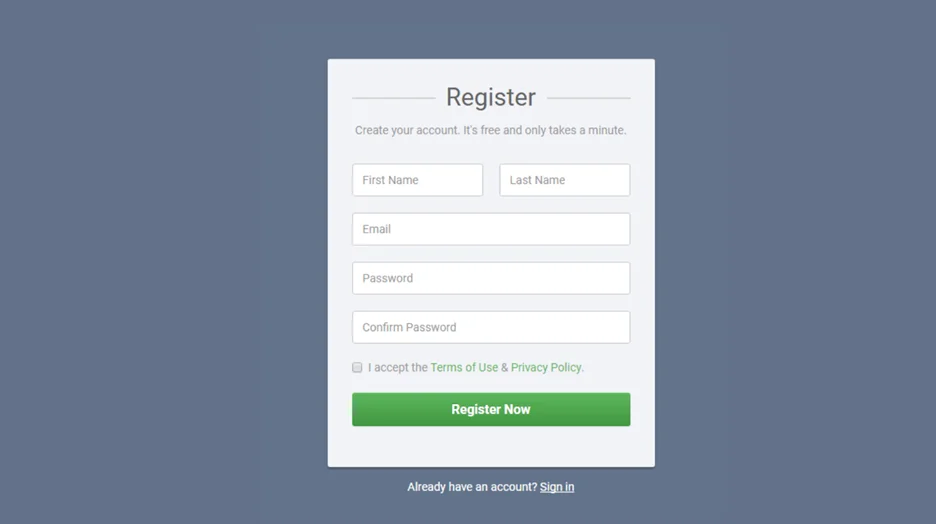
#### Personal Information
**First Name:** This field collects the user’s given name, typically used for personalization and addressing purposes.
**Last Name:** This field collects the user’s family name, often used in conjunction with the first name for identification.
#### Contact Information
**Email Address:** This is a vital field to capture the user’s primary email address. It serves as a primary communication channel for the website or application, used for account verification, password recovery, and other notifications.
#### Account Security
**Password:** This field allows the user to create a unique password for their account. A strong password is crucial for protecting the user’s account and data.
**Confirm Password:** This field requires the user to retype the password to ensure accuracy and prevent accidental errors.
#### Terms of Service and Agreement
**Checkbox to accept terms and conditions:** This field indicates the user’s agreement to the website’s terms of service, privacy policy, or other legal agreements.
#### Action
**Register:** This button initiates the account creation process once all required fields are filled out and the terms and conditions are accepted.
**Already have an account? Sign in:** Provides an option for existing users to access their account.
### Functional Test Cases for Registration Page
#### Positive Test Cases
**Validate Successful Registration:** Confirm that users can successfully register with valid inputs (username, email, password).
**Verify Redirection After Registration:** Ensure users are redirected to the appropriate page (e.g., login page or dashboard) after successful registration.
**Check for Success Messages:** Ensure that appropriate success messages are displayed upon successful registration.
**Session Management:** Verify that the registration page maintains session integrity and correctly handles user login status after registration.
**Email Verification:** Ensure users receive a confirmation email upon successful registration, and the verification link works as expected.
**Password Strength Requirements:** Validate that the registration page enforces password strength requirements (e.g., minimum length, complexity).
**Password and Confirmation Match:** Confirm that the password and password confirmation fields match.
**Username Availability Check:** Ensure that the registration page checks for username availability and provides appropriate feedback.
**Email Format Validation:** Validate that the registration page accepts only properly formatted email addresses.
**Successful Registration with Social Media Accounts:** Verify that users can register using social media accounts if social login options are available.
**Field Autofill:** Ensure that the registration page supports auto-fill features for usernames and email addresses.
**Language and Locale Support:** Verify that the registration page supports multiple languages and locales as required.
**Cross-Browser Compatibility:** Confirm that the registration page functions correctly across different browsers and devices.
**Field Validation Messages:** Ensure that validation messages are displayed next to fields where the input does not meet criteria.
**Mobile Responsiveness:** Test registration on various mobile devices to confirm that the page is responsive and user-friendly.
**Error-Free Submission:** Validate that form data is submitted correctly without errors and all fields are processed as intended.
**Confirmation Page:** Ensure users see a confirmation page or message after completing the registration process.
**Profile Completion:** Verify that users are prompted to complete their profile if required after registration.
#### Negative Test Cases
**Invalid Input Handling:** Verify that the registration page handles invalid inputs (e.g., incorrect email format, short passwords) and displays appropriate error messages.
**Duplicate Username or Email:** Ensure that the system handles duplicate usernames or emails correctly and provides informative feedback.
**Empty Field Submissions:** Test the registration process with empty fields and ensure that appropriate error messages are shown.
**SQL Injection:** Test the registration page for SQL injection vulnerabilities.
**Cross-Site Scripting (XSS):** Ensure that the registration page sanitizes inputs to prevent XSS attacks.
**Cross-Site Request Forgery (CSRF):** Verify that CSRF tokens are implemented and properly validated.
**Password Field Masking:** Ensure that the password field masks user input to protect privacy.
**Brute-Force Attack Prevention:** Verify that mechanisms are in place to prevent brute-force attacks (e.g., CAPTCHA, account lockout).
**Session Timeout:** Test registration with a session timeout and ensure users are appropriately redirected or prompted to log in again.
**Error Message Disclosure:** Confirm that error messages do not reveal whether the username or email is already in use.
**Invalid Captcha Handling:** Verify that the system handles invalid CAPTCHA entries correctly and prompts users to retry.
**Unverified Email Access:** Test access to the application with an unverified email and ensure users are prompted to verify their email.
**Malicious File Upload:** If file uploads are supported, ensure the system handles malicious file uploads securely.
**Exceeding Maximum Field Length:** Try entering more characters than the maximum allowed length in fields like username, email, and password. The system should reject the input and show a clear error message.
**Password Complexity Violation:** Attempt to register with a password that doesn’t meet the required complexity (e.g., missing uppercase letters, numbers, or special characters). Ensure the system rejects it and prompts the user to create a stronger password.
**Malicious Script Injection:** Input JavaScript or HTML tags into the registration fields. The system should sanitize these inputs and prevent any script from being executed.
**Unusual Unicode Characters:** Test the registration fields by entering unusual or special Unicode characters to see if the system can handle them properly and doesn’t crash or behave unexpectedly.
**Session Fixation Attempt:** Try to manipulate an existing session during or after registration to see if the system is vulnerable to session fixation and ensures proper session management.
**Missing CSRF Token:** If your registration process uses CSRF tokens, attempt to submit a registration request without including the token to check if the system rejects the submission and prompts for a valid token.
**SQL Injection Test:** Enter SQL code or queries into the registration fields, such as username or email, to see if the system is vulnerable to SQL injection. The system should handle these inputs securely and not execute unintended commands.
**Altered HTTP Headers:** Modify HTTP headers in your registration request (like changing content types or adding unusual headers) to see if the system can handle these manipulations without errors or security issues.
**Non-Existent Email Domain:** Use an email address with a domain that doesn’t exist during registration. Ensure the system detects this and doesn’t allow the registration to proceed.
**Malformed Requests:** Send registration requests with missing fields or incorrect data formats. The system should handle these malformed requests gracefully and provide clear error messages to guide the user.
### Security Test Cases
**HTTPS Protocol:** Verify that the registration page uses HTTPS for secure data transmission.
**Password Storage:** Ensure that passwords are stored securely using encryption and hashing algorithms.
**Session Management:** Test session management for vulnerabilities, including session fixation and hijacking.
**Account Lockout:** Verify that the account is locked after multiple failed registration attempts.
**CAPTCHA Verification:** Ensure CAPTCHA is used to prevent automated registrations and validate its functionality.
**Input Sanitization:** Confirm that all user inputs are sanitized to prevent injection attacks.
**CSRF Protection:** Verify that CSRF tokens are implemented and properly validated.
**Error Handling:** Ensure that error messages do not disclose sensitive information that could aid in attacks.
**Security Headers:** Verify that security headers (e.g., Content Security Policy, X-Content-Type-Options) are implemented and configured correctly.
**OAuth Security:** If using OAuth, ensure that OAuth tokens are handled securely and that there are no vulnerabilities in the implementation.
**Two-Factor Authentication (2FA):** Verify that 2FA is implemented and functions correctly if enabled.
**Data Encryption:** Ensure that sensitive data (e.g., personal details) is encrypted both in transit and at rest.
**Brute Force Mitigation:** Confirm that mechanisms are in place to prevent and mitigate brute force attacks on the registration form.
### User Experience Test Cases
**Page Layout and Design:** Assess the visual appeal and layout of the registration page.
**Instructions and Guidance:** Verify that instructions and error messages are clear and helpful.
**Field Navigation:** Ensure that users can navigate through fields using the Tab key and that focus management is intuitive.
**Accessibility Features:** Test the registration page for accessibility features (e.g., screen reader compatibility, keyboard navigation).
**First-Time User Experience:** Evaluate the ease with which new users can locate and use the registration page.
**Mobile Device Usability:** Test the registration page on various mobile devices to ensure a responsive design.
**Loading Indicators:** Verify that appropriate loading indicators are displayed during registration processing.
**Form Field Labels:** Ensure that all form fields have clear, descriptive labels.
**Error Message Placement:** Check that error messages are placed next to the relevant fields and are easy to understand.
**Form Validation Feedback:** Confirm that users receive real-time feedback as they fill out the registration form.
**User Onboarding Flow:** Evaluate the user onboarding flow post-registration to ensure a smooth transition into the application.
**Confirmation Email Experience:** Test the content and usability of the confirmation email received after registration.
**Confirmation Page or Message:** Check that users receive a clear confirmation page or message upon successful registration, summarizing their registration details and next steps.
**Privacy Policy and Terms of Service:** Ensure that links to the privacy policy and terms of service are accessible and clearly visible on the registration page.
**Help and Support Access:**
**Data Protection Assurance: Confirm that the registration page includes visible reassurances about data protection and security to build user trust.**
**### Performance Test Cases**
****Stress Testing:** Conduct stress tests to evaluate the registration page’s scalability and performance under high load.**
****Response Times:** Measure the response times of the registration page under various load conditions.**
****Load Balancing:** Test the effectiveness of load balancing mechanisms to ensure even distribution of traffic.**
****Resource Utilization:** Monitor CPU, memory, and disk usage during peak load to identify resource constraints.**
****Database Performance:** Analyze database query performance and optimize to reduce latency during registration attempts.**
****Peak Load Simulation:** Simulate peak user loads to ensure the registration page can handle maximum expected traffic without performance degradation.**
****Database Indexing:** Verify that database indexes are properly set up to optimize query performance.**
****Connection Pooling:** Test the effectiveness of connection pooling to handle multiple simultaneous registration requests.**
****Content Delivery Network (CDN) Integration:** Ensure that CDN integration effectively reduces page load times.**
****Response Time under Different Conditions:** Measure response times under different network conditions (e.g., slow connections) to ensure acceptable performance.**
****Scalability Testing:** Evaluate how well the registration page scales with increasing numbers of concurrent users.**
**### How to Use BotGauge AI Test Case Generator:**
****Seamless Integration:** [BotGauge](https://www.botgauge.com/) easily integrates with your development pipeline, automatically generating test cases whenever new code is added.**
****Customizable Test Cases:** You can configure BotGauge to focus on specific areas, ensuring the generated test cases are relevant and tailored to your project.**
****Comprehensive Insights:** BotGauge offers detailed reports on generated test cases, helping teams identify gaps in test coverage**
****Minimized Human Error:** By automating test case generation, BotGauge reduces the risk of human error, ensuring thorough and consistent testing.**
**### Conclusion**
**By integrating these extensive test cases into your registration page testing strategy, you can ensure a secure, user-friendly, and high-performance registration process. This approach helps identify and address potential issues, ensuring that the registration page meets both user expectations and business requirements. Implementing these best practices will lead to a smoother onboarding experience, increased user satisfaction, and a more robust application overall.**
Autonomous Testing for Modern Engineering Teams
[Book a Demo](https://calendly.com/botgauge/30min)
## Accessibility Testing Essentials
accessibility testing in software testing
# Why Accessibility Testing Services Are Critical for Modern Web Apps
Explore why accessibility testing in software testing is vital for web apps in 2025. Learn how services ensure compliance, usability, and inclusive user experience.
Jul 11, 20258 min read
Try for Free [Book a Demo](https://calendly.com/botgauge/30min)
TABLE OF CONTENT
[What Is Accessibility Testing in Software Testing?](https://www.botgauge.com/blog/accessibility-testing-modern-web-apps#heading1) [Real World Accessibility Gaps That Break UX](https://www.botgauge.com/blog/accessibility-testing-modern-web-apps#heading2) [Difference Between Functional Testing and Accessibility Testing](https://www.botgauge.com/blog/accessibility-testing-modern-web-apps#heading3) [Hitting WCAG and ADA Compliance Is No Longer Optional](https://www.botgauge.com/blog/accessibility-testing-modern-web-apps#heading4) [Why Accessibility Testing Services Save You Long-Term Costs](https://www.botgauge.com/blog/accessibility-testing-modern-web-apps#heading5) [5 Hidden Accessibility Barriers That Break Modern Web Apps](https://www.botgauge.com/blog/accessibility-testing-modern-web-apps#heading6) [1\. Incomplete Keyboard Navigation](https://www.botgauge.com/blog/accessibility-testing-modern-web-apps#heading7) [2\. Missing or Incorrect ARIA Labels](https://www.botgauge.com/blog/accessibility-testing-modern-web-apps#heading8) [3\. Disorganized Content for Screen Readers](https://www.botgauge.com/blog/accessibility-testing-modern-web-apps#heading9) [4\. Low Contrast in Light/Dark Modes](https://www.botgauge.com/blog/accessibility-testing-modern-web-apps#heading10) [5\. Non-Accessible Modals](https://www.botgauge.com/blog/accessibility-testing-modern-web-apps#heading11) [How Inclusive Design Testing Improves Real User Experience](https://www.botgauge.com/blog/accessibility-testing-modern-web-apps#heading12) [What to Look for in Accessibility Testing Services](https://www.botgauge.com/blog/accessibility-testing-modern-web-apps#heading13) [How BotGauge Help Test Modern Web Accessibility at Scale](https://www.botgauge.com/blog/accessibility-testing-modern-web-apps#heading14) [Conclusion](https://www.botgauge.com/blog/accessibility-testing-modern-web-apps#heading15) [FAQ's](https://www.botgauge.com/blog/accessibility-testing-modern-web-apps#heading16)
Start your AI testing pilotGenerate, run, and maintain tests across your CI/CD workflow with less manual effortTry for Free
SHARE THIS ARTICLE
[LinkedIn](https://www.linkedin.com/sharing/share-offsite/?url=https%3A%2F%2Fwww.botgauge.com%2Fblog%2Faccessibility-testing-modern-web-apps)[Twitter](https://twitter.com/intent/tweet?url=https%3A%2F%2Fwww.botgauge.com%2Fblog%2Faccessibility-testing-modern-web-apps)
[Home](https://www.botgauge.com/) [Blog](https://www.botgauge.com/blog) [accessibility-testing-modern-web-apps](https://www.botgauge.com/blog/accessibility-testing-modern-web-apps#)
Most web apps today still fail to meet basic accessibility standards. That means millions of users using screen readers, keyboard-only navigation, or assistive tech can’t interact with your product. This isn’t just bad UX. It’s a compliance issue, a legal risk, and a missed opportunity.
[**_Accessibility testing in software testing_**](https://www.botgauge.com/) helps fix that. It focuses on identifying and resolving barriers that block users with disabilities from using your web application. From unlabeled buttons to broken focus orders, these issues affect real users daily.
Many companies now rely on accessibility testing services to build apps that meet standards like WCAG and ADA. It’s no longer optional. Teams that prioritize usability and compliance already use platforms like **BotGauge** to streamline testing and maintain accessibility at scale.
## **What Is Accessibility Testing in Software Testing?**
Accessibility testing in software testing helps ensure web applications are usable for people with visual, auditory, cognitive, or motor impairments. It identifies barriers that impact users who rely on assistive technology. From screen readers to keyboard-only access, these tools need apps that function smoothly and inclusively.
### **Real World Accessibility Gaps That Break UX**
Examples of accessibility issues include:
- Form fields without labels for screen readers
- Buttons unreachable by keyboard
- Color contrast too low for readability
- Error messages not announced by assistive tech
These problems affect user retention, satisfaction, and compliance.
### **Difference Between Functional Testing and Accessibility Testing**
Functional tests confirm that features work. Accessibility testing in software testing checks if users of all abilities can interact with those features. A working button that lacks proper ARIA labels or keyboard support still fails the accessibility check.
Accessibility testing services combine tools and manual checks to address these issues early. Now that we’ve covered the basics, _let’s look at why meeting_ [**_WCAG_**](https://www.w3.org/WAI/standards-guidelines/wcag/) _and_ [**_ADA compliance_**](https://www.ada.gov/law-and-regs/design-standards/) _is no longer optional for modern web apps._
## **Hitting WCAG and ADA Compliance Is No Longer Optional**
Compliance isn’t just a formality anymore. Brands are facing lawsuits, fines, and user backlash for failing to meet basic accessibility standards. Legal pressure has made accessibility testing in software testing a required part of the QA process.
The [**_WCAG 2.2 guidelines_**](https://www.w3.org/TR/WCAG22/) define what an accessible app should include. At the same time, the ADA is being applied to websites and mobile platforms.
#### **Why Compliance Matters in 2025:**
- **Rising Legal Cases**: Accessibility-related lawsuits increased globally in the past year
- **Business Risk**: Non-compliance damages brand trust and leads to revenue loss
- **Wider Enforcement**: Both public and private companies now face scrutiny
- **User Demand**: Accessibility is becoming a user expectation, not a bonus
Companies now turn to accessibility testing services to meet WCAG and ADA standards using manual audits, automated scans, and real-device validation. This avoids penalties and creates apps that work for every user group.
_Next, let’s explore why fixing accessibility issues early always costs less than dealing with them after launch._
## **Why Accessibility Testing Services Save You Long-Term Costs**
Fixing accessibility after launch is expensive and risky. By the time users or legal teams flag issues, the damage is already done. Integrating accessibility testing in software testing during development reduces cost, effort, and delay.
Here’s what happens when accessibility is an afterthought:
- Developers rewrite components post-release
- QA teams rerun full regression cycles
- Releases are delayed to patch compliance gaps
- Support teams handle more user complaints
On the other hand, teams using accessibility testing services during development get expert audits, faster issue detection, and actionable reports that align with WCAG standards.
#### **Why Early Testing Saves Time and Money:**
- **3–5x Lower Cost**: Fixing issues during development is significantly cheaper
- **Shorter Dev Cycles**: No last-minute rework before launch
- **Better Performance**: Accessible apps are often faster and easier to use
- **Lower Legal Risk**: Compliant builds reduce exposure to lawsuits
_Let’s now uncover the most common accessibility failures that break user experience in modern web apps._
## **5 Hidden Accessibility Barriers That Break Modern Web Apps**
Some of the most damaging accessibility issues aren’t obvious. These flaws pass functional tests but fail real users. That’s where accessibility testing in software testing plays a key role— _catching what automation alone can’t._
Here are five barriers that often go unnoticed:
### **1\. Incomplete Keyboard Navigation**
Many apps don’t support full keyboard access. Users can’t reach dropdowns, popups, or hidden menus. Without proper tab order and focus control, the app becomes unusable for non-mouse users.
### **2\. Missing or Incorrect ARIA Labels**
Buttons and form fields without [**_ARIA tags_**](https://web.dev/learn/accessibility/aria-html) confuse screen readers. Users hear “button” with no context, making navigation frustrating and error-prone.
### **3\. Disorganized Content for Screen Readers**
When headings are out of order or skipped, screen reader users lose structure. They can’t scan or jump between sections, slowing down access to content.
### **4\. Low Contrast in Light/Dark Modes**
Design trends favor soft colors, but poor contrast fails WCAG standards. Users with low vision struggle to read text, especially on mobile screens.
### **5\. Non-Accessible Modals**
Modals often trap focus, lack keyboard exit options, or don’t announce their presence to assistive tech. These break core accessibility functions.
Accessibility testing services catch these real-use failures through manual testing and assistive technology— _not just by running tools_.
_Let’s now explore how inclusive design helps improve UX for everyone, not just those with disabilities._
## **How Inclusive Design Testing Improves Real User Experience**
Accessibility doesn’t just benefit people with disabilities. It improves usability for everyone. Teams that include accessibility testing in software testing often discover **_broader UX issues_** that affect general users too.
When inclusive design is part of your testing workflow, the entire product becomes easier to use, faster to navigate, and more consistent.
#### **Benefits of Inclusive Design Testing:**
- **Faster Interaction**: Clean layouts and better focus handling reduce friction for all users
- **Better Mobile Usability**: Accessible controls and readable contrast improve mobile responsiveness
- **Fewer Support Tickets**: Clear error handling and feedback reduce confusion
- **Cross-Device Compatibility**: Standards-driven design works better across browsers and platforms
- **Improved SEO**: Proper semantic HTML and structure support better indexing
Teams that rely on accessibility testing services during design and development gain long-term advantages in user satisfaction, retention, and product trust.
_Up next, let’s cover what you should expect from a reliable accessibility testing service._
## **What to Look for in Accessibility Testing Services**
Not all accessibility testing services deliver the same results. Choosing the right one can directly impact your app’s usability, compliance, and long-term cost. Effective accessibility testing in software testing must go beyond automated scans. It should combine manual audits, assistive tech reviews, and clear documentation.
Here’s what to look for:
- **Manual and Automated Testing**: Tools like [Axe](https://www.deque.com/axe/) and [Lighthouse](https://developer.chrome.com/docs/lighthouse/overview) help, but manual checks are critical. [**BotGauge**](https://www.botgauge.com/) combines both approaches for deeper issue detection
- **Real-Device Coverage**: Emulators miss edge cases. BotGauge supports real-device testing with assistive tech compatibility
- **WCAG 2.2 Compliance Mapping**: Every issue should tie back to a WCAG guideline, with details on where and why it fails
- **Detailed Reporting**: Look for clear reports that include severity, screenshots, and remediation steps
- **User-Centric Testing**: Testing should involve actual users with screen readers, keyboard-only setups, or other assistive technologies
[**BotGauge**](https://www.botgauge.com/) offers these features as part of its QA platform, helping teams stay compliant and user-ready without increasing workload.
_Let’s close with a quick recap on why accessibility testing should be part of every web app’s QA plan._
## **How BotGauge Help Test Modern Web Accessibility at Scale**
Scaling accessibility testing across modern web apps is hard. Most teams struggle with inconsistent coverage, slow feedback, and tools that don’t adapt. That’s exactly why we built BotGauge— _to make accessibility testing in software testing faster_, smarter, and ready for real-world scale.
We’re one of the few AI testing platforms built with accessibility in mind. Our autonomous agent has already created over **_one million test cases_** across industries, and our team brings over **_10 years of experience_** in solving QA challenges for enterprise software.
#### **How We Support Accessibility Testing at Scale:**
- **Natural Language Test Creation**: You describe the scenario in plain English—we generate the test, including accessibility checks
- **Self-Healing Scripts**: When your UI changes, we update the test logic automatically so your coverage doesn’t break
- **Assistive Tech Validation**: We simulate keyboard-only usage, screen readers, and contrast issues in real environments
- **Built-in CI/CD Support**: Run accessibility tests on every build, pull request, or release without slowing down
- **WCAG 2.2-Aligned Reporting**: Our reports show you exactly where the issue is, why it matters, and how to fix it
At BotGauge, we don’t just automate tests— _we scale accessibility without adding QA burden_. Explore more BotGauge’s accessibility testing features → [**BotGauge**](https://www.botgauge.com/)
## **Conclusion**
Ignoring accessibility during development creates real problems. Users get blocked by broken navigation, unreadable text, and missing labels. QA teams end up patching issues late, under pressure, and at a higher cost.
Missed accessibility issues lead to compliance failures, frustrated users, and even legal action. These risks aren’t theoretical. They’re already affecting businesses with modern web apps that didn’t plan for inclusion.
[**BotGauge**](https://www.botgauge.com/) solves these challenges by combining automated tools, real-device testing, and expert audits into one workflow. It’s built to support accessibility testing in software testing from day one— _helping your team ship accessible, compliant apps without slowing down delivery._ [**_Let’s connect_**](https://www.botgauge.com/contact) _and start testing your web app for accessibility today._
For the full landscape of testing types, see [understanding types of software testing](https://www.botgauge.com/blog/understanding-types-software-testing). Related techniques include [omnichannel testing strategies](https://www.botgauge.com/blog/omnichannel-testing-strategies) and [performance testing metrics](https://www.botgauge.com/blog/performance-testing-metrics). Platforms like [autonomous QA](https://www.botgauge.com/autonomous-qa-as-a-solution) cover these testing types automatically.
Learn more at [BotGauge](https://www.botgauge.com/).
## FAQ's
What is accessibility testing in software testing?
Accessibility testing in software testing is the process of checking if your app is usable by people with disabilities. It involves validating screen reader compatibility, keyboard-only navigation, and WCAG 2.2 compliance. This ensures your app meets legal standards and delivers a consistent, inclusive experience across all user abilities and devices.
How do accessibility testing services work?
Accessibility testing services combine automated tools and manual audits to detect accessibility barriers in web apps. Experts simulate real user behavior with assistive technology, validate color contrast, and assess ARIA roles. These services uncover issues standard QA misses, ensuring full WCAG compliance and better usability for people with disabilities.
Why is accessibility testing important for web apps in 2025?
Accessibility testing in software testing is critical in 2025 due to stricter regulations, WCAG 2.2 updates, and growing user demand. Inaccessible web apps risk lawsuits, user drop-offs, and failed conversions. Testing ensures your app works across screen readers, keyboard interfaces, and mobile devices while protecting your business from compliance issues.
Can accessibility testing be automated?
Yes, parts of accessibility testing in software testing can be automated using tools like Axe and BotGauge. Automation helps detect issues like missing labels or contrast failures. But manual testing is still required for screen reader flow, keyboard traps, and user experience—so most teams rely on hybrid testing strategies.
What’s the difference between functional and accessibility testing?
Functional testing checks if features work. Accessibility testing in software testing checks if all users can access those features. A button may function, but without ARIA labels or keyboard support, it fails accessibility. Testing both ensures full usability, legal compliance, and a better experience for users with disabilities.
How does BotGauge help with accessibility testing?
BotGauge supports accessibility testing in software testing through natural language test creation, assistive tech simulations, and WCAG-aligned reporting. We detect screen reader gaps, keyboard issues, and contrast problems at scale. BotGauge runs inside your CI/CD and reduces rework by catching accessibility issues early in the development cycle.
Autonomous Testing for Modern Engineering Teams
[Book a Demo](https://calendly.com/botgauge/30min)
## Adhoc vs Automated Testing
adhoc testing
# How Ad-hoc Testing Complements Automated & Regression Testing
Explore how adhoc testing complements automation and regression testing in 2025. Learn where scripted QA falls short and how unplanned testing fills the gaps.
Jul 11, 20258 min read
Try for Free [Book a Demo](https://calendly.com/botgauge/30min)
TABLE OF CONTENT
[What Is Adhoc Testing and Why Teams Use It in 2025](https://www.botgauge.com/blog/adhoc-testing-vs-automated-regression#heading1) [1\. The Core Idea Behind Adhoc Testing](https://www.botgauge.com/blog/adhoc-testing-vs-automated-regression#heading2) [2\. Where It Fits in the QA Lifecycle](https://www.botgauge.com/blog/adhoc-testing-vs-automated-regression#heading3) [Adhoc Testing vs Exploratory Testing vs Scripted Testing](https://www.botgauge.com/blog/adhoc-testing-vs-automated-regression#heading4) [1\. Adhoc Testing](https://www.botgauge.com/blog/adhoc-testing-vs-automated-regression#heading5) [2\. Exploratory Testing](https://www.botgauge.com/blog/adhoc-testing-vs-automated-regression#heading6) [3\. Scripted Testing](https://www.botgauge.com/blog/adhoc-testing-vs-automated-regression#heading7) [Why Adhoc Testing Is Still Relevant in 2025](https://www.botgauge.com/blog/adhoc-testing-vs-automated-regression#heading8) [When to Use Adhoc Testing in Modern QA Workflows](https://www.botgauge.com/blog/adhoc-testing-vs-automated-regression#heading9) [Ideal Scenarios for 2025:](https://www.botgauge.com/blog/adhoc-testing-vs-automated-regression#heading10) [Common Tools and Techniques for Smarter Adhoc Testing](https://www.botgauge.com/blog/adhoc-testing-vs-automated-regression#heading11) [Useful Tools and Approaches:](https://www.botgauge.com/blog/adhoc-testing-vs-automated-regression#heading12) [How We at BotGauge Fit Seamlessly into Adhoc and Regression Testing](https://www.botgauge.com/blog/adhoc-testing-vs-automated-regression#heading13) [Final Thoughts](https://www.botgauge.com/blog/adhoc-testing-vs-automated-regression#heading14) [FAQ's](https://www.botgauge.com/blog/adhoc-testing-vs-automated-regression#heading15)
Start your AI testing pilotGenerate, run, and maintain tests across your CI/CD workflow with less manual effortTry for Free
SHARE THIS ARTICLE
[LinkedIn](https://www.linkedin.com/sharing/share-offsite/?url=https%3A%2F%2Fwww.botgauge.com%2Fblog%2Fadhoc-testing-vs-automated-regression)[Twitter](https://twitter.com/intent/tweet?url=https%3A%2F%2Fwww.botgauge.com%2Fblog%2Fadhoc-testing-vs-automated-regression)
[Home](https://www.botgauge.com/) [Blog](https://www.botgauge.com/blog) [adhoc-testing-vs-automated-regression](https://www.botgauge.com/blog/adhoc-testing-vs-automated-regression#)
Automated and regression testing work well for scripted flows. But bugs rarely stick to scripts. Most real-world failures show up in paths testers didn’t plan for. That’s where [**_adhoc testing_**](https://www.botgauge.com/) proves its value.
This method allows testers to explore applications without fixed test cases. It brings spontaneity and manual testing flexibility into structured QA processes. When automation misses edge conditions or regression packs overlook a broken UI state, adhoc testing steps in.
Teams now mix adhoc testing and exploratory testing with automation to uncover real-world bug detection opportunities. Platforms like **BotGauge** support this by helping QA teams move between automation and [**_unscripted software testing_**](https://www.botgauge.com/) without slowing down delivery.
## **What Is Adhoc Testing and Why Teams Use It in 2025**
Modern QA teams need more than just scripts to ensure product quality. Bugs often appear in areas no one expected, especially when release timelines are tight. That’s why many teams rely on adhoc testing, a fast, flexible approach that surfaces hidden issues during live testing sessions.
### **1\. The Core Idea Behind Adhoc Testing**
Adhoc testing skips formal documentation and allows testers to use instinct, experience, and context. It’s reactive, fast, and driven by actual user behavior. There’s no need for detailed test plans, just a willingness to push the system and observe how it responds.
- No test cases or predefined steps
- Tester-driven, real-time execution
- Used to validate updates or spot regressions quickly
This style of unscripted software testing is especially valuable in fast-moving environments.
### **2\. Where It Fits in the QA Lifecycle**
Teams use adhoc testing in late sprints, before release, or during bug triage. It fits between structured regression runs and automation cycles, often picking up what both miss.
- Good for edge case detection
- Helps identify test coverage gaps
- Validates real-world usability scenarios
- Informs future scripted or automated cases
Now that we’ve defined how adhoc testing works, _let’s see how it compares to exploratory and scripted testing in actual QA workflows._
## **Adhoc Testing vs Exploratory Testing vs Scripted Testing**
Not all manual testing is the same. QA teams today use different testing styles depending on their goals, tools, and timelines. Understanding how adhoc testing, exploratory testing, and scripted testing differ helps teams apply the right method at the right time.
### **1\. Adhoc Testing**
- No documentation, no plan
- Driven by tester instinct and experience
- Useful during emergencies, post-deploy checks, or when documentation is missing
- Best for spontaneous test execution and catching last-minute bugs
### **2\. Exploratory Testing**
- Has a charter or purpose but no fixed steps
- Involves learning, designing, and executing tests simultaneously
- Encourages QA creativity and deep product understanding
- Useful in early-stage features and uncertain user flows
### **3\. Scripted Testing**
- Based on predefined test cases
- Repeatable, trackable, and works well for regression
- Supports compliance testing and structured QA
- Limited when facing real-world bug detection needs or sudden changes
Each testing type adds value. But adhoc testing and exploratory testing are ideal when you need speed, flexibility, and fast feedback on unstable or complex features.
_Here’s a short and detailed comparison table between Adhoc Testing, Exploratory Testing, and Scripted Testing formatted for web or blog use:_
| | | | |
| --- | --- | --- | --- |
| **Aspect** | **Adhoc Testing** | **Exploratory Testing** | **Scripted Testing** |
| **Planning** | No planning or documentation | Has a test goal or charter | Based on predefined test cases |
| **Execution Style** | Spontaneous, real-time | Simultaneous learning and testing | Follows fixed steps and expected results |
| **Tester Role** | Relies on experience and instinct | Requires product knowledge and critical thinking | Follows test instructions exactly |
| **Use Case** | Urgent checks, unknown issues, post-release bugs | Early feature validation, usability insights | Regression, compliance, and repeatable QA checks |
| **Flexibility** | High | Medium to high | Low |
| **Documentation** | None | Light (notes or session-based) | Fully documented |
| **Best For** | Edge case detection, bug reproduction | QA creativity, user behavior analysis | Structured testing, traceability, reporting |
_Let’s now explore why adhoc testing continues to matter—even in modern, automation-heavy QA setups._
## **Why Adhoc Testing Is Still Relevant in 2025**
Even with high test automation coverage, QA teams still miss bugs that don’t follow a script. That’s why adhoc testing remains part of modern workflows. It gives testers the freedom to act fast, think critically, and fill in the blind spots automation often leaves behind.
#### **Benefits of Adhoc Testing:**
- **Faster Bug Discovery**: No setup required. Just open the app and start testing.
- **Real-World User Scenarios**: Testers mimic user behavior that scripted cases don’t cover.
- **Fills Automation Gaps**: Catches edge case detection issues that regression testing might skip.
- **Flexible QA Response**: Useful when specs change mid-sprint or last-minute bugs show up.
- **No Test Coverage Bottlenecks**: Helps identify test coverage gaps without waiting for case updates.
Teams that combine adhoc testing and exploratory testing with automation stay more prepared for real-world bugs.
_Next, let’s look at when to use adhoc testing in modern QA workflows and how to make it effective under time pressure._
## **When to Use Adhoc Testing in Modern QA Workflows**
Timing is everything. Knowing when to apply adhoc testing can uncover bugs that formal QA cycles miss. These sessions are fast, flexible, and ideal when you need real-time insights without the wait for scripted updates.
### **Ideal Scenarios for 2025:**
**1\. Tight Deadlines**
When there’s no time to write formal test cases, testers use adhoc testing to validate changes quickly and spot obvious breakages.
**2\. Post-Deployment Health Checks**
After a release, teams often perform spontaneous test execution to ensure critical paths still work as expected.
**3\. Exploratory Sessions Before Major Releases**
Pairing adhoc testing and exploratory testing before a major rollout helps catch high-impact issues in unpredictable flows.
**4\. Bug Reproduction or Patch Validation**
Testers use unscripted software testing to replicate and validate bugs reported by users, especially when the path isn’t well defined.
_Next, we’ll cover the tools and techniques that make adhoc testing faster, smarter, and easier to scale._
## **Common Tools and Techniques for Smarter Adhoc Testing**
Adhoc testing doesn’t mean guessing. Smart testers use quick tools, dev utilities, and structured notes to speed up unplanned testing and keep findings clear. These techniques help make unscripted sessions more productive—especially when combined with automation.
### **Useful Tools and Approaches:**
**1\. Browser DevTools**
Inspect network requests, console logs, and UI behavior to spot unexpected issues in real time.
**2\. Session-Based Note Taking**
Track steps, bugs, and insights using simple tools like [**_Notion_**](https://www.notion.com/), [**_Testpad_**](https://testpad.com/), or Google Docs.
**3\. Dev-QA Pairing**
Collaborate live with developers to test unstable features or edge cases before final merge.
**4\. Log Review**
Use application logs or Postman to test API behavior without waiting on front-end hooks.
**5\. Automation-Aware Testing**
Run quick adhoc testing on automation blind spots or flaky test areas—especially where regression test failures don’t explain root causes.
These methods give manual testing flexibility without slowing down the team.
_Now let’s look at how BotGauge supports adhoc testing inside real QA pipelines alongside automation and regression._
## **How We at BotGauge Fit Seamlessly into Adhoc and Regression Testing**
At [**BotGauge**](https://calendly.com/botgauge/30min), we understand that scripted tests alone don’t catch everything. We built our AI agent to power both adhoc testing and automated regression without extra effort. Our platform has already generated over **_one million test cases_** for clients across industries.
**We provide:**
- **Natural Language Test Creation**: You write test steps in English; we create executable scripts across UI, API, database, and visual layers.
- **Self-Healing Capabilities**: Our AI automatically updates tests to match UI or logic changes, slashing maintenance time.
- **Full-Stack Functional Testing**: We support end-to-end validation, visual regression, and accessibility checks at scale.
- **Massive Speed and Cost Benefits**: Teams report testing that’s 20× faster and 85 % more cost-efficient than traditional methods.
Our AI-driven platform fills automation blind spots, enables unscripted software testing, and integrates into **_CI/CD pipelines_**. With **_10+ years of QA experience_** behind us, BotGauge makes adhoc and regression testing smarter, faster, and more reliable.
Explore more BotGauge’s features → [**BotGauge**](https://www.botgauge.com/)
## **Final Thoughts**
Adhoc testing is often misunderstood. Many teams avoid it due to lack of structure, missing documentation, or limited traceability. Without a clear framework, testers may overlook critical areas or struggle to repeat sessions reliably.
This lack of structure can result in missed bugs, delayed fixes, and last-minute fire-fighting before releases. Teams relying only on automation or scripted flows end up blind to unexpected issues, leading to broken features in production and angry users.
That’s why we built [**BotGauge**](https://www.botgauge.com/) to bring speed, structure, and accuracy to adhoc testing. Our AI agent lets teams test quickly, catch issues automation misses, and scale unplanned tests with confidence. No more guessing, just real coverage, real bugs, and faster QA. [**_Let’s connect_**](https://www.botgauge.com/contact) _and test your QA with BotGauge’s adhoc flow._
For a broader comparison of testing approaches, see [manual testing vs automation testing](https://www.botgauge.com/blog/manual-testing-vs-automation-testing). Related comparisons include [no-code QA vs traditional tools](https://www.botgauge.com/blog/no-code-qa-vs-traditional-tools) and [test strategy vs test plan](https://www.botgauge.com/blog/test-strategy-vs-test-plan). Platforms like [autonomous QA](https://www.botgauge.com/autonomous-qa-as-a-solution) bridge both approaches with agentic AI and human validation.
## FAQ's
What is adhoc testing in software testing?
Adhoc testing is a spontaneous, unstructured form of manual testing done without test cases. It’s ideal for detecting unexpected bugs missed by automation. QA teams use adhoc testing to simulate real-world usage, fill test coverage gaps, and uncover issues quickly—making it a valuable addition to modern software testing strategies.
How is adhoc testing different from exploratory testing?
While both are unscripted software testing methods, adhoc testing is completely unplanned, whereas exploratory testing involves learning, note-taking, and goal-driven sessions. Adhoc focuses on speed and spontaneity, while exploratory adds structure. Using adhoc testing and exploratory testing together helps teams catch edge case bugs and improve coverage in agile QA workflows.
Can adhoc testing work with automated QA?
Yes, adhoc testing enhances automated QA by covering areas automation often misses, like UI bugs or inconsistent user flows. It uncovers automation blind spots and supports real-world bug detection. Combining regression automation with adhoc testing ensures better flexibility and bug coverage, especially in complex or fast-changing applications.
When should you use adhoc testing in a sprint?
Use adhoc testing during quick patch releases, final regression phases, or when time prevents writing scripts. It’s perfect for testing late-stage fixes, exploring unknown behavior, or simulating real-world user interaction. In modern agile workflows, adhoc testing often happens between sprints or just before go-live to reduce QA surprises.
Does adhoc testing improve test coverage?
Definitely. Adhoc testing fills in the gaps left by scripted tests. It helps catch bugs that arise from edge case detection, UI inconsistencies, and unexpected user paths. By integrating adhoc testing into QA processes, teams achieve broader test coverage and better bug detection without increasing documentation or setup time.
What skills make someone good at adhoc testing?
Great adhoc testers think like end users. Skills include strong product knowledge, quick decision-making, curiosity, and experience in manual testing flexibility. Knowing how to spot test coverage gaps, use developer tools, and reproduce bugs quickly helps QA teams execute impactful unscripted software testing sessions in real environments.
Autonomous Testing for Modern Engineering Teams
[Book a Demo](https://calendly.com/botgauge/30min)
## Agentic AI Testing Overview
ai qa automationautonomous QA
# Agentic AI Testing: The Future of Autonomous Software Testing
Traditional automation follows predefined instructions. Agentic AI testing enables intelligent agents to understand application behavior, adapt to changes, investigate failures, and continuously improve test execution. The result is faster releases, more reliable testing, and less manual QA effort.
May 29, 20268 min read
Try for Free [Book a Demo](https://calendly.com/botgauge/30min)

TABLE OF CONTENT
[What Is Agentic AI Testing?](https://www.botgauge.com/blog/agentic-ai-testing#heading1) [Why Agentic AI Testing?](https://www.botgauge.com/blog/agentic-ai-testing#heading2) [How Agentic AI Testing Differs from Traditional Automation](https://www.botgauge.com/blog/agentic-ai-testing#heading3) [The Three Eras of Software Testing](https://www.botgauge.com/blog/agentic-ai-testing#heading4) [Side-by-Side Comparison](https://www.botgauge.com/blog/agentic-ai-testing#heading5) [The Key Distinction: Generative AI vs Agentic AI in Testing](https://www.botgauge.com/blog/agentic-ai-testing#heading6) [The Architecture Behind Agentic AI Testing](https://www.botgauge.com/blog/agentic-ai-testing#heading7) [1\. Perception Layer](https://www.botgauge.com/blog/agentic-ai-testing#heading8) [2\. Reasoning Engine (LLM Core)](https://www.botgauge.com/blog/agentic-ai-testing#heading9) [3\. Memory System Agents](https://www.botgauge.com/blog/agentic-ai-testing#heading10) [4\. Tool Use Layer Agents](https://www.botgauge.com/blog/agentic-ai-testing#heading11) [5\. Feedback and Learning Loop](https://www.botgauge.com/blog/agentic-ai-testing#heading12) [Multi-Agent Architecture](https://www.botgauge.com/blog/agentic-ai-testing#heading13) [Core Capabilities of Agentic AI in Software Testing](https://www.botgauge.com/blog/agentic-ai-testing#heading14) [Autonomous Test Case Generation](https://www.botgauge.com/blog/agentic-ai-testing#heading15) [Exploratory Testing at Machine Speed](https://www.botgauge.com/blog/agentic-ai-testing#heading16) [Self-Healing Test Automation](https://www.botgauge.com/blog/agentic-ai-testing#heading17) [Risk-Based Test Prioritization](https://www.botgauge.com/blog/agentic-ai-testing#heading18) [Natural Language Test Authoring](https://www.botgauge.com/blog/agentic-ai-testing#heading19) [Predictive Defect Detection](https://www.botgauge.com/blog/agentic-ai-testing#heading20) [Synthetic Test Data Generation](https://www.botgauge.com/blog/agentic-ai-testing#heading21) [Benefits of Agentic AI Testing Over Traditional Automation](https://www.botgauge.com/blog/agentic-ai-testing#heading22) [Faster Release Cycles Without Sacrificing Quality](https://www.botgauge.com/blog/agentic-ai-testing#heading23) [Dramatically Reduced Test Maintenance](https://www.botgauge.com/blog/agentic-ai-testing#heading24) [Higher and Smarter Test Coverage](https://www.botgauge.com/blog/agentic-ai-testing#heading25) [Democratization of Testing](https://www.botgauge.com/blog/agentic-ai-testing#heading26) [Resilience to Application Changes](https://www.botgauge.com/blog/agentic-ai-testing#heading27) [Types of Tests Agentic AI Can Run Autonomously](https://www.botgauge.com/blog/agentic-ai-testing#heading28) [Functional Testing](https://www.botgauge.com/blog/agentic-ai-testing#heading29) [Regression Testing](https://www.botgauge.com/blog/agentic-ai-testing#heading30) [Exploratory Testing](https://www.botgauge.com/blog/agentic-ai-testing#heading31) [End-to-End Testing](https://www.botgauge.com/blog/agentic-ai-testing#heading32) [API Testing](https://www.botgauge.com/blog/agentic-ai-testing#heading33) [Performance and Load Testing](https://www.botgauge.com/blog/agentic-ai-testing#heading34) [Visual Regression Testing](https://www.botgauge.com/blog/agentic-ai-testing#heading35) [Accessibility Testing](https://www.botgauge.com/blog/agentic-ai-testing#heading36) [Security Testing](https://www.botgauge.com/blog/agentic-ai-testing#heading37) [Cross-Browser and Cross-Device Testing](https://www.botgauge.com/blog/agentic-ai-testing#heading38) [How BotGauge Approaches Agentic AI Testing](https://www.botgauge.com/blog/agentic-ai-testing#heading39) [Challenges in Agentic AI Testing and How to Overcome Them](https://www.botgauge.com/blog/agentic-ai-testing#heading40) [Challenge 1: Non-Determinism and Test Reliability](https://www.botgauge.com/blog/agentic-ai-testing#heading41) [Challenge 2: Legacy System Incompatibility](https://www.botgauge.com/blog/agentic-ai-testing#heading42) [Challenge 3: Security and Data Privacy](https://www.botgauge.com/blog/agentic-ai-testing#heading43) [Challenge 4: Model Drift](https://www.botgauge.com/blog/agentic-ai-testing#heading44) [Challenge 5: The “Black Box” Problem](https://www.botgauge.com/blog/agentic-ai-testing#heading45) [Challenge 6: False Positives and Hallucinations](https://www.botgauge.com/blog/agentic-ai-testing#heading46) [Key Takeaways](https://www.botgauge.com/blog/agentic-ai-testing#heading47) [FAQ's](https://www.botgauge.com/blog/agentic-ai-testing#heading48)
Start your AI testing pilotGenerate, run, and maintain tests across your CI/CD workflow with less manual effortTry for Free
SHARE THIS ARTICLE
[LinkedIn](https://www.linkedin.com/sharing/share-offsite/?url=https%3A%2F%2Fwww.botgauge.com%2Fblog%2Fagentic-ai-testing)[Twitter](https://twitter.com/intent/tweet?url=https%3A%2F%2Fwww.botgauge.com%2Fblog%2Fagentic-ai-testing)
[Home](https://www.botgauge.com/) [Blog](https://www.botgauge.com/blog) [agentic-ai-testing](https://www.botgauge.com/blog/agentic-ai-testing#)
Agentic AI testing uses autonomous AI agents powered by large language models and decision-making algorithms — to independently plan, generate, execute, adapt, and analyze software tests with minimal human intervention. Unlike script-based automation or generative AI tools that only assist with single tasks, agentic systems operate end-to-end across the full testing lifecycle.
Testing hasn’t kept pace with how fast software ships now.
Script-based automation helped for a while. But teams started spending more time fixing broken tests than writing new ones. Coverage stalled. Bugs still slipped through.
The word “agentic” comes from agency: the capacity to act independently, make decisions, and pursue goals. In software testing, that means systems that don’t just run what you pre-define. They reason about what needs testing, why, and how, then do it. In this blog, we will discuss in detail how Agentic AI testing is shaping the future of software testing.
## **What Is Agentic AI Testing?**
Agentic AI testing is a paradigm shift in software quality engineering, in which autonomous [AI agents](https://www.botgauge.com/ai-agents), powered by large language models (LLMs) and advanced decision-making algorithms, independently plan, generate, execute, adapt, and analyze software tests with minimal human intervention.
### **Why Agentic AI Testing?**
According to Katalon’s 2025 State of Software Quality Report, 72% of QA teams now actively use AI for test generation or script optimization – a sharp rise from the limited adoption seen just a few years earlier.
For a broader look at how AI is reshaping the QA function beyond agentic testing specifically, see our guide to [AI in software testing](https://www.botgauge.com/blog/ai-in-testing).
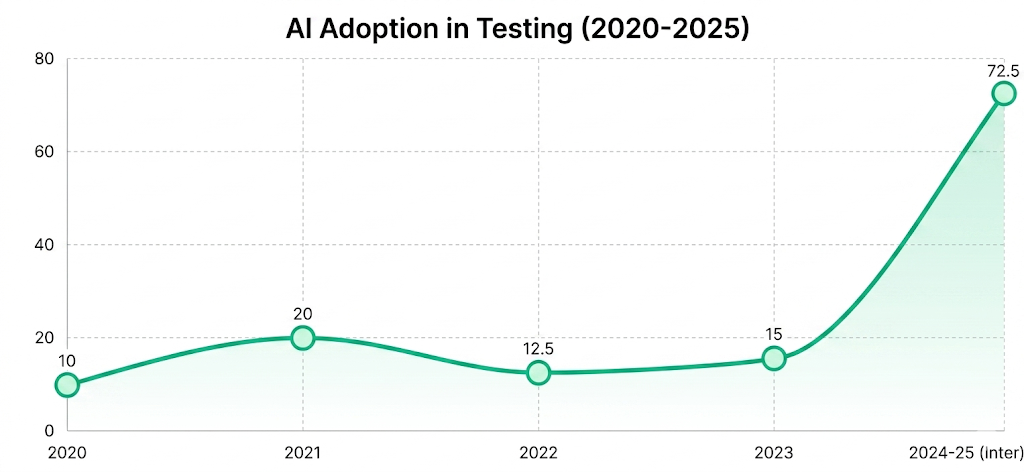
Unlike traditional test automation that follows predefined scripts, or first-generation AI tools that assist with individual tasks like locator healing, agentic AI in testing operates end-to-end across the entire software testing lifecycle.
An agentic testing system can receive a high-level goal, “validate the checkout flow”, and decompose it into sub-tasks, select the right tools, execute tests across environments, self-correct on failure, and produce contextual reports, all without a human writing a single test script.
See what agentic testing actually looks like on your application
[Scan Your App for Free](https://www.botgauge.com/contact)
## **How Agentic AI Testing Differs from Traditional Automation**
Most existing articles on this topic stop at surface-level comparisons. Here is a comprehensive breakdown that covers what other guides miss:
### **The Three Eras of Software Testing**
**Era 1: Manual Testing Testers** write test cases by hand, execute them manually, and document results. Slow, human-resource-intensive, and impossible to scale with modern development velocity.
**Era 2: Script-Based Automation Tools** such as Selenium, Cypress, Playwright, and Appium automate repetitive tasks with scripts. Faster than manual, but brittle, a UI change breaks the test. Industry analyses consistently put the majority of QA effort — often 60% to 80% – into maintaining test automation rather than building new coverage, which forces teams to fix existing tests instead of expanding them.
**Era 3: Agentic AI Software Testing** AI agents that plan, execute, self-heal, and learn. No fragile selectors. No manual script updates. An intent-driven model where the agent understands what the user wants to accomplish, not how the DOM is structured.
### **Side-by-Side Comparison**
| | | | |
| --- | --- | --- | --- |
| **Dimension** | **Traditional Automation** | **Generative AI Assisted** | **Agentic AI Testing** |
| Test Creation | Manual scripting | AI-suggested scripts | Autonomous generation from requirements |
| Maintenance | Manual after each change | Semi-automated healing | Fully self-healing |
| Execution Control | Predefined paths | Predefined with suggestions | Dynamic, goal-oriented paths |
| Decision Making | None | Limited | Full autonomous reasoning |
| Coverage | Pre-scoped | Pre-scoped with AI hints | Exploratory and risk-adaptive |
| CI/CD Integration | Requires manual setup | Semi-automated | Native, trigger-aware |
| Learning | None | Prompt-level | Cross-run, session, and long-term |
| Multi-agent Support | No | No | Yes – specialized agents collaborate |
| Human Intervention | Constant | Frequent | Minimal (review, not manage) |
For a deeper breakdown of how these two approaches differ in practice, see our full comparison of [agentic AI vs. generative AI in testing](https://www.botgauge.com/blog/agentic-ai-vs-generative-ai).
If your team is still babysitting test scripts, there's a faster way
[Start Autonomous Testing](https://calendly.com/botgauge/30min)
### **The Key Distinction: Generative AI vs Agentic AI in Testing**
Generative AI and Agentic AI are not the same thing.
Generative AI responds to a single prompt -> “write test cases for this login form” -> produces output. It doesn’t take initiative, doesn’t execute those tests, doesn’t learn from the results, and can’t adapt when the form changes.
Agentic AI in software testing does all of that autonomously. It takes a goal, builds a plan, executes steps (including calling tools, reading the DOM, running assertions, and retrying failures), learns from what it observes, and loops back through the cycle, independently.
As UiPath articulates, traditional AI in testing “automates tasks in particular,” whereas agentic AI adds a new layer, agents that make decisions, adapt to changes, and execute workflows dynamically.
## **The Architecture Behind Agentic AI Testing**
This section details the anatomy of an AI testing agent. Every agentic testing system has five interconnected components:
### **1\. Perception Layer**
The agent observes the application under test, reads the DOM, captures screenshots, parses API responses, and interprets visual interfaces.
### **2\. Reasoning Engine (LLM Core)**
The reasoning engine, typically a fine-tuned or prompted large language model, processes the observed state, historical context, and the defined testing goal to decide what action to take next. This is where agentic AI makes decisions, selects tools, and prioritizes which test path to pursue.
### **3\. Memory System Agents**
Memory System Agents that operate without memory are stateless and cannot learn. Modern agentic testing frameworks – built on the same [machine learning foundations](https://www.botgauge.com/blog/machine-learning-for-test-automation) driving test automation forward – implement:
**Short-term memory:** Context retention within a single test session
**Long-term memory:** Knowledge of past failures, healed locators, and test history
**Vector/graph-based storage:** For complex retrieval of execution patterns and application behavior
### **4\. Tool Use Layer Agents**
Tool Use Layer Agents are given access to tools such as browser automation APIs, database connectors, REST clients, CI/CD hooks, and reporting engines. The reasoning engine decides which tool to call, with what parameters, and evaluates the result.
### **5\. Feedback and Learning Loop**
Unlike static scripts, agentic systems incorporate reinforcement signals from coverage metrics, pass/fail rates, and defect correlation. This closed-loop mechanism continuously improves the agent’s testing strategy over time.
### **Multi-Agent Architecture**
The most advanced [autonomous testing agents](https://www.botgauge.com/blog/autonomous-testing-agents) use multi-agent orchestration, specialized agents working in parallel on different testing concerns:
- **Test Generation Agent:** Reads requirements, user stories, or API specs and produces test cases
- **Test Execution Agent:** Navigates the application, interacts with UI elements, and runs assertions
- **Validation Agent:** Reviews test outputs, checks for false positives, and assesses coverage
- **Self-Healing Agent:** Detects broken locators or changed UI flows and autonomously repairs them
- **Orchestrator Agent:** Coordinates all other agents, manages priorities, and resolves conflicts
## **Core Capabilities of Agentic AI in Software Testing**
### **Autonomous Test Case Generation**
Agentic AI reads requirements documents, user stories, Jira tickets, API specifications, or OpenAPI schemas and generates comprehensive test cases without human scripting. This includes:
- Positive and negative test cases
- Edge case detection based on data analysis
- Boundary value tests derived from field constraints
- Business logic validation aligned to acceptance criteria
The generation process is iterative; agents refine test cases based on execution outcomes, adding coverage where failures reveal blind spots.
### **Exploratory Testing at Machine Speed**
One of the most underexplored capabilities of agentic testing: autonomous exploratory testing. Traditional exploratory testing requires skilled human testers who intuitively navigate an application looking for unexpected behavior.
Agentic AI agents can simulate this at scale – exploring untested flows, trying unusual input combinations, navigating through unscripted user journeys, and flagging anomalies. This is not random fuzzing. The agent uses context-aware decision-making to prioritize high-risk areas of the application based on code changes, historical defect density, and business criticality.
### **Self-Healing Test Automation**
The maintenance burden of traditional test automation is the primary reason most QA teams achieve less than [25%](https://www.forrester.com/blogs/the-autonomous-testing-platform-wave-q4-2025-is-out/) automation coverage. When UI elements move, class names change, or page flows are restructured, scripts break.
Agentic AI software testing eliminates this through [self-healing test automation](https://www.botgauge.com/blog/self-healing-test-automation):
- The agent detects that a previously reliable locator now fails
- It applies visual recognition and semantic analysis to identify the correct element
- It updates the test logic in real time
- It logs the change for auditability
Cut test maintenance by upto 90% with autonomous self-healing capabilities
[Book a Live Demo](https://calendly.com/botgauge/30min)
### **Risk-Based Test Prioritization**
Not all tests deserve equal execution priority. Agentic AI analyzes:
- Recent code commits and affected modules
- Historical defect patterns by feature area
- Business impact scores for failed scenarios
- User behavior analytics indicating high-traffic flows
The agent then dynamically reorders test suite execution to maximize defect discovery within the available time, which is a critical capability for fast-paced CI/CD pipelines where regression runs must complete within minutes.
### **Natural Language Test Authoring**
Agentic testing platforms accept plain-English instructions from non-technical stakeholders:
“Test that a user can complete a purchase with a saved payment method on mobile.”
The agent interprets this intent, decomposes it into steps, executes the test, and reports results, without the business user needing any technical knowledge of automation frameworks.
### **Predictive Defect Detection**
Using probabilistic models such as variational autoencoders (VAEs) and Bayesian networks, AI testing agents forecast the likelihood of failure before tests are run. By analyzing historical data, code change impact, and application state, agents can proactively alert engineering teams to high-risk areas, shifting quality assurance further left in the SDLC.
### **Synthetic Test Data Generation**
Agentic AI can simulate rare but critical scenarios that are hard to replicate manually, such as fraudulent transactions in financial systems, edge-case patient records in healthcare, or multi-step checkout failures in eCommerce, using intelligent synthetic data generation that respects data privacy requirements while ensuring edge case coverage.
## **Benefits of Agentic AI Testing Over Traditional Automation**
### **Faster Release Cycles Without Sacrificing Quality**
Agentic testing compresses the feedback loop. Documented case studies report execution speed gains in the 70–78% range after adopting agentic AI platforms – for example, one enterprise cut a full test suite runtime from 9.5 hours to 2 hours after migrating to an AI-native execution model. When tests are generated automatically, run in parallel, self-heal, and report results in structured formats, the time from code commit to quality signal shrinks from hours to minutes.
### **Dramatically Reduced Test Maintenance**
BotGauge customers using self-healing agentic testing reduce test maintenance overhead by up to 90% (see our [self-healing test automation breakdown](https://www.botgauge.com/blog/self-healing-test-automation) for the full data). This frees engineers to focus on product development rather than keeping scripts synchronized with an evolving UI.
### **Higher and Smarter Test Coverage**
Conventional automation scripts only validate the scenarios they were written for. Agentic AI explores the application dynamically, discovering edge cases and untested paths that human testers miss under time pressure. Multi-agent systems executing parallel exploration can achieve broader application coverage than any fixed script library.
80% test coverage in 2 weeks. No scripts, no maintenance, no guesswork.
[See BotGauge in action](https://calendly.com/botgauge/30min)
### **Democratization of Testing**
Agentic AI for software testing lowers the technical barrier to entry. Business analysts, product managers, and domain experts can author tests in natural language, broadening quality ownership beyond a specialized QA team.
### **Resilience to Application Changes**
Applications that change frequently, such as SaaS platforms, e-commerce sites, and mobile apps, are poorly served by brittle script-based automation. Agentic testing adapts continuously, making it the natural fit for agile and DevOps environments.
## **Types of Tests Agentic AI Can Run Autonomously**
Most competitor articles cover only functional and regression testing. Here is a more complete taxonomy:
### **Functional Testing**
Agentic AI validates that application features behave as specified. It generates test scenarios from requirements and executes them across UI, API, and database layers simultaneously.
### **Regression Testing**
After each code change, agents execute a risk-prioritized subset of the full [regression testing](https://www.botgauge.com/blog/regression-testing) suite, running the most impactful tests first, expanding coverage based on available time and failure discovery.
### **Exploratory Testing**
Autonomous agents navigate the application without predefined scripts, mimicking the intuitive behavior of experienced human exploratory testers at machine speed and scale.
### **End-to-End Testing**
Agentic systems coordinate testing across multiple application layers and systems, from UI interactions through API calls to database state validation, treating the full user journey as the unit of test.
### **API Testing**
Agents parse OpenAPI/Swagger specifications, generate request payloads, execute API calls, validate responses, and test for security misconfigurations, all autonomously.
### **Performance and Load Testing**
Agentic orchestration manages the simulation of large numbers of concurrent users, monitors [performance testing metrics](https://www.botgauge.com/blog/performance-testing-metrics), and flags performance regressions without manual load profile configuration.
### **Visual Regression Testing**
Computer vision models detect pixel-level and layout changes between application versions, catching visual bugs that logic-based assertions miss.
### **Accessibility Testing**
Agents automatically apply WCAG guidelines, testing keyboard navigation, screen reader compatibility, color contrast ratios, and ARIA attribute correctness.
### **Security Testing**
Agentic AI can conduct basic security validation – testing for injection vulnerabilities, authentication bypass scenarios, and data exposure issues, as part of the standard test cycle.
### **Cross-Browser and Cross-Device Testing**
Agents orchestrate parallel execution across browser types, versions, operating systems, and real device configurations, ensuring consistent behavior across the full user base.
## **How** [**BotGauge**](https://www.botgauge.com/) **Approaches Agentic AI Testing**

Other AI test automation platforms still expect your team to manage tests, maintain scripts, and interpret results. BotGauge’s [Autonomous QA as a Solution](https://www.botgauge.com/autonomous-qa-as-a-solution) (AQaaS) model hands that entire responsibility over to AI agents and domain FDE (Forward Deployed Engineer) pods, from test planning and generation to execution, maintenance, and reporting.
You drop in a PRD, a demo video, or a UX flow. BotGauge builds the test suite, keeps it up to date as your app changes, and runs it against every release. No setup cost, no scripted maintenance, no headcount overhead.
A few specifics worth knowing:
- 80% test coverage in 2 weeks, guaranteed
- Critical flows automated in 24 – 48 hours
- Self-healing agent handles DOM and workflow changes automatically
- Fully codeless, cloud-based, SOC 2 Type II compliant
- Outcome-based pricing – you pay for coverage delivered, not licenses
If your team is spending more time managing tests than shipping product, that’s the problem BotGauge is designed to fix.
BotGauge runs a free bug report on your app before you commit to anything
[Grab yours here](https://www.botgauge.com/contact)
## **Challenges in Agentic AI Testing and How to Overcome Them**
### **Challenge 1: Non-Determinism and Test Reliability**
Agentic AI systems exhibit stochastic behavior – the same test scenario may be handled differently across runs. This makes it difficult to establish stable pass/fail baselines.
**Solution:** Implement run-level aggregation – assess test outcomes across multiple executions rather than single runs. Establish statistical confidence thresholds. Use structured, sandboxed execution environments to reduce variability due to external state.
### **Challenge 2: Legacy System Incompatibility**
Many enterprise applications, particularly SAP, mainframe systems, and custom desktop apps, don’t expose clean APIs or modern DOM structures that AI agents can interpret.
**Solution:** Assess integration compatibility during the readiness phase. Use middleware adapters where API access is unavailable. Consider hybrid approaches where agentic AI handles modern application layers and traditional automation covers legacy systems.
### **Challenge 3: Security and Data Privacy**
AI agents interact with multiple databases and systems, often processing sensitive user information. Prompt injection attacks, in which malicious inputs manipulate agent behavior, are an emerging threat specific to LLM-based systems.
**Solution:** Implement strict input sanitization before agent processing. Use data masking and synthetic data generation for test environments. Conduct regular security audits of agent decision logs. Establish clear data residency policies for any data processed by the AI layer.
### **Challenge 4: Model Drift**
Agentic systems can degrade over time as the relationship between input patterns and expected outputs shifts, a phenomenon called model drift. If not monitored, agents begin making poor testing decisions that produce misleading results.
**Solution:** Establish performance baselines at deployment. Monitor agent outputs for anomalous patterns. Schedule regular model evaluation reviews. Implement canary testing: compare a monthly subset of agent decisions against human expert review.
### **Challenge 5: The “Black Box” Problem**
AI agents make autonomous decisions that can be difficult for human teams to interpret and audit. This raises concerns about reliability, compliance, and accountability, particularly in regulated industries.
**Solution:** Require your testing platform to provide full decision logs, tool call traces, and reasoning chains. Implement human-in-the-loop checkpoints for high-stakes test decisions. Treat agent audit trails as first-class compliance artifacts.
### **Challenge 6: False Positives and Hallucinations**
LLM-based agents can produce erroneous test outputs, misclassifying passing behavior as failures or, worse, reporting successful tests on scenarios that weren’t actually validated.
**Solution:** Layer AI test outputs with rule-based validation checks. Conduct statistical sampling of agent-reported results with human expert review. Implement structured output parsing to catch malformed test assertions before they enter the result pipeline.
## **Key Takeaways**
The software testing landscape has reached an inflection point. The tools that defined the last decade of test automation are no longer adequate for the speed, complexity, and intelligence of modern software development.
Agentic AI in software testing is a fundamental rearchitecting of how quality is assured, from reactive validation to proactive, autonomous, continuously learning quality engineering.
Most “agentic” testing platforms in the market today are retrofits: script-first architectures with an AI layer bolted on top. The result is a fragile foundation dressed in intelligent marketing. True agentic testing requires AI-native architecture, built from the ground up around goal-oriented agents, multi-layer orchestration, and closed-loop learning.
BotGauge delivers exactly this. With autonomous test generation from varied input requirements, self-healing execution that eliminates maintenance burden, intelligent multi-layer coverage across UI, API, and functional layers, and enterprise-grade CI/CD integration, BotGauge gives engineering teams the agentic testing infrastructure they need to ship faster and with confidence at any scale.

About the Author
##### Yamini Priya J
A content marketer who started out writing code and found my way into brand strategy. Seven years into marketing, I still think like a developer. I break the problem down, find the logic, then tell the story clearly. I write for tech companies whose audiences know their stuff, and so do I. Still powered by coffee ☕️
Visit [BotGauge](https://www.botgauge.com/) to see agentic AI testing in action on your own application.
Explore the full [BotGauge platform](https://www.botgauge.com/) to see agentic AI testing in action.
## FAQ's
Does agentic AI testing replace human testers?
No, it fundamentally changes what human testers do. Engineers shift from writing and maintaining scripts to building features and interpreting business-critical quality signals.
How does agentic AI testing handle test data privacy?
Leading platforms support synthetic test data generation that preserves statistical characteristics without exposing real user data. Data masking, environment isolation, and configurable data residency policies address compliance requirements.
Can agentic AI testing work with my existing test assets?
Yes. Most platforms can ingest existing Selenium, Cypress, Playwright, or Appium scripts and augment them with agentic capabilities, rather than requiring a full rewrite. This allows incremental adoption without discarding existing automation investment.
What is the difference between autonomous testing and agentic AI testing?
Autonomous testing is a broader market category term that includes AI-driven platforms ranging from smart healing and AI-assisted generation to fully agentic multi-step planning and execution. Agentic AI testing refers to systems in which LLM-powered agents make multi-step decisions, use tools, and pursue goals autonomously — the most advanced end of the autonomous testing spectrum.
Autonomous Testing for Modern Engineering Teams
[Book a Demo](https://calendly.com/botgauge/30min)
## Agentic vs Generative AI
agentic AI
# Agentic AI vs Generative AI: The Core Differences
"Agentic" is the new buzzword every AI vendor slaps on their product page. Most of it is still generative AI, just with extra steps. The distinction is not marketing. It decides whether your AI hands you a draft to review, or finishes the job on its own, tests, emails, follow-ups included. Here's how agentic AI and generative AI actually differ, and why most teams end up needing both.
Jul 14, 20268 min read
Try for Free [Book a Demo](https://calendly.com/botgauge/30min)

TABLE OF CONTENT
[What Is Generative AI?](https://www.botgauge.com/blog/agentic-ai-vs-generative-ai#heading1) [What Is Agentic AI?](https://www.botgauge.com/blog/agentic-ai-vs-generative-ai#heading2) [What Are The Key Differences Between Agentic AI And Generative AI?](https://www.botgauge.com/blog/agentic-ai-vs-generative-ai#heading3) [Features Of Agentic AI And Generative AI](https://www.botgauge.com/blog/agentic-ai-vs-generative-ai#heading4) [Generative AI features](https://www.botgauge.com/blog/agentic-ai-vs-generative-ai#heading5) [Agentic AI features](https://www.botgauge.com/blog/agentic-ai-vs-generative-ai#heading6) [Use Cases For Agentic AI And Generative AI](https://www.botgauge.com/blog/agentic-ai-vs-generative-ai#heading7) [Generative AI use cases in real life](https://www.botgauge.com/blog/agentic-ai-vs-generative-ai#heading8) [Agentic AI use cases in real life](https://www.botgauge.com/blog/agentic-ai-vs-generative-ai#heading9) [Agentic AI And Generative AI Trends: What Businesses Need to Know in 2026](https://www.botgauge.com/blog/agentic-ai-vs-generative-ai#heading10) [Generative AI And Agentic AI in Software Testing](https://www.botgauge.com/blog/agentic-ai-vs-generative-ai#heading11) [How Agentic AI And Generative AI Work Together?](https://www.botgauge.com/blog/agentic-ai-vs-generative-ai#heading12) [Which One Does Your Team Need?](https://www.botgauge.com/blog/agentic-ai-vs-generative-ai#heading13) [The Bottom Line](https://www.botgauge.com/blog/agentic-ai-vs-generative-ai#heading14) [Frequently Asked Questions](https://www.botgauge.com/blog/agentic-ai-vs-generative-ai#heading15)
Start your AI testing pilotGenerate, run, and maintain tests across your CI/CD workflow with less manual effortTry for Free
SHARE THIS ARTICLE
[LinkedIn](https://www.linkedin.com/sharing/share-offsite/?url=https%3A%2F%2Fwww.botgauge.com%2Fblog%2Fagentic-ai-vs-generative-ai)[Twitter](https://twitter.com/intent/tweet?url=https%3A%2F%2Fwww.botgauge.com%2Fblog%2Fagentic-ai-vs-generative-ai)
[Home](https://www.botgauge.com/) [Blog](https://www.botgauge.com/blog) [agentic-ai-vs-generative-ai](https://www.botgauge.com/blog/agentic-ai-vs-generative-ai#)
Every AI vendor calls their product “agentic” now. Half of them are just generative AI with an if-then loop bolted on top.
The label matters more than it sounds. It decides whether your AI drafts a report for you to check, or writes the report, sends it, and books the follow-up meeting without asking anyone.
This guide breaks down what actually separates agentic AI from generative AI: how each one works, where each one wins, and where they overlap.
#### AI Summary
- Generative AI creates content. Feed it a prompt, get back text, code, or an image. One shot, then it stops.
- Agentic AI pursues a goal. It plans steps, calls tools, checks its own work, and keeps going until done.
- Core difference: generative AI reacts, agentic AI acts.
- Relationship: agentic AI runs on top of a generative model. One reasons, the other executes.
- Key features: generative AI offers fast, multimodal output. Agentic AI adds memory, tool use, and self-correction.
- Best use cases: generative AI for drafting and brainstorming. Agentic AI for QA cycles, ticket triage, and outreach that needs to run unsupervised.
## **What Is Generative AI?**
Generative AI is a model trained to produce new content from patterns it learned in training data. Text, images, audio, code: feed it a prompt, and it predicts what should come next, one token or pixel at a time.
ChatGPT, Midjourney, and GitHub Copilot are generative AI. So is the assistant drafting your email subject lines right now.
Here’s the part that matters for this comparison: generative AI is reactive. It waits for you. Ask for a blog outline, get a blog outline. Ask for a Python function, get a Python function. It doesn’t check whether the outline fits your content calendar or whether the function actually passes your test suite. That’s not what it’s built to do.
Generative AI has no standing goal. Each prompt is a fresh start, unless you paste your own history back in. It doesn’t decide what happens next. You do, every single time.
## **What Is Agentic AI?**
Agentic AI is a system built around a goal, not a prompt. Give it an objective, and it breaks that objective into steps, picks tools to execute them, checks whether each step worked, and adjusts when something goes sideways.
The technical shorthand for this is the perceive-plan-act-learn loop. The agent perceives its environment (a codebase, an inbox, a CRM record), plans a sequence of actions, acts using tools and APIs, then learns from the result before looping back.
At [BotGauge](https://botgauge.com/), that loop looks like this: read a PRD or a Figma screen, generate a test case in plain English, run it in a real browser, flag what broke with a screenshot, then rewrite the test itself when the code changes next sprint. No engineer touches a script in between.
Agentic AI carries memory across steps, often across whole sessions. It calls external tools: a database, a browser, a calendar, an API. And it operates inside guardrails you set, a spend cap, a permission scope, an approval gate, instead of waiting on a prompt at every turn.
Our agents write and run the tests. You just watch the bugs get caught
[Start Free 30-day Pilot](https://www.botgauge.com/contact)
## **What Are The Key Differences Between Agentic AI And Generative AI?**
The two are often lumped together because agentic AI is typically built on top of a generative model. But the job each one does is different enough that mixing them up in a project plan gets expensive fast.
| | **Generative AI** | **Agentic AI** |
| --- | --- | --- |
| Core job | Creates content | Completes a goal |
| Trigger | A prompt from a person | An objective, then it runs on its own |
| Output | Text, image, audio, or code (one artifact) | A finished task or workflow (multiple steps) |
| Autonomy | None beyond the single response | Operates across steps with minimal supervision |
| Memory | Session-based, often none by default | Persists context across steps and sessions |
| Tool use | Rare, usually a bolted-on plugin | Core to how it works: APIs, browsers, databases |
| Error handling | None. It won’t flag a bad output | Checks results and retries or reroutes |
| Human role | Reviews and edits every output | Sets guardrails, reviews exceptions |
| Example | Drafting a product description | Testing that product page end to end and filing the bug |
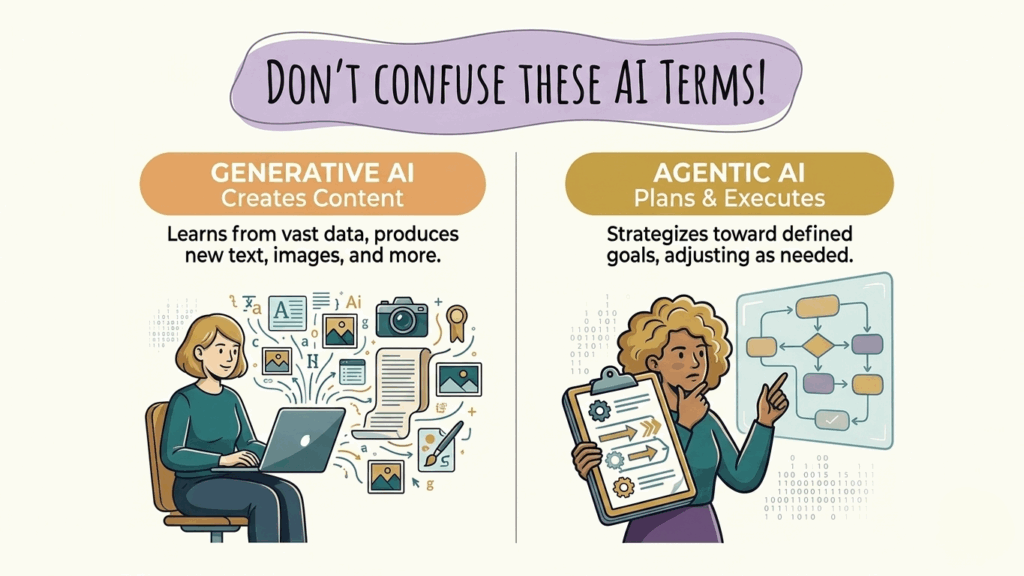
## **Features Of Agentic AI And Generative AI**
Understanding the core features of generative AI and agentic AI helps clarify how they differ in capability, autonomy, and real-world applications.
### **Generative AI features**
- Pattern-based content generation drawn from training data.
- Multimodal output: text, image, audio, video, and code.
- Fast iteration. You can regenerate a new version in seconds.
- Style and tone control through prompting or fine-tuning.
- No built-in check on its own accuracy. It won’t tell you when it’s wrong.
### **Agentic AI features**
- Goal decomposition: breaks one objective into ordered steps.
- Tool and API calling across browsers, databases, calendars, and ticketing systems.
- Persistent memory across a task, and often across sessions.
- Self-correction. It retries a failed step or picks a different path.
- Guardrails and permission scopes that bound what it’s allowed to touch.
- An audit trail of every action taken, so a human can review after the fact.
## **Use Cases For Agentic AI And Generative AI**
Generative AI and agentic AI solve different business problems. While generative AI excels at creating content and accelerating knowledge work, agentic AI is designed to automate complex workflows by planning, making decisions, and taking action.
### **Generative AI use cases in real life**
- **Marketing copy and content drafts**: blog outlines, ad variants, product descriptions.
- **Code generation**: boilerplate, unit test scaffolding, autocomplete.
- **Image and video creation**: concept art, social assets, product mockups.
- **Summarization**: meeting notes, long documents, support tickets.
- **Brainstorming**: names, angles, structures, when you’re stuck on a blank page.
### **Agentic AI use cases in real life**
- **Software QA**: An [autonomous testing agent](https://www.botgauge.com/blog/autonomous-testing-agents) reads your PRD or a Figma screen, writes the test cases, runs them in a live browser, files the bug with screenshots, and rewrites the test when your code changes. That’s the loop BotGauge runs for engineering teams shipping fast.
- **Customer support resolution**: Routes a ticket, checks the order in your CRM, issues a refund within policy, and closes the loop – no human touch for the routine 80%.
- **Sales development**: Researches a lead, drafts the outreach, sends it, books the meeting on the calendar, and follows up if there’s no reply in 4 days.
- **Finance operations**: Reconciles invoices to purchase orders, flags mismatches, and routes exceptions to the appropriate person.
- **Supply chain management**: Monitors inventory levels, forecasts demand, and places reorders inside a spend limit you set.
Put an agentic QA loop on your pipeline for 30 days, free. No setup, no scripts to maintain.
[Start 30-day Pilot](https://www.botgauge.com/contact)
## **Agentic AI And Generative AI Trends: What Businesses Need to Know in 2026**
The enterprise AI landscape has evolved rapidly in 2026. Here are the key trends shaping adoption:
- AI agents are becoming mainstream. Gartner estimates that AI agents will be embedded in [40%](https://www.gartner.com/en/newsroom/press-releases/2025-08-26-gartner-predicts-40-percent-of-enterprise-apps-will-feature-task-specific-ai-agents-by-2026-up-from-less-than-5-percent-in-2025) of enterprise applications by the end of 2026, up from less than 5% just two years ago.
- Enterprise adoption is already widespread. According to CrewAI’s 2026 survey, [65%](https://crewai.com/blog/the-state-of-agentic-ai-in-2026) of enterprises are already using AI agents, and 100% of surveyed C-level leaders plan to expand adoption this year.
- Most pilots still don’t reach production. Research from Forrester and Anaconda suggests that [88%](https://community.nasscom.in/communities/ai-inside/rise-ai-agents-enterprise-workflows-global-case-studies) of AI agent pilots fail to move into production, largely due to challenges around evaluation, observability, and reliability.
- Traditional QA isn’t enough for AI agents. Unlike conventional software, AI agents make dynamic decisions. Teams need new approaches to validate agent behavior, measure output quality, and monitor performance in production.
- Governance is becoming a business priority. [Writer’s 2026](https://writer.com/blog/enterprise-ai-adoption-2026/) enterprise survey found that 67% of executives believe their organization has experienced a data leak or breach related to an unapproved AI tool, while 36% lack a formal governance plan for AI agents.
- MCP is emerging as the standard integration layer. The Model Context Protocol (MCP) has quickly become the preferred way for AI agents to connect with external tools and enterprise data, with more than 1,000 MCP servers built within months of its release.
- Multi-agent systems are replacing standalone agents. Organizations are increasingly deploying teams of specialized AI agents that collaborate to plan, execute, validate, and optimize complex workflows instead of relying on a single general-purpose agent.
The future is AI-assisted execution, not just AI-generated content. Generative AI and agentic AI work together: generative AI creates and reasons, while agentic AI executes tasks autonomously. Organizations that pair these capabilities with strong governance, human oversight, and continuous evaluation will be best positioned to scale AI successfully.
## **Generative AI And Agentic AI in Software Testing**
Generative AI and agentic AI are reshaping how software is built and tested. Generative AI creates content, code, and test artifacts from prompts, while agentic AI goes further by planning, executing, and adapting tasks with minimal human intervention.
As organizations move from AI-assisted workflows to autonomous systems, software teams are adopting AI to accelerate development, automate testing, improve productivity, and reduce manual effort. This shift is driving demand for AI-native quality assurance practices that can keep pace with increasingly autonomous software delivery.
Read More: [Explore how BotGauge is revolutionizing QA with agentic AI testing.](https://www.botgauge.com/blog/agentic-ai-vs-generative-ai#)
## **How Agentic AI And Generative AI Work Together?**
Agentic AI doesn’t replace generative AI. It sits on top of it.
Think in layers. The generative model is the reasoning engine: it reads a PRD, understands what “add to cart should work on mobile Safari” means, and drafts the steps. The agent framework is the loop that keeps that reasoning running: plan, act, check, retry. The tools (a browser, an API, a ticketing system) are the hands. Memory is what lets the agent remember what it tried 5 minutes ago instead of repeating itself.
Take a QA example. A generative model alone can write you a test case if you prompt it: “write a Playwright test for the login page.” Useful, but you still run it, read the output, decide if it passed, and write the next test yourself.
An agentic QA system runs the whole loop. It reads the PRD, decides which flows need coverage, generates the test cases, executes them in a real browser, flags what broke with a screenshot, and updates the test itself the next time the UI ships a change. That’s the difference between a tool you operate and a system that operates on its own. BotGauge runs exactly this loop, with a QA expert reviewing what the agent flags before anything ships to your pipeline.
Neither layer works without the other. Take away the generative model, and the agent can’t read a PRD or write a sentence. Take away the agentic loop, and you’re back to prompting one output at a time.
## **Which One Does Your Team Need?**
Ask 3 questions before you pick a tool.
1. **Do you need a single output or a completed workflow?**
A single blog draft points to generative AI. A drafted, sent, and followed-up email sequence points to agentic AI.
2. **Is a person reviewing every output before it ships?**
If yes, generative AI with a human in the loop works fine. If you want the loop to close on its own within guardrails, you need agentic AI.
3. **Does the task repeat with small variations, over and over?**
Repetitive, rule-bound work (QA regression, ticket triage, invoice matching) is where agentic AI pays for itself. One-off creative work usually doesn’t need an agent at all.
Most teams end up running both. Generative AI drafts the content. Agentic AI decides when, where, and whether to ship it.
## **The Bottom Line**
Generative AI got the last 3 years of headlines. Agentic AI is getting the next 3.
The teams winning right now aren’t picking one over the other. They’re using generative AI to create and agentic AI to execute, with humans reviewing the parts that matter.
If your QA process is still stuck reviewing AI-generated code by hand, that’s exactly where an agentic QA partner earns its keep. BotGauge’s [AI QA agent](https://www.botgauge.com/ai-agents) reads your PRDs, writes the tests, runs them, and maintains them, backed by a QA expert who signs off before anything ships to production.
## Frequently Asked Questions
Can agentic AI exist without generative AI?
Not in any useful form today. Every production agentic system runs on a large language model for reasoning, planning, and language understanding. Rule-based automation without an LLM underneath isn’t what most people mean by agentic AI in 2026.
Is agentic AI more expensive to run than generative AI?
Usually, yes. An agent often calls a model several times per task: plan, act, check, retry. A generative request calls it once. Budget for token cost accordingly, and set spend caps as one of your guardrails.
What's a real example of agentic AI in software testing?
BotGauge is one. It reads a PRD or Figma screen, generates the test cases in plain English, runs them in a live browser, flags failures with evidence, and rewrites tests automatically when the application changes, all reviewed by a domain expert before anything ships to your pipeline.
Will agentic AI replace generative AI?
No. Agentic AI depends on generative models to function. The relationship is additive, not competitive. Agentic systems are generative AI with a goal, memory, and tools bolted on.
Is agentic AI safe to use in production?
It can be, with guardrails: scoped permissions, spend limits, human review on exceptions, and an audit trail of every action taken. Skip the guardrails, and you’re one of the 36% of executives with no supervision plan for their agents.
Generative AI vs Agentic AI: Which is Better?
Neither is inherently better, and they serve different purposes. Generative AI is ideal for creating content, writing code, summarizing information, or answering questions based on prompts.
Agentic AI is better suited for executing multi-step workflows, making decisions, using external tools, and completing tasks with minimal human intervention. In practice, many organizations use both together: generative AI powers reasoning and content creation, while agentic AI automates execution.
What Are Examples of Agentic AI vs Generative AI?
A generative AI example is an AI chatbot that writes an email, generates code, or creates an image when prompted. An agentic AI example is an AI system that receives a goal such as booking business travel or testing a software application and independently plans the steps, interacts with multiple tools, completes the task, and reports the results. While generative AI focuses on creating outputs, agentic AI focuses on achieving outcomes.

About the Author
##### Yamini Priya J
A content marketer who started out writing code and found my way into brand strategy. Seven years into marketing, I still think like a developer. I break the problem down, find the logic, then tell the story clearly. I write for tech companies whose audiences know their stuff, and so do I. Still powered by coffee ☕️
For related reading, see [agentic AI testing](https://www.botgauge.com/blog/agentic-ai-testing) and [generative AI in software testing](https://www.botgauge.com/blog/generative-ai-in-software-testing).
Autonomous Testing for Modern Engineering Teams
[Book a Demo](https://calendly.com/botgauge/30min)
## Agile Testing Metrics Guide
Agile Testing Metrics
# Agile Testing Metrics Every Tester Must Know
Discover key Agile testing metrics to track quality, efficiency, and progress in software projects. Learn how metrics support continuous improvement and faster delivery.
Jul 31, 20258 min read
Try for Free [Book a Demo](https://calendly.com/botgauge/30min)
TABLE OF CONTENT
[What is Agile Testing?](https://www.botgauge.com/blog/agile-testing-metrics-every-tester-must-know#heading1) [What are Software Testing Metrics?](https://www.botgauge.com/blog/agile-testing-metrics-every-tester-must-know#heading2) [Why Employ Agile Testing Metrics?](https://www.botgauge.com/blog/agile-testing-metrics-every-tester-must-know#heading3) [Better Quality Assurance:](https://www.botgauge.com/blog/agile-testing-metrics-every-tester-must-know#heading4) [Improved Visibility and Tracking:](https://www.botgauge.com/blog/agile-testing-metrics-every-tester-must-know#heading5) [Continuous Improvement:](https://www.botgauge.com/blog/agile-testing-metrics-every-tester-must-know#heading6) [Faster Feedback Loops:](https://www.botgauge.com/blog/agile-testing-metrics-every-tester-must-know#heading7) [Resource Optimization:](https://www.botgauge.com/blog/agile-testing-metrics-every-tester-must-know#heading8) [Agile Principles:](https://www.botgauge.com/blog/agile-testing-metrics-every-tester-must-know#heading9) [Data-Driven Decision Making:](https://www.botgauge.com/blog/agile-testing-metrics-every-tester-must-know#heading10) [What Characteristics Define the “Right” Testing Metric for Agile Teams?](https://www.botgauge.com/blog/agile-testing-metrics-every-tester-must-know#heading11) [Characteristics of Effective Agile Testing Metrics](https://www.botgauge.com/blog/agile-testing-metrics-every-tester-must-know#heading12) [Testing Metrics Before Agile](https://www.botgauge.com/blog/agile-testing-metrics-every-tester-must-know#heading13) [Classification of Agile Test Metrics](https://www.botgauge.com/blog/agile-testing-metrics-every-tester-must-know#heading14) [General Agile Testing Metrics as Applied to Testing](https://www.botgauge.com/blog/agile-testing-metrics-every-tester-must-know#heading15) [Best Practices for Testing Within an Agile Framework](https://www.botgauge.com/blog/agile-testing-metrics-every-tester-must-know#heading16) [Define Clear Objectives:](https://www.botgauge.com/blog/agile-testing-metrics-every-tester-must-know#heading17) [Pick Relevant Metrics:](https://www.botgauge.com/blog/agile-testing-metrics-every-tester-must-know#heading18) [Integrate Metrics into Daily Practices::](https://www.botgauge.com/blog/agile-testing-metrics-every-tester-must-know#heading19) [Analyze and Act on Data:](https://www.botgauge.com/blog/agile-testing-metrics-every-tester-must-know#heading20) [Work Together:](https://www.botgauge.com/blog/agile-testing-metrics-every-tester-must-know#heading21) [Automate Wherever Possible:](https://www.botgauge.com/blog/agile-testing-metrics-every-tester-must-know#heading22) [Review and Adjust Metrics Regularly:](https://www.botgauge.com/blog/agile-testing-metrics-every-tester-must-know#heading23) [Conclusion](https://www.botgauge.com/blog/agile-testing-metrics-every-tester-must-know#heading24) [FAQ's](https://www.botgauge.com/blog/agile-testing-metrics-every-tester-must-know#heading25)
Start your AI testing pilotGenerate, run, and maintain tests across your CI/CD workflow with less manual effortTry for Free
SHARE THIS ARTICLE
[LinkedIn](https://www.linkedin.com/sharing/share-offsite/?url=https%3A%2F%2Fwww.botgauge.com%2Fblog%2Fagile-testing-metrics-every-tester-must-know)[Twitter](https://twitter.com/intent/tweet?url=https%3A%2F%2Fwww.botgauge.com%2Fblog%2Fagile-testing-metrics-every-tester-must-know)
[Home](https://www.botgauge.com/) [Blog](https://www.botgauge.com/blog) [agile-testing-metrics-every-tester-must-know](https://www.botgauge.com/blog/agile-testing-metrics-every-tester-must-know#)
#### At a Glance
Agile testing metrics are quantitative measures, such as velocity, cycle time, sprint burndown, and defect resolution time, used to track testing progress, quality, and efficiency within Agile development sprints. They give teams real-time visibility into whether testing is keeping pace with development.
Agile testing has transformed the software development landscape by embracing iterative development and continuous feedback. Unlike traditional testing, agile emphasizes real-time interaction and flexibility. However, to ensure quality and efficiency, teams need reliable tools to measure progress and performance. This is where **agile testing metrics** come into play, offering clear insights into the effectiveness of testing practices and the overall health of a project.
## **What is Agile Testing?**
Agile testing aligns software testing with Agile software development. Throughout the development process, it emphasizes continuous testing, integrating testing activities with development tasks to ensure quality and adaptability to changing requirements.
## **What are Software Testing Metrics?**
Software testing metrics are quantitative measures used to assess various aspects of the software testing process, including its progress, quality, productivity, and overall health. These metrics are essential for improving the efficiency and effectiveness of testing activities and for making informed decisions about future testing efforts.
Software Testing Metrics and **Agile Testing Metrics** are both used to measure and improve the quality of software testing efforts, but they focus on different testing approaches and methodologies.
## **Why Employ Agile Testing Metrics?**
Using **Agile testing metrics** is key to improving software quality and efficiency. Here’s why:
### **Better Quality Assurance:**
[QA Metrics](https://www.botgauge.com/blog/top-qa-metrics-to-measure-software-quality) like defect density and test coverage help find and fix issues, leading to better software.
### **Improved Visibility and Tracking:**
Teams can see progress and spot problems in real time, helping them work more efficiently.
### **Continuous Improvement:**
Analyzing the agile testing metrics helps find and fix testing issues, leading to better strategies.
### **Faster Feedback Loops:**
Quick feedback helps make changes faster, ensuring the product meets customer needs.
### **Resource Optimization:**
Understanding efficiency helps teams use resources better, focusing on what’s most important.
### **Agile Principles:**
Metrics support flexibility and teamwork, ensuring the product meets customer needs.
### **Data-Driven Decision Making:**
Using data helps make better decisions, improving accountability and transparency.
In short, **Agile testing metrics** are essential for quality, improvement, and alignment with Agile methods, helping teams deliver high-quality software more effectively.
## **What Characteristics Define the “Right” Testing Metric for Agile Teams?**
The “right” testing metric for Agile teams is characterized by several key attributes that align with Agile principles and practices. These characteristics ensure that the **agile testing metrics** are effective in driving continuous improvement, enhancing collaboration, and ultimately delivering high-quality software products.
### **Characteristics of Effective Agile Testing Metrics**
##### **Support Agile Goals:**
Metrics should help achieve Agile goals like customer value, team collaboration, and product quality by providing insights for aligning testing with project and user needs.
##### **Offer Actionable Insights:**
The **agile testing metrics** should give clear, useful information for making decisions, like identifying areas needing attention (e.g., [defect](https://www.botgauge.com/blog/types-of-bugs-in-software-testing) density or test coverage).
##### **Provide Real-Time Feedback:**
Enable quick feedback loops for identifying issues and adapting to changes, supporting continuous improvement.
##### **Be Simple and Clear:**
Metrics should be easy to understand to avoid confusion and focus on what’s important.
##### **Encourage Team Collaboration:**
Metrics should help teams work together by sharing quality and progress understanding, involving all roles.
##### **Be Adaptable:**
Metrics should adjust with project changes to remain relevant and useful.
##### **Cover Both Qualitative and Quantitative Aspects:**
Include both numerical and subjective data for a complete understanding of testing and user satisfaction.
##### **Promote Continuous Improvement:**
Encourage learning from the past to refine testing processes, aligning with Agile’s innovation and change mindset.
##### **Fit into Team Processes:**
The agile testing metrics should fit naturally into the team’s workflows, making them part of daily activities.
### **Testing Metrics Before Agile**
Before agile methodologies, testing metrics often focused on measuring the outcomes at the end of long project cycles. Traditional waterfall testing metrics included:
##### **Defect density:**
This metric measures the number of defects per module or lines of code.
##### **Test case execution:**
It tracked the number of [test cases](https://www.botgauge.com/blog/understanding-test-cases-in-software-testing) executed, along with their pass or fail status.
##### **Test coverage:**
This metric determined the percentage of code or functionality that was tested.
While these metrics were still valuable, they were predominantly retrospective in nature and failed to capture the dynamic feedback loops that are crucial in agile teams. They often overlook the iterative and evolving aspects of agile processes, including real-time practices like test monitoring that ensure quality is maintained throughout the development lifecycle.
### **Classification of Agile Test Metrics**
**Agile testing metrics** can be classified into several categories based on their purpose and the aspects of the testing process they measure. Here are the primary classifications of agile testing metrics :
##### **1\. Kanban Metrics**
These metrics focus on the flow of work and efficiency within the testing process. Key Kanban metrics include:
###### **Cycle Time:**
Measures the total time taken for a user story or task to move through the testing process, from creation to completion. This helps identify bottlenecks and optimize workflows.
###### **Throughput:**
Refers to the number of tasks or user stories completed in a given time frame, providing insights into the team’s productivity.
##### **2\. Scrum Metrics**
Scrum metrics are centered around the planning and execution of work within sprints. Important Scrum metrics include:
###### **Test Execution Progress:**
Tracks the percentage of test cases executed during a sprint, helping teams monitor their progress and identify any delays.
###### **Velocity:**
Measures how much work is completed in a sprint, often expressed in story points, allowing teams to estimate future work capacity.
##### **3\. Lean Metrics**
Lean metrics emphasize efficiency and waste reduction in the testing process. Key Lean metrics include:
###### **Defect Turnaround Time:**
Measures the time taken to identify, report, fix, and retest a defect, assessing the effectiveness of defect management.
###### **Test Execution Efficiency:**
This metric evaluates the ratio of passed tests to total tests executed, indicating the effectiveness of the testing process.
##### **4\. Quality Metrics**
These metrics focus on the quality of the software being tested. Important quality metrics include:
###### **Defect Density:**
Measures the number of defects found per unit of code or functionality, helping assess the quality of the software.
###### **Escaped Defects:**
Tracks defects identified by users after the software has been released, providing insights into the effectiveness of the testing process.
##### **5\. Coverage Metrics**
Coverage metrics assess how thoroughly the software has been tested. Key coverage metrics include:
###### **Test Coverage:**
Measures how well test cases cover the system’s requirements and functionality, allowing you to identify gaps in testing.
###### **Code Coverage:**
Indicates the percentage of code executed during testing, providing insights into how much of the codebase has been tested.
##### **6\. Customer Satisfaction Metrics**
These metrics gauge the end-user experience and satisfaction with the software. An example includes:
###### **Customer Feedback:**
Collecting feedback through surveys or interviews to understand user satisfaction and identify areas for improvement.
By categorizing **Agile testing metrics** in this way, teams can select the most relevant metrics to measure their performance, identify areas for improvement, and ensure that their testing efforts align with Agile principles and project goals.
## **General Agile Testing Metrics as Applied to Testing**
In agile environments, many general agile testing metrics are indirectly related to testing. Key examples include:
#### **Velocity:**
How much work is done in a sprint, showing if testing is on schedule.
#### **Cycle Time:**
How long it takes to finish a task, like testing, showing how efficient the process is.
#### **Sprint Burndown:**
This shows how much work is left in a sprint, including testing, to keep it under control.
#### **Defect Resolution Time:**
How fast bugs are fixed in a sprint, showing how well the testing team works.
## **Best Practices for Testing Within an Agile Framework**
Using **Agile testing metrics** effectively in software testing involves understanding their purpose, selecting the right metrics, and integrating them into the testing process to enhance quality and efficiency. Here’s how to utilize **Agile testing metrics** effectively:
### **Define Clear Objectives:**
Before using metrics, decide what you want to achieve with your testing, like improving software quality or reducing defects. This will guide your choice of metrics.
### **Pick Relevant Metrics:**
Choose metrics that match your goals and offer useful information.
### **Integrate Metrics into Daily Practices::**
Include metrics in your daily Agile tasks, like planning and reviews. Use them to discuss testing progress and quality. This helps create a culture of responsibility and ongoing improvement.
### **Analyze and Act on Data:**
Regularly look at the **agile testing metrics** to find trends and areas to improve. For example, high defect rates might mean more code or testing reviews are needed. Use this data to make decisions about how to improve processes and resources.
### **Work Together:**
Encourage team members to share metrics and insights. This helps everyone work towards the same quality goals and solve problems together.
### **Automate Wherever Possible:**
Leverage tools to streamline metric collection and analysis, making testing faster and reducing [manual](https://www.botgauge.com/blog/manual-testing-vs-automation-testing) efforts. Automated tools also enable real-time updates on testing progress and quality, enhancing transparency. For example, consider using GenAI-powered solutions like [Botgauge](https://www.botgauge.com/), which allows non-technical users to adopt [automation](https://www.botgauge.com/blog/ai-test-automation-tools) testing quickly and achieve higher efficiency.
### **Review and Adjust Metrics Regularly:**
Review your chosen metrics often to make sure they still fit your needs. As the project changes, you might need to adjust your metrics.
#### **Share Insights:**
Tell stakeholders, like management and product owners, about your testing progress and quality. This helps build trust and ensures everyone is on the same page about the project’s goals.
## **Conclusion**
Incorporating **agile testing metrics** into your agile workflow is crucial for maintaining high-quality, fast-paced delivery cycles. These metrics enable teams to gain insights into the quality of their code, testing efficiency, and potential areas for improvement. By carefully selecting the right metrics and continuously refining processes based on data, teams can enhance their agile testing capabilities and deliver superior software.
## FAQ's
What is Agile testing?
Agile testing is a software testing approach that aligns with Agile development, emphasizing continuous feedback, iterative testing throughout each sprint, and close collaboration between testers and developers rather than testing only at the end of a release cycle.
What are Agile testing metrics?
Agile testing metrics are measurements such as velocity, cycle time, sprint burndown, and defect resolution time that quantify testing progress, quality, and efficiency within a sprint.
What are examples of Agile testing metrics?
Common examples include velocity (work completed per sprint), cycle time (time from starting to finishing a task), sprint burndown (remaining work over time), and defect resolution time (how quickly bugs are fixed).
What makes a good Agile testing metric?
A good Agile testing metric is measurable, tied to a clear objective, actionable for the team, and reviewed regularly so it can be adjusted as the project evolves.
Autonomous Testing for Modern Engineering Teams
[Book a Demo](https://calendly.com/botgauge/30min)
## Agentic AI Testing
ai qa automationautonomous QA
# Agentic AI Testing: The Future of Autonomous Software Testing
Traditional automation follows predefined instructions. Agentic AI testing enables intelligent agents to understand application behavior, adapt to changes, investigate failures, and continuously improve test execution. The result is faster releases, more reliable testing, and less manual QA effort.
May 29, 20268 min read
Try for Free [Book a Demo](https://calendly.com/botgauge/30min)

TABLE OF CONTENT
[What Is Agentic AI Testing?](https://www.botgauge.com/blog/agentic-ai-testing#heading1) [Why Agentic AI Testing?](https://www.botgauge.com/blog/agentic-ai-testing#heading2) [How Agentic AI Testing Differs from Traditional Automation](https://www.botgauge.com/blog/agentic-ai-testing#heading3) [The Three Eras of Software Testing](https://www.botgauge.com/blog/agentic-ai-testing#heading4) [Side-by-Side Comparison](https://www.botgauge.com/blog/agentic-ai-testing#heading5) [The Key Distinction: Generative AI vs Agentic AI in Testing](https://www.botgauge.com/blog/agentic-ai-testing#heading6) [The Architecture Behind Agentic AI Testing](https://www.botgauge.com/blog/agentic-ai-testing#heading7) [1\. Perception Layer](https://www.botgauge.com/blog/agentic-ai-testing#heading8) [2\. Reasoning Engine (LLM Core)](https://www.botgauge.com/blog/agentic-ai-testing#heading9) [3\. Memory System Agents](https://www.botgauge.com/blog/agentic-ai-testing#heading10) [4\. Tool Use Layer Agents](https://www.botgauge.com/blog/agentic-ai-testing#heading11) [5\. Feedback and Learning Loop](https://www.botgauge.com/blog/agentic-ai-testing#heading12) [Multi-Agent Architecture](https://www.botgauge.com/blog/agentic-ai-testing#heading13) [Core Capabilities of Agentic AI in Software Testing](https://www.botgauge.com/blog/agentic-ai-testing#heading14) [Autonomous Test Case Generation](https://www.botgauge.com/blog/agentic-ai-testing#heading15) [Exploratory Testing at Machine Speed](https://www.botgauge.com/blog/agentic-ai-testing#heading16) [Self-Healing Test Automation](https://www.botgauge.com/blog/agentic-ai-testing#heading17) [Risk-Based Test Prioritization](https://www.botgauge.com/blog/agentic-ai-testing#heading18) [Natural Language Test Authoring](https://www.botgauge.com/blog/agentic-ai-testing#heading19) [Predictive Defect Detection](https://www.botgauge.com/blog/agentic-ai-testing#heading20) [Synthetic Test Data Generation](https://www.botgauge.com/blog/agentic-ai-testing#heading21) [Benefits of Agentic AI Testing Over Traditional Automation](https://www.botgauge.com/blog/agentic-ai-testing#heading22) [Faster Release Cycles Without Sacrificing Quality](https://www.botgauge.com/blog/agentic-ai-testing#heading23) [Dramatically Reduced Test Maintenance](https://www.botgauge.com/blog/agentic-ai-testing#heading24) [Higher and Smarter Test Coverage](https://www.botgauge.com/blog/agentic-ai-testing#heading25) [Democratization of Testing](https://www.botgauge.com/blog/agentic-ai-testing#heading26) [Resilience to Application Changes](https://www.botgauge.com/blog/agentic-ai-testing#heading27) [Types of Tests Agentic AI Can Run Autonomously](https://www.botgauge.com/blog/agentic-ai-testing#heading28) [Functional Testing](https://www.botgauge.com/blog/agentic-ai-testing#heading29) [Regression Testing](https://www.botgauge.com/blog/agentic-ai-testing#heading30) [Exploratory Testing](https://www.botgauge.com/blog/agentic-ai-testing#heading31) [End-to-End Testing](https://www.botgauge.com/blog/agentic-ai-testing#heading32) [API Testing](https://www.botgauge.com/blog/agentic-ai-testing#heading33) [Performance and Load Testing](https://www.botgauge.com/blog/agentic-ai-testing#heading34) [Visual Regression Testing](https://www.botgauge.com/blog/agentic-ai-testing#heading35) [Accessibility Testing](https://www.botgauge.com/blog/agentic-ai-testing#heading36) [Security Testing](https://www.botgauge.com/blog/agentic-ai-testing#heading37) [Cross-Browser and Cross-Device Testing](https://www.botgauge.com/blog/agentic-ai-testing#heading38) [How BotGauge Approaches Agentic AI Testing](https://www.botgauge.com/blog/agentic-ai-testing#heading39) [Challenges in Agentic AI Testing and How to Overcome Them](https://www.botgauge.com/blog/agentic-ai-testing#heading40) [Challenge 1: Non-Determinism and Test Reliability](https://www.botgauge.com/blog/agentic-ai-testing#heading41) [Challenge 2: Legacy System Incompatibility](https://www.botgauge.com/blog/agentic-ai-testing#heading42) [Challenge 3: Security and Data Privacy](https://www.botgauge.com/blog/agentic-ai-testing#heading43) [Challenge 4: Model Drift](https://www.botgauge.com/blog/agentic-ai-testing#heading44) [Challenge 5: The “Black Box” Problem](https://www.botgauge.com/blog/agentic-ai-testing#heading45) [Challenge 6: False Positives and Hallucinations](https://www.botgauge.com/blog/agentic-ai-testing#heading46) [Key Takeaways](https://www.botgauge.com/blog/agentic-ai-testing#heading47) [FAQ's](https://www.botgauge.com/blog/agentic-ai-testing#heading48)
Start your AI testing pilotGenerate, run, and maintain tests across your CI/CD workflow with less manual effortTry for Free
SHARE THIS ARTICLE
[LinkedIn](https://www.linkedin.com/sharing/share-offsite/?url=https%3A%2F%2Fwww.botgauge.com%2Fblog%2Fagentic-ai-testing)[Twitter](https://twitter.com/intent/tweet?url=https%3A%2F%2Fwww.botgauge.com%2Fblog%2Fagentic-ai-testing)
[Home](https://www.botgauge.com/) [Blog](https://www.botgauge.com/blog) [agentic-ai-testing](https://www.botgauge.com/blog/agentic-ai-testing#)
Agentic AI testing uses autonomous AI agents powered by large language models and decision-making algorithms — to independently plan, generate, execute, adapt, and analyze software tests with minimal human intervention. Unlike script-based automation or generative AI tools that only assist with single tasks, agentic systems operate end-to-end across the full testing lifecycle.
Testing hasn’t kept pace with how fast software ships now.
Script-based automation helped for a while. But teams started spending more time fixing broken tests than writing new ones. Coverage stalled. Bugs still slipped through.
The word “agentic” comes from agency: the capacity to act independently, make decisions, and pursue goals. In software testing, that means systems that don’t just run what you pre-define. They reason about what needs testing, why, and how, then do it. In this blog, we will discuss in detail how Agentic AI testing is shaping the future of software testing.
## **What Is Agentic AI Testing?**
Agentic AI testing is a paradigm shift in software quality engineering, in which autonomous [AI agents](https://www.botgauge.com/ai-agents), powered by large language models (LLMs) and advanced decision-making algorithms, independently plan, generate, execute, adapt, and analyze software tests with minimal human intervention.
### **Why Agentic AI Testing?**
According to Katalon’s 2025 State of Software Quality Report, 72% of QA teams now actively use AI for test generation or script optimization – a sharp rise from the limited adoption seen just a few years earlier.
For a broader look at how AI is reshaping the QA function beyond agentic testing specifically, see our guide to [AI in software testing](https://www.botgauge.com/blog/ai-in-testing).

Unlike traditional test automation that follows predefined scripts, or first-generation AI tools that assist with individual tasks like locator healing, agentic AI in testing operates end-to-end across the entire software testing lifecycle.
An agentic testing system can receive a high-level goal, “validate the checkout flow”, and decompose it into sub-tasks, select the right tools, execute tests across environments, self-correct on failure, and produce contextual reports, all without a human writing a single test script.
See what agentic testing actually looks like on your application
[Scan Your App for Free](https://www.botgauge.com/contact)
## **How Agentic AI Testing Differs from Traditional Automation**
Most existing articles on this topic stop at surface-level comparisons. Here is a comprehensive breakdown that covers what other guides miss:
### **The Three Eras of Software Testing**
**Era 1: Manual Testing Testers** write test cases by hand, execute them manually, and document results. Slow, human-resource-intensive, and impossible to scale with modern development velocity.
**Era 2: Script-Based Automation Tools** such as Selenium, Cypress, Playwright, and Appium automate repetitive tasks with scripts. Faster than manual, but brittle, a UI change breaks the test. Industry analyses consistently put the majority of QA effort — often 60% to 80% – into maintaining test automation rather than building new coverage, which forces teams to fix existing tests instead of expanding them.
**Era 3: Agentic AI Software Testing** AI agents that plan, execute, self-heal, and learn. No fragile selectors. No manual script updates. An intent-driven model where the agent understands what the user wants to accomplish, not how the DOM is structured.
### **Side-by-Side Comparison**
| | | | |
| --- | --- | --- | --- |
| **Dimension** | **Traditional Automation** | **Generative AI Assisted** | **Agentic AI Testing** |
| Test Creation | Manual scripting | AI-suggested scripts | Autonomous generation from requirements |
| Maintenance | Manual after each change | Semi-automated healing | Fully self-healing |
| Execution Control | Predefined paths | Predefined with suggestions | Dynamic, goal-oriented paths |
| Decision Making | None | Limited | Full autonomous reasoning |
| Coverage | Pre-scoped | Pre-scoped with AI hints | Exploratory and risk-adaptive |
| CI/CD Integration | Requires manual setup | Semi-automated | Native, trigger-aware |
| Learning | None | Prompt-level | Cross-run, session, and long-term |
| Multi-agent Support | No | No | Yes – specialized agents collaborate |
| Human Intervention | Constant | Frequent | Minimal (review, not manage) |
For a deeper breakdown of how these two approaches differ in practice, see our full comparison of [agentic AI vs. generative AI in testing](https://www.botgauge.com/blog/agentic-ai-vs-generative-ai).
If your team is still babysitting test scripts, there's a faster way
[Start Autonomous Testing](https://calendly.com/botgauge/30min)
### **The Key Distinction: Generative AI vs Agentic AI in Testing**
Generative AI and Agentic AI are not the same thing.
Generative AI responds to a single prompt -> “write test cases for this login form” -> produces output. It doesn’t take initiative, doesn’t execute those tests, doesn’t learn from the results, and can’t adapt when the form changes.
Agentic AI in software testing does all of that autonomously. It takes a goal, builds a plan, executes steps (including calling tools, reading the DOM, running assertions, and retrying failures), learns from what it observes, and loops back through the cycle, independently.
As UiPath articulates, traditional AI in testing “automates tasks in particular,” whereas agentic AI adds a new layer, agents that make decisions, adapt to changes, and execute workflows dynamically.
## **The Architecture Behind Agentic AI Testing**
This section details the anatomy of an AI testing agent. Every agentic testing system has five interconnected components:
### **1\. Perception Layer**
The agent observes the application under test, reads the DOM, captures screenshots, parses API responses, and interprets visual interfaces.
### **2\. Reasoning Engine (LLM Core)**
The reasoning engine, typically a fine-tuned or prompted large language model, processes the observed state, historical context, and the defined testing goal to decide what action to take next. This is where agentic AI makes decisions, selects tools, and prioritizes which test path to pursue.
### **3\. Memory System Agents**
Memory System Agents that operate without memory are stateless and cannot learn. Modern agentic testing frameworks – built on the same [machine learning foundations](https://www.botgauge.com/blog/machine-learning-for-test-automation) driving test automation forward – implement:
**Short-term memory:** Context retention within a single test session
**Long-term memory:** Knowledge of past failures, healed locators, and test history
**Vector/graph-based storage:** For complex retrieval of execution patterns and application behavior
### **4\. Tool Use Layer Agents**
Tool Use Layer Agents are given access to tools such as browser automation APIs, database connectors, REST clients, CI/CD hooks, and reporting engines. The reasoning engine decides which tool to call, with what parameters, and evaluates the result.
### **5\. Feedback and Learning Loop**
Unlike static scripts, agentic systems incorporate reinforcement signals from coverage metrics, pass/fail rates, and defect correlation. This closed-loop mechanism continuously improves the agent’s testing strategy over time.
### **Multi-Agent Architecture**
The most advanced [autonomous testing agents](https://www.botgauge.com/blog/autonomous-testing-agents) use multi-agent orchestration, specialized agents working in parallel on different testing concerns:
- **Test Generation Agent:** Reads requirements, user stories, or API specs and produces test cases
- **Test Execution Agent:** Navigates the application, interacts with UI elements, and runs assertions
- **Validation Agent:** Reviews test outputs, checks for false positives, and assesses coverage
- **Self-Healing Agent:** Detects broken locators or changed UI flows and autonomously repairs them
- **Orchestrator Agent:** Coordinates all other agents, manages priorities, and resolves conflicts
## **Core Capabilities of Agentic AI in Software Testing**
### **Autonomous Test Case Generation**
Agentic AI reads requirements documents, user stories, Jira tickets, API specifications, or OpenAPI schemas and generates comprehensive test cases without human scripting. This includes:
- Positive and negative test cases
- Edge case detection based on data analysis
- Boundary value tests derived from field constraints
- Business logic validation aligned to acceptance criteria
The generation process is iterative; agents refine test cases based on execution outcomes, adding coverage where failures reveal blind spots.
### **Exploratory Testing at Machine Speed**
One of the most underexplored capabilities of agentic testing: autonomous exploratory testing. Traditional exploratory testing requires skilled human testers who intuitively navigate an application looking for unexpected behavior.
Agentic AI agents can simulate this at scale – exploring untested flows, trying unusual input combinations, navigating through unscripted user journeys, and flagging anomalies. This is not random fuzzing. The agent uses context-aware decision-making to prioritize high-risk areas of the application based on code changes, historical defect density, and business criticality.
### **Self-Healing Test Automation**
The maintenance burden of traditional test automation is the primary reason most QA teams achieve less than [25%](https://www.forrester.com/blogs/the-autonomous-testing-platform-wave-q4-2025-is-out/) automation coverage. When UI elements move, class names change, or page flows are restructured, scripts break.
Agentic AI software testing eliminates this through [self-healing test automation](https://www.botgauge.com/blog/self-healing-test-automation):
- The agent detects that a previously reliable locator now fails
- It applies visual recognition and semantic analysis to identify the correct element
- It updates the test logic in real time
- It logs the change for auditability
Cut test maintenance by upto 90% with autonomous self-healing capabilities
[Book a Live Demo](https://calendly.com/botgauge/30min)
### **Risk-Based Test Prioritization**
Not all tests deserve equal execution priority. Agentic AI analyzes:
- Recent code commits and affected modules
- Historical defect patterns by feature area
- Business impact scores for failed scenarios
- User behavior analytics indicating high-traffic flows
The agent then dynamically reorders test suite execution to maximize defect discovery within the available time, which is a critical capability for fast-paced CI/CD pipelines where regression runs must complete within minutes.
### **Natural Language Test Authoring**
Agentic testing platforms accept plain-English instructions from non-technical stakeholders:
“Test that a user can complete a purchase with a saved payment method on mobile.”
The agent interprets this intent, decomposes it into steps, executes the test, and reports results, without the business user needing any technical knowledge of automation frameworks.
### **Predictive Defect Detection**
Using probabilistic models such as variational autoencoders (VAEs) and Bayesian networks, AI testing agents forecast the likelihood of failure before tests are run. By analyzing historical data, code change impact, and application state, agents can proactively alert engineering teams to high-risk areas, shifting quality assurance further left in the SDLC.
### **Synthetic Test Data Generation**
Agentic AI can simulate rare but critical scenarios that are hard to replicate manually, such as fraudulent transactions in financial systems, edge-case patient records in healthcare, or multi-step checkout failures in eCommerce, using intelligent synthetic data generation that respects data privacy requirements while ensuring edge case coverage.
## **Benefits of Agentic AI Testing Over Traditional Automation**
### **Faster Release Cycles Without Sacrificing Quality**
Agentic testing compresses the feedback loop. Documented case studies report execution speed gains in the 70–78% range after adopting agentic AI platforms – for example, one enterprise cut a full test suite runtime from 9.5 hours to 2 hours after migrating to an AI-native execution model. When tests are generated automatically, run in parallel, self-heal, and report results in structured formats, the time from code commit to quality signal shrinks from hours to minutes.
### **Dramatically Reduced Test Maintenance**
BotGauge customers using self-healing agentic testing reduce test maintenance overhead by up to 90% (see our [self-healing test automation breakdown](https://www.botgauge.com/blog/self-healing-test-automation) for the full data). This frees engineers to focus on product development rather than keeping scripts synchronized with an evolving UI.
### **Higher and Smarter Test Coverage**
Conventional automation scripts only validate the scenarios they were written for. Agentic AI explores the application dynamically, discovering edge cases and untested paths that human testers miss under time pressure. Multi-agent systems executing parallel exploration can achieve broader application coverage than any fixed script library.
80% test coverage in 2 weeks. No scripts, no maintenance, no guesswork.
[See BotGauge in action](https://calendly.com/botgauge/30min)
### **Democratization of Testing**
Agentic AI for software testing lowers the technical barrier to entry. Business analysts, product managers, and domain experts can author tests in natural language, broadening quality ownership beyond a specialized QA team.
### **Resilience to Application Changes**
Applications that change frequently, such as SaaS platforms, e-commerce sites, and mobile apps, are poorly served by brittle script-based automation. Agentic testing adapts continuously, making it the natural fit for agile and DevOps environments.
## **Types of Tests Agentic AI Can Run Autonomously**
Most competitor articles cover only functional and regression testing. Here is a more complete taxonomy:
### **Functional Testing**
Agentic AI validates that application features behave as specified. It generates test scenarios from requirements and executes them across UI, API, and database layers simultaneously.
### **Regression Testing**
After each code change, agents execute a risk-prioritized subset of the full [regression testing](https://www.botgauge.com/blog/regression-testing) suite, running the most impactful tests first, expanding coverage based on available time and failure discovery.
### **Exploratory Testing**
Autonomous agents navigate the application without predefined scripts, mimicking the intuitive behavior of experienced human exploratory testers at machine speed and scale.
### **End-to-End Testing**
Agentic systems coordinate testing across multiple application layers and systems, from UI interactions through API calls to database state validation, treating the full user journey as the unit of test.
### **API Testing**
Agents parse OpenAPI/Swagger specifications, generate request payloads, execute API calls, validate responses, and test for security misconfigurations, all autonomously.
### **Performance and Load Testing**
Agentic orchestration manages the simulation of large numbers of concurrent users, monitors [performance testing metrics](https://www.botgauge.com/blog/performance-testing-metrics), and flags performance regressions without manual load profile configuration.
### **Visual Regression Testing**
Computer vision models detect pixel-level and layout changes between application versions, catching visual bugs that logic-based assertions miss.
### **Accessibility Testing**
Agents automatically apply WCAG guidelines, testing keyboard navigation, screen reader compatibility, color contrast ratios, and ARIA attribute correctness.
### **Security Testing**
Agentic AI can conduct basic security validation – testing for injection vulnerabilities, authentication bypass scenarios, and data exposure issues, as part of the standard test cycle.
### **Cross-Browser and Cross-Device Testing**
Agents orchestrate parallel execution across browser types, versions, operating systems, and real device configurations, ensuring consistent behavior across the full user base.
## **How** [**BotGauge**](https://www.botgauge.com/) **Approaches Agentic AI Testing**

Other AI test automation platforms still expect your team to manage tests, maintain scripts, and interpret results. BotGauge’s [Autonomous QA as a Solution](https://www.botgauge.com/autonomous-qa-as-a-solution) (AQaaS) model hands that entire responsibility over to AI agents and domain FDE (Forward Deployed Engineer) pods, from test planning and generation to execution, maintenance, and reporting.
You drop in a PRD, a demo video, or a UX flow. BotGauge builds the test suite, keeps it up to date as your app changes, and runs it against every release. No setup cost, no scripted maintenance, no headcount overhead.
A few specifics worth knowing:
- 80% test coverage in 2 weeks, guaranteed
- Critical flows automated in 24 – 48 hours
- Self-healing agent handles DOM and workflow changes automatically
- Fully codeless, cloud-based, SOC 2 Type II compliant
- Outcome-based pricing – you pay for coverage delivered, not licenses
If your team is spending more time managing tests than shipping product, that’s the problem BotGauge is designed to fix.
BotGauge runs a free bug report on your app before you commit to anything
[Grab yours here](https://www.botgauge.com/contact)
## **Challenges in Agentic AI Testing and How to Overcome Them**
### **Challenge 1: Non-Determinism and Test Reliability**
Agentic AI systems exhibit stochastic behavior – the same test scenario may be handled differently across runs. This makes it difficult to establish stable pass/fail baselines.
**Solution:** Implement run-level aggregation – assess test outcomes across multiple executions rather than single runs. Establish statistical confidence thresholds. Use structured, sandboxed execution environments to reduce variability due to external state.
### **Challenge 2: Legacy System Incompatibility**
Many enterprise applications, particularly SAP, mainframe systems, and custom desktop apps, don’t expose clean APIs or modern DOM structures that AI agents can interpret.
**Solution:** Assess integration compatibility during the readiness phase. Use middleware adapters where API access is unavailable. Consider hybrid approaches where agentic AI handles modern application layers and traditional automation covers legacy systems.
### **Challenge 3: Security and Data Privacy**
AI agents interact with multiple databases and systems, often processing sensitive user information. Prompt injection attacks, in which malicious inputs manipulate agent behavior, are an emerging threat specific to LLM-based systems.
**Solution:** Implement strict input sanitization before agent processing. Use data masking and synthetic data generation for test environments. Conduct regular security audits of agent decision logs. Establish clear data residency policies for any data processed by the AI layer.
### **Challenge 4: Model Drift**
Agentic systems can degrade over time as the relationship between input patterns and expected outputs shifts, a phenomenon called model drift. If not monitored, agents begin making poor testing decisions that produce misleading results.
**Solution:** Establish performance baselines at deployment. Monitor agent outputs for anomalous patterns. Schedule regular model evaluation reviews. Implement canary testing: compare a monthly subset of agent decisions against human expert review.
### **Challenge 5: The “Black Box” Problem**
AI agents make autonomous decisions that can be difficult for human teams to interpret and audit. This raises concerns about reliability, compliance, and accountability, particularly in regulated industries.
**Solution:** Require your testing platform to provide full decision logs, tool call traces, and reasoning chains. Implement human-in-the-loop checkpoints for high-stakes test decisions. Treat agent audit trails as first-class compliance artifacts.
### **Challenge 6: False Positives and Hallucinations**
LLM-based agents can produce erroneous test outputs, misclassifying passing behavior as failures or, worse, reporting successful tests on scenarios that weren’t actually validated.
**Solution:** Layer AI test outputs with rule-based validation checks. Conduct statistical sampling of agent-reported results with human expert review. Implement structured output parsing to catch malformed test assertions before they enter the result pipeline.
## **Key Takeaways**
The software testing landscape has reached an inflection point. The tools that defined the last decade of test automation are no longer adequate for the speed, complexity, and intelligence of modern software development.
Agentic AI in software testing is a fundamental rearchitecting of how quality is assured, from reactive validation to proactive, autonomous, continuously learning quality engineering.
Most “agentic” testing platforms in the market today are retrofits: script-first architectures with an AI layer bolted on top. The result is a fragile foundation dressed in intelligent marketing. True agentic testing requires AI-native architecture, built from the ground up around goal-oriented agents, multi-layer orchestration, and closed-loop learning.
BotGauge delivers exactly this. With autonomous test generation from varied input requirements, self-healing execution that eliminates maintenance burden, intelligent multi-layer coverage across UI, API, and functional layers, and enterprise-grade CI/CD integration, BotGauge gives engineering teams the agentic testing infrastructure they need to ship faster and with confidence at any scale.

About the Author
##### Yamini Priya J
A content marketer who started out writing code and found my way into brand strategy. Seven years into marketing, I still think like a developer. I break the problem down, find the logic, then tell the story clearly. I write for tech companies whose audiences know their stuff, and so do I. Still powered by coffee ☕️
Visit [BotGauge](https://www.botgauge.com/) to see agentic AI testing in action on your own application.
Explore the full [BotGauge platform](https://www.botgauge.com/) to see agentic AI testing in action.
## FAQ's
Does agentic AI testing replace human testers?
No, it fundamentally changes what human testers do. Engineers shift from writing and maintaining scripts to building features and interpreting business-critical quality signals.
How does agentic AI testing handle test data privacy?
Leading platforms support synthetic test data generation that preserves statistical characteristics without exposing real user data. Data masking, environment isolation, and configurable data residency policies address compliance requirements.
Can agentic AI testing work with my existing test assets?
Yes. Most platforms can ingest existing Selenium, Cypress, Playwright, or Appium scripts and augment them with agentic capabilities, rather than requiring a full rewrite. This allows incremental adoption without discarding existing automation investment.
What is the difference between autonomous testing and agentic AI testing?
Autonomous testing is a broader market category term that includes AI-driven platforms ranging from smart healing and AI-assisted generation to fully agentic multi-step planning and execution. Agentic AI testing refers to systems in which LLM-powered agents make multi-step decisions, use tools, and pursue goals autonomously — the most advanced end of the autonomous testing spectrum.
Autonomous Testing for Modern Engineering Teams
[Book a Demo](https://calendly.com/botgauge/30min)
## AI Testing vs Traditional
agentic ai in qaai agentic testingai based test automation toolsai driven testing toolsai powered testing solutionsautonomous QAbotgauge ai agentsintelligent software testingself healing test automationtraditional test automation
# AI Agentic Testing vs Traditional Test Automation: What’s Right for Modern Teams?
Discover how agentic AI testing transforms QA from scripted automation to autonomous intelligence. Learn when to use traditional frameworks and when to trust AI-driven agents that self-heal, plan, and optimize tests.
Nov 3, 20258 min read
Try for Free [Book a Demo](https://calendly.com/botgauge/30min)
TABLE OF CONTENT
[TL;DR](https://www.botgauge.com/blog/ai-agentic-testing-vs-traditional-test-automation#heading1) [The Evolution of Software Testing](https://www.botgauge.com/blog/ai-agentic-testing-vs-traditional-test-automation#heading2) [What Is Traditional Test Automation?](https://www.botgauge.com/blog/ai-agentic-testing-vs-traditional-test-automation#heading3) [Common Characteristics](https://www.botgauge.com/blog/ai-agentic-testing-vs-traditional-test-automation#heading4) [What Is Agentic AI Testing?](https://www.botgauge.com/blog/ai-agentic-testing-vs-traditional-test-automation#heading5) [Key Characteristics](https://www.botgauge.com/blog/ai-agentic-testing-vs-traditional-test-automation#heading6) [How It Works (Simplified)](https://www.botgauge.com/blog/ai-agentic-testing-vs-traditional-test-automation#heading7) [Key Use Cases for Agentic AI Testing](https://www.botgauge.com/blog/ai-agentic-testing-vs-traditional-test-automation#heading8) [How Agentic AI Enhances the SDLC?](https://www.botgauge.com/blog/ai-agentic-testing-vs-traditional-test-automation#heading9) [Advantages of Agentic AI in Software Testing](https://www.botgauge.com/blog/ai-agentic-testing-vs-traditional-test-automation#heading10) [Traditional vs Agentic AI Testing — Comparison](https://www.botgauge.com/blog/ai-agentic-testing-vs-traditional-test-automation#heading11) [Traditional vs Agentic in Web Testing](https://www.botgauge.com/blog/ai-agentic-testing-vs-traditional-test-automation#heading12) [How BotGauge Combines the Best of Both Worlds](https://www.botgauge.com/blog/ai-agentic-testing-vs-traditional-test-automation#heading13) [BotGauge Capabilities](https://www.botgauge.com/blog/ai-agentic-testing-vs-traditional-test-automation#heading14) [When to Use What](https://www.botgauge.com/blog/ai-agentic-testing-vs-traditional-test-automation#heading15) [Conclusion](https://www.botgauge.com/blog/ai-agentic-testing-vs-traditional-test-automation#heading16) [FAQ's](https://www.botgauge.com/blog/ai-agentic-testing-vs-traditional-test-automation#heading17)
Start your AI testing pilotGenerate, run, and maintain tests across your CI/CD workflow with less manual effortTry for Free
SHARE THIS ARTICLE
[LinkedIn](https://www.linkedin.com/sharing/share-offsite/?url=https%3A%2F%2Fwww.botgauge.com%2Fblog%2Fai-agentic-testing-vs-traditional-test-automation)[Twitter](https://twitter.com/intent/tweet?url=https%3A%2F%2Fwww.botgauge.com%2Fblog%2Fai-agentic-testing-vs-traditional-test-automation)
[Home](https://www.botgauge.com/) [Blog](https://www.botgauge.com/blog) [ai-agentic-testing-vs-traditional-test-automation](https://www.botgauge.com/blog/ai-agentic-testing-vs-traditional-test-automation#)
**Did You Know?**
- Over **[72% of QA teams](https://testguild.com/automation-guild-2025/)** are exploring or planning to adopt **AI-driven testing tools** in 2025.
- **Gartner** predicts that by **2028**, over [**33% of enterprise software** will include agentic AI](https://www.gartner.com/en/newsroom/press-releases/2025-06-25-gartner-predicts-over-40-percent-of-agentic-ai-projects-will-be-canceled-by-end-of-2027) — up from less than 1% in 2024.
- The **global AI agents market** is expected to grow from **[$5.4B in 2024 to over $45B by 2030](https://www.grandviewresearch.com/industry-analysis/ai-agents-market-report)**, with a CAGR of **45.8%** (Grand View Research).
AI is not just assisting software testing anymore. It’s starting to **run and optimize it**.
## **TL;DR**
Traditional test automation relies on coded scripts that follow exact steps.
Agentic AI testing uses autonomous agents that understand goals, generate tests, and adapt in real time.
This guide breaks down both approaches and helps you decide which one suits your QA maturity and release velocity.
[](https://www.botgauge.com/contact)
## The Evolution of Software Testing
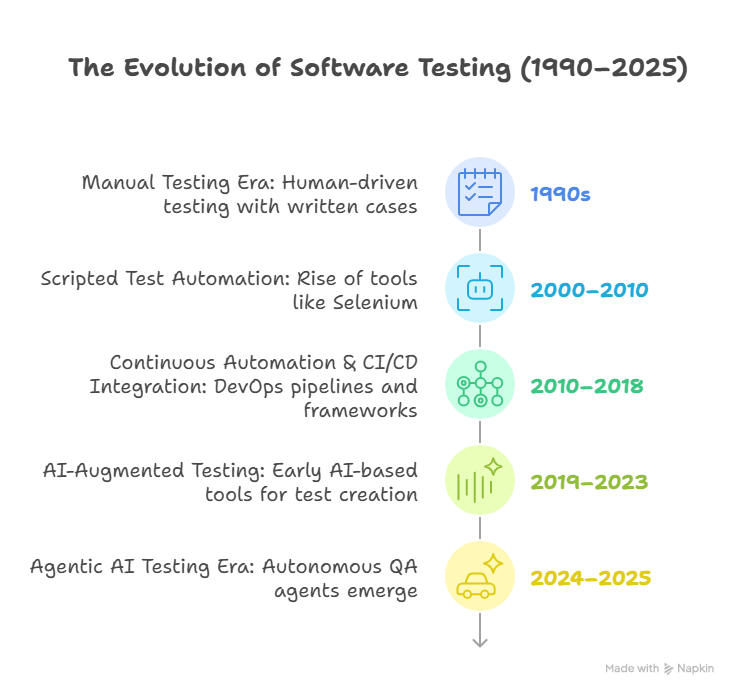
Software testing has evolved through three major phases:
| | | |
| --- | --- | --- |
| Era | Description | Limitation |
| Manual Testing | Human testers validate each step manually. | Slow, repetitive, non-scalable. |
| Traditional Test Automation | Uses frameworks like Selenium, Cypress, Playwright to execute scripted steps. | Fragile locators, high maintenance, limited adaptability. |
| Agentic AI Testing | AI agents autonomously plan, generate, execute, and heal tests. | Emerging practice; requires governance and clear ROI tracking. |
Testing has always been about efficiency.
The difference now is **intelligence** machines can understand, learn, and adapt testing strategies automatically.
## What Is Traditional Test Automation?
Traditional automation frameworks depend on **explicit instructions**:
Each test script defines _how_ to test — every click, input, and validation step.
### **Common Characteristics**
- Hard-coded **locators (XPath, CSS, ID)** for UI elements.
- High maintenance whenever UI or logic changes.
- Primarily supports **regression and smoke testing**.
- Dependent on QA engineers or SDETs for script updates.
- Limited adaptability; can’t understand _intent_ or _context_.
- Works best for stable applications with infrequent UI updates.
This method improved productivity in the 2010s but fails to scale in **agile or microservice-based architectures** where code changes daily.
👉 For a fundamentals refresh, explore [**Understanding Test Cases in Software Testing**](https://www.botgauge.com/blog/understanding-test-cases-in-software-testing).
## What Is Agentic AI Testing?
Agentic AI testing is an **AI-first testing approach** powered by autonomous agents that **plan, execute, and optimize** test cases.
Instead of following fixed scripts, the agent understands the purpose of a feature and determines _how_ to test it dynamically.
### **Key Characteristics**
- **Goal-Oriented:** Agents focus on validating outcomes, not reproducing steps.
- **Self-Healing:** When an element changes, the agent updates it automatically.
- **Multi-Modal Understanding:** Interprets PRDs, UI layouts, APIs, or logs.
- **Continuous Learning:** Adapts to product behavior and usage analytics.
- **No-Code or Low-Code:** Human testers can create tests in plain English.
### **How It Works (Simplified)**
1. **Input Understanding:** The agent ingests requirements — PRDs, design files, user stories.
2. **Test Generation:** It creates test cases autonomously using contextual reasoning.
3. **Execution:** It runs across layers — UI, API, database, integrations.
4. **Self-Healing:** When a UI or flow changes, the agent updates scripts automatically.
5. **Feedback Learning:** Results are analyzed, and future tests improve automatically.
Read also: [**Agentic AI Testing: How Intelligent QA Is Transforming Software Development**](https://www.botgauge.com/blog/agentic-ai-testing-intelligent-qa-transformation)
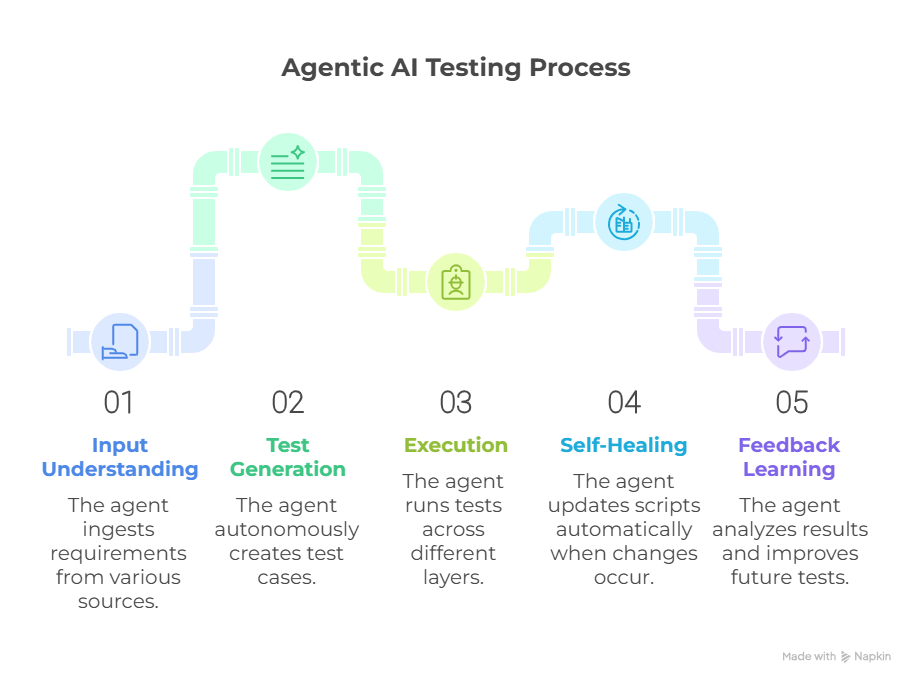
This makes **agentic AI testing** one of the most adaptive and cost-efficient **AI-based test automation tools** available today.
## Key Use Cases for Agentic AI Testing
| | | |
| --- | --- | --- |
| Use Case | Description | Business Value |
| UI Regression Testing | Vision/semantic healing of broken locators and flows. | 70–90% less maintenance. |
| API Testing | Auto-generates contract, boundary, and integration checks from Swagger/OpenAPI. | Faster backend validation; fewer integration defects. |
| Exploratory AI Testing | Learns from telemetry and user paths to create new test scenarios. | Expands coverage intelligently. |
| Continuous Validation | Runs autonomously in CI/CD with quality gates. | Enables daily/hourly deployments with confidence. |
| Risk-Based Testing | Prioritizes suites by code diffs, usage, and historical failure patterns. | Reduces defect leakage; optimizes execution time. |
## How Agentic AI Enhances the SDLC?
| | | |
| --- | --- | --- |
| SDLC Stage | Traditional Testing | Agentic AI Approach |
| Requirements | Manual test design from PRDs/user stories. | Auto-generates tests from PRDs, Figma, and specs. |
| Development | Separate QA setup; manual updates to suites. | Agents trigger on commits; generate unit/integration tests. |
| Testing | Scripted execution; brittle locators; reactive fixes. | Self-healing execution; adaptive assertions; flaky test control. |
| Deployment | Manual sign-offs and smoke checks. | Autonomous quality gates with risk-based selection. |
| Maintenance | Ongoing script rework and locator updates. | Predictive optimization and continuous learning. |
## Advantages of Agentic AI in Software Testing
- **Higher Coverage:** Agents generate new test cases from product changes or telemetry.
- **Reduced Maintenance:** Self-healing minimizes flaky tests.
- **Faster Releases:** Parallel, autonomous execution reduces QA bottlenecks.
- **Intelligent Prioritization:** Focuses on risk-prone areas first.
- **Cross-Functional Accessibility:** Developers, QAs, and PMs can define tests in natural language.
- **Lower Long-Term Cost:** Less human maintenance means lower TCO.
Traditional automation optimizes execution speed.
Agentic AI optimizes **decision-making and coverage**.
## Traditional vs Agentic AI Testing — Comparison
| | | |
| --- | --- | --- |
| Feature | Traditional Automation | Agentic AI Testing |
| Test Authoring | Manual scripting by SDETs/testers. | Natural-language intent; autonomous generation. |
| Maintenance | High; frequent locator updates. | Low; self-healing selectors and flows. |
| Locator Dependence | XPath/CSS heavy; brittle. | Vision + semantic mapping; locator-independent. |
| Coverage | Limited to scripted paths. | Expands automatically with each release. |
| Learning | None. | Continuous improvement via feedback loops. |
| Test Execution | Rigid, pre-ordered suites. | Contextual, risk-based, autonomous. |
| Toolchain | Selenium/Appium/Cypress frameworks. | AI agents, RAG pipelines, orchestration APIs. |
| Human Role | Script writer & maintainer. | Domain validator & governance. |
| ROI Over Time | Declines with scale due to maintenance. | Compounds as learning reduces effort. |
| Ideal Environment | Stable UI; low change velocity. | Agile, cloud-native, CI/CD-driven products. |
## Traditional vs Agentic in Web Testing
Traditional automation uses tools like Selenium or Playwright.
When a CSS ID changes, dozens of scripts fail.
Agentic AI testing uses **semantic and visual detection** — it identifies that the “Login” button is now “Sign In” through reasoning and screen parsing.
No script updates needed.
Result:
- **Zero downtime** for tests.
- **No locator maintenance.**
- **Higher accuracy** across browsers and devices.
## How BotGauge Combines the Best of Both Worlds
**[BotGauge AQAAS](https://www.botgauge.com/) (Autonomous QA as a Solution)** blends traditional reliability with agentic intelligence — ideal for scaling teams that want results without building complex infrastructure.
### **BotGauge Capabilities**
- Locator-independent testing (no XPath or selector pain).
- Plain-English test cases accessible to both QA and Dev teams.
- Built on RAG (Retrieval-Augmented Generation) — context-aware, not just prompt-based.
- Bulk test creation from PRDs, Figma, or demo videos.
- Unlimited executions and parallel runs — no usage fees.
- Human expert verification for critical test results.
- SOC 2 Type II compliance for enterprise security.
This hybrid model ensures your QA can evolve intelligently — without downtime, new hires, or tool migration.
Explore details → [**Pricing Plans**](https://www.botgauge.com/pricing) or [**Contact Us**](https://www.botgauge.com/contact) to start your pilot.
## When to Use What
| | | |
| --- | --- | --- |
| Scenario | Traditional Automation | Agentic AI Testing |
| Stable, legacy systems | ✅ Good fit | ⚪ Optional |
| Rapid product changes | ⚠️ High maintenance | ✅ Ideal |
| Limited technical QA team | ⚠️ High learning curve | ✅ Easier adoption |
| Regulatory compliance | ✅ Transparent scripted steps | ✅ With human oversight & audit logs |
| Fast CI/CD cycles | ⚠️ Manual sync and gating | ✅ Continuous, risk-based gating |
| Budget optimization (TCO) | ⚠️ Costs grow with maintenance | ✅ Lower TCO over time |
## Conclusion
Software testing is entering its **intelligent era**.
Traditional test automation improved speed — but **agentic AI testing** adds _reasoning, adaptability,_ and _autonomy._
For QA leaders, it’s not a matter of _if_ but _when_ to integrate AI into the testing lifecycle.
With **BotGauge AI Agents**, you get:
- Self-healing, locator-independent testing
- Domain-expert validation
- Zero maintenance, unlimited scalability
**Transform your QA with BotGauge AQAAS – Autonomous, Adaptive, and Intelligent.**
Deliver quality software at the speed your business demands.
## FAQ's
What is Agentic AI testing?
Agentic AI testing uses autonomous software agents to plan, generate, execute, self-heal, and optimize tests based on goals and product context rather than fixed scripts.
How is Agentic AI testing different from traditional test automation?
Traditional automation runs predefined scripted steps tied to locators (XPath/CSS). Agentic AI reasons about intent, creates tests from specs, adapts to UI/API changes, and prioritizes high-risk scenarios automatically.
How do Agentic AI testing tools work under the hood?
They ingest artifacts like PRDs, user stories, Figma, and API schemas, build a test plan, execute via UI/API drivers, detect changes with semantic/visual cues, self-heal selectors, and learn from past runs to improve coverage.
What are the main benefits of Agentic AI in QA?
Lower maintenance via self-healing, faster feedback cycles, broader and risk-based coverage, plain-English test authoring, continuous quality gates in CI/CD, and reduced total cost of ownership over time.
When should I choose traditional automation over Agentic AI?
Choose traditional automation for stable, slow-changing applications with mature scripts and strict step-by-step audit requirements. It remains effective for legacy systems and predictable UIs.
When is Agentic AI testing the better choice?
For fast-evolving products, microservices and cloud-native apps, frequent UI/API changes, short release cycles, and teams seeking to minimize script maintenance while increasing coverage.
Can Agentic AI replace QA engineers?
No. It augments them. Engineers shift from writing and fixing scripts to defining quality goals, governing agents, analyzing failures, and validating business-critical outcomes.
Does Agentic AI testing integrate with existing tools?
Yes. Modern platforms integrate with Selenium/Playwright/Appium, CI/CD (Jenkins, GitHub Actions), test management (TestRail, Jira), and observability/logging tools.
How accurate is self-healing and autonomous test generation?
Mature implementations can achieve high accuracy when combined with human-in-the-loop review, domain context, robust assertions, and gradual rollout via pilot projects.
What governance and compliance considerations apply?
Establish change control, test review workflows, audit logs, data handling policies, and environment segregation. For regulated domains, ensure explainability and human sign-off on critical paths.
How do we migrate from scripted automation to Agentic AI?
Start with a pilot on one product area, import specs, let agents generate and run tests in parallel with existing suites, measure maintenance reduction and coverage gains, then expand gradually.
What results can teams expect in the first quarter?
Typical outcomes include reduced locator-related failures, faster regression cycles, increased test breadth on new features, and lower effort spent on maintaining brittle scripts.
### More from our Blog
## Automated Test Case Generation: How AI Is Changing Software Testing
Explore how AI transforms automated test case generation, boosting test coverage, reducing manual effort, and integrating intelligence into software testing.
[Read article](https://www.botgauge.com/blog/automated-test-case-generation)
Autonomous Testing for Modern Engineering Teams
[Book a Demo](https://calendly.com/botgauge/30min)
## AI in Software Testing
ai automation testing
# Why AI Is the Future of Software Testing 2025
AI automation testing is transforming QA in 2025. Explore how AI-powered tools are shaping the future of software testing through speed, stability, and accuracy.
Jun 23, 20258 min read
Try for Free [Book a Demo](https://calendly.com/botgauge/30min)
TABLE OF CONTENT
[Why Traditional Testing Models Are Failing in 2025](https://www.botgauge.com/blog/ai-future-of-software-testing#heading1) [How AI-Powered Test Automation Solves Real QA Problems](https://www.botgauge.com/blog/ai-future-of-software-testing#heading2) [Intelligent Test Generation Using Natural Language](https://www.botgauge.com/blog/ai-future-of-software-testing#heading3) [Self‑Healing Scripts That Adapt](https://www.botgauge.com/blog/ai-future-of-software-testing#heading4) [Smart Test Case Prioritization](https://www.botgauge.com/blog/ai-future-of-software-testing#heading5) [Root‑Cause Failure Detection](https://www.botgauge.com/blog/ai-future-of-software-testing#heading6) [Continuous Learning for Regression Optimization](https://www.botgauge.com/blog/ai-future-of-software-testing#heading7) [How AI Automation Testing Impacts DevOps & CI/CD](https://www.botgauge.com/blog/ai-future-of-software-testing#heading8) [Faster Feedback Cycles](https://www.botgauge.com/blog/ai-future-of-software-testing#heading9) [Full Pipeline Integration](https://www.botgauge.com/blog/ai-future-of-software-testing#heading10) [Reduced QA–Dev Handoff Time](https://www.botgauge.com/blog/ai-future-of-software-testing#heading11) [Challenges and Myths Around AI in Testing](https://www.botgauge.com/blog/ai-future-of-software-testing#heading12) [“It Replaces Human Testers”](https://www.botgauge.com/blog/ai-future-of-software-testing#heading13) [“Too Complex to Implement”](https://www.botgauge.com/blog/ai-future-of-software-testing#heading14) [“It’s Only for Enterprises”](https://www.botgauge.com/blog/ai-future-of-software-testing#heading15) [Data and Bias Concerns](https://www.botgauge.com/blog/ai-future-of-software-testing#heading16) [How BotGauge Leads the Shift to AI-First Testing](https://www.botgauge.com/blog/ai-future-of-software-testing#heading17) [Autonomous Test Case Generation](https://www.botgauge.com/blog/ai-future-of-software-testing#heading18) [Lightning-Fast Speed & Cost Savings](https://www.botgauge.com/blog/ai-future-of-software-testing#heading19) [Zero Technical Barriers](https://www.botgauge.com/blog/ai-future-of-software-testing#heading20) [Self‑Healing & Live Debugging](https://www.botgauge.com/blog/ai-future-of-software-testing#heading21) [Integrated Analytics & Bug Triage](https://www.botgauge.com/blog/ai-future-of-software-testing#heading22) [Broad Testing Coverage](https://www.botgauge.com/blog/ai-future-of-software-testing#heading23) [Conclusion](https://www.botgauge.com/blog/ai-future-of-software-testing#heading24) [FAQ](https://www.botgauge.com/blog/ai-future-of-software-testing#heading25) [What is AI automation testing?](https://www.botgauge.com/blog/ai-future-of-software-testing#heading26) [Can AI fully replace manual testing?](https://www.botgauge.com/blog/ai-future-of-software-testing#heading27) [What skills are needed to adopt AI testing?](https://www.botgauge.com/blog/ai-future-of-software-testing#heading28) [Is AI-based testing suitable for startups?](https://www.botgauge.com/blog/ai-future-of-software-testing#heading29) [Which part of QA benefits most from AI?](https://www.botgauge.com/blog/ai-future-of-software-testing#heading30) [FAQ's](https://www.botgauge.com/blog/ai-future-of-software-testing#heading31)
Start your AI testing pilotGenerate, run, and maintain tests across your CI/CD workflow with less manual effortTry for Free
SHARE THIS ARTICLE
[LinkedIn](https://www.linkedin.com/sharing/share-offsite/?url=https%3A%2F%2Fwww.botgauge.com%2Fblog%2Fai-future-of-software-testing)[Twitter](https://twitter.com/intent/tweet?url=https%3A%2F%2Fwww.botgauge.com%2Fblog%2Fai-future-of-software-testing)
[Home](https://www.botgauge.com/) [Blog](https://www.botgauge.com/blog) [ai-future-of-software-testing](https://www.botgauge.com/blog/ai-future-of-software-testing#)
[AI automation testing](https://www.botgauge.com/) is making quality assurance faster, smarter, and less repetitive. This is the direction the industry is moving toward at full autonomy — see our deep dive on [agentic AI testing](https://www.botgauge.com/blog/agentic-ai-testing) for how agents take this a step further, owning planning and execution end-to-end.
It’s not about replacing testers—it’s about removing bottlenecks in a fast-release environment. Tools powered by test automation intelligence are helping teams cut down on maintenance time and keep pace with continuous updates.
From automated bug triage to smart test case creation, AI is shaping how QA works in 2025. This shift brings better accuracy, quicker feedback, and more reliable results across modern software pipelines.
## **Why Traditional Testing Models Are Failing in 2025**
Manual and scripted QA can’t match modern cadence. Teams struggle as AI automation testing outpaces slow test cycles from rigid frameworks. With ML in QA, traditional methods hit bottlenecks: sprint‑based test automation intelligence can’t adapt quickly.
Minor UI or API tweaks demand repetitive updates, increasing overhead. Regression suites built on brittle scripts often miss edge conditions and cause flaky results. Test coverage drops while bugs slip through.
As Agile and DevOps demand continuous iteration, outdated testing slows down releases and eats resources. The gap grows between what teams need and what old QA tools can deliver—fast, scalable, stable validation.
## **How AI-Powered Test Automation Solves Real QA Problems**
AI tools do more than automate—they think. AI automation testing now uses ML in QA to generate tests, adapt scripts, and spot issues faster.
### **Intelligent Test Generation Using Natural Language**
Teams input plain-English specs or screenshots, and AI converts them into executable test cases—boosting speed and [reducing scripting effort](https://www.softwaretestingmagazine.com/knowledge/ai-powered-automation-the-future-of-smarter-faster-testing/).
### **Self‑Healing Scripts That Adapt**
With self-healing, tools automatically fix broken selectors and API changes behind the scenes. That slashes maintenance by over 70 % .
### **Smart Test Case Prioritization**
AI analyzes test history, defect trends, and code updates to pick risk-heavy tests first—creating risk-based testing automation that speeds CI/CD cycles.
### **Root‑Cause Failure Detection**
When tests fail, AI clusters logs and metrics to surface the real issue—no more playing detective.
### **Continuous Learning for Regression Optimization**
AI constantly learns from past runs. It refines adaptive test suites, drops flaky cases, and increases coverage without rubberstamping old scripts.
## **How AI Automation Testing Impacts DevOps & CI/CD**
AI automation testing supercharges modern DevOps workflows by tightening feedback loops and boosting pipeline efficiency.
### **Faster Feedback Cycles**
As soon as developers commit code, AI-powered test automation kicks in—running tests in minutes. AI-driven code review tools deliver quick, standardized feedback and flag issues immediately, preventing long delays.
### **Full Pipeline Integration**
Smart test agents plug into CI/CD tools like Jenkins, GitLab, or CircleCI. They trigger adaptive test suites, predict failures, and auto-fix test scripts. Predictive analytics also spot risks before they break builds .
### **Reduced QA–Dev Handoff Time**
Instead of lengthy bug descriptions, AI provides root-cause failure summaries and test logs that developers can use right away. That cuts back-and-forth and accelerates fixes. Seamless AI CI/CD integration removes friction, helping both teams move faster.
With AI embedded at every stage of CI/CD, teams release reliable software more frequently—while reducing cost and effort.
## **Challenges and Myths Around AI in Testing**
AI in testing brings excitement, but some concerns persist. Let’s clear them out:
### **“It Replaces Human Testers”**
AI supports repetitive QA—but AI automation testing doesn’t eliminate human insight. Testers still design user-experience scenarios and handle tricky edge cases.
### **“Too Complex to Implement”**
Teams worry it demands advanced AI knowledge. In reality, most AI-powered test automation platforms plug into standard frameworks, offering intuitive dashboards and guided setup .
### **“It’s Only for Enterprises”**
Smaller teams now access scalable solutions. Open‑source and freemium options offer powerful test automation intelligence—no big budget required.
### **Data and Bias Concerns**
AI models need clean data. Bias or outdated logs can skew automated bug triage or risk analysis—so teams still must manage data quality .
By tackling tool setup and data hygiene upfront, QA teams can clear hurdles and unlock real benefits from AI automation testing.
## **How BotGauge Leads the Shift to AI-First Testing**
BotGauge stands out as a AI-powered test automation platform that’s reshaping QA workflows, especially for teams aiming to scale fast and smart.
### **Autonomous Test Case Generation**
Users upload PRDs, Figma screens, or feature docs and BotGauge instantly generates end-to-end tests in natural language—no scripting or code required. This slashes time-to-automation and increases test automation intelligence.
### **Lightning-Fast Speed & Cost Savings**
Independent sources report it’s up to 20× faster than manual or scripted testing, and cuts QA costs by around 85 %.
### **Zero Technical Barriers**
Even non-technical team members can start running tests within an hour—BotGauge handles everything from generation to execution via intuitive dashboards.
### **Self‑Healing & Live Debugging**
When selectors or APIs change, BotGauge’s self-healing scripts update automatically. Plus, split-screen live debugging lets teams tweak tests in real-time.
### **Integrated Analytics & Bug Triage**
Built-in tools help with automated bug triage, root-cause insights, and risk-based reporting—so QA no longer juggles multiple dashboards.
### **Broad Testing Coverage**
The platform supports UI, functional, API, database, and visual testing in one place—everything a modern pipeline needs.
Real users on G2 praise it as “ [BotGauge is a true AI test platform built for busy and lean teams](https://www.g2.com/products/botgauge/reviews)” and note its ease for SDETs to prototype automation in English while cutting manual effort.
By delivering adaptive test suites, AI regression analysis, and full CI/CD integration, BotGauge exemplifies how AI automation testing makes QA faster, smarter, and more reliable.
## **Conclusion**
AI automation testing drives faster delivery, higher accuracy, and lower costs in today’s fast-paced development environment. Modern AI-powered test automation tools improve test coverage, cut manual upkeep, and catch defects early—thanks to test generation intelligence, self-healing scripts, and predictive analytics.
Teams using these tools report up to 20× faster cycles and significant efficiency gains. While humans stay essential for UX, system context, and edge-case testing, AI boosts productivity and confidence.
As more organizations integrate test automation intelligence in CI/CD, smart regression analysis, and real-time test orchestration, AI automation testing clearly defines the future of quality engineering in 2025.
## **FAQ**
### **What is AI automation testing?**
AI automation testing uses machine learning and natural language techniques to create, run, maintain, and analyze tests automatically. It boosts efficiency using test automation intelligence, enabling adaptive scripts, automated bug triage, and risk-based testing automation—all without heavy manual input.
### **Can AI fully replace manual testing?**
No. AI-powered test automation handles repetitive validation, maintenance, and regression, but human testers guide UX exploration, usability checks, and tricky edge-case scenarios. AI fills in gaps and speeds up QA—testers add depth.
### **What skills are needed to adopt AI testing?**
Teams need experience with test frameworks (like Selenium or Katalon), the ability to write clear prompts and define requirements in plain English, and a basic understanding of ML concepts to interpret reports from test failure analysis tools.
### **Is AI-based testing suitable for startups?**
Yes. Many platforms offer freemium or open-source plans. Tools like Testsigma, Copilot4DevOps, and Katalon support low-code setups, delivering smart test case creation, rapid setup, and affordable scaling—ideal for small teams.
### **Which part of QA benefits most from AI?**
The highest impact shows in test maintenance, flaky-script reduction, AI regression analysis, predictive code coverage prediction, and smart test case prioritization. These areas drive faster releases and better coverage.
Platforms built on [AI agents](https://www.botgauge.com/ai-agents) bring this to life in practice. Explore [BotGauge](https://www.botgauge.com/) to see agentic AI testing in action.
Explore the full [BotGauge platform](https://www.botgauge.com/) to see agentic AI testing in action.
## FAQ's
What is AI automation testing?
AI automation testing uses machine learning and natural language techniques to create, run, maintain, and analyze tests automatically. It boosts efficiency using test automation intelligence, enabling adaptive scripts, automated bug triage, and risk-based testing automation—all without heavy manual input.
Can AI fully replace manual testing?
No. AI-powered test automation handles repetitive validation, maintenance, and regression, but human testers guide UX exploration, usability checks, and tricky edge-case scenarios. AI fills in gaps and speeds up QA—testers add depth.
What skills are needed to adopt AI testing?
Teams need experience with test frameworks (like Selenium or Katalon), the ability to write clear prompts and define requirements in plain English, and a basic understanding of ML concepts to interpret reports from test failure analysis tools.
Is AI-based testing suitable for startups?
Yes. Many platforms offer freemium or open-source plans. Tools like Testsigma, Copilot4DevOps, and Katalon support low-code setups, delivering smart test case creation, rapid setup, and affordable scaling—ideal for small teams.
Which part of QA benefits most from AI?
The highest impact shows in test maintenance, flaky-script reduction, AI regression analysis, predictive code coverage prediction, and smart test case prioritization. These areas drive faster releases and better coverage.
Autonomous Testing for Modern Engineering Teams
[Book a Demo](https://calendly.com/botgauge/30min)
## AI Testing Trends 2025
ai in automation testingAI Testing Toolstest automation
# AI in Software Testing: 15 Trends to Watch in 2025
Explore 15 cutting-edge trends in AI-driven automation testing for 2025, from self-healing scripts to autonomous QA pipelines and generative test creation.
Jun 23, 20258 min read
Try for Free [Book a Demo](https://calendly.com/botgauge/30min)
TABLE OF CONTENT
[Introduction](https://www.botgauge.com/blog/ai-in-software-testing-15-trends-to-watch-in-2025#heading1) [Quick Overview of All 15 AI Trends](https://www.botgauge.com/blog/ai-in-software-testing-15-trends-to-watch-in-2025#heading2) [Why 2025 Is a Turning Point for Software Testing](https://www.botgauge.com/blog/ai-in-software-testing-15-trends-to-watch-in-2025#heading3) [15 Trends in AI-Driven Test Automation in 2025](https://www.botgauge.com/blog/ai-in-software-testing-15-trends-to-watch-in-2025#heading4) [1\. Generative AI for Test Case Creation](https://www.botgauge.com/blog/ai-in-software-testing-15-trends-to-watch-in-2025#heading5) [2\. AI-Based Test Data Generation](https://www.botgauge.com/blog/ai-in-software-testing-15-trends-to-watch-in-2025#heading6) [3\. Self-Healing Test Scripts](https://www.botgauge.com/blog/ai-in-software-testing-15-trends-to-watch-in-2025#heading7) [4\. Visual AI for UI Testing](https://www.botgauge.com/blog/ai-in-software-testing-15-trends-to-watch-in-2025#heading8) [5\. Predictive Defect Analysis](https://www.botgauge.com/blog/ai-in-software-testing-15-trends-to-watch-in-2025#heading9) [6\. NLP-Powered Test Writing](https://www.botgauge.com/blog/ai-in-software-testing-15-trends-to-watch-in-2025#heading10) [7\. Autonomous QA Agents](https://www.botgauge.com/blog/ai-in-software-testing-15-trends-to-watch-in-2025#heading11) [8\. Reinforcement Learning in Regression Cycles](https://www.botgauge.com/blog/ai-in-software-testing-15-trends-to-watch-in-2025#heading12) [9\. Test Maintenance Automation](https://www.botgauge.com/blog/ai-in-software-testing-15-trends-to-watch-in-2025#heading13) [10\. Continuous Test Optimization in CI/CD](https://www.botgauge.com/blog/ai-in-software-testing-15-trends-to-watch-in-2025#heading14) [11\. AI-Based Coverage Mapping](https://www.botgauge.com/blog/ai-in-software-testing-15-trends-to-watch-in-2025#heading15) [12\. Context-Aware Assertions](https://www.botgauge.com/blog/ai-in-software-testing-15-trends-to-watch-in-2025#heading16) [13\. Voice-Activated Test Design](https://www.botgauge.com/blog/ai-in-software-testing-15-trends-to-watch-in-2025#heading17) [14\. AI-Augmented Exploratory Testing](https://www.botgauge.com/blog/ai-in-software-testing-15-trends-to-watch-in-2025#heading18) [15\. Cross-Platform Learning for Test Reuse](https://www.botgauge.com/blog/ai-in-software-testing-15-trends-to-watch-in-2025#heading19) [How to Adopt These Trends in Your Team](https://www.botgauge.com/blog/ai-in-software-testing-15-trends-to-watch-in-2025#heading20) [How BotGauge Uses AI to Build Scalable, Production-Ready Test Cases in 2025](https://www.botgauge.com/blog/ai-in-software-testing-15-trends-to-watch-in-2025#heading21) [Conclusion](https://www.botgauge.com/blog/ai-in-software-testing-15-trends-to-watch-in-2025#heading22) [FAQ's](https://www.botgauge.com/blog/ai-in-software-testing-15-trends-to-watch-in-2025#heading23)
Start your AI testing pilotGenerate, run, and maintain tests across your CI/CD workflow with less manual effortTry for Free
SHARE THIS ARTICLE
[LinkedIn](https://www.linkedin.com/sharing/share-offsite/?url=https%3A%2F%2Fwww.botgauge.com%2Fblog%2Fai-in-software-testing-15-trends-to-watch-in-2025)[Twitter](https://twitter.com/intent/tweet?url=https%3A%2F%2Fwww.botgauge.com%2Fblog%2Fai-in-software-testing-15-trends-to-watch-in-2025)
[Home](https://www.botgauge.com/) [Blog](https://www.botgauge.com/blog) [ai-in-software-testing-15-trends-to-watch-in-2025](https://www.botgauge.com/blog/ai-in-software-testing-15-trends-to-watch-in-2025#)
## Introduction
If you work in QA or even touch testing in your daily workflow, you already know something has shifted in 2025. Testing used to mean repetitive scripting and slow manual checks. Now it is becoming intelligent, adaptive and almost self managing.
As someone who has worked with QA teams, developers and automation engineers, I have seen firsthand how AI changes the way teams build, execute and maintain tests. It speeds up repetitive tasks, reduces flaky failures, and frees testers to focus on strategy and exploration.
And with companies shipping features faster than ever, this matters more than you might think.
[](https://www.botgauge.com/contact)
Before we dive into each trend, here is a quick summary table to give you a full overview.
## Quick Overview of All 15 AI Trends
Here’s a quick summary of the key AI trends, the problems they solve, and their key benefits:
| | | |
| --- | --- | --- |
| **AI Trend** | **What It Solves** | **Key Benefit** |
| Generative AI for Test Creation | Slow manual test writing | Creates tests instantly |
| AI Based Test Data Generation | Limited or unsafe data | Generates synthetic and compliant datasets |
| Self Healing Automation | Flaky tests | Auto fixes locators and broken flows |
| Visual AI Testing | UI inconsistencies | Pixel level visual validation |
| Predictive Defect Analysis | Unknown risk zones | Highlights high risk code areas |
| NLP Test Writing | Coding complexity | Write tests using plain English |
| Autonomous QA Agents | Heavy manual triage | Automated execution and reporting |
| Reinforcement Learning | Slow regressions | Runs only the most valuable tests |
| AI Based Maintenance | Bloated suites | Detects redundancy and flakiness |
| CI and CD Optimization | Slow pipelines | Risk based test execution |
| Coverage Mapping | Untested flows | Shows coverage blind spots |
| Context Aware Assertions | Rigid checks | Adaptive and stable validations |
| Voice Based Test Creation | Time consuming authoring | Hands free test creation |
| AI Augmented Exploratory Testing | Blind exploration | Smart hints and anomaly detection |
| Cross Platform Learning | Rewriting tests | Reuses tests across platforms |
Several of these trends — self-healing, autonomous test generation, and adaptive execution — converge in what’s now called [agentic AI testing](https://www.botgauge.com/blog/agentic-ai-testing), where agents combine all of them into one continuous, self-directed testing loop.
## Why 2025 Is a Turning Point for Software Testing
Three big shifts created a perfect environment for AI in testing.
1. Shorter release cycles
2. More complex architectures
3. AI tools that finally work at scale
A well known testing publication described it clearly:
“The test automation market is experiencing its most significant disruption in 25 years. AI native platforms are not just improving existing processes. They are redefining what is possible in software quality assurance.”This is also why more teams are searching for snippet friendly answers like:
- _What is AI testing_
- _How does self healing automation work_
- _Best AI tools for test automation_
## **15 Trends in AI-Driven Test Automation in 2025**
### 1\. Generative AI for Test Case Creation
Tools now use generative AI in QA to inspect requirements, user stories, and API specs—then generate full test cases with steps, expected results, and even stub data. AWS and Amazon Bedrock integrations report up to 80 % faster test creation, while academic tools like TestForge iterate test suites based on feedback loops. AI in automation testing shifts from scripting to supervising generated outputs.
### 2\. AI-Based Test Data Generation
Modern platforms generate synthetic datasets that reflect edge cases while keeping data compliant (GDPR, HIPAA). Nvidia’s 2025 acquisition of synthetic-data technology shows how mainstream it is. These AI-based test data generation systems produce varied, privacy-safe inputs for stress and validation testing, reducing reliance on production copies.
### 3\. Self-Healing Test Scripts
Breakages are now fleeting due to intelligent locators and DOM-mapping engines. changed elements, update selectors on the fly, and log updates. Teams report 80 % fewer false failures and lower maintenance time. This is a game-changer for AI-driven test automation aimed at stability.
### 4\. Visual AI for UI Testing
Visual AI tools compare UI screenshots pixel by pixel across browsers and devices. They detect layout shifts, color issues, and missing elements with smarter thresholds. Many support responsive design checks and generate fail-fast alerts when UI drift occurs, reducing missed cosmetic bugs that traditional assertions can’t catch.
### 5\. Predictive Defect Analysis
Historic bug databases and coverage metrics feed ML models that predict areas likely to contain defects. Teams can focus manual exploration and automation in high-risk regions. Predictive coverage reduces wasted effort and improves test ROI with predictive defect analysis.
### 6\. NLP-Powered Test Writing
Testers now write test steps as plain English sentences—tools parse and convert them into runnable scripts. For example, “Enter invalid email and verify error” spawns full Selenium or Playwright code. Intelligent test case generation via NLP for test scripts accelerates test design without coding skills. Recent surveys show ~25% of teams use this approach.
### 7\. Autonomous QA Agents
Agentic AI testing agents act on their own: schedule runs, retry failures, triage issues, and open tickets. Industry reports highlight pilot programs where AI manages test pipelines—human oversight only when thresholds are triggered. This marks a step toward continuous, self-directed QA.
### 8\. Reinforcement Learning in Regression Cycles
Reinforcement learning picks which tests matter most based on past results and coverage gains. It adapts over time, removing redundant tests and focusing on evolved code paths. This continuous test optimization reduces execution time while maintaining quality in fast-moving CI/CD environments.
### 9\. Test Maintenance Automation
AI tools detect flaky or redundant tests, merge similar cases, and propose code cleanup. Maintenance bots review logs, error trends, and UI changes to suggest refactors. This test maintenance automation keeps suites healthy and lean without manual audits.
### 10\. Continuous Test Optimization in CI/CD
Smart orchestrators run only the most valuable tests after code changes. They use metrics such as coverage, test history, and risk models to prioritize execution. These AI in automation testing tools speed up pipelines and keep cycles short without sacrificing quality.
### 11\. AI-Based Coverage Mapping
Coverage analyzers map untested modules and UI flows. They suggest new tests or data to fill gaps. This real-time test coverage guidance helps teams cover blind spots before release, closing critical QA loops.
### 12\. Context-Aware Assertions
Assert statements adjust based on test flow and environment. AI injects dynamic checks—e.g. verifying a success toast appears only when payment flow completes under Slack-like conditions. These context-aware assertions increase test resilience by adapting to runtime behavior.
### 13\. Voice-Activated Test Design
New tools let testers speak commands like, “Create test for incorrect login” and generate structured test cases. Early prototypes support voice flow labeling and step validation. This accessibility boosts test design speed and inclusivity.
### 14\. AI-Augmented Exploratory Testing
Testers use AI recommendations to uncover UI anomalies and rarely-used paths. AI tracks session metrics, suggests actions, and flags unstable areas—augmenting strategy with data insights. This AI-augmented exploratory testing improves human focus.
### 15\. Cross-Platform Learning for Test Reuse
Platforms now learn across mobile, web, and API tests to reuse test logic. When you test a login on web, the same scenario maps to mobile with adjusted selectors. This cross-platform test reuse cuts duplication and improves consistency.
## How to Adopt These Trends in Your Team
Start small. Identify areas where AI in automation testing can make an immediate impact—like flaky UI checks or slow test creation. Begin by adding a self-healing tests plugin to Selenium or Playwright. BrowserStack and Healenium offer tools that automatically adapt locators, cutting maintenance by up to 80 %.
Next, integrate generative AI for test case creation into your CI/CD. Use platforms like TestDevLab or LambdaTest that turn English prompts into structured test scripts. This boosts intelligent test case generation productivity, saving time on repetitive setup.
Add AI-based test data generation tools to produce synthetic or edge-case data that stay compliant with GDPR/HIPAA. This removes dependencies on production data and increases coverage depth.
Plug in visual UI testing AI to compare design across browsers. Tools like Applitools detect layout drifts and flag anomalies automatically.
Train your team on prompt writing and simple ML concepts—the foundation of effective NLP for test scripts and predictive defect analysis. Encourage them to start each sprint by selecting trends based on ROI: self-healing or generative creation come first.
Finally, layer in continuous test optimization tools that prioritize high-risk tests in CI flows. Monitor historic data to refine execution, and gradually bring in autonomous QA agents for low-touch regressions. This phased adoption eases your shift to smarter, AI-driven test automation.
## How BotGauge Uses AI to Build Scalable, Production-Ready Test Cases in 2025
BotGauge lets teams build and maintain test suites faster by leveraging AI in automation testing across the board. Here’s how it works:
- Generative AI for test case creation from plain English, PRDs, Figma screens, or API specs. Non-technical users simply upload documents or write prompts, and BotGauge delivers executable end-to-end tests for UI, API, database, and functional layers.
- A built-in AI test agent performs live test execution with split-screen playback, helping teams troubleshoot and debug instantly.
- Self-healing tests update locators and UI selectors while tests run. Maintenance drops drastically as tests adapt to changes without human fixes.
- An AI Support Agent (beta) offers automated debugging, triage, and even multilingual support, offloading interpretation of test failures.
- BotGauge features predictive defect analysis—its AI agent suggests areas needing extra tests, analyzing app behavior and adding scenarios for maximum coverage.
Results speak loudly: customers report up to 20× faster test creation, 85 % cost reduction, and “zero learning curve” for non-tech users. With integrated deployments across CI/CD pipelines and API support, BotGauge operates as a truly autonomous QA agent, building, running, and maintaining tests for production environment.
[](https://www.botgauge.com/contact)
## **Conclusion**
AI already reshapes how teams build reliable test suites. With AI in automation testing, you gain faster test creation, smarter data, and self-healing tests that reduce maintenance by over 50% . Visual tools catch layout and UI issues before deployment, and intelligent test case generation lets testers concentrate on scenarios that matter most.
By 2025, continuous test optimization and AI testing agents manage pipelines with minimal manual input, shifting QA teams into strategy and analysis.
Adopt these trends incrementally—start with fixes like flaky test healing and generative writing, and layer in coverage mapping and autonomous flows. That way, your tests stay effective, lean, and aligned with fast delivery cycles.
Platforms built on [AI agents](https://www.botgauge.com/ai-agents) bring this to life in practice. Explore [BotGauge](https://www.botgauge.com/) to see agentic AI testing in action.
Explore the full [BotGauge platform](https://www.botgauge.com/) to see agentic AI testing in action.
## FAQ's
Which AI testing trend has the most impact right now?
Self-healing test automation and generative test case creation lead enterprise adoption. In 2025, over 60% of organizations use generative AI for test creation and up to 80% report faster test writing and 50% fewer failures from faulty scripts. Technology shifts teams from fixing broken scripts to designing meaningful tests.
Do these tools replace human testers?
No. AI handles repetitive work like flaky scripts or bulk test writing. But exploratory testing, edge-case discovery, and predictive defect analysis still need human insight. AI boosts tester productivity—it doesn’t replace people.
Are these trends limited to enterprise use?
Not anymore. Synthetic test data tools and low‑code AI test generators are now available in open-source and pay‑per‑use models. Even small teams can leverage AI-based test data generation and NLP-powered test writing without big investments.
How do I choose which AI trend to implement first?
Look for fast wins. Start with self-healing tests or generative AI for test case creation—they show quick ROI by reducing maintenance and speeding test design. Review bug logs and test speed data to guide your next steps into coverage mapping or autonomous agents.
Is AI testing compliant with regulated industries?
Yes. Teams use AI-based test data generation to create GDPR/HIPAA‑safe synthetic data, preserving coverage while avoiding PII exposure. Comprehensive audit logs from CI tools help pass compliance checks.
What skills do testers need to adapt to AI testing?
Prompt-writing, NLP for test scripts, and basic ML concepts become must‑haves. Familiarity with CI/CD tools and understanding test-data privacy also help. Teams that learn these can implement continuous test optimization and autonomous QA agents with ease.
Autonomous Testing for Modern Engineering Teams
[Book a Demo](https://calendly.com/botgauge/30min)
## AI in Testing
# AI in Testing: Transforming Software Quality Assurance
Discover how AI is transforming software testing by automating repetitive tasks, improving accuracy, and accelerating release cycles. Learn how intelligent QA boosts efficiency.
Sep 12, 20258 min read
Try for Free [Book a Demo](https://calendly.com/botgauge/30min)
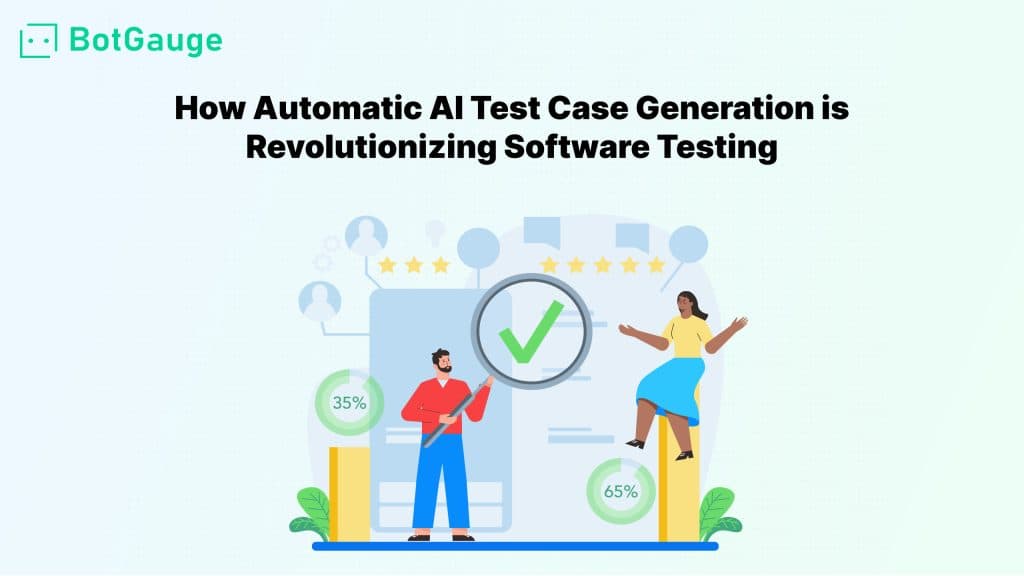
TABLE OF CONTENT
[Why Should Companies Implement AI in Testing?](https://www.botgauge.com/blog/ai-in-testing#heading1) [How Does AI Help in Traditional Automation Testing?](https://www.botgauge.com/blog/ai-in-testing#heading2) [How Does AI in Testing Transform Manual Testing?](https://www.botgauge.com/blog/ai-in-testing#heading3) [Key AI-Driven Testing Methods](https://www.botgauge.com/blog/ai-in-testing#heading4) [AI Testing vs. Low Code/No Code Testing](https://www.botgauge.com/blog/ai-in-testing#heading5) [Best Practices for Implementing AI in Testing](https://www.botgauge.com/blog/ai-in-testing#heading6) [How Does BotGauge Utilize AI to Simplify Testing Processes?](https://www.botgauge.com/blog/ai-in-testing#heading7) [Conclusion](https://www.botgauge.com/blog/ai-in-testing#heading8) [FAQ's](https://www.botgauge.com/blog/ai-in-testing#heading9)
Start your AI testing pilotGenerate, run, and maintain tests across your CI/CD workflow with less manual effortTry for Free
SHARE THIS ARTICLE
[LinkedIn](https://www.linkedin.com/sharing/share-offsite/?url=https%3A%2F%2Fwww.botgauge.com%2Fblog%2Fai-in-testing)[Twitter](https://twitter.com/intent/tweet?url=https%3A%2F%2Fwww.botgauge.com%2Fblog%2Fai-in-testing)
[Home](https://www.botgauge.com/) [Blog](https://www.botgauge.com/blog) [ai-in-testing](https://www.botgauge.com/blog/ai-in-testing#)
It’s not hard to notice that software testing has evolved dramatically, and the biggest driver of this transformation is the application of AI in testing. For years, traditional manual and automated testing methods dominated, but with the increasing complexity of software applications and the demand for faster releases, relying on old methods isn’t enough. So, what’s the solution?
Enter AI-powered testing—a game-changer that’s simplifying testing, speeding up processes, and improving software quality. In fact, the AI-enabled testing industry worldwide is expected to reach a [projected revenue of US$ 1,627.2 million](https://www.grandviewresearch.com/horizon/outlook/ai-enabled-testing-market-size/global) by 2030, highlighting its rapid growth and growing importance in software development.
In this blog, we’ll explore how AI is revolutionizing software testing, uncover its benefits, and reveal practical ways to integrate AI-driven tools and strategies into your testing workflows. For the most autonomous end of this spectrum, see how [agentic AI testing](https://www.botgauge.com/blog/agentic-ai-testing) lets agents plan, execute, and self-heal tests with minimal human intervention.
## **Why Should Companies Implement AI in Testing?**
Implementing AI in testing offers numerous benefits, including:
#### Speed and Scalability:
AI-driven testing tools can execute and analyze tests faster and on a larger scale.
#### Enhanced Accuracy:
AI algorithms reduce human errors by automating repetitive and data-driven tasks.
#### Cost Efficiency:
Self-healing automation cuts down on script maintenance costs, saving time and resources.
#### Improved Test Coverage:
AI can analyze massive datasets to ensure comprehensive test coverage without missing critical scenarios.
#### Smarter Software Testing Review:
AI-driven insights help teams to review test results more effectively, identifying patterns, anomalies, and areas for improvement. This enables faster decision-making and continuous refinement of the testing process.
## **How Does AI Help in Traditional Automation Testing?**
Traditional automated testing often struggles with slow execution speeds, complex maintenance, and limited adaptability. Automation scripts are brittle, breaking easily when applications change, which results in tedious manual updates. Additionally, generating accurate test data and prioritizing test cases based on potential risks remain significant challenges.
AI addresses these issues by introducing features like self-healing scripts, predictive analysis, and intelligent test generation. Self-healing capabilities allow test scripts to automatically update locators if elements on the UI change. Predictive analysis uses past testing data to identify critical areas that require more focus, ensuring efficient test case prioritization.
AI algorithms also automate test data generation, saving hours of manual effort and reducing errors. This adaptability and intelligence turn testing bottlenecks into smooth workflows.
## **How Does AI in Testing Transform Manual Testing?**
While AI can’t replace human creativity and intuition in manual testing, it can significantly enhance it. AI-driven testing tools excel at handling repetitive and data-heavy tasks that often occupy manual testers. By automating regression tests, UI comparisons, and error-prone tasks like data validation, AI frees testers to focus on exploratory testing, user experience, and strategic analysis. AI tools can also provide insights through visual testing and anomaly detection, making it easier for testers to detect subtle issues that may otherwise be missed.
In essence, AI enables testers to leverage their skills more effectively while letting the machines handle the mundane and error-prone aspects of manual testing.
## **Key AI-Driven Testing Methods**
#### AI-Driven Test Case Generation and Optimization
One of the standout capabilities of AI in software testing is its ability to generate test cases. AI-driven tools can analyze historical test data, past defects, and requirements to suggest and create new test cases dynamically. AI test case generation not only speeds up the process but also ensures comprehensive test coverage.
#### AI-Based Test Automation:
AI tools like [Botgauge’s smart testing tool](https://www.botgauge.com/) enable testers to automate repetitive tasks using simple visual models. This helps testers focus on high-level analysis and strategic planning rather than coding test scripts.
#### Self-Healing Test Scripts:
As UI and code structures change, AI-based self-healing algorithms can automatically update test scripts, significantly reducing the need for manual intervention.
#### Predictive Defect Analysis:
AI models can predict high-risk areas by analyzing code changes, past defects, and testing trends. This helps prioritize test cases and focus on the most critical areas, boosting test coverage and efficiency.
#### Visual Regression Testing:
AI can compare screenshots or video captures of your application to spot visual changes that impact user experience. This technique is crucial for maintaining consistent UI/UX across different devices and browsers.
#### AI-Powered Test Analytics
Test analytics involves using AI to gain deeper insights into testing activities. AI algorithms can analyze vast amounts of test data, identifying patterns, trends, and potential issues. They provide actionable insights on test performance, defect trends, and overall test efficiency.
## **AI Testing vs. Low Code/No Code Testing**
Although both AI testing and low-code/no-code testing aim to simplify the testing process, they are fundamentally different in their approach and application:
#### AI Testing:
Leverages machine learning and intelligent algorithms to dynamically adapt and optimize the testing process. AI-based testing tools can automatically generate test cases, analyze results, and self-heal scripts based on changes in the application. AI focuses on enhancing efficiency, accuracy, and predictive analysis.
#### Low Code/No Code Testing:
Primarily aims at democratizing testing by enabling non-technical users to create and execute tests without needing to write code. These platforms offer drag-and-drop interfaces, visual builders, and basic automation capabilities, making it easier for business users or manual testers to participate in the testing process.
In essence, while low-code/no-code platforms simplify test creation and execution, AI testing takes it a step further by incorporating intelligent automation, predictive insights, and self-maintenance capabilities.
## **Best Practices for Implementing AI in Testing**
#### Start with Specific Use Cases:
Begin with repetitive and data-intensive tasks like regression testing or test data generation, then gradually expand AI’s role.
#### Leverage Historical Data:
Utilize your existing testing data to train AI algorithms for better insights and predictions.
#### Monitor and Fine-Tune:
AI models are not perfect; they need constant monitoring and updates based on feedback and new data.
#### Ensure Collaboration:
Integrate AI-based testing tools with existing CI/CD pipelines and collaboration tools to keep the workflow smooth and streamlined.
## **How Does BotGauge Utilize AI to Simplify Testing Processes?**
[BotGauge](https://www.botgauge.com/) leverages AI to streamline testing in several ways. BotGauge is an AI-powered, end-to-end test automation platform that transforms the way teams handle software testing. Its standout feature is the AI Migrator, which seamlessly converts manual test cases and documents into automated tests with just a document upload, eliminating the hassle of manual scripting.
Powered by GenAI, BotGauge dynamically adapts to changes with self-healing capabilities, reducing script maintenance by up to 80%. The platform’s intuitive interface enables users to create tests in plain English, run cross-browser and API tests effortlessly, and gain actionable insights through its smart dashboard. With built-in scheduling and bulk execution features, BotGauge maximizes testing efficiency, making it the ultimate solution to streamline your QA processes.
BotGauge integrates seamlessly with CI/CD pipelines, providing real-time insights and visual reports on testing progress, failures, and critical areas. This way, testers can spend less time on mundane tasks and focus more on strategic improvements.
## **Conclusion**
AI is not just a buzzword in the realm of software testing; it’s a game-changer. From automating mundane tasks to enhancing test coverage and accuracy, AI in software testing is enabling QA teams to work smarter and more strategically.
The fundamental difference between AI-driven testing and normal code-based testing lies in adaptability and intelligence. Traditional test scripts are rigid—they follow predefined instructions and require manual updates for every change. AI-based tests, on the other hand, are adaptive and dynamic. They can learn from changes, predict issues, and intelligently automate tasks, going beyond the capabilities of conventional code-based testing.
In summary, while normal code-based testing is a set of static instructions, AI in testing brings adaptability, prediction, and self-optimization to the testing process, paving the way for smarter, faster, and more reliable software quality assurance.
Platforms built on [AI agents](https://www.botgauge.com/ai-agents) bring this to life in practice. Explore [BotGauge](https://www.botgauge.com/) to see agentic AI testing in action.
Explore the full [BotGauge platform](https://www.botgauge.com/) to see agentic AI testing in action.
## FAQ's
How can AI be used in testing?
AI automates repetitive tasks, generates test cases, predicts risks, creates test data, and adapts scripts, improving efficiency and accuracy in testing.
What does AI mean in the software test?
AI in software testing uses technologies like machine learning and NLP to enhance test execution, accuracy, and reduce manual effort.
Which is the best AI for QA testing?
The best AI tool for QA testing depends on your needs, but popular options include Botgauge for AI-based test generation, Applitools for visual testing, and Testim for self-healing automation.
What does an AI tester do?
An AI tester uses AI-driven tools to create, execute, and analyze tests efficiently. They automate script maintenance, data generation, and defect prediction to focus on strategy and exploratory testing.
Can AI Do Manual Testing?
AI cannot fully replace manual testing but enhances it by automating repetitive tasks. This allows manual testers to focus on complex, exploratory testing and user experience validation.
Autonomous Testing for Modern Engineering Teams
[Book a Demo](https://calendly.com/botgauge/30min)
## AI in Low-Code Automation
# Unleashing the Power of AI in Low-Code Automation: A Game-Changer for Modern Development
Discover how AI transforms low-code automation. Learn its impact on speed, efficiency, and modern development without compromising software quality.
Aug 23, 20258 min read
Try for Free [Book a Demo](https://calendly.com/botgauge/30min)

TABLE OF CONTENT
[Rapid Development and Deployment:](https://www.botgauge.com/blog/ai-low-code-automation-game-changer#heading1) [Enhanced Productivity:](https://www.botgauge.com/blog/ai-low-code-automation-game-changer#heading2) [Improved User Experience:](https://www.botgauge.com/blog/ai-low-code-automation-game-changer#heading3) [Efficient Problem Solving:](https://www.botgauge.com/blog/ai-low-code-automation-game-changer#heading4) [Cost Savings:](https://www.botgauge.com/blog/ai-low-code-automation-game-changer#heading5) [A Seamless Integration of Data:](https://www.botgauge.com/blog/ai-low-code-automation-game-changer#heading6) [Conclusion:](https://www.botgauge.com/blog/ai-low-code-automation-game-changer#heading7)
Start your AI testing pilotGenerate, run, and maintain tests across your CI/CD workflow with less manual effortTry for Free
SHARE THIS ARTICLE
[LinkedIn](https://www.linkedin.com/sharing/share-offsite/?url=https%3A%2F%2Fwww.botgauge.com%2Fblog%2Fai-low-code-automation-game-changer)[Twitter](https://twitter.com/intent/tweet?url=https%3A%2F%2Fwww.botgauge.com%2Fblog%2Fai-low-code-automation-game-changer)
[Home](https://www.botgauge.com/) [Blog](https://www.botgauge.com/blog) [ai-low-code-automation-game-changer](https://www.botgauge.com/blog/ai-low-code-automation-game-changer#)
### Rapid Development and Deployment:
One of the most significant advantages of integrating AI into low-code automation is the acceleration of the development process. With the power of AI, developers can automate repetitive and time-consuming tasks, enabling them to focus on more complex aspects of the application. This results in quicker deployment cycles, allowing businesses to bring new products and features to market faster than ever before.
### Enhanced Productivity:
With the integration of BotGauge, AI in low-code development revolutionizes productivity by automating tedious tasks. Leveraging pre-built AI models, developers can effortlessly manage routine coding tasks, significantly reducing manual effort. This streamlined approach not only accelerates development timelines but also mitigates the risk of human error, guaranteeing the creation of resilient and dependable applications.
### Improved User Experience:
AI-driven low-code platforms empower developers to create more intuitive and user-friendly applications. By incorporating machine learning algorithms, applications can adapt and personalize user experiences based on individual preferences. This not only enhances user satisfaction but also contributes to increased user engagement and loyalty.
### Efficient Problem Solving:
The marriage of AI and low-code simplifies complex problem-solving. AI algorithms can analyze data and identify patterns, providing developers with valuable insights for optimizing applications. This proactive problem-solving approach helps in mitigating potential issues before they escalate, leading to a more stable and resilient software ecosystem.
### Cost Savings:
Integrating AI into low-code development can result in significant cost savings for organizations. Automation of repetitive tasks reduces the need for extensive manual labor, saving both time and resources. Moreover, the faster development cycles contribute to lower overall development costs, making it a cost-effective solution for businesses of all sizes.
### A Seamless Integration of Data:
AI facilitates seamless integration of data across applications. With the ability to process and interpret large datasets, low-code platforms powered by AI enable developers to create applications that can easily communicate and share information. This interconnectedness enhances the overall functionality of the software ecosystem.
### Conclusion:
The benefits of AI in low-code automation extend across various dimensions, from speeding up development cycles and improving productivity to enhancing user experiences and achieving cost efficiencies. As industries continue to embrace these advancements, the synergy between AI and low-code automation will play a pivotal role in shaping the future of software development.
This same shift toward autonomy underlies [agentic AI testing](https://www.botgauge.com/blog/agentic-ai-testing). Platforms built on [AI agents](https://www.botgauge.com/ai-agents) apply these low-code principles to test automation directly, and you can explore [BotGauge](https://www.botgauge.com/) to see it in action.
Explore the full [BotGauge platform](https://www.botgauge.com/) to see agentic AI testing in action.
Autonomous Testing for Modern Engineering Teams
[Book a Demo](https://calendly.com/botgauge/30min)
## AI QA as a Service
QA as a Servicequality assurance
# QA as a Service: The Comprehensive Guide
AI QA as a Service reimagines software testing by combining autonomous AI agents with human QA expertise. Instead of purchasing tools or expanding QA teams, organizations can achieve continuous test coverage, faster feedback cycles, and predictable quality outcomes through a fully managed testing model.
Jun 26, 20268 min read
Try for Free [Book a Demo](https://calendly.com/botgauge/30min)
TABLE OF CONTENT
[What is QA as a Service?](https://www.botgauge.com/blog/ai-qa-as-a-service#heading1) [Key characteristics of QA as a service](https://www.botgauge.com/blog/ai-qa-as-a-service#heading2) [Core Components of QA as a Service](https://www.botgauge.com/blog/ai-qa-as-a-service#heading3) [How Does QA as a Service Model Work?](https://www.botgauge.com/blog/ai-qa-as-a-service#heading4) [Week 1: Discovery and scoping](https://www.botgauge.com/blog/ai-qa-as-a-service#heading5) [Week 2: Test design and framework setup](https://www.botgauge.com/blog/ai-qa-as-a-service#heading6) [Weeks 3-4: Execution and first reporting](https://www.botgauge.com/blog/ai-qa-as-a-service#heading7) [Ongoing: Iteration and maintenance](https://www.botgauge.com/blog/ai-qa-as-a-service#heading8) [Types of Quality Assurance as a Service](https://www.botgauge.com/blog/ai-qa-as-a-service#heading9) [Functional QA as a Service](https://www.botgauge.com/blog/ai-qa-as-a-service#heading10) [Test Automation as a Service](https://www.botgauge.com/blog/ai-qa-as-a-service#heading11) [Performance Testing as a Service](https://www.botgauge.com/blog/ai-qa-as-a-service#heading12) [Security Testing as a Service](https://www.botgauge.com/blog/ai-qa-as-a-service#heading13) [Regression Testing as a Service](https://www.botgauge.com/blog/ai-qa-as-a-service#heading14) [Accessibility Testing as a Service](https://www.botgauge.com/blog/ai-qa-as-a-service#heading15) [Exploratory Testing as a Service](https://www.botgauge.com/blog/ai-qa-as-a-service#heading16) [Autonomous QA as a Solution (AQaaS)](https://www.botgauge.com/blog/ai-qa-as-a-service#heading17) [Types of QA testing](https://www.botgauge.com/blog/ai-qa-as-a-service#heading18) [Benefits of QA as a Service](https://www.botgauge.com/blog/ai-qa-as-a-service#heading19) [Cost reduction](https://www.botgauge.com/blog/ai-qa-as-a-service#heading20) [Speed to coverage](https://www.botgauge.com/blog/ai-qa-as-a-service#heading21) [Access to domain expertise](https://www.botgauge.com/blog/ai-qa-as-a-service#heading22) [AI advantages in QA](https://www.botgauge.com/blog/ai-qa-as-a-service#heading23) [Scalability without hiring decisions](https://www.botgauge.com/blog/ai-qa-as-a-service#heading24) [Reduced management overhead](https://www.botgauge.com/blog/ai-qa-as-a-service#heading25) [Faster time to market](https://www.botgauge.com/blog/ai-qa-as-a-service#heading26) [Challenges of Choosing QA as a Service](https://www.botgauge.com/blog/ai-qa-as-a-service#heading27) [Communication across time zones](https://www.botgauge.com/blog/ai-qa-as-a-service#heading28) [Context onboarding gap](https://www.botgauge.com/blog/ai-qa-as-a-service#heading29) [Reduced direct oversight](https://www.botgauge.com/blog/ai-qa-as-a-service#heading30) [IP and data security](https://www.botgauge.com/blog/ai-qa-as-a-service#heading31) [Vendor lock-in risk](https://www.botgauge.com/blog/ai-qa-as-a-service#heading32) [Choosing the Right QA partner for Your Team](https://www.botgauge.com/blog/ai-qa-as-a-service#heading33) [What to look for](https://www.botgauge.com/blog/ai-qa-as-a-service#heading34) [Red flags to watch for](https://www.botgauge.com/blog/ai-qa-as-a-service#heading35) [Is QA as a Service Right for Your Workflow?](https://www.botgauge.com/blog/ai-qa-as-a-service#heading36) [Use QaaS now if:](https://www.botgauge.com/blog/ai-qa-as-a-service#heading37) [Consider a smaller start if:](https://www.botgauge.com/blog/ai-qa-as-a-service#heading38) [Consider AQaaS if:](https://www.botgauge.com/blog/ai-qa-as-a-service#heading39) [Conclusion](https://www.botgauge.com/blog/ai-qa-as-a-service#heading40) [Frequently Asked Questions](https://www.botgauge.com/blog/ai-qa-as-a-service#heading41)
Start your AI testing pilotGenerate, run, and maintain tests across your CI/CD workflow with less manual effortTry for Free
SHARE THIS ARTICLE
[LinkedIn](https://www.linkedin.com/sharing/share-offsite/?url=https%3A%2F%2Fwww.botgauge.com%2Fblog%2Fai-qa-as-a-service)[Twitter](https://twitter.com/intent/tweet?url=https%3A%2F%2Fwww.botgauge.com%2Fblog%2Fai-qa-as-a-service)
[Home](https://www.botgauge.com/) [Blog](https://www.botgauge.com/blog) [ai-qa-as-a-service](https://www.botgauge.com/blog/ai-qa-as-a-service#)
Poor-quality software cost the industry $2.41 trillion last year. Most of that loss came from bugs caught too late, releases that broke production, security gaps that slipped past internal teams, and features shipped without automated coverage.
The companies absorbing that cost share a pattern: they treated QA as an afterthought, or they tried to do it entirely in-house with a team that couldn’t keep up with shipping velocity.
QA as a service (QAaaS/QaaS) solves a specific problem. You need consistent, expert testing coverage across your product, but you can’t or don’t want to hire, train, and retain a full QA department. QAaaS gives you the coverage without the overhead.
## **What is QA as a Service?**
QA as a service is an outsourced model where a third-party vendor handles your software testing. You define the scope; they run it. The pricing is outcome-based, that is, you pay per deliverable: test cases written, coverage milestones hit, bugs documented, and reports filed.
The term gets used interchangeably with Testing as a Service (TaaS). They’re essentially the same thing: on-demand testing delivered as a managed service via cloud-based tools and infrastructure.
Where QaaS differs from traditional QA outsourcing is the pricing model. Traditional outsourcing means paying for engineers by the hour or month, whether they’re busy or not. QaaS is outcome-based: you pay for what gets produced.
There’s also a newer model worth understanding: [Autonomous QA as a Solution](https://www.botgauge.com/autonomous-qa-as-a-solution) (AQaaS) by BotGauge. AI agents generate and execute tests; human QA experts validate coverage and edge cases. The result: 80% test coverage in 2 weeks without building a QA function from scratch. BotGauge is the only platform built specifically on this model.
Here’s how different QA models compare:
| **Model** | **Pricing** | **Time to start** | **Scalability** | **Test maintenance** |
| --- | --- | --- | --- | --- |
| **In-house QA** | Includes the cost of every individual’s hiring, training, salary, retention, bonus | 2-6 months | Not a scalable model in a long run. Resource extensive. | Your team |
| **Quality as a Service** **(QaaS)** | Contract based. | 2-4 weeks | Not a scalable model in a long run. Time extensive. | Vendor |
| **AQaaS by BotGauge** | Outcomes based pricing, you pay for coverage and QA outcomes delivered | Instantly. Guranteed 80% critical coverage delivered in 24-48 hrs | Highly scalable. You testing is done for you by AI + Human QA experts. | AI-managed |
## **Key characteristics of QA as a service**
Not every testing vendor operates on a genuine QaaS model. Here’s what separates real QaaS from ‘we’ll test your software’:
- **On-demand scaling**
You can increase testing coverage for a major release and cut back during a quiet sprint, with no hiring or firing decisions.
- **Outcome-based pricing**
You pay for what gets delivered – test cases written, tests run, bugs found, reports generated. If the vendor isn’t producing, you aren’t paying.
- **Cloud-based infrastructure**
Browsers, devices, testing environments, parallelization – the vendor owns all of it. You don’t buy hardware or maintain a Selenium grid.
- **CI/CD native integration**
Tests run on every pull request and before every deployment. The suite connects to your pipeline without manual triggers.
- **AI-assisted execution**
The best QaaS providers use AI to generate test cases from requirements documents, maintain locators when the UI changes, run test suites autonomously, and surface root cause diagnosis when something fails.
QaaS is outdated. AQaaS is built for the Speed of the AI Development
[Book a Demo](https://calendly.com/botgauge/30min)
## **Core Components of QA as a Service**
A QaaS engagement typically covers 6 components. Understanding them helps you scope what you’re buying.
**1\. Test strategy and scoping:** Mapping the testing effort to your product’s risk profile: which flows to automate and how often to run them.
**2\. Test case design:** Writing the actual test cases: what to click, what to assert, what inputs to use, what edge cases to cover.
**3\. Test execution:** Running the suite on schedule, against every pull request, or on demand before a release.
**4\. Reporting and analytics:** Bug reports with enough context to reproduce, pass/fail dashboards, and trend data over time.
**5\. CI/CD pipeline integration:** Connecting the test suite to GitHub Actions, Jenkins, GitLab CI, or whatever your team already uses.
**6\. Ongoing maintenance:** Updating tests when the UI changes, fixing broken locators, and retiring tests for deprecated features. This is where most in-house efforts fall apart. A good QaaS provider owns it entirely.
With [BotGauge](https://www.botgauge.com/), every phase of testing lifecycle is owned by AI, and validated by dedicated Forward-Deployed Engineers (FDE) pod.
## **How Does QA as a Service Model Work?**
The engagement follows a consistent pattern, even if the specifics vary by provider.
### **Week 1: Discovery and scoping**
The QaaS team reviews your product, existing test artifacts, tech stack, and CI/CD setup. They map out which flows to test first and what the initial coverage target looks like.
### **Week 2: Test design and framework setup**
Test cases get written. For automation, the framework goes up: Page Object Model, stable locators (data-testid, ARIA roles), and environment configuration. For manual coverage, test plans get documented.
### **Weeks 3-4: Execution and first reporting**
Tests run. Bugs get logged with reproduction steps, screenshots, and environment details. You get your first pass/fail dashboard.
### **Ongoing: Iteration and maintenance**
The suite runs on every deployment. When features change, the team updates the tests. Flaky tests get fixed at the root cause.
With BotGauge’s AQaaS model, the timeline compresses significantly. AI reads your PRDs and generates test cases before week 2 begins. Self-healing handles locator maintenance automatically. The **48-hour onboarding** to first test running is the standard engagement.
Explore How Kitsa Automated 80% of Regression in One Week
[Read Customer Story](http://botgauge.com/stories/kitsa)
## **Types of Quality Assurance as a Service**
QaaS covers most of the testing lifecycle. The types you use depend on your product, your stack, and your release cadence.
### **Functional QA as a Service**
Validates that features work as specified: login flows, form submission, checkout, and user account management. The baseline every product needs.
### **Test Automation as a Service**
The vendor builds and runs automated test suites in your CI/CD pipeline. Typically uses Selenium, Cypress, or Playwright for web; Appium for mobile, or any framework that suits your requirements.
### **Performance Testing as a Service**
Load testing, stress testing, scalability testing. Identifies how the system behaves under concurrent users, data volume, and peak traffic conditions.
### **Security Testing as a Service**
Vulnerability scanning, penetration testing, OWASP Top 10 coverage. Particularly important for fintech, healthcare, and products handling sensitive user data.
### **Regression Testing as a Service**
Running the full test suite after every release to confirm that new changes didn’t break existing functionality.
How Ripple Cut Regression Time by 90% with BotGauge
[Read Success Story](https://www.botgauge.com/stories/ripple)
### **Accessibility Testing as a Service**
WCAG 2.1 compliance testing – keyboard navigation, screen reader compatibility, and color contrast. Increasingly required by law in regulated markets.
### **Exploratory Testing as a Service**
Unscripted testing by experienced QA engineers looking for bugs that structured test cases miss. Especially useful for new features where expected behavior isn’t fully defined.
### **Autonomous QA as a Solution (AQaaS)**
AQaaS is a modern [managed testing services](https://www.botgauge.com/autonomous-qa-as-a-solution) by BotGauge for fast-growing engineering teams that needs ship weekly. Unlike traditional QaaS, AQaaS is powered by AI testing agents with a human-in-the-loop approach, making software quality robust, efficient, and scalable.
AI agents generate test cases from product documentation and screen recordings, execute them autonomously, and self-heal when the code changes. Human QA experts validate coverage for critical flows. BotGauge is built specifically on this model.
Selenium is not built for teams shipping daily. BotGauge is. – Book a Demo
## **Types of QA testing**
A few distinctions that matter when scoping a QaaS engagement:
- **Functional vs non-functional:** Functional testing checks what the software does: features, user flows, business logic. Non-functional testing checks how it does it: speed, security, reliability, accessibility.
_💡 Explore how BotGauge_ [_automates functional testing_](https://www.botgauge.com/solutions/automated-functional-testing) _using autonomous agents._
- **Manual vs automated:** Manual testing requires a human: exploratory sessions, UX review, judgment calls on new features. Automated testing runs without one: regression suites, cross-browser checks, and performance benchmarks.
- **Black-box vs white-box:** Black-box testing treats the system as a user would, with no knowledge of the internal implementation. White-box testing uses code-level knowledge to target specific execution paths.
Most QaaS engagements use all 6 testing types at different stages of the development cycle. The mix depends on the product’s risk profile and release velocity.
## **Benefits of QA as a Service**
### **Cost reduction**
A mid-level QA engineer in the US costs $70k-120k per year in salary, plus recruiting (15-20% of annual salary), benefits (20-30% of salary), tooling, and training. You pay full-time rates during quiet periods. A QaaS engagement covering equivalent scope typically runs 40-60% less so you pay only for active testing cycles and share infrastructure costs across the vendor’s client base.
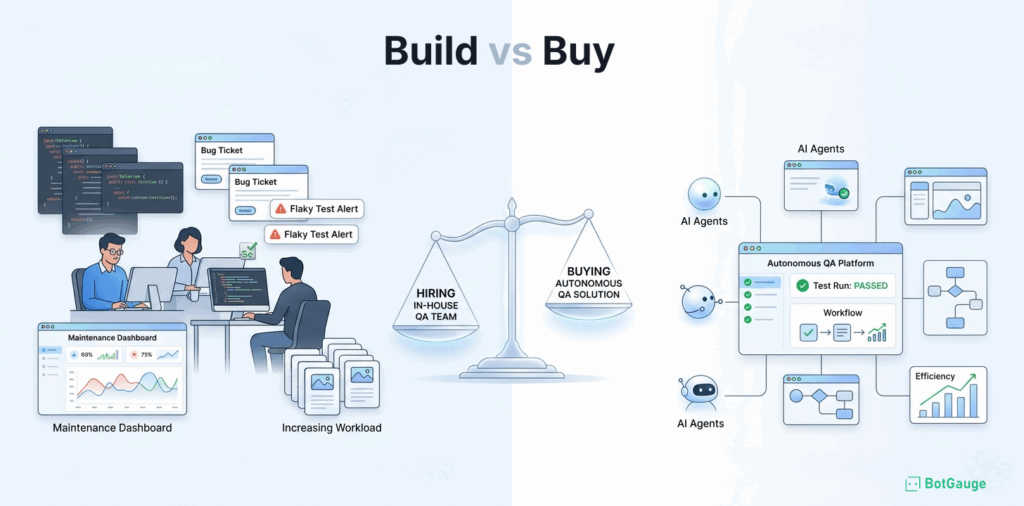
### **Speed to coverage**
Building an in-house QA function from scratch – hiring, onboarding, writing test cases, setting up automation which typically takes 3 to 6 months before you have a reliable suite. With QaaS, coverage starts in weeks. If you that’s fast, wait.
With BotGauge, 80% coverage is achieved in 2 weeks. Critical flows are automated in 24-48 hours of onboarding.
Want to see AQaaS live on your application?
[Book a Demo](https://www.botgauge.com/contact)
### **Access to domain expertise**
A QaaS provider has worked across dozens of tech stacks, industries, and product types. Your in-house team has worked on yours. That breadth matters for finding the bugs that teams blind to their own product consistently miss. With BotGauge, every test generated or run for you by our [AI testing agents](https://www.botgauge.com/ai-agents) is validated by a vertical-specialized QA expert.
### **AI advantages in QA**
AI-native QA as a Service providers, like BotGauge, use ML models to generate test cases from PRDs with no scripting, computer vision to keep locators stable as the UI changes, LLMs to trace root causes when a test fails, and agent-based runners to execute suites end to end.
A bug report from BotGauge reads: ‘checkout button unclickable on Safari 17 at 768px due to a z-index conflict with the cookie banner.’ That specificity cuts debugging from hours to minutes.
### **Scalability without hiring decisions**
You need 3x more testing coverage for your Q4 release. With an in-house team, that means hiring or burning people out. With QaaS, you adjust the scope. Coverage scales with product demand.
### **Reduced management overhead**
Recruitment, onboarding, performance management, tooling – the QaaS provider owns all of it. Your engineering team stops managing testers and starts receiving test reports.
### **Faster time to market**
According to a report by [IBM’s Systems Sciences Institute](https://www.researchgate.net/figure/IBM-System-Science-Institute-Relative-Cost-of-Fixing-Defects_fig1_255965523), teams spend significantly more to fix defects as software moves through the development lifecycle. Fixing a bug during implementation can cost about six times more than addressing it during the design phase. Once a product reaches production, the cost rises even further, organizations may spend four to five times more than they would during design and up to 100 times more than they would if they resolved the issue earlier.
As a result, the financial impact of software defects increases dramatically the later teams detect them in the SDLC.
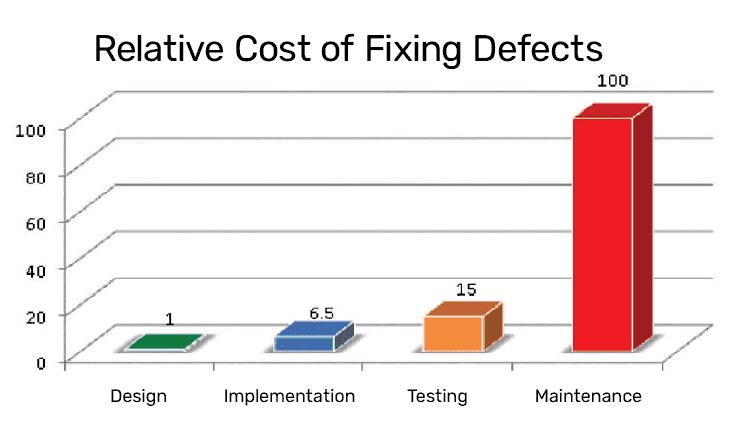
Missed a critical bug? BotGauge catches it before your users do.
[Get a Free Bug Report](https://www.botgauge.com/contact)
## **Challenges of Choosing QA as a Service**
Every QaaS engagement comes with friction. Here’s what to plan for, and how to address each one.
### **Communication across time zones**
Remote QA teams mean asynchronous handoffs, which slow feedback loops. Define communication SLAs upfront. Establish async reporting rhythms – daily summaries, real-time dashboards and a dedicated channel (Email, Slack, or any) for urgent bugs.
### **Context onboarding gap**
A new QA partner needs time to understand your product and your definition of done. That first sprint is always slower. Provide PRDs and past bug reports at kickoff. The more context upfront, the faster coverage starts.
AI-native providers like [BotGauge](https://www.botgauge.com/) read your documentation directly, which closes the gap faster.
### **Reduced direct oversight**
You’re not watching the testing happen in real time. Require CI/CD integration with live dashboards.
### **IP and data security**
Sharing product access with a third party creates exposure. Confirm NDAs, SOC 2 Type II certification, role-based access controls, and no external model training before signing. If the vendor uses AI, ask explicitly whether your test data is used to train their models.
BotGauge never sends your application data to external AI models for training. Your data stays as yours always.
### **Vendor lock-in risk**
Some providers build your test suite in proprietary tooling you can’t take with you. Ask about test artifact ownership upfront. Your tests should be portable, written in standard frameworks like Playwright, Cypress, or Selenium, not locked inside a vendor’s dashboard.
No Vendor lock-in. Explort tests anytime in your desired framework
[Explore BotGauge](https://calendly.com/botgauge/30min)
## **Choosing the Right QA partner for Your Team**
Most providers claim to be full-service and expert-level. Here’s how to evaluate them specifically.
### **What to look for**
- **Certifications:** SOC 2 Type II for data security. ISO 27001 for information management. ISTQB certifications for individual engineers. If a vendor can’t produce these on request, that matters.
- **CI/CD compatibility:** Does the test suite plug into GitHub Actions, Jenkins, and GitLab CI without custom work? Native integrations should be table stakes.
- **Pricing model transparency:** Outcome-based pricing (per test case, per coverage milestone) aligns incentives better than hourly billing. Understand exactly what you’re paying for before signing. BotGauge is the only autonomous QA solution that offers [outcome-based testing](https://www.botgauge.com/blog/outcome-based-testing).
- **Domain expertise:** A QA partner with fintech experience understands compliance testing. One with healthcare experience understands PHI handling. Ask for client references in your industry specifically. BotGauge assigns a dedicated FDE pod who specializes in your industry and application type, to make testing seamless.
- **IP ownership:** Your test artifacts, scripts, and reports should belong to you. Confirm this in writing before engagement.
- **Reporting quality:** Ask for sample bug reports before committing. A good report includes reproduction steps, environment details, screenshots, and severity assessment.
### **Red flags to watch for**
- No case studies or client references in your industry
- Pricing significantly below market with no explanation for how
- Test suite built entirely in proprietary tooling with no portability
- No SOC 2 certification for a product handling user data
- No defined discovery process – ‘we’ll figure out scope as we go’
- AI tooling with no clarity on whether your data trains their models
BotGauge covers all the above evaluation criteria and adds one more: AI-generated tests from your PRDs mean the engagement starts producing coverage within 48 hours of kickoff, not 2 weeks. [Start your free pilot today.](https://calendly.com/botgauge/30min)
## **Is QA as a Service Right for Your Workflow?**
### **Use QaaS now if:**
- You run the same regression tests every sprint, and a human is still doing them
- Your team ships weekly or faster, and manual QA is a bottleneck before each release
- You need testing coverage across multiple browsers, devices, or environments
- You’ve had a production bug that should have been caught in testing
- You want to add QA capability without adding headcount
### **Consider a smaller start if:**
- Your product changes every week, and the expected behavior isn’t stable yet
- You don’t have product documentation that a vendor can work from
- Your test cases are exploratory and change with every sprint
### **Consider AQaaS if:**
- You want 80% coverage in 2 weeks without building a framework
- Test maintenance is your biggest QA pain point
- Your team lacks dedicated QA engineers
- You need coverage that self-heals as the UI evolves
- Your engineers ship daily or weekly
- You want testing that runs at the speed of AI development
Worried about change management? BotGauge has it covered.
[Book a Demo](https://calendly.com/botgauge/30min)
## **Conclusion**
QA as a service works because it separates two things that most teams bundle together: the need for expert testing coverage and the operational overhead of maintaining a QA team.
You can have the first without the second. A good QaaS provider handles strategy, execution, tooling, and maintenance. You get the bug reports and the coverage metrics.
For teams that want that without managing a vendor engagement at all, BotGauge’s AQaaS model takes it a step further: AI generates your tests from product documentation, a dedicated QA team validates coverage, and the suite runs and heals itself. 80% coverage in 2 weeks, fully integrated into your CI/CD pipeline.
## Frequently Asked Questions
What is the difference between QA as a Service (QaaS) and traditional QA outsourcing?
Traditional QA outsourcing puts engineers on your project and bills for their time. QaaS bills for outcomes: test cases written, coverage milestones hit, bugs filed, and reports delivered. You pay for what gets produced. The operational model also differs – QaaS includes cloud testing infrastructure, device labs, CI/CD integration, and tooling owned by the vendor.
How does a QaaS model save money compared to hiring an in-house QA team?
An in-house QA engineer in the US costs $70-$120k in salary plus recruiting (typically 15-20% of annual salary), benefits (20-30% of salary), tooling, and training. You also pay full-time rates during quiet periods. QaaS is 40-60% less than in-house costs because you pay only for active testing cycles and share infrastructure costs across the vendor’s client base.
What are the leading QA as a service companies?
BotGauge, Testlio, Qualitest are leading QA as service companies in the testing market. For AI-native quality assurance as a service, BotGauge is the only provider built specifically on the AQaaS model: AI-generated test cases from PRDs, self-healing tests, autonomous execution, and human QA expert validation, the all in one solution.
Does QA as a Service replace all manual testing?
No. Exploratory testing, UX review, and new feature validation require human judgment that scripts can’t replicate. The best QaaS models combine automated coverage for regression and cross-browser testing with manual testing for flows where behavior is ambiguous or still being defined. BotGauge’s model explicitly includes human QA experts alongside AI agents for this reason.
Is QA as a Service suitable for startups?
Particularly well-suited. Startups get the expertise and coverage of a senior QA function without the overhead of building one. No recruiting, no tooling budget, no onboarding cycles. BotGauge’s AQaaS model fits startups well: 80% coverage in 2 weeks, self-healing tests that don’t require a QA engineer to maintain, and a pricing model that scales with the product rather than requiring a full-time hire.
Y
About the Author
##### Yamini Priya J
A content marketer who started out writing code and found my way into brand strategy. Seven years into marketing, I still think like a developer. I break the problem down, find the logic, then tell the story clearly. I write for tech companies whose audiences know their stuff, and so do I. Still powered by coffee ☕️
Autonomous Testing for Modern Engineering Teams
[Book a Demo](https://calendly.com/botgauge/30min)
## AI Test Automation Insights
ai powered test automation
# AI-Powered Test Automation: Benefits and Challenges
Discover AI-powered test automation's 2025 benefits (90% less maintenance!) and challenges (AI hallucinations). Learn to harness intelligent testing while avoiding pitfalls.
Jun 30, 20258 min read
Try for Free [Book a Demo](https://calendly.com/botgauge/30min)
TABLE OF CONTENT
[5 Transformative Benefits of AI Driven Test Automation](https://www.botgauge.com/blog/ai-test-automation-benefits-challenges#heading1) [1\. Self-Healing Tests Slash Maintenance by 90%](https://www.botgauge.com/blog/ai-test-automation-benefits-challenges#heading2) [2\. Predictive Test Optimization](https://www.botgauge.com/blog/ai-test-automation-benefits-challenges#heading3) [3\. Autonomous Scenario Generation](https://www.botgauge.com/blog/ai-test-automation-benefits-challenges#heading4) [4\. Visual Validation at Scale](https://www.botgauge.com/blog/ai-test-automation-benefits-challenges#heading5) [5\. Flaky Test Elimination](https://www.botgauge.com/blog/ai-test-automation-benefits-challenges#heading6) [5 Critical Challenges of Intelligent Test Automation](https://www.botgauge.com/blog/ai-test-automation-benefits-challenges#heading7) [1\. AI Hallucinations & False Confidence](https://www.botgauge.com/blog/ai-test-automation-benefits-challenges#heading8) [2\. Ethical Bias in Test Generation](https://www.botgauge.com/blog/ai-test-automation-benefits-challenges#heading9) [3\. Black Box Debugging Nightmares](https://www.botgauge.com/blog/ai-test-automation-benefits-challenges#heading10) [4\. Integration Debt with Legacy Systems](https://www.botgauge.com/blog/ai-test-automation-benefits-challenges#heading11) [5\. Skills Gap & Tool Overload](https://www.botgauge.com/blog/ai-test-automation-benefits-challenges#heading12) [How BotGauge Simplifies AI-Powered Test Automation](https://www.botgauge.com/blog/ai-test-automation-benefits-challenges#heading13) [Special Features:](https://www.botgauge.com/blog/ai-test-automation-benefits-challenges#heading14) [Conclusion](https://www.botgauge.com/blog/ai-test-automation-benefits-challenges#heading15) [People also asked](https://www.botgauge.com/blog/ai-test-automation-benefits-challenges#heading16) [1\. How are testers using AI to generate edge-case scenarios?](https://www.botgauge.com/blog/ai-test-automation-benefits-challenges#heading17) [2\. What AI tools exist for visual and UI-based testing?](https://www.botgauge.com/blog/ai-test-automation-benefits-challenges#heading18) [3\. Can AI tools reduce flaky test failures?](https://www.botgauge.com/blog/ai-test-automation-benefits-challenges#heading19) [4\. Do AI testing tools hallucinate passing tests?](https://www.botgauge.com/blog/ai-test-automation-benefits-challenges#heading20) [5\. How do teams debug AI-generated test failures?](https://www.botgauge.com/blog/ai-test-automation-benefits-challenges#heading21) [6\. Are legacy apps compatible with AI testing tools?](https://www.botgauge.com/blog/ai-test-automation-benefits-challenges#heading22) [7\. How to handle bias in AI automated test scripts?](https://www.botgauge.com/blog/ai-test-automation-benefits-challenges#heading23) [8\. Is AI automation replacing QA teams?](https://www.botgauge.com/blog/ai-test-automation-benefits-challenges#heading24) [FAQ's](https://www.botgauge.com/blog/ai-test-automation-benefits-challenges#heading25)
Start your AI testing pilotGenerate, run, and maintain tests across your CI/CD workflow with less manual effortTry for Free
SHARE THIS ARTICLE
[LinkedIn](https://www.linkedin.com/sharing/share-offsite/?url=https%3A%2F%2Fwww.botgauge.com%2Fblog%2Fai-test-automation-benefits-challenges)[Twitter](https://twitter.com/intent/tweet?url=https%3A%2F%2Fwww.botgauge.com%2Fblog%2Fai-test-automation-benefits-challenges)
[Home](https://www.botgauge.com/) [Blog](https://www.botgauge.com/blog) [ai-test-automation-benefits-challenges](https://www.botgauge.com/blog/ai-test-automation-benefits-challenges#)
AI powered test automation is now a standard part of QA workflows, not a futuristic idea. Over **_68%_** already use AI driven testing tools to speed up delivery, cut costs, and improve accuracy. But it’s not all smooth. Teams face unpredictable issues like “ **AI hallucinations**,” flaky logic, and missing ethical coverage.
Some testers see faster sprints and autonomous test generation, while others struggle to explain false positives or track context. Teams furthest along this curve are adopting full [agentic AI testing](https://www.botgauge.com/blog/agentic-ai-testing), where agents handle generation, execution, and maintenance as one continuous process rather than separate automated steps. The stakes are rising. As quantum apps and multimodal UIs enter production, test reliability becomes harder to measure.
This blog breaks down how [**intelligent test automation**](https://www.botgauge.com/) helps reduce regression cycles by **_up to 80%_** and what problems still hold teams back. Whether you’re testing visual flows or building self-healing tests, this guide gives you a grounded view of what’s working and what’s not in 2025.
## **5 Transformative Benefits of AI Driven Test Automation**
AI has changed the way teams approach QA. Instead of writing and maintaining thousands of test cases manually, testers now rely on models that learn, adapt, and improve test reliability across platforms.
**_Let’s look at five benefits shaping AI powered test automation in 2025:_**
### **1\. Self-Healing Tests Slash Maintenance by 90%**
AI now fixes broken locators without manual updates. This feature in AI powered test automation tools dramatically reduces maintenance overhead.
- Automatically updates selectors during runtime
- Fixes issues caused by minor UI changes
- Lowers maintenance effort from 40% to just 4%
- Reduces reliance on manual test updates after each sprint
Self-healing tests are a core part of any scalable AI driven test automation strategy.
### **2\. Predictive Test Optimization**
Machine learning helps QA teams focus on what actually matters. With AI powered test automation, tools now predict high-risk areas based on recent code changes.
- Analyzes code churn to locate weak spots
- Suggests fewer but smarter test cases
- Highlights coverage gaps automatically
- Improves test ROI with less effort
This is a major advantage of intelligent test automation in fast-moving environments.
### **3\. Autonomous Scenario Generation**
Teams can now turn plain-English descriptions into test cases— **_no code needed_**. AI powered test automation speeds up test creation for non-technical teams.
- Converts Jira tickets into executable test flows
- Speeds up test writing by 15×
- Supports **NLP test scripting** for easy input
- Still requires manual review for edge cases
This makes autonomous test generation fast, scalable, and accessible.
### **4\. Visual Validation at Scale**
Standard automation often misses subtle UI issues. [**AI powered test automation**](https://www.botgauge.com/) now scales visual checks across complex interfaces.
- Detects layout shifts, spacing errors, and visual bugs
- Validates over **_200+ device_** and browser combinations
- Adapts to dynamic content changes in real time
- Enables visual validation AI for responsive and AI-generated UIs
This improves front-end quality without manual effort.
### **5\. Flaky Test Elimination**
Flaky tests waste time and kill trust in automation. With AI powered test automation, teams can now reduce false positives at scale.
- Filters noise from unstable environments
- Learns patterns to auto-suppress unreliable failures
- Achieves **_99.2%_** false-positive reduction
- Saves **_150+_** QA hours per month
This makes intelligent test automation far more stable for CI/CD.
| | | |
| --- | --- | --- |
| **Benefit** | **AI Function** | **Keyword Focus** |
| **Self-Healing Tests** | Fixes broken locators at runtime for stable UI automation. | self-healing tests, AI powered test automation |
| **Predictive Optimization** | Prioritizes risky code areas using ML insights. | predictive test maintenance, AI driven test automation |
| **Autonomous Generation** | Turns tickets into tests via NLP scripting. | autonomous test generation, NLP test scripting |
| **Visual Validation** | Scans UI across devices with visual validation AI. | visual validation AI, intelligent test automation |
| **Flaky Test Reduction** | Suppresses false positives using historical patterns. | flaky test reduction, test impact analysis |
## **5 Critical Challenges of Intelligent Test Automation**
AI speeds things up, but it also introduces new problems. Teams must know where automation can fail, especially when systems start making assumptions.
**_These are the five biggest issues affecting AI powered test automation in 2025:_**
### **1\. AI Hallucinations & False Confidence**
One of the biggest risks in AI powered test automation is when tools generate passing results for untested flows. These false positives mislead teams and break production.
- Misses critical paths like payment or login
- Creates overconfidence in coverage
- Triggers unverified test success alerts
- Needs manual review checkpoints
This challenge makes it essential to combine AI driven test automation with test impact analysis and baseline comparisons.
### **2\. Ethical Bias in Test Generation**
AI systems reflect the data they’re trained on. In AI powered test automation, this leads to tests that overlook accessibility, language, or regional edge cases.
- Misses low-visibility flows for disabled users
- Ignores localization issues in multi-region apps
- Inherits bias from training data
- Fails compliance in regulated industries
To fix this, teams must apply bias detection in testing and use synthetic scenarios for cognitive QA validation.
### **3\. Black Box Debugging Nightmares**
When tests fail in AI powered test automation, teams often don’t know why. The logic behind decisions isn’t visible, making it harder to fix fast.
- No traceability for AI-generated steps
- Debug logs miss context for failures
- Increases reliance on senior QA engineers
- Slows down triage during incidents
Use tools that offer explainable AI to break down test reasoning and improve intelligent test automation visibility.
### **4\. Integration Debt with Legacy Systems**
Many AI powered test automation tools fail when testing legacy systems like COBOL or mainframe apps.
- Struggle with outdated interfaces and protocols
- Increase setup time by **_up to 30%_**
- Cause incomplete coverage in hybrid stacks
- Require fallback via [**_Selenium_**](https://www.selenium.dev/) or [**_CLI wrappers_**](https://github.com/Tyrrrz/CliWrap)
Teams must combine modern tools with old-school methods to maintain full-stack intelligent test automation.
### **5\. Skills Gap & Tool Overload**
Adopting AI powered test automation requires more than just installation— **_it demands new skills many teams lack._**
- Most testers aren’t trained in ML or prompt design
- 62% underuse built-in AI features
- Tool fatigue slows adoption across teams
- Missing roles for QA leadership in AI integration
Creating an “ **AI QA Champion**” role helps scale intelligent test automation effectively.
| | | |
| --- | --- | --- |
| **Challenge** | **Description** | **Keyword Focus** |
| **AI Hallucinations** | AI marks untested flows as passed, causing false trust. | AI hallucinations, test impact analysis |
| **Ethical Bias** | AI misses accessibility and localization cases. | ethical AI testing, bias detection |
| **Black Box Debugging** | AI test failures are hard to explain and debug. | explainable AI, intelligent test automation |
| **Legacy System Integration** | AI struggles with COBOL and mainframes. | hybrid automation, legacy system testing |
| **Skills Gap** | Teams lack skills, underuse AI features. | AI driven test automation, AI QA Champion |
## **How BotGauge Simplifies AI-Powered Test Automation**
[**BotGauge**](https://calendly.com/botgauge/30min) is one of the few AI testing agents with unique features that set it apart from other AI powered test automation tools. It combines flexibility, automation, and real-time adaptability for teams aiming to simplify QA.
Our autonomous agent has generated over a million test cases across multiple industries. The founders of BotGauge bring over 10 years of hands-on experience in the software testing space, building one of the most advanced AI agents available today.
### **Special Features:**
- **Natural Language Test Creation** – Write plain-English inputs; BotGauge converts them into automated test scripts
- **Self-Healing Capabilities** – Automatically updates test cases when your app’s UI or logic changes
- **Full-Stack Test Coverage** – From UI to APIs and databases, BotGauge handles complex integrations with ease
These features not only support AI driven test automation but also enable high-speed, low-cost testing with minimal setup and smaller teams.
Explore more of BotGauge’s AI testing features **→** [**BotGauge**](https://www.botgauge.com/)
## **Conclusion**
Most QA teams still deal with brittle scripts, slow test cycles, and poor coverage across real-world user flows. Tools break when UI changes, and debugging AI-generated failures feels impossible without transparency.
These gaps lead to missed defects, compliance risks, and public-facing bugs. For regulated industries or customer-heavy platforms, one missed issue can mean lawsuits, lost revenue, or brand damage.
[**BotGauge**](https://www.botgauge.com/contact) fixes this by combining AI powered test automation with self-healing tests, autonomous test generation, and bias detection in testing. It’s built to handle scale, reduce noise, and keep your QA workflow stable— _even when everything else moves fast._
## **People also asked**
### **1\. How are testers using AI to generate edge-case scenarios?**
Teams use AI powered test automation tools like BotGauge to convert user stories into executable edge-case flows. Through autonomous test generation and NLP test scripting, BotGauge identifies risky paths faster than manual scripting. Human validation ensures the AI-generated scenarios reflect real-world complexity without skipping critical behavior.
### **2\. What AI tools exist for visual and UI-based testing?**
Visual validation AI tools like [Applitools](https://applitools.com/) and [BotGauge](https://docs.botgauge.com/docs/create-a-new-test-case) help detect design breaks across devices. They scan for layout shifts, missing buttons, or inconsistent visuals. These tools strengthen AI powered test automation pipelines by automating interface checks at scale, especially when UI elements change frequently during releases.
### **3\. Can AI tools reduce flaky test failures?**
Yes. AI powered test automation platforms such as BotGauge use historical data and real-time signals to reduce flaky failures by over 99%. With self-healing tests, the system adapts to minor UI changes automatically. This ensures continuous testing remains stable and reliable during fast-paced deployments.
### **4\. Do AI testing tools hallucinate passing tests?**
Some AI driven test automation tools generate false positives, known as AI hallucinations. BotGauge tackles this using test impact analysis, validation baselines, and manual checkpoints. It ensures high-risk paths like checkout flows are actually tested, not just inferred. This avoids blind spots in automation coverage.
### **5\. How do teams debug AI-generated test failures?**
Debugging black-box failures in AI powered test automation is challenging. BotGauge solves this with explainable AI—providing logs, locator history, and test logic breakdowns. This helps teams trace failures easily, making debugging faster and more transparent, especially when dealing with flaky or AI-generated test scripts.
### **6\. Are legacy apps compatible with AI testing tools?**
Legacy interfaces often trip modern tools. Teams using AI powered test automation rely on BotGauge’s hybrid support—combining AI-based testing with Selenium or CLI wrappers. This approach maintains test coverage across modern apps and older mainframe systems without sacrificing stability.
### **7\. How to handle bias in AI automated test scripts?**
Bias in automation arises from unbalanced training data. BotGauge includes bias detection in testing, injecting synthetic test users to cover accessibility, regional formats, and language variations. This strengthens cognitive QA by making AI powered test automation inclusive and compliant.
### **8\. Is AI automation replacing QA teams?**
No. AI driven test automation enhances QA but doesn’t replace it. Tools like BotGauge automate regression and maintenance, but humans still lead exploratory, ethical, and UX testing. Teams with an AI QA Champion role scale faster while maintaining control and oversight.
Platforms built on [AI agents](https://www.botgauge.com/ai-agents) bring this to life in practice. Explore [BotGauge](https://www.botgauge.com/) to see agentic AI testing in action.
Explore the full [BotGauge platform](https://www.botgauge.com/) to see agentic AI testing in action.
## FAQ's
How are testers using AI to generate edge-case scenarios?
Teams use AI powered test automation tools like BotGauge to convert user stories into executable edge-case flows. Through autonomous test generation and NLP test scripting, BotGauge identifies risky paths faster than manual scripting. Human validation ensures the AI-generated scenarios reflect real-world complexity without skipping critical behavior.
What AI tools exist for visual and UI-based testing?
Visual validation AI tools like Applitools and BotGauge help detect design breaks across devices. They scan for layout shifts, missing buttons, or inconsistent visuals. These tools strengthen AI powered test automation pipelines by automating interface checks at scale, especially when UI elements change frequently during releases.
Can AI tools reduce flaky test failures?
Yes. AI powered test automation platforms such as BotGauge use historical data and real-time signals to reduce flaky failures by over 99%. With self-healing tests, the system adapts to minor UI changes automatically. This ensures continuous testing remains stable and reliable during fast-paced deployments.
Do AI testing tools hallucinate passing tests?
Some AI driven test automation tools generate false positives, known as AI hallucinations. BotGauge tackles this using test impact analysis, validation baselines, and manual checkpoints. It ensures high-risk paths like checkout flows are actually tested, not just inferred. This avoids blind spots in automation coverage.
How do teams debug AI-generated test failures?
Debugging black-box failures in AI powered test automation is challenging. BotGauge solves this with explainable AI—providing logs, locator history, and test logic breakdowns. This helps teams trace failures easily, making debugging faster and more transparent, especially when dealing with flaky or AI-generated test scripts.
Are legacy apps compatible with AI testing tools?
Legacy interfaces often trip modern tools. Teams using AI powered test automation rely on BotGauge’s hybrid support—combining AI-based testing with Selenium or CLI wrappers. This approach maintains test coverage across modern apps and older mainframe systems without sacrificing stability.
How to handle bias in AI automated test scripts?
Bias in automation arises from unbalanced training data. BotGauge includes bias detection in testing, injecting synthetic test users to cover accessibility, regional formats, and language variations. This strengthens cognitive QA by making AI powered test automation inclusive and compliant.
Is AI automation replacing QA teams?
No. AI driven test automation enhances QA but doesn’t replace it. Tools like BotGauge automate regression and maintenance, but humans still lead exploratory, ethical, and UX testing. Teams with an AI QA Champion role scale faster while maintaining control and oversight.
Autonomous Testing for Modern Engineering Teams
[Book a Demo](https://calendly.com/botgauge/30min)
## AI Test Case Template
test case template
# How to Write a Test Case: Step‑by‑Step Guide with a Template Example
Master AI-powered test case writing with our 2025 template. Step-by-step guide includes generative AI prompts, compliance automation, and real-time collaboration features.
Aug 6, 20258 min read
Try for Free [Book a Demo](https://calendly.com/botgauge/30min)
TABLE OF CONTENT
[Why 2025 Demands AI-Integrated Test Case Format](https://www.botgauge.com/blog/ai-test-case-template#heading1) [Step-by-Step Guide to Writing AI-Optimized Test Cases](https://www.botgauge.com/blog/ai-test-case-template#heading2) [Step 1: Prompt Engineering for Coverage](https://www.botgauge.com/blog/ai-test-case-template#heading3) [Step 2: Designing Probabilistic Assertions](https://www.botgauge.com/blog/ai-test-case-template#heading4) [Step 3: Configuring Autonomous Test Data](https://www.botgauge.com/blog/ai-test-case-template#heading5) [Step 4: Implementing Compliance Guardrails](https://www.botgauge.com/blog/ai-test-case-template#heading6) [Step 5: Enabling Self-Healing Components](https://www.botgauge.com/blog/ai-test-case-template#heading7) [Real-World Template 1: AI-Powered Healthcare App](https://www.botgauge.com/blog/ai-test-case-template#heading8) [Real-World Template 2: AI‑Infused Banking Fraud Detection](https://www.botgauge.com/blog/ai-test-case-template#heading9) [Real-World Template 3: AI-Powered Retail Recommendation Engine](https://www.botgauge.com/blog/ai-test-case-template#heading10) [Real-World Template 4: Telecom 5G AI Compliance Testing](https://www.botgauge.com/blog/ai-test-case-template#heading11) [How BotGauge Can Help You Build Smarter Test Cases](https://www.botgauge.com/blog/ai-test-case-template#heading12) [Conclusion](https://www.botgauge.com/blog/ai-test-case-template#heading13) [FAQ's](https://www.botgauge.com/blog/ai-test-case-template#heading14)
Start your AI testing pilotGenerate, run, and maintain tests across your CI/CD workflow with less manual effortTry for Free
SHARE THIS ARTICLE
[LinkedIn](https://www.linkedin.com/sharing/share-offsite/?url=https%3A%2F%2Fwww.botgauge.com%2Fblog%2Fai-test-case-template)[Twitter](https://twitter.com/intent/tweet?url=https%3A%2F%2Fwww.botgauge.com%2Fblog%2Fai-test-case-template)
[Home](https://www.botgauge.com/) [Blog](https://www.botgauge.com/blog) [ai-test-case-template](https://www.botgauge.com/blog/ai-test-case-template#)
Most teams still rely on a standard test case template, but that format falls short when testing AI-driven systems. Interfaces shift, outputs vary, and compliance rules update without notice.
In 2025, your test cases need to do more than check boxes. They must guide AI behavior, support test data management, and respond to real-time changes.
Platforms like [**BotGauge**](https://www.botgauge.com/) are already making this shift easier by generating self-healing test flows, tagging compliance automatically, and helping teams write test cases that match how AI actually works.
This guide walks you through a smarter way to write test cases, using AI prompts, dynamic element locators, and built-in compliance tagging to keep your quality process current.
## **Why 2025 Demands AI-Integrated Test Case Format**
The traditional test case template no longer fits how software behaves in 2025. AI-driven systems require smarter test design, ones that adapt to variability, regulation, and constant UI shifts. [Agentic AI testing](https://www.botgauge.com/blog/agentic-ai-testing) takes this further – agents don’t just adapt test design, they autonomously decide what to test and rewrite the test cases themselves as the application evolves.Here’s what your test format needs to address:
- **Generative interfaces** that modify structure in real-time
- **Probabilistic responses** needing confidence thresholds, not binary checks
- **Zero-day compliance updates**, like those from the EU AI Act
- **Machine-readable formatting** to support autonomous testing
Tools like [**_BotGauge_**](https://www.botgauge.com/contact) support these needs with built-in prompts, smart locators, and regulatory tagging. Without slowing your team down.
## **Step-by-Step Guide to Writing AI-Optimized Test Cases**
Having the right test case template is only the starting point. What really matters is how you use it. Writing AI-optimized test cases means thinking beyond static inputs and outputs.
You’re designing instructions that help AI tools simulate edge cases, validate uncertain outcomes, and support continuous improvement. Here’s how to do it step by step:
### **Step 1: Prompt Engineering for Coverage**
Use structured, context-rich prompts that guide the AI in generating real-world scenarios.
**Example:**
“ _Generate test cases for a mobile app’s voice transfer feature. Focus on accent variations, noisy environments, and incomplete commands._”
### **Step 2: Designing Probabilistic Assertions**
AI systems don’t always produce the same result twice. Instead of strict pass/fail logic, define thresholds.
**Example:**
_“Expected: Prediction confidence ≥ 88% across 50 iterations.”_
### **Step 3: Configuring Autonomous Test Data**
Design your input data using rules, not just values. Mutation-based test data can include edge values, corrupted inputs, or unexpected characters. It strengthens test parameterization and chaos coverage.
### **Step 4: Implementing Compliance Guardrails**
Mark test cases that handle sensitive information with compliance tags like “GDPR” or “HIPAA.” These tags support [real-time compliance validation](https://exactcomms.com/real-time-compliance-monitoring/) and make audit tracking easier during release cycles.
### **Step 5: Enabling Self-Healing Components**
Replace static selectors with logic that adapts. Dynamic UIs break tests frequently; this step ensures your tests stay functional, even as the product changes. It’s a long-term win for test maintenance and system stability.
**Step-by-Step Guide to Writing AI-Optimized Te** **st Cases(Detailed Table)**
| | | |
| --- | --- | --- |
| **Step** | **Action** | **Impact** |
| **Step 1: Prompt Engineering** | Write structured natural language prompts to guide AI in test case creation. | Covers more edge scenarios with minimal manual effort. |
| **Step 2: Probabilistic Assertions** | Define confidence thresholds (e.g., ≥ 90%) instead of binary outcomes. | Supports probabilistic validation for AI-driven systems. |
| **Step 3: Autonomous Test Data** | Use mutation rules to create varied, edge-case-rich input datasets. | Enhances coverage, realism, and scalability in test case input. |
| **Step 4: Compliance Guardrails** | Tag tests with regulations like GDPR, HIPAA for automatic compliance checks. | Ensures real-time audit readiness and regulation mapping. |
| **Step 5: Self-Healing Components** | Implement locator logic that adapts to UI changes to prevent flaky tests. | Reduces test failures from UI changes and improves long-term test maintenance. |
These five steps bring consistency, scalability, and machine-readability into your QA process, built for 2025, not 2015. Now, let’s apply this in a real-world test case example to see how it works in action.
## **Real-World Template 1: AI-Powered Healthcare App**
To see this test case template in action, let’s apply it to a healthcare app that uses AI for symptom checking. This example shows how each field supports real use cases.
**Feature**: Symptom checker for flu, COVID, and chronic illness screening.
**1\. AI Co-Pilot Prompt**:
_“Generate test cases for false-positive scenarios in rare disease predictions using overlapping symptoms.”_
**2\. Test Step**:
User enters symptoms: fatigue, joint pain, mild fever → system returns diagnosis with explanation and displays medical disclaimer within 2 seconds.
**3\. Confidence Threshold**:
Prediction confidence ≥ 94% over 100 randomized inputs.
**4\. Compliance Tags**:
HIPAA, FDA AI/ML Guidance
**5\. Test Data Genome**:
Includes symptom variations, age groups, and pre-existing conditions. Covers edge combinations likely to trigger errors.
**6\. Failure Autopsy**:
Captures model version, date, input set, and predicted outcome. Useful when misdiagnoses occur or accuracy drops in certain cohorts.
## **Real-World Template 2: AI‑Infused Banking Fraud Detection**
This use case applies the updated test case template to a fraud detection module in a banking app.
**Feature**: Transaction pattern anomaly detection.
**1\. AI Co‑Pilot Prompt**:
_“Generate test cases for unusual transaction patterns including time-based anomalies, IP spoofing, and round-dollar transfers.”_
**2\. Test Step**:
Simulate 5 transfers of $1 within 60 seconds across 3 IPs → expect fraud alert + OTP.
**3\. Confidence Threshold**:
Anomaly detection score ≥ 90% across 150 test runs.
**4\. Compliance Tags**:
AML, PCI DSS
**5\. Test Data Genome**:
Includes spoofed IPs, mismatched geo-locations, and new device fingerprints.
**6\. Failure Autopsy**:
Logs model version, transaction context, and scoring drift.
This structured test case format ensures audit-ready checks and supports AI-assisted test design across dynamic fraud patterns.
## **Real-World Template 3: AI-Powered Retail Recommendation Engine**
Here’s how the same test case template works for a personalized retail system.
**Feature**: Product recommendation engine.
**1\. AI Co-Pilot Prompt**:
_“Generate test cases for returning users with history-based recommendations under changing stock and behavior.”_
**2\. Test Step**:
Users with luxury purchase history now clicks low-cost items → engine must adapt suggestions within 3 product loads.
**3\. Confidence Threshold**:
Recommendation accuracy ≥ 85% in 50 diverse user sessions.
**4\. Compliance Tags**:
GDPR, PII
**5\. Test Data Genome**:
Mixed browsing history, cart abandonments, out-of-stock triggers.
**6\. Failure Autopsy**:
Captures user profile, scoring logic, recommendation variance.
Using this test case format, testers validate both personalization depth and system bias, backed by AI-assisted test design strategies.
## **Real-World Template 4: Telecom 5G AI Compliance Testing**
Telecom systems need a smarter test case template to verify signaling standards across multi-vendor setups.
**Feature**: O-RAN signal compliance checker.
**1\. AI Co-Pilot Prompt**:
_“Create test cases for malformed and compliant signaling between multi-vendor O-RAN components using 3GPP specs.”_
**2\. Test Step**:
Send a malformed signal from vendor B → system detects protocol deviation within 2 steps.
**3\. Confidence Threshold**:
Protocol match accuracy ≥ 98% over 500 trials.
**Compliance Tags**:
3GPP, O-RAN compliance
**4\. Test Data Genome**:
Includes valid/invalid TLVs, malformed sequence orders, signaling delays.
**5\. Failure Autopsy**:
Logs deviation type, timestamp, source ID.
The structured test case format here reduces integration risks and scales AI-assisted test design across global infrastructure.
Each example proves how a future-proof test case template brings measurable value to edge-case coverage, data quality, and real-time validation across sectors. Let me know when you’re ready for the Best Practices section.
## **How BotGauge Can Help You Build Smarter Test Cases**
[**BotGauge**](https://calendly.com/botgauge/30min) is one of the few AI testing agents built to support modern test case template needs. It helps QA teams go beyond static documentation by enabling flexibility, automation, and real-time adaptability, all without increasing team size or setup time.
With over a **_million test cases_** generated across industries, BotGauge brings deep testing experience into a scalable, low-maintenance platform.
**Here’s what you get:**
- **Natural Language Test Creation** – Write plain-English instructions; get automated test scripts instantly.
- **Self-Healing Capabilities** – Test cases update on their own when UI or logic changes.
- **Full-Stack Test Coverage** – Supports everything from UI to APIs and databases.
Whether you’re refining your test case format or scaling AI-assisted test design, BotGauge speeds up testing and reduces cost without compromising coverage.
_Explore BotGauge’s full AI testing suite →_ [**_BotGauge_**](https://www.botgauge.com/)
## **Conclusion**
Many teams still rely on a static test case template that fails to support dynamic products. This leads to low coverage, weak edge case detection, and slow test execution. Without the right test case format, teams face audit risks and last-minute production issues.
_When quality breaks, delivery slows down and costs rise._
[**BotGauge**](https://www.botgauge.com/) solves this by combining AI-assisted test design, real-time adaptability, and self-healing logic. Making your test case template smarter, faster, and ready for scale. [**_Let’s connect today_**](https://www.botgauge.com/contact) _and tap into BotGauge’s_ **_1M+_** _prebuilt test cases to accelerate your QA._
Platforms built on [AI agents](https://www.botgauge.com/ai-agents) bring this to life in practice. Explore [BotGauge](https://www.botgauge.com/) to see agentic AI testing in action.
Explore the full [BotGauge platform](https://www.botgauge.com/) to see agentic AI testing in action.
## FAQ's
How much of a test case can AI generate today?
AI can now automate up to 70% of a test case template, including functional, negative, and edge scenarios. Using AI-assisted test design, teams quickly generate structured flows, adapt them to a flexible test case format, and reduce manual effort across UI, API, and data layers—saving time and improving coverage.
How do I validate AI outputs that don’t have a fixed result?
The best approach is to use a test case format that includes confidence ranges. Instead of static values, define expectations like “confidence ≥ 90%.” This aligns with how AI-assisted test design works for generative models and ensures your test case template supports probabilistic output validation at scale.
How do I handle frequent compliance updates in my test cases?
Modern test case templates should include a compliance auto-tag field. This allows AI to automatically label test cases based on GDPR, HIPAA, or other policies. When used with AI-assisted test design, compliance validation becomes continuous and scalable, especially when rules change mid-sprint or post-deployment.
What metrics matter when testing AI systems?
Key metrics include confidence variance, hallucination rate, false-positive ratio, and bias index. Embedding these into your test case format improves clarity and aligns your test case template with the needs of AI validation. They also help teams refine AI-assisted test design through measurable, repeatable testing cycles.
How can I keep human oversight in automated testing?
Add a human-in-loop review field inside your test case template. This reserves space for manual checks on high-risk flows. With AI-assisted test design, this hybrid setup gives you automation speed without sacrificing quality, making the test case format both flexible and audit-friendly.
Autonomous Testing for Modern Engineering Teams
[Book a Demo](https://calendly.com/botgauge/30min)
## AI in Test Automation
ai in test automation
# What Are Test Cases and How Can AI Improve Them?
Discover how AI in test automation elevates test case design, generation, prioritization, and maintenance for smarter, faster, and more reliable QA in 2025.
Jun 23, 20258 min read
Try for Free [Book a Demo](https://calendly.com/botgauge/30min)
TABLE OF CONTENT
[What Are Test Cases?](https://www.botgauge.com/blog/ai-test-cases-improve#heading1) [Why They Matter](https://www.botgauge.com/blog/ai-test-cases-improve#heading2) [How AI Enhances Test Cases in 2025](https://www.botgauge.com/blog/ai-test-cases-improve#heading3) [Self‑Healing and Test Maintenance](https://www.botgauge.com/blog/ai-test-cases-improve#heading4) [Predictive Defect Detection & Prioritization](https://www.botgauge.com/blog/ai-test-cases-improve#heading5) [Smart Validation & Reporting](https://www.botgauge.com/blog/ai-test-cases-improve#heading6) [Real‑Time Optimization & Coverage Gaps](https://www.botgauge.com/blog/ai-test-cases-improve#heading7) [Implementing AI‑Driven Test Cases in CI/CD](https://www.botgauge.com/blog/ai-test-cases-improve#heading8) [1\. Ingest logs and telemetry](https://www.botgauge.com/blog/ai-test-cases-improve#heading9) [2\. Train AI on past runs](https://www.botgauge.com/blog/ai-test-cases-improve#heading10) [3\. Generate and run cases](https://www.botgauge.com/blog/ai-test-cases-improve#heading11) [4\. Analyze results and refine strategy](https://www.botgauge.com/blog/ai-test-cases-improve#heading12) [5\. Shift‑left/right model](https://www.botgauge.com/blog/ai-test-cases-improve#heading13) [How BotGauge Speeds Up Test Case Design with 1M+ Ready-to-Use Scenarios](https://www.botgauge.com/blog/ai-test-cases-improve#heading14) [Conclusion](https://www.botgauge.com/blog/ai-test-cases-improve#heading15) [FAQs](https://www.botgauge.com/blog/ai-test-cases-improve#heading16) [What qualifies as a “test case”?](https://www.botgauge.com/blog/ai-test-cases-improve#heading17) [Can AI write test cases without human input?](https://www.botgauge.com/blog/ai-test-cases-improve#heading18) [How does self‑healing work?](https://www.botgauge.com/blog/ai-test-cases-improve#heading19) [What is predictive prioritization?](https://www.botgauge.com/blog/ai-test-cases-improve#heading20) [Do I need to rewrite my CI/CD pipeline?](https://www.botgauge.com/blog/ai-test-cases-improve#heading21) [Is AI in testing replacing QA engineers?](https://www.botgauge.com/blog/ai-test-cases-improve#heading22) [FAQ's](https://www.botgauge.com/blog/ai-test-cases-improve#heading23)
Start your AI testing pilotGenerate, run, and maintain tests across your CI/CD workflow with less manual effortTry for Free
SHARE THIS ARTICLE
[LinkedIn](https://www.linkedin.com/sharing/share-offsite/?url=https%3A%2F%2Fwww.botgauge.com%2Fblog%2Fai-test-cases-improve)[Twitter](https://twitter.com/intent/tweet?url=https%3A%2F%2Fwww.botgauge.com%2Fblog%2Fai-test-cases-improve)
[Home](https://www.botgauge.com/) [Blog](https://www.botgauge.com/blog) [ai-test-cases-improve](https://www.botgauge.com/blog/ai-test-cases-improve#)
Quality teams today are under pressure to release software faster without sacrificing stability. Traditional test case design is falling behind. Manually creating and maintaining tests for every feature, edge case, and regression scenario consumes hours and still misses gaps. [AI in test automation](https://www.botgauge.com/) is now changing that process by reducing effort, improving test coverage, and making execution smarter.
With AI, test creation shifts from static scripting to smart generation based on user behavior, logs, and real-time data. AI for test automation brings more than speed — it introduces self-healing tests, predictive defect detection, and real-time feedback loops that help QA teams keep up with frequent changes. These capabilities are the building blocks of [agentic AI testing](https://www.botgauge.com/blog/agentic-ai-testing), where autonomous agents combine all of them into a single closed-loop testing process. Models now prioritize the most error-prone flows and even generate missing scenarios based on risk.
This shift isn’t just technical—it’s practical. By automating repetitive tasks and improving test case optimization, teams can focus on critical thinking and exploratory testing. This blog explores how AI is reshaping QA through AI-driven testing, improving every stage of the test case design process, and delivering faster, more stable releases.
## **What Are Test Cases?**
A test case specifies a sequence of steps, input values, expected results, and acceptance criteria that verify a specific feature or path in the software. It typically includes components like a unique ID, a brief description, preconditions, detailed test steps, the test data, and the expected outcome. This structure ensures consistency, reproducibility, and traceability throughout the testing process.
Test cases can be formal—written for every requirement or sub-requirement with positive and negative scenarios—or informal, used when formal documentation isn’t available. Some teams leverage Given‑When‑Then style (from Behavior‑driven development) to improve readability and integration into automation frameworks.
### **Why They Matter**
Well‑crafted test cases act as a foundation for validation and regression checking. They guide developers and QA analysts through each verification step, confirm compliance with requirements, and catch defects that ad‑hoc testing might miss. They also serve as documentation—helping to onboard new team members, audit test coverage, and ensure accountability .
However, manual creation and upkeep falter under fast releases and complex logic. Challenges include human error, redundant or obsolete cases, lack of traceability, and difficulty maintaining large suites. These hurdles slow down development and introduce risk when test coverage optimization can’t keep pace.
## **How AI Enhances Test Cases in 2025**
AI tools now analyze application logs, telemetry, and user behavior to generate test cases that reflect real-world scenarios. Leading platforms use natural language analysis to process PRDs, mockups, or UML and produce clear, structured test cases automatically.
These systems speed up test creation by 20× and reduce cost by up to 85% in some cases. Tech like EvoGPT is pushing unit test creation further, generating diverse and fault‑revealing tests with LLMs plus evolutionary search.
### **Self‑Healing and Test Maintenance**
Tests can easily break when UI elements evolve. Self‑healing tests now use ML or computer vision to detect changed locators and replace them automatically. Research into self‑healing frameworks shows they mimic biological systems—detect, diagnose, and repair scripts in real time. Products like Mabl, Testim, and BotGauge include built‑in **self‑healing** to reduce script failures and maintenance overhead.
### **Predictive Defect Detection & Prioritization**
AI analyzes historic defect logs, test execution records, and code changes to rank test cases by risk. Reinforcement learning further improves prioritization over time. This predictive defect detection ensures QA work focuses on the most vulnerable parts of the system and supports test case optimization and test coverage optimization strategies.
### **Smart Validation & Reporting**
After execution, AI identifies anomalies, groups related failures, and suggests root causes. Some tools even generate defect reports automatically, saving effort and improving clarity .
### **Real‑Time Optimization & Coverage Gaps**
AI-driven analysis highlights untested areas and gaps in coverage. These tools tag tests by risk, suggest new cases based on missing flows, and adapt in real time .
## **Implementing AI‑Driven Test Cases in CI/CD**
### **1\. Ingest logs and telemetry**
Begin by gathering build logs, test execution reports, user session data, and telemetry. Feeding this historical data into AI allows it to learn patterns in failures, code changes, and user flows. This step sets the foundation for AI-powered validation and predictive defect detection.
### **2\. Train AI on past runs**
Use that data to train machine‑learning models. That includes training algorithms for test generation, self-healing, and risk scoring. By analyzing what broke in previous runs and why, the system improves over time.
### **3\. Generate and run cases**
On every feature push or pull request, let AI produce new test cases automatically—from API calls to UI interactions. Inject these into the CI stage. Tools with self-healing logic (e.g., Testim, Mabl, BotGauge) adapt to UI changes and maintain stability.
### **4\. Analyze results and refine strategy**
After execution, AI groups failures, debugs root causes, and suggests fixes or locator updates. Some even auto‑repair pipelines or test scripts using intelligent agents. Risk‑weighted test selection ensures high‑value tests run earlier, saving time and boosting coverage.
### **5\. Shift‑left/right model**
Shift‑left allows early feedback during development via fast, auto‑generated tests. Additional AI‑powered regression runs happen at merge‑and‑release stages. This flexible approach keeps pace with CI/CD speed without overwhelming cycles.
Integrating AI this way requires no pipeline rewrite. Most AI testing platforms plug into common CI/CD tools (Jenkins, GitHub, GitLab) and orchestrators (Docker, Kubernetes, Terraform), making adoption gradual and additive .
## **How BotGauge Speeds Up Test Case Design with 1M+ Ready-to-Use Scenarios**
BotGauge stands out as a AI-driven testing platform built specifically to streamline test case design and maintenance. It lets you upload PRDs, Figma screens, UML diagrams, or any documentation—you just click and let the AI generate test cases in clear English and ready-to-run test scripts.
With over one million pre-built test scenarios, teams can skip manual scripting and jump straight to execution.
On G2, users praise its speed: “ [Brilliant application…easy to use…super responsive](https://www.g2.com/products/botgauge/reviews)” and “AI first and self‑healing from its core,” saving hours per sprint. This ease of use makes AI for test automation approachable—even for manual testers and product managers—since no coding skills are required.
BotGauge also integrates built-in self-healing tests via intelligent selector logic that adjusts to UI updates. If locators break, the AI scours the DOM or uses vision-based detection to fix the test automatically, reducing flaky failures and maintenance demands.
Finally, BotGauge supports full-stack testing—UI, API, integration, functional, and database—within a single platform. You generate tests from English, run them, and let the system handle debugging, brute-force reporting, and AI-powered validation all within your CI/CD pipeline.
With BotGauge, your team accelerates test creation 20× faster and cuts costs by up to 85%, while improving test case optimization, coverage, and resilience in a fast-moving development cycle.
## **Conclusion**
AI now makes test case design, execution, and maintenance more reliable and efficient than ever. With AI in test automation, teams reduce repetitive work and improve test case optimization, freeing time for complex, human-driven tasks. Platforms with self-healing tests dramatically cut maintenance overhead by automatically fixing broken scripts.
Predictive defect detection guides focus toward high-risk areas, shrinking waste and enhancing test coverage optimization. Smart reporting helps spot issues and root causes faster, boosting quality and release speed.
Integrating these tools into CI/CD triggers continuous improvement and faster feedback. Human insight still drives meaningful QA, but AI handles repetitive and predictive tasks—together, they deliver smarter, faster, and more dependable testing in 2025.
## **FAQs**
### **What qualifies as a “test case”?**
A test case includes inputs, step-by-step actions, an expected result, and acceptance criteria for one scenario. It verifies a single behavior or path in the system and works as the basic unit of QA.
### **Can AI write test cases without human input?**
Yes, AI for test automation can analyze logs, user flows, or requirements documents to generate realistic test cases. However, humans still need to review them to ensure relevance, logical soundness, and alignment with business context.
### **How does self‑healing work?**
Self‑healing tests use ML or computer vision to detect when locators or UI structure change, then automatically update or replace selectors. They learn from each fix and keep scripts stable despite minor UI tweaks.
### **What is predictive prioritization?**
AI-driven test prioritization analyzes code changes, historical defect logs, and usage data to rank test cases by failure risk. It runs the most vulnerable tests first, optimizing test case optimization and tightening test cycles.
### **Do I need to rewrite my CI/CD pipeline?**
No. Most AI-testing platforms integrate with CI/CD via plugins, agents, or APIs. You can gradually adopt AI-powered validation in existing flows—no costly overhaul required.
### **Is AI in testing replacing QA engineers?**
Not at all. AI handles repetitive items like generation, maintenance, and risk scoring. Human testers remain essential for exploratory testing, crafting edge scenarios, validating results, and interpreting complex outcomes.
Platforms built on [AI agents](https://www.botgauge.com/ai-agents) bring this to life in practice. Explore [BotGauge](https://www.botgauge.com/) to see agentic AI testing in action.
Explore the full [BotGauge platform](https://www.botgauge.com/) to see agentic AI testing in action.
## FAQ's
What qualifies as a “test case”?
A test case includes inputs, step-by-step actions, an expected result, and acceptance criteria for one scenario. It verifies a single behavior or path in the system and works as the basic unit of QA.
Can AI write test cases without human input?
Yes, AI for test automation can analyze logs, user flows, or requirements documents to generate realistic test cases. However, humans still need to review them to ensure relevance, logical soundness, and alignment with business context.
How does self‑healing work?
Self‑healing tests use ML or computer vision to detect when locators or UI structure change, then automatically update or replace selectors. They learn from each fix and keep scripts stable despite minor UI tweaks.
What is predictive prioritization?
AI-driven test prioritization analyzes code changes, historical defect logs, and usage data to rank test cases by failure risk. It runs the most vulnerable tests first, optimizing test case optimization and tightening test cycles.
Do I need to rewrite my CI/CD pipeline?
No. Most AI-testing platforms integrate with CI/CD via plugins, agents, or APIs. You can gradually adopt AI-powered validation in existing flows—no costly overhaul required.
Is AI in testing replacing QA engineers?
Not at all. AI handles repetitive items like generation, maintenance, and risk scoring. Human testers remain essential for exploratory testing, crafting edge scenarios, validating results, and interpreting complex outcomes.
Autonomous Testing for Modern Engineering Teams
[Book a Demo](https://calendly.com/botgauge/30min)
## AI Testing Services Overview
autonomous QAsoftware testingtest automation
# AI Testing Services: Expert AI-Powered QA Solutions
AI testing services use artificial intelligence to generate, run, and maintain software tests with far less manual effort than traditional automation. The term covers two things: using AI to test software, and testing AI and ML systems such as GenAI and LLM applications. BotGauge delivers the first as an owned outcome for web applications, pairing AI QA agents with a forward deployed engineer pod that validates every suite, and extends into the second through conversational AI and chatbot testing.
Aug 6, 20268 min read
Try for Free [Book a Demo](https://calendly.com/botgauge/30min)
TABLE OF CONTENT
[What is AI Testing Services?](https://www.botgauge.com/blog/ai-testing-services#heading1) [Why AI-based Testing Outperforms Traditional Methods](https://www.botgauge.com/blog/ai-testing-services#heading2) [Pillars of AI-based Testing Services](https://www.botgauge.com/blog/ai-testing-services#heading3) [Complete List of AI Testing Services](https://www.botgauge.com/blog/ai-testing-services#heading4) [Top AI Testing Service Providers](https://www.botgauge.com/blog/ai-testing-services#heading5) [AQaaS: Autonomous QA as a Solution](https://www.botgauge.com/blog/ai-testing-services#heading6) [Managed autonomous QA](https://www.botgauge.com/blog/ai-testing-services#heading7) [Enterprise and AI-augmented QA service firms](https://www.botgauge.com/blog/ai-testing-services#heading8) [AI/ML and LLM validation specialists](https://www.botgauge.com/blog/ai-testing-services#heading9) [What Sets BotGauge Apart in AI Testing Services?](https://www.botgauge.com/blog/ai-testing-services#heading10) [Conclusion](https://www.botgauge.com/blog/ai-testing-services#heading11) [Frequently Asked Questions](https://www.botgauge.com/blog/ai-testing-services#heading12)
Start your AI testing pilotGenerate, run, and maintain tests across your CI/CD workflow with less manual effortTry for Free
SHARE THIS ARTICLE
[LinkedIn](https://www.linkedin.com/sharing/share-offsite/?url=https%3A%2F%2Fwww.botgauge.com%2Fblog%2Fai-testing-services)[Twitter](https://twitter.com/intent/tweet?url=https%3A%2F%2Fwww.botgauge.com%2Fblog%2Fai-testing-services)
[Home](https://www.botgauge.com/) [Blog](https://www.botgauge.com/blog) [ai-testing-services](https://www.botgauge.com/blog/ai-testing-services#)
#### AI Summary
- AI testing services use machine learning and autonomous agents to generate, execute, and maintain software tests with far less manual effort.
- The term covers two things: using AI to test software, and testing AI and ML systems themselves, and mature providers do both.
- The AI-powered testing market is near USD 12 billion in 2026 and growing over 26% annually, with North America the largest region.
- The core pillars are AI test generation, self-healing maintenance, autonomous execution, root-cause triage, and human validation.
- BotGauge delivers AI testing services as an owned outcome: AI agents plus a domain FDE pod, reaching 80% coverage in two weeks.
- For GenAI and LLM products, these services extend to NLP accuracy, intent recognition, and multi-turn conversation validation.
The AI-powered software testing market is worth about USD 12 billion in 2026 and is growing more than 26% a year ( [Mordor Intelligence](https://www.mordorintelligence.com/industry-reports/ai-powered-software-testing-and-qa-market)), faster than almost any segment in QA. The reason is simple: teams ship faster than manual testing can keep up, and AI testing services close the gap by generating, running, and maintaining tests that adapt as the product changes. This page explains what AI testing services are, why they outperform traditional QA, the pillars and full range of services on offer, and how BotGauge delivers that scope as a fully owned, human-validated outcome.
## **What is AI Testing Services**?
AI testing services apply artificial intelligence, machine learning, natural language processing, and computer vision to the work QA teams used to do by hand: writing test cases, running them, diagnosing failures, and keeping suites current. Instead of scripting every step, the system learns your application and adapts its tests when the interface changes. These services span web, mobile, and API products, and increasingly the AI systems built into them.
The phrase carries two meanings, and it helps to separate them. The first is using AI to test software: agents generate and maintain tests for a web, mobile, or API product. The second is ai/ml testing services, validating AI systems themselves, including model accuracy, bias, and the behavior of GenAI and LLM applications. The strongest providers cover both. BotGauge’s [Autonomous QA as a Solution (AQaaS)](https://www.botgauge.com/autonomous-qa-as-a-solution) model does the first at scale and extends into the second through conversational AI and chatbot testing.
## **Why AI-based Testing Outperforms Traditional Methods**
Traditional automation encodes steps; ai-based testing services work from intent. That difference shows up everywhere that matters.
- **Authoring speed.** Tests generate from requirements, flows, or a recording in plain English, not hours of hand-coded scripting.
- **Maintenance.** Self-healing updates tests when the DOM or workflow changes, cutting the upkeep that consumes most automation budgets.
- **Coverage.** Because generation and maintenance are automated, coverage scales with the product, not with headcount.
- **Triage.** AI traces failures to a root cause with logs and screenshots, turning hours of debugging into minutes.
- **Scale.** Parallel cloud execution returns pass or fail feedback on every commit in minutes.
The payoff is concrete. When a developer moves a checkout button or renames a field, a scripted suite fails and waits for a human to fix it; an AI-based suite recognizes the same element and heals the test before the run breaks. Multiply that across hundreds of tests and every release, and the maintenance drag that stalls traditional automation largely disappears.
The result is what teams actually want from ai-based software testing services: more coverage, less maintenance, and QA that keeps pace with AI-speed development.
Get 80% test coverage in two weeks, human-validated
[Start 30-day Pilot](https://calendly.com/botgauge/30min)
## **Pillars of AI-based Testing Services**
Behind every credible AI testing service are five pillars. Judge any provider on how real each one is, not how it markets them.
- **AI test generation.** Reads PRDs, user flows, and recordings and produces runnable tests in plain English.
- **Self-healing maintenance.** Detects UI and workflow changes and updates the affected tests automatically.
- **Autonomous execution.** Runs tests on every commit across a parallel cloud, with no infrastructure for your team to manage.
- **Root-cause analysis.** Diagnoses failures with logs, traces, and screenshots attached, so debugging takes minutes.
- **Human validation.** Domain QA experts review AI output before it gates a release, so speed never ships untested logic.
Together, these pillars are what separate genuine, intelligent ai-enabled testing services from a script generator with a marketing label.
## **Complete List of AI Testing Services**
A complete AI testing partner covers the whole quality lifecycle, not a single test type. A typical catalog includes:
- **Functional and regression testing.** Confirming features work and that new code did not break existing ones.
- **End-to-end testing.** Validating complete user journeys across the stack.
- **API and integration testing.** Verifying services and third-party integrations behave correctly.
- **Visual and UI testing.** Catching layout and rendering regressions functional tests miss.
- **Performance and security testing.** Validating speed and stability under load, and finding vulnerabilities early.
- **Accessibility and cross-browser testing.** Meeting WCAG and ADA needs across the browsers and devices real users have.
**Conversational AI, chatbot, and LLM application testing.** Validating NLP accuracy, intent, and multi-turn context for GenAI products.
Read More: [BotGauge Chatbot Testing](https://www.botgauge.com/chatbot-testing)
- **AI/ML model validation.** Checking model accuracy, bias, and data quality for AI systems in production.
- **QA consulting and managed testing.** Strategy, tooling, and delivery run by an external team, usually through staff augmentation or Testing-as-a-Service engagements billed by time or headcount.
## Top AI Testing Service Providers
There is no single best provider, only the best fit for your operating model. The market splits into four models: AQaaS, which delivers autonomous coverage with human validation as an owned outcome; managed autonomous services; enterprise and AI-augmented QA firms; and AI/ML validation specialists that test the models themselves.
### **AQaaS: Autonomous QA as a Solution**
Every other model asks you to trade something. Buy an AI-native tool and you get intelligence, but you still own the building, fixing, and maintaining. Hire a managed or offshore team and you offload the work, but you inherit slower, largely manual delivery. AQaaS is the category built to remove that trade-off, and BotGauge is the platform that defines it.
**BotGauge**
AQaaS (Autonomous QA as a Solution) pairs the speed and intelligence of an AI-native platform with the ownership and human judgment of a dedicated QA team, so you get both at once. AI agents read your PRDs, flows, and recordings, generate tests in plain English, execute them on every commit, and self-heal as the UI changes, so test maintenance stops landing on your engineers. A dedicated domain FDE pod, meaning Forward Deployed Engineers embedded in your sprint, validates every suite before it ships, so autonomy never means unchecked output. Teams reach 80% coverage in two weeks with critical flows in 24 to 48 hours, on outcome-based pricing that bills for verified coverage rather than licenses or headcount.
In short: automation speed with a human team accountable for the result, and without the maintenance burden or headcount that either one usually carries.
Best for web-application teams that want full coverage and ownership of quality without building a tool or staffing a QA function.
### **Managed autonomous QA**
- **QA Wolf.** A managed end-to-end testing service that pairs its own tooling with human test authors. It targets around 80% end-to-end automated coverage, prices by the size of your suite rather than by the hour, and handles hosting, parallelization, and flake investigation for you. Best for teams that want outsourced E2E automation with pricing that tracks suite size rather than hours.
### **Enterprise and AI-augmented QA service firms**
- **TestingXperts (Tx).** A global AI-first digital assurance provider whose TxLabs R&D group builds proprietary engines for test design, defect prediction, and automation stability, with a growing focus on agentic AI quality engineering and enterprise GenAI and LLM validation for accuracy, bias, and compliance. Best for enterprises running high-volume releases that want AI woven through large-scale QA delivery.
- **QASource.** A QA-first engineering firm founded in 2000 that pairs US and offshore delivery at scale with an AI layer, QASource Intelligence, for test creation, regression optimization, and flakiness detection, plus validation of AI and ML systems. Best for teams moving from manual to AI-augmented QA who want depth plus offshore scale.
- **Cigniti, a Coforge company.** One of the largest independent digital-assurance providers, now part of Coforge, which took a majority stake in 2024 and closed the acquisition in April 2026, with US operations in Irving, Texas. Its BlueSwan AI platform spans automation, performance, and intelligent automation, with AI-led continuous testing across banking, healthcare, retail, and telecom. Best for large enterprises pursuing broad, global QA transformation.
- **QualityAI (formerly Qualitest).** An enterprise quality-engineering firm with nearly three decades of heritage that rebranded to QualityAI in June 2026 to signal an AI-first focus, specializing in quality engineering and assurance for regulated industries, including testing the AI systems those enterprises now deploy. Best for large, regulated organizations that need quality engineering at scale plus AI assurance.
### **AI/ML and LLM validation specialists**
- **Arize AI.** A specialist in AI observability and LLM evaluation rather than general QA, including the open-source Arize Phoenix library, helping teams monitor models in production, catch drift, and evaluate generative outputs. Best for teams validating the models and LLM features inside their product rather than the surrounding application.
- **Testrig Technologies.** A QA-first firm with a dedicated AI model testing practice covering data validation, model validation, bias and fairness, adversarial, and performance testing. Best for teams shipping AI/ML features that need model integrity checked as rigorously as their software.
If you would rather run a tool in-house than buy a service, the AI-native platform category (testRigor, mabl, Applitools for visual AI, and TestMu AI’s KaneAI, among others) fits a different model: you own the building and maintenance, the vendor supplies the AI. For a fuller comparison across services and platforms, see our guide to the [best AI testing tools](https://www.botgauge.com/blog/best-ai-testing-tools-2025).
See autonomous AI testing run on your own app
[Book a Demo](https://www.botgauge.com/contact)
## **What Sets BotGauge Apart in AI Testing Services?**
Most AI testing services hand you a smarter tool and leave you to run it. BotGauge hands you the outcome. Its AQaaS model pairs AI QA agents with a dedicated domain FDE pod that owns test creation, execution, maintenance, and reporting end to end. The FDE pod, short for Forward Deployed Engineer, is a small team of QA experts embedded in your sprint cycle who sign off on every suite, so the AI never ships coverage a human has not checked.
- 80% coverage in two weeks. Critical flows are covered in 24 to 48 hours, not the months traditional frameworks take.
- Maintenance you do not own. A self-healing engine rewrites tests when the DOM or workflow changes, so upkeep never lands on your engineers.
- AI speed, human sign-off. A vertically specialized FDE pod validates every suite before it ships.
- No scripts, no infrastructure. Tests are authored in plain English and run on every commit across a parallel cloud you do not manage.
- Full-stack coverage. UI, functional, regression, API, integration, end-to-end, and conversational AI, from one platform.
- Outcome-based pricing. You pay for verified coverage, not licenses or headcount.
- Enterprise-ready by default. SOC 2 Type II, encrypted and isolated data never used to train external models, native CI/CD integrations, and a 10-minute response SLA.
BotGauge is built for teams that want full coverage and ownership of quality without hiring a QA department.
## **Conclusion**
AI testing services are no longer an experiment; they are how fast-moving teams keep quality in step with AI-speed development. The winning setup is not AI alone but AI paired with human judgment: agents that generate, run, and self-heal the tests, and experts who validate what actually ships. BotGauge delivers that as an outcome rather than another tool to maintain, so your engineers keep building while coverage takes care of itself. Start with a pilot on a real slice of your product, measure coverage and escaped defects against your baseline, and let the results make the case.
## Frequently Asked Questions
What does an AI testing service provider do differently?
A traditional QA vendor sells you people or a tool to run yourself. An AI testing service provider uses AI agents to generate, execute, and maintain tests, and the best ones pair that speed with human validation. The practical difference is coverage that scales without headcount, self-healing that removes most maintenance, and failure triage measured in minutes rather than hours.
How do AI-powered testing services reduce release time?
They compress the slowest parts of QA. Test creation drops from weeks of scripting to days of AI generation, suites run in parallel on every commit for feedback in minutes, and self-healing keeps tests from breaking every time the UI changes. With BotGauge, teams reach 80% coverage in two weeks and critical-flow coverage in 24 to 48 hours, which is why release cycles commonly move several times faster.
Do BotGauge provide AI testing services for GenAI and LLM applications?
Yes. BotGauge tests conversational AI, chatbots, and LLM-based assistants, validating NLP accuracy, intent recognition, entity extraction, and context retention across multi-turn conversations, along with omnichannel consistency and fallback logic.

About the Author
##### Aparna Jayan
An SEO and growth strategist with over four years of experience in SaaS content. With hands-on experience creating in-depth, user-focused content for QA testing, AI testing tools, and automation technologies, I'm passionate about simplifying complex technical topics and making them accessible to everyone.
Autonomous Testing for Modern Engineering Teams
[Book a Demo](https://calendly.com/botgauge/30min)
## Alpha vs Beta Testing Guide
alpha testing vs beta testing
# Alpha Testing vs Beta Testing: A Tester’s 2025 Guide to Pre‑Release QA
Discover 2025’s essential guide to alpha vs beta testing in pre‑release QA. Learn best practices, tools, timelines and how to nail user‑centric feedback.
Jul 18, 20258 min read
Try for Free [Book a Demo](https://calendly.com/botgauge/30min)
TABLE OF CONTENT
[What is Alpha Testing?](https://www.botgauge.com/blog/alpha-testing-vs-beta-testing#heading1) [1\. Goals of Alpha Testing](https://www.botgauge.com/blog/alpha-testing-vs-beta-testing#heading2) [2\. Who Participates and How It’s Done](https://www.botgauge.com/blog/alpha-testing-vs-beta-testing#heading3) [What is Beta Testing?](https://www.botgauge.com/blog/alpha-testing-vs-beta-testing#heading4) [Goals of Beta Testing](https://www.botgauge.com/blog/alpha-testing-vs-beta-testing#heading5) [Who Participates and How It’s Done](https://www.botgauge.com/blog/alpha-testing-vs-beta-testing#heading6) [Alpha vs Beta Testing: Side-by-Side Comparison](https://www.botgauge.com/blog/alpha-testing-vs-beta-testing#heading7) [Best Practices for Effective Alpha & Beta Testing](https://www.botgauge.com/blog/alpha-testing-vs-beta-testing#heading8) [Timeline and Exit Criteria for Pre‑Release QA](https://www.botgauge.com/blog/alpha-testing-vs-beta-testing#heading9) [Alpha Testing Timeline:](https://www.botgauge.com/blog/alpha-testing-vs-beta-testing#heading10) [Beta Testing Timeline:](https://www.botgauge.com/blog/alpha-testing-vs-beta-testing#heading11) [Modern 2025 Testing Trends Impacting Alpha & Beta](https://www.botgauge.com/blog/alpha-testing-vs-beta-testing#heading12) [How BotGauge Can Help You with Pre‑Release QA Testing](https://www.botgauge.com/blog/alpha-testing-vs-beta-testing#heading13) [Conclusion](https://www.botgauge.com/blog/alpha-testing-vs-beta-testing#heading14) [FAQ's](https://www.botgauge.com/blog/alpha-testing-vs-beta-testing#heading15)
Start your AI testing pilotGenerate, run, and maintain tests across your CI/CD workflow with less manual effortTry for Free
SHARE THIS ARTICLE
[LinkedIn](https://www.linkedin.com/sharing/share-offsite/?url=https%3A%2F%2Fwww.botgauge.com%2Fblog%2Falpha-testing-vs-beta-testing)[Twitter](https://twitter.com/intent/tweet?url=https%3A%2F%2Fwww.botgauge.com%2Fblog%2Falpha-testing-vs-beta-testing)
[Home](https://www.botgauge.com/) [Blog](https://www.botgauge.com/blog) [alpha-testing-vs-beta-testing](https://www.botgauge.com/blog/alpha-testing-vs-beta-testing#)
Pre-release testing isn’t what it used to be. With faster release cycles and AI reshaping QA workflows, knowing when to use alpha testing vs beta testing can make or break your product’s launch. Too many teams either jump into beta too early or skip alpha entirely, which leads to unresolved bugs, user frustration, and patch chaos.
Alpha testing helps catch system-level issues early. Beta testing gives real users the chance to stress the product before it hits the public. Both have clear roles, but only when done right.
If you’re tired of juggling manual scripts or managing test chaos, [**BotGauge**](https://www.botgauge.com/) offers AI powered support across both alpha and beta phases. It auto generates test cases, adapts to app changes, and collects structured user feedback.
This 2025 guide breaks down alpha vs beta testing, their timelines, execution methods, and new tools testers are using to stay ahead. Let’s make your pre-release QA tighter, faster, and actually useful.
## **What is Alpha Testing?**
Alpha testing is the first phase in the software testing lifecycle, done before beta. As part of pre-release QA best practices, it helps teams find system-level bugs before the product reaches users. This phase starts after the product becomes feature complete and is tested in a controlled environment by internal developers and QA engineers.
This step is key in the alpha testing vs beta testing workflow. It ensures your app is stable enough to move forward.
### **1\. Goals of Alpha Testing**
- Find high-impact bugs early in the cycle
- Validate workflows using white-box testing and black-box testing
- Support smoother transitions in alpha vs beta testing processes
### **2\. Who Participates and How It’s Done**
Internal teams run alpha testing using structured test scripts or automated tests. This controlled, internal process helps reduce risks before external exposure. In modern pre-release QA best practices, this step is often powered by tools like BotGauge, which auto-generates tests and improves coverage.
This internal foundation sets the stage for the next critical step: beta testing, where real users validate the product in real-world environments.
## **What is Beta Testing?**
Beta testing is the second and final stage of pre-release QA, where real users interact with the product in real-world conditions. It begins after alpha testing wraps up and the product is stable enough for external use. This step focuses less on bug-hunting and more on gathering feedback about usability, performance, and customer satisfaction.
In the alpha testing vs beta testing sequence, this is where products get validated by actual users, helping teams catch overlooked issues and refine the experience before launch.
### **Goals of Beta Testing**
- Capture real user behavior across devices and use cases
- Identify usability problems and environment-specific bugs
- Collect feedback that informs final improvements before release
### **Who Participates and How It’s Done**
In beta testing, selected users (private beta) or the public (open beta) get hands-on access. They test without scripts, reporting issues through built-in feedback tools. BotGauge supports this process by analyzing feedback patterns, clustering bugs, and generating insights to guide final updates.
Understanding both stages is important, but to choose the right approach, you need a clear comparison of how alpha testing vs beta testing differs across key parameters.
## **Alpha vs Beta Testing: Side-by-Side Comparison**
Knowing the process is not enough. To apply pre-release QA best practices, you need to clearly see how alpha testing vs beta testing differ in purpose, execution, and outcome. This comparison helps teams prioritize the right efforts at the right time.
| | | |
| --- | --- | --- |
| **Criteria** | **Alpha Testing (Internal QA Phase)** | **Beta Testing (External QA Phase)** |
| **QA Stage** | First stage of pre-release QA | Final stage before product release |
| **Environment** | Controlled, simulated lab setups | Real-world usage on actual devices |
| **Participants** | QA engineers, developers | Real users, early adopters |
| **Focus Area** | System bugs, crashes, core functionality | Usability, performance under real conditions |
| **Testing Methods** | Structured scripts, white-box testing, BotGauge AI execution | Unscripted use, surveys, real-time feedback through BotGauge |
| **Feedback Quality** | Detailed, technical, tied to logs | User-driven, subjective, focused on experience |
| **Duration** | Multiple short cycles until feature freeze | Typically 3–12 weeks depending on scope |
When comparing alpha vs beta testing, the key is not picking one but knowing when and how to apply both to ensure release readiness.
_Let’s break down the best practices that top QA teams now follow to make the most of each testing phase._
## **Best Practices for Effective Alpha & Beta Testing**
To get real value from alpha testing vs beta testing, teams must apply focused, phase-specific actions that reduce noise and speed up feedback cycles. These pre-release QA best practices ensure both phases run with purpose, not just as checkboxes.
**Alpha Testing Best Practices:**
- Run multiple test cycles after every major feature lock
- Use [**BotGauge AI**](https://docs.botgauge.com/docs/create-a-new-test-case) to auto-generate structured test scripts
- Document every crash or failed test case for trend analysis
- Combine unit, integration, and white-box testing to improve bug catch rate
**Beta Testing Best Practices:**
- Pre-select users from target personas for better insight
- Offer simple in-app feedback tools and community forums
- Monitor crash reports and correlate them with devices or usage patterns
- Run a beta for at least 3 weeks to gather enough data
_Here’s the Best Practices for Effective Alpha & Beta Testing with an Impact:_
| | | |
| --- | --- | --- |
| **Phase** | **Best Practices** | **Impact** |
| **Alpha Testing** | – Run multiple cycles after each feature lock- Use structured scripts and white-box testing- Document and analyze every crash- Apply automated testing where possible | – Early bug detection- Higher internal test coverage- Reduced regression issues |
| **Beta Testing** | – Recruit target users for real-world coverage- Provide in-app feedback tools- Monitor crash reports and device logs- Run for at least 3 weeks for meaningful feedback | – Improved usability- Real-world stability validation- Actionable user feedback |
Bridging the two: Use alpha insights to fine-tune beta scope. _Let_ **_BotGauge_** _handle test scaling and post-test insights for both phases._
## **Timeline and Exit Criteria for Pre‑Release QA**
Setting clear timelines and exit criteria is necessary for keeping alpha testing vs beta testing focused and effective. Without structured gates, teams either delay launches or release unstable builds.
### **Alpha Testing Timeline:**
- Typically lasts 2–6 weeks
- Ends after core bugs are resolved and the product reaches feature freeze
- Exit criteria: No critical bugs, core features stable, high pass rate on test cases
### **Beta Testing Timeline:**
- Runs for 3–12 weeks, depending on complexity and feedback volume
- Ends when user feedback becomes repetitive and no new major issues are found
- Exit criteria: User satisfaction benchmarks hit, performance stable, and bug volume reduced to acceptable levels
_Here’s a detailed table for the Timeline and Exit Criteria for Pre‑Release QA section:_
| | | |
| --- | --- | --- |
| **Phase** | **Duration** | **Exit Criteria** |
| **Alpha Testing** | **2–6 weeks (internal)** | – No critical/blocker bugs- Stable core features- 90%+ test pass rate |
| **Beta Testing** | **3–12 weeks (external)** | – High user satisfaction- No new major issues- Performance benchmarks met |
Teams that follow pre-release QA best practices use these checkpoints to confidently decide when a product is ready for launch.
## **Modern 2025 Testing Trends Impacting Alpha & Beta**
Testing in 2025 isn’t limited to test cases and manual checklists. Teams now follow pre-release QA best practices that rely on automation, AI, and cloud-based environments to optimize both alpha testing vs beta testing phases.
Key trends shaping both stages:
- **AI-generated test cases** during alpha, reducing manual effort
- **Real-time analytics** in beta for pattern recognition in user feedback
- **Cloud-based beta platforms** allowing global tester access
- **TestOps integration**, aligning testing tightly with [_CI/CD workflows_](https://about.gitlab.com/topics/ci-cd/)
- Tools like [**BotGauge**](https://calendly.com/botgauge/30min) that work across both phases to auto-update scripts, analyze bugs, and flag test coverage gaps
These trends help reduce turnaround time and improve feedback quality. Whether you’re in alpha vs beta testing, these new tools make your QA pipeline more responsive and less error-prone.
## **How BotGauge Can Help You with Pre‑Release QA Testing**
[**BotGauge**](https://www.botgauge.com/) is one of the few AI testing agents with features that clearly separate it from other alpha testing vs beta testing tools. It offers flexibility, automation, and real-time adaptability for teams aiming to streamline QA.
Our autonomous agent has generated **_over a million test cases_** across industries. The founders bring **_10+ years of software testing experience_** to what is now one of the most advanced AI-based QA platforms.
**Key features include:**
- Generating end-to-end test cases from PRDs, UX flows, or plain-English inputs
- Self-healing test scripts that auto-adjust when your UI or logic changes
- Full-stack coverage across UI, APIs, databases, and visual regressions
- Real-time debugging insights and test maintenance analytics
These capabilities support modern pre-release QA best practices, enabling teams to move faster, reduce overhead, and improve test accuracy with less manual effort.
_Explore more BotGauge’s Pre‑Release QA features_ → [**_BotGauge_**](https://calendly.com/botgauge/30min)
## **Conclusion**
**Alpha testing** is your first internal checkpoint where QA teams catch bugs, crashes, and core issues in a controlled setup. **Beta testing** follows as an external trial, where real users validate usability, performance, and experience across devices and environments.
**The problem?** Pre‑release QA often breaks under pressure. Manual testing delays, scattered feedback, and unpredictable bugs create blind spots. Teams end up launching with critical gaps, risking user churn, support overload, and bad reviews.
That’s where [**BotGauge**](https://www.botgauge.com/) comes in. It automates test creation, adapts to app changes, and gives you real-time visibility into both phases. You fix faster, test wider, and release without the guesswork. [**_Start testing faster_**](https://www.botgauge.com/contact) _, smarter, and streamline your entire pre-release QA process_
For a broader comparison of testing approaches, see [manual testing vs automation testing](https://www.botgauge.com/blog/manual-testing-vs-automation-testing). Related comparisons include [adhoc testing vs automated regression](https://www.botgauge.com/blog/adhoc-testing-vs-automated-regression) and [test case vs test scenarios](https://www.botgauge.com/blog/test-case-vs-test-scenarios). Platforms like [autonomous QA](https://www.botgauge.com/autonomous-qa-as-a-solution) bridge both approaches with agentic AI and human validation.
Learn more at [BotGauge](https://www.botgauge.com/).
## FAQ's
What is the difference between alpha testing vs beta testing?
Alpha testing vs beta testing differs in scope and timing. Alpha is internal testing done by QA teams to catch core bugs. Beta involves real users validating usability. Both are vital pre-release QA stages to ensure your product is technically stable and user-ready before launch.
Is it okay to skip alpha testing and go straight to beta?
Skipping alpha testing risks exposing unstable features during beta testing, which damages user trust. Following pre-release QA best practices, alpha catches system-level bugs early. Without it, your beta testing phase becomes a fire-fighting exercise instead of a refinement step.
How long should alpha vs beta testing last?
The alpha vs beta testing timeline varies by product. Alpha usually runs 2–6 weeks to stabilize features. Beta spans 3–12 weeks for usability feedback. Both phases are part of structured pre-release QA and must run long enough to fix issues and validate readiness.
Who should be involved in beta testing?
Beta testing should involve real users from your target audience to test features in actual use cases. This complements alpha testing, where internal QA teams focus on bug detection. Together, they strengthen your pre-release QA approach and improve the final product experience.
What tools can support alpha and beta testing in 2025?
Modern alpha testing vs beta testing relies on AI tools that auto-generate test cases, track bug trends, and support test coverage. These tools align with pre-release QA best practices, making testing cycles faster, smarter, and more scalable—even with smaller QA teams.
Why are both alpha and beta phases important for product success?
Skipping either alpha vs beta testing creates release risks. Alpha ensures technical quality. Beta ensures real-user validation. Together, they reduce bugs, improve usability, and follow reliable pre-release QA workflows that lower support costs and boost launch success.
Autonomous Testing for Modern Engineering Teams
[Book a Demo](https://calendly.com/botgauge/30min)
## Amazon Test Cases Overview
test cases for amazon
# 50+ Test Cases for Amazon-Like Website: From Login to Checkout
Testing an Amazon-like eCommerce platform is not a checkbox exercise. One broken payment flow, a cart that silently drops a promo code, or a session that doesn't expire is a production failure waiting for the right user. This post gives you 75+ Amazon test cases across every critical module, from login to order confirmation.
Jul 10, 20268 min read
Try for Free [Book a Demo](https://calendly.com/botgauge/30min)
TABLE OF CONTENT
[What Is a Test Plan for Amazon Website?](https://www.botgauge.com/blog/amazon-website-test-cases#heading1) [Why Amazon-level Testing Is Harder Than It Looks](https://www.botgauge.com/blog/amazon-website-test-cases#heading2) [75+ Test Cases for Amazon Website](https://www.botgauge.com/blog/amazon-website-test-cases#heading3) [Amazon Login Page Test Cases](https://www.botgauge.com/blog/amazon-website-test-cases#heading4) [Amazon Product Search & Filtering Test Cases](https://www.botgauge.com/blog/amazon-website-test-cases#heading5) [Amazon Shopping Cart Test Cases](https://www.botgauge.com/blog/amazon-website-test-cases#heading6) [Amazon Checkout & Payment Test Cases](https://www.botgauge.com/blog/amazon-website-test-cases#heading7) [Amazon App Test Cases (mobile-specific)](https://www.botgauge.com/blog/amazon-website-test-cases#heading8) [Order Management Test Cases](https://www.botgauge.com/blog/amazon-website-test-cases#heading9) [Security Test Cases for Amazon Website](https://www.botgauge.com/blog/amazon-website-test-cases#heading10) [Performance Test Cases](https://www.botgauge.com/blog/amazon-website-test-cases#heading11) [Selenium Test Cases for Amazon: What to Automate First](https://www.botgauge.com/blog/amazon-website-test-cases#heading12) [Manual Vs Automated Amazon Test Cases](https://www.botgauge.com/blog/amazon-website-test-cases#heading13) [How to Test an Amazon Website: Step-by-Step](https://www.botgauge.com/blog/amazon-website-test-cases#heading14) [How BotGauge Automates Amazon Test Cases](https://www.botgauge.com/blog/amazon-website-test-cases#heading15) [Conclusion](https://www.botgauge.com/blog/amazon-website-test-cases#heading16) [Frequently Asked Questions](https://www.botgauge.com/blog/amazon-website-test-cases#heading17)
Start your AI testing pilotGenerate, run, and maintain tests across your CI/CD workflow with less manual effortTry for Free
SHARE THIS ARTICLE
[LinkedIn](https://www.linkedin.com/sharing/share-offsite/?url=https%3A%2F%2Fwww.botgauge.com%2Fblog%2Famazon-website-test-cases)[Twitter](https://twitter.com/intent/tweet?url=https%3A%2F%2Fwww.botgauge.com%2Fblog%2Famazon-website-test-cases)
[Home](https://www.botgauge.com/) [Blog](https://www.botgauge.com/blog) [amazon-website-test-cases](https://www.botgauge.com/blog/amazon-website-test-cases#)
Your checkout flow works perfectly in staging. A strong foundation starts with [understanding test cases in software testing](https://www.botgauge.com/blog/understanding-test-cases-in-software-testing). For similar high-volume e-commerce flows, our [autonomous QA](https://www.botgauge.com/autonomous-qa-as-a-solution) approach keeps coverage current as pages change, including patterns covered in [registration page test cases](https://www.botgauge.com/blog/70-essential-test-cases-for-registration-page-a-detailed-guide) and [banking app test cases](https://www.botgauge.com/blog/end-to-end-banking-app-test-cases).
Then a user enters an expired promo code during a flash sale, the cart silently fails to update, and they abandon. You never see the error. Your team never filed the bug. That’s a test coverage problem, not a code problem.
#### AI Summary
75+ test cases across 9 modules – login, search, cart, checkout, payment, orders, security, performance, and mobile.
Selenium automation guidance – the flows to script first and why raw Selenium breaks at scale.
Manual vs automated comparison – time, cost, and coverage across every testing dimension.
[BotGauge](https://www.botgauge.com/) AQaaS – how teams recover 20–30 engineering hours per sprint by automating the full suite.
A free template of the Amazon test cases, pre-built with every scenario from login to order confirmation, priority tags, status tracking.
This post gives you 75+ Amazon test cases across every module that touches revenue: login, search, cart, checkout, payment, order management, security, and performance. And how to automate all of it, so your team stops re-running the same flows before every release.
## **What Is a Test Plan for Amazon Website?**
Before you write a single test case, you need a test plan. A test plan for an Amazon-like website defines:
- **Scope** – which modules are in scope (login, cart, payments, order history, etc.)
- **Test types** – functional, regression, security, performance, usability
- **Priority** – which flows block revenue if they break
- **Environment** – browsers, devices, operating systems
- **Entry/exit criteria** – when testing starts and when it’s done
- **Automation strategy** – which tests run manually vs. on every build
For any Amazon-like eCommerce platform, the minimum test scope looks like this:
| **Module** | **Priority** |
| --- | --- |
| Login & Registration | 🔴 Critical |
| Product Search & Filtering | 🔴 Critical |
| Product Detail Page | 🟡 High |
| Shopping Cart | 🔴 Critical |
| Checkout & Payment | 🔴 Critical |
| Order Management | 🟡 High |
| Security & Access Control | 🔴 Critical |
| Performance & Load | 🟡 High |
| Mobile & Cross-Browser | 🟡 High |
| Accessibility | 🟢 Medium |
## **Why Amazon-level Testing Is Harder Than It Looks**
A few things make eCommerce platforms genuinely difficult to test well.
- **Dynamic personalization –** Recommendations, pricing, and offers change per user. Static test data doesn’t cover it.
- **Third-party integrations –** Payment gateways, logistics APIs, inventory systems. Each one is its own failure point.
- **Continuous deployment –** New features ship weekly. Every release risks breaking something that worked last sprint.
- **Cross-device complexity:** The same checkout flow must work on a 2019 Android phone and a 2026 MacBook running Safari.
- **High-volume edge cases –** Flash sales, coupon stacking, concurrent cart updates. These happen rarely in testing and constantly in production.
- One broken payment flow during a sale is a direct hit on revenue. A missed test case is what gets you there.
See how autonomous QA runs your eCommerce test suite in under 30 minutes
[Start Free 30-day Pilot](https://www.botgauge.com/contact)
## **75+ Test Cases for Amazon Website**
Testing an eCommerce platform like Amazon requires validating every step of the customer journey from product discovery to checkout, payments, order tracking, returns, and account management. The following 75+ test cases for the Amazon website cover the most critical functional, usability, security, and edge-case scenarios to help QA teams build comprehensive test coverage for Amazon-like shopping applications.

### **Amazon Login Page Test Cases**
Login is the entry point to every authenticated flow. Bugs here lock users out or, worse, let the wrong user in.
#### **Functional Login Test Cases**
| **TC ID** | **Test case** | **Input** | **Expected result** |
| --- | --- | --- | --- |
| TC\_LOGIN\_01 | Login with valid credentials | Correct email + password | Dashboard loads, session starts |
| TC\_LOGIN\_02 | Login with wrong password | Correct email + wrong password | Generic error shown, no session |
| TC\_LOGIN\_03 | Login with unregistered email | Unknown email + any password | Generic error – no account hint |
| TC\_LOGIN\_04 | Login with empty email | Blank email field | Inline validation error |
| TC\_LOGIN\_05 | Login with empty password | Blank password field | Inline validation error |
| TC\_LOGIN\_06 | Login with both fields empty | Submit blank form | Both fields flagged |
| TC\_LOGIN\_07 | Forgot password – valid email | Registered email | Reset link or OTP sent |
| TC\_LOGIN\_08 | Forgot password – invalid email | Unregistered email | Generic message – no account disclosure |
| TC\_LOGIN\_09 | Account lockout after 5 failed attempts | 5 wrong passwords in sequence | Account temporarily locked |
| TC\_LOGIN\_10 | Login after lockout cooldown | Wait, then retry | Login succeeds with correct credentials |
| TC\_LOGIN\_11 | Session persistence – same browser | Login, close tab, reopen | Session active, no re-login needed |
| TC\_LOGIN\_12 | Session timeout on inactivity | Login, idle 20 minutes | Session expires, redirect to login |
| TC\_LOGIN\_13 | Password visibility toggle | Click eye icon | Characters revealed/hidden correctly |
| TC\_LOGIN\_14 | Password strength indicator | Type weak → strong password | Indicator updates in real-time |
| TC\_LOGIN\_15 | Email format validation | Enter “test@” or “user@domain” | Inline error, form not submitted |
Watch TC\_LOGIN\_03 closely. If the error says “email not found” instead of a generic message, you’ve disclosed account existence to anyone probing the login form. That’s a security gap, not a UX issue.
#### **Registration Test Cases**
| **TC ID** | **Test case** | **Input** | **Expected result** |
| --- | --- | --- | --- |
| TC\_REG\_01 | Register with all valid fields | Valid name, email, phone, strong password | Account created, OTP sent |
| TC\_REG\_02 | Register with duplicate email | Already-registered email | Error: “Account already exists” |
| TC\_REG\_03 | Register with weak password | “123” or “abc” | Strength error, form blocked |
| TC\_REG\_04 | OTP expiry check | Submit OTP after window closes | Rejected, prompt to resend |
| TC\_REG\_05 | OTP resend rate limiting | Click resend 5 times quickly | Throttled or blocked |
| TC\_REG\_06 | Register with invalid phone | Letters in phone field | Inline error, no submission |
| TC\_REG\_07 | Password reuse prevention | Reuse last password on reset | Error: can’t reuse recent passwords |
See BotGauge run your full eCommerce test suite, from login to order confirmation
[Book a Demo](https://calendly.com/botgauge/30min)
### **Amazon Product Search & Filtering Test Cases**
Search drives discovery. A filter that returns out-of-range products, or a search that breaks on a – no execution |
| TC\_SEC\_02 | XSS in review/comment fields | Input stripped or rejected |
| TC\_SEC\_03 | SQL injection in login | ‘ OR 1=1 — – auth fails, no DB error exposed |
| TC\_SEC\_04 | Access another user’s account via URL | 403 or redirect to own dashboard |
| TC\_SEC\_05 | Access /admin as regular user | Access denied, redirect |
| TC\_SEC\_06 | HTTPS on all pages | Every URL uses HTTPS |
| TC\_SEC\_07 | Cookie security | Cookies flagged Secure + HttpOnly |
| TC\_SEC\_08 | Brute force on login | CAPTCHA or lockout after 10 attempts |
| TC\_SEC\_09 | CSRF on cart/order actions | Cross-origin POST rejected |
| TC\_SEC\_10 | Session invalidation on logout | Pasting previous URL → redirect to login |
| TC\_SEC\_11 | Sensitive data absent from URL | Card numbers, passwords not in query string |
| TC\_SEC\_12 | Password not in page source | DOM inspection shows no plain-text value |
### **Performance Test Cases**
| **TC ID** | **Test case** | **Pass criteria** |
| --- | --- | --- |
| TC\_PERF\_01 | Homepage load | Under 3 seconds |
| TC\_PERF\_02 | Search result response | Results within 1 second |
| TC\_PERF\_03 | Product page load | Under 2 seconds including images |
| TC\_PERF\_04 | Cart update response | Quantity/remove within 500ms |
| TC\_PERF\_05 | Checkout page load | Payment page under 3 seconds |
| TC\_PERF\_06 | 1,000 concurrent users | No crash |
| TC\_PERF\_07 | Flash sale: 5,000 users add same product simultaneously | No oversell, no crash |
| TC\_PERF\_08 | API response time | Backend calls under 200ms |
| TC\_PERF\_09 | Image loading | Lazy loading confirmed |
| TC\_PERF\_10 | 30-minute session | No memory leak, no UI degradation |
## **Selenium Test Cases for Amazon: What to Automate First**
If you’re using Selenium for eCommerce automation, start with these 6 flows. They cover the highest revenue risk and give you the fastest payback on scripting time.
**1\. Login flow –** Automate valid login, invalid credentials, lockout. Every authenticated test depends on this working.
**2\. Search and filter** – Run the same search with hundreds of keyword inputs. Catch edge cases that manual testing misses by volume alone.
**3\. Add to cart + quantity update** – Add a product, change quantity, verify subtotal. Core revenue flow – run it on every build.
**4\. Checkout end-to-end** – Add item → address → payment → confirmation. This catches integration failures across every module at once.
**5\. Promo code validation** – Valid, expired, fake codes. Coupon logic breaks silently. Automation catches it before a user does.
**6\. Order confirmation** – Verify order ID, email dispatch, order in history. Confirms your back-end and email service are talking.
**Recommended Selenium setup:**
- Framework: Page Object Model (POM)
- Language: Java + TestNG or Python + pytest
- CI/CD: Jenkins or GitHub Actions
- Parallel runs across browsers and devices
One honest problem with raw Selenium: it’s brittle. A changed button ID, a renamed CSS class, a layout shift – your suite breaks. Maintaining it for a large eCommerce platform is practically a full-time role. [BotGauge](https://botgauge.com/) handles that maintenance automatically using a robust self-healing engine.
Your QA team shouldn't spend sprint week running cart and checkout tests by hand.
[Start 30-day Pilot](https://www.botgauge.com/contact)
## **Manual Vs Automated Amazon Test Cases**
| **Criteria** | **Manual** | **BotGauge** |
| --- | --- | --- |
| Full run of 75 cases | 8-12 hours | Under 30 minutes |
| Human error rate | High – fatigue sets in around test 40 | Zero |
| Regression on every build | Not feasible | Runs by default |
| Cart + checkout combo tests | Skipped under deadline pressure | Always run |
| Mobile + cross-browser | Hours of parallel effort | Parallelized |
| After a UI change | Manual rework | Self-healing |
| Security test runs | Skipped in most manual cycles | Scripted, repeatable |
| CI/CD | Not possible | Native |
| Reporting | Spreadsheets | Automated pass/fail with coverage |
| Cost at scale | Grows every sprint | Fixed |
## **How to Test an Amazon Website: Step-by-Step**
- **Step 1 – Define scope**
List every module. Rank by revenue impact: login → search → cart → checkout → payment.
- **Step 2 – Write test cases per module**
Cover positive, negative, and boundary scenarios. Use the tables above as your base.
- **Step 3 – Set up your environment**
Configure test accounts, sandbox payment gateways, mock inventory states: in-stock, out-of-stock, low-stock.
- **Step 4 – Run functional tests first**
Confirm the happy path works end-to-end before testing edge cases.
- **Step 5 – Run negative and boundary tests**
Invalid inputs, expired coupons, failed payments, concurrent cart updates.
- **Step 6 – Run security tests**
XSS, SQLi, session hijacking, HTTPS. Do this in staging – never production.
- **Step 7 – Run cross-device tests**
Chrome, Firefox, Safari, Edge. iOS and Android. At 360px, 768px, and 1440px.
- **Step 8 – Run performance tests**
Simulate load. Find bottlenecks before they become incidents.
- **Step 9 – Automate what repeats**
Everything in steps 4-7 that runs on every build should be automated. Manual testing stays for exploratory work and UX judgment calls.
- **Step 10 – Connect to CI/CD**
Every code push triggers the suite. Failing tests block the release.
## **How** [**BotGauge**](https://www.botgauge.com/) **Automates Amazon Test Cases**
Manually creating and maintaining test cases for a complex shopping platform is slow and difficult to scale. BotGauge eliminates scripting by using AI agents to understand user flows, generate comprehensive test scenarios, execute them across critical shopping journeys, and adapt automatically as the application evolves. This helps engineering teams achieve faster, more reliable test coverage with minimal maintenance.
The [Autonomous QA as a Solution](https://www.botgauge.com/autonomous-qa-as-a-solution) model combines AI agents with domain-specialized QA experts to own your testing outcomes end-to-end. Our AI agents generate, execute, and maintain your test suite, while human QA experts validate coverage, refine edge cases, and continuously improve quality, eliminating manual test creation and maintenance without compromising reliability.
Here’s what that looks like:
- **AI-generated test cases –** Describe your login flow, cart behavior, or checkout steps in plain English. BotGauge writes the test cases and automation scripts.
- **Autonomous execution –** Tests run on every commit. No trigger, no scheduled runs, no missed cycles the day before a release.
- **Self-healing –** When your cart button changes or the checkout layout shifts, BotGauge updates the test. No broken backlog, no maintenance sprint.
- **E2E coverage –** Login → search → cart → checkout → payment → order confirmation. One suite, full journey.
- **Dedicated FDE pod –** Our domain-specialized QA experts review coverage, catch edge cases the AI misses, and validate security and UX scenarios.
- **CI/CD ready –** Plug BotGauge directly into your current DevOps and CI/CD pipeline.
80% test coverage guaranteed in 2 weeks. Zero setup. Zero scripting.
[Start Free 30-day Pilot](https://www.botgauge.com/contact)
## **Conclusion**
eCommerce bugs don’t announce themselves. A cart that silently drops a promo. A retry that creates 2 orders. A session that never expires. A filter that shows out-of-range prices. These show up in revenue dashboards and customer complaints – not in your error logs. BotGauge handles the repetitive work. Your team focuses on the testing that actually needs a human.
## Frequently Asked Questions
What are Amazon test cases in software testing?
Amazon test cases are structured test scenarios that verify every function of an Amazon-like eCommerce platform – login, search, cart, checkout, payment, order management, security, performance. Each case defines the input, the steps, and the expected result.
What are the most critical Amazon test cases?
These are the five most critical Amazon test cases that should be a part of everyday regression:
Login with invalid credentials – confirm no account disclosure
Add to cart + checkout end-to-end – confirm the full purchase flow works
Payment failure and retry – confirm no duplicate orders
Promo code logic – valid, expired, stacked
Session hijacking – user A can’t access user B’s account.
How do you write Amazon login page test cases?
Cover valid login, wrong password, unregistered email, blank fields, account lockout, forgot password, OTP expiry, session timeout, and Amazon’s current two-step flow (email first, then password on a separate screen). Use generic error messages throughout – never reveal which field is wrong.
What are Amazon shopping cart test cases?
Adding single and multiple products, quantity updates and limits, item removal, empty cart state, promo code application (valid, expired, fake), cart persistence after logout/login, cart sync across devices, out-of-stock prevention, and subtotal accuracy with tax by region.
How do I automate Amazon test cases with Selenium?
Use Page Object Model for maintainability. Java + TestNG or Python + pytest. Explicit waits for dynamic elements. Parameterized data for search and filter. Jenkins or GitHub Actions for CI/CD. For tests that don’t break when the UI changes, Botgauge handles that layer on top.
What's the difference between web and app Amazon test cases?
Web test cases cover cross-browser compatibility, responsive layouts, and keyboard navigation. App test cases add: launch time, portrait/landscape switching, native keyboard input, push notifications, biometric login, deep links, back button in checkout, and behavior on 2G or mid-session network switches.

About the Author
##### Yamini Priya J
A content marketer who started out writing code and found my way into brand strategy. Seven years into marketing, I still think like a developer. I break the problem down, find the logic, then tell the story clearly. I write for tech companies whose audiences know their stuff, and so do I. Still powered by coffee ☕️
Autonomous Testing for Modern Engineering Teams
[Book a Demo](https://calendly.com/botgauge/30min)
## Application Testing Services Overview
autonomous QAmanaged QA servicessoftware testingtest automation
# Application Testing Services: List of Service Providers
There is a detail buried in Gartner's research that tells you where this whole category is going. Its market guide for this space is titled "Application Testing Services, Worldwide," followed by a parenthetical: transitioning to quality engineering services. The name is changing because the work changed. Testing used to be a cost center you outsourced by the hour; it is becoming an engineering outcome you buy. This guide covers what application testing services are, the testing types they include, the providers worth knowing, and what that transition means for how you choose one.
Aug 6, 20268 min read
Try for Free [Book a Demo](https://calendly.com/botgauge/30min)
TABLE OF CONTENT
[What Are Application Testing Services?](https://www.botgauge.com/blog/application-testing-services#heading1) [The Application Testing Services Market](https://www.botgauge.com/blog/application-testing-services#heading2) [Application Testing Types](https://www.botgauge.com/blog/application-testing-services#heading3) [What Is an Application Testing Approach That Works?](https://www.botgauge.com/blog/application-testing-services#heading4) [The 10 Providers Worth Knowing, by Model](https://www.botgauge.com/blog/application-testing-services#heading5) [Global IT services providers](https://www.botgauge.com/blog/application-testing-services#heading6) [Pure-play quality engineering firms](https://www.botgauge.com/blog/application-testing-services#heading7) [Managed and autonomous providers](https://www.botgauge.com/blog/application-testing-services#heading8) [How Do You Choose the Best Application Testing Services?](https://www.botgauge.com/blog/application-testing-services#heading9) [Why BotGauge Fits the Quality Engineering Shift](https://www.botgauge.com/blog/application-testing-services#heading10) [Conclusion](https://www.botgauge.com/blog/application-testing-services#heading11) [Frequently Asked Questions](https://www.botgauge.com/blog/application-testing-services#heading12)
Start your AI testing pilotGenerate, run, and maintain tests across your CI/CD workflow with less manual effortTry for Free
SHARE THIS ARTICLE
[LinkedIn](https://www.linkedin.com/sharing/share-offsite/?url=https%3A%2F%2Fwww.botgauge.com%2Fblog%2Fapplication-testing-services)[Twitter](https://twitter.com/intent/tweet?url=https%3A%2F%2Fwww.botgauge.com%2Fblog%2Fapplication-testing-services)
[Home](https://www.botgauge.com/) [Blog](https://www.botgauge.com/blog) [application-testing-services](https://www.botgauge.com/blog/application-testing-services#)
#### AI Summary
- Application testing services are external offerings that verify an application works correctly, performs reliably, and is secure, delivered by a provider rather than an in-house team.
- The application testing services market sits at roughly $64 billion in 2026, with analyst estimates ranging from $57 billion to $70 billion depending on how the category is scoped, so any single figure is an estimate rather than a settled number.
- Gartner’s own market guide for this category is subtitled “transitioning to quality engineering services,” which signals the structural shift from hourly testing labor to engineered quality outcomes.
- The term is ambiguous in practice: it covers functional and performance testing, but some providers use it to mean application _security_ testing. Confirm which one a provider means.
- Providers split into three groups: global IT services giants, pure-play quality engineering firms, and the newer autonomous and managed models.
- The deciding question is not who has the longest service list, it is who owns the work after the contract starts.
## **What Are Application Testing Services?**
Application testing services are professional services, delivered by an external provider, that verify an application functions correctly, performs under load, integrates properly, and meets security and compliance requirements, without your organization building that capability in-house. So what are application testing services in practice? They are the outsourced version of everything a quality engineering team would do: planning the tests, building and running them, reporting defects, and increasingly automating and maintaining the whole suite.
A single application testing service can be narrow or total. At one end, a provider runs one round of performance testing before a launch. At the other, a provider owns quality for an entire application portfolio across functional, automation, performance, and security testing, with accountability for release readiness. Both are sold under the same three words, which is why scoping is the first conversation to have.
One important disambiguation, because it causes real confusion in vendor evaluations: in Gartner’s own listings for this category, some providers offer functional and performance quality engineering, while others, such as security specialists, use “application testing” to mean penetration testing and vulnerability assessment. Those are different disciplines with different practitioners. When a provider says application testing, establish immediately whether they mean _does it work_ or _can it be broken into_.
## **The Application Testing Services Market**
The application testing services market is large and growing at double digits. Analyst estimates published through market-research aggregators cluster around $57 billion for 2025 and roughly $64 billion for 2026, with forecasts reaching $136 billion by 2032 at about a 13% compound annual growth rate. Different houses scope the category differently and land between $57 billion and $70 billion for the same period, so treat any single figure as an estimate rather than a fact.
Two forces drive that growth, and both matter when you choose a provider. First, application complexity: microservices, cloud-native architectures, and API-heavy products mean more surfaces to verify and more integration points to break. Second, release velocity: teams shipping weekly cannot absorb a testing cycle that takes weeks, so demand has shifted toward automated and continuous approaches rather than staffed manual cycles.
Which brings us back to that Gartner parenthetical. The category is being renamed toward quality engineering services because buyers stopped wanting testers and started wanting engineered quality. A provider still selling hours has not made that transition.
## **Application Testing Types**
Most engagements combine several of these. Knowing which you actually need prevents buying a menu you will not use.
- **Functional testing:** verifying features behave as specified, the foundation of every engagement.
- **Regression testing:** re-verifying existing functionality after each change, the highest-volume and most automatable work.
- **Integration and API testing:** confirming components and services exchange data correctly, where most modern defects live.
- **Performance and load testing:** measuring responsiveness and stability under realistic and peak traffic.
- **Security testing:** identifying vulnerabilities, from automated scanning to specialist penetration testing.
- **Compatibility testing:** confirming consistent behavior across browsers, versions, and environments.
- **Usability and accessibility testing:** validating the experience against real users and standards such as WCAG.
- **Automation services:** building and maintaining the automated suites that make the rest repeatable at release cadence.
The practical guidance: weight coverage by cost of failure rather than spreading it evenly. Revenue-critical and compliance-critical paths deserve deep, continuous coverage; a rarely-used settings screen does not. For a view of the tooling underneath these service types, our guide to the [best web application testing tools](https://www.botgauge.com/blog/best-web-application-testing-tools) breaks down the options.
Find out which of your critical flows are going untested today
[Book a demo](https://calendly.com/botgauge/30min?utm_medium=organic&utm_source=google&month=2026-08)
## **What Is an Application Testing Approach That Works?**
A credible provider should be able to describe its method in five steps or fewer. Here is the approach BotGauge uses, which doubles as a template for evaluating anyone else.
1. **Understand the application and its risk profile.** Before any test exists, map the critical journeys and rank them by what a failure would cost. Coverage without prioritization is effort without strategy.
2. **Generate the coverage.** Traditionally engineers script this by hand. In an autonomous model, AI agents read product context (PRDs, UX flows, demo videos) and generate the functional, UI, and API tests directly, including the boundary and failure paths teams rarely reach.
3. **Validate every test with a human expert.** This is the step that separates a trustworthy suite from a fast one. A dedicated domain expert reviews generated tests before they gate anything, which is what prevents false positives and assertions that pass on nothing.
4. **Run continuously inside the pipeline.** _Tests execute on every commit through native CI/CD integration with parallel cloud execution, so feedback arrives while the change is fresh rather than at a release gate._
5. **Maintain automatically.** When the application changes, self-healing updates the affected tests instead of failing them. Maintenance, not authoring, is where most testing programs decay, so this is the step to interrogate hardest in any provider’s process.
Ask any application testing service provider to walk you through those five stages. The weakest answer is almost always at stage five, and that answer tells you whether you are buying durable coverage or a suite that will quietly rot.
## **The 10 Providers Worth Knowing, by Model**
An honest application testing services list has to acknowledge that these providers are not interchangeable. They occupy three different models, so this is organized accordingly rather than ranked one to ten in the abstract. Provider descriptions reflect current market positioning and analyst listings as of 2026.
### **Global IT services providers**
These firms deliver testing as one line in a broad transformation portfolio, at enterprise scale.
**1\. Accenture:** the largest global systems integrator in this space, offering testing within end-to-end transformation programs. Best for multinational enterprises consolidating quality across large application portfolios alongside other IT services.
**2\. Wipro:** covers functional, performance, security, and compatibility testing across platforms, with both automated and manual delivery. Best for enterprises wanting testing bundled with existing managed IT relationships.
**3\. IBM:** delivers quality and test services through its IGNITE portfolio, oriented toward complex enterprise and mainframe-adjacent environments. Best for regulated enterprises with legacy and modern estates side by side.
**4\. Cognizant:** provides quality engineering and assurance services at scale, with strong presence in BFSI and healthcare. Best for large enterprises needing domain-heavy delivery capacity.
### **Pure-play quality engineering firms**
Testing is their entire business, which usually means more depth and less bundling.
**5\. TestingXperts:** a pure-play quality engineering firm listed in Gartner’s Market Guide for Application Testing Services, with QA advisory and functional and non-functional testing delivered from centres across North America, Europe, the Middle East, and Asia, serving enterprise clients in BFSI, healthcare, retail, and telecom.
**6\. Cigniti (a Coforge company):** a large independent quality engineering firm, now part of Coforge, which took a majority stake in 2024 and closed the acquisition in April 2026, offering functional, automation, performance, security, and advisory services globally. Its pure-play heritage means it certifies quality independently of the teams building the code. Best for enterprises wanting a broad independent testing partner.
**7\. QualityAI (formerly Qualitest):** one of the largest independent quality engineering providers, covering the full spectrum from functional to highly specialized testing with follow-the-sun delivery. Best for enterprises consolidating extensive, varied QA needs with a single large partner.
**8\. QualiZeal:** an independent digital quality engineering firm, named a Leader and Star Performer in Everest Group’s Quality Engineering PEAK Matrix 2025, with an AI-led delivery model (its QMentisAI co-pilot) spanning functional, automation, performance, security, and emerging-technology testing. Best for enterprises wanting a fast-growing, automation-first independent partner.
### **Managed and autonomous providers**
The newest model, and the one Gartner’s “quality engineering services” reframing points toward: you buy an outcome, not hours.
**9\. BotGauge:** delivers Autonomous QA as a Solution (AQaaS), where AI agents generate tests from your product context, a dedicated human FDE pod validates every one, and self-healing maintains the suite as the application changes. Priced on coverage delivered rather than seats or hours. Best for product teams wanting comprehensive web application coverage in days without building or directing a QA organization.
**10\. QA Wolf:** a managed service whose engineers write and maintain Playwright-based end-to-end tests, with per-test pricing and round-the-clock triage. Best for teams that prefer human-authored code-based tests handed off entirely.
The pattern worth noticing: the first four sell you capacity, the middle four sell you specialist depth, and the last two sell you an outcome. That distinction predicts your experience far better than any feature comparison. For a wider view of the provider landscape beyond this category, see our guide to [software testing services](https://www.botgauge.com/blog/software-testing-services).
Skip the vendor evaluation. See your own application tested in 48 hours
[Explore AQaaS](https://www.botgauge.com/autonomous-qa-as-a-solution)
## **How Do You Choose the Best Application Testing Services?**
Five questions cut through the sales decks faster than any RFP.
**1\. Which definition of “application testing” do they mean?** Functional and performance quality engineering, or security and penetration testing? Establish this in the first conversation.
**2\. Are you buying labor or an outcome?** Hourly and staffed models scale with headcount and leave you directing the work. Managed and autonomous models deliver coverage and own the accountability. Neither is wrong; mismatching it to your constraint is.
**3\. Who owns maintenance, and at what cost?** Ask what happens to your tests when the application changes next month. The best application testing services answer this without hesitation because they have engineered for it. The weaker ones bill you for it.
**4\. Does it run continuously or at a gate?** A service that tests before releases gives feedback days after the defect was introduced. A service wired into CI/CD catches it in minutes.
**5\. Does the pricing align with your result?** Hourly pricing rewards time spent. Outcome-based pricing rewards coverage delivered. Compare fully loaded cost against the outcome produced, not the headline rate.
## **Why BotGauge Fits the Quality Engineering Shift**
Most providers on the list above deliver _people_: skilled testers you coordinate, whose suites eventually become your maintenance burden. BotGauge delivers the outcome instead. AI agents generate context-aware tests across functional, UI, and API workflows, a dedicated domain FDE pod validates every test before it runs, self-healing keeps the suite current as the product changes, and everything executes in your CI/CD pipeline on every commit across a parallel cloud. Pricing is tied to coverage delivered rather than seats or hours, and the tests created remain yours with no lock-in.
That combination is precisely what Gartner’s shift toward quality engineering services describes: automation carrying the volume, human expertise carrying the judgment, and the provider accountable for the result rather than the hours.
The honest scope, which should govern any provider evaluation including this one: BotGauge tests web applications, not native mobile or physical devices. It accelerates functional, regression, UI, and API coverage rather than replacing specialist performance engineering or penetration testing. Within that scope, the outcomes are concrete: critical flows automated in 24 to 48 hours, around 80% coverage in about two weeks, and SOC 2 Type II compliance with full data isolation. For teams whose real constraint is “we need reliable coverage without building a QA function,” it answers that directly.
Get application coverage in days, validated by QA experts
[Book a 30-min Call](https://calendly.com/botgauge/30min)
## **Conclusion**
The category name is changing for a reason. Application testing services began as a way to rent testing labor more cheaply than hiring it, and that model still serves enterprises with large portfolios and the capacity to direct the work. But the market is moving toward quality engineering: automation generating the coverage, experts validating it, and the provider accountable for the outcome rather than the timesheet. When you evaluate providers, the useful question is not who offers the most services or the lowest rate. It is who owns the compounding work of generating, validating, and maintaining coverage once your application starts changing again, because it will change next sprint, and that answer is what you will live with.
## Frequently Asked Questions
What is an application testing process?
An application testing process is the repeatable sequence a team or provider follows to verify an application before release. It runs through five stages: analyzing requirements and ranking flows by business risk; planning scope, approach, and exit criteria; designing or generating the test cases, including failure paths and edge cases; executing them across the required environments, ideally on every commit through CI/CD; and reporting defects with enough context to reproduce and fix them. A mature process adds a sixth stage that most skip, which is maintaining the suite as the application changes, since unmaintained tests decay into false failures that teams learn to ignore.
What is the difference between application testing services and software testing services?
The two overlap heavily and are often used interchangeably, with one distinction worth knowing. “Application testing services” is the term analysts including Gartner use for the enterprise category, and it tends to describe engagements scoped around specific applications or portfolios, frequently delivered by global IT services firms and pure-play quality engineering providers. “Software testing services” is the broader, more general term covering the same work plus product-company engagements of any size. In practice, judge providers on their delivery model and scope rather than which of the two labels they use in their marketing.
How much do application testing services cost?
Cost follows the delivery model rather than the service list. People-based engagements are priced hourly, roughly $18 to $50 an hour offshore, $35 to $70 nearshore, and $80 to $180 onshore in the US depending on seniority and specialization, or as a fixed monthly cost for a dedicated team. Enterprise engagements with global providers are typically quote-based and scoped per program. Managed and autonomous providers increasingly price on outcomes, meaning coverage delivered rather than time billed, which makes an hourly comparison the wrong instrument for evaluating them. Compare fully loaded cost against the outcome, including the maintenance you will or will not be carrying.

About the Author
##### Aparna Jayan
An SEO and growth strategist with over four years of experience in SaaS content. With hands-on experience creating in-depth, user-focused content for QA testing, AI testing tools, and automation technologies, I'm passionate about simplifying complex technical topics and making them accessible to everyone.
Autonomous Testing for Modern Engineering Teams
[Book a Demo](https://calendly.com/botgauge/30min)
## AI in Test Generation
AI-driven test generationautomated test cases
# Automated Test Case Generation: How AI Is Changing Software Testing
Explore how AI transforms automated test case generation, boosting test coverage, reducing manual effort, and integrating intelligence into software testing.
Aug 27, 20258 min read
Try for Free [Book a Demo](https://calendly.com/botgauge/30min)
TABLE OF CONTENT
[What Is Automated Test Case Generation and Why It Matters](https://www.botgauge.com/blog/automated-test-case-generation#heading1) [How AI Techniques Power Test Case Generation](https://www.botgauge.com/blog/automated-test-case-generation#heading2) [A) Generative AI & NLP: From Plain English to Executable Tests](https://www.botgauge.com/blog/automated-test-case-generation#heading3) [B) Reinforcement Learning Optimizing Test Quality](https://www.botgauge.com/blog/automated-test-case-generation#heading4) [C) Predictive Analytics & Agentic AI](https://www.botgauge.com/blog/automated-test-case-generation#heading5) [Benefits of AI-Driven Automated Test Case Generation](https://www.botgauge.com/blog/automated-test-case-generation#heading6) [Risks to Watch: The AI Speed-Over-Quality Trap](https://www.botgauge.com/blog/automated-test-case-generation#heading7) [How BotGauge Can Help in the AI-Driven Testing Era](https://www.botgauge.com/blog/automated-test-case-generation#heading8) [Conclusion](https://www.botgauge.com/blog/automated-test-case-generation#heading9) [FAQ's](https://www.botgauge.com/blog/automated-test-case-generation#heading11)
Start your AI testing pilotGenerate, run, and maintain tests across your CI/CD workflow with less manual effortTry for Free
SHARE THIS ARTICLE
[LinkedIn](https://www.linkedin.com/sharing/share-offsite/?url=https%3A%2F%2Fwww.botgauge.com%2Fblog%2Fautomated-test-case-generation)[Twitter](https://twitter.com/intent/tweet?url=https%3A%2F%2Fwww.botgauge.com%2Fblog%2Fautomated-test-case-generation)
[Home](https://www.botgauge.com/) [Blog](https://www.botgauge.com/blog) [automated-test-case-generation](https://www.botgauge.com/blog/automated-test-case-generation#)
Modern software projects face pressure to deliver faster without compromising quality. Manual test creation slows teams down, and missed scenarios increase risk. This is where automated test case generation changes the process. A strong foundation starts with [understanding test cases in software testing](https://www.botgauge.com/blog/understanding-test-cases-in-software-testing). Teams handle this at scale with [AI agents](https://www.botgauge.com/ai-agents). For related coverage, see [test case generator guide](https://www.botgauge.com/blog/ultimate-test-case-generator-guide).
Instead of testers spending hours writing scripts, AI can analyze requirements, designs, or code and [**_create automated test cases in minutes_**](https://www.botgauge.com/). The result is faster cycles, better coverage, and fewer gaps.
With methods like NLP, reinforcement learning, and synthetic test data, testing shifts from repetitive work to intelligent automation. This post explains how these innovations are shaping QA today and where AI-driven test generation fits into modern CI/CD pipelines.
I’ll also show how [**BotGauge**](https://www.botgauge.com/) supports teams with reliable and transparent automation.
## **What Is Automated Test Case Generation and Why It Matters**
Automated test case generation is transforming QA by enabling AI to read requirements, user stories, or even design files and automatically create executable scenarios. Instead of relying on manual effort, tools generate automated test cases within minutes, saving time and reducing errors.
This approach not only speeds delivery but also improves test coverage expansion, ensuring regression suites and edge cases are included.
- Cuts creation time by nearly 80%
- Builds regression suites and edge scenarios faster
- Produces executable scripts in formats like **_Gherkin_**
- Supports AI-driven test generation for modern [**_CI/CD workflows_**](https://about.gitlab.com/topics/ci-cd/)
- Allows teams to focus on quality oversight
This foundation naturally connects to how AI techniques make automation accurate and scalable.
## **How AI Techniques Power Test Case Generation**
Automated test case generation works because modern AI methods can understand natural language, optimize quality, and act like intelligent agents. These techniques transform simple requirements into reliable automated test cases and keep them relevant across releases.
### **A) Generative AI & NLP: From Plain English to Executable Tests**
Generative models and NLP parse user stories or Jira tickets into structured scripts. Teams can describe tests in plain English, and AI produces executable steps, improving collaboration and test coverage expansion across functions.
### **B) Reinforcement Learning Optimizing Test Quality**
By applying reinforcement learning, tools refine unit tests, reduce invalid outputs, and cut anti-patterns by **_up to 23%_**. This ensures AI-driven test generation delivers higher-quality regression suites.
### **C) Predictive Analytics & Agentic AI**
Predictive analytics highlight defect-prone areas, while agentic AI testing autonomously executes suites, adapts scripts, and integrates with [**_CI/CD pipelines_**](https://www.geeksforgeeks.org/devops/what-is-ci-cd/), making regression more resilient and proactive.
Together, these methods explain why automation drives efficiency and lead directly into the benefits teams gain when adopting AI.
## **Benefits of AI-Driven Automated Test Case Generation**
The impact of automated test case generation is clear: it accelerates testing, strengthens coverage, and reduces maintenance effort. By creating automated test cases dynamically, AI improves quality across multiple dimensions.
- **Speed and Efficiency:** Cuts test creation time by nearly 80%, reducing repetitive scripting.
- **Expanded Coverage:** Ensures edge cases, regression suites, and test coverage expansion across platforms.
- **Self-Healing Automation:** Adapts to UI changes in real time, lowering failure rates.
- **Synthetic Test Data:** Produces anonymized, realistic data for secure testing.
- **CI/CD Integration:** Embeds AI-driven test generation into DevOps pipelines for continuous feedback.
_Table for The Benefits of AI-Driven Automated Test Case Generation:_
| | | |
| --- | --- | --- |
| **Benefit** | **Explanation** | **Practical Impact** |
| **Speed & Efficiency** | Automated test case generation reduces manual scripting by up to 80%. | QA teams deliver test suites in hours instead of days, improving release velocity. |
| **Expanded Coverage** | AI creates automated test cases that include edge scenarios, regression suites, and test coverage expansion. | Fewer defects slip into production, reducing costly bug fixes. |
| **Self-Healing Automation** | AI-driven test generation adapts scripts to UI or logic changes automatically. | Cuts maintenance effort, with some tools reporting up to 95% reduction in test failures. |
| **Synthetic Test Data** | AI generates realistic, anonymized datasets for safe testing. | Protects user privacy while ensuring test environments mimic real-world conditions. |
| **CI/CD Integration** | Seamlessly embeds automated test case generation into DevOps workflows. | Continuous validation in pipelines ensures fast, reliable releases. |
These benefits illustrate why teams are shifting toward AI-based approaches and set the stage for understanding the risks that come with speed-focused adoption.
## **Risks to Watch: The AI Speed-Over-Quality Trap**
The adoption of automated test case generation delivers speed, but without balance, it can create serious risks. Teams need to watch for these challenges:
**1\. Speed over quality**
Focusing only on rapid creation can weaken regression suites and leave gaps in coverage. Incomplete automated test cases may miss critical scenarios.
**2\. Invalid or low-value tests**
Some outputs from AI-driven test generation introduce test smells or anti-patterns. These can pass checks but fail to identify real defects.
**3\. Over-reliance on AI**
Depending entirely on automation removes human judgment. Without review, even advanced predictive or reinforcement learning models can produce false confidence.
**4\. Reward-hacking in learning models**
Reinforcement learning optimizes for defined metrics, but if those metrics are misaligned, tests may “game” the system instead of improving quality.
**5\. Governance gaps**
Lack of oversight and clear quality metrics reduces trust, increasing the risk of costly production failures.
_Risks to Watch: The AI Speed-Over-Quality Trap Detailed Table:_
| | | |
| --- | --- | --- |
| **Risk** | **Explanation** | **Consequence** |
| **Speed over quality** | Over-focus on rapid automated test case generation weakens regression suites and skips edge cases. | Critical defects reach production, causing failures and customer impact. |
| **Invalid or low-value tests** | Automated test cases may include test smells or anti-patterns. | False positives or negatives reduce trust in QA results. |
| **Over-reliance on AI** | Teams depend only on AI-driven test generation without review. | Lack of oversight allows undetected issues into CI/CD pipelines. |
| **Reward-hacking in learning models** | Reinforcement learning optimizes for flawed metrics. | AI produces “good-looking” but ineffective tests. |
| **Governance gaps** | Missing validation frameworks and quality metrics. | Increased risk of outages, compliance issues, and revenue loss. |
Understanding these risks makes it easier to see why organizations need platforms like **BotGauge** that combine automation with traceability and governance.
## **How BotGauge Can Help in the AI-Driven Testing Era**
[**BotGauge**](https://www.botgauge.com/) is one of the few AI testing agents with unique features that set it apart from other automated test case generation tools. It combines flexibility, automation, and real-time adaptability for teams aiming to simplify QA.
Our autonomous agent has created **_over a million automated test cases_** for clients across industries. With **_10+ years of expertise_**, the founders of BotGauge have built one of the most advanced platforms for AI-driven test generation available today.
**Special features include:**
- **Natural Language Test Creation:** Write plain-English inputs and BotGauge converts them into automated scripts.
- **Self-Healing Capabilities:** Automatically updates test cases when UI or logic changes.
- **Full-Stack Test Coverage:** From UI to APIs and databases, BotGauge handles complex integrations with ease.
These capabilities not only support automated test case generation but also enable faster, cost-effective software testing with minimal setup or team size.
_Explore more of BotGauge’s AI-driven testing features →_ [**_BotGauge_**](https://www.botgauge.com/) **_._**
## **Conclusion**
Manual QA often struggles with slow scripting, incomplete regression suites, and the constant need to update broken tests. Even with automated test case generation, teams face pain points such as invalid outputs, gaps in edge case coverage, and over-reliance on black-box AI.
Left unchecked, these issues can cause costly production failures, outages, and loss of client trust. Poorly validated automated test cases may slip into CI/CD pipelines, creating a false sense of confidence and exposing businesses to risks that damage revenue and reputation.
This is where [**BotGauge**](https://calendly.com/botgauge/30min) stands out. By combining AI-driven test generation with traceability, self-healing, and full-stack coverage, we ensure speed without sacrificing reliability. Teams can scale QA faster while keeping governance and quality intact.
[**_Connect with BotGauge today_**](https://www.botgauge.com/contact) _to transform your QA with reliable, AI-driven test generation._
## FAQ's
What exactly is automated test case generation?
Automated test case generation uses AI to convert requirements, design documents, or code into executable tests. This reduces manual scripting effort, expands regression coverage, and captures edge scenarios. By automating test creation, teams accelerate delivery, maintain consistent quality, and keep CI/CD pipelines efficient.
How accurate are AI-generated test cases?
Accuracy varies across platforms, but reinforcement learning has improved output quality by roughly 23%. AI-generated test cases help achieve better regression coverage and stronger validation. Combined with human review, they provide confidence in test results and reduce risks during frequent release cycles.
Can non-technical team members create tests?
Yes. NLP-powered platforms let non-technical users describe requirements in plain English to generate automated tests. This bridges QA and business teams, shortens feedback loops, and accelerates test creation without requiring coding expertise, making collaboration more effective.
What are self-healing tests?
Self-healing tests automatically adapt when an app’s UI or logic changes. AI updates locators and scripts in real time, minimizing failures and reducing maintenance. This keeps regression suites stable and reliable even as applications evolve quickly.
How does AI fit within CI/CD pipelines?
AI-driven test generation integrates with CI/CD workflows by creating and executing tests automatically on code changes. Results are reported instantly, enabling continuous testing, faster defect detection, and improved release confidence for high-speed development environments.
Is there a downside to relying solely on AI?
Yes. Without human validation, AI-generated tests may include invalid cases, leading to false confidence and missed defects. The best approach combines AI automation with governance and review processes to ensure accuracy, stability, and business impact.
### More from our Blog

## 10 Test Case Writing Tips from QA Experts for 2025
Discover 10 expert tips on how to write test cases for maximum clarity and coverage. Enhance QA with writing strategies and top test case writer tools in 2025.
[Read article](https://www.botgauge.com/blog/test-case-writing-tips)
Autonomous Testing for Modern Engineering Teams
[Book a Demo](https://calendly.com/botgauge/30min)
## AI Test Case Automation
AI Test Case Generation
# How AI Test Case Generation is Changing Software Testing
Explore how AI test case generation automates testing, increases coverage, and improves software quality. Learn techniques, benefits, challenges, and real-world impact.
Aug 1, 20258 min read
Try for Free [Book a Demo](https://calendly.com/botgauge/30min)
TABLE OF CONTENT
[What is AI Test Case Generation?](https://www.botgauge.com/blog/automatic-ai-test-case-generation-software-testing#heading1) [How Automatic AI Test Case Generation Works: Techniques and Algorithms Used](https://www.botgauge.com/blog/automatic-ai-test-case-generation-software-testing#heading2) [Standard Process of AI Test Case Generation](https://www.botgauge.com/blog/automatic-ai-test-case-generation-software-testing#heading3) [Using BotGauge AI Test Case Generator:](https://www.botgauge.com/blog/automatic-ai-test-case-generation-software-testing#heading4) [Current Limitations and Challenges of Automatic AI Test Case Generation](https://www.botgauge.com/blog/automatic-ai-test-case-generation-software-testing#heading5) [The Impact of Automatic AI Test Case Generation on Software Quality](https://www.botgauge.com/blog/automatic-ai-test-case-generation-software-testing#heading6) [Challenges and Future Directions](https://www.botgauge.com/blog/automatic-ai-test-case-generation-software-testing#heading7) [Conclusion](https://www.botgauge.com/blog/automatic-ai-test-case-generation-software-testing#heading8)
Start your AI testing pilotGenerate, run, and maintain tests across your CI/CD workflow with less manual effortTry for Free
SHARE THIS ARTICLE
[LinkedIn](https://www.linkedin.com/sharing/share-offsite/?url=https%3A%2F%2Fwww.botgauge.com%2Fblog%2Fautomatic-ai-test-case-generation-software-testing)[Twitter](https://twitter.com/intent/tweet?url=https%3A%2F%2Fwww.botgauge.com%2Fblog%2Fautomatic-ai-test-case-generation-software-testing)
[Home](https://www.botgauge.com/) [Blog](https://www.botgauge.com/blog) [automatic-ai-test-case-generation-software-testing](https://www.botgauge.com/blog/automatic-ai-test-case-generation-software-testing#)
The advent of automatic AI-driven test case generation is transforming the landscape of software testing. This is one core capability inside the broader shift toward [agentic AI testing](https://www.botgauge.com/blog/agentic-ai-testing), where agents don’t just generate test cases but also execute, adapt, and maintain them autonomously. **AI test case generation** is changing software testing by making it faster, more accurate, and more efficient. Traditional testing can’t keep up with complex applications and quick release schedules.
AI uses algorithms to learn and generate test cases on their own, reducing manual work. This blog looks at how AI is transforming testing and what’s next for this new method.
### **What is AI Test Case Generation?**
**AI test case generation** refers to the use of artificial intelligence (AI) and machine learning (ML) technologies to automate the creation of test cases in software development. This process enhances the efficiency, accuracy, and coverage of software testing, which is vital for ensuring the quality and reliability of applications.
### **How Automatic AI Test Case Generation Works: Techniques and Algorithms Used**
**AI Test Case Generation** uses smart algorithms and machine learning to make effective test cases for software testing. This process is automated, reducing the need for manual work and improving accuracy.
#### **Setting Clear Testing Goals**
The first step in creating **AI test case generation** is to clearly define what needs to be tested, like how the software works, if it’s secure, or how well it performs. This helps AI tools pick the best tests that match the company’s goals.
#### **Techniques for Generating Test Cases**
Several techniques are employed in **AI Test Case Generation**, including model-based testing, exploratory testing, and mutation testing. In model-based testing, AI analyzes system models to predict how the software will behave, generating test cases based on expected outputs.
Exploratory testing allows AI to dynamically interact with the application, while mutation testing introduces variations in code to ensure that the software can handle unexpected changes effectively.
#### **Role of Machine Learning in AI Test Case Generation**
Machine learning is key in **AI test case generation**. It learns from past test results and software interactions to identify potential issues and create relevant tests. These ML algorithms get better over time, making the test case generation process more precise and effective.
### **Standard Process of AI Test Case Generation**
The standard process of **AI test case generation** involves several key steps that leverage artificial intelligence to automate and enhance the creation of test cases. This approach is particularly beneficial in modern software development environments that prioritize agility and continuous integration. Below are the main stages involved in this process:
#### **Data Collection:**
The initial step is to gather a comprehensive dataset of existing test cases. This dataset should encompass a variety of scenarios, drawing from past testing efforts, application requirements, and potentially publicly available test case databases. The aim is to compile a rich source of data that the AI can learn from effectively.
#### **Data Preparation:**
Once the dataset is collected, it must undergo preparation for training the AI model. This process involves cleaning the data, eliminating irrelevant information, and formatting it appropriately. Tasks may include standardizing data types and addressing any missing values to ensure the model can effectively learn from the data.
#### **Model Training:**
The prepared dataset is then utilized to train the AI model. During this phase, the model learns patterns and relationships within the data, which it will employ to generate new test cases. This training process is crucial as it enables the model to grasp the nuances of the application under test and the types of scenarios that need to be addressed.
#### **Test Case Generation:**
Following training, the model is capable of generating new test cases based on inputs such as software requirements or user stories. The **AI test case generation** process employs the learned patterns to create a diverse set of test cases that cover both typical and edge scenarios. This automated generation ensures comprehensive test coverage, which is essential for identifying potential defects early in the development cycle.
#### **Test Case Review:**
The concluding step involves a software testing review process where QA teams validate the generated test cases for accuracy and effectiveness. This may include executing the test cases against the software and assessing the results. Any identified flaws or errors are returned to the model to enhance its future performance. This iterative process improves the quality of generated test cases over time.
### **Using BotGauge AI Test Case Generator:**
#### **Easy Integration:**
[Botgauge](https://www.botgauge.com/) integrates seamlessly with your development pipeline, automatically generating test cases as new code is introduced.
#### **Customizable Test Scenarios:**
You can configure Botgauge to focus on specific test areas, ensuring it generates relevant test cases tailored to your project’s needs.
#### **Detailed Insights:**
Botgauge provides detailed reports on the generated test cases, helping teams identify potential gaps in test coverage.
#### **Reduced Human Error:**
By automating test case generation, Botgauge minimizes the risk of human error, ensuring that your application is tested thoroughly and consistently.
### **Current Limitations and Challenges of Automatic AI Test Case Generation**
Despite its potential, **AI Test Case Generation** has limitations that need to be addressed before it can fully replace traditional methods.
•
AI doesn’t fully understand the software’s purpose or specific knowledge, leading to missed important issues that need human review to improve testing.
•
AI struggles with complex software, missing parts of the test and finding bugs that are missed.
•
AI can sometimes report false positives and negatives in test results or miss real ones, wasting time and effort.
•
AI tools need updates and skilled professionals to work well, making maintenance important.
•
AI is good at checking software functions but hard at finding complex security issues, which need human experts.
### **The Impact of Automatic AI Test Case Generation on Software Quality**
The adoption of **AI Test Case Generation** is revolutionizing software quality, enhancing various aspects of the testing process, and significantly improving the overall reliability of software applications.
#### **Enhanced Test Coverage:**
**AI Test Case Generation** dramatically boosts test coverage by creating comprehensive test suites that encompass a broad spectrum of scenarios, including edge cases that might be overlooked by manual testing. This thoroughness ensures that every functionality of the software is rigorously tested, thereby enhancing quality and minimizing the risk of errors post-release.
#### **Increased Efficiency and Cost Reduction:**
The automation facilitated by **AI Test Case Generation** significantly cuts down on the time and effort required to develop and execute test cases. This leads to heightened productivity and reduced testing costs by diminishing the need for manual testers. Moreover, the rapidity with which AI can generate and run tests accelerates the overall software development cycle.
#### **Early Detection of Defects:**
A key advantage of **AI Test Case Generation** is its ability to detect defects early in the development process. By analyzing code as it is written and generating relevant test cases, AI aids in identifying issues at an earlier stage. This early detection reduces the cost and complexity of defect resolution, as bugs are easier and more cost-effective to fix when identified early.
#### **Support for Continuous Integration and Delivery (CI/CD) Practices:**
**AI Test Case Generation** seamlessly integrates with Continuous Integration and Delivery (CI/CD) pipelines, making it an ideal solution for contemporary DevOps practices. Automated test cases can be continuously generated and executed as part of the development workflow, ensuring that software is consistently tested and validated with each code change.
#### **Enhanced Software Reliability:**
By improving both test coverage and accuracy, test case generation significantly enhances the reliability of software. This approach ensures that software is thoroughly vetted, reducing the likelihood of defects reaching production and thereby improving the user experience.
### **Challenges and Future Directions**
While generative AI presents significant advantages, it also faces several challenges. The technology needs to be adaptable to different applications and environments, and it demands a considerable volume of data for effective training.
Additionally, it’s essential to ensure that the generated test cases remain relevant as software evolves to maintain the effectiveness of testing.
### **Conclusion**
In summary, **AI Test Case Generation** is changing software testing by making it faster, more thorough, and better at finding problems early, which saves money. But, it still needs people to work with it to be its best. As AI gets better, it will play a bigger part in making software development more efficient, reliable, and affordable.
Platforms built on [AI agents](https://www.botgauge.com/ai-agents) bring this to life in practice. Explore [BotGauge](https://www.botgauge.com/) to see agentic AI testing in action.
Explore the full [BotGauge platform](https://www.botgauge.com/) to see agentic AI testing in action.
Autonomous Testing for Modern Engineering Teams
[Book a Demo](https://calendly.com/botgauge/30min)
## Autonomous Testing Agents
autonomous QAtest automation
# What Are Autonomous Testing Agents? How Does It Work?
Your team ships code daily. Your test suite updates weekly, maybe. That gap is where bugs live. Autonomous testing agents close it. They read your requirements, explore your application, and generate tests without a human scripting every step. When your UI changes, they adapt. When something breaks, they tell you exactly why. This is what QA looks like when it runs at the same speed as your engineers.
Jul 1, 20268 min read
Try for Free [Book a Demo](https://calendly.com/botgauge/30min)

TABLE OF CONTENT
[What Are Autonomous Testing Agents?](https://www.botgauge.com/blog/autonomous-testing-agents#heading1) [What Is Traditional Test Automation?](https://www.botgauge.com/blog/autonomous-testing-agents#heading2) [Common Tools and Approaches of Traditional Automation](https://www.botgauge.com/blog/autonomous-testing-agents#heading3) [The Core Limitation of Traditional Automation](https://www.botgauge.com/blog/autonomous-testing-agents#heading4) [How Autonomous Testing Agents Work](https://www.botgauge.com/blog/autonomous-testing-agents#heading5) [Best Practices for Testing Autonomous AI Agents](https://www.botgauge.com/blog/autonomous-testing-agents#heading6) [1\. Define acceptance criteria before the agent runs](https://www.botgauge.com/blog/autonomous-testing-agents#heading7) [2\. Validate agent output with a human review layer](https://www.botgauge.com/blog/autonomous-testing-agents#heading8) [3\. Run reliability checks on a known-stable baseline](https://www.botgauge.com/blog/autonomous-testing-agents#heading9) [4\. Measure coverage against your actual user journeys](https://www.botgauge.com/blog/autonomous-testing-agents#heading10) [5\. Build a feedback loop between production incidents and test coverage](https://www.botgauge.com/blog/autonomous-testing-agents#heading11) [6\. Keep human review on high-risk flows](https://www.botgauge.com/blog/autonomous-testing-agents#heading12) [Autonomous Testing Agents Vs Traditional Test Automation](https://www.botgauge.com/blog/autonomous-testing-agents#heading13) [BotGauge: Autonomous Testing Agent Built for the AI Era](https://www.botgauge.com/blog/autonomous-testing-agents#heading14) [Why AI + human experts outperform AI-only tools](https://www.botgauge.com/blog/autonomous-testing-agents#heading15) [Enterprise-ready from day one](https://www.botgauge.com/blog/autonomous-testing-agents#heading16) [Integrations your team already uses](https://www.botgauge.com/blog/autonomous-testing-agents#heading17) [BotGauge x Ripple – The Autonomous Testing Journey](https://www.botgauge.com/blog/autonomous-testing-agents#heading18) [Conclusion](https://www.botgauge.com/blog/autonomous-testing-agents#heading19) [Frequently asked questions](https://www.botgauge.com/blog/autonomous-testing-agents#heading20)
Start your AI testing pilotGenerate, run, and maintain tests across your CI/CD workflow with less manual effortTry for Free
SHARE THIS ARTICLE
[LinkedIn](https://www.linkedin.com/sharing/share-offsite/?url=https%3A%2F%2Fwww.botgauge.com%2Fblog%2Fautonomous-testing-agents)[Twitter](https://twitter.com/intent/tweet?url=https%3A%2F%2Fwww.botgauge.com%2Fblog%2Fautonomous-testing-agents)
[Home](https://www.botgauge.com/) [Blog](https://www.botgauge.com/blog) [autonomous-testing-agents](https://www.botgauge.com/blog/autonomous-testing-agents#)
Your engineers are shipping AI-generated code every day. Your QA process probably hasn’t changed since 2020. That gap is expensive. Bugs slip to production. Release cycles stretch. Your best engineers spend Friday afternoons fixing broken test scripts. Autonomous testing agents are how fast-moving teams are closing that gap.
This guide covers what they are, how they work in software testing, the tools worth evaluating, and the one question most companies skip: how do you know the agent itself is actually reliable?
## **What Are Autonomous Testing Agents?**
An autonomous testing agent is an AI system that plans, creates, executes, and maintains software tests on its own, without pre-written scripts or manual configuration for every test case.
Give it a goal: “verify a user can complete checkout.” The agent decides the path, finds the elements, and runs the assertions. You write the outcome you want, not the steps to get there.
The technical architecture behind autonomous testing agents combines 3 layers:
- **The reasoning layer (LLM):** A large language model generates test scenarios from requirements, interprets failure messages, and decides what to test next based on application context.
- **The context layer (RAG):** Retrieval-augmented generation connects the LLM to your actual application. Your PRDs, API specs, Jira tickets, and existing test coverage feed into this layer. Without it, the agent generates generic tests.
- **The execution layer (AI agents):** The agent navigates a browser, fills forms, calls APIs, compares actual results to expected ones, logs bugs, and updates tickets. No human initiates any of those steps.
All 3 layers together are what separates a true autonomous testing agent from a test script generator that still needs a human to run it.
## **What Is Traditional Test Automation?**
Traditional test automation uses scripted frameworks to execute pre-defined test cases. Engineers write code that drives a browser or API client through specific steps, checks expected outcomes, and reports pass/fail.
It’s been the go-to approach for 20+ years, and it still works in the right scenarios. But it’s no longer the best fit for engineers building and shipping at AI speed.
Move from traditional automation to autonomous testing in 48 hours
[Explore AQaaS](https://www.botgauge.com/contact)
### **Common Tools and Approaches of Traditional Automation**
- **Record-and-playback tools** like Selenium IDE and Katalon Recorder lower the barrier to entry by capturing user interactions and replaying them as scripts. Any UI change, a renamed button, a shifted layout, breaks the recording. These tools produce brittle tests by design.
- **Code-based frameworks** like Selenium WebDriver, Cypress, and Playwright give engineers full programmatic control. Tests integrate cleanly into CI/CD pipelines and are maintainable when written well. But a moderately complex checkout flow can take a senior QA engineer 2 to 4 hours to script and stabilize, and that’s before anyone changes anything.
- **BDD frameworks** like Cucumber and Behave wrap scripts in human-readable Gherkin syntax. This improves collaboration between QA and product teams. The scripts underneath are still hand-written and hand-maintained.
All 3 approaches share the same structural constraint.
### **The Core Limitation of Traditional Automation**
The ongoing maintenance cost is what breaks teams. A survey found [59%](https://dev.to/athelper/autonomous-testing-agents-vs-traditional-test-automation-151f) of QA teams cite test maintenance as their biggest pain point. Every UI refactor, every feature flag, and every A/B test variant can potentially break dozens of existing scripts.
Traditional scripts encode how to interact with a UI, making them tightly coupled to implementation details. Change the implementation and the test breaks, even if the behavior is exactly right.
Autonomous testing agents shift that burden. Instead of hand-fixing broken selectors, you calibrate the agent’s goals and review the output.
## **How Autonomous Testing Agents Work**
The workflow looks simple. Underneath, it’s doing something significantly more complex than any test framework.
1. **Start with a goal, skip the script**
Tell the agent what to verify in plain language: “Confirm a new user can sign up and receive a confirmation email.” The agent builds an execution plan from your app’s actual structure. No selectors, no code, no framework setup.
2. **The agent reads your application**
Before touching a single UI element, it ingests your context: PRDs, Figma files, user stories, screenshots, API docs. It builds a working model of how your application is supposed to behave.
3. **The agent explores and executes**
It navigates pages, fills forms, clicks through flows, and tries edge cases a human tester would consider but often skip. If an unexpected modal appears mid-run, it handles it rather than failing.
4. **It adapts when things change**
When a UI element changes, traditional automation breaks. An autonomous agent finds the correct element by semantic context, updates its approach, and continues. This [self-healing](https://www.botgauge.com/blog/self-healing-test-automation) behavior is the biggest practical advantage for teams with high UI churn.
5. **Human validation before results ship**
The best implementations don’t send raw AI output straight to your engineers. A human review layer catches false positives, validates edge cases that the AI misreads, and ensures that bug reports are actionable.
6. **Actionable reporting**
Output is a structured bug report: what failed, the expected behavior, step-by-step reproduction steps, screenshots, and root cause analysis. Product managers can read it without translation. Engineers can act on it without guessing.
BotGauge brings [AI agents](https://www.botgauge.com/ai-agents) to every phase of the testing lifecycle, with every outcome validated by domain-specific FDE pods through a built-in human validation layer.
Explore how AI agents + FDE pods make test automation autonomous
[Get a Walkthrough](https://calendly.com/botgauge/30min)
### **Best Practices for Testing Autonomous AI Agents**
Testing the reliability of autonomous AI agents is where most teams get stuck. Running an autonomous agent without validating its own output is like hiring a QA engineer and never reviewing their bug reports.
The agent might miss real bugs, file false positives, or test paths that don’t reflect actual user behavior. These best practices separate teams that get real value from autonomous testing from those that tried it and quietly went back to Selenium.
### **1\. Define acceptance criteria before the agent runs**
Autonomous agents generate tests, but tests need something to measure against: a clear definition of what correct behavior looks like. Without documented acceptance criteria, agents reflect current behavior rather than intended behavior.
Your agent can pass 500 tests, and each one validates a broken flow because no one specified the correct flow. Write acceptance criteria before pointing the agent at any new feature.
### **2\. Validate agent output with a human review layer**
AI-generated tests produce false positives. The agent thinks something failed when it didn’t, or passes a test that should have caught a real bug. A human review step before results hit your engineering team’s inbox keeps trust in the system high.
Sampling works fine. Review new feature tests closely; spot-check stable flows monthly. Build clear escalation paths for anything that looks wrong.
BotGauge redefines software testing with [Autonomous QA as a Solution](https://www.botgauge.com/autonomous-qa-as-a-solution) (AQaaS). AI agents drive every stage of the testing lifecycle, and domain-specific FDE pods ensure every output is accurate, reliable, and production-ready through built-in human validation.
### **3\. Run reliability checks on a known-stable baseline**
Pick a part of your application that hasn’t changed in 60 days. Point your autonomous agent at it. If the agent reports failures, you’ve found an agent reliability problem. If it reports clean, you have a baseline for comparison.
Run this check monthly. Autonomous agents can drift as their underlying models update or as your application’s DOM grows more complex.
### **4\. Measure coverage against your actual user journeys**
Most autonomous testing tools report coverage metrics. But coverage metrics only tell you what was tested, not whether the agent is testing what matters to real users.
Map your top 10 user journeys by traffic or business priority. Check whether your autonomous agent is covering them. Gaps between what the agent tested and what users actually do are where bugs hide.
### **5\. Build a feedback loop between production incidents and test coverage**
Every production bug that autonomous testing missed is data. When a bug reaches production, ask: was this path covered by the agent? If no, add it. If yes, investigate why the agent didn’t catch it.
This feedback loop, done consistently, makes autonomous testing more reliable over time.
### **6\. Keep human review on high-risk flows**
Authentication, payment processing, data deletion, permission changes: these flows have real consequences if a bug ships. Keep a human review on AI-generated test results for any flow where a false negative creates a real business problem.
Autonomous testing agents in software testing are built for breadth. Human judgment is still where depth matters most.
## **Autonomous Testing Agents Vs Traditional Test Automation**
Both approaches have real strengths. The right choice depends on what you’re testing, how fast things change, and who owns the maintenance.
| | **Traditional test automation** | **Autonomous testing agents** |
| --- | --- | --- |
| Who writes tests? | Engineers write every script manually | AI generates from requirements or exploration |
| Setup time per flow | Days to weeks | Hours, sometimes minutes |
| Who owns test maintenance? | Manual: engineers fix broken selectors | Self-healing: agent adapts automatically |
| Coverage discovery | Engineers decide what gets tested | Agent explores paths that weren’t specified |
| Bug detection scope | Only catches what was scripted | Can surface bugs in unexplored paths |
| Technical skill required | Senior QA / SDET engineering skills | Zero to minimal: accessible to non-engineers |
| CI/CD integration | Native: scripts run as code | Native, available in most modern platforms |
| Reliability | High: deterministic scripts | High with human validation; variable without |
| False positive risk | Low | Moderate (requires tuning and review) |
| Cost model | High upfront engineering cost + ongoing maintenance | Lower maintenance cost, platform fees |
| Auditability | High: version-controlled code | Varies; best platforms export test artifacts |
| Time to 80% coverage | 4 to 6 months | 2 to 4 weeks with BotGauge |
| Best for | Stable, compliance-sensitive critical paths | Fast-growing engineering teams, SMB to medium businesses, dynamic UIs, broad coverage |
Test scripts are heavy to maintain. They break the moment your UI changes, and someone has to babysit them forever. BotGauge skips that. It uses AI agents that actually understand your app. They write tests, run them, and adapt when your product changes shape. A human QA expert checks the results at every step. So you get speed without losing the human eye on quality.
## [**BotGauge**](https://www.botgauge.com/) **: Autonomous Testing Agent Built for the AI Era**
BotGauge owns the entire testing lifecycle, not just the software. Most autonomous testing tools hand you AI and walk away. BotGauge sticks around: it runs the tests, owns the outcomes, and hands your team results they can actually act on.
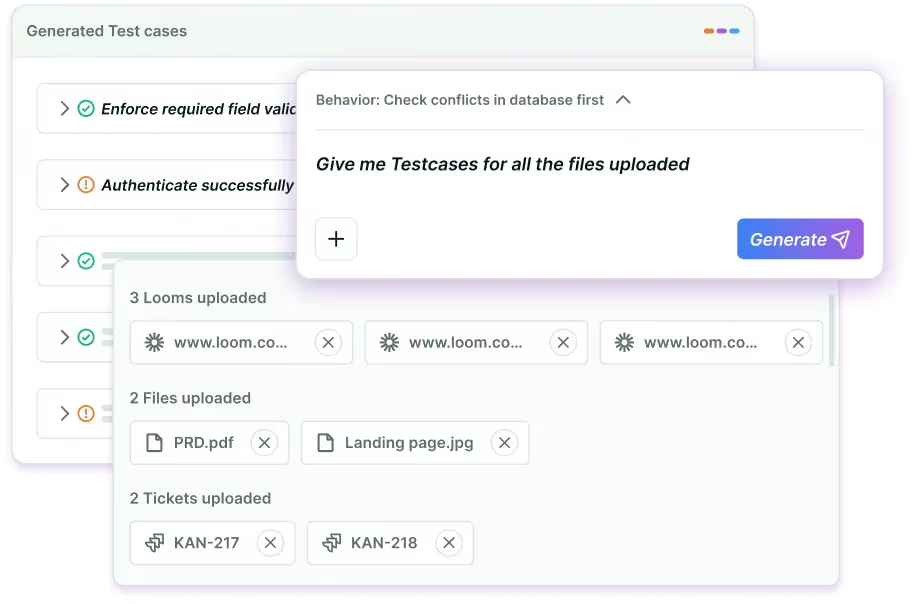
The difference is the model. BotGauge operates as a fully managed autonomous testing partner, combining AI agents with a dedicated domain FDE pod that validates every test before it runs. BotGauge owns the test scripts, maintenance, coverage, and the testing outcomes. Your engineers write code and ship features.
Here’s what AQaaS looks like in practice:
- Share your PRDs, Figma files, or user stories. BotGauge’s AI reads your application and maps every functional, UI, and API workflow.
- The domain FDE pod reviews what the AI generated, catches false positives, and validates coverage before anything runs.
- Tests execute autonomously on every commit. When code changes, tests self-heal. When something breaks, you get an actionable bug report with root cause analysis.
Your engineers ship. BotGauge handles your web app testing end-to-end, from functional UI validation and API testing to [chatbot testing](https://www.botgauge.com/chatbot-testing).
| | | | |
| --- | --- | --- | --- |
| **0%** flake rate | **6 hrs** saved per engineer per week | **10x** ROI with autonomous QA | **14 days** to 80% coverage |
### **Why AI + human experts outperform AI-only tools**
[AI testing tools](https://www.botgauge.com/blog/ai-test-automation-tools) generate tests, and no one verifies. Traditional frameworks require your engineers to write everything. BotGauge sits between them: AI does generation at scale, domain QA experts validate before anything ships.
That’s how they achieve a 0% flake rate, even as both pure AI tools and traditional frameworks struggle with false positives and stale scripts.
### **Enterprise-ready from day one**
- SOC 2 Type II certified
- Full data isolation: your application data never trains external AI models
- Your FDE pod signs NDAs and stays embedded in your sprint cycle
- Compliance-sensitive teams in financial services and healthcare can use BotGauge without compromising audit requirements
### **Integrations your team already uses**
Jira, GitHub, GitLab, Linear, Slack, ClickUp, Postman, TestRail, and Xray. BotGauge plugs into your existing CI/CD pipeline. Tests run automatically on every build, with no engineering setup required.
## [**BotGauge x Ripple**](https://www.botgauge.com/stories/ripple) **– The Autonomous Testing Journey**
Ripple shipped weekly, and their QA couldn’t keep up. Every release meant 2 to 3 weeks of manual regression testing, spreadsheets, and engineers waiting around for QA to catch up. BotGauge fixed that. Their AI agents took over [automated regression testing](https://www.botgauge.com/solutions/automated-regression-testing) entirely, automating 80% of it in under a week, and cut execution time by 90%.
Ripple’s engineers haven’t touched test maintenance since onboarding. They build, BotGauge tests, and weekly releases just happen now. Same-day coverage instead of a 3-week wait changes how a team thinks about shipping.
## **Conclusion**
Most QA processes were built for teams shipping every few weeks. Your team probably ships every few days now, sometimes every few hours. Hand-maintained test scripts break faster than anyone can fix them. Coverage falls behind. Release confidence goes with it.
Autonomous testing agents fix the mismatch. They generate tests from your actual requirements, adapt as UIs change, and run on every commit without anyone having to schedule them.
One thing tool comparisons usually skip: autonomy without validation is just faster noise. 400 unreviewed tests calling itself coverage is worse than 50 someone actually thought about. The teams getting real value treat agent output as a starting point, not a finish line.
That’s the gap [BotGauge](https://www.botgauge.com/) closes. AI generates at scale. A dedicated domain FDE pod validates before anything ships. You get breadth from the agent, accuracy from the human layer.
## Frequently asked questions
Can autonomous testing agents replace QA engineers?
They replace the mechanical work: writing selectors, maintaining scripts, running repeatable test cases. QA engineers shift toward defining acceptance criteria, reviewing agent output, and making risk-based decisions about coverage. The job gets more strategic, less repetitive.
Are autonomous testing agents reliable enough for CI/CD pipelines?
With a human validation layer, yes. The safest approach: run autonomous agents for exploratory and regression coverage, keep deterministic scripted tests as release gates for critical paths.
Can autonomous testing agents replace manual QA engineers?
No. Autonomous testing agents automate repetitive testing tasks such as test creation, execution, maintenance, and bug reporting. QA engineers continue to define quality strategy, validate complex business scenarios, perform exploratory testing, and make release decisions. BotGauge combines AI-driven execution with human oversight to deliver reliable test outcomes.
What is the cost difference between traditional automation and autonomous agents?
Traditional automation requires ongoing investment in test scripting, framework maintenance, and infrastructure. Autonomous testing agents reduce these costs by automatically generating, executing, and maintaining tests. With BotGauge, teams eliminate most script maintenance overhead and scale automated UI testing without expanding QA resources.
How do you test the reliability of autonomous AI agents?
Evaluate autonomous testing agents on consistent execution accuracy, low false positives, adaptation to UI changes, quality of bug reports, and stability across repeated test runs. BotGauge validates every AI-generated test through expert review and continuously monitors execution quality to ensure reliable, production-ready results.

About the Author
##### Yamini Priya J
A content marketer who started out writing code and found my way into brand strategy. Seven years into marketing, I still think like a developer. I break the problem down, find the logic, then tell the story clearly. I write for tech companies whose audiences know their stuff, and so do I. Still powered by coffee ☕️
### More from our Blog

## Agentic AI Testing: The Future of Autonomous Software Testing
Traditional automation follows predefined instructions. Agentic AI testing enables intelligent agents to understand application behavior, adapt to changes, investigate failures, and continuously improve test execution. The result is faster releases, more reliable testing, and less manual QA effort.
[Read article](https://www.botgauge.com/blog/agentic-ai-testing)
## Automated UI Testing: What It Is, Tools, Best Practices
Automated UI testing enables teams to verify application behavior at scale without relying on repetitive manual testing. Explore how AI-powered automation streamlines test creation, execution, and maintenance to deliver faster feedback and more reliable software releases.
[Read article](https://www.botgauge.com/blog/automated-ui-testing)
## Should You Hire a QA Engineer or Use Autonomous QA?
A mid-level QA engineer costs $180K to $220K in year one. Salary, benefits, tooling, ramp time, maintenance. It adds up fast. AI testing agents handle a significant chunk of that work for a fraction of the cost. This article breaks down what each path costs, when to hire, when to automate, and why the fastest teams do both.
[Read article](https://www.botgauge.com/blog/hiring-qa-engineer-vs-choosing-autonomous-qa)
Autonomous Testing for Modern Engineering Teams
[Book a Demo](https://calendly.com/botgauge/30min)
## BDD Test Cases Guide
BBD test casesTest Casestesting
# BDD Test Cases: How To Write, Examples, and Best Practices
Learn the essentials of BDD test cases to streamline your testing process and foster communication between developers and stakeholders.
Feb 20, 20268 min read
Try for Free [Book a Demo](https://calendly.com/botgauge/30min)

TABLE OF CONTENT
[What is Behavior-Driven Development (BDD)?](https://www.botgauge.com/blog/bdd-test-cases#heading1) [Importance of BDD in Modern Software Development](https://www.botgauge.com/blog/bdd-test-cases#heading2) [Understanding BDD Test Cases](https://www.botgauge.com/blog/bdd-test-cases#heading3) [Given:](https://www.botgauge.com/blog/bdd-test-cases#heading4) [When:](https://www.botgauge.com/blog/bdd-test-cases#heading5) [Then:](https://www.botgauge.com/blog/bdd-test-cases#heading6) [And/But:](https://www.botgauge.com/blog/bdd-test-cases#heading7) [Structure of a BDD Test Case](https://www.botgauge.com/blog/bdd-test-cases#heading8) [Writing Effective BDD Test Cases](https://www.botgauge.com/blog/bdd-test-cases#heading9) [Best Practices for Writing BDD Test Cases](https://www.botgauge.com/blog/bdd-test-cases#heading10) [Common Mistakes to Avoid](https://www.botgauge.com/blog/bdd-test-cases#heading11) [Examples of BDD Test Cases](https://www.botgauge.com/blog/bdd-test-cases#heading12) [Tools for BDD Test Case Management](https://www.botgauge.com/blog/bdd-test-cases#heading13) [How Can BotGauge Help to Create BDD Test Cases?](https://www.botgauge.com/blog/bdd-test-cases#heading14) [Conclusion](https://www.botgauge.com/blog/bdd-test-cases#heading15) [Frequently Asked Questions](https://www.botgauge.com/blog/bdd-test-cases#heading16)
Start your AI testing pilotGenerate, run, and maintain tests across your CI/CD workflow with less manual effortTry for Free
SHARE THIS ARTICLE
[LinkedIn](https://www.linkedin.com/sharing/share-offsite/?url=https%3A%2F%2Fwww.botgauge.com%2Fblog%2Fbdd-test-cases)[Twitter](https://twitter.com/intent/tweet?url=https%3A%2F%2Fwww.botgauge.com%2Fblog%2Fbdd-test-cases)
[Home](https://www.botgauge.com/) [Blog](https://www.botgauge.com/blog) [bdd-test-cases](https://www.botgauge.com/blog/bdd-test-cases#)
Behavior-Driven Development (BDD) has emerged as a powerful approach in the world of software development, helping Teams to connect technical experts and non-technical stakeholders, ensuring everyone is on the same page. A strong foundation starts with [understanding test cases in software testing](https://www.botgauge.com/blog/understanding-test-cases-in-software-testing). Teams handle this at scale with [automated functional testing](https://www.botgauge.com/solutions/automated-functional-testing). For related coverage, see [Cucumber testing](https://www.botgauge.com/blog/cucumber-testing) and [Gherkin test cases](https://www.botgauge.com/blog/gherkin-test-cases).
At the heart of BDD are [test cases](https://www.botgauge.com/blog/understanding-test-cases-in-software-testing) for BDD, which are crucial in ensuring that software behaves as expected. This guide will walk you through the importance of writing BDD test cases, providing you with the knowledge and tools to create effective test scenarios that can enhance your development process.
## What is Behavior-Driven Development (BDD)?
Behavior-Driven Development (BDD) is a software development process that Brings developers, testers, and business stakeholders together to work as a team. BDD focuses on the expected behavior of the application, ensuring that everyone involved has a shared understanding of how the software should function.
### **Importance of BDD in Modern Software Development**
In modern Agile environments, BDD plays a critical role by:
#### **Improving communication:**
BDD fosters better collaboration by bridging the gap between technical and non-technical team members with a shared language.
#### **Ensuring clarity:**
The use of plain language in BDD helps in writing clear, understandable test scenarios.
#### **Enhancing test coverage:**
By focusing on behavior, BDD ensures that all possible scenarios are considered and tested.
## Understanding BDD Test Cases
BDD test cases are written in a format that describes the expected behavior of the application in different situations. These scenarios are typically written using the Gherkin language, which follows a simple, structured format.
#### **The Gherkin Language**
Gherkin is a domain-specific language for describing tests in a way that is accessible to all stakeholders. It uses a straightforward syntax consisting of the following keywords:
### **Given:**
Specifies the initial context of the scenario.
### **When:**
Explains the specific action or event that sets the behavior in motion.
### **Then:**
Defines the expected outcome of the scenario.
### **And/But:**
Used to combine multiple conditions or outcomes.
## Structure of a BDD Test Case
A typical BDD test case follows this structure:
#### **Feature:**
Title of the feature being tested.
#### **Scenario:**
Title of the specific scenario.
#### **Given:**
\[initial context\]
#### **When:**
\[event occurs\]
#### **Then:**
\[expected outcome\]
#### **And/But:**
\[additional outcomes or conditions\]
## Writing Effective BDD Test Cases
Creating effective BDD test cases requires a clear understanding of the application’s behavior and the ability to translate that understanding into well-structured scenarios. Here are some key steps to help you write it:
#### **Identify the Features to Be Tested**
#### **Break Down Features into Scenarios**
Once you’ve identified the features, break them down into individual scenarios. Each scenario should represent a specific aspect of the feature’s behavior.
#### **Use Simple and Clear Language**
When writing the scenarios, use simple and clear language that can be easily understood by all stakeholders. Avoid technical jargon and focus on describing the behavior in plain terms.
#### **Follow the Gherkin Structure**
Adhere to the Gherkin structure (Given, When, Then) to ensure that your scenarios are consistent and easy to follow. This structure helps in clearly defining the context, action, and expected outcome of each scenario.
#### **Focus on Behavior, Not Implementation**
It should focus on the behavior of the application, not on its implementation. This means describing what the application should do rather than how it should do it.
#### **Collaborate with Stakeholders**
Involve all relevant stakeholders in the process of writing BDD test cases. Collaboration ensures that the scenarios accurately reflect the expected behavior and meet the needs of both the business and the development team.
## Best Practices for Writing BDD Test Cases
To create high-quality BDD test cases, follow these best practices:
#### **Keep Scenarios Small and Focused**
Each scenario should test a single behavior or aspect of the feature. Keeping scenarios small and focused makes them easier to understand, maintain, and execute.
#### **Avoid Duplication**
Avoid writing duplicate scenarios. If multiple scenarios test similar behavior, consider combining them or using background steps to set the initial context.
#### **Make Scenarios Independent**
Ensure that each scenario is independent and can be executed in isolation. This improves the reliability of your tests and makes them easier to maintain.
#### **Use Realistic Data**
Whenever possible, use realistic data in your scenarios. This makes it easier to spot any potential problems that could occur in a real-world environment.
#### **Regularly Review and Refactor Scenarios**
As the application evolves, regularly execute testing review and refactor your BDD test cases to ensure they remain relevant and up-to-date.
## Common Mistakes to Avoid
While writing BDD test cases, be mindful of these common pitfalls:
#### Writing Scenarios that Are Too Detailed
Test cases or test Scenarios should describe the behavior at a high level, focusing on the “what” rather than the “how.” Avoid getting bogged down in implementation details.
#### Ignoring Edge Cases
Ensure that your scenarios cover all possible edge cases, not just the most common paths. This helps in identifying potential issues that might be overlooked.
#### Overcomplicating the Language
While Gherkin allows for expressive scenarios, avoid overcomplicating the language. Keep your scenarios simple and straightforward.
## Examples of BDD Test Cases
Let’s explore some examples of BDD test cases to illustrate the principles discussed.
#### Example 1: Login Feature
#### **Feature:**
User Login
#### **Scenario:**
Logging In with Valid Credentials
Given the user navigates to the login page
When they enter the correct username and password
Then they should be successfully redirected to the dashboard
##### **Scenario:**
Unsuccessful login with invalid credentials
Given the user navigates to the login page
When they enter the Incorrect username and password
Then an error message should be displayed
#### **Scenario:**
Password reset
Given the user has forgotten their password
When the user requests a password reset
Then a password reset link should be sent to their email
#### **Example 2: Shopping Cart Feature**
#### **Feature:**
Shopping Cart Management
#### **Scenario:**
Adding an item to the cart
Given the user is viewing a product
When the user adds the product to the cart
Then the product should be displayed in the shopping cart
#### **Scenario:**
Removing an item from the cart
Given the user has an item in the cart
When the user removes the item from the cart
Then the cart should be empty
## Tools for BDD Test Case Management
There are several tools available that can help you manage your BDD test cases more effectively:
#### **Cucumber**
Cucumber is one of the most popular BDD frameworks, offering a simple and intuitive interface for writing and managing BDD test cases. It supports various languages and integrates seamlessly with other testing tools.
#### **SpecFlow**
SpecFlow is a BDD framework for .NET that allows you to define, manage, and execute it in your preferred .NET language.
#### **JBehave**
JBehave is a BDD framework for Java that enables you to write and manage BDD test cases using the Gherkin language.
## How Can BotGauge Help to Create BDD Test Cases?
AI is transforming the way BDD test cases are generated by streamlining the process, boosting efficiency, and enhancing test coverage. Tools like [BotGauge](https://www.botgauge.com/) AI Test Case Generator leverage advanced algorithms to create detailed, context-specific test cases, minimizing manual effort and accelerating testing cycles.
#### **Key Advantages:**
#### **Automated Scenario Generation:**
BotGauge AI generates test cases directly from user stories and workflows, ensuring all critical scenarios are covered, including those easily overlooked manually.
#### **Increased Efficiency:**
Automating the test case generation process saves valuable time and reduces resource expenditure.
#### **Comprehensive Coverage:**
AI ensures robust testing by addressing both standard scenarios and edge cases.
#### **Dynamic Adaptation**:
Continuously learns from code updates and prior tests to refine and improve future test cases.
## Conclusion
Writing effective BDD test cases is essential for ensuring that your software behaves as expected and meets the needs of all stakeholders. By following the best practices and guidelines outlined in this guide, you can create BDD Test cases that are straightforward, to the point, and simple to understand.
Remember to collaborate with your team, focus on behavior, and regularly review your scenarios to keep them relevant. With the right approach and tools, you can leverage BDD to improve your development process and deliver high-quality software.
## Frequently Asked Questions
What is the difference between BDD and TDD?
While both BDD (Behavior-Driven Development) and TDD (Test-Driven Development) are testing methodologies, BDD focuses on the behavior of the application as understood by all stakeholders, while TDD focuses on the code and implementation.
Can BDD be used for non-functional testing?
Yes, BDD can be extended to non-functional testing, such as performance testing, by defining scenarios that describe the expected behavior under different conditions.
How can I ensure that my BDD test cases are effective?
Ensure that your BDD test cases are small, focused, and cover all possible scenarios, including edge cases. Collaborate with stakeholders and regularly review your test cases to keep them relevant.
What is the best tool for managing BDD test cases?
The best tool depends on your specific needs and environment. Cucumber, SpecFlow, and TestRail are popular options that offer robust BDD test case management features.
Autonomous Testing for Modern Engineering Teams
[Book a Demo](https://calendly.com/botgauge/30min)
## Best QA Services 2025
AI-powered testingAPI testing automationautomated testing frameworkscontinuous testingDevOps testingno-code automationperformance testing automationQA automation toolsregression testing automationsoftware testing automation
# 7 Best Automated QA Services in US for Faster, Scalable Testing
Discover the top 7 automated QA services in the US for 2025. Compare features, pricing & capabilities to choose the perfect testing solution for your business.
Aug 25, 20258 min read
Try for Free [Book a Demo](https://calendly.com/botgauge/30min)
TABLE OF CONTENT
[Leading Automated QA Software Platforms Transforming Testing in 2025](https://www.botgauge.com/blog/best-automated-qa-services-in-us#heading1) [A) AI-Powered No-Code Solutions](https://www.botgauge.com/blog/best-automated-qa-services-in-us#heading2) [B) Enterprise-Grade Automation Frameworks](https://www.botgauge.com/blog/best-automated-qa-services-in-us#heading3) [B) Cloud-Based Testing Platforms](https://www.botgauge.com/blog/best-automated-qa-services-in-us#heading4) [1\. BotGauge – Revolutionary AI-Driven Automated QA Services](https://www.botgauge.com/blog/best-automated-qa-services-in-us#heading5) [2\. TestingXperts – Comprehensive Test Automation Services](https://www.botgauge.com/blog/best-automated-qa-services-in-us#heading6) [3\. QualityLogic – Veteran Automated Testing Company](https://www.botgauge.com/blog/best-automated-qa-services-in-us#heading7) [4\. Qualitest Group – Global Leader in Quality Engineering](https://www.botgauge.com/blog/best-automated-qa-services-in-us#heading8) [5\. ImpactQA – End-to-End Automation Testing Services](https://www.botgauge.com/blog/best-automated-qa-services-in-us#heading9) [6\. QASource – AI-Led QA and Software Testing Services](https://www.botgauge.com/blog/best-automated-qa-services-in-us#heading10) [7\. Cigniti Technologies – Scriptless Test Automation Framework](https://www.botgauge.com/blog/best-automated-qa-services-in-us#heading11) [How BotGauge Can Help Transform Your Automated QA Services Strategy](https://www.botgauge.com/blog/best-automated-qa-services-in-us#heading12) [Conclusion](https://www.botgauge.com/blog/best-automated-qa-services-in-us#heading13) [FAQ's](https://www.botgauge.com/blog/best-automated-qa-services-in-us#heading14)
Start your AI testing pilotGenerate, run, and maintain tests across your CI/CD workflow with less manual effortTry for Free
SHARE THIS ARTICLE
[LinkedIn](https://www.linkedin.com/sharing/share-offsite/?url=https%3A%2F%2Fwww.botgauge.com%2Fblog%2Fbest-automated-qa-services-in-us)[Twitter](https://twitter.com/intent/tweet?url=https%3A%2F%2Fwww.botgauge.com%2Fblog%2Fbest-automated-qa-services-in-us)
[Home](https://www.botgauge.com/) [Blog](https://www.botgauge.com/blog) [best-automated-qa-services-in-us](https://www.botgauge.com/blog/best-automated-qa-services-in-us#)
Automated QA services have become a core driver of software quality in 2025. Businesses no longer rely on slow, manual test cycles. Instead, they adopt test automation platforms and [**_automated QA software_**](https://www.botgauge.com/) that accelerate release speed, cut regression costs, and keep up with complex app ecosystems. Reports project the automation testing market at nearly **$20.6 billion in 2025**, with US-based providers leading the charge in innovation.
Teams now expect solutions that offer plain-English test case creation, self-healing locators, and seamless integration with CI/CD pipelines. Whether it’s software testing automation for mobile apps, regression testing automation for product updates, or cross-browser testing for customer-facing web apps, demand keeps rising.
This blog highlights the seven best automated QA services in the US, including [**BotGauge**](https://www.botgauge.com/), giving you clear direction to select the right partner for your testing strategy.
## **Leading Automated QA Software Platforms Transforming Testing in 2025**
US companies now view automated QA services as a strategic requirement. The old reliance on brittle test scripts is being replaced by automated QA software that improves release speed and stability. In 2025, leading test automation platforms fall into three categories that define how teams manage testing across web, mobile, and APIs.
### **A) AI-Powered No-Code Solutions**
No-code automation platforms allow analysts and QA teams to design tests in plain English. By using AI-powered testing, they generate reusable flows, add self-healing locators, and reduce manual updates.
This makes them a strong fit for startups and fast-moving teams that want rapid test coverage without relying heavily on engineering resources.
### **B) Enterprise-Grade Automation Frameworks**
Large organizations adopt enterprise-grade automated testing frameworks such as _Selenium, Playwright,_ and _Cypress_. These frameworks support complex suites, integrate tightly with DevOps, and give engineering teams control over test architecture. They are effective for enterprises that need regression testing automation, API validation, and governance across multiple applications.
### **B) Cloud-Based Testing Platforms**
Cloud-based testing platforms provide access to real devices and browsers on demand. They enable cross-browser testing, performance testing automation, and continuous testing at scale.
_A table for Automated QA Services Comparison:_
| | | | | |
| --- | --- | --- | --- | --- |
| **No.** | **Service Provider** | **Key Features** | **Industry Catered** | **Best For** |
| **1** | [**BotGauge**](https://www.botgauge.com/) | AI-powered test creation, self-healing locators, full-stack coverage, CI/CD | E-commerce, SaaS, fintech, healthcare | Teams wanting no-code automated QA services with scalable coverage |
| **2** | **TestingXperts** | Proprietary frameworks, AI/RPA solutions, cross-browser & API testing | Banking, retail, insurance, healthcare | Enterprises needing scalable test automation platforms |
| **3** | **QualityLogic** | Regression automation, performance testing, accessibility, on-shore delivery | Energy, telecom, healthcare, government | Firms preferring US-based automated QA software and domain expertise |
| **4** | **Qualitest Group** | AI-led test design, scalability solutions, cloud integrations | Banking, gaming, healthcare, retail | Enterprises seeking global software testing automation |
| **5** | **ImpactQA** | 24/7 test support, API/mobile testing, performance & security automation | BFSI, healthcare, retail, e-commerce | Companies needing 24/7 QA automation tools execution |
| **6** | **QASource** | AI-led QA, regression automation, domain-specific accelerators, CI/CD support | Fintech, healthcare, legal, e-commerce | Businesses requiring dedicated automated QA services teams |
| **7** | **Cigniti Technologies** | Scriptless automation (iNSta), CoE support, dashboards, regression savings | Banking, insurance, manufacturing, retail | Enterprises adopting scriptless test automation platforms |
These solutions cut infrastructure costs while offering real-time reporting and seamless CI/CD integration, making them popular among teams that need speed, scalability, and reliability in every release.
### **1\. BotGauge – Revolutionary AI-Driven Automated QA Services**
**Overview:**
[BotGauge](https://www.botgauge.com/) offers automated QA services with an AI-first, no-code platform that reduces maintenance effort and speeds up test creation. It focuses on self-healing tests, CI/CD integration, and plain-English case generation.
**Key Features:**
- Natural language test case creation
- Self-healing locators for stable automation
- Web, API, and data flow coverage
- Seamless CI/CD pipeline integration
**USP:** 20x faster test generation and up to 85% cost reduction in regression maintenance.
**Industry Catered:** E-commerce, SaaS, fintech, and healthcare.
**Best For:** Teams that want business-readable tests with minimal script upkeep.
### **2\. TestingXperts – Comprehensive Test Automation Services**
**Overview:**
TestingXperts delivers end-to-end automated QA services supported by proprietary frameworks, AI accelerators, and global delivery. It blends consulting with execution, helping enterprises adopt test automation platforms that improve release speed and reduce maintenance costs.
**Key Features:**
- IP-led frameworks for software testing automation
- Integration of AI and RPA for smarter test coverage
- Support for API, mobile, and cross-browser testing
- Governance models for enterprise-scale continuous testing
**USP:** Combines proprietary frameworks with AI/RPA, enabling faster deployment and lower regression upkeep.
**Industry Catered:** Banking, insurance, healthcare, retail, telecom, and e-commerce.
**Best For:** Enterprises seeking scalable automated QA software with enterprise governance and 24/7 support.
### **3\. QualityLogic – Veteran Automated Testing Company**
**Overview:**
QualityLogic has over 35 years of expertise in automated QA services, offering US-based teams that specialize in software testing automation and industry-specific compliance testing.
**Key Features:**
- Deep experience in regression testing automation and performance validation
- Specialized services for smart energy, accessibility, and media standards
- Flexible models using open-source and commercial QA automation tools
- On-shore delivery aligned with US time zones
**USP:** One of the most experienced US providers, known for stability, domain expertise, and long-standing client relationships.
**Industry Catered:** Smart energy, healthcare, telecom, media, and government.
**Best For:** Organizations needing reliable US-based test automation platforms with domain-driven solutions.
### **4\. Qualitest Group – Global Leader in Quality Engineering**
**Overview:**
Qualitest delivers global-scale automated QA services supported by AI-led quality engineering and advanced test automation platforms. Their solutions combine consulting, automation, and managed services for enterprises with complex technology stacks.
**Key Features:**
- AI-powered test design for software testing automation
- Enterprise scalability with frameworks covering API, UI, and performance testing automation
- Partnerships with leading QA automation tools providers ( _Tricentis, Sauce Labs, LambdaTest_)
- Risk-based approach to regression and continuous testing
**USP:** Integrates AI into testing workflows, enabling predictive insights and faster coverage at enterprise scale.
**Industry Catered:** Banking, healthcare, telecom, gaming, retail, and automotive.
**Best For:** Enterprises that require large-scale automated QA software with global delivery and AI-driven efficiency.
### **5\. ImpactQA – End-to-End Automation Testing Services**
**Overview:**
ImpactQA offers global automated QA services with a strong focus on delivering 24/7 support through offshore and onshore teams. Their approach blends [_open-source QA automation tools_](https://www.botgauge.com/blog/best-open-source-ai-testing-tools) with enterprise test automation platforms to streamline delivery cycles.
**Key Features:**
- Round-the-clock test execution for continuous testing
- Coverage across web, mobile, API, and performance testing automation
- Expertise in security, accessibility, and cross-browser testing
- Flexible engagement models for startups and enterprises
**USP:** Provides 24/7 execution windows that cut regression time and support global product releases.
**Industry Catered:** Banking, healthcare, retail, e-commerce, and media.
**Best For:** Companies needing dependable, end-to-end software testing automation with continuous global delivery.
### **6\. QASource – AI-Led QA and Software Testing Services**
**Overview:**
[QASource](https://www.qasource.com/) combines over two decades of expertise in automated QA services, offering dedicated teams that deliver scalable software testing automation with AI-driven accelerators and domain depth.
**Key Features:**
- Proven frameworks for UI, API, and regression testing automation
- AI-led defect prediction and test optimization
- Domain-specific accelerators across fintech, healthcare, and e-commerce
- Strong CI/CD alignment for continuous testing and delivery
**USP:** Long-term engagement model with AI-driven insights and flexible team structures tailored to client needs.
**Industry Catered:** Fintech, healthcare, e-commerce, legal tech, and enterprise SaaS.
**Best For:** Organizations seeking reliable automated QA software with dedicated pods and industry expertise.
### **7\. Cigniti Technologies – Scriptless Test Automation Framework**
**Overview:**
Cigniti, now part of Coforge, delivers advanced automated QA services through its BlueSwan™ suite and scriptless automation platform, helping enterprises modernize software testing automation at scale.
**Key Features:**
- Scriptless framework (iNSta) for faster regression testing automation
- Centralized Test Automation CoE with domain specialists
- Dashboards and analytics for continuous testing visibility
- Integration with leading test automation platforms and CI/CD tools
**USP:** Delivers measurable cost reduction, cutting automation design and maintenance effort by over 50%.
**Industry Catered:** Banking, insurance, healthcare, manufacturing, and retail.
**Best For:** Enterprises that want enterprise-grade automated QA software with scriptless frameworks and proven cost benefits.
## **How BotGauge Can Help Transform Your Automated QA Services Strategy**
[**BotGauge**](https://www.botgauge.com/) is one of the few AI-driven platforms offering automated QA services with unique features that set it apart from other automated QA software and test automation platforms. It combines flexibility, automation, and real-time adaptability for teams aiming to simplify software testing automation.
Our autonomous agent has created over a **_million test cases for clients_** across diverse industries. Backed by founders with **_10+ years of expertise in the testing domain_**, BotGauge has evolved into one of the most advanced AI-powered solutions in the market.
**Special Features:**
- **Natural Language Test Creation:** Write plain-English inputs; BotGauge converts them into automated test scripts.
- **Self-Healing Capabilities:** Automatically updates test cases when your app’s UI or logic changes.
- **Full-Stack Test Coverage:** From UI to APIs and databases, BotGauge supports regression testing automation, integrations, and continuous testing.
These features not only transform automated QA services but also deliver high-speed, low-cost testing with minimal setup and smaller QA teams.
_Explore more of BotGauge’s AI-driven testing features →_ [**_BotGauge_**](https://www.botgauge.com/) **_._**
## **Conclusion**
Many organizations still struggle with slow manual testing, unstable scripts, and high maintenance costs when scaling automated QA services. These drain resources, delay releases, and prevent teams from achieving the reliability that modern applications demand.
If left unresolved, businesses face missed deadlines, rising QA expenses, and frustrated end-users. Competitors that adopt advanced software testing automation quickly gain speed-to-market advantages, leaving others behind. Flaky suites and weak coverage can even lead to product failures, compliance issues, and lost revenue.
This is where [**BotGauge**](https://www.botgauge.com/) delivers a solution. With AI-driven automated QA software, natural language test creation, and self-healing capabilities, it replaces unstable scripts with scalable test automation platforms.
[**_Connect with BotGauge today_**](https://www.botgauge.com/contact) to achieve faster releases and reliable continuous testing that scales with your business growth.
## FAQ's
What are automated QA services and why are they important in 2025?
Automated QA services use QA automation tools and test automation platforms to execute tests without manual intervention. In 2025, they are critical for faster releases, reduced QA costs, and improved accuracy. These services provide stable regression cycles, greater test coverage, and consistent quality across APIs, mobile apps, and cross-browser testing environments.
How does BotGauge simplify automated QA software adoption?
BotGauge simplifies automated QA software adoption with AI-powered, no-code testing. Teams can write test cases in plain English, and the platform auto-generates and maintains them using self-healing locators. This reduces regression maintenance, speeds up software testing automation, and integrates with CI/CD pipelines for seamless continuous delivery.
What cost savings can be achieved with test automation platforms?
Test automation platforms can cut QA costs by 50–85% through regression testing automation, reducing flaky scripts, and accelerating continuous testing. Businesses using advanced automated QA services see faster time-to-market, improved defect detection, and significant resource savings, making testing more predictable and scalable.
Which industries benefit the most from automated QA services?
Industries such as banking, healthcare, SaaS, retail, and e-commerce benefit most from automated QA services. These sectors require frequent updates and compliance-ready software testing automation. Automated QA software improves speed, accuracy, and stability across web, API, and cross-browser testing while increasing customer trust.
How do automated QA services fit into DevOps pipelines?
Automated QA services integrate with Jenkins, GitHub Actions, and GitLab to enable continuous testing in CI/CD pipelines. Teams can trigger tests on every commit, detect issues early, and release faster. This alignment increases efficiency and ensures reliable, high-quality software at scale.
What types of testing can automated QA software handle?
Automated QA software supports UI testing, API testing, performance testing, cross-browser testing, regression testing, and database validation. By using unified test automation platforms, businesses gain wider test coverage, faster defect detection, and lower maintenance costs across complex applications.
### More from our Blog

## 10 Test Case Writing Tips from QA Experts for 2025
Discover 10 expert tips on how to write test cases for maximum clarity and coverage. Enhance QA with writing strategies and top test case writer tools in 2025.
[Read article](https://www.botgauge.com/blog/test-case-writing-tips)
Autonomous Testing for Modern Engineering Teams
[Book a Demo](https://calendly.com/botgauge/30min)
## Affordable QA Testing Solutions
affordable QA partnerai qa testingautonomous QAbest budget QA outsourcingbest QA companies for startupsmanaged QA outsourcingQA cost comparisonqa testing outsourcing companiesstartup QA servicestop QA vendors small business
# Best Budget QA Testing Outsourcing Companies for Startups
Compare the best budget QA testing outsourcing companies for startups. Pricing, automation & affordable QA partners for fast-growing teams.
Dec 26, 20258 min read
Try for Free [Book a Demo](https://calendly.com/botgauge/30min)
TABLE OF CONTENT
[Why Startups Outsource QA](https://www.botgauge.com/blog/best-budget-qa-testing-outsourcing-companies-startups#heading1) [What “Budget QA Testing or Outsourcing” Actually Means](https://www.botgauge.com/blog/best-budget-qa-testing-outsourcing-companies-startups#heading2) [Comparison: Best Budget QA Testing Outsourcing Companies](https://www.botgauge.com/blog/best-budget-qa-testing-outsourcing-companies-startups#heading3) [Vendor-by-Vendor Breakdown](https://www.botgauge.com/blog/best-budget-qa-testing-outsourcing-companies-startups#heading4) [1\. BotGauge , Autonomous QA for Budget-Conscious Startups](https://www.botgauge.com/blog/best-budget-qa-testing-outsourcing-companies-startups#heading5) [2\. Testlio , Crowdsourced Testing at a Premium](https://www.botgauge.com/blog/best-budget-qa-testing-outsourcing-companies-startups#heading6) [3\. QA Mentor , Traditional but Predictable](https://www.botgauge.com/blog/best-budget-qa-testing-outsourcing-companies-startups#heading7) [4\. a1qa , Offshore Managed QA Teams](https://www.botgauge.com/blog/best-budget-qa-testing-outsourcing-companies-startups#heading8) [5\. ImpactQA , Entry-Level Budget Option](https://www.botgauge.com/blog/best-budget-qa-testing-outsourcing-companies-startups#heading9) [Which QA Outsourcing Is Cheapest?](https://www.botgauge.com/blog/best-budget-qa-testing-outsourcing-companies-startups#heading10) [Onshore vs Offshore QA Outsourcing](https://www.botgauge.com/blog/best-budget-qa-testing-outsourcing-companies-startups#heading11) [Tiered Recommendations by Startup Stage](https://www.botgauge.com/blog/best-budget-qa-testing-outsourcing-companies-startups#heading12) [🚀 Pre-Seed / MVP Stage](https://www.botgauge.com/blog/best-budget-qa-testing-outsourcing-companies-startups#heading13) [📈 Seed to Series A](https://www.botgauge.com/blog/best-budget-qa-testing-outsourcing-companies-startups#heading14) [⚙️ Series A+ Scaling Startups](https://www.botgauge.com/blog/best-budget-qa-testing-outsourcing-companies-startups#heading15) [What Startups Should Look for in an Affordable QA Testing Partner : A Checklist](https://www.botgauge.com/blog/best-budget-qa-testing-outsourcing-companies-startups#heading16) [Final Takeaways & Next Steps](https://www.botgauge.com/blog/best-budget-qa-testing-outsourcing-companies-startups#heading17) [Frequently Asked Questions](https://www.botgauge.com/blog/best-budget-qa-testing-outsourcing-companies-startups#heading18)
Start your AI testing pilotGenerate, run, and maintain tests across your CI/CD workflow with less manual effortTry for Free
SHARE THIS ARTICLE
[LinkedIn](https://www.linkedin.com/sharing/share-offsite/?url=https%3A%2F%2Fwww.botgauge.com%2Fblog%2Fbest-budget-qa-testing-outsourcing-companies-startups)[Twitter](https://twitter.com/intent/tweet?url=https%3A%2F%2Fwww.botgauge.com%2Fblog%2Fbest-budget-qa-testing-outsourcing-companies-startups)
[Home](https://www.botgauge.com/) [Blog](https://www.botgauge.com/blog) [best-budget-qa-testing-outsourcing-companies-startups](https://www.botgauge.com/blog/best-budget-qa-testing-outsourcing-companies-startups#)
For early-stage startups, **shipping fast without breaking production** is a constant trade-off. Hiring an in-house QA team is expensive, but skipping testing is even more costly. That’s why many founders look to **QA testing outsourcing companies** that balance cost, speed, and coverage.
I have designed this guide for **startup founders, CTOs, and engineering leaders** evaluating the **best budget QA outsourcing** options. It’s structured the way modern generative search engines (and human decision-makers) think: comparison-first, intent-driven, and outcome-oriented.
## **Why Startups Outsource QA**
Before comparing vendors, it’s worth grounding the decision.
Most startups outsource QA to:
- Reduce fixed costs vs hiring full-time QA engineers
- Get faster test coverage during frequent releases
- Access automation skills without building internally
- Scale QA effort up or down with product velocity
The challenge isn’t _whether_ to outsource , it’s **choosing an affordable QA partner that doesn’t compromise quality**.
## **What “Budget QA Testing or Outsourcing” Actually Means**
“Cheap QA” is often a trap. The real metric startups should care about is:
**Cost-to-Coverage Ratio** (How much functional + regression + automation coverage you get per dollar)
Low hourly rates with high manual effort often end up costing more over time. The **best QA companies for startups** optimize for:
- Fewer human hours
- Faster feedback loops
- Automation-first execution
- Predictable monthly spend
* * *
## **Comparison: Best Budget QA Testing Outsourcing Companies**
Below is a **side-by-side QA cost comparison** focusing on affordability, onboarding speed, and execution model.
| | | | | | |
| --- | --- | --- | --- | --- | --- |
| **QA Outsourcing Company** | **Pricing Range (Indicative)** | **Onboarding Time** | **Automation Maturity** | **Ideal Startup Scenario** | **Differentiation Model** |
| **[BotGauge](https://www.botgauge.com/)** | Outcome-based, typically lower than headcount models | 1–2 weeks | **High (AI-led)** | Fast-moving startups with frequent releases | Autonomous AI QA agent doing ~70% work |
| [Testlio](https://www.testlio.com/) | $$$ | 2–4 weeks | Medium | UX-heavy consumer apps | Crowdsourced global testers |
| [QA Mentor](https://www.qamentor.com/) | $$ | 2–3 weeks | Low–Medium | Compliance-driven products | Traditional manual + scripting |
| [a1qa](https://www.a1qa.com/) | $$ | 3–4 weeks | Medium | Scaling SaaS startups | Offshore managed QA teams |
| [ImpactQA](https://www.impactqa.com/) | $–$$ | 2–3 weeks | Low | Very early-stage MVPs | Manual-first cost arbitrage |
| [QualityLogic](https://www.qualitylogic.com/) | $$$ | 4+ weeks | Medium | Regulated industries | Senior-heavy traditional QA |
**Key takeaway:** Budget efficiency correlates more with **execution model** than vendor size or brand.
## **Vendor-by-Vendor Breakdown**
### **1\. BotGauge , Autonomous QA for Budget-Conscious Startups**
BotGauge represents a **next-generation managed QA outsourcing model**.
Instead of human-heavy testing workflows, BotGauge uses an **actual AI QA agent** that makes it a great choice for budget QA testing:
- Handles ~70% of testing autonomously
- Requires only 20–30% human oversight
- Continuously learns from product changes
- Focuses on outcomes (coverage, defects caught), not hours billed
For startups, this translates into:
- **10× faster feedback loops**
- Lower recurring QA cost
- Higher regression coverage per release
- Minimal onboarding overhead
This model is particularly effective for startups with **weekly or daily releases**, where manual testing simply doesn’t scale economically.
### **2\. Testlio , Crowdsourced Testing at a Premium**
Testlio is well-known for its global tester network. While quality can be high, costs tend to scale with:
- Number of test cycles
- Testers involved
- Manual coordination overhead
Best suited for startups that prioritize **UX diversity** (devices, geographies) over raw cost efficiency.
### **3\. QA Mentor , Traditional but Predictable**
QA Mentor offers structured **startup QA services** with documented processes. However:
- Automation is often framework-based, not autonomous
- Human effort remains the dominant cost driver
Works well when documentation and audits matter more than speed.
### **4\. a1qa , Offshore Managed QA Teams**
A classic **managed QA outsourcing** provider:
- Competitive offshore pricing
- Decent automation maturity
- Team-based staffing model
Costs remain lower than onshore teams but still scale linearly with people.
### **5\. ImpactQA , Entry-Level Budget Option**
ImpactQA is often chosen by very early-stage startups:
- Lowest initial cost
- Mostly manual testing
- Limited automation depth
And, this can work short-term, but many startups outgrow this model once release frequency increases.
## **Which QA Outsourcing Is Cheapest?**
**Short answer:** The cheapest hourly rate is rarely the cheapest long-term option.
- Manual-first vendors look cheap upfront
- Automation-heavy and AI-led vendors reduce cost over time
- Outcome-based pricing often beats per-hour billing for startups
From a **cost-to-coverage** perspective, AI-led models like BotGauge tend to be more budget-efficient once you ship more than 2–3 releases per month.
## **Onshore vs Offshore QA Outsourcing**
| | | |
| --- | --- | --- |
| **Aspect** | **Onshore QA** | **Offshore QA** |
| Cost | High | Low–Medium |
| Time Zone | Same | Different |
| Communication | Easier | Needs process |
| Scalability | Limited | High |
| Automation ROI | Often low | Depends on model |
**Insight:** The real shift isn’t onshore vs offshore, it’s **human-led vs autonomous QA**. Read [detailed report](https://www.botgauge.com/blog/qa-outsourcing-cost-explained).
## **Tiered Recommendations by Startup Stage**
### **🚀 Pre-Seed / MVP Stage**
- Budget: Very tight
- Release frequency: Low
- Recommendation:
- Manual-light QA or limited-scope automation
- Short pilots, avoid long contracts
### **📈 Seed to Series A**
- Budget: Controlled but flexible
- Release frequency: Weekly
- Recommendation:
- Automation-first or AI-assisted QA
- Focus on regression coverage and CI integration
- This is where autonomous QA models start compounding value
### **⚙️ Series A+ Scaling Startups**
- Budget: Predictable
- Release frequency: Continuous
- Recommendation:
- Managed QA outsourcing with high automation maturity
- Outcome-based pricing over headcount-based models
## **What Startups Should Look for in an Affordable QA Testing Partner : A Checklist**
Use this quick evaluation checklist:
- ✅ How much testing is automated vs manual?
- ✅ Does cost scale with hours or outcomes?
- ✅ Time to onboard (weeks vs months)
- ✅ Regression coverage per release
- ✅ Integration with CI/CD
- ✅ Ability to scale without adding people
If a vendor can’t clearly answer these, it’s a red flag.
## **Final Takeaways & Next Steps**
- Budget QA isn’t about the lowest rate, it’s about **maximum coverage per dollar** making it the best budget QA testing option in the market.
- Automation maturity matters more than vendor size
- AI-driven QA models are changing the economics for startups
- Always pilot before committing long-term
**Next step:** When evaluating QA testing outsourcing companies, run a **30-day pilot** and measure:
- Defects caught pre-release
- Regression coverage
- Human hours required
- Cost per release
The numbers will make the decision obvious.
## Frequently Asked Questions
What are the best QA companies for startups?
The best QA companies for startups are those that balance affordability, speed, and automation maturity. AI-led and outcome-based QA providers often deliver higher ROI than traditional staff-augmentation or manual-heavy testing models.
Is QA outsourcing worth it for small startups?
Yes. QA outsourcing allows small startups to access testing expertise, tools, and broader coverage without the fixed cost of hiring and managing an in-house QA team, making it especially valuable during early growth stages.
How much does QA outsourcing cost?
QA outsourcing costs vary widely depending on the model. Manual offshore QA may start at a lower monthly cost, but automation-heavy or AI-led approaches often reduce total cost over time as release frequency, test coverage, and complexity increase.
What is managed QA outsourcing?
Managed QA outsourcing is a model where the vendor owns the entire testing function, including strategy, execution, tooling, and reporting, rather than simply providing individual testers. This approach is particularly effective for startups without dedicated QA leadership.
### More from our Blog
## QA Outsourcing for Startups: 2025 Complete Guide
A 2025 guide for startup founders on QA outsourcing, AI-driven QA, cost savings, coverage benchmarks, partner selection, common pitfalls.
[Read article](https://www.botgauge.com/blog/qa-outsourcing-for-startups-guide-2025)
Autonomous Testing for Modern Engineering Teams
[Book a Demo](https://calendly.com/botgauge/30min)
## Functional Testing Services
autonomous QAsoftware testingtest automation
# Best Functional Testing Services for Modern Software Teams
Functional testing services help ensure every feature of your application works exactly as intended before it reaches your users. From validating critical business workflows to preventing costly production defects, effective functional testing improves software quality, accelerates releases, and delivers a reliable user experience.
Aug 6, 20268 min read
Try for Free [Book a Demo](https://calendly.com/botgauge/30min)
TABLE OF CONTENT
[What Is Functional Testing?](https://www.botgauge.com/blog/best-functional-testing-services#heading1) [Key Aspects of a Functional Testing Strategy](https://www.botgauge.com/blog/best-functional-testing-services#heading2) [The Process of Our Functional Testing Services at BotGauge](https://www.botgauge.com/blog/best-functional-testing-services#heading3) [Functional Testing Approaches](https://www.botgauge.com/blog/best-functional-testing-services#heading4) [Unit Testing](https://www.botgauge.com/blog/best-functional-testing-services#heading5) [Smoke Testing](https://www.botgauge.com/blog/best-functional-testing-services#heading6) [Sanity Testing](https://www.botgauge.com/blog/best-functional-testing-services#heading7) [Integration Testing](https://www.botgauge.com/blog/best-functional-testing-services#heading8) [System Testing](https://www.botgauge.com/blog/best-functional-testing-services#heading9) [Usability Testing](https://www.botgauge.com/blog/best-functional-testing-services#heading10) [Regression Testing](https://www.botgauge.com/blog/best-functional-testing-services#heading11) [User Acceptance Testing (UAT)](https://www.botgauge.com/blog/best-functional-testing-services#heading12) [API And Web Services Testing](https://www.botgauge.com/blog/best-functional-testing-services#heading13) [How Functional Testing Services Are Delivered](https://www.botgauge.com/blog/best-functional-testing-services#heading14) [Key Features of a Functional Testing Service Provider](https://www.botgauge.com/blog/best-functional-testing-services#heading15) [Best Functional Testing Companies in the USA](https://www.botgauge.com/blog/best-functional-testing-services#heading16) [Functional Testing as a Service: How Pricing Models Differ](https://www.botgauge.com/blog/best-functional-testing-services#heading17) [Why BotGauge Is the Best Functional Testing Service Provider](https://www.botgauge.com/blog/best-functional-testing-services#heading18) [BotGauge at a Glance](https://www.botgauge.com/blog/best-functional-testing-services#heading19) [Conclusion](https://www.botgauge.com/blog/best-functional-testing-services#heading20) [Frequently Asked Questions](https://www.botgauge.com/blog/best-functional-testing-services#heading21)
Start your AI testing pilotGenerate, run, and maintain tests across your CI/CD workflow with less manual effortTry for Free
SHARE THIS ARTICLE
[LinkedIn](https://www.linkedin.com/sharing/share-offsite/?url=https%3A%2F%2Fwww.botgauge.com%2Fblog%2Fbest-functional-testing-services)[Twitter](https://twitter.com/intent/tweet?url=https%3A%2F%2Fwww.botgauge.com%2Fblog%2Fbest-functional-testing-services)
[Home](https://www.botgauge.com/) [Blog](https://www.botgauge.com/blog) [best-functional-testing-services](https://www.botgauge.com/blog/best-functional-testing-services#)
#### TL:DR
- Functional testing verifies that your application behaves according to business and user requirements.
- A strong testing strategy includes requirement traceability, risk-based prioritization, cross-browser testing, CI/CD integration, and clear reporting.
- Common testing approaches include unit, smoke, sanity, integration, system, regression, UAT, API, black-box, white-box, and usability testing.
- Functional testing can be delivered through manual testing, traditional automation, or AI-powered automation.
- When choosing a provider, evaluate domain expertise, automation capabilities, reporting quality, security practices, scalability, and CI/CD support.
- AI-powered functional testing combines intelligent automation with human QA expertise to improve test coverage, reduce maintenance, and accelerate releases.
- BotGauge uses AI agents and Forward Deployed Engineers (FDEs) to automate test creation, execution, and maintenance while delivering outcome-based functional testing.
Your app passed every unit test. Then a real user clicked “submit” on the checkout form, and nothing happened. That gap, between “the code runs” and “the feature actually works for a customer,” is exactly what functional testing closes. BotGauge builds functional testing services around one goal: your software does what you promised customers it would do. Every release. Every browser. Every device.
This guide covers what functional testing is, the approaches that work, what to look for in a functional app testing services provider, and how our team runs the process from first requirement to sign-off.
## **What Is Functional Testing?**
Functional testing is the process of verifying that an application works as expected by testing its features against defined business and functional requirements. It focuses on what the software does, validating user workflows, inputs, outputs, and expected behavior, without examining the underlying code.
The goal is simple: ensure every feature behaves correctly before it reaches users.
While functional testing confirms what the application does, non-functional testing evaluates how well it performs, including factors like speed, security, usability, and scalability.
## **Key Aspects of a Functional Testing Strategy**
A strong functional testing strategy is built into the development lifecycle instead of being treated as a final checkpoint before release. Here are the core elements:
- **Requirement-to-test traceability:** Every test case should map to a specific requirement or user story. This makes it easier to identify which tests need updates when requirements change.
- **Risk-based test prioritization:** Business-critical workflows, such as authentication, payments, and order processing, should receive more comprehensive test coverage than low-risk features.
- **Shift-left testing:** Test planning should begin alongside requirement gathering and development, helping teams catch defects earlier when they’re faster and less expensive to fix.
- **Cross-browser and cross-device coverage:** Applications should be validated across the browsers, operating systems, and devices used by real customers to ensure a consistent user experience.
- **Continuous testing in CI/CD:** Functional tests should run automatically with every code change or deployment, providing rapid feedback and preventing regressions from reaching production.
- **Clear, actionable reporting:** Test results should clearly identify failed scenarios, their impact, and the information developers need to resolve issues quickly.
### **The Process of Our Functional Testing Services at BotGauge**
BotGauge combines AI agents with domain-specialized FDE experts to put these best practices into action. AI agents generate test cases from requirements, execute and maintain end-to-end tests, detect flaky tests, and self-heal DOM changes.
Meanwhile, forward-deployed QA experts validate coverage, prioritize business-critical workflows, and ensure testing aligns with real product requirements. This allows teams to maintain reliable functional coverage without the overhead of constantly updating test suites.
See how BotGauge combines AI automation with expert QA to deliver reliable functional testing
[Start 30-day Pilot](https://www.botgauge.com/contact)
## **Functional Testing Approaches**
There’s no single right way to test software. Most teams move through a sequence of approaches, from the smallest unit of code up to the full application, then layer manual judgment and automation on top. Here’s the full sequence, in the order most teams actually hit it.
### **Unit Testing**
The smallest scope possible: one function, one class, one module, tested in isolation. Developers usually own this, and it catches bugs at the cheapest possible point, before the code ever merges. Frameworks like JUnit, PyTest, and Jest run these automatically on every commit.
### **Smoke Testing**
A fast pass over the most critical functions right after a new build lands: login works, the app opens, the homepage loads. Smoke testing (also called build verification testing) answers one question: is this build stable enough to test further, or does it go back to development?
### **Sanity Testing**
A narrow, quick check right after a small fix or a minor code change. Sanity testing confirms the specific area that changed actually works, without running a full regression pass. Testers run this, not developers, and only once smoke testing has already passed.
### **Integration Testing**
Individual modules can each pass their own tests and still break when they talk to each other. Integration testing checks the handoff points: does the payment module correctly pass a confirmed order to the shipping module, does the login service correctly hand a session token to the dashboard.
### **System Testing**
The fully assembled application, tested end-to-end against the complete set of requirements, in an environment built to look like production. This is the last full check before the software moves toward UAT or release.
### **Usability Testing**
Everything above confirms the software works. Usability testing checks whether real people can actually use it: can a first-time visitor find the checkout button, does the error message tell them what to fix, or just that something went wrong?
### **Regression Testing**
Every fix carries a risk of breaking something that used to work. Regression testing re-runs prior test cases to confirm existing features still hold up after new code lands, and it’s the approach that benefits most from automation.
### **User Acceptance Testing (UAT)**
Before go-live, real stakeholders or end users test the application against real business scenarios. It’s the last checkpoint before customers see it.
### **API And Web Services Testing**
Modern applications lean on dozens of APIs, internal and third-party. Functional testing web services means validating requests, responses, status codes, and error handling at the API layer, before the UI even loads.
Here’s the same approaches laid out by who owns them and when they fire in a typical release cycle:
| **Approach** | **Who Usually Runs It** | **When It Fires** |
| --- | --- | --- |
| Unit testing | Developers | Every commit |
| Smoke testing | Developers & testers | Right after a new build |
| Sanity testing | Testers | After a small fix |
| Integration testing | Testers & developers | Once modules connect |
| [System testing](https://www.botgauge.com/blog/system-testing) | QA team | Before UAT or release |
| Usability testing | UX researchers & testers | Before a major UI release |
| Regression testing | QA & automation | Every release |
| UAT | Business stakeholders | Just before go-live |
Read More: [Should You Hire a QA Engineer or Use Autonomous QA?](https://www.botgauge.com/blog/hiring-qa-engineer-vs-choosing-autonomous-qa)
## **How Functional Testing Services Are Delivered**
Most functional testing providers deliver their services through one of three approaches. The right model depends on your release frequency, application complexity, and testing goals.
- **Manual functional testing**
Manual functional testing relies on QA engineers to execute test cases, validate expected outcomes, and report defects. It’s commonly used for exploratory testing, usability checks, and scenarios that require human judgment. While effective for smaller applications or infrequent releases, manual testing becomes difficult to scale as products grow.
- **Traditional automated functional testing services**
Automated functional testing services use frameworks like Selenium, Playwright, Appium, or Cypress to execute functional tests repeatedly. This approach is well-suited for regression testing, end-to-end workflows, and CI/CD pipelines. However, organizations still need engineers to build, maintain, and update test scripts whenever the application changes.
- **AI-powered functional testing**
[AI-powered functional testing](https://www.botgauge.com/solutions/automated-functional-testing) is a hybrid testing approach that combines intelligent automation with human QA expertise to deliver the best of both worlds. AI agents generate test cases, execute tests, adapt to application changes, and maintain test suites automatically, while experienced QA professionals validate business-critical workflows, investigate failures, and ensure test coverage aligns with real-world requirements.
At BotGauge, AI agents work alongside vertical-specialized Forward Deployed Engineers (FDEs) to create, execute, and maintain functional tests. This approach gives teams the speed and scalability of automation with the accuracy and domain knowledge of experienced testers, resulting in broader coverage, lower maintenance effort, and faster, more reliable releases.
Discover how AI-powered functional testing delivers better coverage with less maintenance
[Start Testing Now](https://calendly.com/botgauge/30min)
## **Key Features of a Functional Testing Service Provider**
Choosing a functional testing partner is about more than checking technical capabilities. The right provider should improve release quality, fit your development process, and scale as your product grows.
- **Domain expertise**
A provider with experience in your industry understands the workflows, business rules, and compliance requirements that matter most. Whether it’s fintech, healthcare, SaaS, or ecommerce, domain knowledge helps uncover defects that generic test cases often miss.
- **Proven testing methodology**
Look for a provider with a documented testing process that covers test planning, execution, defect management, regression testing, and reporting. A structured approach leads to consistent quality across every release.
- **Automation capabilities**
Modern providers should support both manual and automated functional testing. They should also be comfortable working with the tools and frameworks that fit your technology stack, whether that’s Selenium, Playwright, Cypress, Appium, or API testing tools.
- **Clear defect reporting**
Every reported issue should include severity, reproduction steps, screenshots or recordings, logs, and environment details. Actionable reports help development teams reproduce and resolve defects faster.
- **CI/CD integration**
A strong testing partner should integrate functional testing into your CI/CD pipeline, allowing automated validation on every build and reducing the risk of regressions reaching production.
- **Flexible engagement models**
Testing needs change throughout a project. Look for a provider that can scale resources up or down based on release schedules without requiring major contract changes.
- **Security and compliance awareness**
If your application handles sensitive data, your testing partner should understand relevant standards such as SOC 2, HIPAA, PCI DSS, GDPR, or ISO 27001 and follow secure testing practices throughout the engagement.
- **Transparent communication**
Fast feedback, regular status updates, and close collaboration with engineering teams are just as important as technical expertise. A provider that communicates clearly helps resolve issues quickly and keeps releases on schedule.
Read More: [AI QA as a Service](https://www.botgauge.com/blog/ai-qa-as-a-service)
## **Best Functional Testing Companies in the USA**
Choosing the right functional automation testing services provider depends on your product, release cadence, and QA maturity. Some providers specialize in managed testing, while others focus on enterprise quality engineering or AI-powered automation. Below are some of the leading functional testing services USA businesses trust.
**1\. BotGauge – Best for AI-native teams that want autonomous QA without headcount** BotGauge combines AI agents with dedicated Forward Deployed Engineers (FDEs) to generate, execute, and maintain functional tests continuously. SOC 2 Type II compliant, with a 4.6 rating on G2. Best suited for fast-growing SaaS and engineering teams that want outcome-based pricing instead of paying for QA headcount.
**2\. QA Wolf – Best for fast-growing SaaS teams** Managed end-to-end test automation focused on driving toward high automated coverage and continuous regression testing.
**3\. Testlio – Best for global consumer applications** Managed functional testing via a global network of testers across real devices, regions, and payment methods — strong fit for release validation at consumer scale.
**4\. QASource – Best for enterprise web and mobile applications** Manual and automated functional testing across web, mobile, API, and enterprise systems with dedicated QA teams.
**5\. Qualitest – Best for large, regulated enterprises** Enterprise quality engineering spanning functional, regression, automation, and AI testing for regulated industries.
**6\. Applause – Best for crowdtesting and digital experience validation** Functional testing on real devices via global crowdtesting, plus localization, accessibility, and usability testing.
**7\. TestingXperts – Best for enterprise QA modernization** Functional, automation, API, performance, and AI-driven testing integrated with DevOps practices.
When evaluating providers, don’t just compare pricing or team size. Look at how they approach test creation, maintenance, reporting, and release ownership.
### Functional Testing as a Service: How Pricing Models Differ
Functional testing is delivered under a few different commercial models, and the right one depends on how often you release:
- **Per-project or per-engagement pricing** — common with traditional QA services firms, billed by scope or team size.
- **Staff augmentation** — you pay for dedicated testers embedded with your team, billed by headcount.
- **Outcome-based / testing-as-a-service** — you pay for coverage and results rather than hours or headcount. This model, sometimes called functional testing as a service (FTaaS), is increasingly common among AI-powered providers like BotGauge, since AI agents handle the repeatable execution and pricing scales with outcomes instead of team size.
Increase test coverage and reduce maintenance without growing your QA team
[Get a Demo](https://calendly.com/botgauge/30min)
## **Why BotGauge Is the Best Functional Testing Service Provider**
BotGauge combines AI agents with dedicated Forward Deployed Engineers (FDEs) to deliver functional testing as an outcome, not just a service. Instead of simply executing test cases, our AI agents generate, execute, and maintain functional tests throughout the software lifecycle. As applications evolve, tests adapt automatically, reducing the maintenance overhead associated with traditional automation.
Our FDEs work alongside the AI agents to validate business-critical workflows, investigate failures, and ensure test coverage aligns with real product requirements. This human-in-the-loop approach combines the speed of AI with the judgment and domain expertise of experienced QA engineers.
Unlike traditional providers that charge based on headcount or hours, BotGauge follows an outcome-based pricing model. You pay for test coverage and quality outcomes, not the number of engineers assigned to your project.
The result is broader functional test coverage, faster regression cycles, lower maintenance effort, and more predictable releases without expanding your QA organization.
### BotGauge at a Glance
| | |
| --- | --- |
| **G2 Rating** | 4.6 / 5 |
| **Compliance** | SOC 2 Type II (independently audited) |
| **Data Handling** | Tenant-isolated, never used to train external models |
| **Time to First Coverage** | 48 hours for critical flows, 80% coverage in 2 weeks |
| **Pricing Model** | Outcome-based, not headcount or hourly |
## **Conclusion**
A reliable functional testing service does more than find bugs. It helps engineering teams release faster, reduce production risks, and maintain consistent software quality as products evolve.
While traditional service providers rely on manual execution or script-heavy automation that requires continuous maintenance, modern testing solutions take a different approach.
BotGauge combines AI-powered automation with dedicated QA experts to generate, execute, and maintain functional tests throughout the software lifecycle. This reduces maintenance overhead, increases test coverage, and gives teams faster feedback on every release.
If you’re looking for a functional testing partner that delivers measurable outcomes instead of just test execution, BotGauge helps you achieve reliable releases with AI agents, forward-deployed QA experts, and outcome-based pricing.
## Frequently Asked Questions
How much do functional testing services cost?
It depends on scope: number of test cases, whether an automation framework needs building from scratch, and team size. Ask any provider for a scope-based estimate rather than a flat rate.
Why does functional testing matter?
Functional testing verifies that an application behaves as expected based on its business and functional requirements. It helps identify defects before release, reduces production issues, and ensures users can complete critical workflows such as login, checkout, or account management successfully.
Who performs functional testing?
Functional testing is typically performed by manual testers, automation engineers, or dedicated QA service providers. Modern testing teams also use AI-powered testing platforms to automate test creation, execution, and maintenance while QA experts validate business-critical scenarios.
What are functional testing web services?
Functional testing web services refers to testing the functionality of web service APIs, such as REST and SOAP APIs. These tests verify that APIs process requests correctly, return expected responses, handle invalid inputs, enforce authentication, and integrate reliably with other systems.
Which is the best functional testing service provider?
The best functional testing service provider depends on your requirements, release frequency, and testing strategy. If you need traditional managed testing, providers like QASource, Testlio, and Qualitest offer dedicated QA services.
If you’re looking for AI-powered functional testing with automated test creation, execution, maintenance, and outcome-based pricing, BotGauge is designed to help engineering teams achieve broader coverage with less QA overhead.
What is functional testing as a service?
Functional testing as a service (FTaaS) is a delivery model where a provider handles test creation, execution, and maintenance on an ongoing, outcome-based basis rather than billing by headcount or hours. It’s increasingly common among AI-powered testing providers, since automation reduces the need to pay for engineer time spent on repeatable test execution.
What's the difference between a functional testing company and a functional testing service?
They’re often used interchangeably, but “company” typically refers to the vendor or firm, while “service” refers to the specific engagement or delivery model (manual, automated, or AI-powered) they offer. Most functional testing companies offer more than one service model.
Are functional testing services worth it for a small team?
For small or early-stage teams without a dedicated QA hire, outsourced or AI-powered functional testing services can deliver broader coverage faster than building an in-house QA function from scratch — particularly for teams releasing frequently who can’t afford a multi-month hiring cycle for an SDET.

About the Author
##### Yamini Priya J
A content marketer who started out writing code and found my way into brand strategy. Seven years into marketing, I still think like a developer. I break the problem down, find the logic, then tell the story clearly. I write for tech companies whose audiences know their stuff, and so do I. Still powered by coffee ☕️
Autonomous Testing for Modern Engineering Teams
[Book a Demo](https://calendly.com/botgauge/30min)
## Best Open-Source AI Tools
AI testing tools open source
# 6 Best Open‑Source AI Testing Tools for 2025
Discover the 6 best free, open‑source AI testing tools that automate test generation, self-heal failures, and mock APIs—boosting your QA efficiency.
Jun 23, 20258 min read
Try for Free [Book a Demo](https://calendly.com/botgauge/30min)
TABLE OF CONTENT
[What Makes Open Source AI Testing Tools Stand Out](https://www.botgauge.com/blog/best-open-source-ai-testing-tools#heading1) [Top 6 Best Open Source AI Testing Tools in 2025](https://www.botgauge.com/blog/best-open-source-ai-testing-tools#heading2) [1\. CodeceptJS – AI‑Enhanced E2E Web Testing](https://www.botgauge.com/blog/best-open-source-ai-testing-tools#heading3) [2\. Keploy – AI‑Driven API & Integration Testing](https://www.botgauge.com/blog/best-open-source-ai-testing-tools#heading4) [3\. Playwright – Code‑First E2E Browser Testing](https://www.botgauge.com/blog/best-open-source-ai-testing-tools#heading5) [4\. Robot Framework – Keyword‑Driven Universal Testing](https://www.botgauge.com/blog/best-open-source-ai-testing-tools#heading6) [5\. QuickCheck‑Style Property‑Based Testing](https://www.botgauge.com/blog/best-open-source-ai-testing-tools#heading7) [6\. iHarmony AI – Codeless, Self‑Healing Tests](https://www.botgauge.com/blog/best-open-source-ai-testing-tools#heading8) [Bonus: BotGauge – AI Testing Without the Open Source AI Testing Tools Overhead](https://www.botgauge.com/blog/best-open-source-ai-testing-tools#heading9) [Conclusion](https://www.botgauge.com/blog/best-open-source-ai-testing-tools#heading10) [FAQs](https://www.botgauge.com/blog/best-open-source-ai-testing-tools#heading11) [FAQ's](https://www.botgauge.com/blog/best-open-source-ai-testing-tools#heading12)
Start your AI testing pilotGenerate, run, and maintain tests across your CI/CD workflow with less manual effortTry for Free
SHARE THIS ARTICLE
[LinkedIn](https://www.linkedin.com/sharing/share-offsite/?url=https%3A%2F%2Fwww.botgauge.com%2Fblog%2Fbest-open-source-ai-testing-tools)[Twitter](https://twitter.com/intent/tweet?url=https%3A%2F%2Fwww.botgauge.com%2Fblog%2Fbest-open-source-ai-testing-tools)
[Home](https://www.botgauge.com/) [Blog](https://www.botgauge.com/blog) [best-open-source-ai-testing-tools](https://www.botgauge.com/blog/best-open-source-ai-testing-tools#)
AI is changing how we approach software testing. Teams no longer rely on brittle scripts that break with every UI update. Instead, they use AI testing tools open source communities maintain and improve. These tools simplify complex QA workflows—generating test cases, fixing flakiness, and mocking APIs using intelligent logic.
Today, testers can automate browser UIs, backend services, and data-heavy applications without writing everything from scratch. The best part? These tools cost nothing. They’re free to use, packed with features, and constantly improving through active developer feedback.
This blog highlights six open source AI testing tools that actually work in production settings. If you’re tired of flaky tests or spending hours updating selectors, these tools will help increase coverage, speed up releases, and reduce QA maintenance—without buying a commercial license. Whether you’re a coder or a business tester, there’s a free AI-powered option that fits.
## **What Makes Open Source AI Testing Tools Stand Out**
When you choose [AI testing tools open source](https://www.instaclustr.com/education/open-source-ai/open-source-ai-tools-pros-and-cons-types-and-top-10-projects/), you’re unlocking more than a free license. These tools use intelligent logic and heuristics to automatically craft test cases, spot flaky behavior, and integrate cleanly with CI/CD systems. They adapt to change, thanks to community-built plugins that enable:
- **Test generation** from production traffic or property-based rules
- **Self-healing tests** that update elements when locators break
- **API mocking** to isolate modules during integration checks
Thanks to active developer communities, you get constant updates—new features, bug fixes, tutorials, real-world examples—helping everyone get started and stay current.
You gain flexibility—no lock-in—plus transparency and trust, since you can inspect and modify everything. Open‑source frameworks also scale to your needs—on local devices, in containers, across distributed runners—with stable CI/CD integration, ideal for agile DevOps teams.
In short, these tools help you automate better open source AI testing tools, stay agile, and reduce QA maintenance—all with enterprise-grade adaptability.
## **Top 6 Best Open Source AI Testing Tools in 2025**
### **1\. CodeceptJS – AI‑Enhanced E2E Web Testing**
#### **Key Features:**
- Uses AI testing tools open source logic (via OpenAI or Anthropic) to auto-heal failing tests, generate page objects, and write test steps in context.
- Built-in self-healing tests: analyzes HTML, updates locators automatically, even during CI runs. Tools with this level of autonomy are edging toward true [agentic AI testing](https://www.botgauge.com/blog/agentic-ai-testing), where the system plans and adapts test coverage on its own rather than just fixing broken locators.
- “Analyze” plugin groups similar failures, explains root causes, and recommends fixes with AI summaries.
- BDD-style modular structure, compatible with Playwright and WebDriver, supports parallel execution and visual testing.
#### **When to Use:**
Pick CodeceptJS when your focus is browser-based E2E flows that need stable, readable tests. Its AI-driven locator updates and failure analysis keep scripts current, cutting maintenance overhead by about 30–50%.
### **2\. Keploy – AI‑Driven API & Integration Testing**
#### **Key Features:**
- Records live API and database interactions using eBPF, then automatically generates test cases and mocks.
- Includes AI unit‑test generator (ut‑gen) that examines code and output to produce edge-case tests for multi-language support (JS, Go, Python, Java).
- Offers test deduplication, coverage reporting, PR-triggered testing via GitHub, GitLab, Jenkins.
- Captures 90%+ test coverage quickly, identifies noisy fields, and outputs human-readable test suites with mocks.
#### **When to Use:**
Choose Keploy for backend-first or microservices projects where API stability matters. It avoids writing mocks manually and ensures integration tests align with real usage. With minimal setup, it delivers extensive coverage and reliable regression testing.
### **3\. Playwright – Code‑First E2E Browser Testing**
#### **Key Features:**
- Enables AI testing tools open source integrations for self-healing tests, using AI or ML models to adjust locators automatically when elements change on a page.
- Offers built-in auto-waiting, retries, stable selectors, and headless execution across Chromium, WebKit, and Firefox.
- Lightweight “Auto Playwright” plugins let testers write plain-text scenarios that convert into executable scripts with AI assistance.
- Seamless integration with CI servers and cloud runners makes it easy to include in DevOps pipelines.
#### **When to Use:**
Choose Playwright when you want fast, reliable cross-browser testing without sacrificing code clarity. It fits well in existing developer workflows and supports adding AI-powered testing frameworks on top for smarter maintenance and UI resilience.
### **4\. Robot Framework – Keyword‑Driven Universal Testing**
#### **Key Features:**
- Provides a keyword-style syntax for web, API, mobile, database, and desktop testing—non-coders can write tests using plain language.
- Python-based core with extensive libraries for Selenium, Appium, REST, and more; compatible with parallel execution and CI/CD. Users report smooth multi-platform support.
- RobotFramework-AI library adds ML-powered features—realistic test data generation, chat-based assistance, and adaptive tests using OpenAI GPT models.
- Community innovation around test strategy analytics and predictive failure detection points the way forward.
#### **When to Use:**
Pick Robot Framework when your team prefers readable, scriptless tests across multiple environments. It’s a strong fit for business teams or citizen developers and offers an easy path to AI-powered testing frameworks through plugins.
### **5\. QuickCheck‑Style Property‑Based Testing**
#### **Key Features:**
- Automates input generation by defining properties instead of specific test cases. Tools generate random data, run tests, and shrink failures to minimal counter-examples.
- Widely available in multiple languages—Haskell, Rust, Python, JavaScript, Java—via QuickCheck or Hypothesis-inspired libraries (e.g., Rust’s quickcheck crate and Java’s junit‑quickcheck).
- Finds edge cases that regular example-based tests might miss, boosting reliability and test coverage.
- Test generation scales well, reducing manual test maintenance and catching logic bugs early.
#### **When to Use:**
Apply QuickCheck-style when your code has complex logic, invariants, or data transformations. If you handle complicated data structures or algorithms, this method supplements your functional tests and identifies hidden failures.
### **6\. iHarmony AI – Codeless, Self‑Healing Tests**
#### **Key Features:**
- Offers drag-and-drop or record‑and‑play interfaces—no coding required—to build web, mobile, API, and desktop tests in minutes.
- Self‑healing tests use ML to detect UI/API changes and update scripts automatically—reducing maintenance by up to 60%.
- Supports parallel, cross-platform execution across browsers, devices, and embedded systems—integrates with Jenkins, GitHub Actions, Jira, Slack.
- Provides analytics dashboards for coverage gaps, failure trends, and predictive maintenance insights.
#### **When to Use:**
Best for testers or teams who want powerful open source AI testing tools without writing code. Great for fast-moving projects needing resilient tests across diverse platforms—without the overhead of maintenance.
These two tools complete the set of six open source AI testing tools that address different testing styles—from property-driven backend logic to codeless end-to-end workflows.
### **Bonus: BotGauge – AI Testing Without the Open Source AI Testing Tools Overhead**
Let’s look at BotGauge, a [Gen‑AI, no‑code platform](https://www.botgauge.com/) that generates and manages tests using plain English—no script needed. Upload your PRDs, Figma screens, or documentation, and its AI builds full test suites across UI, API, database, and visual checks.
- It claims up to 85 % cost reduction and 20× faster test creation compared to traditional methods.
- A built-in AI test agent debugs failures in real time and suggests fixes—supporting self-healing tests across browsers.
- Supports cross-browser testing, record‑and‑play interfaces, and rich reporting dashboards.
- Integrates with CI/CD tools to run tests on PRs or deployment pipelines.
#### **When to Use:**
If your team struggles with maintaining open‑source pipelines or wants a tool that generates tests from documents rather than code, BotGauge delivers a powerful alternative. It’s ideal for business testers or small teams seeking AI-powered testing frameworks without setup complexity.
## **Conclusion**
Selecting the right open source AI testing tools can significantly enhance your QA processes. Whether you’re aiming to automate UI testing, generate API mocks, or implement property-based testing, the tools we’ve discussed offer diverse capabilities to meet your needs. By integrating these tools into your workflow, you can achieve more efficient, reliable, and scalable testing solutions. Remember, the best tool for your team depends on your specific requirements, existing infrastructure, and the skill set of your team members. Evaluate each option carefully to determine which aligns best with your objectives and resources.
## **FAQs**
**1\. What is an open‑source AI testing tool?**
An open‑source AI testing tool is a free, community-driven software that leverages artificial intelligence to automate various aspects of the software testing process. These tools can assist in test generation, execution, maintenance, and analysis, often integrating with CI/CD pipelines to streamline the development lifecycle.
**2\. Can these tools integrate with CI/CD pipelines?**
Yes, many **open source AI testing tools** are designed to integrate seamlessly with CI/CD pipelines. Tools like Keploy and Playwright support integration with platforms such as Jenkins, GitHub Actions, and GitLab CI, enabling automated testing during the development process.
**3\. Do I need coding skills to use them?**
Not necessarily. While some tools like CodeceptJS and Playwright require programming knowledge, others like Robot Framework and iHarmony AI offer keyword-driven or codeless interfaces, making them accessible to testers with limited coding experience.
**4\. What about test maintenance and flakiness?**
AI-powered features in tools like CodeceptJS and iHarmony AI help automatically adapt tests to UI/API changes, reducing flakiness and manual updates. These tools utilize machine learning algorithms to identify and rectify issues proactively.
**5\. How does property‑based testing differ?**
Property-based testing focuses on defining properties or invariants that the software should satisfy, rather than specifying individual test cases. Tools like QuickCheck automatically generate a wide range of test inputs to explore various scenarios, uncovering edge cases that might be missed with traditional testing methods.
**6\. Which tool should I try first?**
If you’re focused on API automation, start with Keploy. For UI testing, try CodeceptJS or Playwright. For non-coders, iHarmony AI is a great entry point. Evaluate each tool’s features and compatibility with your project requirements to make an informed decision.
Platforms built on [AI agents](https://www.botgauge.com/ai-agents) bring this to life in practice. Explore [BotGauge](https://www.botgauge.com/) to see agentic AI testing in action.
Explore the full [BotGauge platform](https://www.botgauge.com/) to see agentic AI testing in action.
## FAQ's
What is an open‑source AI testing tool?
An open‑source AI testing tool is a free, community-driven software that leverages artificial intelligence to automate various aspects of the software testing process. These tools can assist in test generation, execution, maintenance, and analysis, often integrating with CI/CD pipelines to streamline the development lifecycle.
Can these tools integrate with CI/CD pipelines?
Yes, many open source AI testing tools are designed to integrate seamlessly with CI/CD pipelines. Tools like Keploy and Playwright support integration with platforms such as Jenkins, GitHub Actions, and GitLab CI, enabling automated testing during the development process.
Do I need coding skills to use them?
Not necessarily. While some tools like CodeceptJS and Playwright require programming knowledge, others like Robot Framework and iHarmony AI offer keyword-driven or codeless interfaces, making them accessible to testers with limited coding experience.
What about test maintenance and flakiness?
AI-powered features in tools like CodeceptJS and iHarmony AI help automatically adapt tests to UI/API changes, reducing flakiness and manual updates. These tools utilize machine learning algorithms to identify and rectify issues proactively.
How does property‑based testing differ?
Property-based testing focuses on defining properties or invariants that the software should satisfy, rather than specifying individual test cases. Tools like QuickCheck automatically generate a wide range of test inputs to explore various scenarios, uncovering edge cases that might be missed with traditional testing methods.
Which tool should I try first?
If you're focused on API automation, start with Keploy. For UI testing, try CodeceptJS or Playwright. For non-coders, iHarmony AI is a great entry point. Evaluate each tool's features and compatibility with your project requirements to make an informed decision.
Autonomous Testing for Modern Engineering Teams
[Book a Demo](https://calendly.com/botgauge/30min)
## Best Practices for Testing
agile testingAI-powered testingBest Practices for Software TestingCI/CD pipelinescollaboration strategiescontinuous testingDevOps integrationexploratory testingquality assuranceregression testing
# 12 Best Practices for Software Testing Teams in 2025
Master the 12 essential best practices for software testing teams in 2025. Boost quality, efficiency & collaboration with proven QA strategies.
Aug 28, 20258 min read
Try for Free [Book a Demo](https://calendly.com/botgauge/30min)
TABLE OF CONTENT
[Essential Foundation: Building Strong Best Practices for Software Testing Teams](https://www.botgauge.com/blog/best-practices-for-software-testing#heading1) [A) Shift-Left Testing Integration from Day One](https://www.botgauge.com/blog/best-practices-for-software-testing#heading2) [B) Cross-Functional Collaboration Models](https://www.botgauge.com/blog/best-practices-for-software-testing#heading3) [C) Risk-Based Testing Priority Matrix](https://www.botgauge.com/blog/best-practices-for-software-testing#heading4) [1\. Implement Early Testing Integration with Shift-Left Methodology](https://www.botgauge.com/blog/best-practices-for-software-testing#heading5) [A) Requirements Analysis and Design Phase Testing](https://www.botgauge.com/blog/best-practices-for-software-testing#heading6) [B) Developer-Tester Collaborative Planning](https://www.botgauge.com/blog/best-practices-for-software-testing#heading7) [2\. Establish Comprehensive Test Automation Frameworks](https://www.botgauge.com/blog/best-practices-for-software-testing#heading8) [A) Automated Regression and Smoke Testing](https://www.botgauge.com/blog/best-practices-for-software-testing#heading9) [B) CI/CD Pipeline Integration Strategies](https://www.botgauge.com/blog/best-practices-for-software-testing#heading10) [3\. Adopt AI-Powered Testing and Intelligent Test Generation](https://www.botgauge.com/blog/best-practices-for-software-testing#heading11) [A) Machine Learning for Defect Prediction](https://www.botgauge.com/blog/best-practices-for-software-testing#heading12) [B) Self-Healing Test Script Maintenance](https://www.botgauge.com/blog/best-practices-for-software-testing#heading13) [4\. Foster Cross-Team Collaboration and Communication](https://www.botgauge.com/blog/best-practices-for-software-testing#heading14) [A) Shared Testing Environments and Data Management](https://www.botgauge.com/blog/best-practices-for-software-testing#heading15) [B) Real-Time Feedback Loops](https://www.botgauge.com/blog/best-practices-for-software-testing#heading16) [5\. Implement Risk-Based Testing and Prioritization](https://www.botgauge.com/blog/best-practices-for-software-testing#heading17) [A) Critical Path Analysis and Coverage Mapping](https://www.botgauge.com/blog/best-practices-for-software-testing#heading18) [B) Business Impact Assessment](https://www.botgauge.com/blog/best-practices-for-software-testing#heading19) [6\. Establish Continuous Testing Throughout Development Lifecycle](https://www.botgauge.com/blog/best-practices-for-software-testing#heading20) [A) Automated Quality Gates and Release Criteria](https://www.botgauge.com/blog/best-practices-for-software-testing#heading21) [B) Performance and Security Testing Integration](https://www.botgauge.com/blog/best-practices-for-software-testing#heading22) [7\. Maintain Comprehensive Test Documentation and Metrics](https://www.botgauge.com/blog/best-practices-for-software-testing#heading23) [A) Data-Driven Testing Insights and Analytics](https://www.botgauge.com/blog/best-practices-for-software-testing#heading24) [B) Quality Metrics Dashboard Implementation](https://www.botgauge.com/blog/best-practices-for-software-testing#heading25) [8\. Embrace Exploratory Testing for Edge Case Discovery](https://www.botgauge.com/blog/best-practices-for-software-testing#heading26) [A) Session-Based Test Management](https://www.botgauge.com/blog/best-practices-for-software-testing#heading27) [B) User Experience Validation](https://www.botgauge.com/blog/best-practices-for-software-testing#heading28) [9\. Optimize Test Environment Management and Data Strategy](https://www.botgauge.com/blog/best-practices-for-software-testing#heading29) [A) Containerized Testing Environments](https://www.botgauge.com/blog/best-practices-for-software-testing#heading30) [B) Test Data Provisioning and Masking](https://www.botgauge.com/blog/best-practices-for-software-testing#heading31) [10\. Integrate Security and Performance Testing Early](https://www.botgauge.com/blog/best-practices-for-software-testing#heading32) [A) Static and Dynamic Security Analysis](https://www.botgauge.com/blog/best-practices-for-software-testing#heading33) [B) Load Testing and Scalability Validation](https://www.botgauge.com/blog/best-practices-for-software-testing#heading34) [11\. Build Scalable Test Case Management Systems](https://www.botgauge.com/blog/best-practices-for-software-testing#heading35) [A) Version Control for Test Assets](https://www.botgauge.com/blog/best-practices-for-software-testing#heading36) [B) Automated Test Case Maintenance](https://www.botgauge.com/blog/best-practices-for-software-testing#heading37) [12\. Develop Team Skills and Continuous Learning Culture](https://www.botgauge.com/blog/best-practices-for-software-testing#heading38) [A) Technical Skills Enhancement Programs](https://www.botgauge.com/blog/best-practices-for-software-testing#heading39) [B) Industry Best Practice Adoption](https://www.botgauge.com/blog/best-practices-for-software-testing#heading40) [How BotGauge Can Help Transform Your Best Practices for Testing Implementation](https://www.botgauge.com/blog/best-practices-for-software-testing#heading41) [1\. AI-Driven Test Generation from Requirements](https://www.botgauge.com/blog/best-practices-for-software-testing#heading42) [2\. Self-Healing Automation and Maintenance Reduction](https://www.botgauge.com/blog/best-practices-for-software-testing#heading43) [3\. Seamless Integration with Existing QA Workflows](https://www.botgauge.com/blog/best-practices-for-software-testing#heading44) [Conclusion](https://www.botgauge.com/blog/best-practices-for-software-testing#heading45) [FAQ's](https://www.botgauge.com/blog/best-practices-for-software-testing#heading47)
Start your AI testing pilotGenerate, run, and maintain tests across your CI/CD workflow with less manual effortTry for Free
SHARE THIS ARTICLE
[LinkedIn](https://www.linkedin.com/sharing/share-offsite/?url=https%3A%2F%2Fwww.botgauge.com%2Fblog%2Fbest-practices-for-software-testing)[Twitter](https://twitter.com/intent/tweet?url=https%3A%2F%2Fwww.botgauge.com%2Fblog%2Fbest-practices-for-software-testing)
[Home](https://www.botgauge.com/) [Blog](https://www.botgauge.com/blog) [best-practices-for-software-testing](https://www.botgauge.com/blog/best-practices-for-software-testing#)
Modern software development cycles demand faster releases without compromising quality. Teams implementing best practices for software testing achieve 85% faster defect detection and reduce costs by 70%. Traditional testing approaches fall short when applications must perform across multiple platforms and user scenarios.
The most successful teams combine [_AI-powered testing_](https://www.botgauge.com/), shift-left testing, and continuous testing strategies throughout development. These QA best practices enable **_70% faster release cycles_** and **_85% fewer critical defects_**. Teams equipped with comprehensive test automation frameworks and collaboration strategies maintain competitive advantages through superior quality delivery.
Platforms like [**BotGauge**](https://www.botgauge.com/) transform these practices through intelligent automation and self-healing test capabilities, making advanced best practices for testing accessible to teams of all sizes.
## **Essential Foundation: Building Strong Best Practices for Software Testing Teams**
Successful QA transformation requires more than tool adoption; it demands cultural change and strategic planning. Organizations report that **_61%_** experience enhanced deliverable quality when implementing [**_DevOps integration_**](https://aws.amazon.com/devops/continuous-integration/#:~:text=Overview,and%20release%20new%20software%20updates.) properly. Teams spending **_60%_** less time on support cases focus this saved effort on risk-based testing and proactive quality measures.
### **A) Shift-Left Testing Integration from Day One**
Building strong foundations starts with shift-left testing integration from project inception. Early testing prevents costly late-stage fixes and accelerates overall development velocity.
### **B) Cross-Functional Collaboration Models**
Collaboration models break down silos between developers and testers, creating shared responsibility for quality outcomes. Best practices for software testing include establishing clear communication protocols.
### **C) Risk-Based Testing Priority Matrix**
Teams using consolidated toolsets deploy **_5x faster_** than those managing multiple disconnected systems. Modern QA best practices emphasize priority matrices that align testing efforts with business impact while maintaining comprehensive test coverage.
_12 Best Practices for Software Testing: Quick Reference Guide_
| | | | |
| --- | --- | --- | --- |
| **Practice** | **Key Focus** | **Primary Benefits** | **Implementation Priority** |
| **1\. Shift-Left Testing** | Early integration in development | Reduces debugging time by 70% | High – Foundation |
| **2\. Test Automation Frameworks** | Comprehensive automation strategy | 60-85% cost savings | High – Foundation |
| **3\. AI-Powered Testing** | Intelligent test generation | 99.8% test reliability | Medium – Advanced |
| **4\. Cross-Team Collaboration** | Enhanced communication | 50% fewer integration issues | High – Foundation |
| **5\. Risk-Based Testing** | Strategic prioritization | Optimized resource allocation | Medium – Strategic |
| **6\. Continuous Testing** | Lifecycle-wide validation | 70% faster release cycles | High – DevOps |
| **7\. Documentation & Metrics** | Data-driven insights | Improved decision-making | Medium – Management |
| **8\. Exploratory Testing** | Edge case discovery | Enhanced user experience | Low – Supplementary |
| **9\. Environment Management** | Infrastructure optimization | Consistent testing platforms | Medium – Infrastructure |
| **10\. Security & Performance** | Early vulnerability detection | 73% breach prevention | High – Security |
| **11\. Test Case Management** | Scalable asset control | Reduced maintenance overhead | Medium – Operations |
| **12\. Skills Development** | Continuous learning culture | Future-ready capabilities | Medium – Long-term |
These foundational elements prepare teams for implementing the twelve core practices that distinguish high-performing organizations.
## **1\. Implement Early Testing Integration with Shift-Left Methodology**
Shift-left testing becomes standard practice by 2025, moving quality assurance into early development stages. Teams implementing best practices for software testing reduce debugging time significantly and prevent last-minute surprises that derail release schedules.
### **A) Requirements Analysis and Design Phase Testing**
Static analysis integration during design reviews catches potential issues before code development begins. Continuous testing during the requirements phase saves substantial time and resources.
### **B) Developer-Tester Collaborative Planning**
Pairing strategies create real-time feedback loops between developers and testers. Best practices for testing include establishing shared responsibility models where quality becomes everyone’s concern rather than a final checkpoint through agile testing approaches.
Early integration transforms testing from reactive gatekeeping into proactive quality partnership, setting the stage for comprehensive test automation frameworks.
## **2\. Establish Comprehensive Test Automation Frameworks**
Test automation drives efficiency as **_72%_** of companies allocate significant QA budgets to automation initiatives. Teams implementing best practices for software testing achieve faster feedback cycles and reduced manual effort through strategic automation investments.
### **A) Automated Regression and Smoke Testing**
Regression testing automation prevents previous functionality breaks during new feature releases. Critical path automation ensures release validation protocols maintain application stability across deployment cycles.
### **B) CI/CD Pipeline Integration Strategies**
[**_CI/CD pipelines_**](https://www.geeksforgeeks.org/devops/what-is-ci-cd/) enable continuous deployment quality gates through automated validation processes. Best practices for testing include establishing automated quality checkpoints that prevent defective code from reaching production environments while maintaining performance testing standards.
Comprehensive automation frameworks create the foundation for implementing intelligent AI-powered testing capabilities that enhance traditional approaches.
## **3\. Adopt AI-Powered Testing and Intelligent Test Generation**
AI-powered testing revolutionizes quality assurance as **_80%_** of software teams will adopt AI solutions by 2025. Organizations implementing best practices for software testing through artificial intelligence achieve enhanced test coverage and predictive analytics for failure prevention.
### **A) Machine Learning for Defect Prediction**
Pattern recognition algorithms analyze historical data to identify high-risk areas before defects occur. Machine learning capabilities enable proactive quality assurance strategies that prevent issues rather than detect them.
### **B) Self-Healing Test Script Maintenance**
Self-healing automation delivers **_99.8%_** test reliability compared to **_79%_** industry average. Best practices for testing include implementing intelligent maintenance systems that automatically adapt to application changes, reducing manual test case management overhead significantly.
AI-driven capabilities prepare teams for fostering enhanced cross-team collaboration and communication strategies that amplify these technological advantages.
## **4\. Foster Cross-Team Collaboration and Communication**
Collaboration strategies become essential as teams struggle **_15-30_** minutes to bring the right people together for issue resolution. Organizations implementing best practices for software testing through enhanced communication report **_50%_** fewer integration issues and **_40%_** faster defect resolution rates.
### **A) Shared Testing Environments and Data Management**
Environment provisioning ensures data consistency across development teams. Shared responsibility models create unified quality assurance approaches that eliminate silos between departments.
### **B) Real-Time Feedback Loops**
Communication channels enable rapid response protocols during continuous testing cycles. QA best practices include establishing immediate notification systems that alert relevant stakeholders when issues arise, ensuring swift resolution through coordinated team efforts.
Effective collaboration frameworks establish the groundwork for implementing strategic risk-based testing and prioritization methodologies.
## **5\. Implement Risk-Based Testing and Prioritization**
Risk-based testing addresses the challenge that **_46%_** of companies identify frequent requirement changes as major barriers to quality achievement. Teams implementing best practices for software testing through strategic prioritization optimize resource allocation and focus efforts on high-impact areas.
### **A) Critical Path Analysis and Coverage Mapping**
High-risk area identification ensures testing resources target the most valuable application components. Test coverage mapping aligns testing efforts with business-critical functionality and user workflows.
### **B) Business Impact Assessment**
Stakeholder value analysis creates priority scoring methodologies that guide testing decisions. Best practices for testing include establishing frameworks that balance technical complexity with business importance, ensuring exploratory testing focuses on areas with maximum user impact potential.
Strategic prioritization methods create the foundation for establishing continuous testing throughout the entire development lifecycle.
## **6\. Establish Continuous Testing Throughout Development Lifecycle**
Continuous testing integration shows remarkable growth as **_51.8%_** of teams adopted DevOps integration practices by 2024, up from **_16.9% in 2022_**. Organizations implementing best practices for software testing through lifecycle-wide validation achieve faster feedback cycles and enhanced quality gates.
### **A) Automated Quality Gates and Release Criteria**
Continuous validation ensures deployment readiness assessment at every development stage. Automated checkpoints prevent defective code from advancing through CI/CD pipelines without meeting established quality standards.
### **B) Performance and Security Testing Integration**
Security testing becomes mandatory as **_75% of DevOps integration_** initiatives will include integrated security practices by 2025. QA best practices emphasize early performance testing integration that validates scalability requirements alongside functional verification processes.
Lifecycle-wide testing establishes the groundwork for maintaining comprehensive documentation and metrics that drive data-informed decisions.
## **7\. Maintain Comprehensive Test Documentation and Metrics**
Organizations tracking well-defined KPIs show the biggest bottom-line impact from AI implementations. Teams implementing best practices for software testing through comprehensive documentation achieve enhanced visibility and actionable insights for continuous testing optimization.
### **A) Data-Driven Testing Insights and Analytics**
Performance metrics enable trend analysis for continuous improvement initiatives. [**_Test case management_**](https://www.botgauge.com/blog/excel-template-software-test-cases) systems provide historical data that guides future testing strategies and resource allocation decisions.
### **B) Quality Metrics Dashboard Implementation**
Real-time visibility ensures stakeholder reporting mechanisms deliver accurate quality status updates. Best practices for testing include establishing dashboard systems that track test coverage, defect rates, and team velocity metrics for informed decision-making processes.
Comprehensive documentation frameworks prepare teams for embracing exploratory testing methodologies that discover edge cases through human insight.
## **8\. Embrace Exploratory Testing for Edge Case Discovery**
[**_Exploratory testing_**](https://www.botgauge.com/blog/adhoc-testing-vs-automated-regression) gains traction through Rapid Software Testing methodology that aligns with dynamic development environments. Teams implementing best practices for software testing through human-centered approaches discover complex scenarios that automated systems miss during validation processes.
### **A) Session-Based Test Management**
Structured exploration protocols enable documentation of testing sessions while maintaining flexibility for creative investigation. Session management ensures test coverage extends beyond predefined scenarios into unexpected user behavior patterns.
### **B) User Experience Validation**
Human insight integration validates usability assessment through real-world interaction simulation. QA best practices emphasize combining automated efficiency with human creativity, ensuring applications meet user expectations through comprehensive agile testing approaches that capture nuanced quality aspects.
Exploratory methodologies create the foundation for optimizing test environment management and comprehensive data strategies.
## **9\. Optimize Test Environment Management and Data Strategy**
Containerization market grows from **_$2.1 billion_** to **_$4.3 billion_** by **_2026_** with **_30%_** compound annual growth rate. Teams implementing best practices for software testing through modern infrastructure achieve consistent testing platforms and enhanced scalability across development environments.
### **A) Containerized Testing Environments**
[**_Docker_**](https://www.docker.com/) and [**_Kubernetes_**](https://kubernetes.io/) implementation ensures consistent testing platforms across multiple deployment scenarios. Container technology eliminates environment drift while providing continuous testing capabilities that scale dynamically with application requirements.
### **B) Test Data Provisioning and Masking**
Data privacy strategies ensure availability while protecting sensitive information during testing cycles. Best practices for testing include implementing automated provisioning systems that generate realistic test datasets without compromising security testing protocols or regulatory compliance standards.
Optimized environment management establishes the groundwork for integrating comprehensive security and performance testing measures throughout early development phases.
## **10\. Integrate Security and Performance Testing Early**
Security testing becomes mandatory as **_73%_** of corporate breaches exploit web application vulnerabilities. Teams implementing best practices for software testing through early security integration prevent costly fixes and reduce legal risks while enhancing customer trust through proactive protection measures.
### **A) Static and Dynamic Security Analysis**
SAST and DAST implementation throughout the development lifecycle identifies vulnerabilities before production deployment. DevSecOps practices embed security checks into every development stage, ensuring continuous testing includes comprehensive threat assessment protocols.
### **B) Load Testing and Scalability Validation**
Performance baseline establishment validates scalability requirements during early development phases. QA best practices emphasize performance testing integration that identifies bottlenecks before they impact user experience, ensuring applications handle expected traffic loads effectively.
Early security and performance integration creates the foundation for building scalable test case management systems that support growing application complexity.
## **11\. Build Scalable Test Case Management Systems**
Test case management optimization becomes essential as applications grow more complex and testing requirements expand. Teams implementing best practices for software testing through systematic management achieve better traceability and reduced maintenance overhead across development lifecycles.
### **A) Version Control for Test Assets**
Git-based management ensures change tracking for test artifacts while maintaining historical versions. Version control systems provide test automation frameworks with reliable rollback capabilities and collaborative development support.
### **B) Automated Test Case Maintenance**
Lifecycle automation reduces dependency management complexity through intelligent updating mechanisms. Best practices for testing include implementing systems that automatically detect obsolete test cases and update references, ensuring regression testing suites remain current with application changes.
Scalable management systems prepare teams for developing comprehensive skills and establishing continuous learning cultures that adapt to evolving technologies.
## **12\. Develop Team Skills and Continuous Learning Culture**
Skills development becomes critical as **_37%_** of IT leaders identify DevOps integration and DevSecOps as the biggest technical skills gap. Teams implementing best practices for software testing through continuous education maintain competitive advantages and adapt to rapidly evolving technology landscapes.
### **A) Technical Skills Enhancement Programs**
AI, automation, and cloud technology training initiatives ensure teams stay current with emerging tools. Professional development investments in test automation capabilities and AI-powered testing methodologies prepare staff for future challenges.
### **B) Industry Best Practice Adoption**
Continuous learning frameworks enable knowledge sharing across team members and external communities. QA best practices emphasize certification programs and training investments that build expertise in continuous testing, ensuring teams maintain cutting-edge capabilities in dynamic technology environments.
These twelve practices form the complete foundation for transformation, but implementing them requires the right platform and tools to maximize effectiveness.
## **How BotGauge Can Help Transform Your Best Practices for Testing Implementation**
[**BotGauge**](https://www.botgauge.com/) stands out among AI-powered testing tools through unique features that combine flexibility, automation, and real-time adaptability for teams implementing best practices for software testing.
Our autonomous agent has built **_over a million test cases_** for clients across multiple industries, delivering proven results at scale.
### **1\. AI-Driven Test Generation from Requirements**
#### **A) 20x Faster Test Creation with Natural Language Processing**
Write plain-English inputs and BotGauge converts them into automated test scripts instantly. This test automation approach eliminates coding barriers and accelerates continuous testing implementation across teams.
#### **B) Predictive Analytics for Risk Assessment**
Machine learning insights enable proactive quality assurance through intelligent defect prediction and risk-based testing optimization strategies.
### **2\. Self-Healing Automation and Maintenance Reduction**
#### **A) 99.8% Test Reliability vs 79% Industry Average**
Automatically updates test cases when application UI or logic changes occur. Self-healing capabilities ensure regression testing suites remain functional without manual intervention.
#### **B) Zero-Code Test Creation and Collaboration**
Full-stack test coverage spans UI to APIs and databases, handling complex integrations effortlessly while enabling agile testing approaches.
### **3\. Seamless Integration with Existing QA Workflows**
#### **A) Real-Time Quality Intelligence and Reporting**
QA best practices become accessible through comprehensive dashboards that provide actionable insights for test case management and performance testing optimization.
The founders bring **_10+ years software testing expertise_**, creating advanced capabilities that enable high-speed, low-cost testing with minimal setup requirements.
## **Conclusion**
Software teams face mounting pressure from manual testing bottlenecks, inconsistent test coverage, and resource-intensive maintenance cycles. Traditional approaches struggle with frequent requirement changes while test case management becomes increasingly complex.
_These challenges create dangerous results:_ critical defects slip into production, customer trust erodes, and development teams waste valuable time fixing preventable issues. Organizations without robust best practices for software testing risk falling behind competitors who deliver higher quality products faster.
[**BotGauge**](https://www.botgauge.com/contact) transforms these challenges into competitive advantages through intelligent automation. Teams implementing our AI-powered testing platform achieve **_70% faster release cycles_** and **_85% fewer critical defects_**.
## FAQ's
What are the most critical best practices for software testing teams starting their transformation?
Start with shift-left testing, build automated regression frameworks, and encourage developer-tester collaboration. These practices prevent late-stage defect costs and establish the base for AI-powered testing and continuous testing pipelines, creating immediate impact and long-term quality gains.
How do AI-powered testing tools integrate with existing QA workflows?
AI-powered testing platforms integrate via APIs and plugins with CI/CD pipelines, test management systems, and communication tools. They add intelligence and automation without disrupting current workflows. Studies show that by 2025, 80% of QA teams will adopt AI-driven practices.
Which testing practices deliver the highest ROI for development teams?
Automated regression testing, risk-based test prioritization, and shift-left practices yield 60–85% cost savings. Coupled with AI-generated tests, teams shorten release cycles, improve coverage, and boost productivity through more efficient QA operations.
How important is team collaboration in implementing testing best practices?
Collaboration is vital. Teams with strong developer-tester partnerships see 50% fewer integration issues and resolve defects 40% faster. DevOps-aligned teams report nearly 99% positive impact when communication protocols support shared ownership of quality.
What metrics should teams track when implementing new testing practices?
Track defect detection rate, test coverage, automation pass rate, cycle time reduction, and velocity improvements. These KPIs help measure ROI, optimize test strategy, and guide continuous improvement of QA processes.
Can small teams implement all twelve best practices simultaneously?
Small teams should start with shift-left testing, basic automation, and collaboration strategies before scaling. With 70% of enterprise solutions using low-code tech by 2025, teams can adopt advanced practices like AI-driven testing as capacity grows.
### More from our Blog
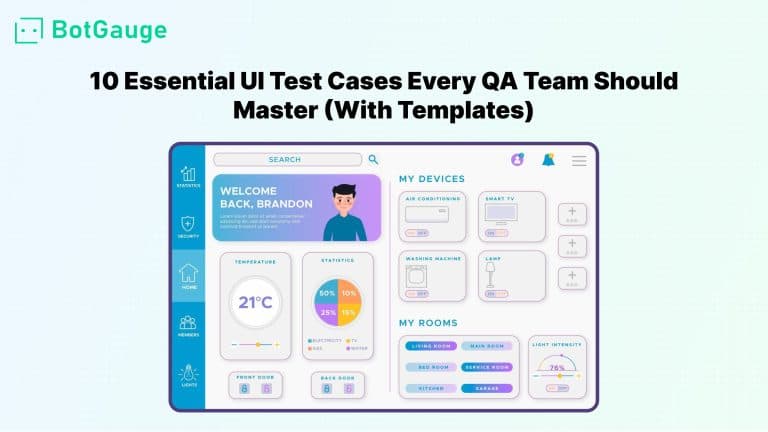
## 10 Essential UI Test Cases Every QA Team Should Master (With Templates)
Master UI quality with these 10 essential test cases and templates. Covering responsiveness, accessibility, visuals & more. Perfect for QA teams.
[Read article](https://www.botgauge.com/blog/essential-ui-test-cases-qa)
Autonomous Testing for Modern Engineering Teams
[Book a Demo](https://calendly.com/botgauge/30min)
## Top Web App Testing Tools
API testing integrationCI/CD integrationcodeless testing platformscross-browser testingend-to-end testing toolsheadless browser automationmobile web testingno-code test automationperformance testing toolsreal device cloud testing
# 11 Best Web Application Testing Tools Every QA Team Needs
Discover the top 11 web application testing tools for 2025. Boost QA efficiency with AI-driven, codeless, and cross-browser automation platforms.
Aug 28, 20258 min read
Try for Free [Book a Demo](https://calendly.com/botgauge/30min)
TABLE OF CONTENT
[Key Criteria for Choosing Web Application Testing Tools](https://www.botgauge.com/blog/best-web-application-testing-tools#heading1) [Cross-Browser and Cross-Device Compatibility](https://www.botgauge.com/blog/best-web-application-testing-tools#heading2) [Codeless vs. Scripted Automation](https://www.botgauge.com/blog/best-web-application-testing-tools#heading3) [CI/CD and DevOps Integration Capabilities](https://www.botgauge.com/blog/best-web-application-testing-tools#heading4) [1\. BotGauge – AI-Driven Codeless Web Test Automation](https://www.botgauge.com/blog/best-web-application-testing-tools#heading5) [2\. Selenium – The Open-Source Testing Standard](https://www.botgauge.com/blog/best-web-application-testing-tools#heading6) [3\. Cypress – Fast JavaScript End-to-End Testing](https://www.botgauge.com/blog/best-web-application-testing-tools#heading7) [4\. Playwright – Unified Cross-Browser Framework](https://www.botgauge.com/blog/best-web-application-testing-tools#heading8) [5\. BugBug – Fast Low-Code Test Automation](https://www.botgauge.com/blog/best-web-application-testing-tools#heading9) [6\. Katalon Studio – All-in-One Codeless Platform](https://www.botgauge.com/blog/best-web-application-testing-tools#heading10) [7\. TestComplete – Enterprise-Grade Desktop & Web Testing](https://www.botgauge.com/blog/best-web-application-testing-tools#heading11) [8\. BrowserStack – Cloud-Based Real Device Testing](https://www.botgauge.com/blog/best-web-application-testing-tools#heading12) [9\. Testim – AI-Powered Self-Healing Automation](https://www.botgauge.com/blog/best-web-application-testing-tools#heading13) [10\. Mabl – Intelligent Web Test Automation](https://www.botgauge.com/blog/best-web-application-testing-tools#heading14) [11\. Autify – Adaptive Codeless Testing Platform](https://www.botgauge.com/blog/best-web-application-testing-tools#heading15) [How BotGauge Can Help Elevate Your Web Testing Strategy](https://www.botgauge.com/blog/best-web-application-testing-tools#heading16) [A) AI-Driven Test Creation from Figma and Specs](https://www.botgauge.com/blog/best-web-application-testing-tools#heading17) [B) Seamless CI/CD and DevOps Integration](https://www.botgauge.com/blog/best-web-application-testing-tools#heading18) [Conclusion](https://www.botgauge.com/blog/best-web-application-testing-tools#heading19) [FAQ's](https://www.botgauge.com/blog/best-web-application-testing-tools#heading21)
Start your AI testing pilotGenerate, run, and maintain tests across your CI/CD workflow with less manual effortTry for Free
SHARE THIS ARTICLE
[LinkedIn](https://www.linkedin.com/sharing/share-offsite/?url=https%3A%2F%2Fwww.botgauge.com%2Fblog%2Fbest-web-application-testing-tools)[Twitter](https://twitter.com/intent/tweet?url=https%3A%2F%2Fwww.botgauge.com%2Fblog%2Fbest-web-application-testing-tools)
[Home](https://www.botgauge.com/) [Blog](https://www.botgauge.com/blog) [best-web-application-testing-tools](https://www.botgauge.com/blog/best-web-application-testing-tools#)
QA teams face unprecedented pressure to deliver quality web applications across diverse browsers, devices, and user scenarios. Modern best testing tools for web applications combine AI-driven automation, self-healing capabilities, and cloud-based execution to accelerate testing cycles by **_up to 70%_**. The test automation market has expanded from **_7% adoption in 2023_** to **_16% in 2025_**, driven by demand for faster release cycles and improved test reliability.
Browser testing automation platforms now offer predictive test healing, autonomous test generation, and real-time adaptability. Web automation frameworks support **_progressive web apps (PWAs), single-page applications (SPAs)_**, and **_dynamic UIs_** while integrating seamlessly with CI/CD pipelines.
Among these advanced platforms, [**BotGauge**](https://www.botgauge.com/) stands out with its AI-powered codeless testing approach that reduces testing costs by **_85%_**.
## **Key Criteria for Choosing Web Application Testing Tools**
Selecting the right testing platform requires evaluating several technical and business factors that directly impact your team’s productivity and software quality. The best testing tools for web applications must balance automation capabilities with ease of use while supporting diverse testing requirements.
### **Cross-Browser and Cross-Device Compatibility**
Modern testing requires validation across **_3,500+_** browser-device combinations to ensure consistent user experiences. Real device cloud testing eliminates the need for local infrastructure while providing accurate testing results. Cross-browser testing addresses device fragmentation and browser-specific rendering differences that can impact user engagement and conversion rates.
### **Codeless vs. Scripted Automation**
Codeless testing platforms democratize testing by enabling non-technical team members to create and execute tests. No-code test automation uses natural language processing and intuitive interfaces to reduce manual effort. AI-driven automation tools accelerate test creation while maintaining reliability and reducing maintenance overhead.
### **CI/CD and DevOps Integration Capabilities**
Modern best testing tools for web applications integrate with Jenkins, GitHub Actions, [**_GitLab CI_**](https://docs.gitlab.com/ci/), and [**_Azure DevOps_**](https://azure.microsoft.com/en-us/products/devops) for continuous testing. Parallel test execution capabilities reduce test time by **_1.5x_** compared to sequential testing, enabling faster feedback loops and release cycles.
_Web Application Testing Tools Comparison_
| | | | | | |
| --- | --- | --- | --- | --- | --- |
| **No.** | **Tool** | **Key Strength** | **Best For** | **Pricing** | **Rating** |
| **1** | **BotGauge** | 20x faster test creation with NLP | Lean teams & enterprises | **Custom** | 4.8/5 |
| **2** | **Selenium** | Multi-language flexibility | Technical teams | **Free** | 4.5/5 |
| **3** | **Cypress** | Real-time debugging | JavaScript developers | **Free/Paid** | 4.4/5 |
| **4** | **Playwright** | Unified API reliability | Multi-browser teams | **Free** | 4.6/5 |
| **5** | **Katalon Studio** | 160+ technology support | Enterprise teams | **Free/Paid** | 4.3/5 |
| **6** | **TestComplete** | Dual automation approach | Large organizations | **Paid** | 4.2/5 |
| **7** | **BrowserStack** | 3,500+ device combinations | Cross-browser testing | **Paid** | 4.7/5 |
| **8** | **Testim** | Self-healing automation | Agile teams | **Paid** | 4.5/5 |
| **9** | **Mabl** | Unified testing approach | Comprehensive QA | **Paid** | 4.4/5 |
| **10** | **Autify** | Predictive flakiness detection | Non-technical teams | **Paid** | 4.3/5 |
These criteria form the foundation for evaluating the top ten platforms discussed next.
## **1\. BotGauge – AI-Driven Codeless Web Test Automation**
**Overview:** [**BotGauge**](https://www.botgauge.com/) transforms test automation with AI-powered codeless testing platforms that generate executable scripts from plain English inputs. The platform reduces testing costs by **_85%_** while accelerating development cycles through autonomous test generation and predictive maintenance capabilities.
**Key Features:**
- Natural language test creation from PRDs, Figma designs, and specifications.
- Self-healing automation with **_99.8%_** test reliability and predictive maintenance.
- Real-time debugging with split-screen live interaction and stepwise validation.
- CI/CD integration with **_60+_** tools including Jenkins, GitHub Actions, and Slack.
**Industry Catered:** E-commerce, Fintech, Healthcare, SaaS, Enterprise Software
**USP:** 20x faster test development with AI-driven autonomous test case generation in plain English.
**Best For:** Lean teams and enterprises requiring rapid no-code test automation with minimal technical expertise.
**Review:** 4.8/5
## **2\. Selenium – The Open-Source Testing Standard**
**Overview:** [Selenium](https://www.selenium.dev/) remains the most popular open-source web automation framework with decades of community contributions. The platform supports multiple programming languages and offers extensive flexibility for custom automation solutions across diverse testing environments.
**Key Features:**
- Multi-language support including Java, C#, Python, and JavaScript for diverse development teams
- Selenium Grid enabling parallel test execution across different browsers and systems
- Extensive plugin ecosystem with community-driven integrations and extensions
- Cross-browser testing compatibility across Chrome, Firefox, Safari, and Edge browsers
**Industry Catered:** Software Development, E-commerce, Finance, Healthcare, Government, Education
**USP:** Most flexible open-source framework with unlimited customization and zero licensing costs.
**Best For:** Technical teams with coding expertise requiring maximum flexibility and custom automation solutions.
**Review:** 4.5/5
## **3\. Cypress – Fast JavaScript End-to-End Testing**
**Overview:** **Cypress** delivers fast JavaScript-based end-to-end testing tools with real-time debugging capabilities. The platform provides built-in waiting mechanisms and time-travel debugging features that appeal to agile development teams requiring rapid feedback cycles and browser testing automation.
**Key Features:**
- Real-time reloading with instant code change reflection in test outcomes
- Time-travel debugging for inspecting commands and responses within specific test flows
- Built-in automatic waiting that eliminates timing issues and reduces flaky tests
- Native support for _Chrome, Edge,_ and _Firefox_ with plugin extensions for enhanced cross-browser testing
**Industry Catered:** SaaS, Web Development, E-commerce, Startups, Media, Technology
**USP:** Real-time feedback with time-travel debugging for the fastest development cycle integration.
**Best For:** JavaScript-focused development teams requiring fast iteration cycles and visual debugging capabilities.
**Review:** 4.4/5
## **4\. Playwright – Unified Cross-Browser Framework**
**Overview:** **Playwright** offers modern end-to-end testing tools with built-in reliability mechanisms across browsers. The framework provides auto-waiting capabilities and supports headless browser automation for fast execution while maintaining visual debugging options when needed.
**Key Features:**
- Auto-waiting capabilities that handle dynamic content loading without explicit wait commands
- Headless browser automation with both headless and headed execution modes for debugging
- Multi-language support including _JavaScript, Python, Java,_ and _.NET_ for diverse teams
- Unified cross-browser testing across Chrome, Firefox, and Safari with consistent API
**Industry Catered:** Software Development, E-commerce, Finance, SaaS, Media, Enterprise
**USP:** Unified API with auto-waiting and reliable cross-browser execution without flaky test issues.
**Best For:** Teams requiring reliable automated testing across multiple browsers with minimal maintenance overhead.
**Review:** 4.6/5
## 5\. **BugBug – Fast Low-Code Test Automation**
**Overview:** [**BugBug**](https://bugbug.io/) is a low-code test automation tool that prioritizes speed and ease of use for web application testing. It enables teams to create and run tests directly in the browser using a record-and-playback approach, eliminating the need for complex scripting or heavy frameworks. With built-in cloud execution and CI/CD integrations, BugBug is ideal for teams that prioritize speed, ease of use, and minimal QA overhead.
**Key Features:**
- **No-code Test Recorder:** Easily capture browser actions and stabilize them with adaptive element locators.
- **Unlimited Users & Test Runs:** Run as many tests as you need locally with scheduling capabilities and alerts.
- **Built-in Testing Inbox:** Verify and test your user signup or login process without a hassle while recording your test.
- **CI/CD Integrations:** Seamlessly integrate with GitHub, GitLab, Jenkins, Jira and Slack via CLI or REST API.
- **Parallel Cloud Execution:** Speed up your CI/CD pipeline by running multiple test suites simultaneously in the cloud.
**Industry Catered:** Startups, SaaS, E-commerce, Product Teams, SMBs
**USP:** Fast, low-code testing with unlimited tests and runs, built for Chromium-based web apps.
**Best For:** Fast-growing startups and SaaS teams that need to implement comprehensive regression testing without a large QA staff.
**Review:** 4.8/5
## **6\. Katalon Studio – All-in-One Codeless Platform**
**Overview:** Katalon Studio provides scriptless, enterprise-grade testing supporting model-based automation and **_over 160 technologies_**. The platform combines record-and-playbook functionality with advanced scripting capabilities for codeless testing platforms that accommodate teams with varying technical expertise levels.
**Key Features:**
- Hybrid scripted and scriptless testing with drag-and-drop test creation interface
- Comprehensive test management suite with built-in analytics and detailed reporting
- API testing integration alongside web and mobile testing in unified environment
- Record-and-playback functionality with smart object recognition and self-healing automation capabilities
**Industry Catered:** Enterprise, Healthcare, Finance, E-commerce, Manufacturing, Government
**USP:** All-in-one platform supporting 160+ technologies with hybrid scripted and scriptless automation approaches.
**Best For:** Enterprise teams requiring comprehensive test management with both technical and non-technical user support.
**Review:** 4.3/5
## **7\. TestComplete – Enterprise-Grade Desktop & Web Testing**
**Overview:** **TestComplete** supports both keyword-driven testing for non-technical users and scripted automation for advanced scenarios. The platform provides flexible test creation methods with robust object recognition technology that adapts to UI changes automatically.
**Key Features:**
- Keyword-driven and scripted automation options accommodating teams with varying technical expertise
- Robust object recognition engine with AI-powered element detection and image recognition
- Comprehensive desktop and web application testing with mobile web testing support
- Advanced test orchestration capabilities with detailed reporting and test management integration
**Industry Catered:** Enterprise, Finance, Healthcare, Manufacturing, Government, Insurance
**USP:** Dual automation approach with enterprise-grade object recognition for both technical and non-technical users.
**Best For:** Enterprise organizations requiring flexible automation approaches across desktop and web applications.
**Review:** 4.2/5
## **8\. BrowserStack – Cloud-Based Real Device Testing**
**Overview:** BrowserStack provides instant access to **_3,500+_** real browsers and devices for comprehensive cross-browser testing. The platform ensures accurate compatibility validation across diverse environments without local infrastructure requirements through real device cloud testing.
**Key Features:**
- 3,500+ browser/OS combinations with access to real desktop and mobile devices
- Parallel test execution reducing total testing time by 1.5x compared to sequential approaches
- Live interactive testing sessions for debugging and real-time validation across environments
- Seamless integration with popular automation frameworks including Selenium, Cypress, and Appium
**Industry Catered:** Software Development, E-commerce, SaaS, Media, Enterprise, Startups
**USP:** Largest real device cloud with **_3,500+_** browser combinations for accurate cross-platform testing.
**Best For:** Teams requiring extensive cross-browser testing coverage without maintaining physical device infrastructure.
**Review:** 4.7/5
## **9\. Testim – AI-Powered Self-Healing Automation**
**Overview:** **Testim** uses machine learning to accelerate test creation and maintenance with self-healing automation capabilities. The platform automatically identifies and adapts to changes in application UI, reducing brittle test failures through smart locators and AI-driven element detection.
**Key Features:**
- Smart locators with self-healing automation that maintain test stability when UI elements change
- Visual regression testing capabilities with AI-powered validation and screenshot comparison
- Collaborative test authoring with version control integration and team-based workflows
- Direct [**_CI/CD integration_**](https://www.redhat.com/en/topics/devops/what-is-ci-cd) enabling automated test execution on every commit with real-time reporting
**Industry Catered:** SaaS, E-commerce, Fintech, Technology, Media, Enterprise Software
**USP:** Machine learning-driven self-healing tests that automatically adapt to UI changes without manual intervention.
**Best For:** Agile teams requiring reliable automation with minimal maintenance overhead and collaborative development workflows.
**Review:** 4.5/5
## **10\. Mabl – Intelligent Web Test Automation**
**Overview:** **Mabl** offers AI-powered test automation with self-healing automation capabilities and intelligent test generation. The platform provides low-code test creation that enables rapid automation without extensive programming knowledge while combining functional and performance testing tools.
**Key Features:**
- Low-code test creation with data-driven testing capabilities for comprehensive scenario coverage
- Integrated performance testing tools and security validation in unified platform approach
- Predictive analytics to optimize test coverage and identify risk-prone application areas
- Built-in accessibility testing ensuring [WCAG compliance](https://www.w3.org/WAI/standards-guidelines/wcag/) with end-to-end testing tools integration
**Industry Catered:** SaaS, E-commerce, Healthcare, Fintech, Media, Technology
**USP:** Unified platform combining functional, performance, and security testing with AI-driven predictive analytics.
**Best For:** Teams requiring comprehensive testing coverage with minimal setup and integrated quality assurance workflows.
**Review:** 4.4/5
## **11\. Autify – Adaptive Codeless Testing Platform**
**Overview:** **Autify** provides no-code test automation capabilities for cross-browser testing and regression testing. The platform offers visual test editing with drag-and-drop functionality for non-technical users while leveraging AI assistance for test creation and maintenance.
**Key Features:**
- Scriptless workflow with visual UI editor enabling codeless testing platforms approach
- Predictive flakiness detection with AI technology that prevents test failures before execution
- Intelligent element recognition that adapts to UI changes automatically without manual updates
- Enterprise features including parallel test execution and advanced analytics for comprehensive test management
**Industry Catered:** Enterprise, SaaS, E-commerce, Manufacturing, Healthcare, Financial Services
**USP:** Predictive AI technology that prevents test flakiness before execution while maintaining codeless simplicity.
**Best For:** Non-technical teams requiring reliable automation with predictive maintenance and enterprise-grade scalability.
**Review:** 4.3/5
## **How BotGauge Can Help Elevate Your Web Testing Strategy**
[**BotGauge**](https://www.botgauge.com/) is one of the few AI testing agents with unique features that set it apart from other best testing tools for web applications. It combines flexibility, automation, and real-time adaptability for teams aiming to simplify QA processes and accelerate delivery cycles.
Our autonomous agent has built over a million test cases for clients across multiple industries. The founders of BotGauge bring **_10+ years of experience_** in the software testing industry and have used that expertise to create one of the most advanced AI testing agents available today.
### **A) AI-Driven Test Creation from Figma and Specs**
- **Natural Language Test Creation:** Write plain-English inputs; BotGauge converts them into automated test scripts with no-code test automation capabilities that democratize testing across technical and non-technical team members.
- **Self-Healing Capabilities:** Automatically updates test cases when your app’s UI or logic changes, providing **_99.8%_** test reliability with self-healing automation that minimizes maintenance overhead and reduces false positives.
- **Full-Stack Test Coverage:** From UI to APIs and databases, BotGauge handles complex integrations with ease, supporting API testing integration and comprehensive end-to-end testing tools functionality.
### **B) Seamless CI/CD and DevOps Integration**
These features not only help with browser testing automation but also enable high-speed, low-cost software testing with minimal setup or team size. The platform integrates with 60+ tools for complete CI/CD integration coverage while providing real-time analytics and debugging capabilities.
_Explore more BotGauge’s AI-driven testing features →_ [**_BotGauge_**](https://www.botgauge.com/) _._
## **Conclusion**
Web application QA teams struggle with maintaining test scripts across frequent UI changes, managing testing across **_3,500+_** browser-device combinations, and scaling automation with limited technical resources. Manual test maintenance consumes **_60-70%_** of QA time while flaky tests create false positives that delay releases.
These challenges lead to delayed product launches, increased development costs, and poor user experiences that damage brand reputation. Teams face mounting pressure to deliver faster while maintaining quality, creating unsustainable workloads and burnout.
The best testing tools for web applications now leverage AI to solve these problems. BotGauge’s self-healing automation eliminates maintenance overhead while codeless testing platforms democratize automation across teams.
With **_85%_** cost reduction and **_20x faster test creation_**, AI-powered solutions like [**BotGauge**](https://www.botgauge.com/) transform QA from a bottleneck into a competitive advantage, enabling faster delivery without compromising quality standards.
[**_Start your free BotGauge trial today_**](https://www.botgauge.com/contact) _and experience 20x faster test automation with zero coding required._
For a broader look at the tooling landscape, see our guide to [AI test automation tools](https://www.botgauge.com/blog/ai-test-automation-tools). Related reading includes [fastest automated QA tools](https://www.botgauge.com/blog/automated-qa-testing-tools-fastest) and [top GUI testing tools](https://www.botgauge.com/blog/top-gui-testing-tools). Platforms built on [AI agents](https://www.botgauge.com/ai-agents) automate much of this end to end.
Learn more at [BotGauge](https://www.botgauge.com/).
## FAQ's
What factors should I consider when choosing web application testing tools?
Look for cross-browser and device support, real device cloud testing, and CI/CD integration. Assess AI and ML features, codeless testing options, and scalability to ensure the platform fits your team’s technical skills and delivers measurable ROI.
How does codeless test automation benefit QA teams?
Codeless testing platforms let non-technical users build tests via natural language and drag-and-drop interfaces. Teams can onboard quickly, often in under five hours, reducing development effort and speeding up test creation cycles significantly.
Can open-source tools like Selenium match commercial platforms?
Open-source frameworks like Selenium provide flexibility, multiple language bindings, and no licensing costs. Commercial tools add AI features, self-healing automation, and vendor support, offering faster ROI for teams without strong coding expertise.
How important is real device testing for web applications?
Real device testing validates functionality across 700+ browser/OS combinations and 300+ real devices. It catches issues that emulators miss, ensuring consistent user experiences across different environments and device configurations.
What role does AI play in modern web testing tools?
AI speeds up test creation with NLP, reduces flaky tests using self-healing locators, and optimizes suites through predictive analytics. It automatically updates scripts when app changes occur, keeping tests stable and efficient.
How do testing tools integrate with CI/CD pipelines?
Modern web testing tools offer plugins, REST APIs, and native integrations with Jenkins, GitHub Actions, GitLab CI, and Azure DevOps. They enable automated, parallel test runs on every commit with real-time results and quality gates.
Autonomous Testing for Modern Engineering Teams
[Book a Demo](https://calendly.com/botgauge/30min)
## Best Website Testing Tools
test automation
# 10 Best Website Testing Tools To Look For In 2026
Website testing tools have evolved from script-heavy automation frameworks to AI-powered platforms that generate, execute, and maintain tests automatically. Explore the top website testing tools and discover how they help teams improve coverage, reduce maintenance, and release software with confidence.
May 16, 20268 min read
Try for Free [Book a Demo](https://calendly.com/botgauge/30min)

TABLE OF CONTENT
[What Is Website Testing?](https://www.botgauge.com/blog/website-testing-tools#heading1) [Types of website testing](https://www.botgauge.com/blog/website-testing-tools#heading2) [Why Is Website Testing Business Critical?](https://www.botgauge.com/blog/website-testing-tools#heading3) [The real cost of skipping website testing in reality:](https://www.botgauge.com/blog/website-testing-tools#heading4) [Comparing the Top 5 Best Website Testing Tools](https://www.botgauge.com/blog/website-testing-tools#heading5) [Top 10 Website Testing Tools in 2026](https://www.botgauge.com/blog/website-testing-tools#heading6) [1\. BotGauge](https://www.botgauge.com/blog/website-testing-tools#heading7) [2\. Selenium](https://www.botgauge.com/blog/website-testing-tools#heading8) [3\. Playwright](https://www.botgauge.com/blog/website-testing-tools#heading9) [4\. BrowserStack](https://www.botgauge.com/blog/website-testing-tools#heading10) [5\. Katalon](https://www.botgauge.com/blog/website-testing-tools#heading11) [6\. Cypress](https://www.botgauge.com/blog/website-testing-tools#heading12) [7\. Testim](https://www.botgauge.com/blog/website-testing-tools#heading13) [8\. Testmu (formerly LambdaTest)](https://www.botgauge.com/blog/website-testing-tools#heading14) [9\. Postman](https://www.botgauge.com/blog/website-testing-tools#heading15) [10\. Mabl](https://www.botgauge.com/blog/website-testing-tools#heading16) [Criteria for Evaluating Website Testing Tools](https://www.botgauge.com/blog/website-testing-tools#heading17) [1\. Test coverage](https://www.botgauge.com/blog/website-testing-tools#heading18) [2\. AI and automation capabilities](https://www.botgauge.com/blog/website-testing-tools#heading19) [3\. Setup time and test maintenance](https://www.botgauge.com/blog/website-testing-tools#heading20) [4\. CI/CD and DevOps integration](https://www.botgauge.com/blog/website-testing-tools#heading21) [5\. Cross-browser and cross-device testing](https://www.botgauge.com/blog/website-testing-tools#heading22) [6\. Reporting and debugging](https://www.botgauge.com/blog/website-testing-tools#heading23) [7\. Pricing and total cost of ownership](https://www.botgauge.com/blog/website-testing-tools#heading24) [8\. Access to QA expertise](https://www.botgauge.com/blog/website-testing-tools#heading25) [Which Website Testing Tool Is Right for You?](https://www.botgauge.com/blog/website-testing-tools#heading26) [Why BotGauge Works Well for Fast-Growing Teams](https://www.botgauge.com/blog/website-testing-tools#heading27) [The core distinction](https://www.botgauge.com/blog/website-testing-tools#heading28) [Where BotGauge stands out in practice](https://www.botgauge.com/blog/website-testing-tools#heading29) [BotGauge vs building QA in-house: Direct Comparison](https://www.botgauge.com/blog/website-testing-tools#heading30) [Conclusion](https://www.botgauge.com/blog/website-testing-tools#heading31) [Frequently Asked Questions](https://www.botgauge.com/blog/website-testing-tools#heading32) [Frequently Asked Questions](https://www.botgauge.com/blog/website-testing-tools#heading33)
Start your AI testing pilotGenerate, run, and maintain tests across your CI/CD workflow with less manual effortTry for Free
SHARE THIS ARTICLE
[LinkedIn](https://www.linkedin.com/sharing/share-offsite/?url=https%3A%2F%2Fwww.botgauge.com%2Fblog%2Fwebsite-testing-tools)[Twitter](https://twitter.com/intent/tweet?url=https%3A%2F%2Fwww.botgauge.com%2Fblog%2Fwebsite-testing-tools)
[Home](https://www.botgauge.com/) [Blog](https://www.botgauge.com/blog) [website-testing-tools](https://www.botgauge.com/blog/website-testing-tools#)
Your team ships fast. Your users expect perfection. One broken checkout flow, one crash on Safari, one slow load on mobile, and you’ve lost them. Yet most engineering teams still treat QA as a bottleneck. Tests break. Maintenance piles up. Releases slow down. And the cost of fixing bugs in production is **100x higher** than catching them during development. The right website testing tool changes all of that.
This guide covers the top website testing tools, including pros and cons, feature breakdown, and pricing, to help you make your decision. We also cover how AI-powered autonomous QA is making the old way of testing obsolete.
## **What Is Website Testing?**
Website testingis the process of validating that a website or web application works correctly, performs well, displays content correctly across browsers and devices, and meets security and accessibility standards, before users encounter problems. It covers everything from clicking a button to handling 10,000 concurrent users during a product launch.
### **Types of website testing**
- **Functional testing:** Verifies that every feature works as intended. Forms submit correctly. Filters return the right results. Login flows authenticate users. Functional testing is the baseline, without it, everything else is noise.
- **Performance testing:** Measures how your site behaves under load. It identifies slow pages, bottlenecks, and failure points before real traffic exposes them. Tools like k6 and JMeter simulate thousands of concurrent users so you can find issues in staging, not in production.
- **Cross-browser and cross-device testing:** Confirms your site works on Chrome, Firefox, Safari, and Edge, and on iOS, Android, and every screen size in between.
- **Security testing:** Identifies vulnerabilities that attackers exploit, such as SQL injection, XSS, broken authentication, and insecure APIs. Research shows that data breach costs continue to rise, reaching a record-high global average of [$4.45 million](https://community.ibm.com/community/user/blogs/sarah-dudley/2023/07/25/costofadatabreach2023), a 15% increase over the past three years.
- **Accessibility testing:** Ensures your site works for users with disabilities and meets WCAG 2.1 standards. It’s both a legal obligation and a business necessity. The [CDC](https://www.cdc.gov/disability-and-health/about/index.html) estimates that roughly 1 in 4 U.S. adults lives with a disability, and when sites aren’t accessible, they shut these users out entirely.
Find out exactly what's breaking on your website, before your users do. It's free
[Get Your Free Bug Report](https://www.botgauge.com/contact)
## **Why Is Website Testing Business Critical?**
Website testing directly protects revenue, user trust, and brand reputation by catching issues before they impact real customers.
### The real cost of skipping website testing in reality:
- Bugs found in production cost **100x** more to fix than those found in development, according to an IBM report.
- [88%](https://www.sweor.com/firstimpressions) of online users are less likely to return after a bad user experience.
- CISQ report estimates that poor software quality costs the US at least $2.41 trillion.
The question isn’t whether you can afford to test. It’s whether you can afford not to.
## **Comparing the Top 5 Best Website Testing Tools**
We evaluated these five tools across the eight criteria above. Together, they represent the most widely used options across different team types.
| | | | | | |
| --- | --- | --- | --- | --- | --- |
| **Feature** | [**BotGauge**](https://www.botgauge.com/) | **Selenium** | **Playwright** | **Mabl** | **Katalon** |
| **Autonomous testing** | Fully autonomous QA | No | No | AI-powered but not fully autonomous | Partial |
| **No-code / low-code** | Yes | No | No | Yes | Yes |
| **Self-healing tests** | Yes | No | No | Yes | Yes |
| **CI/CD integration** | Native | Native | Native | Native | Native |
| **Cross-browser support** | Yes | Yes | Yes | Yes | Yes |
| **Dedicated QA experts** | Included | No | No | No | No |
| **Time to coverage** | BotGauge automates your critical flows in 24 – 48 hours | Months | Months | Days – Weeks | Days – Weeks |
| **Test maintenance** | Self-healing tests | Not native | Not native | Self-healing tests | Self-healing tests |
| **Scalability** | AI agents continuously learn your product, update existing tests, and add new tests as the product evolves | Not scalable | Not scalable | AI stops at test generation and self-healing | AI stops at test generation and self-healing |
| **Pricing model** | Outcome-based pricing, tied to coverage delivered | Open-source and Free | Open-source and Free | Subscription-based | Subscription-based |
## **Top 10 Website Testing Tools in 202** 6
Explore the top 10 website testing tools, from manual cross-browser testing to AI-powered automation, to streamline your QA workflow.
### **1\.** [**BotGauge**](https://www.botgauge.com/)
BotGauge is an Autonomous QA as a Solution (AQaaS) platform. It combines AI-powered test automation with a dedicated team of QA experts to cover test creation, execution, maintenance, and strategy, without requiring you to build or manage an internal QA function.

#### **Key features**
- [AI QA agents](https://www.botgauge.com/ai-agents) that generate, execute, and maintain tests automatically
- Self-healing tests that adapt when the DOM or workflow changes, making tests resilient to code changes.
- E2E, smoke, API, UI, sanity, integration, component, edge-case, regression, and functional test coverage with native CI/CD integration.
- Dedicated QA experts are included as part of the service, not an upsell tier.
- Comprehensive test reporting and analytics with screenshots, video recordings, and console logs.
#### **Pros**
- Zero flakiness guarantee. The self-healing agent updates tests whenever the DOM or workflow changes.
- Human QA expertise built in, not bolted on.
- Zero setup. Zero configuration. Zero learning curve.
- Test coverage grows with your product without additional configuration.
Get your critical workflows automated in 24 – 48 hours
[Get Started](https://calendly.com/botgauge/30min)
**Pricing:** Outcome-based pricing that is directly tied to the coverage delivered.
**Best for:** Fast-growing teams that want managed and autonomous QA for reliable, comprehensive website QA coverage.
### **2\. Selenium**
Selenium is the most popular open-source browser automation framework. It’s the foundation of enterprise QA stacks for over a decade and remains the most widely understood testing technology in the industry.

#### **Key features**
- Supports Java, Python, C#, Ruby, JavaScript, Kotlin, etc
- Compatible with Chrome, Firefox, Safari, Edge, and IE
- Selenium Grid for parallel, distributed test execution
- Integrates with TestNG, JUnit, Cucumber, and all major CI/CD platforms
#### **Pros**
- Free and open source with no vendor lock-in
- Largest QA community – extensive documentation and ecosystem support
- Compatible with virtually every CI/CD and test management tool
#### **Cons**
- High maintenance burden. UI changes frequently break selectors, requiring manual updates.
- No built-in self-healing, AI generation, or visual regression detection.
- Requires real coding expertise, so it might not be accessible to non-technical QA teams
- Setup takes days to weeks for new projects
- No built-in reporting; needs additional tooling
- Limited technical support via the forum and community. If someone is available, you will get your questions answered.
**Pricing:** Open source, free. Add infrastructure, tooling, and engineering time to the real cost.
**Best for:** Selenium is a strong choice for experienced engineers who want to own every layer of their test stack. It’s less appropriate when testing bandwidth is already constrained.
### **3\. Playwright**
Playwright is Microsoft’s open-source E2E testing framework. It’s faster and more reliable than Selenium for modern web applications and has quickly become the preferred framework for engineering-led testing.

#### **Key features**
- Tests across Chromium, Firefox, and WebKit with a single unified API
- Auto-wait eliminates most timing-related flakiness without explicit wait commands
- Network interception and request mocking are built in
- Parallel execution using lightweight browser contexts
- Trace viewer for step-by-step visual debugging of failing tests
- Supports TypeScript, JavaScript, Python, Java, and .NET
#### **Pros**
- Significantly faster execution and lower flakiness than Selenium
- Active development and strong Microsoft backing
- Auto-wait reduces fragile timing logic that plagues many Selenium suites
#### **Cons**
- Still code-first, requires engineering time to write and maintain tests
- No built-in AI capabilities, self-healing, or visual regression detection
- Not accessible to non-technical QA teams
**Pricing:** Free, open source. Add infrastructure, tooling, and engineering time to the real cost.
**Bottom line:** Playwright is arguably the best open-source option for teams with engineering capacity to invest in a testing framework.
Read More: [Explore the top Playwright alternatives](https://www.botgauge.com/blog/playwright-vs-botgauge)
### **4\. BrowserStack**
BrowserStack is a cloud-based testing platform that gives teams access to over 3,000 real browser-device combinations without managing physical hardware.

#### **Key features**
- 3000+ real browsers, OS versions, and mobile devices.
- Live interactive testing and automated test execution.
- Integrates with Selenium, Playwright, Cypress, and Appium.
- Percy for visual regression testing via screenshot comparison.
- Accessibility testing with built-in WCAG audit tools.
- Test Observability for monitoring test health over time.
#### **Pros**
- Real device cloud helps catch hardware-specific rendering and behavior issues.
- Comprehensive browser and OS coverage without infrastructure management.
- Works with most existing automation frameworks.
#### **Cons**
- Requires your own automation framework. BrowserStack runs your tests, but doesn’t write them.
- Pricing scales quickly for large test suites at high frequency
- No autonomous test creation, self-healing, or QA expertise included
**Pricing:** BrowserStack Live starts at $249/month (billed annually) for teams, with pricing varying based on requirements.
**Best for:** BrowserStack solves the infrastructure problem. If cross-browser coverage is the specific gap in your testing strategy and you have automation in place, it’s a logical choice. It doesn’t replace a testing strategy.
Get full website test coverage without hiring a single QA engineer
[Get Your Free Bug Report](https://www.botgauge.com/contact)
### **5\. Katalon**
Katalon is an all-in-one test automation platform that covers web, API, mobile, and desktop testing, with a low-code interface built on top of Selenium and Appium.

#### **Key features**
- Record-and-playback test creation. No code required
- Web, API, mobile, and desktop testing in one platform
- Built-in test data management and parameterization
- AI-assisted [self-healing test automation](https://www.botgauge.com/blog/self-healing-test-automation) and smart wait
- Integrations with Jira, Jenkins, Azure DevOps, and Git
**Pros**
- Lower entry barrier than pure-code frameworks.
- Wide test type coverage from a single platform.
#### **Cons**
- Self-healing is less robust than AI-native platforms, such as BotGauge.
- Advanced features require paid plans that scale in cost.
- Performance at enterprise scale has limitations.
**Pricing:** The Basic plan starts at $167/user/month, billed annually.
**Bottom line:** Katalon is a practical starting point for QA teams taking their first steps into automation. It may not scale as smoothly once test complexity or volume grows significantly.
### **6\. Cypress**
Cypress is a JavaScript-native E2E testing framework that runs inside the browser, giving it direct access to the DOM, the network layer, and the application state during test execution.

#### **Key features**
- Runs inside the browser for real-time, low-latency feedback during development
- Time-travel debugging with full DOM snapshots at each test step
- Automatic waiting and intelligent retry on assertions
- Network stubbing and request interception are built in
- Cypress Cloud for parallel execution and test analytics
#### **Pros**
- Best-in-class developer experience for JavaScript teams
- Fast feedback loop, ideal for TDD and component-level testing
- Excellent documentation and a large, active community
#### **Cons**
- JavaScript and TypeScript only. No support for Python, Java, or C#
- Limited Safari/WebKit support without workarounds
- Not designed for large-scale cross-browser regression suites
- Requires coding, not suitable for non-technical QA contributors
**Pricing:** Open-source. Cypress Cloud offers various paid plans. Team Plan starts at $67/month. Business plan: $267/month. Enterprise plan: Custom pricing.
**Best for:** Frontend engineers who want to own testing as part of their development workflow, particularly in JavaScript-heavy applications.
### **7\. Testim**
Testim is a cloud-based automated testing platform that uses machine learning to stabilize test element locators, reducing the maintenance overhead that makes automated website testing difficult to sustain over time.

#### **Key features**
- AI-powered element locators that adapt when the UI changes
- Visual codeless editor for building tests without writing JavaScript
- JavaScript customization available for complex test logic
- Parallel cloud execution
- Integrations with GitHub, Jira, Slack, and most CI/CD platforms
#### **Pros**
- Faster test creation than code-first frameworks
- Meaningful reduction in selector-related flakiness
- Flexible: codeless for simple flows, code-available for complex ones
#### **Cons**
- Pricing scales quickly with test volume
- AI locators can struggle with complex, dynamic single-page applications
**Pricing:** Free trial available. Pricing is custom and available upon request.
**Bottom line:** Testim sits between full-code frameworks and fully autonomous solutions. It’s a good fit for teams with some QA resources but limited bandwidth for ongoing framework maintenance.
Read More: [Top Testim Alternatives](https://www.botgauge.com/blog/testim-alternatives)
### **8\. Testmu (formerly LambdaTest)**
Testmu is a cloud testing platform that offers real-browser and real-device execution for Selenium, Playwright, Cypress, and Appium tests, with a smart orchestration engine designed to reduce overall test run time.

#### **Key features**
- 3000+ real browser and device combinations
- HyperExecute: smart test orchestration for faster parallelism
- SmartUI for visual regression testing and screenshot comparison
- Real-time interactive browser testing
- Integrations with GitHub Actions, Jenkins, and CircleCI
#### **Pros**
- HyperExecute meaningfully reduces end-to-end test run time
- Works with most existing automation frameworks
#### **Cons**
- Requires your own automation framework, and it doesn’t write or maintain tests.
- Not a standalone QA solution
- Enterprise support quality has had inconsistent reviews
**Pricing:** HyperExecute starts at $159/month billed annually. Price increases with the number of parallels.
**Best for:** Teams with existing test automation that need to run it faster across more browsers and environments simultaneously.
### **9\. Postman**
Postman is the industry standard for API development, documentation, and automated testing. For websites with APIs, Postman helps validate API behavior at the layer below the UI.

#### **Key features**
- Visual request builder supporting REST, GraphQL, nd WebSocket
- Automated test assertions written in JavaScript
- Mock servers for testing without a live backend dependency
- Collection Runner for batch execution and CI/CD integration
- API monitoring for production endpoint health
#### **Pros**
- Strong support for modern API types
- Free tier for individual and small team use
#### **Cons**
- API testing only. No UI or browser-level testing.
- Advanced monitoring, mock server scale, and team collaboration require paid plans.
- Not a replacement for functional web testing tools
**Pricing:** Postman offers a Free plan, Solo at $9/user/month, Team at $19/user/month, and Enterprise at $49/user/month (billed annually). Costs scale with add-ons for AI, Flows, and monitoring. $14/month per user.
**Best for:** Backend engineers and QA teams that need to validate API endpoints as part of their broader website testing.
### **10\. Mabl**
Mabl is an intelligent test automation platform that combines ML-driven test creation, adaptive execution, and QA analytics, covering UI and API testing in a single platform.

#### **Key features**
- ML-driven test generation with adaptive element targeting
- Unified UI and API testing in a single workflow
- Auto-healing for selector changes and minor UI updates
- Integrations with GitHub, Jira, Jenkins, and Slack
#### **Pros**
- Unified UI and API testing reduces platform sprawl
- Test intelligence features surface coverage gaps proactively
- Auto-healing meaningfully reduces manual maintenance
#### **Cons**
- High entry price, making it impractical for small teams
- Smaller community than Selenium or Playwright
- Less granular control than open-source frameworks for advanced engineers
**Pricing:** Free trial available. Pricing is custom and available upon request.
**Best for:** QA teams and SDETs who want AI-assisted automation with built-in insights on test quality, flakiness patterns, and coverage gaps.
Still evaluating? Let us show you what autonomous QA looks like on your actual web app
[Book a Live Demo](https://calendly.com/botgauge/30min)
## **Criteria for Evaluating Website Testing Tools**
The right question isn’t “what does this tool do?” It’s “What does my team still have to do after we adopt it?” A tool that looks capable on paper can still incur significant overhead if it requires extensive setup, ongoing maintenance, or specialized expertise to operate. The criteria below are designed to surface that hidden cost.
### **1\. Test coverage**
A good website testing tool should cover functional, regression, end-to-end (E2E), and API testing, ideally within a single platform. The more test types you need to cover across separate tools, the more your team manages integrations, context-switches between platforms, and reconciles results from different sources.
**What to look for:** Unified coverage across test types, meaningful depth in each, and a coherent way to view test results in one place.
### **2\. AI and automation capabilities**
AI has moved from marketing language to a genuine functional difference in website testing tools. The meaningful AI capabilities today are test case generation from your actual application, self-healing tests that adapt when the UI changes, and intelligent test prioritization that focuses runs on high-risk areas.
The useful question isn’t whether a tool has AI. It’s what your team no longer has to do manually once AI is involved. If the answer is “not much,” the AI is cosmetic. If the answer is “we no longer write or maintain test scripts,” that’s a substantive workflow change.
BotGauge, for example, uses AI agents that autonomously generate and maintain tests; the team receives results, not additional responsibilities. That’s a different category of automation than AI-assisted authoring.
**What to look for:** AI that reduces ongoing work, not just initial work. Self-healing that actually handles real UI changes, not just minor selector adjustments.
### **3\. Setup time and test maintenance**
Every team evaluates how long it takes to get started. Few teams evaluate how long it takes to stay current. Test maintenance is the debt most testing strategies accumulate silently, and it compounds.
UI changes break selectors. New features need new test cases. Flows that worked last sprint fail after a redesign. In manual or code-first frameworks, someone owns that work. It’s often underestimated at evaluation time and is very apparent six months in.
Low-code interfaces reduce the barrier to creating tests. Self-healing reduces the cost of maintaining them. And fully autonomous platforms, like BotGauge, actively manage the test suite as the product changes, eliminating most of that maintenance overhead entirely.
The tradeoff is typically less granular control. Whether that tradeoff works for your team is worth thinking through explicitly, not discovering after you’ve built a large test suite.
**What to look for:** Be honest about your team’s maintenance capacity. If it’s limited, weight self-healing and autonomous maintenance heavily in your decision.
### **4\. CI/CD and DevOps integration**
A test suite that runs manually before a release is better than nothing. A test suite that runs automatically on every pull request is a safety net. The difference is CI/CD integration, and it’s not a minor one.
Native integrations with GitHub Actions, Jenkins, CircleCI, GitLab CI, and Azure DevOps mean your tests are part of the development workflow, not separate from it. Developers get feedback before a merge, not after a deploy. QA stops being the last gate and starts being a continuous signal.
Tools that require significant configuration or custom scripting to connect to your pipeline add setup cost and create fragile dependencies. Native, well-maintained integrations are worth paying a premium for.
**What to look for:** Native integration with your current pipeline tools.
### **5\. Cross-browser and cross-device testing**
Browser inconsistencies are real, and they’re user-visible. A layout that looks correct in Chrome can break in Safari. Cloud-based device grids give you access to hundreds of real browser/OS combinations without the need to manage physical hardware. The practical question is whether your tool provides this natively, integrates with a platform that does, or leaves it as a gap.
**What to look for:** Coverage across the browsers and OS versions your actual users run, which you can find in your analytics.
### **6\. Reporting and debugging**
Knowing a test failed is table stakes. Understanding ‘the why’ quickly, without a debugging session, is what separates useful test infrastructure from noisy infrastructure.
Strong reporting includes screenshots and video recordings at the point of failure, full stack traces that identify root cause, and a readable test history that shows patterns over time. If your team spends meaningful time investigating why tests fail rather than acting on it, the tool’s reporting is likely the bottleneck.
**What to look for:** Failure context that lets engineers act immediately. Test reporting and analytics via videos, annotated screenshots, and console logs.
### **7\. Pricing and total cost of ownership**
The license fee is rarely the real number. The price you pay for a website testing tool is the starting point of the cost conversation, not the end of it. The fuller picture includes:
- Engineering time to build and configure the initial test framework
- Ongoing maintenance hours as the product and UI evolve
- Infrastructure costs if you’re running tests on your own hardware or cloud
- The cost of delayed releases when flaky or broken tests block merges
- The cost of parallel licenses increases if you want to run multiple tests simultaneously across different test environments for faster execution.
Run the full cost calculation, not just the license comparison.
**What to look for:** Total cost of ownership over 12 months, including setup, maintenance, and QA headcount required to operate the tool effectively.
### **8\. Access to QA expertise**
This criterion separates tools from solutions, and it’s the one most evaluation frameworks skip entirely.
A website testing tool executes tests. It doesn’t decide what to test, how deeply to test it, which edge cases matter for your specific application, or how to interpret a pattern of failures that suggests a systemic problem. Those decisions require judgment, and judgment requires experience.
BotGauge adds a human validation layer to its agentic testing layer by incorporating dedicated QA experts into the autonomous testing approach.
They’re domain-specialized QA professionals who understand your product, manage your testing strategy, and surface coverage gaps before they become production incidents.
**What to look for:** Ask specifically: Does the platform include human QA judgment, or is it software only?
## **Which Website Testing Tool Is Right for You?**
The right website testing tool depends on your current tool stack, team skillset, budget, and testing needs. Here is a quick framework to help you decide which tool might be best for your team:
**You have engineers who can own the test framework and the extensive time to do it.**
Go with Playwright. It’s fast, modern, and low-flakiness for most web applications. Selenium, if you need multi-language support or have an existing legacy suite. Both are free. Both require real engineering investment to maintain well.
Explore how [Playwright vs BotGauge](https://www.botgauge.com/blog/playwright-vs-botgauge) to understand which platform delivers QA outcomes, and which one adds more responsibility.
**You need cross-browser and cross-device coverage. You already have automation in place.**
BrowserStack, Sauce Labs, or Testmu. Connect your existing framework (Selenium, Cypress, Playwright), run against real devices, and get the coverage.
**You’re building mostly frontend JavaScript, and you want developers to own testing.**
Cypress. Best developer experience in the category for JS apps: fast feedback, great debugging, strong community.
**You have no dedicated QA team, QA is slowing your releases, or you don’t want to own the testing infrastructure.**
Most tools hand you a framework and expect your team to run it. BotGauge’s [Autonomous QA as a Solution](https://www.botgauge.com/autonomous-qa-as-a-solution) (AQaaS) model works differently: AI agents autonomously write, run, and maintain your tests. A dedicated team of QA experts manages strategy and coverage. Your engineers get high-quality test results and coverage delivered faster and more efficiently.
- Zero setup. Automate your critical workflows in 24 – 48 hours.
- Tests self-heal when your DOM or flow changes.
- Coverage grows as your product grows, without growing QA headcount.
Your QA tool should reduce work, not create it. See how BotGauge makes that real
[Book a Live Demo](https://calendly.com/botgauge/30min)
## **Why BotGauge Works Well for Fast-Growing Teams**
BotGauge is built to address a specific, recurring development problem: teams that need reliable, comprehensive website QA coverage without slowing down development.
### **The core distinction**
BotGauge is a managed QA service powered by Agentic AI. It is not just a tool. Most web testing tools hand you a platform and leave you to run it. You write the tests, maintain them when selectors break, decide what to cover next, monitor flakiness, and make strategic decisions about testing depth.
That work is real. It compounds over time. And for many teams, it quietly consumes more engineering bandwidth than the testing itself justifies.
BotGauge [AQaaS](https://www.botgauge.com/blog/aqaas-the-future-of-testing) takes a different position. AI agents handle test generation, execution, and self-healing. Dedicated QA experts manage strategy, coverage decisions, and edge case identification. Your engineers get test results, not test responsibilities.
That model makes sense when QA overhead is a meaningful drag on development velocity.
### **Where BotGauge stands out in practice**
- **Eliminates test maintenance**
When your application’s code changes, BotGauge’s AI automatically adapts the tests in real-time. You don’t budget a sprint for broken selectors.
- **Test Coverage that grows with your product**
As you ship new features, test cases are generated for them. You’re not perpetually behind on coverage the way teams with manually maintained suites often are.
- **The QA expertise gap is covered**
Many teams have QA tools but lack QA judgment. Knowing what to test, how deeply to test it, and where the real business risk lives takes experience. Dedicated QA experts are part of every BotGauge engagement, not an add-on tier.
- **Setup is measured in minutes, not weeks**
Native integrations with GitHub Actions, Jenkins, GitLab CI, CircleCI, and Azure DevOps make pipeline connections straightforward. Most teams are running their first test suite within minutes of setup.
### **BotGauge vs building QA in-house: Direct Comparison**
| | | |
| --- | --- | --- |
| **Cost factor** | **In-house QA** | **BotGauge AQaaS** |
| QA engineer salaries | $80K – $120k/year per engineer | Included in subscription |
| Test setup | 2 – 4 weeks engineering time | No setup required. Start automating tests on the cloud platform. |
| Ongoing test maintenance | 20 – 40% of QA team time | Zero maintenance efforts |
| Tool licensing | $10k – $90k/year depending on stack | No license cost |
| QA strategy and expertise | Depends on who you hire | Dedicated QA pod |
| Pricing cost | Framework is free. But tool, hiring, training, and infrastructure costs keep growing. | Outcome-based, you pay for what is tested and the coverage delivered. |
## **Conclusion**
Your competitors are shipping faster. They’re not cutting corners on quality. Instead, they’ve eliminated the QA overhead that slows most teams down.
BotGauge’s Autonomous QA as a Solution gives you complete website testing coverage. AI agents that write and maintain your tests. Dedicated QA experts who own the strategy – without the cost of building a QA team or managing a testing framework.
## Frequently Asked Questions
## Frequently Asked Questions
Can you QA test a website?
Yes. Website QA testing verifies that features work correctly, the site performs under realistic load, renders consistently across browsers and devices, and meets security and accessibility requirements. You can do this manually, with automated testing tools, or through a managed QA service, like BotGauge, that combines both.
What is the best free website testing tool?
Playwright and Selenium are the strongest free options for automated website testing. Playwright for modern web applications, Selenium for teams with existing multi-language infrastructure or legacy suites. For API testing, Postman’s free tier is suitable for small teams.
How do I test my website before launch?
Test your website by running a structured pre-launch checklist that includes functional, cross-browser, performance, security, and accessibility testing.
What is the difference between website testing and web app testing?
Website testing typically refers to validating content-driven sites, such as blogs, marketing sites, and e-commerce sites, with emphasis on functionality, rendering, and performance. Web application testing covers stateful, interactive products, such as SaaS platforms and custom-built tools, with more complex user flows, session management, and API dependencies.
How much does website QA testing cost?
Open-source tools like Selenium and Playwright incur no licensing costs but require engineering investment to build and maintain. Building an in-house QA team costs $80k- $120k+ per engineer per year before benefits and tooling. BotGauge AQaaS bundles AI automation, QA expertise, and tooling into a testing model that’s typically lower in total cost than a comparable in-house setup. Get a custom quote.

About the Author
##### Yamini Priya J
A content marketer who started out writing code and found my way into brand strategy. Seven years into marketing, I still think like a developer. I break the problem down, find the logic, then tell the story clearly. I write for tech companies whose audiences know their stuff, and so do I. Still powered by coffee ☕️
Autonomous Testing for Modern Engineering Teams
[Book a Demo](https://calendly.com/botgauge/30min)
## Black Box Testing Guide
black box testing
# Black Box Testing Explained: A Complete Guide for Software QA
Explore black box testing in 2025: techniques, pros and cons, real-world applications and best practices for QA success.
Jul 16, 20258 min read
Try for Free [Book a Demo](https://calendly.com/botgauge/30min)
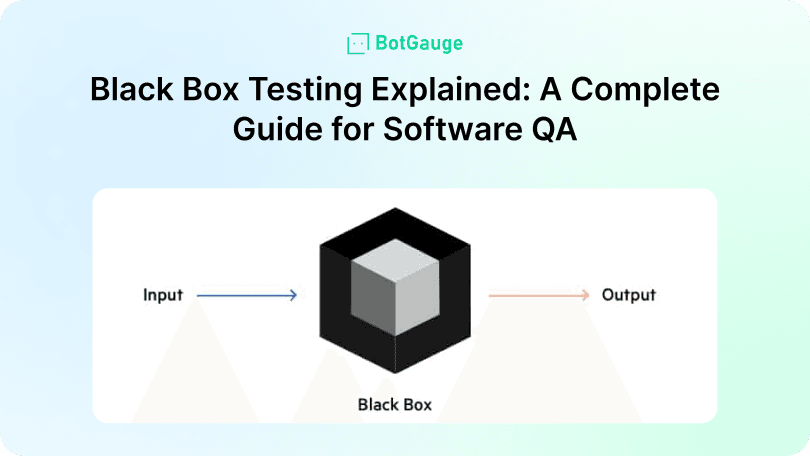
TABLE OF CONTENT
[What Is Black Box Testing?](https://www.botgauge.com/blog/black-box-testing-guide#heading1) [Black Box Testing Techniques](https://www.botgauge.com/blog/black-box-testing-guide#heading2) [Boundary Value Analysis](https://www.botgauge.com/blog/black-box-testing-guide#heading3) [Equivalence Partitioning](https://www.botgauge.com/blog/black-box-testing-guide#heading4) [Decision Table Testing](https://www.botgauge.com/blog/black-box-testing-guide#heading5) [Error Guessing](https://www.botgauge.com/blog/black-box-testing-guide#heading6) [Cause-Effect Graphing](https://www.botgauge.com/blog/black-box-testing-guide#heading7) [Advantages and Disadvantages of Black Box Testing](https://www.botgauge.com/blog/black-box-testing-guide#heading8) [Advantages](https://www.botgauge.com/blog/black-box-testing-guide#heading9) [Disadvantages](https://www.botgauge.com/blog/black-box-testing-guide#heading10) [Best Practices for Black Box Testing](https://www.botgauge.com/blog/black-box-testing-guide#heading11) [Build Tests from User Stories and Business Rules](https://www.botgauge.com/blog/black-box-testing-guide#heading12) [Prioritize High-Risk Flows](https://www.botgauge.com/blog/black-box-testing-guide#heading13) [Automate Repetitive Scenarios](https://www.botgauge.com/blog/black-box-testing-guide#heading14) [Mix Manual and Automated Testing](https://www.botgauge.com/blog/black-box-testing-guide#heading15) [Keep Test Cases Updated](https://www.botgauge.com/blog/black-box-testing-guide#heading16) [Cover Both Functional and Non-Functional Aspects](https://www.botgauge.com/blog/black-box-testing-guide#heading17) [How BotGauge Can Help You Integrate Black Box Testing](https://www.botgauge.com/blog/black-box-testing-guide#heading18) [Conclusion](https://www.botgauge.com/blog/black-box-testing-guide#heading19) [FAQ's](https://www.botgauge.com/blog/black-box-testing-guide#heading20)
Start your AI testing pilotGenerate, run, and maintain tests across your CI/CD workflow with less manual effortTry for Free
SHARE THIS ARTICLE
[LinkedIn](https://www.linkedin.com/sharing/share-offsite/?url=https%3A%2F%2Fwww.botgauge.com%2Fblog%2Fblack-box-testing-guide)[Twitter](https://twitter.com/intent/tweet?url=https%3A%2F%2Fwww.botgauge.com%2Fblog%2Fblack-box-testing-guide)
[Home](https://www.botgauge.com/) [Blog](https://www.botgauge.com/blog) [black-box-testing-guide](https://www.botgauge.com/blog/black-box-testing-guide#)
You don’t need to see the code to know something’s broken. That’s the core value of black box testing— _you test what users experience_, not how developers built it. And yet, many teams still overlook this method in favor of internal coverage.
**_But what happens when APIs fail silently?_**
**_Or when the UI behaves right but returns the wrong output?_**
[**Black box testing**](https://www.botgauge.com/) helps you catch these blind spots. In 2025, it remains one of the most reliable ways to validate functionality, performance, and system behavior. This guide breaks down techniques, use cases, and the advantages and disadvantages of black box testing, with insights from platforms like **BotGauge** that make it easier to scale.
## **What Is Black Box Testing?**
Black box testing focuses entirely on what the software does, not how it’s built. You input values, observe outputs, and check if behavior meets expectations— _without reviewing internal code_.
This approach supports:
- Functional testing of key flows like login, checkout, or search
- [**_Non-functional testing_**](https://www.geeksforgeeks.org/software-testing/software-testing-non-functional-testing/) such as usability, performance, and security
- Regression testing after updates or code merges
- System testing and user acceptance testing across entire platforms
- API testing to validate responses without backend visibility
Since it ignores implementation logic, black box testing offers unbiased validation based on user behavior. It fits perfectly in Agile and DevOps pipelines where fast feedback matters.
_Next, we’ll break down the techniques and the advantages and disadvantages of black box testing to help you apply it effectively._
## **Black Box Testing Techniques**
Strong black box testing depends on choosing the right techniques for your use case. Each method targets different failure points and works without needing access to source code.
### **Boundary Value Analysis**
This technique tests values just inside and just outside input limits.
**_Example:_** _If an input field accepts values between 1 and 100, test with 0, 1, 100, and 101 to catch off-by-one errors or validation bugs._
### **Equivalence Partitioning**
Split input data into valid and invalid groups to reduce test case volume.
**_Example:_** _For a password field accepting 6–12 characters, test one password of 5 characters (invalid), 8 characters (valid), and 13 characters (invalid)._
### **Decision Table Testing**
Best for business rules involving multiple conditions and actions.
**_Example:_** _A discount rule gives 10% off only if the user is logged in and the cart value exceeds ₹1000. Build a table with all condition combinations to ensure logic works correctly._
### **Error Guessing**
Relies on tester experience to anticipate where bugs are likely.
**_Example:_** _Test login with special characters, empty fields, or excessive input length common areas where errors often surface._
### **Cause-Effect Graphing**
Visually link input conditions to outcomes for better test planning.
**_Example:_** _For a system that locks users out after three failed login attempts, map inputs (login tries) to effects (lockout or warning) and build test cases from that graph._
Each of these techniques helps make your black box testing process lean, focused, and better at uncovering high-impact bugs.
_Now let’s break down the advantages and disadvantages of black box testing to decide when and how to use it._
## **Advantages and Disadvantages of Black Box Testing**
Every QA method has its trade-offs. Understanding the advantages and disadvantages of black box testing helps you decide where it fits in your strategy.
### **Advantages**
- **User-Centric** – It tests from the end user’s perspective, ensuring features behave as expected.
- **No Code Required** – Testers don’t need to know the internal logic, making it easier to involve non-developers.
- **Unbiased Results** – Since you don’t see the code, tests stay focused on output accuracy, not logic assumptions.
- **Great for Complex Systems** – Works well for validating large systems, APIs, or third-party integrations.
### **Disadvantages**
- **Low Internal Coverage** – You can miss internal logic or code-specific bugs.
- **Requires Strong Specs** – Without detailed requirements, test cases may miss edge scenarios.
- **Debugging is Harder** – You may find a bug but not its root cause.
- **Maintenance Needs Input** – UI or logic changes often require manual case updates.
Knowing both sides helps you apply black box testing where it fits best and combine it with other approaches for complete coverage.
_Next, let’s look at modern testing trends and how this method continues to evolve._
## **Best Practices for Black Box Testing**
Running effective black box testing depends on how well you plan, structure, and maintain your test strategy. These best practices help reduce noise, improve accuracy, and support long-term quality.
### **Build Tests from User Stories and Business Rules**
Focus on real-world usage, not just UI components. Test what users actually do, like placing an order or submitting a form.
**_Example:_** _Instead of just testing a button, validate the complete flow for “_ **_Apply Discount Code_** _” based on business rules like cart value or user type._
### **Prioritize High-Risk Flows**
Target areas that affect security, payments, or access. A broken checkout button matters more than a misaligned footer.
**_Example:_** _For a banking app, test fund transfers and login flows before checking UI alignment or color themes._
### **Automate Repetitive Scenarios**
Automate login, search, and form validations. Use tools that support black box testing without code-level access.
**_Example:_** _Automate the login process, password reset, and product search using a black-box automation tool like_ [**_BotGauge_**](https://www.botgauge.com/) _._
### **Mix Manual and Automated Testing**
Combine exploratory testing with automated scripts. Manual checks help catch visual bugs or UX issues automation might miss.
**_Example:_** _Use automation for form validations but conduct manual exploratory tests for new features like drag-and-drop file upload._
### **Keep Test Cases Updated**
Update test inputs and outputs when the product changes. Outdated cases lead to false failures or missed bugs.
**_Example:_** _If the form field label changes from “Phone” to “Mobile Number,” update related tests to avoid false failures._
### **Cover Both Functional and Non-Functional Aspects**
Include usability testing, load testing, and error handling— _not just feature checks_.
**_Example:_** _Run load tests on the checkout page and validate error messages under invalid inputs._
These habits help reduce the disadvantages of black box testing while making your QA process leaner and more effective.
## **How BotGauge Can Help You Integrate Black Box Testing**
[**BotGauge**](https://calendly.com/botgauge/30min) stands apart from other black box testing tools by delivering automation, flexibility, and intelligent adaptability across your QA workflow. It helps teams test from the user’s viewpoint— _without examining any internal code_.
Our AI-powered engine already supports over **_one million test cases_** for clients in fintech, healthcare, e-commerce, and more. Built by QA veterans with **_10+ years of testing experience_**, it stands among today’s most complete platforms for black box testing.
Key capabilities include:
- **Self-Healing Tests** – Automatically updates locators when UI changes cause failures, reducing maintenance effort by **_up to 90%_**
- **Intelligent Test Prioritization** – Uses historical test and bug data to run high-impact cases first
- **Natural Language Test Creation** – Converts plain-English steps into executable tests, speeding test development **_10x–20x_**
- **Real-Time Analytics and Debugging** – Offers test playback, flakiness tracking, and dynamic suite tuning
- **Unified Full-Stack Coverage** – Supports UI, API, and backend testing in one integrated platform
With BotGauge, teams move beyond manual black box testing and integrate intelligent, end-to-end validation directly into CI/CD. _Explore more BotGauge’s AI-driven testing features_ → [**BotGauge**](https://www.botgauge.com/)
## **Conclusion**
Manual black box testing often leads to shallow coverage, repetitive test cases, and missed edge conditions. When specs change or UI elements shift, teams scramble to update tests or worse, skip them.
The outcome? Broken flows reach production. QA teams lose confidence. Bugs show up in features that were “already tested.”
**BotGauge** solves this with self-healing automation, natural language test creation, and full-stack validation. It makes black box testing faster to build, easier to maintain, and reliable enough to trust in every sprint. [**_Let’s connect_**](https://www.botgauge.com/contact) _and make black box testing faster, smarter, and scalable with_ **_BotGauge_** _._
For the full landscape of testing types, see [understanding types of software testing](https://www.botgauge.com/blog/understanding-types-software-testing). Related techniques include [white box testing](https://www.botgauge.com/blog/white-box-testing-guide) and [confirmation testing](https://www.botgauge.com/blog/confirmation-testing-in-software-testing). Platforms like [autonomous QA](https://www.botgauge.com/autonomous-qa-as-a-solution) cover these testing types automatically.
## FAQ's
What is black box testing in software QA?
Black box testing validates software by checking outputs against inputs without accessing internal code. It’s used for functional testing, API testing, and system testing to ensure user-facing behavior is accurate. This method focuses on user experience, making it key for catching bugs missed in logic-level reviews.
What are the advantages and disadvantages of black box testing?
The advantages of black box testing include unbiased results, no coding needed, and end-user relevance. The disadvantages of black box testing involve limited internal logic visibility, debugging difficulty, and dependency on clear specs. Balancing both helps QA teams plan tests more effectively and catch real-world issues faster.
Can black box testing be automated?
Yes. Black box testing can be automated using tools like BotGauge that simulate user behavior, validate outputs, and detect regressions. Automated scripts help with regression testing, UI flows, and API testing, improving test speed, accuracy, and reliability in CI/CD pipelines—without needing code access.
What types of tests use black box testing?
Black box testing is used in user acceptance testing, regression testing, non-functional testing, and API testing. It works best when testers need to validate end-to-end workflows, input validation, and system responses without viewing source code, especially in user-critical areas or third-party integrations.
How does BotGauge support black box testing?
BotGauge enhances black box testing with AI-powered automation, natural language test creation, and self-healing capabilities. It automates UI, API, and workflow checks without accessing internal code. These features help QA teams reduce errors, save time, and improve test reliability across fast-moving release cycles.
When should black box testing be used in QA?
Use black box testing when validating software from the user's perspective, especially during system testing, integration testing, and acceptance testing. It’s ideal when source code isn’t available or needed. Tools like BotGauge help automate this process and maintain quality across product updates.
Autonomous Testing for Modern Engineering Teams
[Book a Demo](https://calendly.com/botgauge/30min)
## Build Verification Testing Guide
Build Verification Testing
# Quick Guide to Build Verification Testing: Best Practices and Tips
Learn how Build Verification Testing helps ensure software stability with key practices, tips, and tools to streamline your QA process before full testing begins.
Jul 23, 20258 min read
Try for Free [Book a Demo](https://calendly.com/botgauge/30min)

TABLE OF CONTENT
[What is Build Verification Testing?](https://www.botgauge.com/blog/build-verification-testing-best-practices#heading1) [Process of Build Verification Testing (BVT)](https://www.botgauge.com/blog/build-verification-testing-best-practices#heading2) [Benefits of BVT](https://www.botgauge.com/blog/build-verification-testing-best-practices#heading3) [Sample Test Cases for Build Verification Testing](https://www.botgauge.com/blog/build-verification-testing-best-practices#heading4) [Test Case 1: Application Launch](https://www.botgauge.com/blog/build-verification-testing-best-practices#heading5) [Test Case 2: User Login Functionality](https://www.botgauge.com/blog/build-verification-testing-best-practices#heading6) [Test Case 3: Basic Navigation](https://www.botgauge.com/blog/build-verification-testing-best-practices#heading7) [Test Case 4: Error Handling](https://www.botgauge.com/blog/build-verification-testing-best-practices#heading8) [Challenges and Solutions](https://www.botgauge.com/blog/build-verification-testing-best-practices#heading9) [Best Practices for Build Verification Testing](https://www.botgauge.com/blog/build-verification-testing-best-practices#heading10) [Conclusion](https://www.botgauge.com/blog/build-verification-testing-best-practices#heading11) [FAQ's](https://www.botgauge.com/blog/build-verification-testing-best-practices#heading12)
Start your AI testing pilotGenerate, run, and maintain tests across your CI/CD workflow with less manual effortTry for Free
SHARE THIS ARTICLE
[LinkedIn](https://www.linkedin.com/sharing/share-offsite/?url=https%3A%2F%2Fwww.botgauge.com%2Fblog%2Fbuild-verification-testing-best-practices)[Twitter](https://twitter.com/intent/tweet?url=https%3A%2F%2Fwww.botgauge.com%2Fblog%2Fbuild-verification-testing-best-practices)
[Home](https://www.botgauge.com/) [Blog](https://www.botgauge.com/blog) [build-verification-testing-best-practices](https://www.botgauge.com/blog/build-verification-testing-best-practices#)
Imagine you’ve just finished building a new feature for your software application. Exciting, right? But before you jump into extensive testing, you need to ensure that the basic functions are working correctly. This is where Build Verification Testing (BVT) comes in. Think of BVT as your first line of defense, catching critical issues early and ensuring that your build is stable enough for deeper testing.
[Build Verification Testing](https://www.softwaretestinghelp.com/bvt-build-verification-testing-process/), sometimes called smoke testing, is a crucial step in the software development process. It saves time and resources by identifying major problems right at the beginning. If a build passes BVT, it means you can proceed with more confidence, knowing that the core functionalities are intact. If it doesn’t, it goes back to the developers for fixing, preventing unstable builds from moving forward.
In this guide, we’ll explore the best practices and tips for effective Build Verification Testing. Whether you’re new to BVT or looking to refine your process, these insights will help you enhance your testing strategy, improve product quality, and keep your development cycles running smoothly.
## **What is Build Verification Testing?**
BVT is a subset of tests that focus on the core functionalities of the software application. It aims to verify whether the latest build is testable and stable before it proceeds to the detailed testing phases. This process helps in identifying any immediate defects that could hinder further testing, saving time and resources in the long run.
## **Process of Build Verification Testing (BVT)**
- Receive New Build: The BVT process initiates when a new build is delivered from the development team. This build contains recent changes or updates to the software application, such as new features, bug fixes, or performance improvements. The test team receives notification that the build is ready and available for testing.
- Execute BVT Test Suite: The BVT test suite is a collection of automated tests designed to quickly verify the core functionalities of the application. These tests cover critical areas to ensure that the build is stable and that fundamental features work as expected. The test suite is executed against the new build, typically using continuous integration (CI) tools to automate this process.
- Examine Results: After the BVT test suite is executed, the results are collected and analyzed. The test lead or manager reviews these results to identify any defects or issues that might have been introduced in the new build. This step is crucial for determining whether the build is stable enough to proceed with more exhaustive testing.
- Report and Fix Defects: If the BVT test suite identifies any defects or issues, these are documented and reported to the development team. The defects are logged into a tracking system with detailed information to help developers understand and reproduce the issues. The development team then works on fixing these defects to ensure the build meets the required quality standards.
- Re-test: Once the development team fixes the reported defects, a new build is generated. This updated build undergoes another round of BVT. The BVT test suite is re-executed to verify that the fixes are effective and that no new issues have been introduced. This iterative process continues until the build passes all BVT tests without any critical defects. When the build is stable and passes the BVT, it is deemed ready for more comprehensive testing phases, such as regression testing, system testing, or user acceptance testing.
## **Benefits of BVT**
Build Verification Testing (BVT) plays a crucial role in the [software development](https://www.botgauge.com/blog/understanding-types-software-testing) lifecycle by ensuring that each new build is stable and ready for further testing. Here are some key benefits of BVT:
- Early Detection of Defects: One of the primary advantages of BVT is the early detection of critical defects. By running a predefined set of test cases on each new build, teams can quickly identify major issues that could hinder further testing. This early detection helps in addressing problems promptly, saving valuable time and resources.
- Time and Resource Efficiency: BVT helps in conserving the time and effort of the testing team. Ensuring that only stable builds are passed on for extensive testing prevents the team from wasting time on builds that are not ready for thorough testing. This focus on stability enhances overall productivity and efficiency.
- Immediate Feedback to Developers: When a build fails the BVT, immediate feedback is provided to the development team. This feedback loop is crucial for rapid bug fixing and continuous improvement. Developers can quickly diagnose and resolve issues, leading to faster turnaround times and more robust builds.
- Increased Confidence in Build Stability: By regularly performing BVT, teams gain confidence in the stability of their builds. This confidence is particularly important in agile environments where frequent builds and continuous integration are common practices. Knowing that each build has passed a rigorous set of tests ensures that subsequent testing phases can proceed without major disruptions.
- Improved Quality of Software: BVT contributes to the overall quality of the software by verifying core functionalities early in the development process. This proactive approach to testing helps maintain high standards of software quality, reducing the likelihood of critical issues surfacing later in the development cycle.
- Streamlined Testing Process: Incorporating BVT into the development workflow streamlines the testing process. It establishes a clear, repeatable procedure for verifying new builds, ensuring that testing is systematic and consistent. This structured approach simplifies test management and enhances the reliability of the testing process.
## **Sample Test Cases for Build Verification Testing**
To illustrate the application of BVT, here are some sample test cases:
### **Test Case 1: Application Launch**
#### **Objective Verify that the application launches successfully.**
#### **Steps:**
1\. Install the latest build of the application.
2\. Launch the application.
3\. Verify that the application opens without errors.
##### Expected Result:
The application should launch successfully and display the main screen.
### **Test Case 2: User Login Functionality**
##### Objective: Verify that users can log in with valid credentials.
##### Steps:
1\. Open the application.
2\. Navigate to the login screen.
3\. Enter a valid username and password.
4\. Click the ‘Login’ button.
##### Expected Result: The user should be successfully logged in and directed to the dashboard.
### **Test Case 3: Basic Navigation**
##### Objective: Verify that users can navigate through key sections of the application.
##### Steps:
1\. Log in to the application.
2\. Navigate to the ‘Settings’ section.
3\. Navigate to the ‘Profile’ section.
##### Expected Result: The user should be able to navigate seamlessly between the sections without errors.
### **Test Case 4: Error Handling**
##### Objective: Verify that users can log out successfully.
##### Steps
1\. Log in to the application.
2\. Click the ‘Logout’ button.
##### Expected Result: The user should be logged out and redirected to the login screen.
## **Challenges and Solutions**
- Frequent Changes in Requirements: Regular updates to the application can affect the BVT tests. Solution: Regularly update and maintain test cases.
- Integration Issues: It might fail due to issues in integrating different modules. Solution: Include integration tests in the BVT suite and ensure proper communication between development teams.
- Automation Maintenance: Maintaining automated tests can be challenging. Solution: Use reliable automation tools and frameworks that support easy maintenance and updates.
## **Best Practices for Build Verification Testing**
- Develop a BVT Plan: Outline the objectives, scope, and test coverage in a detailed plan to ensure all team members are aligned with the testing goals.
- Define Clear Criteria: Establish clear entry and exit criteria for BVT, including conditions under which a build is accepted or rejected based on test outcomes.
- Automate BVT Tests: Automation is crucial for BVT as it ensures quick and consistent execution of tests. Tools like [BotGauge](https://www.botgauge.com/) facilitate easy automation and maintenance of BVT test cases.
- Focus on Core Functionalities: BVT should cover the critical functionalities of the application, such as user login, basic navigation, data input, and retrieval processes.
- Keep Tests Short and Effective: BVT tests should be concise and executed within a short time frame (ideally 30 to 60 minutes) to provide quick feedback on the build’s stability.
- Regular Updates and Maintenance: Regularly update test cases to reflect changes in the application. Remove outdated tests and add new ones as required to ensure relevance.
- Detailed Logging: Maintain comprehensive logs for all test executions. This helps in diagnosing failures and understanding test outcomes for more effective debugging.
- Include High-Risk Areas: Allocate more test cases to high-risk areas to thoroughly verify and mitigate potential risks, ensuring that the most vulnerable parts of the application are stable.
- Integrate with CI/CD: Integrate BVT into your CI/CD pipeline to automate the testing process and ensure continuous feedback on build stability.
- Monitor and Analyze Results: Regularly monitor test results and examine failures to identify recurring issues. This helps in improving the overall quality of the build by addressing the root causes of defects.
## **Conclusion**
Build Verification Testing is an indispensable part of the software development lifecycle, ensuring that each new build is stable and ready for detailed testing. By automating it, focusing on core functionalities, and maintaining a robust testing framework, teams can significantly enhance their software quality and accelerate the development process. Implementing the best practices and tips outlined in this guide will help you achieve efficient and effective BVT, contributing to the success of your software projects.
## FAQ's
What is the main purpose of Build Verification Testing?
Build Verification Testing (BVT) ensures that the core functionalities of a newly developed software build are working correctly. It acts as a preliminary test to determine whether the build is stable enough to proceed to more detailed testing phases like regression or system testing.
How is Build Verification Testing different from Smoke Testing?
Build Verification Testing and Smoke Testing are often used interchangeably, but BVT typically refers to a more formalized, automated process integrated into CI/CD pipelines. Smoke Testing can be manual and less structured. Both focus on verifying the basic functionality of a build.
Who should perform Build Verification Testing?
BVT is usually performed by the QA team or automated through CI/CD tools. In DevOps environments, developers may also initiate BVT to get immediate feedback on build stability.
What are common test cases in a BVT suite?
Common BVT test cases include application launch, user login, basic navigation, error handling, and API connectivity. These tests focus on validating high-risk, high-impact areas to ensure build readiness.
Why is automating Build Verification Testing important?
Automation allows BVT to run quickly and consistently with every new build. This provides immediate feedback, reduces manual effort, and aligns with modern CI/CD practices, improving software quality and release speed.
Autonomous Testing for Modern Engineering Teams
[Book a Demo](https://calendly.com/botgauge/30min)
## Manual Testing to Automation
# Can a Manual Tester Become an Automation Engineer?
Can a manual tester become an automation engineer? Discover skills, tools, and career paths to transition successfully into test automation roles.
Sep 12, 20258 min read
Try for Free [Book a Demo](https://calendly.com/botgauge/30min)
TABLE OF CONTENT
[Why Become an Automation Engineer?](https://www.botgauge.com/blog/can-a-manual-tester-become-an-automation-engineer#heading1) [Skills for the Transition: From Manual to Automation](https://www.botgauge.com/blog/can-a-manual-tester-become-an-automation-engineer#heading2) [Steps to Transition from Manual Testing to Automation Engineering](https://www.botgauge.com/blog/can-a-manual-tester-become-an-automation-engineer#heading3) [Conclusion](https://www.botgauge.com/blog/can-a-manual-tester-become-an-automation-engineer#heading4)
Start your AI testing pilotGenerate, run, and maintain tests across your CI/CD workflow with less manual effortTry for Free
SHARE THIS ARTICLE
[LinkedIn](https://www.linkedin.com/sharing/share-offsite/?url=https%3A%2F%2Fwww.botgauge.com%2Fblog%2Fcan-a-manual-tester-become-an-automation-engineer)[Twitter](https://twitter.com/intent/tweet?url=https%3A%2F%2Fwww.botgauge.com%2Fblog%2Fcan-a-manual-tester-become-an-automation-engineer)
[Home](https://www.botgauge.com/) [Blog](https://www.botgauge.com/blog) [can-a-manual-tester-become-an-automation-engineer](https://www.botgauge.com/blog/can-a-manual-tester-become-an-automation-engineer#)
The world of software development is a dynamic landscape, and the need for robust testing practices is more crucial than ever. While manual testing remains a vital part of the QA (Quality Assurance) process, automation is rapidly transforming the field. This shift presents a fantastic opportunity for manual testers — the chance to upskill and transition into the highly sought-after role of an automation engineer.
### Why Become an Automation Engineer?
There are compelling reasons for a manual tester to consider a move towards automation, backed by data-driven insights:
#### Increased Efficiency & Productivity:
Studies by the International Software Testing Qualifications Board (ISTQB) show that automation can reduce test execution time by up to 70%. This frees up valuable time for manual testers to focus on exploratory testing, a critical but time-consuming task, and other strategic initiatives
#### Improved Test Coverage:
According to a report by Capgemini, automated tests can be executed 20 times faster than manual tests. This enables you to achieve a significantly higher level of test coverage, which translates to a more robust and reliable software product.
#### Reduced Errors:
Human error is a factor in manual testing. A study by Deloitte suggests that automation can reduce human error in testing by up to 80%. This leads to more reliable test results, fewer bugs slipping through the cracks, and ultimately, a higher quality software product.
#### Higher Demand & Salary Potential:
Data from Indeed (as of July 2024) shows that the average salary for an automation engineer in the US is $105,832, significantly higher than the average manual tester salary of $68,214. This presents a clear financial incentive for manual testers looking to advance their careers.
#### Career Growth & Future-Proofing:
Learning automation opens doors to exciting career opportunities in software development and test automation leadership roles. A Gartner report predicts that by 2025, 75% of test automation efforts will leverage low-code/no-code tools. This highlights the growing demand for automation skills across various experience levels, future-proofing your career in the ever-evolving software development landscape.
#### Enhanced Job Satisfaction:
Automation engineers often report higher job satisfaction due to the nature of their work. Automating repetitive tasks allows them to focus on more challenging and interesting aspects of testing, such as designing test strategies and exploring edge cases. This shift can lead to a more engaging and fulfilling career.
#### Staying Competitive in the Job Market:
Automation engineers often report higher job satisfaction due to the nature of their work. Automating repetitive tasks allows them to focus on more challenging and interesting aspects of testing, such as designing test strategies and exploring edge cases. This shift can lead to a more engaging and fulfilling career.
#### Opportunities for Innovation:
Automation engineers often work at the forefront of technological innovation. They have the chance to experiment with new tools, frameworks, and methodologies. This constant exposure to innovation keeps the role dynamic and exciting, offering continuous learning and professional growth.
### Skills for the Transition: From Manual to Automation
To transition effectively, manual testers need to acquire new skills, including programming fundamentals, knowledge of test automation frameworks, API testing, version control systems, CI/CD, and familiarity with low-code/no-code tools.
#### Programming Fundamentals
Grasping the basics of programming logic, variables, data types, and control flow structures is essential. Popular languages for test automation include Python, Java, JavaScript, and C#. You don’t need to become a master coder, but understanding these concepts will equip you to work effectively with automation frameworks.
##### Learning Resources:
Online Courses: Platforms like Coursera, Udemy, and edX offer affordable online courses on programming basics. (“Introduction to Programming with Python” on Coursera is a great option). Books: “Automate the Boring Stuff with Python” by Al Sweigart is an excellent starting point for beginners.
#### Test Automation Frameworks:
Frameworks like Selenium, Appium, and Robot Framework provide the foundation for building robust test automation scripts. Choose a framework based on the application under test (web, mobile, desktop) and your chosen programming language.
##### Learning Resources:
Official Documentation: Most frameworks have comprehensive documentation and tutorials available online. (Start with the official Selenium WebDriver documentation). Online Communities: Engage with online communities like the Selenium User Group or the Appium Community for support and learning.
#### API Testing:
Learning how to test APIs (Application Programming Interfaces) is a valuable asset. Tools like Postman and Rest Assured can help you write automated tests to ensure APIs function as expected.
##### Learning Resources:
Online Courses: Platforms like Pluralsight and LinkedIn Learning offer dedicated courses on API testing. (Check out “Introduction to API Testing” on Pluralsight). Tools Documentation: Postman and Rest Assured offer detailed documentation and tutorials on their functionalities. (Postman Learning Center is a great resource).
#### Version Control Systems:
Version control systems like Git allow you to track code changes, collaborate with others, and revert to previous versions if needed.
##### Learning Resources:
Online Courses: Platforms like GitKraken and GitHub offer interactive courses on using Git. (Try “Introduction to Git” on GitHub Learning Lab). Books: “Pro Git” by Scott Chacon and Ben Straub is a comprehensive guide to using Git.
#### Continuous Integration/Continuous Deployment (CI/CD):
Understanding CI/CD pipelines and tools like Jenkins, CircleCI, or GitHub Actions is crucial for modern test automation.
##### Learning Resources:
Online Courses: Platforms like Coursera and Udacity offer courses on CI/CD practices. (Check out “Continuous Integration and Continuous Delivery (CI/CD) with Jenkins” on Coursera). Documentation and Tutorials: Jenkins and CircleCI provide extensive documentation and tutorials.
#### Low-Code/No-Code Automation Tools:
Low-code/no-code tools like BotGauge can significantly ease the learning curve for manual testers transitioning to automation. It can speed up automation testing up to 10x and reduce quality assurance up to 80%.
##### Learning Resources:
Community Forums: Engage with communities and forums dedicated to these tools for additional support and learning.
### Steps to Transition from Manual Testing to Automation Engineering
The transition involves assessing your skills, creating a learning plan, taking online courses, practicing regularly, joining communities, working on real projects, seeking mentorship, and staying updated with industry trends.
#### Assess Your Current Skills:
Start by evaluating your current skill set. Identify areas where you excel and areas that need improvement. This will help you create a focused learning plan.
#### Create a Learning Plan:
Based on your assessment, create a learning plan that outlines the skills you need to acquire. Set achievable goals and timelines to keep yourself on track.
#### Take Online Courses:
Enroll in online courses that cover programming basics, automation frameworks, and other relevant topics. Many platforms offer flexible learning options that allow you to study at your own pace.
#### Practice Regularly:
Hands-on practice is crucial for mastering automation skills. Set up a test environment and start creating automated test scripts. Experiment with different frameworks and tools to gain practical experience.
#### Join Online Communities:
Engage with online communities and forums related to test automation. These communities are valuable resources for asking questions, sharing knowledge, and staying updated on industry trends.
#### Work on Real Projects:
Apply your skills to real projects, either at work or through freelance opportunities. Real-world experience will help you solidify your knowledge and build a portfolio of automation work.
#### Seek Mentorship:
Find a mentor who has experience in test automation.
#### Stay Updated:
The field of automation is constantly evolving. Stay updated on the latest tools, frameworks, and best practices by following industry blogs, attending webinars, and participating in conferences.
### Conclusion
Transitioning from a manual tester to an automation engineer is a strategic move that can enhance your career prospects, increase your earning potential, and keep you relevant in the fast-evolving field of software development. The future of software testing is bright, and with the right tools and dedication, you can become an integral part of it. Remember, every expert was once a beginner.
For a broader look at the tooling landscape, see our guide to [AI test automation tools](https://www.botgauge.com/blog/ai-test-automation-tools). Related reading includes [full-stack test automation roadmap](https://www.botgauge.com/blog/full-stack-test-automation-roadmap) and [maximising ROI with test automation](https://www.botgauge.com/blog/maximising-roi-with-test-automation-key-considerations-and-best-practices). Platforms built on [AI agents](https://www.botgauge.com/ai-agents) automate much of this end to end.
Learn more at [BotGauge](https://www.botgauge.com/).
Autonomous Testing for Modern Engineering Teams
[Book a Demo](https://calendly.com/botgauge/30min)
## Chatbot Testing Guide
software testing
# ChatBot Testing: What It Is, How To Test, and Best Practices
Discover effective strategies for chatbot testing to enhance user experience and performance. Optimize your bots for better engagement and satisfaction.
Feb 18, 20268 min read
Try for Free [Book a Demo](https://calendly.com/botgauge/30min)

TABLE OF CONTENT
[What is Chatbot Testing?](https://www.botgauge.com/blog/chatbot-testing#heading1) [Why is Chatbot Testing Important? What are the Key Benefits](https://www.botgauge.com/blog/chatbot-testing#heading2) [Types of Chatbot Testing and How to Implement Each Effectively](https://www.botgauge.com/blog/chatbot-testing#heading3) [Common Challenges in Chatbot Testing](https://www.botgauge.com/blog/chatbot-testing#heading4) [Best Practices for Chatbot Testing](https://www.botgauge.com/blog/chatbot-testing#heading5) [Future Trends in AI Chatbot Testing](https://www.botgauge.com/blog/chatbot-testing#heading6) [Final Thoughts](https://www.botgauge.com/blog/chatbot-testing#heading7) [Frequently Asked Questions](https://www.botgauge.com/blog/chatbot-testing#heading8)
Start your AI testing pilotGenerate, run, and maintain tests across your CI/CD workflow with less manual effortTry for Free
SHARE THIS ARTICLE
[LinkedIn](https://www.linkedin.com/sharing/share-offsite/?url=https%3A%2F%2Fwww.botgauge.com%2Fblog%2Fchatbot-testing)[Twitter](https://twitter.com/intent/tweet?url=https%3A%2F%2Fwww.botgauge.com%2Fblog%2Fchatbot-testing)
[Home](https://www.botgauge.com/) [Blog](https://www.botgauge.com/blog) [chatbot-testing](https://www.botgauge.com/blog/chatbot-testing#)
Customer support is essential for every product and service. As businesses strive to deliver faster, more efficient support, many are turning to AI and chatbots. However, while chatbots offer the promise of quick and automated responses, ensuring they deliver quality conversations is crucial.
This is where chatbot testing comes into play—rigorous testing is necessary to verify that chatbots understand user queries, provide accurate responses, and maintain a satisfying customer experience.
In this comprehensive guide, we’ll explore the fundamentals of chatbot testing, its importance for ensuring high-quality, reliable conversations with customers.
## **What is Chatbot Testing?**
Chatbot testing is a crucial process that guarantees the functionality, performance, and user experience of conversational AI systems. This systematic evaluation helps in identifying and resolving issues before a chatbot is launched, ensuring it meets user needs and expectations effectively.
## **Why is Chatbot Testing Important? What are the Key Benefits**
**Chatbot Testing Importance:**
Ensures chatbots give correct and relevant answers, keeping users happy and coming back.
Finds and fixes problems early to avoid bad experiences like wrong info or misunderstandings.
Reduces errors by spotting issues before they happen, making chatbots handle surprises well.
Checks how fast and well chatbots work, keeping up with lots of users.
Finds security risks to keep user data safe and follow privacy laws.
Helps chatbots stay up-to-date with what users need and trends.
**Key Benefits:**
Makes chatbot interactions smoother and more satisfying for users.
Let chatbots do more work at once, helping businesses save time and money.
Saves money by finding problems early and improving chatbot performance.
Helps chatbots get better by learning from user feedback.
Keeps a brand’s good name by providing accurate and helpful info, building trust and loyalty.
## **Types of Chatbot Testing and How to Implement Each Effectively**
#### **1\. Functional Testing**
##### **Purpose:**
Verifies that all functions of the chatbot work as intended, including understanding user inputs and providing accurate responses.
##### **Implementation:**
Create detailed test cases covering all possible user interactions. Use a mix of expected inputs and edge cases to ensure comprehensive coverage.
#### **2\. Usability Testing**
##### **Purpose:**
Assesses the ease of use and overall user experience by observing real users interacting with the chatbot.
##### **Implementation:**
Conduct sessions with target users, gather feedback on the chatbot’s interface, response clarity, and interaction flow. Use this feedback to make iterative improvements.
Learn more about [user acceptance test](https://www.botgauge.com/blog/comprehensive-guide-to-uat-test-cases) cases in our detailed guide.
#### **3\. Performance Testing**
##### **Purpose:**
Evaluates how well the chatbot performs under various conditions, including response time and scalability during peak loads.
##### **Implementation:**
Simulate high traffic scenarios to assess response times and throughput. Use automated tools to monitor performance metrics continuously.
#### **4\. Security Testing**
##### **Purpose:**
Identifies vulnerabilities in the chatbot that could lead to data breaches or unauthorized access.
##### **Implementation:**
Conduct penetration testing and vulnerability assessments focusing on data encryption, authentication processes, and compliance with security standards.
#### **5\. A/B Testing**
##### **Purpose:**
A/B test or Live Testing helps to compare two versions of the chatbot to determine which performs better in terms of user engagement and satisfaction.
##### **Implementation:**
Deploy two variants of the chatbot with slight differences (e.g., UI design or response style) to different user groups. Collect and analyze user feedback to identify preferences.
#### **6\. Ad Hoc Testing**
##### **Purpose:**
Unstructured testing aimed at discovering defects by exploring the chatbot’s functionality creatively.
##### **Implementation:**
Testers interact with the chatbot without predefined scripts, trying various inputs and scenarios to uncover unexpected behavior or errors.
#### **7\. Integration Testing**
##### **Purpose:**
Ensures that the chatbot interacts correctly with other systems (e.g., databases, APIs).
##### **Implementation:**
Test the chatbot’s ability to handle API calls and data exchanges seamlessly, especially during error conditions.
#### **8\. Natural Language Understanding (NLU) Assessment**
##### **Purpose:**
Evaluates how well the chatbot understands different phrasings, slang, and misspellings.
##### **Implementation**:
Create diverse input scenarios that include common phrases, variations, and errors to test comprehension capabilities.
## **Common Challenges in Chatbot Testing**
#### **Interpreting Different Types of User Input:**
Chatbots need to understand various language styles like slang, mistakes, and complicated questions, which makes testing them hard.
#### **Understanding What Users Want:**
Getting user wants wrong can cause bad experiences, so it’s important but hard to do right.
#### **Updating Language Models:**
As chatbot platforms change, their ability to understand language must be updated, making it harder to keep testing.
#### **Making Sure Chatbots and Backend Systems Work Well Together:**
Making sure information flows smoothly between chatbots and backend systems is difficult and takes a lot of time.
## **Best Practices for Chatbot Testing**
Define Clear Test Scenarios: List out various user intents, inputs, and use cases to cover all possible interactions.
**Use Automation Where Possible:** Automated testing tools such as [BotGauge](https://www.botgauge.com/) for chatbots save time and ensure consistency, particularly for functional and regression testing.
**Continuously Test and Update**: Regular testing and updates based on user feedback ensure the chatbot stays relevant and responsive.
**Monitor User Analytics:** Analyzing chatbot interactions helps identify areas for improvement, providing insights into user satisfaction and common issues.
## **Future Trends in AI Chatbot Testing**
As [AI testing tools](https://www.botgauge.com/blog/ai-automation-testing-tools) get better, they’ll make chatbot testing more accurate and complex. Companies can use machine learning to spot issues and improve efficiency.
Testing will be constant, integrated into the development process to catch problems early. Chatbots will also understand context better, thanks to improved NLU and deeper user behavior analysis.
Security and compliance will be more important, with automated tools for detecting vulnerabilities and ensuring regulations are met.
Testing will cover emotional intelligence, AR/VR integration, and personalization, with new methods needed to test these features and improve user experience.
## **Final Thoughts**
Having a smart testing plan means your chatbot not only works great but also makes users happy. As tech keeps changing, it’s key to keep testing and keep up with new trends to make sure your chatbot does well online. Remember chatbot testing will become more and more important and evident in future.
## Frequently Asked Questions
What is a chatbot test?
A chatbot test evaluates a chatbot’s functionality, performance, and user experience to ensure it delivers accurate and effective conversations.
How to test a chatbot manually?
To test a chatbot manually, simulate user interactions, verify the accuracy of responses, check for flow consistency, and assess its ability to handle edge cases.
How to test chatbot performance?
Chatbot performance testing involves assessing its speed, load capacity, response time, scalability, and handling of concurrent users to ensure it performs under different conditions.
Autonomous Testing for Modern Engineering Teams
[Book a Demo](https://calendly.com/botgauge/30min)
## AI Testing Solutions Overview
ai for automation testing
# Choosing an AI Testing Solution: Features That Matter
Explore key features to look for in AI automation testing tools in 2025, including self-healing scripts, real-time optimization, and intelligent test data handling.
Jun 30, 20258 min read
Try for Free [Book a Demo](https://calendly.com/botgauge/30min)
TABLE OF CONTENT
[Why AI in Test Automation Is No Longer Optional](https://www.botgauge.com/blog/choosing-ai-testing-solution#heading1) [1\. Increasing QA Complexity](https://www.botgauge.com/blog/choosing-ai-testing-solution#heading2) [2\. Developer Velocity Demands Instant QA](https://www.botgauge.com/blog/choosing-ai-testing-solution#heading3) [3\. Human-Centered Limitations in Maintenance](https://www.botgauge.com/blog/choosing-ai-testing-solution#heading4) [Core Features to Look for in an AI Testing Solution](https://www.botgauge.com/blog/choosing-ai-testing-solution#heading5) [1\. Self-Healing Capabilities](https://www.botgauge.com/blog/choosing-ai-testing-solution#heading6) [2\. Test Case Generation Using NLP or ML](https://www.botgauge.com/blog/choosing-ai-testing-solution#heading7) [3\. Intelligent Test Prioritization](https://www.botgauge.com/blog/choosing-ai-testing-solution#heading8) [4\. Cross-Platform and Layered Testing](https://www.botgauge.com/blog/choosing-ai-testing-solution#heading9) [5\. Adaptive Test Maintenance](https://www.botgauge.com/blog/choosing-ai-testing-solution#heading10) [6\. Visual Validation with AI](https://www.botgauge.com/blog/choosing-ai-testing-solution#heading11) [7\. Detailed Reporting + Root Cause Analysis](https://www.botgauge.com/blog/choosing-ai-testing-solution#heading12) [8\. Integration with DevOps Pipelines](https://www.botgauge.com/blog/choosing-ai-testing-solution#heading13) [Questions to Ask Before Selecting an AI Testing Platform](https://www.botgauge.com/blog/choosing-ai-testing-solution#heading14) [1\. Does it align with your current test stack?](https://www.botgauge.com/blog/choosing-ai-testing-solution#heading15) [2\. Is the AI explainable and transparent?](https://www.botgauge.com/blog/choosing-ai-testing-solution#heading16) [3\. How much manual oversight is still required?](https://www.botgauge.com/blog/choosing-ai-testing-solution#heading17) [4\. Can it scale with your team and release velocity?](https://www.botgauge.com/blog/choosing-ai-testing-solution#heading18) [Bonus Features That Add Long-Term Value](https://www.botgauge.com/blog/choosing-ai-testing-solution#heading19) [1\. AI Test Coverage Estimation](https://www.botgauge.com/blog/choosing-ai-testing-solution#heading20) [2\. In-Sprint Automation Capabilities](https://www.botgauge.com/blog/choosing-ai-testing-solution#heading21) [3\. AI for Performance Bottleneck Detection](https://www.botgauge.com/blog/choosing-ai-testing-solution#heading22) [How BotGauge Delivers AI-Driven Test Automation That Scales in 2025?](https://www.botgauge.com/blog/choosing-ai-testing-solution#heading23) [Conclusion](https://www.botgauge.com/blog/choosing-ai-testing-solution#heading24) [FAQs](https://www.botgauge.com/blog/choosing-ai-testing-solution#heading25) [1\. What is the most critical AI feature in testing tools today?](https://www.botgauge.com/blog/choosing-ai-testing-solution#heading26) [2\. Can AI testing tools replace manual testers?](https://www.botgauge.com/blog/choosing-ai-testing-solution#heading27) [3\. Are low-code AI testing tools effective for enterprise applications?](https://www.botgauge.com/blog/choosing-ai-testing-solution#heading28) [4\. How do I evaluate ROI for an AI testing tool?](https://www.botgauge.com/blog/choosing-ai-testing-solution#heading29) [5\. How does AI assist in cross-platform testing?](https://www.botgauge.com/blog/choosing-ai-testing-solution#heading30) [FAQ's](https://www.botgauge.com/blog/choosing-ai-testing-solution#heading31)
Start your AI testing pilotGenerate, run, and maintain tests across your CI/CD workflow with less manual effortTry for Free
SHARE THIS ARTICLE
[LinkedIn](https://www.linkedin.com/sharing/share-offsite/?url=https%3A%2F%2Fwww.botgauge.com%2Fblog%2Fchoosing-ai-testing-solution)[Twitter](https://twitter.com/intent/tweet?url=https%3A%2F%2Fwww.botgauge.com%2Fblog%2Fchoosing-ai-testing-solution)
[Home](https://www.botgauge.com/) [Blog](https://www.botgauge.com/blog) [choosing-ai-testing-solution](https://www.botgauge.com/blog/choosing-ai-testing-solution#)
Choosing the right tool for [**_AI for automation testing_**](https://www.botgauge.com/) isn’t just a nice-to-have in 2025, it’s a necessity. With product release cycles shrinking and bugs slipping through static scripts, teams are under pressure to keep up. According to Capgemini’s 2024 World Quality Report, [63% of organizations](https://www.capgemini.com/wp-content/uploads/2024/10/WQR-24-MAIN-REPORT-CG.pdf) now rely on some form of AI in test automation to keep testing cycles aligned with their deployment speeds.
But here’s the question, what exactly makes a testing solution “intelligent”?
Not every tool offering AI delivers meaningful automation. Features like self-healing tests, intelligent test prioritization, and adaptive test scripts are no longer luxury options—they’re the baseline. If your current tool still struggles with CI/CD integration or requires constant manual tweaks, it may be time for a rethink.
This guide breaks down what actually matters when you’re selecting AI testing tools, so your QA process stops lagging behind your codebase.
## **Why AI in Test Automation Is No Longer Optional**
Testing used to follow predictable scripts. Now, with modern apps growing more complex, automation must keep up without slowing teams down. **AI in test automation** plays a key role in ensuring speed, stability, and accuracy.
### **1\. Increasing QA Complexity**
Modern systems rely on distributed microservices, multiple APIs, and frequent interface updates. These elements create more failure points and test dependencies. Without **AI for automation testing**, teams struggle to maintain coverage and consistency at scale.
### **2\. Developer Velocity Demands Instant QA**
Release cycles continue to shrink. Teams now push updates weekly or even daily. **AI testing tools** support this speed by automating test case selection, validation, and **autonomous test execution** within CI/CD pipelines. When evaluating vendors, look specifically for platforms built around [agentic AI testing](https://www.botgauge.com/blog/agentic-ai-testing) – these go further than automated execution, with agents that plan and self-heal without manual scripting. This shift helps reduce human bottlenecks.
### **3\. Human-Centered Limitations in Maintenance**
Every UI tweak or backend change triggers failures in static test scripts. **Self-healing tests** powered by AI detect these changes and adjust locators or flows automatically. This reduces time spent fixing tests and boosts QA reliability over time.
## **Core Features to Look for in an AI Testing Solution**
Choosing the right AI testing tools means knowing what actually improves productivity, not just what sounds impressive. Here’s what to focus on when evaluating a solution that uses AI for automation testing.
### **1\. Self-Healing Capabilities**
Test scripts often break due to simple UI changes. With **AI test maintenance**, the tool should automatically detect modified selectors, locators, or page elements and fix them during execution. This feature minimizes flaky failures and keeps suites stable over time.
### **2\. Test Case Generation Using NLP or ML**
Many advanced tools now allow NLP-driven test creation, where you input a user story or requirement, and the platform turns it into executable test cases. This improves test coverage and supports low-code AI testing tools, helping QA and non-technical users contribute effectively.
### **3\. Intelligent Test Prioritization**
Some tests matter more than others. Tools using intelligent test prioritization rank and run the most risk-sensitive tests first, using change data, commit history, or past defects. This reduces test execution time without sacrificing quality.
### **4\. Cross-Platform and Layered Testing**
Look for support across UI, API, database, and mobile testing. A strong AI solution should manage dynamic test suite optimization that covers all layers from one interface, avoiding the need for multiple disjointed tools.
### **5\. Adaptive Test Maintenance**
AI models should learn from repeated runs to identify which test cases become redundant and which ones remain valuable. This ongoing optimization keeps your suite lean and efficient.
### **6\. Visual Validation with AI**
Beyond functional checks, tools now offer visual validation, comparing screen layouts and regions to detect rendering issues. AI helps identify visual bugs like misalignments or missing elements that a standard script may ignore.
### **7\. Detailed Reporting + Root Cause Analysis**
AI-generated logs should go beyond pass/fail. They should include AI bug triage, screenshots, DOM snapshots, and step-by-step playback to help teams resolve issues faster.
### **8\. Integration with DevOps Pipelines**
CI/CD support is a must. Your tool should integrate with Jenkins, GitHub Actions, GitLab CI, Azure DevOps, or whatever stack your team uses. Seamless CI/CD integration ensures tests run at the right moments with minimal setup.
## **Questions to Ask Before Selecting an AI Testing Platform**
Not all tools that offer **AI in test automation** deliver value from day one. Asking the right questions helps avoid mismatched features or hidden limitations. Here’s what to consider before making a decision.
### **1\. Does it align with your current test stack?**
If your team already works with Selenium, Playwright, or Cypress, the AI solution should support those frameworks natively or offer smooth integration. Swapping out your entire test stack creates unnecessary friction and learning overhead.
### **2\. Is the AI explainable and transparent?**
Good **AI for automation testing** shouldn’t behave like a black box. You need traceability into why a test was prioritized, skipped, or marked flaky. Transparent logic boosts trust and allows better debugging.
### **3\. How much manual oversight is still required?**
The goal of using **AI testing tools** is to reduce human intervention. Find out if the platform can auto-update locators, generate test data, and fix minor failures independently. If constant review is still needed, the AI isn’t doing enough.
### **4\. Can it scale with your team and release velocity?**
As your product and team grow, your testing solution should support that scale. Look for tools designed to handle large test suites, frequent releases, and multiple team members working simultaneously, without performance slowdowns or coordination gaps.
## **Bonus Features That Add Long-Term Value**
Some features don’t always make the initial checklist—but over time, they improve test stability, developer satisfaction, and QA visibility. When evaluating **AI testing tools**, these additions often prove worth the investment.
### **1\. AI Test Coverage Estimation**
High-quality platforms now offer visual mapping of tested vs untested paths. This feature enables better test planning and helps QA leads identify gaps. AI for automation testing uses execution data to highlight weak spots, making coverage more measurable.
### **2\. In-Sprint Automation Capabilities**
Speed matters. With AI-powered solutions, testers can generate and run tests during the same sprint cycle. This supports agile development and minimizes delay between development and QA.
### **3\. AI for Performance Bottleneck Detection**
Some advanced tools include features that use historical test runs and live metrics to identify performance slowdowns. Instead of running separate tests, teams can catch issues early using **AI in test automation** to flag regression patterns tied to speed or memory usage.
## **How BotGauge Delivers AI-Driven Test Automation That Scales in 2025?**
[**BotGauge**](https://calendly.com/botgauge/30min) combines advanced AI in test automation with a user-friendly platform designed for teams aiming to boost efficiency and accuracy. It offers self-healing capabilities that automatically adjust test scripts when UI elements change, cutting down on maintenance time.
The tool leverages **intelligent test prioritization** by analyzing past test runs and bug patterns, focusing efforts where they matter most. BotGauge can be integrated with popular CI/CD pipelines ensures smooth, continuous testing without disrupting development velocity.
What sets BotGauge apart is its natural language processing-powered test generation, enabling non-technical team members to create robust tests quickly. This lowers the barrier for QA teams to adopt automation while maintaining high test coverage.
With real-time analytics and **dynamic test suite optimization**, BotGauge adapts tests on the fly, improving reliability and reducing flaky test cases. Its broad support across UI, API, and database testing offers a unified workflow, ideal for scaling QA in fast-moving projects.
## **Conclusion**
Choosing the right [**AI for automation testing**](https://www.botgauge.com/contact) can transform your QA process, making it faster, smarter, and more reliable. Features like self-healing tests and intelligent test prioritization reduce maintenance burdens and improve test accuracy. Tools like BotGauge bring these innovations together, helping teams scale without adding complexity. As testing demands grow, adopting AI in test automation moves from a nice-to-have to a must-have. Consider how these capabilities can fit your workflow and unlock faster release cycles with fewer bugs.
## **FAQs**
### **1\. What is the most critical AI feature in testing tools today?**
Self-healing and intelligent test prioritization offer immediate benefits by reducing flaky tests and minimizing maintenance efforts.
### **2\. Can AI testing tools replace manual testers?**
AI automates repetitive tasks, but exploratory and UX-focused testing still needs human insight to catch subtle issues.
### **3\. Are low-code AI testing tools effective for enterprise applications?**
Yes, many platforms deliver enterprise-grade coverage and seamless integration without requiring complex scripting.
### **4\. How do I evaluate ROI for an AI testing tool?**
Look for improvements in bug detection rates, faster test execution, reduced maintenance hours, and better team productivity.
### **5\. How does AI assist in cross-platform testing?**
AI learns from test behaviors across web, mobile, and APIs, optimizing test paths and generating reusable logic for multiple platforms.
Platforms built on [AI agents](https://www.botgauge.com/ai-agents) bring this to life in practice. Explore [BotGauge](https://www.botgauge.com/) to see agentic AI testing in action.
Explore the full [BotGauge platform](https://www.botgauge.com/) to see agentic AI testing in action.
## FAQ's
What is the most critical AI feature in testing tools today?
Self-healing and intelligent test prioritization offer immediate benefits by reducing flaky tests and minimizing maintenance efforts.
Can AI testing tools replace manual testers?
AI automates repetitive tasks, but exploratory and UX-focused testing still needs human insight to catch subtle issues.
Are low-code AI testing tools effective for enterprise applications?
Yes, many platforms deliver enterprise-grade coverage and seamless integration without requiring complex scripting.
How do I evaluate ROI for an AI testing tool?
Look for improvements in bug detection rates, faster test execution, reduced maintenance hours, and better team productivity.
How does AI assist in cross-platform testing?
AI learns from test behaviors across web, mobile, and APIs, optimizing test paths and generating reusable logic for multiple platforms.
Autonomous Testing for Modern Engineering Teams
[Book a Demo](https://calendly.com/botgauge/30min)
## CI/CD Testing Overview
software testingtest automation
# What is CI CD Testing? A Complete Guide
What is CI/CD testing? How automated tests fit into every stage of the pipeline, the tools teams use, and how to stop test maintenance from becoming the bottleneck.
Mar 16, 20268 min read
Try for Free [Book a Demo](https://calendly.com/botgauge/30min)
TABLE OF CONTENT
[What is CI/CD?](https://www.botgauge.com/blog/ci-cd-testing#heading1) [What is CI/CD Testing?](https://www.botgauge.com/blog/ci-cd-testing#heading2) [The Three Pillars of CI/CD](https://www.botgauge.com/blog/ci-cd-testing#heading3) [Common CI/CD Testing Tools](https://www.botgauge.com/blog/ci-cd-testing#heading4) [CI/CD Workflow Pipeline](https://www.botgauge.com/blog/ci-cd-testing#heading5) [How is CI/CD Testing Done?](https://www.botgauge.com/blog/ci-cd-testing#heading6) [Common Challenges in CI/CD Testing](https://www.botgauge.com/blog/ci-cd-testing#heading7) [CI/CD Testing: Manual vs. Automated Testing](https://www.botgauge.com/blog/ci-cd-testing#heading8) [Why Automating CI/CD Testing Matters](https://www.botgauge.com/blog/ci-cd-testing#heading9) [Best Practices for CI/CD Pipeline Testing](https://www.botgauge.com/blog/ci-cd-testing#heading10) [Frequently Asked Questions](https://www.botgauge.com/blog/ci-cd-testing#heading11) [Summary](https://www.botgauge.com/blog/ci-cd-testing#heading12)
Start your AI testing pilotGenerate, run, and maintain tests across your CI/CD workflow with less manual effortTry for Free
SHARE THIS ARTICLE
[LinkedIn](https://www.linkedin.com/sharing/share-offsite/?url=https%3A%2F%2Fwww.botgauge.com%2Fblog%2Fci-cd-testing)[Twitter](https://twitter.com/intent/tweet?url=https%3A%2F%2Fwww.botgauge.com%2Fblog%2Fci-cd-testing)
[Home](https://www.botgauge.com/) [Blog](https://www.botgauge.com/blog) [ci-cd-testing](https://www.botgauge.com/blog/ci-cd-testing#)
#### At a Glance
CI/CD testing is the practice of embedding automated tests directly into a continuous integration and continuous delivery pipeline, so every code commit is validated automatically rather than tested manually at the end of a release cycle. Quality checks run at every stage, unit tests on commit, integration tests on merge, end-to-end tests before deployment, catching defects while they are still cheap to fix. The hardest part of CI/CD testing at scale is not writing the tests, it is keeping them passing as the application changes; BotGauge addresses this directly with Autonomous QA as a Solution (AQS), where AI agents generate and self-heal tests inside the pipeline on every commit, removing the maintenance burden that otherwise grows as fast as the product does.
## What is CI/CD?
CI/CD stands for Continuous Integration and Continuous Delivery, or Continuous Deployment. It is a set of practices that automate building, testing, and releasing software, with the goal of shrinking the time between writing code and getting it safely in front of users.
Continuous Integration is the starting point: merging code changes into a shared repository frequently, often multiple times a day, with each merge automatically triggering a build and a test run. What happens after that build passes is where the other two terms diverge. Continuous Delivery keeps every passing build in a deployable state, ready to go out the door, but still waits for a human to actually approve the release. Continuous Deployment removes even that step, automatically releasing every build that clears its tests, which only works once the test suite itself is trustworthy enough to be the sole gatekeeper. Together, the three form a pipeline that keeps software moving at a consistent, predictable pace instead of lurching forward in large, risky releases.
## What is CI/CD Testing?
CI/CD testing is the automated testing layer built into that pipeline. Rather than running tests manually at the end of a development cycle, CI/CD testing embeds quality checks at every stage, from the moment code is committed to the moment it reaches production.
When a developer pushes new code, the CI system automatically runs a suite of tests, typically unit tests first, then integration tests, then broader end-to-end and performance checks as the build moves closer to release. If any test fails, the pipeline halts and the developer is notified immediately, before the broken code can advance any further or affect anyone else’s work.
See how autonomous testing fits directly into your CI/CD pipeline
[Release 5x faster](https://www.botgauge.com/contact)
## The Three Pillars of CI/CD
Understanding CI/CD testing means understanding the three pillars it sits on top of.
**Continuous Integration** focuses on merging code frequently and running automated tests immediately after each merge, catching conflicts, compilation errors, and unit test failures the moment they are introduced rather than days later.
**Continuous Delivery** ensures that once code passes CI, it stays in a permanently deployable state. Automated tests validate every change, and the system prepares it for release, though a human still approves the final push to production.
**Continuous Deployment** removes that last manual step. Once a build passes every automated gate, it deploys to production without anyone needing to click approve, which only works if the test suite is trustworthy enough to be the sole gatekeeper.
## Common CI/CD Testing Tools
| Tool | Best fit | Notable trait |
| --- | --- | --- |
| **Jenkins** | Teams wanting maximum flexibility and self-hosted control | Open-source, over 1,800 plugins, steeper learning curve than newer platforms |
| **GitLab CI/CD** | Teams already using GitLab end to end | Fully integrated DevOps suite, pipelines configured via `.gitlab-ci.yml` |
| **GitHub Actions** | Teams centered on GitHub repositories | Native integration, workflow config lives alongside the code |
| **CircleCI** | Teams that want fast, cloud-native parallelization | Strong parallelism features for splitting large test suites across machines |
| **Azure DevOps** | Teams already invested in the Microsoft/Azure ecosystem | Deep integration with Azure cloud services |
| **Bitbucket Pipelines** | Teams using Atlassian’s Jira and Confluence | Native fit inside an existing Atlassian workflow |
No single tool is “best” outright, the right pick depends on which ecosystem your team already lives in and how much of the pipeline you want to self-host versus hand off to a managed platform.
## **CI/CD Workflow Pipeline**
A typical CI/CD pipeline moves through these stages in sequence:
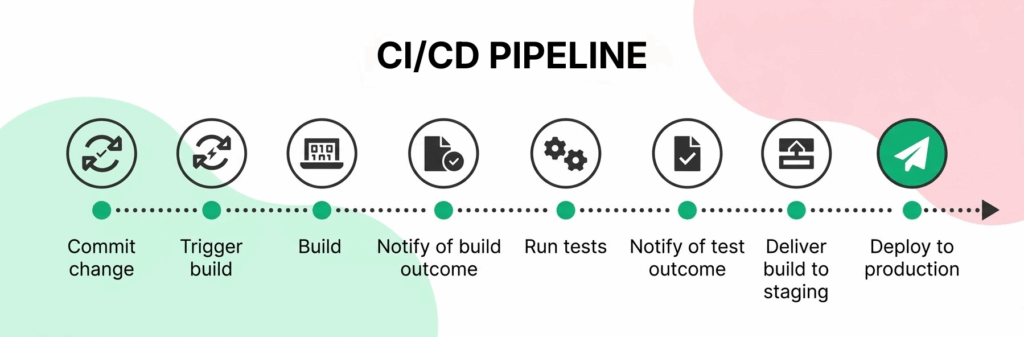
1. **Code Commit.** A developer pushes changes to a version control system such as Git, and every commit is recorded for tracking.
2. **Build Trigger.** The CI/CD platform detects the new commit and automatically starts the pipeline.
3. **Application Build.** The code is compiled and packaged into a deployable artifact, confirming it compiles and its dependencies are properly configured.
4. **Build Status Notification.** The system reports whether the build succeeded or failed.
5. **Automated Testing.** Unit, integration, and end-to-end tests run against the build. Quick feedback here lets developers catch problems while the change is still fresh in their mind.
6. **Test Results Notification.** Results are shared with the team, typically via Slack, email, or the CI dashboard itself.
7. **Deployment to Staging.** A build that passes all tests deploys to a staging environment that mirrors production as closely as possible.
8. **Production Deployment.** After a clean staging run, the application releases to production, either automatically or with a final manual approval.
Read More: [Learn what a test artifact means in STLC](https://www.botgauge.com/blog/test-artifacts)
## How is CI/CD Testing Done?
In practice, CI/CD testing comes down to a few disciplined habits rather than a single tool decision.
Start by defining a test strategy before writing any tests. Map out which test types belong at which stage. Unit tests run first because they’re fast. End-to-end tests run later because they take longer and depend on more of the system being in place.
From there, write and maintain test suites alongside the code itself. Practice shift-left testing so quality checks move earlier in the process, not bolted on afterward.
Configure the pipeline itself, using something like a GitHub Actions workflow file or a Jenkinsfile. Define exactly when tests run, which environments they use, and what conditions gate a build from advancing. Finally, integrate security and dependency scanning directly into the same pipeline. That way a vulnerability gets caught alongside a functional bug, not in a separate, easily-skipped process.
## Common Challenges in CI/CD Testing
CI/CD testing solves real problems. But running it at scale surfaces problems of its own. A fair guide should cover the failure modes as directly as the benefits.
#### **Flaky tests**
Tests that pass or fail inconsistently without any actual code change are the single most corrosive problem in CI/CD, because every flaky failure trains the team to ignore red pipelines, which defeats the entire point of automated gating. Flakiness usually traces back to timing issues (a test checks for something before the app has finished loading) or fragile element locators that break the moment a developer changes an implementation detail.
#### **Long pipeline execution times**
A test suite grows, and pipeline feedback slows down with it. A pipeline that takes 40 minutes to report a failure breaks the whole promise of CI/CD: fast feedbacParallelizing test execution and prioritizing fast tests to run first are the standard mitigations, but they add their own configuration overhead.
#### **Environment inconsistencies**
A test that passes in a staging environment but fails in production, or vice versa, usually means the two environments have quietly drifted apart, different dependency versions, different data, different configuration. Keeping environments as close to identical as realistically possible is tedious, ongoing work, not a one-time setup task.
#### **Scaling test infrastructure**
A test suite built for a ten-person team’s pipeline does not automatically hold up when the team, the codebase, and the release cadence all grow. High-volume pipelines need testing infrastructure, parallel runners, environment provisioning, that scales with demand rather than becoming the new bottleneck.
#### **Test maintenance overhead**
This is the quietest, most expensive challenge of all. Automated tests need constant updates as the application changes. A UI change takes a developer ten minutes to ship. Reflecting that same change across every affected test can take a QA engineer hours.
Left unmanaged, this is how test suites decay. Not because the tests were written poorly. Because nobody had the bandwidth to keep updating them as the product moved.
This is the exact problem [self-healing test automation](https://www.botgauge.com/blog/self-healing-test-automation) solves. A suite that repairs its own broken locators as the UI changes removes that maintenance tax. The tax that otherwise grows in direct proportion to how fast a team ships.
## CI/CD Testing: Manual vs. Automated Testing
One of the most common questions teams face when building a CI/CD pipeline is where manual testing still fits. Manual testing means human testers executing test cases without automation. It’s still genuinely valuable for exploratory testing, usability assessment, and edge-case investigation. That’s judgment-driven work. It resists scripting.
Automated testing is different. Automated testing uses scripts and frameworks to execute tests programmatically. It runs the same way every time. And it scales with the codebase in a way manual effort simply cannot.
Most mature CI/CD pipelines automate 80 to 90 percent of testing. The remaining manual effort goes where it belongs: areas too costly to automate, or areas where judgment matters more than repeatability.
## Why Automating CI/CD Testing Matters
Automating CI/CD testing is a strategic necessity for teams that want to move fast without quietly trading away quality. Boehm and Basili’s peer-reviewed [Software Defect Reduction Top 10 List](https://www.computer.org/csdl/magazine/co/2001/01/r1135/13rRUxASubk) (IEEE Computer, January 2001) found that fixing a defect after delivery is often about 100 times more expensive than fixing it during requirements and design on large projects, though the ratio narrows to roughly 5:1 on smaller, non-critical ones. Automated tests are what make catching defects early, cheaply, actually possible at the pace CI/CD demands.
A team that automates its CI/CD tests is betting that speed and rigor don’t have to trade off, and mostly that bet pays off. Tests that used to take days now run in minutes, which sounds like a scheduling win until you notice what it actually changes: a developer gets to fix a bug while they still remember writing it, instead of hunting through code they touched two sprints ago. That immediacy is worth more than the raw time saved.
Automation also removes a kind of noise manual testing can’t help but introduce, since two people running the same test case rarely run it quite the same way, and a machine always does. The payoff shows up months later as fewer regressions slipping through and compounding into the kind of defect backlog nobody wants to untangle.
None of it holds together, though, if testing stays walled off as someone else’s job. The teams getting real value from automation are the ones where writing and maintaining tests became everyone’s responsibility, not a QA team’s alone, and where the audit trail testing leaves behind turns out to double as exactly the compliance record regulated industries already need.
## Best Practices for CI/CD Pipeline Testing
Building an effective CI/CD testing practice takes more than simply adding tests to a pipeline. Commit code frequently and trigger automated tests on every commit, since rapid feedback is the entire point and infrequent commits just delay discovering a problem. Keep the build pipeline stable by treating a broken build as a high-priority incident, not something that waits until someone gets around to it, since a team that tolerates red builds quickly stops trusting them. Run tests in parallel wherever the infrastructure allows it, since parallelization is usually the single biggest lever for cutting pipeline time without cutting test coverage. And keep ownership of the pipeline shared: CI/CD testing works best when developers, QA engineers, and operations collectively maintain and improve the testing workflow, rather than treating it as one team’s problem to solve alone.
## Frequently Asked Questions
**What does CI/CD stand for?** CI/CD stands for Continuous Integration and Continuous Delivery, or Continuous Deployment. Developers automatically build, test, and deploy code changes through a pipeline as part of a modern software development practice.
**What is CI/CD testing?** CI/CD testing is the practice of automating and integrating tests throughout the continuous integration and continuous delivery pipeline, so every code change is validated through a structured set of automated checks before it can progress to the next stage.
**What is the difference between DevOps and CI/CD?** CI/CD is a specific set of automated practices for integrating, testing, and deploying code. DevOps is the broader cultural and organizational practice of breaking down silos between development and operations teams. CI/CD is one of the primary technical mechanisms that makes DevOps practical to implement.
**Can CI/CD testing slow down development?** Done well, no, it speeds development up by catching defects while they’re cheap to fix and removing the need for a separate, slower manual QA phase. Done poorly, with a bloated, flaky, or poorly parallelized test suite, it absolutely can become the bottleneck it was meant to prevent.
**Is CI/CD testing only relevant for large teams?** No. Teams of every size benefit from faster feedback, reduced manual effort, and consistent quality checks, small teams arguably benefit more, since they have the least spare capacity to catch defects manually.
**How can I learn CI/CD testing?** Start with a single pipeline on a real project: pick one CI platform (GitHub Actions is a reasonable default for most teams), write a basic pipeline that builds and runs your existing test suite on every commit, then expand from there into staged deployments and parallelized testing.
## Summary
CI/CD enables teams to release software faster by automatically building, testing, and validating every code change throughout the development lifecycle. A strong CI/CD testing strategy catches defects early, keeps pipelines stable, and delivers reliable releases, but it only stays that way if someone is actively managing the failure modes: flaky tests, long execution times, environment drift, and above all, the ongoing maintenance burden of keeping the test suite current as the product changes.
This is exactly where BotGauge fits. With Autonomous QA as a Solution (AQS), AI agents generate, execute, and self-heal end-to-end tests directly inside the CI/CD pipeline, updating automatically as the application’s UI changes, while human QA experts oversee strategy, validation, and the edge cases that still need judgment. It runs on every commit with unlimited parallel test execution, addressing the two challenges covered above (test maintenance overhead and long pipeline execution times) as a direct product of how it works, not an afterthought bolted onto a traditional automation tool. See how autonomous testing fits directly into your CI/CD pipeline, or explore [Autonomous QA as a Solution](https://www.botgauge.com/autonomous-qa-as-a-solution) in more depth.
Unlimited parallelization for 5x faster test execution
[Explore AQaaS](https://www.botgauge.com/autonomous-qa-as-a-solution)

About the Author
##### Yamini Priya J
A content marketer who started out writing code and found my way into brand strategy. Seven years into marketing, I still think like a developer. I break the problem down, find the logic, then tell the story clearly. I write for tech companies whose audiences know their stuff, and so do I. Still powered by coffee ☕️
### More from our Blog

## 10 Best Rainforest QA Alternatives For Testing In 2026
The best Rainforest QA alternatives do more than automate tests - they reduce maintenance, improve coverage, and help teams ship faster. Explore the leading options and learn how modern AI-powered testing platforms are redefining software quality assurance.
[Read article](https://www.botgauge.com/blog/rainforest-qa-alternatives)

## QA Wolf vs MuukTest: Which QaaS Model To Choose
Compare QA Wolf and MuukTest on pricing, coverage, and support, with corrected 2026 numbers and a look at outcome-based alternatives.
[Read article](https://www.botgauge.com/blog/qa-wolf-vs-muuktest)

## Top 11 AI Test Automation Tools to Use in 2026
Modern AI test automation tools do more than automate test execution - they use AI to generate tests, adapt to application changes, and identify defects faster. Discover the top AI-powered testing solutions and learn how to choose the right platform for your team's automation goals.
[Read article](https://www.botgauge.com/blog/ai-test-automation-tools)
Autonomous Testing for Modern Engineering Teams
[Book a Demo](https://calendly.com/botgauge/30min)
## Jira Test Case Management
# Comprehensive Guide to Jira Test Case Management
Learn Jira test case management with this comprehensive guide. Explore setup, execution, tracking, and reporting to streamline your QA process.
Sep 12, 20258 min read
Try for Free [Book a Demo](https://calendly.com/botgauge/30min)
TABLE OF CONTENT
[What is Jira?](https://www.botgauge.com/blog/comprehensive-guide-to-jira-test-case-management#heading1) [Methods to Manage Test Cases in Jira](https://www.botgauge.com/blog/comprehensive-guide-to-jira-test-case-management#heading2) [Using Jira Issues for Test Cases:](https://www.botgauge.com/blog/comprehensive-guide-to-jira-test-case-management#heading3) [Basic Jira Testing Marketplace Apps:](https://www.botgauge.com/blog/comprehensive-guide-to-jira-test-case-management#heading4) [Full Test Management Tools with Jira Integration:](https://www.botgauge.com/blog/comprehensive-guide-to-jira-test-case-management#heading5) [Creating and Managing Test Cases in Jira](https://www.botgauge.com/blog/comprehensive-guide-to-jira-test-case-management#heading6) [Importance of Dedicated Test Management in Jira](https://www.botgauge.com/blog/comprehensive-guide-to-jira-test-case-management#heading7) [Best Practices for Jira Test Case Management](https://www.botgauge.com/blog/comprehensive-guide-to-jira-test-case-management#heading8) [Conclusion](https://www.botgauge.com/blog/comprehensive-guide-to-jira-test-case-management#heading9) [FAQ's](https://www.botgauge.com/blog/comprehensive-guide-to-jira-test-case-management#heading10)
Start your AI testing pilotGenerate, run, and maintain tests across your CI/CD workflow with less manual effortTry for Free
SHARE THIS ARTICLE
[LinkedIn](https://www.linkedin.com/sharing/share-offsite/?url=https%3A%2F%2Fwww.botgauge.com%2Fblog%2Fcomprehensive-guide-to-jira-test-case-management)[Twitter](https://twitter.com/intent/tweet?url=https%3A%2F%2Fwww.botgauge.com%2Fblog%2Fcomprehensive-guide-to-jira-test-case-management)
[Home](https://www.botgauge.com/) [Blog](https://www.botgauge.com/blog) [comprehensive-guide-to-jira-test-case-management](https://www.botgauge.com/blog/comprehensive-guide-to-jira-test-case-management#)
Managing test cases in Jira can significantly streamline your testing process, improve collaboration among teams, and integrate your testing efforts with your overall project management activities. A strong foundation starts with [understanding test cases in software testing](https://www.botgauge.com/blog/understanding-test-cases-in-software-testing). Teams handle this at scale with [autonomous QA](https://www.botgauge.com/autonomous-qa-as-a-solution). For related coverage, see [UAT test cases](https://www.botgauge.com/blog/comprehensive-guide-to-uat-test-cases).
Here’s a detailed guide to help you effectively create, manage, and optimize test cases in Jira.
### What is Jira?
[Jira](https://www.atlassian.com/software/jira) is a powerful project management tool developed by Atlassian, widely used for issue tracking and agile project management. Its flexibility allows teams to customize workflows, track project progress, and collaborate effectively.
Originally designed for software development, Jira has evolved to support various business processes, including test case management.
### Methods to Manage Test Cases in Jira
There are several methods to manage test cases in Jira, each with its own advantages and drawbacks:
### Using Jira Issues for Test Cases:
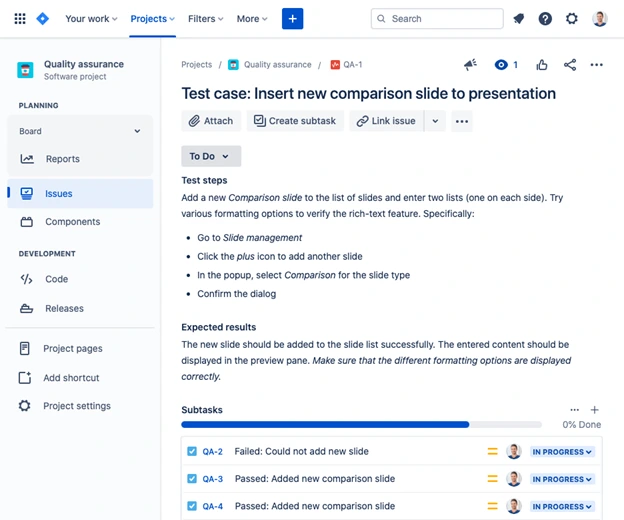
##### Setup:
You can create custom issue types and fields in Jira to represent test cases and test results. Each test case is created as an issue, and test results can be tracked using sub-tasks or linked issues.
##### Advantages:
This method leverages Jira’s built-in features without the need for additional tools. It’s a cost-effective solution for small teams with basic testing needs.
##### Drawbacks:
This approach has limited functionality for complex testing scenarios. Managing large numbers of test cases can become cumbersome, and it lacks dedicated testing workflows and reporting capabilities.
### Basic Jira Testing Marketplace Apps:
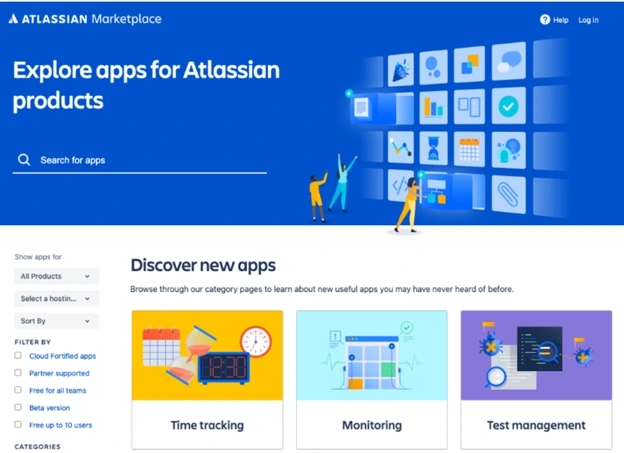
##### Setup:
Various apps available on the Atlassian Marketplace extend Jira’s capabilities by adding custom issue types, fields, and reports tailored for testing.
##### Advantages:
These apps integrate seamlessly with Jira’s interface, making them easy to use. They offer enhanced features for test management while maintaining a familiar Jira environment.
##### Drawbacks:
While these apps provide more features than basic Jira issues, they may still lack the advanced capabilities required for extensive testing needs. Additionally, the cost of licensing these apps for all Jira users can add up.
### Full Test Management Tools with Jira Integration:
##### Setup:
Dedicated test management tools, such as Testmo, Zephyr, or Xray, offer comprehensive testing features and integrate with Jira to provide a robust solution.
##### Advantages:
These tools offer advanced test management capabilities, including support for test automation, exploratory testing, and integration with CI/CD pipelines. They are scalable and suitable for large teams with complex testing requirements.
##### Drawbacks:
Implementing these tools requires additional setup and configuration. They also come with additional costs, but the investment is often justified by the enhanced testing capabilities they provide.
### Creating and Managing Test Cases in Jira
Here is how to efficiently create and manage test cases in Jira to streamline your software testing process.
#### Define Custom Issue Types and Fields:
1\. Start by defining custom issue types for test cases and test executions. This helps in categorizing and managing test cases separately from other issues in Jira.
2\. Add custom fields to capture specific details related to test cases, such as test steps, expected results, and actual results.
#### Organize Test Cases Using Epics and Stories:
1\. Use Jira’s epic and story structure to organize test cases. Epics can represent larger testing initiatives or features, while stories or tasks can represent individual test cases.
2\. This hierarchy helps in keeping the test cases organized and aligned with the project’s overall goals.
#### Utilize Templates for Consistency:
1\. Create templates for test cases to ensure consistency in documentation. Templates should include sections for test steps, expected results, preconditions, and postconditions.
2\. Consistent documentation makes it easier for team members to understand and execute test cases.
#### Leverage Test Management Apps:
1\. If you’re using a test management app, utilize its features to enhance your testing process. For example, apps like Zephyr or Xray provide detailed test planning, execution, and reporting capabilities.
2\. Use these apps to create test cycles, assign test cases to team members, and track test execution progress.
#### Automate Testing Where Possible:
1\. Integrate test automation tools such as [BotGauge](https://www.botgauge.com/) with Jira to automate repetitive and regression testing tasks. Tools like Selenium, JUnit, or TestNG can be linked with Jira to automatically update test results.
2\. Automation reduces manual effort, increases test coverage, and ensures faster feedback.
#### Monitor and Report on Testing Progress:
1\. Use Jira’s dashboard and reporting features to monitor testing progress. Create custom dashboards to visualize test execution status, defect trends, and coverage metrics.
2\. Regular reporting helps in identifying bottlenecks, assessing test effectiveness, and making informed decisions.
### Importance of Dedicated Test Management in Jira
While Jira’s native issue-tracking capabilities can be adapted for test case management, there are several reasons why dedicated test management tools can provide significant advantages:
#### Advanced Test Planning:
Dedicated tools offer comprehensive test planning capabilities, allowing you to create detailed test plans, define test cycles, and manage test environments.
#### Enhanced Reporting and Analytics:
These tools provide advanced reporting features, including real-time analytics, customizable dashboards, and detailed test metrics. This helps in better tracking of testing progress and quality.
#### Seamless Integration with CI/CD Pipelines:
Test management tools integrate seamlessly with CI/CD tools, enabling continuous testing and faster feedback loops. This is crucial for agile and DevOps practices.
#### Scalability:
As your testing needs grow, dedicated tools can scale to handle larger test suites, more complex test scenarios, and increased collaboration among team members.
#### Support for Test Automation:
These tools offer robust support for test automation, allowing you to integrate with various automation frameworks and manage automated test cases alongside manual ones.
#### Improved Collaboration:
Test management tools provide features to enhance collaboration among testers, developers, and other stakeholders. This includes commenting, notifications, and real-time updates.
### Best Practices for Jira Test Case Management
#### Define Clear Test Case Structures:
Ensure that each test case has a clear and concise structure. Include sections for the test case ID, title, description, preconditions, test steps, expected results, and actual results.
#### Prioritize Test Cases:
Prioritize test cases based on their importance and impact on the project. High-priority test cases should be executed first to identify critical issues early.
#### Use Traceability:
Maintain traceability between test cases, requirements, and defects. This helps in tracking the origin of each test case and understanding its relevance to the project.
Regularly perform software testing review and update test cases to ensure they remain relevant and accurate. Remove obsolete test cases and add new ones as the project evolves.
#### Foster Collaboration:
Encourage collaboration between testers, developers, and other stakeholders. Use Jira commenting and collaboration features to discuss test cases, share feedback, and resolve issues.
### Conclusion
Effective test case management in Jira can significantly enhance your testing process, ensuring better quality assurance and faster issue resolution. By leveraging Jira’s capabilities and integrating with test management tools, teams can achieve a streamlined, efficient, and collaborative testing workflow. Implementing the best practices outlined in this guide will help you maximize the benefits of Jira for test case management, leading to more successful project outcomes.
## FAQ's
What is test case management in Jira?
Test case management in Jira involves creating, organizing, and executing test cases within the Jira project management tool, leveraging its issue tracking and workflow capabilities.
How can I create test cases in Jira?
You can create test cases in Jira by defining custom issue types for test cases, adding relevant fields, and organizing them using epics and stories. Alternatively, use dedicated test management tools integrated with Jira.
How to maintain test cases in Jira?
Regularly review and update test cases, organize them with epics and stories, utilize templates for consistency, automate tests, and track progress with Jira dashboards and reports.
Autonomous Testing for Modern Engineering Teams
[Book a Demo](https://calendly.com/botgauge/30min)
## Test Deliverables Overview
# Comprehensive Guide to Test Deliverables in Software Testing
Explore test deliverables in software testing with this comprehensive guide. Learn key documents, best practices, and their role in ensuring software quality
Sep 12, 20258 min read
Try for Free [Book a Demo](https://calendly.com/botgauge/30min)
TABLE OF CONTENT
[What Are Test Deliverables?](https://www.botgauge.com/blog/comprehensive-guide-to-test-deliverables-in-software-testing#heading1) [Key Test Deliverables in Software Testing](https://www.botgauge.com/blog/comprehensive-guide-to-test-deliverables-in-software-testing#heading2) [Essential Documents and Reporting in Test Deliverables](https://www.botgauge.com/blog/comprehensive-guide-to-test-deliverables-in-software-testing#heading3) [Role of Test Automation in Producing Test Deliverables](https://www.botgauge.com/blog/comprehensive-guide-to-test-deliverables-in-software-testing#heading4) [Tools to Enhance Your Test Deliverables in Software Testing](https://www.botgauge.com/blog/comprehensive-guide-to-test-deliverables-in-software-testing#heading5) [Final Thoughts](https://www.botgauge.com/blog/comprehensive-guide-to-test-deliverables-in-software-testing#heading6)
Start your AI testing pilotGenerate, run, and maintain tests across your CI/CD workflow with less manual effortTry for Free
SHARE THIS ARTICLE
[LinkedIn](https://www.linkedin.com/sharing/share-offsite/?url=https%3A%2F%2Fwww.botgauge.com%2Fblog%2Fcomprehensive-guide-to-test-deliverables-in-software-testing)[Twitter](https://twitter.com/intent/tweet?url=https%3A%2F%2Fwww.botgauge.com%2Fblog%2Fcomprehensive-guide-to-test-deliverables-in-software-testing)
[Home](https://www.botgauge.com/) [Blog](https://www.botgauge.com/blog) [comprehensive-guide-to-test-deliverables-in-software-testing](https://www.botgauge.com/blog/comprehensive-guide-to-test-deliverables-in-software-testing#)
Test deliverables are all the artifacts in software testing, showing all the detailed documents, reports, and data made during the testing process. These deliverables help connect the testing team with everyone involved, giving a peek into how the testing went, what was found, and where things could be better.
This guide looks into what test deliverables are all about and why they’re important for making sure software turns out well.
## What Are Test Deliverables?
Test deliverables encompass a variety of documents and reports created throughout the software testing life cycle (STLC). These are shared with stakeholders to offer a clear understanding of the testing activities, objectives, and progress.
They include everything from test plans and test cases to bug reports and coverage metrics, each designed to validate and verify the software’s quality. These deliverables are integral to the testing process, fostering transparency and accountability.
## Key Test Deliverables in Software Testing
Test deliverables are categorized based on the stages of testing. Some key types include:
##### Pre-test deliverables:
These are basically documents such as test plans and requirement traceability matrices etc, which outline the scope and strategy of the testing process.
##### Test execution deliverables:
During the active testing phase, artifacts like test cases, defect logs, and execution reports are produced. You can find insights and documentation progress and findings of the testing process.
##### Post-test deliverables:
The final stage of testing involves the production of final reports, test summaries, and quality assurance certifications. These deliverables signify the completion of the testing phase and certify that the software is ready for release.
## Essential Documents and Reporting in Test Deliverables
##### 1\. Test Strategy:
This is a high-level document which explains how the whole testing will be done. It covers what needs to be tested, what resources are available, and the methods to use. It’s the starting point for more detailed planning.
##### 2\. Test Plan:
This document lists all the specific tasks needed for testing. It includes details on what will be tested, how, who will do it, when, and how success will be measured. It guides the testing team throughout the project.
You can learn in detail about the difference between test plan and test strategy in our detailed guide.
##### 3\. Test Cases:
These are detailed instructions on how to test specific parts of the software. They include what needs to be done before, during, and after testing, and what should happen afterwards. They make sure all requirements are met and help find problems.
##### 4\. Test Scripts:
These are step-by-step guides for automated or manual testing. They help check if software works as expected.
##### 5\. Test Data:
Information that is used in tests to make them more realistic. It’s important for accurate testing and checking how the software behaves in different situations.
##### 6\. Requirement Traceability Matrix (RTM):
This connects what the software is supposed to do with the tests needed to check it. It helps keep track of what’s been tested and if more work is needed later.
##### 7\. Test Summary Report:
This is a summary of all the test results. It shows how the testing is going, what’s been found, and the overall quality of the software.
##### 8\. Test Closure Report:
This is a final report on the testing done at the end of the project. It looks at the test results, how issues were fixed, what was learned, and advice for future projects.
##### 9\. Defect Report:
This is a report on any problems found in the software. It explains what the problem is, how serious it is, how to make it, and what the expected and actual results were.
##### 10\. Release Notes:
These notes explain any new features, improvements, or issues with a software update. They tell users about the changes and how it might affect them.
## Role of Test Automation in Producing Test Deliverables
Automated tests speed up the process by running many tests at once, across different setups, saving time and helping meet deadlines.
Automation tests cover more scenarios, including edge cases, early in development, reducing costs.
Automated tests eliminate human mistakes, ensuring consistent and trustworthy outcomes.
Integrated into development, tests run with every change, providing instant feedback.
Saves time by using the same scripts for different projects.
Provides comprehensive data for informed decisions.
Regression Testing Support, quickly reruns tests after code changes, ensuring software quality.
## Tools to Enhance Your Test Deliverables in Software Testing
##### 1\. BotGauge:
[BotGauge](https://www.botgauge.com/) is a Generative AI-powered, low-code test automation platform designed to streamline the testing process for web-based applications. It enables users to write test case scenarios in plain English, which are then automated using AI assistance.
###### AI-Assisted Test Generation:
BotGauge analyzes your Product Requirement Documents (PRDs), screen designs, or other relevant documentation to automatically generate comprehensive test cases. This ensures thorough test coverage and accelerates the test creation process.
###### Comprehensive Testing Capabilities:
The platform supports various types of testing, including UI, functional, API, database, and visual testing, providing a unified solution for diverse testing needs.
###### Self-Healing Tests:
BotGauge’s AI capabilities enable it to automatically adjust and update tests in response to changes in the application’s UI, minimizing maintenance efforts.
###### User-Friendly Interface:
With its low-code environment and intuitive design, BotGauge allows users to create and manage test automation without requiring programming knowledge, facilitating quick adoption and collaboration among team members.
##### 2\. Selenium:
A popular framework for automating web applications that supports various languages and allows for testing on different browsers and platforms.
##### 3\. Micro Focus UFT:
This is a tool which does functional testing across different environments, with features like record-and-playback for easy test creation and integration with other tools.
##### 4\. Appium:
An open-source tool for mobile application testing on Android and iOS, supports various languages and real or emulated devices.
##### 5\. Cypress:
Cypress is an open-source framework for end-to-end web application testing in JavaScript, with features like real-time reloads and automatic waiting.
### Final Thoughts
Good test deliverables are the key to clear, top-notch software testing. They make sure everyone involved knows what’s going on and can make choices based on facts. By using automation, the right tools, and clear notes, testing groups can make the process of creating test results smoother, helping with successful software launches and ongoing betterment.
For the fundamentals of [creating a software test plan](https://www.botgauge.com/blog/creating-software-test-plan), see our full guide. Related topics include [ISTQB principles](https://www.botgauge.com/blog/istqb-principles-software-testing) and [SDLC testing in agile](https://www.botgauge.com/blog/step-by-step-sdlc-testing-agile). Platforms like [autonomous QA](https://www.botgauge.com/autonomous-qa-as-a-solution) automate much of this process end to end.
Autonomous Testing for Modern Engineering Teams
[Book a Demo](https://calendly.com/botgauge/30min)
## UAT Test Case Guide
UAT Test CasesUser acceptance testing
# UAT Test Cases: What They Are and How to Write Them
UAT test cases explained: what they are, how to write them, and why 31% of software projects fail without proper user validation.
Sep 8, 20258 min read
Try for Free [Book a Demo](https://calendly.com/botgauge/30min)

TABLE OF CONTENT
[What Makes a UAT Test Case Different](https://www.botgauge.com/blog/comprehensive-guide-to-uat-test-cases#heading1) [UAT vs Alpha and Beta Testing](https://www.botgauge.com/blog/comprehensive-guide-to-uat-test-cases#heading2) [Why UAT Test Cases Actually Matter](https://www.botgauge.com/blog/comprehensive-guide-to-uat-test-cases#heading3) [Planning Your UAT: What to Get Right Before You Start](https://www.botgauge.com/blog/comprehensive-guide-to-uat-test-cases#heading4) [How to Write UAT Test Cases: A Step-by-Step Guide](https://www.botgauge.com/blog/comprehensive-guide-to-uat-test-cases#heading5) [UAT Test Case Template](https://www.botgauge.com/blog/comprehensive-guide-to-uat-test-cases#heading6) [Running UAT: What Happens During Execution](https://www.botgauge.com/blog/comprehensive-guide-to-uat-test-cases#heading7) [Best Practices Worth Following](https://www.botgauge.com/blog/comprehensive-guide-to-uat-test-cases#heading8) [Frequently Asked Questions](https://www.botgauge.com/blog/comprehensive-guide-to-uat-test-cases#heading9) [Conclusion](https://www.botgauge.com/blog/comprehensive-guide-to-uat-test-cases#heading10)
Start your AI testing pilotGenerate, run, and maintain tests across your CI/CD workflow with less manual effortTry for Free
SHARE THIS ARTICLE
[LinkedIn](https://www.linkedin.com/sharing/share-offsite/?url=https%3A%2F%2Fwww.botgauge.com%2Fblog%2Fcomprehensive-guide-to-uat-test-cases)[Twitter](https://twitter.com/intent/tweet?url=https%3A%2F%2Fwww.botgauge.com%2Fblog%2Fcomprehensive-guide-to-uat-test-cases)
[Home](https://www.botgauge.com/) [Blog](https://www.botgauge.com/blog) [comprehensive-guide-to-uat-test-cases](https://www.botgauge.com/blog/comprehensive-guide-to-uat-test-cases#)
User acceptance testing, or UAT, is the stage where real users, not developers or QA engineers, check that software actually does what the business needs before it goes live. A UAT test case is a written scenario that walks through a real business task, like submitting an order or generating a report, step by step, so a tester can confirm the software handles it the way an actual user would expect.
This distinction matters more than it sounds. According to the [Standish Group’s CHAOS Report](https://www.standishgroup.com/), the most recent full edition found only 31% of software projects delivered successfully on time, on budget, and with the expected features, and inadequate user involvement is consistently cited as one of the leading factors behind that gap. UAT is the checkpoint built specifically to catch that gap before it becomes a production problem.
## What Makes a UAT Test Case Different
A UAT test case is written from the end user’s point of view, not the developer’s. It covers a complete workflow rather than a single function or button, and it gets built collaboratively by QA professionals, business analysts, developers, and the end users themselves, since no single group has the full picture of what “working correctly” actually means for the business.
This is genuinely different from the testing that happens earlier in the cycle. Regression and system testing confirm the code works technically. UAT confirms it works for the person who has to use it every day.
A well-formed UAT test case usually includes:
- **Test ID**, a unique identifier for tracking
- **Test objective**, what the test is actually trying to confirm
- **Preconditions**, what needs to be true before the test starts
- **Test steps**, the exact actions a user takes
- **Test data**, the specific inputs needed to run it
- **Expected result**, what should happen if everything works
- **Actual result**, what actually happened when it ran
- **Status**, pass, fail, or blocked
- **Comments**, anything worth noting for whoever reviews it later
## UAT vs Alpha and Beta Testing
These three terms get confused constantly, so it’s worth being precise. Alpha testing happens first, run internally by the company’s own staff in a controlled environment, mainly to catch obvious crashes and major bugs before anyone outside the team sees the build. UAT comes after that, run by actual business stakeholders or client representatives in a production-like environment, and their formal sign-off is usually required before release. Beta testing, when it happens, opens the software to a wider group of real external users, often after UAT has already passed internally.
The short version: alpha catches what’s broken, UAT confirms what’s needed, and beta tests how it holds up in the wild. UAT test cases share a lot of structural DNA with [test cases in software testing generally](https://www.botgauge.com/blog/understanding-test-cases-in-software-testing), just written from the business user’s perspective rather than a technical one.
## Why UAT Test Cases Actually Matter
It’s tempting to treat UAT as a formality once development is “done,” but skipping it or rushing it tends to be expensive later. A few reasons it earns its place in the process:
**It validates against business requirements, not just code.** A feature can pass every unit test and still fail UAT if it doesn’t actually solve the problem the business needed solved.
**It catches issues technical testing structurally can’t.** Automated and manual QA testing confirm the software behaves as coded. UAT confirms the code was written to do the right thing in the first place.
**It reduces expensive post-launch surprises.** Defects caught after release cost significantly more to fix than the same defects caught before go-live, and UAT is often the last checkpoint before that line gets crossed.
**It builds real confidence before sign-off.** A formal UAT pass gives stakeholders something concrete to point to when deciding whether the software is actually ready.
## Planning Your UAT: What to Get Right Before You Start
**Define clear objectives.** Before writing a single test case, nail down the scope: which functionalities are critical, what the expected outcomes are, and how this ties back to actual business goals rather than a generic checklist. This is easiest to get right when UAT scope is defined alongside the broader [software test plan](https://www.botgauge.com/blog/creating-software-test-plan) rather than as an afterthought once development wraps.
**Identify the right stakeholders.** UAT only works if the right people are in the room. That means actual end users, business representatives, and QA, not just whoever happened to be free that week. One of the most common UAT failure modes, according to industry writeups on the process, is having IT staff or QA engineers stand in for real business users, which technically produces a sign-off without the validation it was supposed to represent.
**Set real acceptance criteria upfront.** Decide what “passing” actually means before testing starts, not during it. A common industry benchmark treats a UAT pass rate around 90% or higher as the threshold for readiness, though the right number depends on the risk profile of what’s being tested.
**Use a consistent template.** Every test case should follow the same structure: ID, description, preconditions, steps, expected results, actual results, and status. Consistency here is what makes results easy to review and compare later, especially when multiple stakeholders are reviewing the same batch.
**Get the environment right.** UAT run against an unstable staging environment, missing data, or broken integrations produces results nobody can actually trust. If the environment doesn’t reasonably mirror production, the findings won’t either.
## How to Write UAT Test Cases: A Step-by-Step Guide
**1\. Start from real business scenarios, not system functions.** A UAT test case should read like “a returning customer updates their shipping address and reorders a previous purchase,” not “verify the address field accepts input.”
**2\. Write from the user’s perspective.** Use plain language a business stakeholder would actually recognize, not internal technical terminology.
**3\. Keep each test case focused on one complete workflow.** Bundling multiple unrelated checks into a single test case makes failures harder to diagnose and results harder to report cleanly. If you’re unclear on where a workflow-level test case ends and a broader test scenario begins, our breakdown of [test cases vs test scenarios](https://www.botgauge.com/blog/test-case-vs-test-scenarios) covers that distinction directly.
**4\. Define specific, measurable expected results.** “The system should work” isn’t testable. “The order confirmation email arrives within two minutes with the correct order total” is.
**5\. Prioritize by business impact.** Not every test case carries equal weight. Rank them by how much they affect core business goals, user experience, and system stability, and run the highest-priority ones first so the most critical functionality gets verified even if time runs short.
**6\. Have stakeholders review before execution.** A quick review pass from business analysts and end users before testing begins catches gaps in coverage while they’re still cheap to fix.
## UAT Test Case Template
| Field | Description |
| --- | --- |
| Test Case ID | Unique identifier for tracking |
| Description | What business scenario this test validates |
| Preconditions | What must be true before the test starts |
| Test Steps | The exact sequence of actions to perform |
| Test Data | Specific inputs required |
| Expected Result | What should happen if the feature works correctly |
| Actual Result | What actually happened |
| Status | Pass, fail, or blocked |
| Comments | Notes for whoever reviews this later |
## Running UAT: What Happens During Execution
**Communicate constantly.** Keep testers, developers, and project managers in sync throughout, since issues found during UAT need fast turnaround to avoid stalling the whole cycle. According to a [UAT-specific survey by TestMonitor](https://www.testmonitor.com/uat-survey-results-2023), designing test cases is the single most time-consuming part of the process for 46% of teams, more than execution or analysis, which is exactly why getting the planning phase right upfront matters as much as it does.
**Track progress in real time.** A shared dashboard or tracker showing which test cases have run, which passed, and which are blocked keeps everyone aligned without constant status meetings.
**Document everything.** Every test case, every defect, every resolution, and every piece of stakeholder feedback should be recorded somewhere durable, both for the current release and for whoever has to reference this cycle later.
**Get a formal sign-off.** Once testing wraps and defects are resolved, a final review with stakeholders and a documented sign-off from the client or end users confirms the software is genuinely ready, not just technically finished.
## Best Practices Worth Following
**Use real users, not proxies.** The whole point of UAT is genuine end-user validation. Substituting QA staff or developers for actual users undermines the exercise even when it produces a passing result on paper. This is also why UAT stays firmly [manual rather than automated](https://www.botgauge.com/blog/manual-testing-vs-automation-testing) in most organizations, since the human judgment is the actual point, not a limitation to engineer around.
**Resist compressing the timeline.** Simple applications might need one to two weeks of UAT; complex enterprise systems often need four to eight weeks including retest cycles. Cutting this short to hit a launch date is one of the more common causes of costly post-launch issues.
**Keep feedback loops short.** The longer it takes to turn tester feedback into a fix, the more momentum a UAT cycle loses. Quick triage and resolution keeps the process moving.
**Separate bugs from requirement disputes.** A common UAT failure mode is spending review time arguing over whether something is a genuine defect or just an ambiguous original requirement. Nailing down acceptance criteria clearly upfront prevents most of this friction later.
## Frequently Asked Questions
**What should a UAT test case include?** A UAT test case should include a test ID, description, preconditions, test steps, test data, expected results, actual results, and status. Consistency across these fields is what makes results easy to compare and report on.
**How are UAT test cases different from other test cases?** UAT test cases focus on complete business workflows and user needs, written from the end user’s perspective. Other test types, like functional or regression testing, check technical correctness at the feature or code level rather than real-world business scenarios.
**What is the goal of UAT?** The goal of UAT is to confirm the software is genuinely ready for production by validating it against real business requirements and user needs, not just technical correctness, before it goes live.
**Who should be involved in UAT?** UAT should involve actual end users or business representatives, not just QA staff or developers standing in for them. Business analysts and project stakeholders are typically involved too, since their sign-off is usually what formally closes out the process.
**How long should UAT take?** It depends on the size and complexity of the software. Simple applications often need one to two weeks, while complex enterprise systems can require four to eight weeks or more once retest cycles are included. Compressing this timeline to meet a deadline is a common cause of post-launch problems.
## Conclusion
Creating and executing effective UAT test cases is what stands between “the code works” and “the software actually solves the problem.” A structured approach to planning, writing, and running UAT test cases catches issues while they’re still cheap to fix, and gives stakeholders real confidence before sign-off rather than a rushed formality. Given that inadequate user validation remains one of the most commonly cited reasons software projects miss their targets, treating UAT as a genuine checkpoint rather than a checkbox is worth the extra time it takes.
Autonomous Testing for Modern Engineering Teams
[Book a Demo](https://calendly.com/botgauge/30min)
## Confirmation Testing Explained
Confirmation Testing
# Confirmation Tests In Software Testing: Complete Guide \| BotGauge
Learn what confirmation testing is in software testing, why it matters, and how it helps validate bug fixes. A complete guide from the team at BotGauge.
Jul 16, 20258 min read
Try for Free [Book a Demo](https://calendly.com/botgauge/30min)
TABLE OF CONTENT
[What is Confirmation Testing?](https://www.botgauge.com/blog/confirmation-testing-in-software-testing#heading1) [What is the Purpose of Confirmation Testing?](https://www.botgauge.com/blog/confirmation-testing-in-software-testing#heading2) [Verification of Defect Fixes:](https://www.botgauge.com/blog/confirmation-testing-in-software-testing#heading3) [Ensuring Stability of Fixes:](https://www.botgauge.com/blog/confirmation-testing-in-software-testing#heading4) [Maintaining Software Quality:](https://www.botgauge.com/blog/confirmation-testing-in-software-testing#heading5) [Building Confidence in the Release:](https://www.botgauge.com/blog/confirmation-testing-in-software-testing#heading6) [What is a Test Confirmation Example?](https://www.botgauge.com/blog/confirmation-testing-in-software-testing#heading7) [Scenario:](https://www.botgauge.com/blog/confirmation-testing-in-software-testing#heading8) [Fix Implementation:](https://www.botgauge.com/blog/confirmation-testing-in-software-testing#heading9) [Confirmation Testing:](https://www.botgauge.com/blog/confirmation-testing-in-software-testing#heading10) [Test with Valid Passwords:](https://www.botgauge.com/blog/confirmation-testing-in-software-testing#heading11) [Test with Invalid Passwords:](https://www.botgauge.com/blog/confirmation-testing-in-software-testing#heading12) [Edge Cases and Variations:](https://www.botgauge.com/blog/confirmation-testing-in-software-testing#heading13) [Regression Testing:](https://www.botgauge.com/blog/confirmation-testing-in-software-testing#heading14) [Outcome:](https://www.botgauge.com/blog/confirmation-testing-in-software-testing#heading15) [When to Do Confirmation Testing?](https://www.botgauge.com/blog/confirmation-testing-in-software-testing#heading16) [Bug Resolved:](https://www.botgauge.com/blog/confirmation-testing-in-software-testing#heading17) [Pre-Regression Testing:](https://www.botgauge.com/blog/confirmation-testing-in-software-testing#heading18) [Expect Top-Tier Software:](https://www.botgauge.com/blog/confirmation-testing-in-software-testing#heading19) [Issue Deemed Unacceptable:](https://www.botgauge.com/blog/confirmation-testing-in-software-testing#heading20) [Confirmation Testing Techniques](https://www.botgauge.com/blog/confirmation-testing-in-software-testing#heading21) [Prior Preparation:](https://www.botgauge.com/blog/confirmation-testing-in-software-testing#heading22) [Execution:](https://www.botgauge.com/blog/confirmation-testing-in-software-testing#heading23) [Analysis and Reporting:](https://www.botgauge.com/blog/confirmation-testing-in-software-testing#heading24) [Reasons Confirmation Testing Differs from All Other Testing Types](https://www.botgauge.com/blog/confirmation-testing-in-software-testing#heading25) [Ensures Bug-Free Software:](https://www.botgauge.com/blog/confirmation-testing-in-software-testing#heading26) [Increases Performance:](https://www.botgauge.com/blog/confirmation-testing-in-software-testing#heading27) [No Need for New Test Cases:](https://www.botgauge.com/blog/confirmation-testing-in-software-testing#heading28) [Confirms Quality and Functionality:](https://www.botgauge.com/blog/confirmation-testing-in-software-testing#heading29) [No New Environment Setup Required:](https://www.botgauge.com/blog/confirmation-testing-in-software-testing#heading30) [Guarantees No Issues:](https://www.botgauge.com/blog/confirmation-testing-in-software-testing#heading31) [Early Detection of Bugs:](https://www.botgauge.com/blog/confirmation-testing-in-software-testing#heading32) [Disadvantages of Confirmation Testing](https://www.botgauge.com/blog/confirmation-testing-in-software-testing#heading33) [Challenges in Confirmation Testing](https://www.botgauge.com/blog/confirmation-testing-in-software-testing#heading34) [Precise Bug Reproduction:](https://www.botgauge.com/blog/confirmation-testing-in-software-testing#heading35) [Collaboration Between Teams:](https://www.botgauge.com/blog/confirmation-testing-in-software-testing#heading36) [Distribution of Resources:](https://www.botgauge.com/blog/confirmation-testing-in-software-testing#heading37) [Keeping Comprehensive Records:](https://www.botgauge.com/blog/confirmation-testing-in-software-testing#heading38) [Preference for Known Problems:](https://www.botgauge.com/blog/confirmation-testing-in-software-testing#heading39) [Managing Complex Interdependencies:](https://www.botgauge.com/blog/confirmation-testing-in-software-testing#heading40) [Capabilities of Testing Tools:](https://www.botgauge.com/blog/confirmation-testing-in-software-testing#heading41) [Effect on Testing Timeline:](https://www.botgauge.com/blog/confirmation-testing-in-software-testing#heading42) [Conclusion](https://www.botgauge.com/blog/confirmation-testing-in-software-testing#heading43) [FAQ’s](https://www.botgauge.com/blog/confirmation-testing-in-software-testing#heading44) [FAQ's](https://www.botgauge.com/blog/confirmation-testing-in-software-testing#heading45)
Start your AI testing pilotGenerate, run, and maintain tests across your CI/CD workflow with less manual effortTry for Free
SHARE THIS ARTICLE
[LinkedIn](https://www.linkedin.com/sharing/share-offsite/?url=https%3A%2F%2Fwww.botgauge.com%2Fblog%2Fconfirmation-testing-in-software-testing)[Twitter](https://twitter.com/intent/tweet?url=https%3A%2F%2Fwww.botgauge.com%2Fblog%2Fconfirmation-testing-in-software-testing)
[Home](https://www.botgauge.com/) [Blog](https://www.botgauge.com/blog) [confirmation-testing-in-software-testing](https://www.botgauge.com/blog/confirmation-testing-in-software-testing#)
In software testing, fixing a bug is only half the job—confirming the fix works is just as important. That’s where confirmation testing comes in. As development cycles shorten and release frequency increases, teams can’t afford to let unresolved issues slip through.
This specific form of testing ensures that once a defect is fixed, it stays fixed. In this guide, we’ll explore how confirmation testing works, how it fits into the QA process, and why it’s a non-negotiable step in maintaining product quality.
## **What is Confirmation Testing?**
Confirmation testing is a method of software testing where the software being tested is executed through a series of tests that have already been performed to ensure the outcomes are reliable and precise. The goal is to identify any leftover errors and verify that all bugs previously identified have been completely resolved within the software components. In essence, all tests that have been conducted before are executed again, following the resolution of any bugs identified in the initial tests by the development team. This process of test confirmation is also known as re-testing because it involves executing the same test twice – once before the bugs are fixed and once after. Typically, when a tester discovers a bug, they inform the development team responsible for writing the code. After examining the problem, the developers address the issue and release an updated version of the feature. Once the quality assurance team receives this updated version of the software, they perform tests to ensure that the new code is indeed free from bugs.
## **What is the Purpose of Confirmation Testing?**
The primary purpose of confirmation tests is to ensure that the changes made to the software, specifically the bug fixes, are working correctly. It aims to verify that the initial problem is resolved and no new issues are introduced due to the fix. Lets learn in detail about the main purposes of Confirmation tests:
### **Verification of Defect Fixes:**
The primary purpose of confirmation tests is to verify that the defects reported in the previous testing phase have been successfully fixed. It ensures that the specific issue identified has been addressed and resolved by the development team.
### **Ensuring Stability of Fixes:**
Confirmation tests ensure that the fix applied to a defect does not negatively impact other parts of the software. It verifies that the changes made to resolve the defect have not introduced new issues or caused regression in related functionalities.
### **Maintaining Software Quality:**
By confirming that defects have been fixed, confirmation tests help maintain the overall quality of the software. It ensures that the software functions as intended and meets the specified requirements, contributing to a stable and reliable product.
### **Building Confidence in the Release:**
Confirmation tests aim to build confidence among stakeholders, including developers, testers, and clients, that the software is ready for release. By validating defect fixes, it assures everyone involved that the software is in a stable state and ready for production deployment.
## **What is a Test Confirmation Example?**
A confirmatory test example involves a practical scenario where a specific defect was identified, fixed, and then re-tested to ensure the fix is effective. Let’s consider a common example involving a login function:
### **Scenario:**
During a testing phase, testers discover that the login function of an application fails to validate passwords correctly. Specifically, users with valid passwords are unable to log in, while some invalid passwords are incorrectly accepted. This defect is reported to the development team.
### **Fix Implementation:**
The developer team investigates the issue and identifies a bug in the password validation logic. They modify the code to ensure that the system correctly validates both valid and invalid passwords according to the defined rules.
### **Confirmation Testing:**
After the developers implement the fix, it’s time for the confirmation tests. [Software testers](https://www.botgauge.com/) re-execute the same test cases that initially failed to verify the effectiveness of the fix. The following steps outline the confirmatory test process.
### **Test with Valid Passwords:**
Testers use known valid passwords to attempt logging into the application. They verify that users with valid credentials can successfully log in without any issues. This confirms that the fix allows proper validation of valid passwords.
### **Test with Invalid Passwords:**
Testers use known invalid passwords to attempt logging into the application. They ensure that users with invalid credentials are denied access and receive appropriate error messages. This confirms that the fix correctly identifies and rejects invalid passwords.
### **Edge Cases and Variations:**
Testers explore edge cases such as passwords with special characters, different lengths, and other variations. They ensure the application consistently handles these cases according to the validation rules. This step ensures comprehensive coverage and robustness of the fix.
### **Regression Testing:**
Although not strictly part of confirmation tests, testers may also perform some regression tests to ensure that the fix has not unintentionally affected other parts of the login functionality or related areas of the application.
### **Outcome:**
If all the test confirmation passes successfully, it indicates that the defect has been effectively resolved, and the login function now works as intended. This process helps maintain software quality and ensures that the specific issue reported has been addressed without introducing new problems.
## **When to Do Confirmation Testing?**
Confirmation tests should be conducted immediately after developers claim to have fixed a reported defect. It is a follow-up activity that is integral to the defect life cycle, ensuring the reliability and stability of the software before moving on to further testing phases. Let us see in detail:
### **Bug Resolved:**
When a tester finds an issue during software testing, they report it to the development team. The developers then fix the issue. Afterward, the tester checks to make sure the issue is completely resolved.
### **Pre-Regression Testing:**
It’s a standard practice to conduct confirmation tests prior to regression testing, as this ensures the issue has been properly identified and resolved. Regression testing then verifies that the software’s functions remain unaffected by the changes made to fix the issue.
### **Expect Top-Tier Software:**
When a client requires a software with a high success rate and is willing to invest significantly in testing.
### **Issue Deemed Unacceptable:**
If a detected bug is rejected by the development team, it progresses through the bug life cycle. If rejected confirmation tests are carried out to replicate the issue and correct it, ensuring the software’s functions are not compromised.
## **Confirmation Testing Techniques**
Rechecking procedures involve repeating prior exercises, rather than utilizing specialized methods. However, certain critical factors need to be paid attention to throughout this stage:
### **Prior Preparation:**
#### **Choosing Test Scenarios:**
Pinpoint the specific scenarios from earlier that uncovered the identified issues.
#### **Test Data:**
Make sure the new testing data used matches or closely resembles the original data that caused the issues.
#### **System for Tracking Deficiencies:**
Look into the bug reports to grasp the precise problem and how it was reported.
### **Execution:**
#### **Executing the Same Scenarios:**
Carry out the selected scenarios from before, now with the corrected software.
#### **Monitoring and Recording:**
Thoroughly monitor how the system behaves and record the findings.
#### **Anticipated Results:**
The scenarios that previously failed should successfully pass this time, showing the bugs have been fixed.
### **Analysis and Reporting:**
#### **Troubleshooting Bugs:**
If the bug continues, it means the problem has not been fully solved. Inform with detailed details so the issue can be further examined.
#### **Emergence of New Bugs:**
Should new issues arise during the rechecking process, report them appropriately.
#### **Recording of the Process:**
Compile a report on the rechecking procedure, detailing the scenarios retested, outcomes, and any issues encountered.
## **Reasons Confirmation Testing Differs from All Other Testing Types**
Confirmation tests is distinct from other types of testing for several important reasons:
### **Ensures Bug-Free Software:**
Confirmation testing verifies that previously reported bugs have been successfully fixed, ensuring that the software is free of defects and functions as intended.
### **Increases Performance:**
By eliminating live bugs, the performance of the application improves, making it more efficient and effective.
### **No Need for New Test Cases:**
Since the same test cases used to identify the bugs are reused, there is no need to create new test cases, reducing the workload of the testing team.
### **Confirms Quality and Functionality:**
It confirms the quality and functionality of the product, ensuring that it meets the required standards.
### **No New Environment Setup Required:**
Unlike other testing techniques, confirmation tests does not require setting up new environments, making it easier to execute
### **Guarantees No Issues:**
It guarantees that no issues are present in the product when it reaches the end-users, providing a high level of confidence in the software’s quality.
### **Early Detection of Bugs:**
Confirmation testing helps in the early detection of major or minor bugs, allowing for timely fixes and reducing the risk of further issues.
## **Disadvantages of Confirmation Testing**
Despite its benefits, confirmation testing has some disadvantages:
Re-testing the same defects can be time-consuming, especially if there are many issues to verify.
It requires significant effort and coordination between the development and testing teams, potentially diverting resources from other important tasks.
Focus on fixed defects might lead to missing new issues, as testers may concentrate only on the known problems.
It involves re-running the same test cases, which can be repetitive and monotonous for testers, potentially leading to oversight or errors.
The effectiveness of confirmation testing depends on the accuracy and detail of the initial bug reports and the subsequent fixes by developers.
Confirmation testing focuses only on previously identified defects and does not explore other parts of the application, which might have been affected indirectly.
## **Challenges in Confirmation Testing**
Challenges in confirmation tests include managing and tracking numerous defect reports, ensuring accurate reproduction of defects, maintaining synchronization between development and testing teams let’s see more of these in detail:
### **Precise Bug Reproduction:**
Generating the exact conditions that led to the discovery of a bug can be hard, particularly when the bug appears randomly or in complex situations.
### **Collaboration Between Teams:**
Performing thorough validation tests demands strong teamwork between the development and testing groups. Poor communication or misalignment can result in tests that miss parts or are flawed.
### **Distribution of Resources:**
Distributing enough resources, such as time, staff, and equipment, can prove difficult, especially when there are a lot of issues to check or other tasks are running at the same time.
### **Keeping Comprehensive Records:**
It’s crucial to maintain detailed logs of every test case, reports of issues, and solutions, but this can be both daunting and time-intensive, particularly in big projects with numerous problems.
### **Preference for Known Problems:**
Testers may unintentionally concentrate only on what they know, possibly missing new or related problems that were not first identified.
### **Managing Complex Interdependencies:**
Certain issues may have complex relationships with various software components, making it hard to pinpoint and ensure a complete solution to the problem.
### **Capabilities of Testing Tools:**
The success of automated testing can be hindered by their limitations in dealing with complicated situations or replicating real-world conditions, leading to tests that miss parts or are incomplete.
### **Effect on Testing Timeline:**
The extra time needed for confirmation testing can alter the overall testing schedule, putting off other activities like regression testing and potentially derailing the project’s timeline.
## **Conclusion**
Confirmation tests are an essential aspect of the software testing lifecycle, ensuring that defect fixes are effective and the software is reliable. By understanding and implementing confirmation tests effectively, teams can maintain high-quality software and deliver robust applications to users.
## **FAQ’s**
For the full landscape of testing types, see [understanding types of software testing](https://www.botgauge.com/blog/understanding-types-software-testing). Related techniques include [black box testing](https://www.botgauge.com/blog/black-box-testing-guide) and [independent testing](https://www.botgauge.com/blog/independent-testing). Platforms like [autonomous QA](https://www.botgauge.com/autonomous-qa-as-a-solution) cover these testing types automatically.
## FAQ's
What is confirmation testing?
Confirmation testing, also known as re-testing, is the process of verifying that specific bugs have been fixed. After a defect is reported and addressed by developers, testers re-run the original test cases that failed to confirm the issues are resolved.
What is the advantage of confirmation testing?
The advantages of confirmation tests are numerous. They provide assurance that defects are fixed, help maintain software quality, prevent the recurrence of issues, and improve overall reliability. This targeted approach saves time and resources by focusing on known problem areas.
What does confirmation mean in testing?
In testing, 'confirmation' refers to the process of verifying that a specific defect or issue that was previously identified and reported has been successfully fixed. This involves re-running the same test cases that initially revealed the defect to ensure that the problem no longer exists and that the software functions correctly after the fix.
Autonomous Testing for Modern Engineering Teams
[Book a Demo](https://calendly.com/botgauge/30min)
## Automated CI Testing Insights
automated build testingdeployment automationDevOps pipeline automationintegration test automationregression automationshift-left testingtest-driven developmentunit test automation
# How Continuous Integration with Automated Testing Speeds Up Development
Discover how continuous integration automated testing accelerates development, reduces bugs, and streamlines DevOps workflows for faster releases in 2025.
Aug 31, 20258 min read
Try for Free [Book a Demo](https://calendly.com/botgauge/30min)
TABLE OF CONTENT
[Understanding Continuous Integration Automated Testing Fundamentals](https://www.botgauge.com/blog/continuous-integration-automated-testing#heading1) [A) The Shift from Manual to Automated Validation](https://www.botgauge.com/blog/continuous-integration-automated-testing#heading2) [B) Core Components of CI Testing Pipelines](https://www.botgauge.com/blog/continuous-integration-automated-testing#heading3) [C) Integration with DevOps and Agile Methodologies](https://www.botgauge.com/blog/continuous-integration-automated-testing#heading4) [Key Benefits of Continuous Integration Continuous Testing](https://www.botgauge.com/blog/continuous-integration-automated-testing#heading5) [1\. 60% Faster Development Cycles Through Early Defect Detection](https://www.botgauge.com/blog/continuous-integration-automated-testing#heading6) [2\. Reduced Integration Risks and Smoother Code Merges](https://www.botgauge.com/blog/continuous-integration-automated-testing#heading7) [3\. Consistent Testing Environments and Reliable Results](https://www.botgauge.com/blog/continuous-integration-automated-testing#heading8) [4\. Enhanced Team Collaboration and Shared Responsibility](https://www.botgauge.com/blog/continuous-integration-automated-testing#heading9) [Types of Automated Tests in CI/CD Automation Pipelines](https://www.botgauge.com/blog/continuous-integration-automated-testing#heading10) [A) Unit Testing for Individual Component Validation](https://www.botgauge.com/blog/continuous-integration-automated-testing#heading11) [B) Integration Testing for System Component Interactions](https://www.botgauge.com/blog/continuous-integration-automated-testing#heading12) [C) Regression Testing to Prevent Feature Breakage](https://www.botgauge.com/blog/continuous-integration-automated-testing#heading13) [D) End-to-End Testing for Complete User Workflows](https://www.botgauge.com/blog/continuous-integration-automated-testing#heading14) [Building Effective CI Testing Strategies](https://www.botgauge.com/blog/continuous-integration-automated-testing#heading15) [1\. Shift-Left Testing for Early Issue Detection](https://www.botgauge.com/blog/continuous-integration-automated-testing#heading16) [2\. Test Pyramid Implementation and Coverage Optimization](https://www.botgauge.com/blog/continuous-integration-automated-testing#heading17) [3\. Quality Gates and Automated Build Promotion](https://www.botgauge.com/blog/continuous-integration-automated-testing#heading18) [4\. Parallel Test Execution for Faster Feedback](https://www.botgauge.com/blog/continuous-integration-automated-testing#heading19) [Tools and Technologies Powering CI Automated Testing](https://www.botgauge.com/blog/continuous-integration-automated-testing#heading20) [1\. Jenkins, GitLab CI, and GitHub Actions](https://www.botgauge.com/blog/continuous-integration-automated-testing#heading21) [2\. Docker Containers for Consistent Test Environments](https://www.botgauge.com/blog/continuous-integration-automated-testing#heading22) [3\. Cloud-Based Testing Platforms and Scalability](https://www.botgauge.com/blog/continuous-integration-automated-testing#heading23) [Measuring Success: KPIs and Metrics](https://www.botgauge.com/blog/continuous-integration-automated-testing#heading24) [A) Build Success Rate and Test Coverage Metrics](https://www.botgauge.com/blog/continuous-integration-automated-testing#heading25) [B) Mean Time to Detection (MTTD) and Resolution](https://www.botgauge.com/blog/continuous-integration-automated-testing#heading26) [C) Deployment Frequency and Lead Time Improvements](https://www.botgauge.com/blog/continuous-integration-automated-testing#heading27) [How BotGauge Can Help Accelerate Your Continuous Integration Automated Testing](https://www.botgauge.com/blog/continuous-integration-automated-testing#heading28) [Special Features for CI/CD Automation](https://www.botgauge.com/blog/continuous-integration-automated-testing#heading29) [Conclusion](https://www.botgauge.com/blog/continuous-integration-automated-testing#heading30) [FAQ's](https://www.botgauge.com/blog/continuous-integration-automated-testing#heading32)
Start your AI testing pilotGenerate, run, and maintain tests across your CI/CD workflow with less manual effortTry for Free
SHARE THIS ARTICLE
[LinkedIn](https://www.linkedin.com/sharing/share-offsite/?url=https%3A%2F%2Fwww.botgauge.com%2Fblog%2Fcontinuous-integration-automated-testing)[Twitter](https://twitter.com/intent/tweet?url=https%3A%2F%2Fwww.botgauge.com%2Fblog%2Fcontinuous-integration-automated-testing)
[Home](https://www.botgauge.com/) [Blog](https://www.botgauge.com/blog) [continuous-integration-automated-testing](https://www.botgauge.com/blog/continuous-integration-automated-testing#)
Continuous integration automated testing has transformed how development teams build software. Modern organizations achieve **_60%_** faster release cycles by running comprehensive test suites automatically with every code commit. This approach reduces critical defects by **_up to 85%_** while creating robust feedback loops that catch issues early when fixing costs remain minimal.
The automation testing market reached **_$20.60 billion in 2025_**, with **_77%_** of companies adopting automated testing practices. Continuous integration continuous testing now drives CI/CD automation strategies that enable multiple daily deployments without sacrificing quality. Teams using these practices report deployment frequencies **_208_** times higher than traditional approaches.
Solutions like [**BotGauge**](https://www.botgauge.com/) accelerate this transformation through AI-powered test generation and seamless pipeline integration.
## **Understanding Continuous Integration Automated Testing Fundamentals**
### **A) The Shift from Manual to Automated Validation**
Traditional manual testing approaches created significant bottlenecks in development cycles. Today, **_26%_** of teams have replaced **_up to 50%_** of their manual testing efforts with continuous integration automated testing, while **_20%_** have automated **_75%_** or more of their testing processes.
### **B) Core Components of CI Testing Pipelines**
Modern CI pipelines integrate unit test automation, integration test automation, security scans, and build verification testing. These components execute automatically upon code commits through continuous integration automated testing, providing immediate feedback and preventing defective code from progressing through the development lifecycle.
### **C) Integration with DevOps and Agile Methodologies**
[**_DevOps pipeline automation_**](https://github.com/resources/articles/devops/pipeline) has grown from **_16.9% in 2022_** to over **_51.8% by 202_** 4\. Continuous integration continuous testing enables deployment frequencies of 208 times more often and lead times 106 times faster for high-performing teams. CI/CD automation transforms traditional approaches completely.
Understanding these fundamentals sets the stage for exploring the specific benefits that drive organizational success.
## **Key Benefits of Continuous Integration Continuous Testing**
Continuous integration automated testing delivers measurable improvements across multiple dimensions of software development. Teams adopting these practices report significant gains in speed, quality, and collaboration effectiveness.
### **1\. 60% Faster Development Cycles Through Early Defect Detection**
Organizations implementing continuous integration automated testing report 40-50% faster release cycles through early defect identification. Shift-left testing reduces bug fixing costs by up to 100 times compared to production discovery.
### **2\. Reduced Integration Risks and Smoother Code Merges**
Automated testing in CI pipelines eliminates integration conflicts before they compound. Teams experience **_60-80%_** reduction in production defects through continuous validation of code changes during the merge process.
### **3\. Consistent Testing Environments and Reliable Results**
[Docker containers](https://www.docker.com/resources/what-container/) and Infrastructure as Code ensure consistent test environment management across development, staging, and production environments.
### **4\. Enhanced Team Collaboration and Shared Responsibility**
Continuous integration continuous testing integrates quality assurance directly into development workflows, fostering collaboration between developers, testers, and operations teams while establishing shared accountability for software quality.
| | | | |
| --- | --- | --- | --- |
| **Benefit Category** | **Key Improvement** | **Measurable Impact** | **Business Value** |
| **Development Speed** | Early defect detection through shift-left testing | **_40-50%_** faster release cycles | Reduced time-to-market |
| **Quality Assurance** | Automated testing in CI pipelines | 60-80% reduction in production defects | Higher customer satisfaction |
| **Environment Consistency** | Test environment management with containers | 100% consistent testing environments | Eliminated environment-specific bugs |
| **Team Collaboration** | Continuous integration continuous testing workflows | Shared accountability across teams | Improved communication and efficiency |
These benefits directly translate into specific testing strategies that maximize both speed and quality outcomes.
## **Types of Automated Tests in CI/CD Automation Pipelines**
CI/CD automation requires diverse testing approaches to validate different aspects of application functionality. Each test type serves a specific purpose within the pipeline orchestration strategy.
### **A) Unit Testing for Individual Component Validation**
Unit test automation validates individual functions and classes in isolation, forming the foundation of the test pyramid. They execute quickly, typically completing in milliseconds, providing immediate developer feedback for continuous integration automated testing.
### **B) Integration Testing for System Component Interactions**
Integration test automation verifies interactions between different system components, APIs, and services. These tests catch interface mismatches and communication failures that unit tests cannot detect within automated deployment testing workflows.
### **C) Regression Testing to Prevent Feature Breakage**
Regression automation runs existing functionality tests with each code change, ensuring new features don’t break existing capabilities. These tests maintain system stability across releases through continuous integration continuous testing.
### **D) End-to-End Testing for Complete User Workflows**
E2E tests simulate complete user journeys from interface to database, validating entire application workflows. Modern tools enable parallel execution and AI-powered test maintenance for scalable coverage.
These testing types work together to create comprehensive validation strategies that require effective implementation approaches.
## **Building Effective CI Testing Strategies**
Successful continuous integration automated testing requires strategic planning and systematic implementation. Teams must balance speed, coverage, and resource efficiency to maximize testing effectiveness.
### **1\. Shift-Left Testing for Early Issue Detection**
Shift-left testing moves validation activities into design and coding phases, reducing defect fixing costs by **_80%_**. This approach enables teams to:
- Catch issues when they’re cheapest to resolve
- Provide immediate feedback during development
- Prevent defects from reaching later stages
### **2\. Test Pyramid Implementation and Coverage Optimization**
The test pyramid prioritizes fast unit test automation at the base, moderate integration test automation in the middle, and minimal UI tests at the top. This structure:
- Optimizes execution speed and maintenance overhead
- Reduces overall testing costs
- Provides comprehensive coverage efficiently
### **3\. Quality Gates and Automated Build Promotion**
Quality gates enforce coverage thresholds, security scans, and performance benchmarks before promoting builds through environments. Failed gates automatically block deployments until teams resolve issues.
### **4\. Parallel Test Execution for Faster Feedback**
Parallel testing strategies reduce execution time by **70%** through distributed test runs across multiple environments, enabling faster automated feedback loops and supporting multiple daily deployments through continuous integration continuous testing.
These strategic approaches require the right tools and technologies to implement effectively.
## **Tools and Technologies Powering CI Automated Testing**
Modern continuous integration automated testing relies on powerful platforms and technologies that streamline automation workflows. The right tool selection significantly impacts implementation success and long-term maintenance.
| | | | |
| --- | --- | --- | --- |
| **Tool Category** | **Popular Options** | **Market Share** | **Key Advantages** |
| **CI/CD Platforms** | GitHub Actions, Jenkins, GitLab CI | 40%, 25%, 20% | Native integrations, extensive plugins, unified DevOps |
| **Containerization** | Docker, Kubernetes | Industry standard | Consistent test environment management |
| **Cloud Testing** | AWS CodeBuild, Azure DevOps, GCP | Growing adoption | Unlimited scalability, pay-per-use models |
| **AI Testing Tools** | BotGauge, Testim, Applitools | Emerging leaders | Automated feedback loops, self-healing capabilities |
### **1\. Jenkins, GitLab CI, and GitHub Actions**
**CI/CD automation** tools have evolved dramatically in recent years. GitHub Actions leads adoption with **_40%_** market share, while Jenkins maintains 25% despite declining popularity. Key considerations include:
- **GitHub Actions:** Native integration with GitHub repositories
- **Jenkins:** Extensive plugin ecosystem for complex workflows
- **GitLab CI:** Integrated DevOps capabilities for GitLab users
### **2\. Docker Containers for Consistent Test Environments**
Containerization ensures identical test environment management across development stages, eliminating configuration drift. Docker-based testing enables rapid environment provisioning and consistent results across different infrastructure platforms.
### **3\. Cloud-Based Testing Platforms and Scalability**
Cloud platforms provide unlimited scalability for continuous integration continuous testing, supporting parallel runs across thousands of virtual environments. Pay-per-use models reduce infrastructure costs while enabling on-demand capacity for large test suites.
Effective tool implementation requires proper measurement and monitoring to ensure optimal performance outcomes.
## **Measuring Success: KPIs and Metrics**
Continuous integration automated testing success depends on tracking meaningful metrics that demonstrate value and identify improvement opportunities. Data-driven insights enable teams to optimize their CI/CD automation processes continuously.
### **A) Build Success Rate and Test Coverage Metrics**
High-performing teams maintain **_85-90%_** build success rates with comprehensive test coverage. These metrics indicate:
- Pipeline stability across development cycles
- Code quality consistency
- Automated testing effectiveness
### **B) Mean Time to Detection (MTTD) and Resolution**
Leading organizations achieve MTTD under one hour for critical issues, with **_50%_** of recoveries completing within **_60 minutes_** through automated monitoring and response systems powered by continuous integration continuous testing.
### **C) Deployment Frequency and Lead Time Improvements**
Elite performers deploy on-demand with lead times measured in hours rather than weeks. Continuous quality assurance enables deployment frequencies of multiple times daily while maintaining quality standards and system reliability through automated feedback loops.
These performance indicators provide the foundation for demonstrating how advanced platforms can accelerate transformation.
## **How BotGauge Can Help Accelerate Your Continuous Integration Automated Testing**
[**BotGauge**](https://www.botgauge.com/) is one of the few AI testing agents with unique features that set it apart from other continuous integration automated testing tools. It combines flexibility, automation, and real-time adaptability for teams aiming to simplify QA workflows.
Our autonomous agent has built **_over a million test cases_** for clients across multiple industries. The founders of BotGauge bring **_10+ years of experience_** in the software testing industry and have used that expertise to create one of the most advanced AI testing agents available today.
### **Special Features for CI/CD Automation**
- **Natural Language Test Creation**: Write plain-English inputs; BotGauge converts them into automated test scripts for CI/CD automation pipelines.
- **Self-Healing Capabilities**: Automatically updates test cases when your app’s UI or logic changes, supporting continuous integration continuous testing workflows.
- **Full-Stack Test Coverage**: From UI to APIs and databases, BotGauge handles complex integrations with ease through pipeline orchestration.
These features help with automated testing and enable high-speed, low-cost software testing with minimal setup or team size.
_Explore more BotGauge’s AI-driven automated testing features →_ [**_BotGa_**](https://www.botgauge.com/) **_[ug](https://www.botgauge.com/)_** [**_e_**](https://www.botgauge.com/) **_._**
## **Conclusion**
Continuous integration automated testing faces critical challenges: flaky tests that break pipelines, maintenance overhead consuming **_60%_** of QA resources, and slow feedback loops delaying releases. These issues create cascading failures – missed deadlines, budget overruns, and frustrated development teams abandoning automation entirely.
Without reliable CI/CD automation, organizations risk falling behind competitors who deploy _208 times more frequently_. Manual testing becomes the bottleneck that kills innovation speed.
[**BotGauge**](https://www.botgauge.com/) solves these pain points through self-healing test scripts and AI-powered maintenance. Teams reduce testing overhead by **_70%_** while achieving faster, more reliable continuous integration continuous testing that actually accelerates development instead of slowing it down.
[**_Start your free BotGauge trial_**](https://www.botgauge.com/contact) _and experience 20x faster test creation today._
For the full picture of CI/CD-integrated testing, see our guide to [CI/CD testing](https://www.botgauge.com/blog/ci-cd-testing). Platforms like [BotGauge](https://www.botgauge.com/) automate this end to end with agentic AI.
## FAQ's
How does continuous integration automated testing differ from traditional testing?
Traditional testing happens late in the development cycle, while continuous integration (CI) testing runs with every code commit. This approach detects bugs earlier, lowers integration risks, and accelerates development cycles by up to 60% using CI/CD automation.
What types of tests should be automated in CI pipelines?
Automate unit tests for quick feedback, integration tests for component interaction, regression tests to protect existing functionality, and smoke tests for build verification. API and database tests should also be included for full coverage, following the test pyramid model.
How can teams measure the success of their CI testing implementation?
Track KPIs like build success rate (85–90%), test coverage, mean time to defect detection (under 1 hour), deployment frequency, lead time reduction, and defect escape rates. These metrics help refine CI testing strategy and demonstrate ROI.
What are common challenges when implementing CI automated testing?
Common issues include environment consistency, flaky tests, long execution times, and test data management. Solutions involve using containerized environments, selecting the right tools, and leveraging AI-driven test maintenance to keep pipelines fast and reliable.
How do CI testing tools integrate with existing development workflows?
CI tools provide plugins and APIs for Git-based version control, IDEs, and project management platforms. They run tests automatically on commits, pull requests, and schedules using pipeline orchestration in tools like Jenkins, GitHub Actions, and GitLab CI.
Can small teams benefit from continuous integration automated testing?
Yes. Cloud-based CI services and no-code platforms like BotGauge make CI testing affordable for small teams. Starting with unit and smoke tests, they can scale coverage over time using pay-per-use models without heavy infrastructure investment.
Autonomous Testing for Modern Engineering Teams
[Book a Demo](https://calendly.com/botgauge/30min)
## Cost-Effective QA Outsourcing
ai qa testingmanaged QA services
# Cost-Effective QA Testing Outsourcing for Small Businesses
Learn how small businesses can reduce QA costs using AI-native QA testing outsourcing. And why cost-effective QA testing is important.
Dec 25, 20258 min read
Try for Free [Book a Demo](https://calendly.com/botgauge/30min)
TABLE OF CONTENT
[Why QA Testing Outsourcing Is the Default for Small Businesses](https://www.botgauge.com/blog/cost-effective-qa-testing-outsourcing-a-practical-guide-for-small-businesses#heading1) [The in-house QA cost trap](https://www.botgauge.com/blog/cost-effective-qa-testing-outsourcing-a-practical-guide-for-small-businesses#heading2) [The hidden cost of poor quality](https://www.botgauge.com/blog/cost-effective-qa-testing-outsourcing-a-practical-guide-for-small-businesses#heading3) [QA Testing Outsourcing Costs: What’s Actually Cost-Effective?](https://www.botgauge.com/blog/cost-effective-qa-testing-outsourcing-a-practical-guide-for-small-businesses#heading4) [Regional pricing reality](https://www.botgauge.com/blog/cost-effective-qa-testing-outsourcing-a-practical-guide-for-small-businesses#heading5) [The Real Problem With Traditional QA Outsourcing Models](https://www.botgauge.com/blog/cost-effective-qa-testing-outsourcing-a-practical-guide-for-small-businesses#heading6) [Common models and their limitations](https://www.botgauge.com/blog/cost-effective-qa-testing-outsourcing-a-practical-guide-for-small-businesses#heading7) [What Actually Makes QA Outsourcing Cost-Effective](https://www.botgauge.com/blog/cost-effective-qa-testing-outsourcing-a-practical-guide-for-small-businesses#heading8) [The shift that matters](https://www.botgauge.com/blog/cost-effective-qa-testing-outsourcing-a-practical-guide-for-small-businesses#heading9) [AI-Native QA vs “AI-Assisted” QA](https://www.botgauge.com/blog/cost-effective-qa-testing-outsourcing-a-practical-guide-for-small-businesses#heading10) [What’s different with BotGauge](https://www.botgauge.com/blog/cost-effective-qa-testing-outsourcing-a-practical-guide-for-small-businesses#heading11) [Why This Matters for Small Businesses](https://www.botgauge.com/blog/cost-effective-qa-testing-outsourcing-a-practical-guide-for-small-businesses#heading12) [1\. QA stops scaling with headcount](https://www.botgauge.com/blog/cost-effective-qa-testing-outsourcing-a-practical-guide-for-small-businesses#heading13) [2\. Automation maintenance stops being a tax](https://www.botgauge.com/blog/cost-effective-qa-testing-outsourcing-a-practical-guide-for-small-businesses#heading14) [3\. Release cycles accelerate naturally](https://www.botgauge.com/blog/cost-effective-qa-testing-outsourcing-a-practical-guide-for-small-businesses#heading15) [Choosing the Right QA Partner: A Decision Checklist](https://www.botgauge.com/blog/cost-effective-qa-testing-outsourcing-a-practical-guide-for-small-businesses#heading16) [Non-negotiable criteria](https://www.botgauge.com/blog/cost-effective-qa-testing-outsourcing-a-practical-guide-for-small-businesses#heading17) [Metrics That Matter More Than Cost](https://www.botgauge.com/blog/cost-effective-qa-testing-outsourcing-a-practical-guide-for-small-businesses#heading18) [Defect leakage (primary KPI)](https://www.botgauge.com/blog/cost-effective-qa-testing-outsourcing-a-practical-guide-for-small-businesses#heading19) [Supporting KPIs](https://www.botgauge.com/blog/cost-effective-qa-testing-outsourcing-a-practical-guide-for-small-businesses#heading20) [Managed QA Outsourcing, Reimagined](https://www.botgauge.com/blog/cost-effective-qa-testing-outsourcing-a-practical-guide-for-small-businesses#heading21) [A Practical Startup QA Strategy](https://www.botgauge.com/blog/cost-effective-qa-testing-outsourcing-a-practical-guide-for-small-businesses#heading22) [Final thoughts on Cost-Effective QA testing](https://www.botgauge.com/blog/cost-effective-qa-testing-outsourcing-a-practical-guide-for-small-businesses#heading23) [FAQ's](https://www.botgauge.com/blog/cost-effective-qa-testing-outsourcing-a-practical-guide-for-small-businesses#heading24)
Start your AI testing pilotGenerate, run, and maintain tests across your CI/CD workflow with less manual effortTry for Free
SHARE THIS ARTICLE
[LinkedIn](https://www.linkedin.com/sharing/share-offsite/?url=https%3A%2F%2Fwww.botgauge.com%2Fblog%2Fcost-effective-qa-testing-outsourcing-a-practical-guide-for-small-businesses)[Twitter](https://twitter.com/intent/tweet?url=https%3A%2F%2Fwww.botgauge.com%2Fblog%2Fcost-effective-qa-testing-outsourcing-a-practical-guide-for-small-businesses)
[Home](https://www.botgauge.com/) [Blog](https://www.botgauge.com/blog) [cost-effective-qa-testing-outsourcing-a-practical-guide-for-small-businesses](https://www.botgauge.com/blog/cost-effective-qa-testing-outsourcing-a-practical-guide-for-small-businesses#)
For small businesses, quality assurance is rarely a priority, until something breaks in production. The challenge is structural: hiring in-house QA burns runway, while skipping QA multiplies downstream costs. This is why **qa testing outsourcing** has become the default strategy for startups and lean product teams.
But in 2026, not all QA outsourcing is equal.
Traditional outsourcing still relies heavily on humans. Newer, AI-driven approaches shift most of the execution to software, changing the economics entirely. This guide explains how small businesses can choose **cost-effective QA testing outsourcing**, what to avoid, and why AI-native QA agents are redefining speed, cost, and outcomes.
* * *
## **Why QA Testing Outsourcing Is the Default for Small Businesses**
### **The in-house QA cost trap**
A single in-house QA engineer costs far more than salary alone. Once you include hiring, onboarding, tools, and management overhead, the true annual cost lands between **$75,000–$100,000**.
Even then, one hire rarely covers:
- Manual testing
- Automation
- Regression
- Performance or edge-case validation
For small teams, this makes in-house QA a poor return on capital.
### **The hidden cost of poor quality**
Defects discovered after release cost **4–5x more** to fix than those caught during testing. For startups, that cost isn’t just engineering time, it’s customer trust, churn, and lost momentum.
This is why **outsourcing services for startups** have evolved from “cheap testing” to **strategic quality ownership**.
* * *
## **QA Testing Outsourcing Costs: What’s Actually Cost-Effective?**
### **Regional pricing reality**
| | | |
| --- | --- | --- |
| **Region** | **Hourly Rate** | **Monthly Cost (160h)** |
| North America | $50–$150 | $8k–$24k |
| Western Europe | $70–$100 | $11k–$16k |
| Eastern Europe | $25–$60 | $4k–$9.6k |
| Latin America | $35–$55 | $5.6k–$8.8k |
| Asia (Offshore) | $15–$40 | $2.4k–$6.4k |
Lower hourly rates help, but **labor arbitrage alone does not make QA cost-effective**. Human-heavy QA still scales linearly with time and headcount.
True affordability comes from **reducing how much human effort is required in the first place**.
* * *
## **The Real Problem With Traditional QA Outsourcing Models**
Most **qa testing outsourcing** models still depend on humans for 70–80% of the work.
### **Common models and their limitations**
| | |
| --- | --- |
| **Model** | **Core Issue** |
| Fixed-price | Rigid, slow to adapt |
| Hourly (T&M) | Incentivizes time, not outcomes |
| Dedicated team | Still headcount-driven |
| [Managed QA outsourcing](https://www.botgauge.com/blog/managed-qa-playbook) | Better accountability, but human-heavy |
Even modern “AI-powered” QA tools often rely on humans to:
- Write test cases
- Maintain scripts
- Debug failures
- Update tests after UI changes
This is why QA costs rise as products grow, and why automation ROI often disappoints.
* * *
## **What Actually Makes QA Outsourcing Cost-Effective**
Cost-effective QA outsourcing is not about cheaper testers. It’s about **changing the workload distribution**.
### **The shift that matters**
- Traditional QA: **70–80% human effort**
- Modern AI-native QA: **70% AI execution, 20–30% human oversight**
This shift is where the real 10x leverage comes from.
* * *
## **AI-Native QA vs “AI-Assisted” QA**
Most tools marketed as AI still depend on humans to function. They assist testers; they don’t replace the work.
### **What’s different with BotGauge**
[BotGauge](https://www.botgauge.com/) operates as an **actual AI QA agent**, not a helper tool.
It:
- Understands applications via UI and behavior
- Generates tests autonomously
- Executes them at scale
- Self-heals when UI changes
- Flags real failures vs noise
Humans don’t write most tests. They **review, guide, and validate outcomes**.
That’s why:
- ~70% of QA workload is handled by AI
- Human involvement drops to ~20–30%
- Overall QA cycles run **up to 10x faster**
This fundamentally changes the economics of **[managed](https://www.botgauge.com/blog/managed-qa-playbook) QA outsourcing**. Here is a [list](https://medium.com/@botgauge/top-qa-outsourcing-providers-in-the-us-2025-edition-f550a39ca50f) of top providers.
* * *
## **Why This Matters for Small Businesses**
### **1\. QA stops scaling with headcount**
Traditional QA scales linearly. More features → more testers.
AI-native QA scales with compute, not people.
### **2\. Automation maintenance stops being a tax**
Classic automation consumes **30–50% of QA effort** just to keep tests alive.
Self-healing AI removes most of that drag.
### **3\. Release cycles accelerate naturally**
When tests are generated, executed, and maintained by AI:
- Regression runs take minutes, not hours
- CI/CD feedback loops tighten
- Weekly (or even daily) releases become realistic
This is where **qa testing outsourcing** stops being defensive and becomes an offensive advantage.
* * *
## **Choosing the Right QA Partner: A Decision Checklist**
When evaluating a QA partner, ask questions that expose **where the work is actually happening**.
### **Non-negotiable criteria**
- How much testing work is automated vs human?
- Who writes and maintains tests?
- How do they handle UI changes?
- What metrics define success?
- Can they commit to outcomes (not hours)?
A strong **qa partner** will talk about:
- Defect leakage
- Release frequency
- Coverage of critical paths
- Reduction in human effort over time
A weak one will talk about:
- Tester count
- Hours logged
- Manual test cases
* * *
## **Metrics That Matter More Than Cost**
### **Defect leakage (primary KPI)**
**Defect leakage = Bugs found after release ÷ total bugs**
Benchmarks:
- **<5%** → Excellent
- **5–10%** → Acceptable
- **>15%** → Risky
Outcome-driven QA models increasingly tie pricing to this metric, something AI-heavy systems are far better at sustaining.
### **Supporting KPIs**
- Test execution time
- Release frequency
- Automation coverage of critical flows
- Human hours per release
These metrics reveal whether QA is compounding efficiency, or consuming it.
* * *
## **Managed QA Outsourcing, Reimagined**
Traditional managed QA outsourcing improves coordination but still relies on people.
AI-native managed QA flips the model:
- AI handles execution
- Humans focus on intent, risk, and review
- Cost stays flat while coverage grows
BotGauge often acts as the **core execution layer** inside managed QA setups, quietly removing most of the repetitive workload while improving outcomes.
* * *
## **A Practical Startup QA Strategy**
**Stage 1 – MVP**
- Focus on critical flows
- Use AI-led regression
- Minimal human overhead
**Stage 2 – Growth**
- CI/CD-integrated QA
- AI-generated coverage expands automatically
**Stage 3 – Scale**
- Outcome-based QA contracts
- Humans manage quality strategy, not execution
This approach keeps QA aligned with growth instead of fighting it.
## **Final thoughts** **on Cost-Effective QA testing**
Small businesses that adopt AI-native, outcome-driven QA models ship faster, spend less, and break fewer things in production. Tools like BotGauge aren’t just improving QA, they’re redefining what cost-effective QA testing actually means.
The teams that recognize this early gain a compounding advantage.
## FAQ's
What is QA testing outsourcing?
QA testing outsourcing is the practice of delegating software testing activities to external specialists instead of building and maintaining an in-house QA team.
Is QA testing outsourcing affordable for startups?
Yes. QA testing outsourcing becomes especially affordable when AI handles most of the execution. AI-native QA significantly reduces long-term costs compared to human-heavy testing models.
How is AI-native QA different from traditional automation tools?
Traditional automation tools assist human testers, while AI-native QA agents operate autonomously. AI-native systems independently understand product flows, execute tests, detect failures, and iterate, with humans supervising outcomes rather than driving execution.
What should I look for in a QA outsourcing partner?
Key factors include outcome ownership, low dependency on manual testers, clearly defined quality metrics, and the ability to scale testing capacity without proportionally increasing headcount.
Can AI really reduce QA costs?
Yes. Platforms like BotGauge reduce QA costs by using true AI QA agents that autonomously perform the majority of testing work. BotGauge’s AI understands product flows, runs tests, detects failures, and iterates independently, handling roughly 70% of QA workloads end-to-end, with humans involved mainly for final reviews and edge cases. This enables up to 10× faster test cycles, higher coverage, and significantly lower QA spend without scaling teams.
### More from our Blog

## QA as a Service: The Comprehensive Guide
AI QA as a Service reimagines software testing by combining autonomous AI agents with human QA expertise. Instead of purchasing tools or expanding QA teams, organizations can achieve continuous test coverage, faster feedback cycles, and predictable quality outcomes through a fully managed testing model.
[Read article](https://www.botgauge.com/blog/ai-qa-as-a-service)
Autonomous Testing for Modern Engineering Teams
[Book a Demo](https://calendly.com/botgauge/30min)
## Software Test Plan Guide
software test plan
# How to Create a Software Test Plan: The Complete Step-by-Step Process
A complete, step-by-step process for creating a software test plan, backed by real data and the mistakes most teams make.
Sep 4, 20258 min read
Try for Free [Book a Demo](https://calendly.com/botgauge/30min)
TABLE OF CONTENT
[Types of Test Plans](https://www.botgauge.com/blog/creating-software-test-plan#heading1) [Understanding the Purpose of Your Software Test Plan](https://www.botgauge.com/blog/creating-software-test-plan#heading2) [A) Defining Testing Objectives and Success Criteria](https://www.botgauge.com/blog/creating-software-test-plan#heading3) [B) Aligning QA with Business and Technical Goals](https://www.botgauge.com/blog/creating-software-test-plan#heading4) [C) Preventing Miscommunications and Scope Creep](https://www.botgauge.com/blog/creating-software-test-plan#heading5) [Step 1: Analyze the System Under Test and Requirements](https://www.botgauge.com/blog/creating-software-test-plan#heading6) [A) Reviewing Functional and Non-Functional Requirements](https://www.botgauge.com/blog/creating-software-test-plan#heading7) [B) Conducting Stakeholder Interviews](https://www.botgauge.com/blog/creating-software-test-plan#heading8) [C) Identifying Critical Features and Workflows](https://www.botgauge.com/blog/creating-software-test-plan#heading9) [Step 2: Define Test Plan Scope, Objectives, and Criteria](https://www.botgauge.com/blog/creating-software-test-plan#heading10) [A) In-Scope vs. Out-of-Scope Features](https://www.botgauge.com/blog/creating-software-test-plan#heading11) [B) Entry and Exit Criteria for Each Test Phase](https://www.botgauge.com/blog/creating-software-test-plan#heading12) [C) Metrics for Measuring Test Success](https://www.botgauge.com/blog/creating-software-test-plan#heading13) [Step 3: Develop Your Test Strategy](https://www.botgauge.com/blog/creating-software-test-plan#heading14) [A) Selecting Test Types: Functional, Regression, Performance](https://www.botgauge.com/blog/creating-software-test-plan#heading15) [B) Manual vs. Automated Test Approaches](https://www.botgauge.com/blog/creating-software-test-plan#heading16) [C) CI/CD Integration and Continuous Testing](https://www.botgauge.com/blog/creating-software-test-plan#heading17) [Step 4: Plan Resources, Roles, and Responsibilities](https://www.botgauge.com/blog/creating-software-test-plan#heading18) [A) Defining QA Team Roles and Skill Requirements](https://www.botgauge.com/blog/creating-software-test-plan#heading19) [B) Tooling and Environment Needs](https://www.botgauge.com/blog/creating-software-test-plan#heading20) [C) Allocation of Time and Sprints](https://www.botgauge.com/blog/creating-software-test-plan#heading21) [Step 5: Establish Test Environment and Data Management](https://www.botgauge.com/blog/creating-software-test-plan#heading22) [A) Environment Configuration and Access Controls](https://www.botgauge.com/blog/creating-software-test-plan#heading23) [B) Test Data Preparation, Privacy, and Masking](https://www.botgauge.com/blog/creating-software-test-plan#heading24) [C) Versioning and Environment Refresh Strategies](https://www.botgauge.com/blog/creating-software-test-plan#heading25) [Step 6: Outline Test Deliverables and Documentation](https://www.botgauge.com/blog/creating-software-test-plan#heading26) [A) Test Cases, Checklists, and Scripts](https://www.botgauge.com/blog/creating-software-test-plan#heading27) [B) Defect Reporting Templates](https://www.botgauge.com/blog/creating-software-test-plan#heading28) [C) Summary Reports and Sign-Off Documents](https://www.botgauge.com/blog/creating-software-test-plan#heading29) [Step 7: Assess and Prioritize Risk](https://www.botgauge.com/blog/creating-software-test-plan#heading30) [A) Identifying High-Risk Areas and Impact Analysis](https://www.botgauge.com/blog/creating-software-test-plan#heading31) [B) Prioritizing Tests Based on Risk](https://www.botgauge.com/blog/creating-software-test-plan#heading32) [Step 8: Define Timeline, Milestones, and Schedule](https://www.botgauge.com/blog/creating-software-test-plan#heading33) [Common Test Plan Mistakes](https://www.botgauge.com/blog/creating-software-test-plan#heading34) [How BotGauge Can Help Streamline Test Plan Creation and Execution](https://www.botgauge.com/blog/creating-software-test-plan#heading35) [Conclusion](https://www.botgauge.com/blog/creating-software-test-plan#heading36) [Frequently Asked Questions](https://www.botgauge.com/blog/creating-software-test-plan#heading37) [What’s the difference between a test plan and a test strategy?](https://www.botgauge.com/blog/creating-software-test-plan#heading38) [How long should a software test plan be?](https://www.botgauge.com/blog/creating-software-test-plan#heading39) [Who should write the test plan?](https://www.botgauge.com/blog/creating-software-test-plan#heading40) [Can a test plan change after testing has started?](https://www.botgauge.com/blog/creating-software-test-plan#heading41) [What happens if I skip writing a formal test plan?](https://www.botgauge.com/blog/creating-software-test-plan#heading42)
Start your AI testing pilotGenerate, run, and maintain tests across your CI/CD workflow with less manual effortTry for Free
SHARE THIS ARTICLE
[LinkedIn](https://www.linkedin.com/sharing/share-offsite/?url=https%3A%2F%2Fwww.botgauge.com%2Fblog%2Fcreating-software-test-plan)[Twitter](https://twitter.com/intent/tweet?url=https%3A%2F%2Fwww.botgauge.com%2Fblog%2Fcreating-software-test-plan)
[Home](https://www.botgauge.com/) [Blog](https://www.botgauge.com/blog) [creating-software-test-plan](https://www.botgauge.com/blog/creating-software-test-plan#)
A comprehensive software test plan serves as your roadmap for quality assurance success. Your QA team needs clear direction to prevent scope creep, accelerate defect detection, and integrate with continuous testing pipelines.
The stakes are well documented: according to the Standish Group’s CHAOS Report, which has tracked project outcomes for three decades, only 31% of software projects finish on time, on budget, and within scope. A clear test plan is one of the few controllable factors standing between your project and that failure statistic, since it is what actually defines and defends your scope before testing begins.
Learning how to create a test plan requires understanding objectives, scope definition, and resource allocation. Whether you are drafting your first plan or refining existing practices, this guide provides actionable steps for building robust documentation. Modern platforms like BotGauge streamline this process through AI-powered test generation and automated risk assessment, helping teams create comprehensive plans faster than traditional methods.
## Types of Test Plans
Not every test plan looks the same. The right format depends on what you are validating.
**Master Test Plan** covers the entire testing effort across a project, coordinating multiple test levels and teams under one strategy.
**Functional Test Plan** focuses specifically on verifying that features behave according to requirements, the most common type for feature-level QA work.
**Performance Test Plan** defines how the system will be validated under load, stress, and scalability conditions, separate from functional correctness.
**Regression Test Plan** documents which existing functionality gets re-verified after each change, protecting against new code breaking old behavior.
Most teams need a Master Test Plan at the project level, with Functional, Performance, and Regression plans nested underneath for specific testing phases.
## Understanding the Purpose of Your Software Test Plan
Your test plan serves multiple functions beyond simple documentation. Modern QA teams treat these documents as strategic blueprints that align technical requirements with business outcomes.
### A) Defining Testing Objectives and Success Criteria
Effective test planning starts with SMART objectives:
- Specific coverage targets (e.g., 80% code coverage)
- Measurable defect detection rates
- Achievable automation goals
- Relevant business impact metrics
- Time-bound milestone completion
Success criteria should include quantifiable benchmarks like test execution rates, performance testing thresholds, and security compliance standards.
### B) Aligning QA with Business and Technical Goals
Your software test plan bridges technical validation with business priorities. It should include performance benchmarks, accessibility standards, and security requirements. Use requirement traceability matrices to ensure comprehensive test coverage analysis and identify gaps early.
Key areas to document:
- API specifications and data flow patterns
- User interface behaviors and validation rules
- Test environment setup integration points
- Compliance requirements and regulatory standards
### C) Preventing Miscommunications and Scope Creep
Clear scope and objectives definition prevents resource waste and maintains testing focus. Your software test plan must explicitly outline what gets tested and what does not. Document included features, supported platforms, and testing types, and explicitly exclude beta features, legacy system components, and third-party vendor responsibilities to prevent scope creep.
## Step 1: Analyze the System Under Test and Requirements
### A) Reviewing Functional and Non-Functional Requirements
Thorough requirements analysis forms the backbone of effective software test plan creation. Your QA team must understand both functional specifications and non-functional requirements before writing a single test case.
### B) Conducting Stakeholder Interviews
Structured stakeholder review sessions uncover implicit requirements that formal documentation often misses. Include product owners, customer success teams, and end users in these sessions. User journey mapping workshops reveal critical workflows that require intensive test planning.
### C) Identifying Critical Features and Workflows
Risk assessment helps prioritize critical user paths and business functions through risk-based testing. Assess feature complexity, user impact, and failure consequences to establish testing priorities.
## Step 2: Define Test Plan Scope, Objectives, and Criteria
### A) In-Scope vs. Out-of-Scope Features
Test strategy development requires precise boundaries. Document included features, supported platforms, and testing types clearly enough that there is no ambiguity about what will and will not be validated.
### B) Entry and Exit Criteria for Each Test Phase
Entry and exit criteria establish clear quality gates for your software test plan. Entry criteria include environment readiness, code quality standards, and documentation completeness. Exit criteria define completion thresholds like test execution rates, defect resolution levels, and performance benchmarks before advancing phases.
For a deeper look at how a test plan differs from the broader QA roadmap, see our comparison of [test plan vs test strategy](https://www.botgauge.com/blog/test-plan-vs-test-strategy).
### C) Metrics for Measuring Test Success
Test metrics provide visibility into testing progress and quality trends. Track test coverage analysis, defect detection efficiency, test automation coverage, and mean time to resolution.
## Step 3: Develop Your Test Strategy
### A) Selecting Test Types: Functional, Regression, Performance
Test planning requires careful selection of testing types based on risk assessment. Functional testing validates core business logic, regression test planning ensures change stability, and performance testing verifies scalability under load. Modern strategies incorporate automated test generation for repetitive scenarios, security scanning and vulnerability assessments, accessibility testing for compliance standards, and API testing for microservices architectures.
### B) Manual vs. Automated Test Approaches
Strategic test automation decisions consider test complexity, execution frequency, and maintenance overhead. High-value automation targets include regression testing, API testing, and smoke tests. Manual testing remains essential for exploratory validation, usability assessment, and complex scenario verification.
### C) CI/CD Integration and Continuous Testing
Modern test strategy development embeds continuous testing throughout the development pipeline rather than treating QA as a separate phase that happens after code is written.
## Step 4: Plan Resources, Roles, and Responsibilities
Effective resource planning addresses current team capabilities and skill gaps for emerging technologies. Your software test plan must allocate human resources, tools, and time efficiently to meet quality objectives.
### A) Defining QA Team Roles and Skill Requirements
Modern QA teams require diverse expertise beyond traditional testing. Essential roles include:
- Test automation engineers for framework development
- Performance testing specialists for scalability validation
- Security testing experts for vulnerability assessment
- AI-powered testing specialists for intelligent test creation
Document specific skill requirements, training needs, and knowledge transfer plans to ensure team readiness.
### B) Tooling and Environment Needs
Tool selection impacts test execution efficiency and test data management capabilities. Modern tool stacks include test management platforms, automation frameworks, performance testing tools, and automated test generation solutions. Consider integration capabilities, scalability requirements, and team expertise when selecting tools.
### C) Allocation of Time and Sprints
Test schedule planning follows risk-based testing prioritization with buffer time for unexpected issues. Agile environments require sprint-level allocation with continuous adjustment based on velocity metrics and changing priorities. Balance thorough testing with delivery commitments. Resource allocation enables effective test environment setup and infrastructure planning.
## Step 5: Establish Test Environment and Data Management
Test environment planning must address infrastructure, data privacy, and environment consistency requirements.
### A) Environment Configuration and Access Controls
Test environment setup requires production-like configurations while maintaining security standards. Infrastructure-as-code approaches enable consistent environment provisioning and rapid scaling. Key considerations include database configurations matching production schemas, network connectivity and firewall rules, third-party service integrations and API endpoints, and user access controls and permission management.
### B) Test Data Preparation, Privacy, and Masking
Test data management balances realistic scenarios with compliance requirements. Data masking techniques protect personally identifiable information while maintaining data relationships for accurate testing. Synthetic data generation creates realistic datasets without privacy concerns, supporting comprehensive test coverage.
### C) Versioning and Environment Refresh Strategies
Environment management requires clear versioning and refresh policies so that test results remain reliable and reproducible across sprints, not just accurate on the day the environment was first configured.
## Step 6: Outline Test Deliverables and Documentation
Comprehensive test deliverables provide transparency and accountability throughout your software test plan execution. Clear documentation ensures knowledge transfer and supports stakeholder review processes.
### A) Test Cases, Checklists, and Scripts
Test case documentation includes preconditions, step-by-step procedures, expected results, and requirement traceability. Modern approaches leverage AI-powered testing for intelligent test case creation from requirements documentation. Key deliverables include:
- Detailed test scenarios with verification steps
- Automated test generation scripts and frameworks
- Exploratory testing checklists for manual validation
- API testing documentation and data validation rules
### B) Defect Reporting Templates
Standardized defect reports streamline issue resolution workflows. Include reproduction steps, environment details, severity classification, and business impact assessment. Integration with development tools enables seamless test execution tracking and resolution monitoring throughout continuous testing cycles.
### C) Summary Reports and Sign-Off Documents
Test metrics dashboards provide executive-level visibility into testing progress and quality trends. Automated reporting delivers real-time insights into test coverage analysis, defect resolution status, and release readiness indicators. Executive summaries support informed decision-making for release approvals.
## Step 7: Assess and Prioritize Risk
Systematic risk assessment identifies potential failure points that could impact your software test plan’s success. Risk-based testing prioritizes resources on areas with the highest business impact and failure probability.
### A) Identifying High-Risk Areas and Impact Analysis
Risk assessment employs quantitative and qualitative methods to evaluate failure scenarios. High-risk areas typically include payment processing, user authentication, data security, and integration points. Modern analysis incorporates historical defect pattern review, production monitoring data for failure prediction, business impact scoring for feature prioritization, and performance benchmark vulnerability assessment.
### B) Prioritizing Tests Based on Risk
Risk-based testing allocates resources using risk matrices that plot likelihood versus severity. Critical business functions receive extensive test coverage while lower-risk features get more targeted validation.
## Step 8: Define Timeline, Milestones, and Schedule
Smart scheduling prevents rushed testing that compromises quality. Timeline planning enables comprehensive tool selection and platform evaluation for testing acceleration, and should account for realistic dependencies between development, environment readiness, and testing windows rather than assuming everything happens in parallel without friction.
## Common Test Plan Mistakes
**Mistake: Vague scope statements like “test all major features.”** This gives testers no real guidance and leaves room for disagreement later about what counted as “major.” Fix: list specific features, modules, or user stories by name, not general categories.
**Mistake: Exit criteria that are impossible to actually hit, like “zero defects.”** No non-trivial application ships with literally zero known issues, so this criterion never triggers, and testing either drags on indefinitely or gets cut off arbitrarily. Fix: define measurable, achievable thresholds, such as no open critical or high-severity defects, agreed on with stakeholders in advance.
**Mistake: Planning for ideal conditions instead of actual available resources.** A test plan built around a full team and unlimited time falls apart the moment reality does not match. Fix: plan against your real headcount and timeline, and explicitly flag where the plan changes if resources are cut.
**Mistake: Treating the test plan as a one-time document.** Requirements shift, and a test plan that is not revisited becomes disconnected from what is actually being built. Fix: review and update the plan at defined checkpoints, not just once at the start.
## How BotGauge Can Help Streamline Test Plan Creation and Execution
BotGauge is one of the few AI-powered testing agents with unique features that set it apart from other software test plan tools. It combines flexibility, automation, and real-time adaptability for teams aiming to simplify QA processes. Our autonomous agent has built over a million test cases for clients across multiple industries, and the founders bring over 10 years of experience in software testing, expertise they’ve applied directly to building one of the most advanced automated test generation platforms available today.
Special features include:
- **Natural Language Test Creation:** Write plain-English inputs; BotGauge converts them into test automation scripts
- **Self-Healing Capabilities:** Automatically updates test cases when your app’s UI or logic changes
- **Full-Stack Coverage:** Functional, UI, and API testing from a single platform
For real-world examples of how these test plan principles apply, see our guides on [website test cases](https://www.botgauge.com/blog/website-test-cases) and [real API test case examples and templates](https://www.botgauge.com/blog/real-api-test-case-examples-templates).
## Conclusion
Software teams face mounting pressure creating comprehensive test plans while meeting aggressive release deadlines. Manual test case creation consumes weeks of valuable resources, risk assessment becomes superficial under time constraints, and test coverage analysis remains incomplete across complex applications. These shortcomings lead to critical bugs reaching production, costly post-release fixes, damaged customer trust, and potential security vulnerabilities.
Poor test strategy development results in missed edge cases, inadequate performance testing, and failed compliance requirements that can halt entire product launches. BotGauge eliminates these risks through AI-powered testing that generates comprehensive test plans in hours, not weeks. Our automated test generation ensures complete coverage while continuous testing integration catches issues before they impact users. Connect with BotGauge today and transform your software test plan creation with AI-powered testing.
## Frequently Asked Questions
### What’s the difference between a test plan and a test strategy?
A test strategy is a high-level document describing the overall testing approach for an organization or product line. A test plan is project-specific, detailing exactly what will be tested, by whom, and on what schedule for a single release or effort.
### How long should a software test plan be?
There is no fixed length. A small feature might need a one-page plan, while an enterprise release might require a document spanning dozens of pages. The right length is whatever fully covers scope, criteria, and resources without padding.
### Who should write the test plan?
Typically a QA lead or test manager drafts it, but it should be reviewed and agreed upon by developers, product managers, and other stakeholders before testing begins, since it only works as a coordination tool if everyone actually agrees to it.
### Can a test plan change after testing has started?
Yes, and it often should. Treating the test plan as a living document that gets revisited at defined checkpoints is a best practice, not a failure of the original plan.
### What happens if I skip writing a formal test plan?
Teams that skip formal test planning tend to test the same features repeatedly while missing critical functionality, since there is no documented reference for what has and has not been covered. This is exactly the kind of gap the Standish Group’s CHAOS Report data points to when tracking why software projects miss scope, budget, or timeline targets.
Autonomous Testing for Modern Engineering Teams
[Book a Demo](https://calendly.com/botgauge/30min)
## Cross Browser Testing Guide
automated browser testingbrowser automation toolscloud testing platformscross browser compatibilitymulti-browser testingreal device testingresponsive design testingvisual regression testing
# Cross Browser Testing: Complete Guide, Tools & Best Practices
Master cross browser testing with our complete guide. Discover top tools, best practices, and strategies for flawless browser compatibility in 2025.
Sep 1, 20258 min read
Try for Free [Book a Demo](https://calendly.com/botgauge/30min)
TABLE OF CONTENT
[Understanding Cross Browser Testing Fundamentals](https://www.botgauge.com/blog/cross-browser-testing-complete-guide#heading1) [A) What is Cross Browser Testing and Why It Matters](https://www.botgauge.com/blog/cross-browser-testing-complete-guide#heading2) [B) Common Browser Compatibility Issues](https://www.botgauge.com/blog/cross-browser-testing-complete-guide#heading3) [C) Types of Cross Browser Testing: Functional, Visual, Performance](https://www.botgauge.com/blog/cross-browser-testing-complete-guide#heading4) [Essential Cross Browser Testing Strategies](https://www.botgauge.com/blog/cross-browser-testing-complete-guide#heading5) [1\. Creating Browser Matrix Based on User Analytics](https://www.botgauge.com/blog/cross-browser-testing-complete-guide#heading6) [2\. Prioritizing Critical User Journeys](https://www.botgauge.com/blog/cross-browser-testing-complete-guide#heading7) [3\. Balancing Manual and Automated Testing Approaches](https://www.botgauge.com/blog/cross-browser-testing-complete-guide#heading8) [4\. Progressive Enhancement vs Graceful Degradation](https://www.botgauge.com/blog/cross-browser-testing-complete-guide#heading9) [Top Cross Browser Testing Tools for 2025](https://www.botgauge.com/blog/cross-browser-testing-complete-guide#heading10) [1\. BotGauge – AI-Powered Cross Browser Automation](https://www.botgauge.com/blog/cross-browser-testing-complete-guide#heading11) [2\. BrowserStack – Real Device Cloud Leader](https://www.botgauge.com/blog/cross-browser-testing-complete-guide#heading12) [3\. LambdaTest – Comprehensive Testing Platform](https://www.botgauge.com/blog/cross-browser-testing-complete-guide#heading13) [4\. Sauce Labs – Enterprise-Grade Solutions](https://www.botgauge.com/blog/cross-browser-testing-complete-guide#heading14) [5\. Applitools – Visual Regression Specialist](https://www.botgauge.com/blog/cross-browser-testing-complete-guide#heading15) [Automated Cross Browser Testing Implementation](https://www.botgauge.com/blog/cross-browser-testing-complete-guide#heading16) [A) Selenium Grid for Parallel Browser Testing](https://www.botgauge.com/blog/cross-browser-testing-complete-guide#heading17) [B) Playwright and Cypress for Modern Browsers](https://www.botgauge.com/blog/cross-browser-testing-complete-guide#heading18) [C) CI/CD Pipeline Integration Best Practices](https://www.botgauge.com/blog/cross-browser-testing-complete-guide#heading19) [D) Test Data Management Across Environments](https://www.botgauge.com/blog/cross-browser-testing-complete-guide#heading20) [Manual Cross Browser Testing Best Practices](https://www.botgauge.com/blog/cross-browser-testing-complete-guide#heading21) [A) Responsive Design Validation Techniques](https://www.botgauge.com/blog/cross-browser-testing-complete-guide#heading22) [B) Interactive Testing on Real Devices](https://www.botgauge.com/blog/cross-browser-testing-complete-guide#heading23) [C) Accessibility Testing Across Browsers](https://www.botgauge.com/blog/cross-browser-testing-complete-guide#heading24) [D) Performance Profiling and Optimization](https://www.botgauge.com/blog/cross-browser-testing-complete-guide#heading25) [Visual Regression Testing for Browser Compatibility](https://www.botgauge.com/blog/cross-browser-testing-complete-guide#heading26) [A) Screenshot Comparison Methodologies](https://www.botgauge.com/blog/cross-browser-testing-complete-guide#heading27) [B) AI-Powered Visual Validation](https://www.botgauge.com/blog/cross-browser-testing-complete-guide#heading28) [C) Handling Dynamic Content and Animations](https://www.botgauge.com/blog/cross-browser-testing-complete-guide#heading29) [D) Setting Up Visual Testing Baselines](https://www.botgauge.com/blog/cross-browser-testing-complete-guide#heading30) [How BotGauge Can Help Streamline Your Cross Browser Testing](https://www.botgauge.com/blog/cross-browser-testing-complete-guide#heading31) [Conclusion](https://www.botgauge.com/blog/cross-browser-testing-complete-guide#heading32) [FAQ's](https://www.botgauge.com/blog/cross-browser-testing-complete-guide#heading34)
Start your AI testing pilotGenerate, run, and maintain tests across your CI/CD workflow with less manual effortTry for Free
SHARE THIS ARTICLE
[LinkedIn](https://www.linkedin.com/sharing/share-offsite/?url=https%3A%2F%2Fwww.botgauge.com%2Fblog%2Fcross-browser-testing-complete-guide)[Twitter](https://twitter.com/intent/tweet?url=https%3A%2F%2Fwww.botgauge.com%2Fblog%2Fcross-browser-testing-complete-guide)
[Home](https://www.botgauge.com/) [Blog](https://www.botgauge.com/blog) [cross-browser-testing-complete-guide](https://www.botgauge.com/blog/cross-browser-testing-complete-guide#)
Cross browser testing is a key part of web development in 2025. Applications must work consistently across desktops, mobiles, and tablets, regardless of the browser in use. With thousands of browser–device combinations active today, even minor CSS or JavaScript issues can disrupt user experience and reduce trust.
Modern cross browsing test methods combine automation with real device checks to catch problems early. The use of browser compatibility testing tools like [**BotGauge**](https://www.botgauge.com/), integrated with CI/CD pipelines, speeds up bug detection and ensures smoother deployments.
Features such as AI-powered visual regression, responsive design validation, and parallel execution now define testing workflows. This guide explores strategies, tools, and practices for delivering dependable web experiences across all browsers.
## **Understanding Cross Browser Testing Fundamentals**
A strong [cross browser testing](https://www.botgauge.com/) foundation helps QA teams address compatibility issues before they affect users. By knowing what it means, spotting common errors, and applying different testing types, teams can build reliable applications. These fundamentals set the stage for effective browser compatibility testing in real projects.
### **A) What is Cross Browser Testing and Why It Matters**
Cross browser testing checks how a website or app performs on different browsers and devices. It ensures consistency in design, usability, and performance. Without it, users may face broken layouts, missing features, or slow interactions that damage trust.
### **B) Common Browser Compatibility Issues**
Typical problems include CSS rendering differences, unsupported HTML5 features, JavaScript execution errors, font mismatches, and layout shifts on responsive views. These issues often appear when moving between _Chrome, Safari, Edge,_ and _Firefox_.
### **C) Types of Cross Browser Testing: Functional, Visual, Performance**
- Functional testing validates workflows like login or checkout.
- Visual testing confirms design and layout across browsers.
- Performance testing tracks speed, memory, and responsiveness.
Together, these approaches ensure reliable browser compatibility testing outcomes.
## **Essential Cross Browser Testing Strategies**
A structured plan is central to effective cross browser testing. Teams cannot test every possible browser and device, so smart strategies are needed to balance speed, coverage, and accuracy.
With the right mix of automation, real device testing, and analytics-driven decisions, browser compatibility testing becomes more efficient and reliable.
### **1\. Creating Browser Matrix Based on User Analytics**
Analytics tools reveal which browsers and operating systems your audience uses most. Build a browser matrix testing plan that covers the top **_90–95%_** of user traffic. This avoids wasted time on outdated versions while keeping focus on multi-browser testing across Chrome, Safari, Edge, Firefox, and mobile browsers.
### **2\. Prioritizing Critical User Journeys**
In cross browsing test workflows, not all features need equal testing. Prioritize journeys like login, checkout, and form submissions. Ensuring these work across browsers prevents abandoned sessions and revenue loss, while secondary flows can be validated later with automation.
### **3\. Balancing Manual and Automated Testing Approaches**
Automated runs handle regression and parallel testing efficiently, but manual reviews remain vital. Manual checks capture subtle alignment issues, accessibility gaps, or interaction flaws that automated scripts may overlook. The right mix of automated browser testing and human insight ensures accuracy without slowing release cycles.
### **4\. Progressive Enhancement vs Graceful Degradation**
With responsive design testing and accessibility in mind, progressive enhancement focuses on a reliable base layer of functionality that works everywhere. Advanced features are then layered on for modern browsers, ensuring consistent user experiences without sacrificing innovation.
## **Top Cross Browser Testing Tools for 2025**
A wide range of platforms now support cross browser testing, combining automation, real device testing, and cloud scalability. Choosing the right tool depends on your team’s needs, whether that’s multi-browser testing, parallel testing, or visual regression testing. Below are some of the most effective solutions in 2025.
_A table for Cross Browser Testing Tools :_
| | | | |
| --- | --- | --- | --- |
| **Tool** | **Distinct Advantage** | **Highlight Features** | **Ideal Use Case** |
| [**BotGauge**](https://calendly.com/botgauge/30min) | AI converts plain text into automated tests, cutting time and cost dramatically. | – Self-adjusting scripts – Multi-browser execution – NLP-driven creation | Fast-release teams needing intelligent automation |
| **BrowserStack** | Access thousands of real devices instantly without building in-house labs. | – Cloud-hosted browsers – Mobile-first validation – One-click debugging | Global companies testing across diverse devices |
| **LambdaTest** | Provides hybrid automation with visual checks for complex layouts. | – Smart geo-testing – API integrations – Automated screenshot capture | Agile QA teams requiring scale and flexibility |
| **Sauce Labs** | Security-first testing environment with compliance-ready infrastructure. | – Enterprise monitoring – Performance snapshots – Secure tunnel access | Regulated industries needing reliable test coverage |
| **Applitools** | Focused on detecting subtle UI shifts through AI-powered vision. | – Visual baselines – Animation-safe validation – Pixel-perfect checks | Businesses prioritizing flawless UI across browsers |
### **1\. BotGauge – AI-Powered Cross Browser Automation**
**Overview:**
[**BotGauge**](https://www.botgauge.com/) simplifies cross browser testing by generating tests from natural language, eliminating scripting complexity. It delivers faster test creation, self-healing scripts, and reliable automation across modern and legacy browsers.
**Key Features:**
- Intelligent test generation from user stories
- Self-healing automation adapting to UI changes
- Parallel testing across 50+ browser-device combinations
- Real-time analytics and reporting dashboard
**Industry Relevance:** BotGauge is popular with QA teams in SaaS, eCommerce, and finance, where frequent releases demand scalable browser compatibility testing. Its AI-driven automation reduces manual overhead, enabling consistent validation across complex workflows and responsive environments.
**Why Choose BotGauge:** Automates faster, adapts smarter, and scales testing without slowing release cycles.
### **2\. BrowserStack – Real Device Cloud Leader**
**Overview:**
**BrowserStack** offers cloud-based cross browser testing on thousands of real devices and browsers, enabling teams to validate performance and design without maintaining local infrastructure.
**Key Features:**
- Live testing on 3,000+ real browsers and devices
- Responsive design testing with mobile-first focus
- Seamless CI/CD integration for automated pipelines
- Debugging with developer tools and network logs
**Industry Relevance:** Used by enterprises, startups, and agencies, BrowserStack supports teams that need reliable multi-browser testing at scale. It ensures consistency for global user bases, where device diversity and mobile adoption make browser compatibility testing critical.
**Why Choose BrowserStack:** Instant access to real devices and browsers without setup or maintenance.
### **3\. LambdaTest – Comprehensive Testing Platform**
**Overview:**
**LambdaTest** is a versatile cloud platform for cross browser testing, supporting both manual and automated execution across 3,000+ browsers, operating systems, and devices.
**Key Features:**
- Screenshot comparison and responsive checks
- Automated browser testing with Selenium, Playwright, and Cypress
- Geolocation and network throttling simulation
- Smart parallel execution with cloud-based scaling
**Industry Relevance:** LambdaTest is widely adopted by mid-sized companies and agile teams needing scalable cross browsing test capabilities. Its integrations with CI/CD tools, project management platforms, and bug trackers make it a strong fit for DevOps-driven pipelines and continuous delivery.
**Why Choose LambdaTest:** Delivers scalable, automated, and real device testing from one unified platform.
### **4\. Sauce Labs – Enterprise-Grade Solutions**
**Overview:**
**Sauce Labs** provides a secure cloud platform for cross browser testing, covering hundreds of browser–OS combinations with advanced debugging and compliance-focused infrastructure.
**Key Features:**
- Access to 700+ browser–OS combinations
- Secure tunneling for testing behind firewalls
- Parallel testing with detailed performance metrics
- Advanced analytics for error tracking and debugging
**Industry Relevance:** Enterprises in finance, healthcare, and government rely on Sauce Labs for browser compatibility testing at scale. Its security and compliance certifications make it trusted for industries handling sensitive data while still enabling automation and faster release cycles.
**Why Choose Sauce Labs:** Secure, enterprise-ready platform built for large-scale testing demands.
### **5\. Applitools – Visual Regression Specialist**
**Overview:**
**Applitools** focuses on AI-driven visual regression testing, ensuring websites and apps look consistent across browsers, devices, and screen sizes.
**Key Features:**
- AI-powered visual validation with Ultrafast Grid
- Screenshot comparison to detect subtle layout shifts
- Support for dynamic content and animations
- Integrations with Selenium, Cypress, Playwright, and CI/CD tools
**Industry Relevance:** Design-sensitive industries like eCommerce, media, and SaaS rely on Applitools to catch visual inconsistencies that functional tests miss. By combining multi-browser testing with visual validation, teams ensure polished interfaces and smooth responsive design testing across environments.
**Why Choose Applitools:** Guarantees pixel-perfect user experiences with AI-driven visual checks.
## **Automated Cross Browser Testing Implementation**
Automated cross browser testing accelerates validation and expands coverage across multiple environments. When combined with parallel testing and modern frameworks, automation helps QA teams shorten release cycles and maintain consistency.
### **A) Selenium Grid for Parallel Browser Testing**
[Selenium Grid](https://www.selenium.dev/documentation/grid/) remains a widely used option for distributing browser compatibility testing across machines and browsers. It enables faster regression checks by running tests in parallel, making it suitable for large test suites.
### **B) Playwright and Cypress for Modern Browsers**
Frameworks like Playwright and Cypress are reshaping multi-browser testing by:
- Supporting Chromium, Firefox, and WebKit
- Providing built-in auto-waits and debugging features
- Enabling reliable mobile and desktop testing
### **C) CI/CD Pipeline Integration Best Practices**
Integrating automated tests into [CI/CD pipelines](https://about.gitlab.com/topics/ci-cd/) ensures issues are detected early. Running tests on every commit prevents last-minute surprises and improves release quality.
### **D) Test Data Management Across Environments**
Consistent test data is critical for automated browser testing. Using version-controlled datasets and containerized environments reduces flaky results and strengthens accuracy.
## **Manual Cross Browser Testing Best Practices**
Even with automation, manual cross browser testing plays a key role in catching design flaws and usability issues. Human input helps validate experiences that automated checks may overlook.
### **A) Responsive Design Validation Techniques**
Use developer tools and manual resizing to confirm responsive design testing. This ensures layouts adapt correctly to various screen sizes without hidden overlaps or broken elements.
### **B) Interactive Testing on Real Devices**
Real device testing adds authenticity by revealing how features behave on touchscreens, browsers with custom settings, and low-performance hardware.
- Validate scrolling and gestures
- Test form inputs on mobile devices
- Check compatibility with device-specific browsers
### **C) Accessibility Testing Across Browsers**
Accessibility is often inconsistent across browsers. Test with screen readers, check keyboard navigation, and validate ARIA roles. These manual checks strengthen browser compatibility testing by ensuring inclusivity.
### **D) Performance Profiling and Optimization**
Go beyond automated reports. Manually observe page responsiveness using browser profiling tools. Look for lags in animations, delays in rendering, or scripts that degrade the user experience on specific browsers.
## **Visual Regression Testing for Browser Compatibility**
Visual consistency is just as important as functional accuracy in cross browser testing. Subtle layout shifts or color mismatches can harm user trust, and automated scripts often miss these issues. [Visual regression testing](https://www.botgauge.com/blog/essential-ui-test-cases-qa) helps teams maintain polished, consistent interfaces across browsers.
### **A) Screenshot Comparison Methodologies**
Take baseline screenshots across key browsers and compare them with new builds. This method highlights even minor visual discrepancies that could affect the user experience.
### **B) AI-Powered Visual Validation**
Modern platforms use AI to analyze layouts, making browser compatibility testing more accurate.
- Detects pixel-level variations
- Flags changes in fonts, spacing, or color
- Reduces false positives by ignoring dynamic elements
### **C) Handling Dynamic Content and Animations**
Use masking or region exclusion techniques to focus only on relevant UI sections. This prevents dynamic banners or animations from triggering unnecessary test failures.
### **D) Setting Up Visual Testing Baselines**
Maintain updated visual baselines for each browser and device. Regular updates ensure cross browsing test workflows stay aligned with evolving designs.
## **How BotGauge Can Help Streamline Your Cross Browser Testing**
[**_BotGauge_**](https://www.botgauge.com/) is one of the few AI testing agents with unique features that set it apart from other cross browser testing tools. It combines automation, flexibility, and real-time adaptability, helping teams simplify QA.
Our autonomous agent has already generated over a million test cases across industries like SaaS, eCommerce, and finance. **With 10+ years** of software testing expertise, the founders built BotGauge to solve real QA challenges and deliver consistent results in cross browsing test environments.
Special Features:
- **Natural Language Test Creation:** Write plain-English inputs; BotGauge converts them into automated test scripts.
- **Self-Healing Capabilities:** Test cases adapt automatically when UI or logic changes occur.
- **Full-Stack Test Coverage:** From UI to APIs and databases, BotGauge manages complex integrations seamlessly.
- Parallel testing across **50+ browser-device** combinations for faster execution.
These features not only strengthen browser compatibility testing but also deliver faster, lower-cost automation with minimal setup.
_Explore more:_ [**_BotGauge’s AI-driven testing features →_**](https://www.botgauge.com/)
## **Conclusion**
Many teams still struggle with cross browser testing because of fragmented environments, inconsistent layouts, and hidden JavaScript or CSS issues. Manual checks take too long, and automated scripts often break when UI changes occur. These gaps make browser compatibility testing unreliable.
When left unaddressed, these problems lead to frustrated users, higher abandonment rates, and costly bug fixes after release. Broken checkout flows, non-responsive designs, or visual glitches in a cross browsing test can quickly erode trust and revenue.
The solution is adopting AI-driven platforms like [**BotGauge**](https://www.botgauge.com/), which combine parallel testing, self-healing automation, and real device validation. BotGauge helps QA teams deliver smooth, consistent web experiences, faster test creation and scalable coverage.
[**_Connect with BotGauge today_**](https://www.botgauge.com/contact) to deliver smooth, consistent web experiences across every browser and device.
## FAQ's
How many browsers should I test on for cross browser compatibility?
Cover 90–95% of your audience by focusing on major browsers like Chrome, Safari, Edge, Firefox, and mobile browsers. Use analytics to build a browser matrix strategy that avoids wasted effort and ensures reliable results across real devices.
What’s the difference between cross browser testing and responsive testing?
Cross browser testing checks functionality across different browsers and operating systems, while responsive testing ensures layouts adjust correctly on desktops, tablets, and mobiles. Both are needed for consistent user experiences.
Can automated tools completely replace manual cross browser testing?
No. Automation handles regression, scalability, and parallel execution, but manual checks remain key for design accuracy, accessibility, and UX validation. A hybrid approach reduces hidden issues and ensures polished results.
How often should cross browser testing be performed?
Integrate cross browser tests into CI/CD pipelines for continuous validation. Run full regression tests before major releases and perform spot-checks on critical workflows with every deployment to catch issues early.
What are the most common cross browser compatibility issues?
Typical issues include CSS rendering differences, JavaScript errors, HTML5/CSS3 feature gaps, font inconsistencies, and form behavior problems. Proactive testing and visual regression checks help maintain consistency across browsers.
Is it necessary to test on older browser versions?
Test older browsers only if analytics show significant user traffic. Focus on current versions for most coverage, reserving legacy testing for cases where business needs demand ongoing support.
### More from our Blog

## 12 Best Practices for Software Testing Teams in 2025
Master the 12 essential best practices for software testing teams in 2025. Boost quality, efficiency & collaboration with proven QA strategies.
[Read article](https://www.botgauge.com/blog/best-practices-for-software-testing)
Autonomous Testing for Modern Engineering Teams
[Book a Demo](https://calendly.com/botgauge/30min)