Agile teams today can’t afford delays caused by scattered testing or last-minute bug hunts. With shorter sprint cycles and faster deployments, testing needs to be structured, fast, and tightly integrated into every phase of development. That’s where SDLC testing makes a real difference.
By aligning testing with each stage of the Software Development Life Cycle, teams improve quality without slowing things down. And in 2025, testing has shifted from being a single phase to becoming a continuous process.
Trends like AI-driven test automation, shift-left testing, and live QA in production are changing how teams work.
This guide breaks down a step-by-step SDLC testing process that works for Agile teams. Whether you’re starting fresh or improving your current setup, it gives you clear, action-based steps for faster and smarter testing.
What is SDLC Testing in Agile?
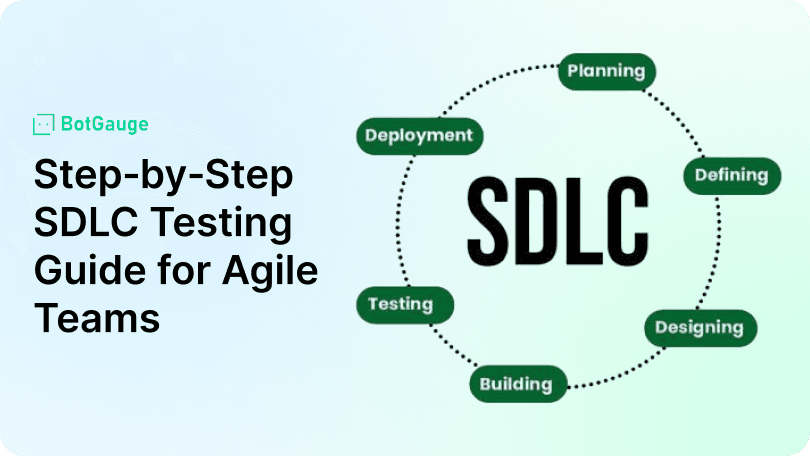
SDLC testing means aligning testing activities with each stage of the Software Development Life Cycle. In Agile teams, testing isn’t a final checkpoint. It’s embedded across the entire Agile testing lifecycle—from planning to deployment.
Instead of waiting for a complete build, QA begins as soon as stories are written. Teams use a combination of AI-driven test automation, manual checks, and shift-left testing to validate every phase in real time. This reduces feedback loops and helps developers fix bugs faster.
Testing becomes a shared responsibility across developers, testers, and product teams. With continuous integration and constant collaboration, Agile teams maintain high velocity without compromising quality.
Advantages and Disadvantages of SDLC in Agile
A structured SDLC testing model helps teams stay consistent sprint after sprint. It ensures traceability, simplifies planning, and enables reliable test coverage using both manual and automated tools.
Advantages
- Predictable testing throughout the Agile testing lifecycle
- Easier debugging with clear checkpoints
- Strong integration with CI pipelines
- Improved test reuse across features and sprints
Disadvantages
- Rigid plans may limit fast adaptations
- Overuse of automation can miss design-level bugs
- High setup time for full coverage across all layers
A flexible, feedback-driven model helps overcome these issues, especially when teams apply shift-left testing and bring developers into QA early.
| Advantages | Disadvantages |
| Structured testing across all SDLC phases | Can feel rigid in fast-changing sprint environments |
| Early bug detection through shift left testing | Over-reliance on automation may miss UX or design issues |
| Improved sprint planning with defined test coverage | Requires upfront effort to align test plans with each sprint |
| Supports AI-driven test automation and CI pipelines | High initial setup time for full test environment integration |
| Better traceability and defect analysis | Test cases may need constant updates in evolving Agile backlogs |
This sets the stage for a step-by-step testing approach that fits perfectly into every Agile sprint.
Step by Step SDLC Testing Guide for Agile Teams 2025
A clear SDLC testing structure helps Agile teams maintain quality across rapid sprints. Each phase of the Agile testing lifecycle needs its own focus, tools, and feedback loops. Here’s how to structure it:
1. Requirements and Planning
Start during sprint planning. QA teams define testing scope, identify risk areas, and align with developers on expected outcomes. This prevents confusion during execution.
2. Shift Left Testing Implementation
Testing begins as code is written. Developers create unit and integration tests. QA runs validations on features before they move to staging. This early start prevents last-minute surprises.
3. AI Driven Test Automation
Use AI-driven test automation to generate test cases, adapt to code changes, and prioritize critical flows. This allows QA to scale without writing everything manually.
4. Shift Right Testing and Live QA
Post-deployment testing includes canary releases, real-user monitoring, and A/B testing. These reveal performance or UX issues that internal tests often miss.
5. Manual Plus Automated Testing
Automated tests handle APIs, regression, and repetitive flows. Manual testing focuses on UI checks, edge cases, and exploratory testing. This balance ensures better coverage.
6. Ethical and Cybersecurity Evaluations
Validate fairness in data handling and check for vulnerabilities. Include cybersecurity testing for APIs, authentication, and user permissions.
7. Low Code Tools and Team Collaboration
Use low code testing platforms to involve product managers, analysts, and non-tech stakeholders. This speeds up test cycles and improves collaboration.
| No. | Step | Focus Area |
| 1 | Requirements and Planning | Define test scope, align QA with sprint goals, plan risk-based testing |
| 2 | Shift Left Testing Implementation | Start unit and integration tests during development, integrate CI pipelines |
| 3 | AI Driven Test Automation | Use AI for test case generation, script maintenance, and priority handling |
| 4 | Shift Right Testing and Live QA | Monitor production using canary releases, A/B testing, real-user behavior |
| 5 | Manual Plus Automated Testing | Balance automation for regression with manual exploratory and UI checks |
| 6 | Ethical and Cybersecurity Evaluations | Validate AI fairness, perform security and compliance tests |
| 7 | Low Code Tools and Collaboration | Involve non-tech users using low code platforms to speed up feedback cycles |
Best Practices for Agile SDLC Testing in 2025
To make SDLC testing effective inside fast-paced Agile workflows, teams in 2025 follow focused, practical steps that align with the full Agile testing lifecycle:
- Start testing during sprint planning: Define test cases and coverage upfront. It improves test clarity and reduces miscommunication.
- Use continuous integration testing: Run automated test cases after every code commit to detect failures instantly.
- Treat SDLC testing as a shared task: Developers, testers, and product managers contribute across all SDLC phases.
- Use AI-driven test automation wisely: Target high-risk areas first. Avoid bloating test suites with unnecessary checks.
- Add cybersecurity testing and ethical checks: Secure data, validate roles, and check AI fairness continuously.
- Review test strategy in retrospectives: Evaluate test gaps, regressions, and sprint coverage regularly.
- Adopt low code testing tools: Help non-tech team members create or review tests without writing scripts.
| No. | Best Practice | Details | Impact |
| 1 | Start testing in sprint planning | Define acceptance criteria early and align test scope with sprint goals | Reduces rework, improves story clarity, and shortens test cycles |
| 2 | Use continuous integration testing | Run tests automatically on every commit | Catches bugs early, improves stability, and supports fast releases |
| 3 | Make testing a team-wide activity | Involve devs, testers, and product owners in testing responsibilities | Increases accountability and test coverage across all roles |
| 4 | Keep test cases lean | Focus on high-risk areas using AI-driven test automation | Saves time, lowers maintenance, and avoids test bloat |
| 5 | Incorporate security and ethical checks | Add cybersecurity testing and fairness validation in the pipeline | Prevents compliance issues and builds product trust |
| 6 | Run retrospectives on testing | Review test failures and update strategies regularly | Improves test strategy and avoids repeat bugs |
| 7 | Use low code tools for collaboration | Let non-technical roles contribute to test creation and reviews | Speeds up QA cycles and increases stakeholder involvement |
When these practices are baked into the cycle, Agile teams improve software quality without slowing down release velocity.
How BotGauge Enhances Software Testing Throughout the SDLC
BotGauge is one of the few AI testing agents with unique features that make it stand out from other SDLC testing tools. It blends automation, real-time adaptability, and intelligent workflows designed for teams aiming to speed up QA without compromising on depth.
Our autonomous agent has already generated over a million test cases across industries. With 10+ years of software testing experience, BotGauge’s founders have built one of the most advanced AI QA platforms available today.
Key features include:
- 20x faster test creation: AI-driven automation accelerates test development and debugging, allowing teams to expand coverage quickly.
- 85% lower costs: Teams report significant savings in test maintenance and execution, making BotGauge highly cost-efficient.
- No-code, natural language input: Plain-English descriptions, PRDs, or design files can be converted directly into executable test cases.
- Self-healing scripts: Tests automatically adapt when UI or API elements change, eliminating the need for constant manual updates.
- Full-stack coverage: From UI and APIs to databases and visual regression, BotGauge handles it all in one platform.
These capabilities make BotGauge a smart choice for Agile teams focused on fast, low-cost, and reliable SDLC testing across the development cycle.
Conclusion
Many Agile teams struggle with SDLC testing because it’s either done too late or scattered across disconnected tools. This leads to missed bugs, broken features in production, and hours wasted in backtracking errors during sprint reviews.
The consequence? Delays, frustrated stakeholders, and low team confidence in every release. Poor testing flow silently becomes a blocker to speed and quality.
That’s where BotGauge makes a difference. It plugs directly into your SDLC, automates testing with AI, self-heals scripts, and keeps your quality checks fast, reliable, and always one step ahead of failure.Start testing smarter with BotGauge. Automate, scale and never miss a bug again.
For the fundamentals of creating a software test plan, see our full guide. Related topics include ISTQB principles and test deliverables. Platforms like autonomous QA automate much of this process end to end.